1
Problems Starting MATLAB
You can reach the MathWorks Technical Support by e-mail, phone, or fax.
E-mail: [email protected]
Phone: 508-647-7000
Fax: 508-647-7201
Checking the License Manager Daemons
The license manager must be running before you can start MATLAB. To
determine whether the license manager daemons are operating, run the
lmstat command on the license server.
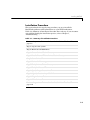
cd $MATLAB/etc
lmstat a
On computers running System V UNIX, enter
ps
ef | grep lm
Check the output of these commands to determine if both the license manager
daemon (lmgrd or lm_TMW.ld) and the vendor daemon (MLM) are running. There
can be multiple license manager daemons running if you are running multiple
license managers but only one MLM daemon. Remove all duplicate daemons
manually. To stop processes, you must be logged in as superuser; then execute
the command
kill pid_of_daemon
where pid_of_daemon is the process ID of the daemon. If either the license
manager or vendor daemon is not running, restart the daemons by running
lmstart, located in the $MATLAB/etc directory.
Viewing the License Manager Log File
The file /var/tmp/lm_TMW.log contains a log of all license activity. The license
manager appends a new entry to the log each time a license transaction occurs.
For help interpreting error messages and suggested remedies to common
errors, refer to the section “Getting Help with License Manager Problems” on
page 3-8.
Because this log file can grow to be quite large, occasionally delete information
from the file to conserve disk space.
3-5