1
XELLIPMEDIA USER MANUAL
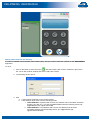
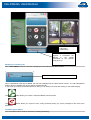
To do so, select the call recipient from the directory, then enable forwarding by clicking on the forwarding button
.
All calls are then redirected to this new recipient.
A specific message is displayed on the screen.
When making or receiving a call
Muting the station microphone
button is pressed, the operator will not be heard by the gatekeeper.
When the
The
button shows that the station microphone is muted.
Running a command
You can run one or more commands from XELLIPMedia. For this purpose, you must have configured them previously
from the web server of the XELLIP station. In this way, you can configure up to three commands that can be used
from XELLIPMedia.
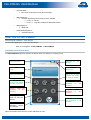
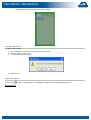
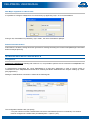
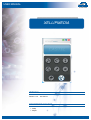
These commands appear in a secondary window displayed under the main window:
The window is resized according to the number of commands to be displayed, and will appear smaller for one or two
commands.
You can then click on the button corresponding to the desired command in order to run it.
Transferring a call
First, select a party from the directory list and click on the
button. This allows you to transfer the current call to another contact.
User manual n° 604-0053 A
www.castel.fr
Page 18 / 21