1
XELLIPMEDIA USER MANUAL
INTRODUCTION
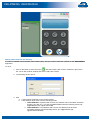
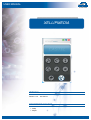
XELLIPMedia is the software application of the XELLIP package, which can run on a PC and allows the user to
establish audio/video communication between this PC and a SIP party, which may be a XELLIP gatekeeper, a XELLIP
master station or any other client supporting the SIP protocol.
XELLIPMedia can also be used to run commands on the party side during communication involving stations of the
XELLIP range (opening doors, etc.) .
XELLIPMedia offers the following functions:
• Making outgoing calls
• Answering incoming calls
• Managing muting during a call
• Managing call forwarding
• Managing call transfering
• Managing a directory of SIP contacts
• Registering with a SIP server
• Configuring multimedia peripherals
• Managing security
• Interfacing with CASTELSuite
• Interfacing with Maylis
XELLIPMedia, based on the SIP protocol, supports the following parameters:
• Audio codecs: G.711aLaw or PCMA , G.711uLaw or PCMU, GSM, Speex 8kHz, Speex 16kHz
• Video codecs: H.263, H.263+ 1998, MP4V-ES, H264, theora, x-snow
• DTMF code support (RFC 2833 and SIP INFO messages)
Important: XELLIPMedia supports a larger number of codecs than the stations of the XELLIP range, which support
the following codecs:
Audio: PCMU, PCMA, GSM
Video: H263, H263 + 1998, H264
MINIMUM HARDWARE REQUIREMENTS
XELLIPMedia requires a PC with the following specifications:
• Processor:
1. At least Intel Pentium III 1 Ghz or equivalent
2. Optimum: Pentium 4 2.0 GHz or equivalent
• Memory: At least 512 MB of RAM,
• Hard disk space: 100 MB
• Operating system: Windows XP, Vista, Windows 7
• Network card
• Sound card
• Speakers
• Microphone (preferably external)
INSTALLING XELLIPMEDIA
XELLIPMedia can be installed from the installation CD-ROM:
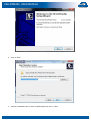
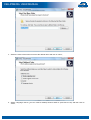
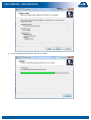
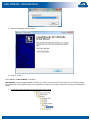
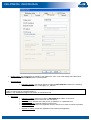
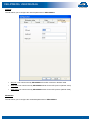
1. Run "XELLIPmedia-Setup.exe",
User manual n° 604-0053 A
www.castel.fr
Page 3 / 21