1
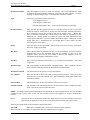
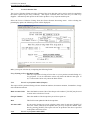
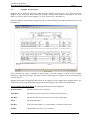
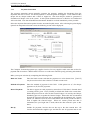
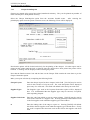
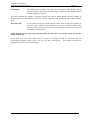
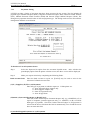
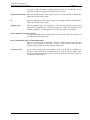
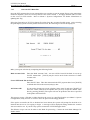
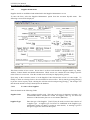
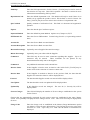
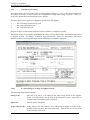
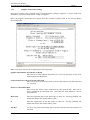
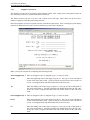
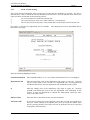
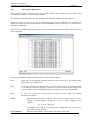
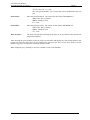
LETTUS User Manual Accounts Payable (Creditors) Menu 7 Supplier Name Enter the name of the Supplier as it is to appear on Payments and other documentation to be sent to this Supplier. Up to 30 characters may be used. Address 1 Enter the first line of the address. This field usually contains the street or Post Office Box details. This field must be entered. Address 2 An alternate address or more information may be entered in this field. This field is optional. City Enter the city or suburb of the suppliers address. Up to 20 characters may be used. This field is optional. State Enter the state code. [ListVal] may be used to assist in the selection of a state code (see Menu 1 section for more information on maintaining state codes). PC Enter the postcode of the suppliers address. If not known enter zero in this field. Country Optionally enter the country. customers only. Terms Enter the credit terms for this supplier in the number of days. This field is used to calculate the due date of documents. Phone 1 Enter the phone number of the Grower. Ensure that when entering phone numbers that a standard is maintained e.g. (076) 123 456 or 076 123456 as this provides greater flexibility when querying grower records. Phone 2 Optionally enter an additional contact phone number. Fax Enter the fax number of the Grower. ABN Enter the Supplier's Australian Business Number using format 99-999-999-999 Tax File Number Enter the Supplier's Tax File number, format 999-999-999 Entity Type Enter (C)ompany, (I)ndividual, (P)artnership, (T)rust or (O)ther Area Optionally enter the Area code of the Supplier. [ListVal] may be used if the code is not known. Upon entry of a valid code the description will be displayed. See Menu 1 section for more information on maintaining area codes. The area codes are used for reporting purposes. Contact Name Enter the Supplier contact name here. Up to 16 characters may be entered. Title Enter the Contact persons title. Example: Owner, Manager, IT Support, etc Lot Type Enter the default Lot type for the Grower. This default will only be used if there is no default set up against the produce record. This default is used in Grower Lot Entry. Agree Type Enter the default agreement type for this Grower. Valid entries are (P)urchase, (B)asis or (C)ommission. This field is optional. This default will be used when entering a Lot in Grower Lot Entry. Freight Indicator Enter the default freight indicator for this Grower. Valid entries are (D)educt, (F)arm or (L)anded. This field is optional. Printed on 16 May, 2002 This field is usually used for international Fresh Computer Systems Pty Ltd 7-51