1
LETTUS User Manual
Accounts Payable (Creditors)
7.9
Menu 7
Supplier Account Query
Enquiries may be made on supplier accounts using the Supplier Account Query form. This form shows
supplier invoice and credit note transactions together with payments made to the supplier. The form
allows for selective query on the Supplier, e.g. show all invoice for June 2001 etc.
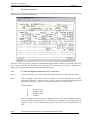
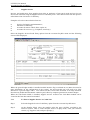
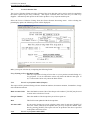
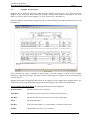
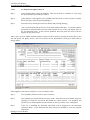
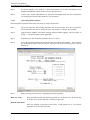
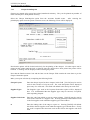
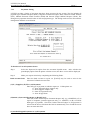
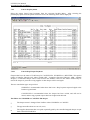
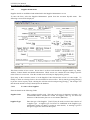
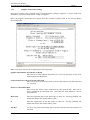
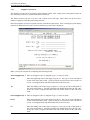
Select the Supplier Account Query option from the Accounts Payable menu and the following screen will
be displayed:
Upon selection, the form is available in Query Mode, select the supplier or query of the available
information, and press [ExeQry]. The form will find and display the supplier record/s that match the
selection criteria.
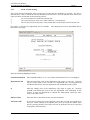
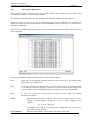
Supplier Documents and Payments that belong to the supplier will be displayed the Supplier block. The
form lists the most recent documents and payments back through to the earliest dated documents.
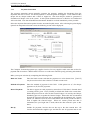
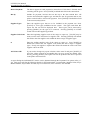
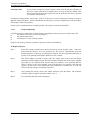
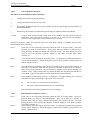
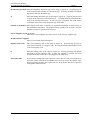
In the Supplier Documents Block the following information will be displayed:
Document Date
The date of the invoice/credit note.
Enter Date
The date the invoice/credit note was entered into the system.
Due Date
The date that the invoice/credit note is/was due for payment.
Status
The document status.
Our Ref
Your reference number, e.g. order number or another relevant code.
Number
The number of the invoice or credit note.
Printed on 16 May, 2002
Fresh Computer Systems Pty Ltd
7-25