1
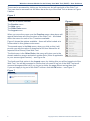
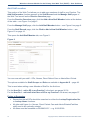
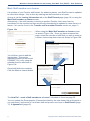
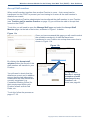
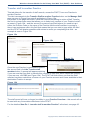
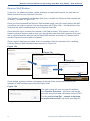
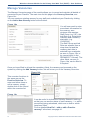
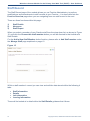
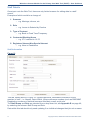
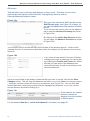
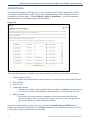
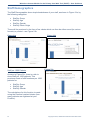
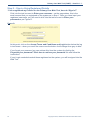
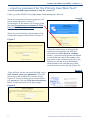
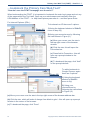
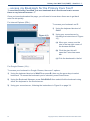
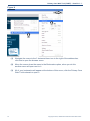
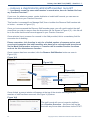
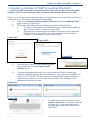
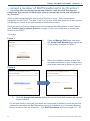
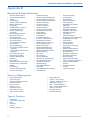
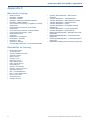
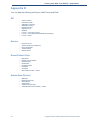
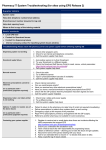
Workforce Census Module for the Primary Care Web Tool (PCWT) – User Guidance Add Staff member This section of the Web Tool allows you to add new members of staff to your Practice. The Add Staff member function appears in the Staff Record and the Manage Staff pages of the Web Tool as well as the Practice Overview page. From the Practice Overview page, click the Add a New Staff Member button at the bottom of the table – see Figure 3 on page 5. From the Manage Staff page, click the Add Staff Member button – see Figure 8 on page 9. From the Staff Record page, click the Click to Add a New Staff Member button – see Figure 15 on page 16. This opens the Add Staff Member tab, see Figure 9. Figure 9 You can now add your staff – GPs, Nurses, Direct Patient Care or Admin/Non-Clinical. The options available for Staff Groups and Role are available in Appendix D – page 48. This is used when adding a new Member of Staff for the first time. For the How Do I…add a GP to my Practice? crib sheet, see pages 35-36. For the How Do I…add staff other than a GP to my Practice? crib sheet, see pages 37. Points to Remember 10 Remember that all GPs should be searched on either the Lookup Registration No. or Lookup Name functions. All other staff types (i.e. Nurses, Direct Patient Care and Admin/Estates/Facilities staff) need to be manually entered. All dates must be formatted as DD/MM/YYYY – e.g. 01/02/2000 Copyright © 2015, Health and Social Care Information Centre.