1
Command Line Tools User
Guide
(Formerly the Development System Reference Guide)
UG628 (v 11.4) December 2, 2009
Xilinx Trademarks and Copyright Information
Xilinx is disclosing this user guide, manual, release note, and/or specification (the “Documentation”) to you
solely for use in the development of designs to operate with Xilinx hardware devices. You may not reproduce,
distribute, republish, download, display, post, or transmit the Documentation in any form or by any means
including, but not limited to, electronic, mechanical, photocopying, recording, or otherwise, without the prior
written consent of Xilinx. Xilinx expressly disclaims any liability arising out of your use of the Documentation.
Xilinx reserves the right, at its sole discretion, to change the Documentation without notice at any time. Xilinx
assumes no obligation to correct any errors contained in the Documentation, or to advise you of any corrections
or updates. Xilinx expressly disclaims any liability in connection with technical support or assistance that may be
provided to you in connection with the Information.
THE DOCUMENTATION IS DISCLOSED TO YOU “AS-IS” WITH NO WARRANTY OF ANY KIND. XILINX
MAKES NO OTHER WARRANTIES, WHETHER EXPRESS, IMPLIED, OR STATUTORY, REGARDING
THE DOCUMENTATION, INCLUDING ANY WARRANTIES OF MERCHANTABILITY, FITNESS FOR A
PARTICULAR PURPOSE, OR NONINFRINGEMENT OF THIRD-PARTY RIGHTS. IN NO EVENT WILL
XILINX BE LIABLE FOR ANY CONSEQUENTIAL, INDIRECT, EXEMPLARY, SPECIAL, OR INCIDENTAL
DAMAGES, INCLUDING ANY LOSS OF DATA OR LOST PROFITS, ARISING FROM YOUR USE OF THE
DOCUMENTATION.
© Copyright 2002-2009 Xilinx Inc. All Rights Reserved. XILINX, the Xilinx logo, the Brand Window and other
designated brands included herein are trademarks of Xilinx, Inc. All other trademarks are the property of their
respective owners. The PowerPC name and logo are registered trademarks of IBM Corp., and used under license.
All other trademarks are the property of their respective owners.
2
www.xilinx.com
Command Line Tools User Guide
UG628 (v 11.4) December 2, 2009
Table of Contents
Xilinx Trademarks and Copyright Information......................................................................................... 2
Chapter 1 Introduction................................................................................................................................ 21
Command Line Program Overview....................................................................................................... 21
Command Line Syntax ......................................................................................................................... 22
Command Line Options ....................................................................................................................... 22
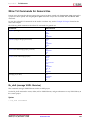
-f (Execute Commands File) ........................................................................................................... 22
-h (Help)....................................................................................................................................... 23
-intstyle (Integration Style)............................................................................................................. 24
-p (Part Number)........................................................................................................................... 24
Usage .................................................................................................................................... 25
Invoking Command Line Programs ...................................................................................................... 26
Chapter 2 Design Flow................................................................................................................................ 27
Design Flow Overview......................................................................................................................... 27
Design Entry and Synthesis .................................................................................................................. 30
Hierarchical Design.............................................................................................................................. 30
Schematic Entry Overview ................................................................................................................... 31
Library Elements........................................................................................................................... 31
CORE Generator Tool (FPGAs Only) .............................................................................................. 31
HDL Entry and Synthesis ..................................................................................................................... 31
Functional Simulation .......................................................................................................................... 32
Constraints.......................................................................................................................................... 32
Mapping Constraints (FPGAs Only) ............................................................................................... 32
Block Placement ............................................................................................................................ 32
Timing Specifications .................................................................................................................... 32
Netlist Translation Programs ................................................................................................................ 32
Design Implementation ........................................................................................................................ 32
Mapping (FPGAs Only)........................................................................................................................ 34
Placing and Routing (FPGAs Only) ....................................................................................................... 35
Bitstream Generation (FPGAs Only)...................................................................................................... 35
Design Verification............................................................................................................................... 35
Simulation........................................................................................................................................... 37
Back-Annotation ........................................................................................................................... 37
NetGen......................................................................................................................................... 38
Functional Simulation ................................................................................................................... 38
Timing Simulation ........................................................................................................................ 39
HDL-Based Simulation .................................................................................................................. 39
Static Timing Analysis (FPGAs Only) .................................................................................................... 40
In-Circuit Verification........................................................................................................................... 40
Design Rule Checker (FPGAs Only)................................................................................................ 41
Probe............................................................................................................................................ 41
ChipScope™ ILA and ChipScope Pro ............................................................................................. 41
FPGA Design Tips ............................................................................................................................... 41
Design Size and Performance ......................................................................................................... 41
Chapter 3 PARTGen ................................................................................................................................... 43
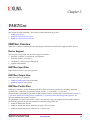
PARTGen Overview............................................................................................................................. 43
Device Support ............................................................................................................................. 43
PARTGen Input Files..................................................................................................................... 43
PARTGen Output Files .................................................................................................................. 43
PARTGen Partlist Files................................................................................................................... 43
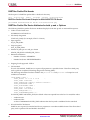
PARTGen Partlist File Header ................................................................................................. 44
PARTGen Partlist File Device Attributes for both -p and -v Options ........................................... 44
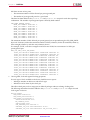
PARTGen Partlist File Device Attributes for partgen -v Option Only.......................................... 46
PARTGen Package Files ................................................................................................................. 47
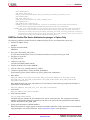
PARTGen Package Files Using the -p Option ............................................................................ 47
PARTGen Package Files Using the -v Option ............................................................................ 48
Command Line Tools User Guide
UG628 (v 11.4) December 2, 2009
www.xilinx.com
3
PARTGen Command Line Syntax .........................................................................................................
PARTGen Command Line Options .......................................................................................................
-arch (Output Information for Specified Architecture)......................................................................
-i (Output List of Devices, Packages, and Speeds) ............................................................................
-intstyle (Integration Style).............................................................................................................
-nopkgfile (Generate No Package File) ............................................................................................
-p (Generate Partlist and Package Files) ..........................................................................................
-v (Generate Partlist and Package Files)...........................................................................................
Chapter 4 NetGen.......................................................................................................................................
NetGen Overview ................................................................................................................................
NetGen Flows ...............................................................................................................................
NetGen Device Support .................................................................................................................
NetGen Simulation Flow ......................................................................................................................
NetGen Functional Simulation Flow ...............................................................................................
Functional Simulation for UNISIM-based Netlists.....................................................................
Output files for NetGen Functional Simulation .........................................................................
Syntax for NetGen Functional Simulation.................................................................................
NetGen Timing Simulation Flow ....................................................................................................
FPGA Timing Simulation ........................................................................................................
CPLD Timing Simulation ........................................................................................................
Syntax for NetGen Timing Simulation Flow .............................................................................
Options for NetGen Simulation Flow..............................................................................................
-aka (Write Also-Known-As Names as Comments) ...................................................................
-bd (Block RAM Data File) ......................................................................................................
-bx (Block RAM Init Files Directory) ........................................................................................
-dir (Directory Name) .............................................................................................................
-fn (Control Flattening a Netlist) ..............................................................................................
-gp (Bring Out Global Reset Net as Port) ..................................................................................
-insert_pp_buffers (Insert Path Pulse Buffers) ...........................................................................
-intstyle (Integration Style) ......................................................................................................
-mhf (Multiple Hierarchical Files) ............................................................................................
-module (Simulation of Active Module) ...................................................................................
-ofmt (Output Format) ............................................................................................................
-pcf (PCF File) ........................................................................................................................
-s (Change Speed)...................................................................................................................
-sim (Generate Simulation Netlist) ...........................................................................................
-tb (Generate Testbench Template File).....................................................................................
-ti (Top Instance Name)...........................................................................................................
-tm (Top Module Name) .........................................................................................................
-tp (Bring Out Global 3-State Net as Port) .................................................................................
-w (Overwrite Existing Files) ...................................................................................................
Verilog-Specific Options for Functional and Timing Simulation........................................................
-insert_glbl (Insert glbl.v Module)............................................................................................
-ism (Include SIMPRIM Modules in Verilog File) ......................................................................
-ne (No Name Escaping) .........................................................................................................
-pf (Generate PIN File) ............................................................................................................
-sdf_anno (Include $sdf_annotate) ...........................................................................................
-sdf_path (Full Path to SDF File) ..............................................................................................
-shm (Write $shm Statements in Test Fixture File) .....................................................................
-ul (Write uselib Directive) ......................................................................................................
-vcd (Write $dump Statements In Test Fixture File) ...................................................................
VHDL-Specific Options for Functional and Timing Simulation.........................................................
-a (Architecture Only) .............................................................................................................
-ar (Rename Architecture Name) .............................................................................................
-extid (Extended Identifiers) ....................................................................................................
-rpw (Specify the Pulse Width for ROC) ...................................................................................
-tpw (Specify the Pulse Width for TOC) ...................................................................................
NetGen Equivalence Checking Flow .....................................................................................................
Post-NGDBuild Flow for FPGAs ....................................................................................................
4
www.xilinx.com
49
49
49
50
50
51
51
51
53
53
53
54
54
55
55
55
55
55
56
56
57
57
57
58
58
58
58
58
58
59
59
59
59
59
60
60
60
60
60
61
61
61
61
61
62
62
62
62
63
63
63
63
63
63
64
64
64
64
64
Command Line Tools User Guide
UG628 (v 11.4) December 2, 2009
Post-Implementation Flow for FPGAs.............................................................................................
Input files for NetGen Equivalence Checking ..................................................................................
Output files for NetGen Equivalence Checking ...............................................................................
Syntax for NetGen Equivalence Checking .......................................................................................
Options for NetGen Equivalence Checking Flow .............................................................................
-aka (Write Also-Known-As Names as Comments) ...................................................................
-bd (Block RAM Data File) ......................................................................................................
-dir (Directory Name) .............................................................................................................
-ecn (Equivalence Checking)....................................................................................................
-fn (Control Flattening a Netlist) ..............................................................................................
-intstyle (Integration Style) ......................................................................................................
-mhf (Multiple Hierarchical Files) ............................................................................................
-module (Verification of Active Module) ..................................................................................
-ne (No Name Escaping) .........................................................................................................
-ngm (Design Correlation File) ................................................................................................
-tm (Top Module Name) .........................................................................................................
-w (Overwrite Existing Files) ...................................................................................................
NetGen Static Timing Analysis Flow .....................................................................................................
Static Timing Analysis Flow for FPGAs ..........................................................................................
Input files for Static Timing Analysis ..............................................................................................
Output files for Static Timing Analysis ...........................................................................................
Syntax for NetGen Static Timing Analysis.......................................................................................
Options for NetGen Static Timing Analysis Flow.............................................................................
-aka (Write Also-Known-As Names as Comments) ...................................................................
-bd (Block RAM Data File) ......................................................................................................
-dir (Directory Name) .............................................................................................................
-fn (Control Flattening a Netlist) ..............................................................................................
-intstyle (Integration Style) ......................................................................................................
-mhf (Multiple Hierarchical Files) ............................................................................................
-module (Simulation of Active Module) ...................................................................................
-ne (No Name Escaping) .........................................................................................................
-pcf (PCF File) ........................................................................................................................
-s (Change Speed)...................................................................................................................
-sta (Generate Static Timing Analysis Netlist) ...........................................................................
-tm (Top Module Name) .........................................................................................................
-w (Overwrite Existing Files) ...................................................................................................
Preserving and Writing Hierarchy Files .................................................................................................
Testbench File ...............................................................................................................................
Hierarchy Information File ............................................................................................................
Dedicated Global Signals in Back-Annotation Simulation .......................................................................
Global Signals in Verilog Netlist .....................................................................................................
Global Signals in VHDL Netlist ......................................................................................................
Chapter 5 Logical Design Rule Check (DRC) ................................................................................................
Logical DRC Overview.........................................................................................................................
Logical DRC Device Support..........................................................................................................
Logical DRC Checks.............................................................................................................................
Block Check ..................................................................................................................................
Net Check.....................................................................................................................................
Pad Check ....................................................................................................................................
Clock Buffer Check........................................................................................................................
Name Check .................................................................................................................................
Primitive Pin Check.......................................................................................................................
Chapter 6 NGDBuild ..................................................................................................................................
NGDBuild Overview ...........................................................................................................................
NGDBuild Design Flow.................................................................................................................
NGDBuild Device Support ............................................................................................................
Converting a Netlist to an NGD File ...............................................................................................
NGDBuild Input Files....................................................................................................................
NGDBuild Intermediate Files.........................................................................................................
Command Line Tools User Guide
UG628 (v 11.4) December 2, 2009
www.xilinx.com
65
65
65
65
66
66
66
66
66
67
67
67
67
67
68
68
68
68
69
69
69
69
70
70
70
70
70
71
71
71
71
71
72
72
72
72
72
73
73
74
74
74
75
75
75
75
76
76
76
77
77
77
79
79
79
79
80
80
81
5
NGDBuild Output Files ................................................................................................................. 82
NGDBuild Syntax ................................................................................................................................ 82
NGDBuild Options .............................................................................................................................. 83
-a (Add PADs to Top-Level Port Signals)......................................................................................... 83
-aul (Allow Unmatched LOCs) ....................................................................................................... 83
-aut (Allow Unmatched Timegroups) ............................................................................................. 84
-bm (Specify BMM Files)................................................................................................................ 84
-dd (Destination Directory) ............................................................................................................ 84
-f (Execute Commands File) ........................................................................................................... 84
-i (Ignore UCF File)........................................................................................................................ 85
-insert_keep_hierarchy (Insert KEEP_HIERARCHY constraint) ........................................................ 85
-intstyle (Integration Style)............................................................................................................. 85
-ise (ISE Project File) ...................................................................................................................... 85
-l (Libraries to Search).................................................................................................................... 85
-nt (Netlist Translation Type).......................................................................................................... 86
-p (Part Number)........................................................................................................................... 86
-quiet (Quiet) ................................................................................................................................ 86
-r (Ignore LOC Constraints) ........................................................................................................... 86
-sd (Search Specified Directory)...................................................................................................... 87
-u (Allow Unexpanded Blocks) ...................................................................................................... 87
-uc (User Constraints File).............................................................................................................. 87
-ur (Read User Rules File) .............................................................................................................. 88
-verbose (Report All Messages) ...................................................................................................... 88
Chapter 7 MAP .......................................................................................................................................... 89
MAP Overview.................................................................................................................................... 89
MAP Design Flow ......................................................................................................................... 90
MAP Device Support..................................................................................................................... 90
MAP Input Files............................................................................................................................ 90
MAP Output Files ......................................................................................................................... 91
MAP Process ....................................................................................................................................... 92
MAP Syntax ........................................................................................................................................ 92
MAP Options ...................................................................................................................................... 93
-activity_file.................................................................................................................................. 94
-bp (Map Slice Logic)..................................................................................................................... 95
-c (Pack Slices)............................................................................................................................... 95
-cm (Cover Mode) ......................................................................................................................... 96
-detail (Generate Detailed MAP Report).......................................................................................... 96
-equivalent_register_removal (Remove Redundant Registers) .......................................................... 96
-f (Execute Commands File) ........................................................................................................... 97
-global_opt (Global Optimization) .................................................................................................. 97
-ignore_keep_hierarchy (Ignore KEEP_HIERARCHY Properties) ..................................................... 97
-intstyle (Integration Style)............................................................................................................. 97
-ir (Do Not Use RLOCs to Generate RPMs) ..................................................................................... 98
-ise (ISE Project File) ...................................................................................................................... 98
-lc (Lut Combining) ....................................................................................................................... 98
-logic_opt (Logic Optimization)...................................................................................................... 98
-mt (Multi-Threading) ................................................................................................................... 99
-ntd (Non Timing Driven).............................................................................................................. 99
-o (Output File Name) ................................................................................................................... 99
-ol (Overall Effort Level) ................................................................................................................ 99
-p (Part Number).......................................................................................................................... 100
-power (Power Optimization)........................................................................................................ 100
-pr (Pack Registers in I/O) ............................................................................................................. 100
-register_duplication (Duplicate Registers)..................................................................................... 101
-retiming (Register Retiming During Global Optimization) ............................................................. 101
-smartguide (SmartGuide) ............................................................................................................ 101
-t (Placer Cost Table)..................................................................................................................... 102
-timing (Timing-Driven Packing and Placement) ............................................................................ 102
-u (Do Not Remove Unused Logic)................................................................................................ 102
6
www.xilinx.com
Command Line Tools User Guide
UG628 (v 11.4) December 2, 2009
-w (Overwrite Existing Files)......................................................................................................... 103
-x (Performance Evaluation Mode) ................................................................................................ 103
-xe (Extra Effort Level).................................................................................................................. 103
Resynthesis and Physical Synthesis Optimizations ................................................................................ 103
Guided Mapping ................................................................................................................................ 104
Simulating Map Results ...................................................................................................................... 105
MAP Report (MRP) File....................................................................................................................... 106
Physical Synthesis Report (PSR) File..................................................................................................... 112
Halting MAP ...................................................................................................................................... 114
Chapter 8 Physical Design Rule Check ........................................................................................................ 115
DRC Overview ................................................................................................................................... 115
Device Support ............................................................................................................................ 115
DRC Input File............................................................................................................................. 115
DRC Output File .......................................................................................................................... 115
DRC Syntax........................................................................................................................................ 115
DRC Options ...................................................................................................................................... 116
-e (Error Report)........................................................................................................................... 116
-o (Output file) ............................................................................................................................. 116
-s (Summary Report) .................................................................................................................... 116
-v (Verbose Report) ...................................................................................................................... 116
-z (Report Incomplete Programming) ............................................................................................ 117
DRC Checks ....................................................................................................................................... 117
DRC Errors and Warnings ................................................................................................................... 117
Chapter 9 Place and Route (PAR)................................................................................................................ 119
PAR Overview.................................................................................................................................... 119
PAR Flow .................................................................................................................................... 120
PAR Device Support..................................................................................................................... 120
PAR Input Files ............................................................................................................................ 120
PAR Output Files ......................................................................................................................... 120
PAR Process ....................................................................................................................................... 121
Placing ........................................................................................................................................ 121
Routing ....................................................................................................................................... 121
Timing Driven PAR ...................................................................................................................... 121
PAR Syntax ........................................................................................................................................ 122
Detailed Listing of Options.................................................................................................................. 123
-activity_file (Activity File)............................................................................................................ 123
-clock_regions (Generate Clock Region Report) .............................................................................. 123
-f (Execute Commands File) .......................................................................................................... 123
-intstyle (Integration Style)............................................................................................................ 124
-ise (ISE Project File) ..................................................................................................................... 124
-k (Re-Entrant Routing) ................................................................................................................ 124
-nopad (No Pad)........................................................................................................................... 124
-ntd (Non Timing Driven)............................................................................................................. 125
-ol (Overall Effort Level) ............................................................................................................... 125
-p (No Placement) ........................................................................................................................ 125
-pl (Placer Effort Level)................................................................................................................. 125
-power (Power Aware PAR) .......................................................................................................... 126
-r (No Routing) ............................................................................................................................ 126
-rl (Router Effort Level) ................................................................................................................ 126
-smartguide (SmartGuide) ............................................................................................................ 127
-t (Placer Cost Table)..................................................................................................................... 127
-ub (Use Bonded I/Os) .................................................................................................................. 127
-w (Overwrite Existing Files)......................................................................................................... 128
-x (Performance Evaluation Mode) ................................................................................................ 128
-xe (Extra Effort Level).................................................................................................................. 128
PAR Reports ....................................................................................................................................... 129
Place and Route (PAR) Report ....................................................................................................... 129
PAR Report Layout................................................................................................................ 130
Sample PAR Report ............................................................................................................... 130
Command Line Tools User Guide
UG628 (v 11.4) December 2, 2009
www.xilinx.com
7
Guide Report file (GRF) ................................................................................................................ 132
Guide Report Layout ............................................................................................................. 133
Sample Guide Report File ...................................................................................................... 133
ReportGen.......................................................................................................................................... 134
ReportGen Syntax ........................................................................................................................ 134
ReportGen Input Files .................................................................................................................. 134
ReportGen Output Files................................................................................................................ 134
ReportGen Options ...................................................................................................................... 134
Halting PAR ....................................................................................................................................... 135
Chapter 10 SmartXplorer............................................................................................................................ 137
SmartXplorer Overview ...................................................................................................................... 137
Key Benefits................................................................................................................................. 137
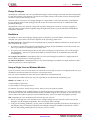
Design Strategies ................................................................................................................... 138
Parallelism ............................................................................................................................ 138
Using a Single Linux or Windows Machine ............................................................................. 138
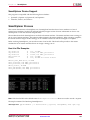
SmartXplorer Device Support ....................................................................................................... 139
SmartXplorer Process .......................................................................................................................... 139
LSF and SunGrid (SGE) Support ................................................................................................... 140
LSF Syntax................................................................................................................................... 140
SmartXplorer Input Files ..................................................................................................................... 141
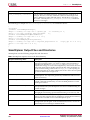
SmartXplorer Output Files and Directories ........................................................................................... 142
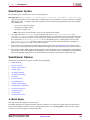
SmartXplorer Syntax ........................................................................................................................... 143
SmartXplorer Options ......................................................................................................................... 143
-b (Batch Mode)............................................................................................................................ 143
-l (Host List File) .......................................................................................................................... 144
-la (List All Strategies) .................................................................................................................. 144
-m (Max Runs) ............................................................................................................................. 144
-mo (MAP Options)...................................................................................................................... 144
-mt (Multi-Threading) .................................................................................................................. 145
-n (Notify) ................................................................................................................................... 145
-p (Part Number).......................................................................................................................... 145
-po (PAR Options) ........................................................................................................................ 145
-ra (Run All Strategies) ................................................................................................................. 145
-rcmd (Remote Command) ........................................................................................................... 146
-sd (Source Directory)................................................................................................................... 146
-sf (Strategy File) .......................................................................................................................... 146
-uc (UCF File) .............................................................................................................................. 146
-wd (Write Directory) ................................................................................................................... 146
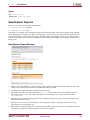
SmartXplorer Reports.......................................................................................................................... 147
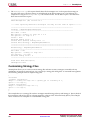
Customizing Strategy Files .................................................................................................................. 148
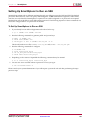
Setting Up SmartXplorer to Run on SSH............................................................................................... 149
Chapter 11 XPower (XPWR) ....................................................................................................................... 151
XPower Overview............................................................................................................................... 151
XPower Device Support................................................................................................................ 151
Files Used by XPower ................................................................................................................... 152
XPower Syntax ................................................................................................................................... 152
XPower Command Line Options.......................................................................................................... 152
-l (Limit) ...................................................................................................................................... 153
-ls (List Supported Devices) .......................................................................................................... 153
-o (Rename Power Report) ............................................................................................................ 153
-s (Specify SAIF or VCD file) ......................................................................................................... 153
-t (Tcl Script) ................................................................................................................................ 153
-tb (Turn On Time Based Reporting) .............................................................................................. 153
-v (Verbose Report) ...................................................................................................................... 154
-wx (Write XML Settings File) ....................................................................................................... 154
-x (Specify XML Settings File)........................................................................................................ 154
XPower Command Line Examples ....................................................................................................... 154
Using XPower..................................................................................................................................... 155
SAIF or VCD Data Entry............................................................................................................... 155
8
www.xilinx.com
Command Line Tools User Guide
UG628 (v 11.4) December 2, 2009
Other Methods of Data Entry ........................................................................................................ 155
Power Reports .................................................................................................................................... 156
Standard Reports ......................................................................................................................... 156
Detailed Report............................................................................................................................ 156
Advanced Reports........................................................................................................................ 157
Chapter 12 PIN2UCF ................................................................................................................................. 159
PIN2UCF Overview ............................................................................................................................ 159
PIN2UCF Design Flow ................................................................................................................. 159
PIN2UCF Device Support ............................................................................................................. 159
PIN2UCF File Types ..................................................................................................................... 160
PIN2UCF Input File...................................................................................................................... 160
PIN2UCF Output Files ................................................................................................................. 160
PIN2UCF User Constraints Files (UCF) ................................................................................... 160
About PIN2UCF User Constraints Files (UCF) .................................................................. 160
PIN2UCF User Constraints Files (UCF) PINLOCK Section................................................. 160
Writing to PIN2UCF User Constraints Files (UCF)............................................................. 161
PIN2UCF User Constraints Files (UCF) Comments ........................................................... 161
PIN2UCF Pin Report Files ...................................................................................................... 162
PIN2UCF Constraints Conflicts Information ..................................................................... 162
PIN2UCF List of Errors and Warnings.............................................................................. 162
Syntax................................................................................................................................................ 162
PIN2UCF Command Line Options ....................................................................................................... 162
-o (Output File Name) .................................................................................................................. 162
-r (Write to a Report File) .............................................................................................................. 162
Chapter 13 TRACE .................................................................................................................................... 165
TRACE Overview ............................................................................................................................... 165
TRACE flow with primary input and output files ........................................................................... 165
TRACE Device Support ................................................................................................................ 166
TRACE Input Files ....................................................................................................................... 166
TRACE Output Files..................................................................................................................... 166
TRACE Syntax.................................................................................................................................... 166
TRACE Options .................................................................................................................................. 167
-a (Advanced Analysis)................................................................................................................. 167
-e (Generate an Error Report) ........................................................................................................ 167
-f (Execute Commands File) .......................................................................................................... 167
-fastpaths (Report Fastest Paths).................................................................................................... 168
-intstyle (Integration Style)............................................................................................................ 168
-ise (ISE Project File) ..................................................................................................................... 168
-l (Limit Timing Report)................................................................................................................ 168
-n (Report Paths Per Endpoint) ...................................................................................................... 168
-nodatasheet (No Data Sheet) ........................................................................................................ 169
-o (Output Timing Report File Name) ............................................................................................ 169
-s (Change Speed) ........................................................................................................................ 169
-stamp (Generates STAMP timing model files) ............................................................................... 169
-tsi (Generate a Timing Specification Interaction Report)................................................................. 170
-u (Report Uncovered Paths) ......................................................................................................... 170
-v (Generate a Verbose Report)...................................................................................................... 170
-xml (XML Output File Name) ...................................................................................................... 170
TRACE Command Line Examples ....................................................................................................... 171
TRACE Reports .................................................................................................................................. 171
Timing Verification with TRACE ................................................................................................... 172
Net Delay Constraints............................................................................................................ 172
Net Skew Constraints ............................................................................................................ 172
Path Delay Constraints........................................................................................................... 172
Clock Skew and Setup Checking............................................................................................. 172
Reporting with TRACE................................................................................................................. 173
Data Sheet Report ........................................................................................................................ 175
Report Legend....................................................................................................................... 177
Guaranteed Setup and Hold Reporting .......................................................................................... 177
Command Line Tools User Guide
UG628 (v 11.4) December 2, 2009
www.xilinx.com
9
Setup Times .......................................................................................................................... 177
Hold Times ........................................................................................................................... 178
Summary Report.......................................................................................................................... 178
Summary Report (Without a Physical Constraints File Specified) .............................................. 178
Summary Report (With a Physical Constraints File Specified)................................................... 179
Error Report ................................................................................................................................ 181
Verbose Report............................................................................................................................. 182
OFFSET Constraints............................................................................................................................ 185
OFFSET IN Constraint Examples................................................................................................... 185
OFFSET IN Header................................................................................................................ 185
OFFSET IN Path Details ......................................................................................................... 186
OFFSET IN Detailed Path Data ............................................................................................... 186
OFFSET IN Detail Path Clock Path.......................................................................................... 186
OFFSET In with Phase Shifted Clock....................................................................................... 187
OFFSET OUT Constraint Examples ............................................................................................... 188
OFFSET OUT Header ............................................................................................................ 189
OFFSET OUT Path Details...................................................................................................... 189
OFFSET OUT Detail Clock Path.............................................................................................. 189
OFFSET OUT Detail Path Data ............................................................................................... 190
PERIOD Constraints ........................................................................................................................... 190
PERIOD Header........................................................................................................................... 191
PERIOD Path ............................................................................................................................... 191
PERIOD Path Details .................................................................................................................... 192
PERIOD Constraint with PHASE................................................................................................... 193
PERIOD Path with Phase .............................................................................................................. 193
Minimum Period Statistics ............................................................................................................ 193
Halting TRACE .................................................................................................................................. 194
Chapter 14 Speedprint ............................................................................................................................... 195
Speedprint Overview .......................................................................................................................... 195
Speedprint Flow........................................................................................................................... 195
Speedprint Device Support ........................................................................................................... 195
Speedprint File Types ................................................................................................................... 195
Speedprint Command Line Syntax....................................................................................................... 198
Speedprint Command Line Options ..................................................................................................... 199
-intstyle (Integration Style)............................................................................................................ 199
Speedprint -min (Display Minimum Speed Data) ........................................................................... 199
-s (Speed Grade)........................................................................................................................... 200
-stepping (Stepping) ..................................................................................................................... 200
-t (Specify Temperature) ............................................................................................................... 200
-v (Specify Voltage) ...................................................................................................................... 200
Chapter 15 BitGen ..................................................................................................................................... 201
BitGen Overview ................................................................................................................................ 201
Design Flow................................................................................................................................. 201
BitGen Device Support ................................................................................................................. 202
BitGen Input Files ........................................................................................................................ 202
BitGen Output Files...................................................................................................................... 202
BitGen Command Line Syntax ............................................................................................................. 203
BitGen Command Line Options ........................................................................................................... 204
-b (Create Rawbits File) ................................................................................................................ 204
-bd (Update Block Rams) .............................................................................................................. 204
-d (Do Not Run DRC) ................................................................................................................... 205
-f (Execute Commands File) .......................................................................................................... 205
BitGen -g (Set Configuration) ........................................................................................................ 205
Sub-Options and Settings ....................................................................................................... 205
ActiveReconfig ...................................................................................................................... 206
Binary................................................................................................................................... 206
BPI_1st_read_cycle ................................................................................................................ 207
BPI_page_size ....................................................................................................................... 207
BusyPin ................................................................................................................................ 207
10
www.xilinx.com
Command Line Tools User Guide
UG628 (v 11.4) December 2, 2009
CclkPin ................................................................................................................................. 207
Compress.............................................................................................................................. 207
ConfigFallBack ...................................................................................................................... 208
ConfigRate ............................................................................................................................ 208
CRC...................................................................................................................................... 208
CsPin.................................................................................................................................... 208
DCIUpdateMode ................................................................................................................... 209
DCMShutdown ..................................................................................................................... 209
DebugBitstream..................................................................................................................... 209
DinPin .................................................................................................................................. 209
DONE_cycle ......................................................................................................................... 209
DonePin................................................................................................................................ 210
DonePipe .............................................................................................................................. 210
drive_awake.......................................................................................................................... 210
DriveDone ............................................................................................................................ 210
en_porb ................................................................................................................................ 210
en_sw_gsr ............................................................................................................................. 211
Encrypt................................................................................................................................. 211
EncryptKeySelect .................................................................................................................. 211
ExtMasterCclk_en.................................................................................................................. 211
ExtMasterCclk_divide............................................................................................................ 211
failsafe_user .......................................................................................................................... 211
Glutmask .............................................................................................................................. 212
golden_config_addr............................................................................................................... 212
GTS_cycle ............................................................................................................................. 212
GWE_cycle............................................................................................................................ 212
HKey .................................................................................................................................... 212
HswapenPin ......................................................................................................................... 213
IEEE1532............................................................................................................................... 213
InitPin .................................................................................................................................. 213
JTAG_SysMon....................................................................................................................... 213
Key0 ..................................................................................................................................... 213
KeyFile ................................................................................................................................. 214
LCK_cycle............................................................................................................................. 214
M0Pin................................................................................................................................... 214
M1Pin................................................................................................................................... 214
M2Pin................................................................................................................................... 214
Match_cycle .......................................................................................................................... 215
MultiBootMode ..................................................................................................................... 215
multipin_wakeup .................................................................................................................. 215
next_config_addr................................................................................................................... 215
next_config_boot_mode ......................................................................................................... 215
next_config_new_mode ......................................................................................................... 216
OverTempPowerDown .......................................................................................................... 216
PartialGCLK.......................................................................................................................... 216
PartialLeft ............................................................................................................................. 216
PartialMask0 ......................................................................................................................... 216
PartialRight ........................................................................................................................... 217
Persist................................................................................................................................... 217
PowerdownPin...................................................................................................................... 217
ProgPin................................................................................................................................. 217
RdWrPin ............................................................................................................................... 217
ReadBack .............................................................................................................................. 217
reset_on_error ....................................................................................................................... 218
Security ................................................................................................................................ 218
SelectMapAbort..................................................................................................................... 218
SPI_buswidth ........................................................................................................................ 218
StartCBC............................................................................................................................... 218
StartupClk ............................................................................................................................ 219
Command Line Tools User Guide
UG628 (v 11.4) December 2, 2009
www.xilinx.com
11
sw_clk .................................................................................................................................. 219
sw_gts_cycle ......................................................................................................................... 219
sw_gwe_cycle ....................................................................................................................... 219
TckPin .................................................................................................................................. 219
TdiPin................................................................................................................................... 220
TdoPin .................................................................................................................................. 220
TIMER_CFG ......................................................................................................................... 220
TIMER_USR.......................................................................................................................... 220
TmsPin ................................................................................................................................. 220
UnusedPin ............................................................................................................................ 221
UserID .................................................................................................................................. 221
wakeup_mask ....................................................................................................................... 221
-intstyle (Integration Style)............................................................................................................ 221
-j (No BIT File) ............................................................................................................................. 222
-l (Create a Logic Allocation File)................................................................................................... 222
-m (Generate a Mask File) ............................................................................................................. 222
-r (Create a Partial Bit File) ............................................................................................................ 222
-w (Overwrite Existing Output File) .............................................................................................. 222
Chapter 16 BSDLAnno............................................................................................................................... 223
BSDLAnno Overview.......................................................................................................................... 223
BitGen Device Support ................................................................................................................. 223
Input Files ................................................................................................................................... 224
Output Files................................................................................................................................. 224
BSDLAnno Command Line Syntax ...................................................................................................... 224
BSDLAnno Command Line Options..................................................................................................... 224
-intstyle (Integration Style)............................................................................................................ 224
BSDLAnno -s (Specify BSDL file)................................................................................................... 225
BSDLAnno File Composition .............................................................................................................. 225
BSDLAnno Entity Declaration....................................................................................................... 225
BSDLAnno Generic Parameter ...................................................................................................... 225
BSDLAnno Logical Port Description ............................................................................................. 226
Package Pin-Mapping................................................................................................................... 226
BSDLAnno USE Statement............................................................................................................ 226
BSDLAnno Scan Port Identification ............................................................................................... 227
BSDLAnno TAP Description ......................................................................................................... 227
BSDLAnno Boundary Register Description ................................................................................... 227
Boundary Scan Description Language (BSDL) File Modifications for Single-Ended Pins.................... 228
About Boundary Scan Description Language (BSDL) File Modifications for Single-Ended
Pins......................................................................................................................... 228
Boundary Scan Description Language (BSDL) File Modifications for Differential Pins ...................... 229
About Boundary Scan Description Language (BSDL) File Modifications for Differential
Pins......................................................................................................................... 229
BSDLAnno Modifications to the DESIGN_WARNING Section ........................................................ 230
BSDLAnno Header Comments...................................................................................................... 230
Boundary Scan Behavior in Xilinx Devices............................................................................................ 230
Chapter 17 PROMGen ............................................................................................................................... 231
PROMGen Overview .......................................................................................................................... 231
PROMGen Device Support ........................................................................................................... 231
PROMGen Input Files .................................................................................................................. 232
PROMGen Output Files................................................................................................................ 232
PROMGen Syntax ............................................................................................................................... 232
PROMGen Options ............................................................................................................................. 233
-b (Disable Bit Swapping) ............................................................................................................. 233
-bd (Specify Data File) .................................................................................................................. 233
-bm (Specify BMM File) ................................................................................................................ 234
-bpi_dc (Serial or Parallel Daisy Chaining) ..................................................................................... 234
-c (Checksum) .............................................................................................................................. 234
-config_mode (Configuration Mode).............................................................................................. 234
-d (Load Downward).................................................................................................................... 234
12
www.xilinx.com
Command Line Tools User Guide
UG628 (v 11.4) December 2, 2009
-data_file (Add Data Files) ............................................................................................................ 235
-data_width (Specify PROM Data Width)....................................................................................... 235
-f (Execute Commands File) .......................................................................................................... 235
-i (Select Initial Version) ................................................................................................................ 235
-intstyle (Integration Style)............................................................................................................ 236
-l (Disable Length Count).............................................................................................................. 236
-n (Add BIT Files)......................................................................................................................... 236
-o (Output File Name) .................................................................................................................. 236
-p (PROM Format) ....................................................................................................................... 237
-r (Load PROM File) ..................................................................................................................... 237
-s (PROM Size)............................................................................................................................. 237
-spi (Disable Bit Swapping) ........................................................................................................... 237
-t (Template File) .......................................................................................................................... 237
-u (Load Upward) ........................................................................................................................ 238
-ver (Version) ............................................................................................................................... 238
-w (Overwrite Existing Output File) .............................................................................................. 238
-x (Specify Xilinx PROM) .............................................................................................................. 238
-z (Enable Compression) ............................................................................................................... 238
Bit Swapping in PROM Files................................................................................................................ 238
PROMGen Examples........................................................................................................................... 239
Chapter 18 IBISWriter ................................................................................................................................ 241
IBISWriter Overview ........................................................................................................................... 241
IBISWriter Flow ........................................................................................................................... 241
IBISWriter Device Support ............................................................................................................ 242
IBISWriter Input Files ................................................................................................................... 242
IBISWriter Output Files ................................................................................................................ 242
IBISWriter Syntax................................................................................................................................ 242
IBISWriter Options.............................................................................................................................. 242
-allmodels (Include all available buffer models for this architecture) ................................................ 243
-g (Set Reference Voltage) ............................................................................................................. 243
-intstyle (Integration Style)............................................................................................................ 243
-ml (Multilingual Support)............................................................................................................ 243
-pin (Generate Detailed Per-Pin Package Parasitics) ........................................................................ 243
-truncate (Specify Maximum Length for Signal Names in Output File)............................................. 244
-vccaux (Specify VCCAUX Voltage Level)...................................................................................... 244
Chapter 19 CPLDfit ................................................................................................................................... 245
CPLDfit Overview .............................................................................................................................. 245
CPLDfit Design Flow.................................................................................................................... 245
CPLDfit Device Support ............................................................................................................... 245
CPLDfit Input Files ...................................................................................................................... 245
CPLDfit Output Files.................................................................................................................... 246
CPLDfit Syntax ................................................................................................................................... 246
CPLDfit Options ................................................................................................................................. 247
-blkfanin (Specify Maximum Fanin for Function Blocks) ................................................................. 247
-exhaust (Enable Exhaustive Fitting).............................................................................................. 248
-ignoredatagate (Ignore DATA_GATE Attributes)........................................................................... 248
-ignoretspec (Ignore Timing Specifications).................................................................................... 248
-init (Set Power Up Value)............................................................................................................. 248
-inputs (Number of Inputs to Use During Optimization)................................................................. 248
-iostd (Specify I/O Standard) ......................................................................................................... 249
-keepio (Prevent Optimization of Unused Inputs)........................................................................... 249
-loc (Keep Specified Location Constraints) ..................................................................................... 249
-localfbk (Use Local Feedback) ...................................................................................................... 249
-log (Specify Log File)................................................................................................................... 249
-nofbnand (Disable Use of Foldback NANDs) ................................................................................ 249
-nogclkopt (Disable Global Clock Optimization)............................................................................. 250
-nogsropt (Disable Global Set/Reset Optimization) ......................................................................... 250
-nogtsopt (Disable Global Output-Enable Optimization) ................................................................. 250
-noisp (Turn Off Reserving ISP Pin) ............................................................................................... 250
Command Line Tools User Guide
UG628 (v 11.4) December 2, 2009
www.xilinx.com
13
-nomlopt (Disable Multi-level Logic Optimization)......................................................................... 250
-nouim (Disable FASTConnect/UIM Optimization)......................................................................... 250
-ofmt (Specify Output Format) ...................................................................................................... 251
-optimize (Optimize Logic for Density or Speed) ............................................................................ 251
-p (Part Number).......................................................................................................................... 251
-pinfbk (Use Pin Feedback) ........................................................................................................... 251
-power (Set Power Mode) ............................................................................................................. 251
-pterms (Number of Pterms to Use During Optimization) ............................................................... 252
-slew (Set Slew Rate) .................................................................................................................... 252
-terminate (Set to Termination Mode) ............................................................................................ 252
-unused (Set Termination Mode of Unused I/Os) ............................................................................ 252
-wysiwyg (Do Not Perform Optimization) ..................................................................................... 252
Chapter 20 TSIM ....................................................................................................................................... 255
TSIM Overview .................................................................................................................................. 255
TSIM Device Support ................................................................................................................... 255
TSIM Input Files .......................................................................................................................... 255
TSIM Output Files........................................................................................................................ 255
TSIM Syntax ....................................................................................................................................... 255
Chapter 21 TAEngine................................................................................................................................. 257
TAEngine Overview............................................................................................................................ 257
TAEngine Design Flow ................................................................................................................. 257
TAEngine Device Support............................................................................................................. 257
TAEngine Input File ..................................................................................................................... 257
TAEngine Output File................................................................................................................... 258
TAEngine Syntax ................................................................................................................................ 258
TAEngine Options .............................................................................................................................. 258
-detail (Detail Report) ................................................................................................................... 258
-iopath (Trace Paths)..................................................................................................................... 258
-l (Specify Output Filename) ......................................................................................................... 258
Chapter 22 Hprep6 .................................................................................................................................... 259
Hprep6 Overview ............................................................................................................................... 259
Hprep6 Design Flow .................................................................................................................... 259
Hprep6 Device Support ................................................................................................................ 259
Hprep6 Syntax ............................................................................................................................. 259
Hprep6 Input Files ....................................................................................................................... 260
Hprep6 Output Files..................................................................................................................... 260
Hprep6 Options.................................................................................................................................. 260
-autosig (Automatically Generate Signature) .................................................................................. 260
-intstyle (Integration Style)............................................................................................................ 260
-n (Specify Signature Value for Readback)...................................................................................... 260
-nopullup (Disable Pullups) .......................................................................................................... 261
-s (Produce ISC File) ..................................................................................................................... 261
-tmv (Specify Test Vector File) ....................................................................................................... 261
Chapter 23 XFLOW ................................................................................................................................... 263
XFLOW Overview .............................................................................................................................. 263
XFLOW Design Flow.................................................................................................................... 264
XFLOW Device Support ............................................................................................................... 264
XFLOW Input Files ...................................................................................................................... 264
XFLOW Output Files.................................................................................................................... 265
XFLOW Syntax ................................................................................................................................... 267
XFLOW Flow Types ............................................................................................................................ 268
-assemble (Module Assembly)....................................................................................................... 268
-config (Create a BIT File for FPGAs) ............................................................................................. 269
-ecn (Create a File for Equivalence Checking) ................................................................................. 269
-fit (Fit a CPLD)............................................................................................................................ 269
-fsim (Create a File for Functional Simulation)................................................................................ 270
-implement (Implement an FPGA) ................................................................................................ 270
-initial (Initial Budgeting of Modular Design)................................................................................. 271
-module (Active Module Implementation) ..................................................................................... 271
14
www.xilinx.com
Command Line Tools User Guide
UG628 (v 11.4) December 2, 2009
-sta (Create a File for Static Timing Analysis) ................................................................................. 272
-synth.......................................................................................................................................... 273
Synthesis Types ..................................................................................................................... 273
XST ...................................................................................................................................... 273
Synplicity.............................................................................................................................. 273
Option Files for -synth Flow Types ......................................................................................... 273
-tsim (Create a File for Timing Simulation)..................................................................................... 274
Flow Files........................................................................................................................................... 274
Xilinx Flow Files .......................................................................................................................... 275
Flow File Format .......................................................................................................................... 275
User Command Blocks ................................................................................................................. 277
XFLOW Option Files ........................................................................................................................... 277
XFLOW Option File Format .......................................................................................................... 277
XFLOW Options ................................................................................................................................. 278
-active (Active Module) ................................................................................................................ 278
-ed (Copy Files to Export Directory) .............................................................................................. 278
-f (Execute Commands File) .......................................................................................................... 279
-g (Specify a Global Variable) ........................................................................................................ 279
-log (Specify Log File)................................................................................................................... 279
-norun (Creates a Script File Only)................................................................................................. 279
-o (Change Output File Name) ...................................................................................................... 280
-p (Part Number).......................................................................................................................... 280
-pd (PIMs Directory) .................................................................................................................... 281
-rd (Copy Report Files) ................................................................................................................. 281
-wd (Specify a Working Directory) ................................................................................................ 281
Running XFLOW ................................................................................................................................ 282
Using XFLOW Flow Types in Combination.................................................................................... 282
Running Smart Flow .................................................................................................................... 282
Using the SCR, BAT, or TCL File.................................................................................................... 282
Using the XIL_XFLOW_PATH Environment Variable ..................................................................... 282
Chapter 24 NGCBuild................................................................................................................................ 285
NGCBuild Overview........................................................................................................................... 285
NGCBuild Device Support............................................................................................................ 285
Using NGCBuild in Flows ............................................................................................................ 285
NGCBuild Input File (<infile[.ext]>) ............................................................................................... 286
NGCBuild Output File <outfile[.ngc]>............................................................................................ 286
Validating the NGC File in NGCBuild ........................................................................................... 286
NGCBuild Messages and Reports.................................................................................................. 286
NGCBuild Syntax ............................................................................................................................... 286
NGCBuild Options ............................................................................................................................. 287
-aul (Allow Unmatched LOCs) ...................................................................................................... 287
-dd (Destination Directory) ........................................................................................................... 287
-f (Execute Commands File) .......................................................................................................... 287
-i (Ignore UCF File)....................................................................................................................... 288
-insert_keep_hierarchy (Insert KEEP_HIERARCHY constraint) ....................................................... 288
-intstyle (Integration Style)............................................................................................................ 288
-ise (ISE Project File) ..................................................................................................................... 288
-nt (Netlist Translation Type)......................................................................................................... 288
-p (Part Number).......................................................................................................................... 289
-quiet (Quiet) ............................................................................................................................... 289
-r (Ignore LOC Constraints) .......................................................................................................... 289
-sd (Search Specified Directory)..................................................................................................... 289
-uc (User Constraints File)............................................................................................................. 290
-ur (Read User Rules File) ............................................................................................................. 290
-verbose (Report All Messages) ..................................................................................................... 290
Chapter 25 Compxlib ................................................................................................................................. 291
Compxlib Overview............................................................................................................................ 291
Design Flow................................................................................................................................. 292
Compxlib Device Support............................................................................................................. 292
Command Line Tools User Guide
UG628 (v 11.4) December 2, 2009
www.xilinx.com
15
Compxlib Syntax ................................................................................................................................ 292
Compxlib Options............................................................................................................................... 293
-arch (Device Family) ................................................................................................................... 293
-cfg (Create Configuration File) ..................................................................................................... 294
-dir (Output Directory) ................................................................................................................. 294
-e (Existing Directory)................................................................................................................... 295
-exclude_deprecated (Exclude Deprecated EDK Libraries) .............................................................. 295
-exclude_sublib (Exclude EDK Sub-Libraries) ................................................................................ 295
-f (Execute Commands File) .......................................................................................................... 295
-info (Print Precompiled Library Info)............................................................................................ 295
-l (Language) ............................................................................................................................... 295
-lib (Specify Name of Library to Compile)...................................................................................... 296
-log (Log File) .............................................................................................................................. 296
-p (Simulator Path) ....................................................................................................................... 296
-s (Target Simulator) ..................................................................................................................... 297
-source_lib (Source Libraries) ........................................................................................................ 297
-verbose (List Detailed Messages).................................................................................................. 297
-w (Overwrite Compiled Library).................................................................................................. 297
Compxlib Command Line Examples .................................................................................................... 297
Compiling Libraries as a System Administrator ............................................................................. 297
Compiling Libraries as a User ....................................................................................................... 298
Additional Compxlib Examples .................................................................................................... 298
Specifying Run Time Options .............................................................................................................. 299
EXECUTE: ................................................................................................................................... 299
EXTRACT_LIB_FROM_ARCH:..................................................................................................... 299
LOCK_PRECOMPILED: ............................................................................................................... 299
LOG_CMD_TEMPLATE: .............................................................................................................. 299
PRECOMPILED_INFO: ................................................................................................................ 299
BACKUP_SETUP_FILES:.............................................................................................................. 300
FAST_COMPILE: ......................................................................................................................... 300
ABORT_ON_ERROR:................................................................................................................... 300
ADD_COMPILATION_RESULTS_TO_LOG:.................................................................................. 300
USE_OUTPUT_DIR_ENV: ............................................................................................................ 300
INSTALL_SMARTMODEL: .......................................................................................................... 301
INSTALL_SMARTMODEL_DIR:................................................................................................... 301
OPTION ...................................................................................................................................... 301
Sample Configuration File (Windows Version)...................................................................................... 301
Appendix A ISE Design Suite Files ............................................................................................................. 305
Appendix B EDIF2NGD and NGDBuild...................................................................................................... 309
EDIF2NGD Overview ......................................................................................................................... 309
EDIF2NGD Design Flow............................................................................................................... 309
EDIF2NGD Device Support .......................................................................................................... 310
EDIF2NGD Syntax ....................................................................................................................... 310
EDIF2NGD Input Files ................................................................................................................. 310
EDIF2NGD Output Files............................................................................................................... 311
EDIF2NGD Options ............................................................................................................................ 311
-a (Add PADs to Top-Level Port Signals)........................................................................................ 311
-aul (Allow Unmatched LOCs) ...................................................................................................... 311
-f (Execute Commands File) .......................................................................................................... 311
-intstyle (Integration Style)............................................................................................................ 312
-l (Libraries to Search)................................................................................................................... 312
-p (Part Number).......................................................................................................................... 312
-r (Ignore LOC Constraints) .......................................................................................................... 312
NGDBuild .......................................................................................................................................... 313
Converting a Netlist to an NGD File .............................................................................................. 313
Bus Matching............................................................................................................................... 314
Netlist Launcher (Netlister)........................................................................................................... 315
Netlist Launcher Rules Files.......................................................................................................... 316
User Rules File (UCF) ............................................................................................................ 316
16
www.xilinx.com
Command Line Tools User Guide
UG628 (v 11.4) December 2, 2009
User Rules and System Rules ........................................................................................... 317
User Rules Format .......................................................................................................... 317
Value Types in Key Statements ........................................................................................ 319
System Rules File................................................................................................................... 319
Rules File Examples ............................................................................................................... 320
NGDBuild File Names and Locations ............................................................................................ 321
Appendix C Tcl Reference .......................................................................................................................... 323
Tcl Overview ...................................................................................................................................... 323
Tcl Device Support ....................................................................................................................... 323
The Xilinx Tcl Shell....................................................................................................................... 323
Accessing Help for Xilinx Tcl Commands ...................................................................................... 324
Tcl Fundamentals................................................................................................................................ 324
Xilinx Namespace ........................................................................................................................ 325
Project and Process Properties ............................................................................................................. 325
Project Properties ......................................................................................................................... 326
Process Properties - Synthesize Process.......................................................................................... 326
Synthesize - XST Process Properties ........................................................................................ 326
Process Properties - Translate Process ............................................................................................ 329
Translate Process Properties ................................................................................................... 329
Process Properties - Map Process................................................................................................... 331
Map Process Properties.......................................................................................................... 331
Process Properties - Place and Route Process.................................................................................. 333
Place and Route (PAR) Process Properties ............................................................................... 333
Process Properties - Generate Programming File Process ................................................................ 334
Generate Programming File Process Properties........................................................................ 334
Process Properties - Generate Post-Place and Route Simulation Model Process................................. 337
Generate Post-Place and Route Simulation Model Process Properties ........................................ 337
Xilinx Tcl Commands for General Use .................................................................................................. 339
lib_vhdl (manage VHDL libraries)................................................................................................. 339
For More Information ............................................................................................................ 340
lib_vhdl add_file (add a source file to the library) .................................................................... 340
For More Information...................................................................................................... 340
lib_vhdl delete (delete a library) ............................................................................................. 340
For More Information...................................................................................................... 341
lib_vhdl get (get the library property value) ............................................................................ 341
For More Information...................................................................................................... 341
lib_vhdl new (create a new library) ......................................................................................... 341
For More Information...................................................................................................... 342
lib_vhdl properties (get list of library properties) ..................................................................... 342
For More Information...................................................................................................... 342
partition (support design preservation).......................................................................................... 342
For More Information ............................................................................................................ 342
partition delete (delete partition) ............................................................................................ 342
For More Information...................................................................................................... 343
partition get (get partition properties) ..................................................................................... 343
For More Information...................................................................................................... 344
partition new (create a new partition) ..................................................................................... 344
For More Information...................................................................................................... 344
partition properties (list available partition properties)............................................................. 344
For More Information...................................................................................................... 344
partition rerun (force partition synthesis and implementation) ................................................. 345
For More Information...................................................................................................... 345
partition set (set partition preserve property)........................................................................... 345
For More Information...................................................................................................... 346
process (run and manage project processes) ................................................................................... 346
For More Information ............................................................................................................ 346
process get (get the value of the specified property for a process).............................................. 346
For More Information...................................................................................................... 347
process properties (list process properties) .............................................................................. 347
Command Line Tools User Guide
UG628 (v 11.4) December 2, 2009
www.xilinx.com
17
For More Information...................................................................................................... 347
process run (run process task) ................................................................................................ 347
For More Information...................................................................................................... 348
process set (set the value of the specified property on a process) ............................................... 348
For More Information...................................................................................................... 349
project (create and manage projects) .............................................................................................. 349
For More Information ............................................................................................................ 349
project archive (archive all project files)................................................................................... 350
For More Information...................................................................................................... 350
project clean (remove system-generated project files) ............................................................... 350
For More Information...................................................................................................... 350
project close (close the ISE project) .......................................................................................... 351
For More Information...................................................................................................... 351
project get (get project properties)........................................................................................... 351
For More Information...................................................................................................... 352
project get_processes (get project processes) ............................................................................ 352
For More Information...................................................................................................... 352
project new (create a new ISE project) ..................................................................................... 352
For More Information...................................................................................................... 352
project open (open an ISE project)........................................................................................... 353
For More Information...................................................................................................... 353
project properties (list project properties) ................................................................................ 353
For More Information...................................................................................................... 353
project save_as (save current project as a new ISE project) ........................................................ 354
For More Information...................................................................................................... 354
project set (set project properties, values, and options) ............................................................. 354
For More Information...................................................................................................... 355
project snapshot (take a snapshot of the current state of the ISE project) .................................... 355
For More Information...................................................................................................... 356
xfile (Manage ISE Source Files)...................................................................................................... 356
For More Information ............................................................................................................ 356
xfile add (add files to project) ................................................................................................. 356
For More Information...................................................................................................... 357
xfile get (get project file properties) ......................................................................................... 357
For More Information...................................................................................................... 357
xfile properties (list file properties) ......................................................................................... 358
For More Information...................................................................................................... 358
xfile remove (remove files from project) .................................................................................. 358
For More Information...................................................................................................... 359
xfile set (set the value of the specified property for file) ............................................................ 359
For More Information...................................................................................................... 359
Xilinx Tcl Commands for Advanced Scripting....................................................................................... 360
globals (manipulate Xilinx global data) .......................................................................................... 360
For More Information ............................................................................................................ 360
globals get (get global properties/data).................................................................................... 360
For More Information...................................................................................................... 361
globals properties (list global properties)................................................................................. 361
For More Information...................................................................................................... 361
globals set (set global properties/data) .................................................................................... 361
For More Information...................................................................................................... 362
globals unset (unset global properties/data)............................................................................. 362
For More Information...................................................................................................... 362
collection (create and manage a collection)..................................................................................... 362
For More Information ............................................................................................................ 363
collection append_to (add objects to a collection) ..................................................................... 363
For More Information...................................................................................................... 363
collection copy (copy a collection)........................................................................................... 363
For More Information...................................................................................................... 364
collection equal (compare two collections)............................................................................... 364
18
www.xilinx.com
Command Line Tools User Guide
UG628 (v 11.4) December 2, 2009
For More Information...................................................................................................... 365
collection foreach (iterate over elements in a collection)............................................................ 365
For More Information...................................................................................................... 365
collection get (get collection property)..................................................................................... 366
For More Information...................................................................................................... 366
collection index (extract a collection object) ............................................................................. 366
For More Information...................................................................................................... 367
collection properties (list available collection properties) .......................................................... 367
For More Information...................................................................................................... 367
collection remove_from (remove objects from a collection) ....................................................... 367
For More Information...................................................................................................... 368
collection set (set the property for all collections) ..................................................................... 368
For More Information...................................................................................................... 369
collection sizeof (show the number of objects in a collection) .................................................... 369
For More Information...................................................................................................... 369
object (get object information) ....................................................................................................... 369
For More Information ............................................................................................................ 369
object get (get object properties).............................................................................................. 369
For More Information...................................................................................................... 370
object name (returns name of the object).................................................................................. 370
For More Information...................................................................................................... 371
object properties (list object properties) ................................................................................... 371
For More Information...................................................................................................... 372
object type (returns the type of object)..................................................................................... 372
For More Information...................................................................................................... 373
search (search for matching design objects) .................................................................................... 373
For More Information ............................................................................................................ 374
Example Tcl Scripts ............................................................................................................................. 374
Sample Standard Tcl Scripts .......................................................................................................... 375
Sample Tcl Script for General Use.................................................................................................. 376
More Sample Xilinx Tcl Scripts ...................................................................................................... 378
Sample timing_analysis commands ............................................................................................... 379
Sample Tcl Script for Advanced Scripting ...................................................................................... 379
Command Line Tools User Guide
UG628 (v 11.4) December 2, 2009
www.xilinx.com
19
20
www.xilinx.com
Command Line Tools User Guide
UG628 (v 11.4) December 2, 2009
Chapter 1
Introduction
This chapter describes the command line programs for the ISE® Design Suite. This guide was formerly known as
the Development System Reference Guide, but has been renamed to Command Line Tools User Guide. This chapter
contains the following sections:
•
Command Line Program Overview
•
Command Line Syntax
•
Command Line Options
•
Invoking Command Line Programs
Command Line Program Overview
Xilinx® software command line programs allow you to implement and verify your design. The following
table lists the programs you can use for each step in the design flow. For detailed information, see the Design
Flow chapter.
Command Line Programs in the Design Flow
Design Flow Step
Command Line Program
Design Implementation
NGDBuild, MAP, PAR, SmartXplorer, BitGen
Timing-driven Placement and Routing, Re-synthesis, &
Physical Synthesis Optimizations
MAP
Note MAP uses specified options to enable timing-driven
placement and routing (-timing), and re-synthesis and
physical synthesis optimizations that can transform a design
to meet timing requirements.
Design Preservation with Partitions
Tcl
Timing Simulation and Back Annotation
(Design Verification)
NetGen
Static Timing Analysis
(Design Verification)
TRACE
You can run these programs in the standard design flow or use special options to run the programs for design
preservation. Each command line program has multiple options, which allow you to control how a program
executes. For example, you can set options to change output file names, to set a part number for your design, or
to specify files to read in when executing the program. You can also use options to create guide files and run
guide mode to maintain the performance of a previously implemented design.
Some of the command line programs described in this guide underlie many of the Xilinx Graphical User
Interfaces (GUIs). The GUIs can be used with the command line programs or alone. For information on the GUIs,
see the online Help provided with each Xilinx tool.
Command Line Tools User Guide
UG628 (v 11.4) December 2, 2009
www.xilinx.com
21
Chapter 1: Introduction
Command Line Syntax
Command line syntax always begins with the command line program name. The program name is followed by
any options and then by file names. Use the following rules when specifying command line options:
•
Enter options in any order, preceded them with a dash (minus sign on the keyboard) and separate them
with spaces.
•
Be consistent with upper case and lower case.
•
When an option requires a parameter, separate the parameter from the option by spaces or tabs. For example,
the following shows the command line syntax for running PAR with the effort level set to high:
•
•
–
Correct: par -ol high
–
Incorrect: par -olhigh
When using options that can be specified multiple times, precede each parameter with the option letter. In
this example, the -l option shows the list of libraries to search:
–
Correct: -l xilinxun -l synopsys
–
Incorrect: -l xilinxun synopsys
Enter parameters that are bound to an option after the option.
–
Correct: -f command_file
–
Incorrect: command_file -f
Use the following rules when specifying file names:
•
•
Enter file names in the order specified in the chapter that describes the command line program. In this
example the correct order is program, input file, output file, and then physical constraints file.
–
Correct: par input.ncd output.ncd freq.pcf
–
Incorrect: par input.ncd freq.pcf output.ncd
Use lower case for all file extensions (for example, .ncd).
Command Line Options
The following options are common to many of the command line programs provided with the ISE® Design Suite.
•
-f (Execute Commands File)
•
-h (Help)
•
-intstyle (Integration Style)
•
-p (Part Number)
-f (Execute Commands File)
With any Xilinx® command line program for use with FPGA designs, you can store command line program
options and file names in a command file. You can then execute the arguments by entering the program name
with the -f option followed by the name of the command file. This is useful if you frequently execute the same
arguments each time you execute a program or if the command line command becomes too long.
Syntax
-f command_file
22
www.xilinx.com
Command Line Tools User Guide
UG628 (v 11.4) December 2, 2009
Chapter 1: Introduction
You can use the file in the following ways:
•
To supply all the command options and file names for the program, as in the following example:
par -f command_file
command_file is the name of the file that contains the command options and file names.
•
To insert certain command options and file names within the command line, as in the following example:
par -f placeoptions -s 4 -f routeoptions design_i .ncd design_o .ncd
–
placeoptions is the name of a file containing placement command parameters.
–
routeoptions is the name of a file containing routing command parameters.
You create the command file in ASCII format. Use the following rules when creating the command file:
•
Separate program options and file names with spaces.
•
Precede comments with the pound sign (#).
•
Put new lines or tabs anywhere white space is allowed on the Linux or DOS command line.
•
Put all arguments on the same line, one argument per line, or a combination of these.
•
All carriage returns and other non-printable characters are treated as spaces and ignored.
•
No line length limitation exists within the file.
Example
Following is an example of a command file:
#command line options for par for design mine.ncd
-n 10
-w
0l 5
-s 2 #will save the two best results
/home/yourname/designs/xilinx/mine.ncd
#directory for output designs
/home/yourname/designs/xilinx/output.dir
#use timing constraints file
/home/yourname/designs/xilinx/mine.pcf
-h (Help)
When you enter the program name followed by this option, you will get a message listing all options for the
program and their parameters, as well as the file types used by the program. The message also explains each of
the options.
Syntax
-h
-help
Following are descriptions for the symbols used in the help message:
Command Line Tools User Guide
UG628 (v 11.4) December 2, 2009
www.xilinx.com
23
Chapter 1: Introduction
Symbol
Description
[]
Encloses items that are optional.
{}
Encloses items that may be repeated.
<>
Encloses a variable name or number for which you must
substitute information.
,
Shows a range for an integer variable.
-
Shows the start of an option name.
:
Binds a variable name to a range.
|
Logical OR to show a choice of one out of many items. The
OR operator may only separate logical groups or literal
keywords.
()
Encloses a logical grouping for a choice between subformats.
Example
Following are examples of syntax used for file names:
•
<infile[.ncd]> shows that typing the .ncd extension is optional but that the extension must be .ncd.
•
<infile<.edn>> shows that the .edn extension is optional and is appended only if there is no other extension
in the file name.
For architecture-specific programs, such as BitGen, you can enter the following to get a verbose help message
for the specified architecture:
program_name -h architecture_name
You can redirect the help message to a file to read later or to print out by entering the following:
program_name -h > filename
On the Linux command line, enter the following to redirect the help message to a file and return to the command
prompt.
program_name -h > & filename
-intstyle (Integration Style)
This option limits screen output, based on the integration style that you are running, to warning and error
messages only.
Syntax
-intstyle {ise | xflow | silent}
When using -intstyle, one of three modes must be specified:
•
-intstyle ise indicates the program is being run as part of an integrated design environment.
•
-intstyle xflow indicates the program is being run as part of an integrated batch flow.
•
-intstyle silent limits screen output to warning and error messages only.
Note -intstyle is automatically invoked when running in an integrated environment such as Project
Navigator or XFLOW.
-p (Part Number)
This option specifies the part into which your design is implemented.
24
www.xilinx.com
Command Line Tools User Guide
UG628 (v 11.4) December 2, 2009
Chapter 1: Introduction
Syntax
-p part_number
This option can specify an architecture only, a complete part specification (device, package, and speed), or a
partial specification (for example, device and package only). The part number or device name must be from a
device library you have installed on your system.
A complete Xilinx® part number consists of the following elements:
•
Architecture (for example, spartan3e)
•
Device (for example, xc3s100e)
•
Package (for example, vq100)
•
Speed (for example, -4)
Note The Speedprint program lists block delays for device speed grades. The -s option lets you specify a
speed grade. If you do not specify a speed grade, Speedprint reports the default speed grade for the device
you are targeting.
Usage
You can specify a part number at various points in the design flow, not all of which require the -p option.
•
In the input netlist (does not require the -p option)
•
In a Netlist Constraints File (NCF) (does not require the -p option)
•
With the -p option when you run a netlist reader (EDIF2NGD)
•
In the User Constraints File (UCF) (does not require the -p option)
•
With the -p option when you run NGDBuild
By the time you run NGDBuild, you must have already specified a device architecture.
•
With the -p option when you run MAP
When you run MAP you must specify an architecture, device, and package, either on the MAP command
line or earlier in the design flow. If you do not specify a speed, MAP selects a default speed. You can only
run MAP using a part number from the architecture you specified when you ran NGCBuild.
•
With the -p option when you run SmartXplorer (FPGA designs only)
•
With the -p option when you run CPLDfit (CPLD designs only)
Note Part numbers specified in a later step of the design flow override a part number specified in an earlier step.
For example, a part specified when you run MAP overrides a part specified in the input netlist.
Examples
The following examples show how to specify parts on the command line.
Command Line Tools User Guide
UG628 (v 11.4) December 2, 2009
www.xilinx.com
25
Chapter 1: Introduction
Specification
Examples
Architecture only
virtex4
virtex5
spartan3
spartan3a
xc9500
xpla3 (CoolRunner™ XPLA3 devices)
Device only
xc4vfx12
xc3s100e
DevicePackage
xc4fx12sf363
xc3s100evq100
Device-Package
xc4vfx12-sf363
xc3s100e-vq100
DeviceSpeed-Package
xc4vfx1210-sf363
xc3s100e4-vq100
DevicePackage-Speed
xc4fx12sf363-10
xc3s100evq100-4
Device-Speed-Package
xc4vfx12-10-sf363
xc3s100e-4-vq100
Device-SpeedPackage
xc4vfx12-10sf363
xc3s100e-4vq100
Invoking Command Line Programs
You start Xilinx® command line programs by entering a command at the Linux or DOS command line. See the
program-specific chapters in this book for the appropriate syntax
Xilinx also offers the XFLOW program, which lets you automate the running of several programs at one time.
See the XFLOW chapter for more information.
26
www.xilinx.com
Command Line Tools User Guide
UG628 (v 11.4) December 2, 2009
Chapter 2
Design Flow
This chapter describes the process for creating, implementing, verifying, and downloading designs for Xilinx®
FPGA and CPLD devices. For a complete description of Xilinx FPGA and CPLDs devices, refer to the Xilinx
Data Sheets at: http://www.xilinx.com/support/documentation/index.htm
This chapter contains the following sections:
•
Design Flow Overview
•
Design Entry and Synthesis
•
Design Implementation
•
Design Verification
•
FPGA Design Tips
Design Flow Overview
The standard design flow comprises the following steps:
1.
Design Entry and Synthesis - Create your design using a Xilinx®-supported schematic editor, a Hardware
Description Language (HDL) for text-based entry, or both. If you use an HDL for text-based entry, you must
synthesize the HDL file into an EDIF file or, if you are using the Xilinx Synthesis Technology (XST) GUI,
you must synthesize the HDL file into an NGC file.
2.
Design Implementation - Convert the logical design file format, such as EDIF, that you created in the design
entry and synthesis stage into a physical file format by implementing to a specific Xilinx architecture. The
physical information is contained in the Native Circuit Description (NCD) file for FPGAs and the VM6 file
for CPLDs. Then create a bitstream file from these files and optionally program a PROM or EPROM for
subsequent programming of your Xilinx device.
3.
Design Verification - Using a gate-level simulator or cable, ensure that your design meets timing
requirements and functions properly. See the iMPACT online help for information about Xilinx download
cables and demonstration boards.
The full design flow is an iterative process of entering, implementing, and verifying your design until it is correct
and complete. The command line tools provided with the ISE® Design Suite allow quick design iterations
through the design flow cycle. Xilinx devices permit unlimited reprogramming. You do not need to discard
devices when debugging your design in circuit.
The following figure shows the standard Xilinx design flow.
Command Line Tools User Guide
UG628 (v 11.4) December 2, 2009
www.xilinx.com
27
Chapter 2: Design Flow
Xilinx Design Flow
The following figure shows the Xilinx software flow chart for FPGA designs.
28
www.xilinx.com
Command Line Tools User Guide
UG628 (v 11.4) December 2, 2009
Chapter 2: Design Flow
Xilinx Software Design Flow (FPGAs)
The following figure shows the Xilinx software flow chart for CPLD designs.
Xilinx Software Design Flow (CPLDs)
Command Line Tools User Guide
UG628 (v 11.4) December 2, 2009
www.xilinx.com
29
Chapter 2: Design Flow
Design Entry and Synthesis
You can enter a design with a schematic editor or a text-based tool. Design entry begins with a design concept,
expressed as a drawing or functional description. From the original design, a netlist is created, then synthesized
and translated into a native generic object (NGO) file. This file is fed into the Xilinx® software program called
NGDBuild, which produces a logical Native Generic Database (NGD) file.
The following figure shows the design entry and synthesis process.
Design Entry Flow
Hierarchical Design
Design hierarchy is important in both schematic and HDL entry for the following reasons:
•
Helps you conceptualize your design
•
Adds structure to your design
•
Promotes easier design debugging
•
Makes it easier to combine different design entry methods (schematic, HDL, or state editor) for different
parts of your design
•
Makes it easier to design incrementally, which consists of designing, implementing, and verifying individual
parts of a design in stages
•
Reduces optimization time
•
Facilitates concurrent design, which is the process of dividing a design among a number of people who
develop different parts of the design in parallel.
In hierarchical designing, a specific hierarchical name identifies each library element, unique block, and instance
you create. The following example shows a hierarchical name with a 2-input OR gate in the first instance of a
multiplexer in a 4-bit counter:
/Acc/alu_1/mult_4/8count_3/4bit_0/mux_1/or2
Xilinx® strongly recommends that you name the components and nets in your design. These names are
preserved and used by FPGA Editor. These names are also used for back-annotation and appear in the debug
and analysis tools. If you do not name your components and nets, the Schematic Editor automatically generates
the names. For example, if left unnamed, the software might name the previous example, as follows:
/$1a123/$1b942/$1c23/$1d235/$1e121/$1g123/$1h57
Note It is difficult to analyze circuits with automatically generated names, because the names only have
meaning for Xilinx software.
30
www.xilinx.com
Command Line Tools User Guide
UG628 (v 11.4) December 2, 2009
Chapter 2: Design Flow
Schematic Entry Overview
Schematic tools provide a graphic interface for design entry. You can use these tools to connect symbols
representing the logic components in your design. You can build your design with individual gates, or you can
combine gates to create functional blocks. This section focuses on ways to enter functional blocks using library
elements and the CORE Generator™ tool.
Library Elements
Primitives and macros are the “building blocks” of component libraries. Xilinx® libraries provide primitives, as
well as common high-level macro functions. Primitives are basic circuit elements, such as AND and OR gates.
Each primitive has a unique library name, symbol, and description. Macros contain multiple library elements,
which can include primitives and other macros.
You can use the following types of macros with Xilinx FPGAs:
•
Soft macros have pre-defined functionality but have flexible mapping, placement, and routing. Soft macros
are available for all FPGAs.
•
Relationally placed macros (RPMs) have fixed mapping and relative placement. RPMs are available for all
device families, except the XC9500 family.
Macros are not available for synthesis because synthesis tools have their own module generators and do not
require RPMs. If you wish to override the module generation, you can instantiate modules created using CORE
Generator. For most leading-edge synthesis tools, this does not offer an advantage unless it is for a module
that cannot be inferred.
CORE Generator Tool (FPGAs Only)
The Xilinx CORE Generator tool delivers parameterizable cores that are optimized for Xilinx FPGAs. The library
includes cores ranging from simple delay elements to complex DSP (Digital Signal Processing) filters and
multiplexers. For details, refer to the CORE Generator Help (part of ISE Help). You can also refer to the Xilinx IP
(Intellectual Property) Center Web site at http://www.xilinx.com/ipcenter, which offers the latest IP solutions.
These solutions include design reuse tools, free reference designs, Digital Signal Processing (DSP), PCI™
solutions, IP implementation tools, cores, specialized system level services, and vertical application IP solutions.
HDL Entry and Synthesis
A typical Hardware Description Language (HDL) supports a mixed-level description in which gate and
netlist constructs are used with functional descriptions. This mixed-level capability lets you describe system
architectures at a high level of abstraction and then incrementally refine the detailed gate-level implementation
of a design.
HDL descriptions offer the following advantages:
•
You can verify design functionality early in the design process. A design written as an HDL description can
be simulated immediately. Design simulation at this high level, at the gate-level before implementation,
allows you to evaluate architectural and design decisions.
•
An HDL description is more easily read and understood than a netlist or schematic description. HDL
descriptions provide technology-independent documentation of a design and its functionality. Because the
initial HDL design description is technology independent, you can use it again to generate the design in a
different technology, without having to translate it from the original technology.
•
Large designs are easier to handle with HDL tools than schematic tools.
After you create your HDL design, you must synthesize it. During synthesis, behavioral information in the HDL
file is translated into a structural netlist, and the design is optimized for a Xilinx® device. Xilinx supports HDL
synthesis tools for several third-party synthesis vendors. In addition, Xilinx offers its own synthesis tool, Xilinx
Synthesis Technology (XST). For more information, see the XST User Guide or the XST User Guide for Virtex-6 and
Spartan-6 Devices. For detailed information on synthesis, see the Synthesis and Simulation Design Guide.
Command Line Tools User Guide
UG628 (v 11.4) December 2, 2009
www.xilinx.com
31
Chapter 2: Design Flow
Functional Simulation
After you create your design, you can simulate it. Functional simulation tests the logic in your design to
determine if it works properly. You can save time during subsequent design steps if you perform functional
simulation early in the design flow. See Simulation for more information.
Constraints
You may want to constrain your design within certain timing or placement parameters. You can specify
mapping, block placement, and timing specifications.
You can enter constraints manually or use the Constraints Editor or FPGA Editor, which are graphical user
interface (GUI) tools provided by Xilinx®. You can use the Timing Analyzer GUI or TRACE command line
program to evaluate the circuit against these constraints by generating a static timing analysis of your design. See
the TRACE chapter and the online Help provided with the ISE® Design Suite for more information. For more
information on constraints, see the Constraints Guide.
Mapping Constraints (FPGAs Only)
You can specify how a block of logic is mapped into CLBs using an FMAP for all Spartan® and Virtex®
FPGA architectures. These mapping symbols can be used in your schematic. However, if you overuse these
specifications, it may be difficult to route your design.
Block Placement
Block placement can be constrained to a specific location, to one of multiple locations, or to a location range.
Locations can be specified in the schematic, with synthesis tools, or in the User Constraints File (UCF). Poor
block placement can adversely affect both the placement and the routing of a design. Only I/O blocks require
placement to meet external pin requirements.
Timing Specifications
You can specify timing requirements for paths in your design. PAR uses these timing specifications to achieve
optimum performance when placing and routing your design.
Netlist Translation Programs
Netlist translation programs let you read netlists into the Xilinx® software tools. EDIF2NGD lets you read an
Electronic Data Interchange Format (EDIF) 2 0 0 file. The NGDBuild program automatically invokes these
programs as needed to convert your EDIF file to an NGD file, the required format for the Xilinx software tools.
NGC files output from the Xilinx XST synthesis tool are read in by NGDBuild directly.
You can find detailed descriptions of the EDIF2NGD, and NGDBuild programs in the NGDBuild chapter and the
EDIF2NGD and NGDBuild Appendix.
Design Implementation
Design Implementation begins with the mapping or fitting of a logical design file to a specific device and is
complete when the physical design is successfully routed and a bitstream is generated. You can alter constraints
during implementation just as you did during the Design Entry step. See Constraints for information.
The following figure shows the design implementation process for FPGA designs:
32
www.xilinx.com
Command Line Tools User Guide
UG628 (v 11.4) December 2, 2009
Chapter 2: Design Flow
Design Implementation Flow (FPGAs)
The following figure shows the design implementation process for CPLD designs:
Command Line Tools User Guide
UG628 (v 11.4) December 2, 2009
www.xilinx.com
33
Chapter 2: Design Flow
Design Implementation Flow (CPLDs)
Mapping (FPGAs Only)
For FPGAs, the MAP command line program maps a logical design to a Xilinx® FPGA. The input to MAP is an
NGD file, which contains a logical description of the design in terms of both the hierarchical components used to
develop the design and the lower-level Xilinx primitives, and any number of NMC (hard placed-and-routed
macro) files, each of which contains the definition of a physical macro. MAP then maps the logic to the
components (logic cells, I/O cells, and other components) in the target Xilinx FPGA.
The output design from MAP is an NCD file, which is a physical representation of the design mapped to the
components in the Xilinx FPGA. The NCD file can then be placed and routed, using the PAR command line
program. See the MAP chapter for detailed information.
34
www.xilinx.com
Command Line Tools User Guide
UG628 (v 11.4) December 2, 2009
Chapter 2: Design Flow
Note MAP provides options that enable advanced optimizations that are capable of improving timing results
beyond standard implementations. These advanced optimizations can transform a design prior to or after
placement. Optimizations can be applied at two different stages in the Xilinx design flow. The first stage happens
right after the initial mapping of the logic to the architecture slices; the second stage if after placement. See
Re-Synthesis and Physical Synthesis Optimizations in the MAP chapter for more information.
Placing and Routing (FPGAs Only)
For FPGAs, the PAR command line program takes a mapped NCD file as input, places and routes the design,
and outputs a placed and routed Native Circuit Description (NCD) file, which is used by the bitstream generator,
BitGen. The output NCD file can also act as a guide file when you reiterate placement and routing for a design to
which minor changes have been made after the previous iteration. See the PAR chapter for detailed information.
You can also use FPGA Editor to do the following:
•
Place and route critical components before running automatic place and route tools on an entire design.
•
Modify placement and routing manually. The editor allows both automatic and manual component
placement and routing.
Note For more information, see the online Help provided with FPGA Editor.
Bitstream Generation (FPGAs Only)
For FPGAs, the BitGen command line program produces a bitstream for Xilinx® device configuration. BitGen
takes a fully routed NCD file as its input and produces a configuration bitstream, which is a binary file with a
.bit extension. The BIT file contains all of the configuration information from the NCD file defining the internal
logic and interconnections of the FPGA, plus device-specific information from other files associated with the
target device. See the BitGen chapter for detailed information.
After you generate your BIT file, you can download it to a device using the iMPACT GUI. You can also format the
BIT file into a PROM file using the PROMGen command line program and then download it to a device using the
iMPACT GUI. See the PROMGen chapter of this guide or the iMPACT online help for more information.
Design Verification
Design verification is testing the functionality and performance of your design. You can verify Xilinx® designs
in the following ways:
•
Simulation (functional and timing)
•
Static timing analysis
•
In-circuit verification
The following table lists the different design tools used for each verification type.
Verification Tools
Verification Type
Tools
Simulation
Third-party simulators (integrated and non-integrated)
Static Timing Analysis
TRACE (command line program)
Timing Analyzer (GUI)
Mentor Graphics TAU and Innoveda BLAST software for
use with the STAMP file format (for I/O timing verification
only)
In-Circuit Verification
Design Rule Checker (command line program)
Download cable
Command Line Tools User Guide
UG628 (v 11.4) December 2, 2009
www.xilinx.com
35
Chapter 2: Design Flow
Design verification procedures should occur throughout your design process, as shown in the following figures.
Three Verification Methods of the Design Flow (FPGAs)
The following figure shows the verification methods of the design flow for CPLDs.
36
www.xilinx.com
Command Line Tools User Guide
UG628 (v 11.4) December 2, 2009
Chapter 2: Design Flow
Three Verification Methods of the Design Flow (CPLDs)
Simulation
You can run functional or timing simulation to verify your design. This section describes the back-annotation
process that must occur prior to timing simulation. It also describes the functional and timing simulation
methods for both schematic and HDL-based designs.
Back-Annotation
Before timing simulation can occur, the physical design information must be translated and distributed back to
the logical design. For FPGAs, this back-annotation process is done with a program called NetGen. For CPLDs,
back-annotation is performed with the TSim Timing Simulator. These programs create a database, which
translates the back-annotated information into a netlist format that can be used for timing simulation.
Command Line Tools User Guide
UG628 (v 11.4) December 2, 2009
www.xilinx.com
37
Chapter 2: Design Flow
Back-Annotation Flow for FPGAs
Back-Annotation (CPLDs)
NetGen
NetGen is a command line program that distributes information about delays, setup and hold times, clock to out,
and pulse widths found in the physical Native Circuit Description (NCD) design file back to the logical Native
Generic Database (NGD) file and generates a Verilog or VHDL netlist for use with supported timing simulation,
equivalence checking, and static timing analysis tools.
NetGen reads an NCD as input. The NCD file can be a mapped-only design, or a partially or fully placed
and routed design. An NGM file, created by MAP, is an optional source of input. NetGen merges mapping
information from the optional NGM file with placement, routing, and timing information from the NCD file.
Note NetGen reads an NGA file as input to generate a timing simulation netlist for CPLD designs.
See the NetGen chapter for detailed information.
Functional Simulation
Functional simulation determines if the logic in your design is correct before you implement it in a device.
Functional simulation can take place at the earliest stages of the design flow. Because timing information for the
implemented design is not available at this stage, the simulator tests the logic in the design using unit delays.
Note It is usually faster and easier to correct design errors if you perform functional simulation early in the
design flow.
38
www.xilinx.com
Command Line Tools User Guide
UG628 (v 11.4) December 2, 2009
Chapter 2: Design Flow
Timing Simulation
Timing simulation verifies that your design runs at the desired speed for your device under worst-case
conditions. This process is performed after your design is mapped, placed, and routed for FPGAs or fitted for
CPLDs. At this time, all design delays are known.
Timing simulation is valuable because it can verify timing relationships and determine the critical paths for the
design under worst-case conditions. It can also determine whether or not the design contains set-up or hold
violations.
Before you can simulate your design, you must go through the back-annotation process, above. During this
process, NetGen creates suitable formats for various simulators.
HDL-Based Simulation
Xilinx® supports functional and timing simulation of HDL designs at the following points:
•
•
•
Register Transfer Level (RTL) simulation, which may include the following:
–
Instantiated UNISIM library components
–
CORE Generator™ models
–
Hard IP (SecureIP)
Post-synthesis functional simulation with one of the following:
–
Gate-level UNISIM library components
–
CORE Generator models
–
Hard IP (SecureIP)
Post-implementation back-annotated timing simulation with the following:
–
SIMPRIM library components
–
Hard IP (SecureIP)
–
Standard Delay Format (SDF) file
The following figure shows when you can perform functional and timing simulation:
Simulation Points for HDL Designs
Command Line Tools User Guide
UG628 (v 11.4) December 2, 2009
www.xilinx.com
39
Chapter 2: Design Flow
The three primary simulation points can be expanded to allow for two post-synthesis simulations. These points
can be used if the synthesis tool cannot write VHDL or Verilog, or if the netlist is not in terms of UNISIM
components. The following table lists all the simulation points available in the HDL design flow.
Five Simulation Points in HDL Design Flow
Simulation
UNISIM
RTL
X
Post-Synthesis
X
SIMPRIM
SDF
Functional Post-NGDBuild
(Optional)
X
Functional Post-MAP
(Optional)
X
X
Post-Route Timing
X
X
These simulation points are described in the “Simulation Points” section of the Synthesis and Simulation Design
Guide.
The libraries required to support the simulation flows are described in detail in the “VHDL/Verilog Libraries and
Models” section of the Synthesis and Simulation Design Guide. The flows and libraries support close functional
equivalence of initialization behavior between functional and timing simulations. This is due to the addition of
methodologies and library cells to simulate Global Set/Reset (GSR) and Global 3-State (GTS) behavior.
Xilinx VHDL simulation supports the VITAL standard. This standard allows you to simulate with any
VITAL-compliant simulator. Built-in Verilog support allows you to simulate with the Cadence Verilog-XL and
compatible simulators. Xilinx HDL simulation supports all current Xilinx FPGA and CPLD devices. Refer to the
Synthesis and Simulation Design Guide for the list of supported VHDL and Verilog standards.
Static Timing Analysis (FPGAs Only)
Static timing allows you to determine path delays in your design. Following are the two major goals of static
timing analysis:
•
Timing verification
This is verifying that the design meets your timing constraints.
•
Reporting
This is enumerating input constraint violations and placing them into an accessible file. You can analyze
partially or completely placed and routed designs. The timing information depends on the placement
and routing of the input design.
You can run static timing analysis using the Timing Reporter And Circuit Evaluator (TRACE) command line
program. See the TRACE chapter for detailed information. You can also use the Timing Analyzer to perform this
function. See the Help that comes with Timing Analyzer for additional information. Use either tool to evaluate
how well the place and route tools met the input timing constraints.
In-Circuit Verification
As a final test, you can verify how your design performs in the target application. In-circuit verification tests
the circuit under typical operating conditions. Because you can program your FPGA devices repeatedly, you
can easily load different iterations of your design into your device and test it in-circuit. To verify your design
in-circuit, download your design bitstream into a device with the appropriate Xilinx® cable.
Note For information about Xilinx cables and hardware, see the iMPACT online help.
40
www.xilinx.com
Command Line Tools User Guide
UG628 (v 11.4) December 2, 2009
Chapter 2: Design Flow
Design Rule Checker (FPGAs Only)
Before generating the final bitstream, it is important to use the DRC option in BitGen to evaluate the NCD file for
problems that could prevent the design from functioning properly. DRC is invoked automatically unless you use
the -d option. See the Physical Design Rule Check chapter and the BitGen chapter for detailed information.
Probe
The Xilinx PROBE function in FPGA Editor provides real-time debug capability good for analyzing a few signals
at a time. Using PROBE a designer can quickly identify and route any internal signals to available I/O pins
without having to replace and route the design. The real-time activity of the signal can then be monitored using
normal lab test equipment such as logic/state analyzers and oscilloscopes.
ChipScope™ ILA and ChipScope Pro
The ChipScope toolset was developed to assist engineers working at the PCB level. ChipScope ILA actually
embeds logic analyzer cores into your design. These logic cores allow the user to view all the internal signals
and nodes within an FPGA. Triggers are changeable in real-time without affecting the user logic or requiring
recompilation of the user design.
FPGA Design Tips
The Xilinx® FPGA architecture is best suited for synchronous design. Strict synchronous design ensures that
all registers are driven from the same time base with no clock skew. This section describes several tips for
producing high-performance synchronous designs.
Design Size and Performance
Information about design size and performance can help you to optimize your design. When you place and route
your design, the resulting report files list the number of CLBs, IOBs, and other device resources available. A first
pass estimate can be obtained by processing the design through the MAP program.
If you want to determine the design size and performance without running automatic implementation software,
you can quickly obtain an estimate from a rough calculation based on the Xilinx FPGA architecture.
Command Line Tools User Guide
UG628 (v 11.4) December 2, 2009
www.xilinx.com
41
42
www.xilinx.com
Command Line Tools User Guide
UG628 (v 11.4) December 2, 2009
Chapter 3
PARTGen
This chapter describes PARTGen. This chapter contains the following sections.
•
PARTGen Overview
•
PARTGen Command Line Syntax
•
PARTGen Command Line Options
PARTGen Overview
PARTGen is a Xilinx® command line tool that displays architectural details about supported Xilinx devices.
Device Support
This program is compatible with the following device families:
•
Spartan®-3, Spartan-3A, Spartan-3E, and Spartan-6
•
Virtex®-4, Virtex-5, and Virtex-6
•
CoolRunner™ XPLA3 and CoolRunner-II
•
XC9500 and XC9500XL
PARTGen Input Files
PARTGen does not have any user input files.
PARTGen Output Files
PARTGen outputs two file types:
•
PARTGen Partlist Files (ASCII and XML)
•
PARTGen Package Files (ASCII)
PARTGen Partlist Files
PARTGen partlist files contain detailed information about architectures and devices, including supported
synthesis tools. Partlist files are generated in both ASCII (.xct) and XML (.xml) formats.
The partlist file is automatically generated in XML format whenever a partlist file is created with the PARTGen
-p (Generate Partlist and Package Files) or PARTGen -v (Generate Partlist and Package Files) options. No
separate command line option is required.
The partlist file is a series of part entries. There is one entry for every part supported in the installed software.
The following sections describe the information contained in the partlist file.
•
PARTGen Partlist File Header
•
PARTGen Partlist File Device Attributes for Both -p and -v Options
•
PARTGen Partlist File Device Attributes for -v Option Only
Command Line Tools User Guide
UG628 (v 11.4) December 2, 2009
www.xilinx.com
43
Chapter 3: PARTGen
PARTGen Partlist File Header
The first part of a PARTGen partlist file is a header for the entry.
part
architecture
family
partname
diename
packagefilename
PARTGen Partlist File Header Example for XC6VLX550TFF1759 Device
partVIRTEX XC6VLX550Tff1759 NA.die xc6vlx550tff1759.pkg
PARTGen Partlist File Device Attributes for both -p and -v Options
The following PARTGen partlist file device attributes display for both the -p and -v command line options.
•
CLB row and column sizes
NCLBROWS=# NCLBCOLS=#
•
Sub-family designation
STYLE=sub_family (For example, STYLE = Virtex6)
•
Input registers
IN_FF_PER_IOB=#
•
Output registers
OUT_FF_PER_IOB=#
•
Number of pads per row and per column
NPADS_PER_ROW=# NPADS_PER_COL=#
•
Bitstream information
–
Number of frames: NFRAMES=#
–
Number bits/frame: NBITSPERFRAME=#
•
Stepping levels supported: STEP=#
•
I/O Standards
For each I/O standard, PARTGen now reports all properties in a parsable format. This allows third party
tools to perform complete I/O banking design rules checking (DRC).
The following information has been added to the partlist.xct and partlist.xml output for each
available I/O standard:
IOSTD_NAME: LVTTL \
IOSTD_DRIVE: 12 2 4 6 8 16 24
\
IOSTD_SLEW: SLOW FAST
\
IOSTD_DIRECTION: INPUT=1 OUTPUT=1 BIDIR=1 \
IOSTD_INPUTTERM: NONE \
IOSTD_OUTPUTTERM: NONE \
IOSTD_VCCO: 3.300000 \
IOSTD_VREF: 100.000000 \
IOSTD_VRREQUIRED: 0 \
IOSTD_DIFFTERMREQUIRED: 0 \
For IOSTD_DRIVE and IOSTD_SLEW, the default values are reported first in the list. For true/false values:
–
1 indicates true
–
0 indicates false
A value of 100.000000 for IOSTD_VREF indicates that this keyword is undefined for this standard.
•
SO and WASSO Calculations
PARTGen now exports I/O standard and device properties in a machine readable format. This allows third
party tools to perform SSO and WASSO calculations.
44
www.xilinx.com
Command Line Tools User Guide
UG628 (v 11.4) December 2, 2009
Chapter 3: PARTGen
SSO data consists of two parts:
–
The maximum number of SSOs allowed per power/ground pair
–
The number of power/ground pairs for a given bank.
This data has been added to the partlist.xct and partlist.xml output for each device/package
combination. The number of power/ground pairs is listed by bank number:
PER_BANK_PWRGND_PAIRS\
BANK_SSO NAME=0 TYPE=INT
BANK_SSO NAME=1 TYPE=INT
BANK_SSO NAME=2 TYPE=INT
BANK_SSO NAME=3 TYPE=INT
BANK_SSO NAME=4 TYPE=INT
BANK_SSO NAME=5 TYPE=INT
BANK_SSO NAME=6 TYPE=INT
BANK_SSO NAME=7 TYPE=INT
BANK_SSO NAME=8 TYPE=INT
1\
1\
1\
1\
1\
5\
5\
3\
3\
The maximum number of SSOs allowed per power/ground pair is reported using the SSO_PER_IOSTD
keyword. Each entry reflects the maximum number of SSOs (column 5) for the I/O standard (column 3),
drive strength (column 2), and slew rate (column 4) shown.
For example, LVTTL, with drive strength 12 and slew rate SLOW, has a maximum of 15 SSOs per
power/ground pair.
MAX_SSO_PER_IOSTD_PER_BANK\
IOSTD_SSO DRIVE=12 NAME=LVTTL SLEW=SLOW TYPE=INT 15\
IOSTD_SSO DRIVE=12 NAME=LVTTL SLEW=FAST TYPE=INT 10\
IOSTD_SSO DRIVE=2 NAME=LVTTL SLEW=SLOW TYPE=INT 68\
IOSTD_SSO DRIVE=2 NAME=LVTTL SLEW=FAST TYPE=INT 40\
IOSTD_SSO DRIVE=4 NAME=LVTTL SLEW=SLOW TYPE=INT 41\
IOSTD_SSO DRIVE=4 NAME=LVTTL SLEW=FAST TYPE=INT 24\
IOSTD_SSO DRIVE=6 NAME=LVTTL SLEW=SLOW TYPE=INT 29\
IOSTD_SSO DRIVE=6 NAME=LVTTL SLEW=FAST TYPE=INT 17\
IOSTD_SSO DRIVE=8 NAME=LVTTL SLEW=SLOW TYPE=INT 22\
IOSTD_SSO DRIVE=8 NAME=LVTTL SLEW=FAST TYPE=INT 13\
IOSTD_SSO DRIVE=16 NAME=LVTTL SLEW=SLOW TYPE=INT 11\
IOSTD_SSO DRIVE=16 NAME=LVTTL SLEW=FAST TYPE=INT 8\
IOSTD_SSO DRIVE=24 NAME=LVTTL SLEW=SLOW TYPE=INT 7\
IOSTD_SSO DRIVE=24 NAME=LVTTL SLEW=FAST TYPE=INT 5\
•
Device global, local and regional clocking properties
For each type of clock available on the device, PARTGen now reports:
–
Which pin number can behave in which clock type
–
Which I/O can be driven by this clock pin
This allows third party tools to assign pins on Xilinx® packages without violating clocking rules.
The following information has been added to the partlist.xct and partlist.xml output for each
clock region of a device:
DEVICE_CLKRGN\
NUM_CLKRGN TYPE=INT 8\
NUM_CLKRGN_ROW TYPE=INT 4\
NUM_CLKRGN_COL TYPE=INT 2\
CLKRGN TYPE=STRING X0Y0\
CLK_CAPABLE_SCOPE\
UNASSOCIATED_PINS\
NUM_UNBONDED_PINS TYPE=INT 2\
UNBONDED_PIN_LIST TYPE=STRINGLIST T17R17\
UNBONDED_IOB_LIST TYPE=STRINGLIST IOB_X0Y15IOB_X0Y17\
Command Line Tools User Guide
UG628 (v 11.4) December 2, 2009
www.xilinx.com
45
Chapter 3: PARTGen
ASSOCIATED_BUFIO\
NUM_BUFIO TYPE=INT 4\
BUFIO_SITES TYPE=STRINGLIST BUFIO_X0Y0BUFIO_X0Y1BUFIO_X1Y0BUFIO_X1Y1\
ASSOCIATED_BUFR\
NUM_BUFR TYPE=INT 2\
BUFR_SITES TYPE=STRINGLIST BUFR_X0Y0BUFR_X0Y1\
ASSOCIATED_PINS\
NUM_BONDED_PINS TYPE=INT 39\
BONDED_PIN_LIST TYPE=STRINGLIST V18V17W17Y17W19W18U17U16V20V19U15T15U19U18T18\
T17R18R17T20T19R16R15R20R19W8W9Y9Y10W7Y7W10W11W6Y6Y11Y12W5Y5W12\
BONDED_IOB_LIST TYPE=STRINGLIST IOB_X0Y0IOB_X0Y1IOB_X0Y2IOB_X0Y3IOB_X0Y4IOB_X0Y5IOB_\
X0Y6IOB_X0Y7IOB_X0Y8IOB_X0Y9IOB_X0Y10IOB_X0Y11IOB_X0Y12IOB_X0Y13IOB_X0Y14IOB_\
X0Y15IOB_X0Y16IOB_X0Y17IOB_X0Y18IOB_X0Y19IOB_X0Y22IOB_X0Y23IOB_X0Y24IOB_X0Y25IOB_\
X1Y16IOB_X1Y17IOB_X1Y18IOB_X1Y19IOB_X1Y20IOB_X1Y21IOB_X1Y22IOB_X1Y23IOB_X1Y24IOB_\
X1Y25IOB_X1Y26IOB_X1Y27IOB_X1Y28IOB_X1Y29IOB_X1Y30\
PARTGen Partlist File Device Attributes for partgen -v Option Only
The following PARTGen partlist file device attributes display for the -v command line option only.
•
Number of IOBS in device
NIOBS=#
•
Number of bonded IOBS
NBIOBS=#
•
Slices per CLB: SLICES_PER_CLB=#
For slice-based architectures. For non-slice based architectures, assume one slice per CLB.
•
Flip-flops for each slice
FFS_PER_SLICE=#
•
Latches for each slice
CAN BE LATCHES={TRUE|FALSE}
•
Number of DCMs, PLLs and/or MMCMs
•
LUTs in a slice: LUT_NAME=name LUT_SIZE=#
•
Number of global buffers: NUM_GLOBAL_BUFFERS=#
(The number of places where a buffer can drive a global clock combination)
•
Block RAM
NUM_BLK_RAMS=# BLK_RAM_COLS=# BLK_RAM_COL0=# BLK_RAMCOL1=# BLK_RAM_COL2=#
BLK_RAM_COL_3=# BLK_RAM_SIZE=4096x1 BLK_RAM_SIZE=2048x2 BLK_RAM_SIZE=512x8
BLK_RAM_SIZE=256x16
Block RAM locations are given with reference to CLB columns. In the following example, Block RAM 5 is
positioned in CLB column 32.
NUM_BLK_RAMS=10 BLK_RAM_COL_5=32 BLK_RAM_SIZE=4096X1
•
Select RAM
NUM_SEL_RAMS=# SEL_RAM_SIZE=#X#
•
Select Dual Port RAM
SEL_DP_RAM={TRUE|FALSE}
This field indicates whether the select RAM can be used as a dual port ram. The assumption is that the
number of addressable elements is reduced by half, that is, the size of the select RAM in Dual Port Mode is
half that indicated by SEL_RAM_SIZE.
•
Speed grade information: SPEEDGRADE=#
Delays information no longer appears in the XCT and XML partlist files. Delay information can be obtained
using Speedprint. For more information, see the Speedprint chapter in this document.
46
www.xilinx.com
Command Line Tools User Guide
UG628 (v 11.4) December 2, 2009
Chapter 3: PARTGen
•
Maximum LUT constructed in a slice
MAX_LUT_PER_SLICE=# (From all the LUTs in the slice)
•
Max LUT constructed in a CLB: MAX_LUT_PER_CLB=#
This field describes how wide a LUT can be constructed in the CLB from the available LUTs in the slice.
•
Number of internal tristate buffers in a device
NUM_TBUFS PER ROW=#
•
If available on a particular device or package, PartGen reports:
NUM_PPC=#
NUM_GT=#
NUM_MONITOR=#
NUM_DPM=#
NUM_PMCD=#
NUM_DSP=#
NUM_FIFO=#
NUM_EMAC=#
NUM_MULT=#
PARTGen Package Files
PARTGen package files are ASCII formatted files that correlate IOBs with output pin names. Package files are in
XACT package format, which is a set of columns of information about the pins of a particular package. The -p
(terse) command line option generates a three column entry describing the pins. The -v (verbose) command line
option adds six more columns describing the pins. The following sections describe the information contained in
the package files.
•
PARTGen Package Files With the -p Option
•
PARTGen Package Files With the -v Option
PARTGen Package Files Using the -p Option
The partgen -p command line option generates package files and displays a three-column entry describing the
pins. See the following table.
Column
Contents
Description
1
pin (user accessible pin) or pkgpin (dedicated pin)
Contains either pin (user accessible pin) or pkgpin
(dedicated pin)
2
pin name
For user accessible pins, the name of the pin is the
bonded pad name associated with an IOB on the
device, or the name of a multi-purpose pin. For
dedicated pins, the name is either the functional
name of the pin, or no connection (N.C.
3
package pin
Specifies the package pin
For example, the command partgen -p xc6vlx75t generates the following package files:
•
xc6vlx75tff484.pkg
•
xc6vlx75tff784.pkg
Command Line Tools User Guide
UG628 (v 11.4) December 2, 2009
www.xilinx.com
47
Chapter 3: PARTGen
Package File Example Using the -p Option
Following is an example of a portion of the package file for an xc6vlx75tff484 package:
package xc6vlx75tff484
pin IPAD_X1Y25 G3
pin IPAD_X0Y31 M11
pin IOB_X0Y39 M18
.
.
.
PARTGen Package Files Using the -v Option
The partgen -v command line option generates package files and displays a nine-column entry describing the
pins. See the following table.
Column
Contents
Description
1
pin (user accessible pin) or pkgpin (dedicated pin)
Contains either pin (user accessible pin) or pkgpin
(dedicated pin)
2
pin name
For user accessible pins, the name of the pin is the
bonded pad name associated with an IOB on the
device, or the name of a multi-purpose pin. For
dedicated pins, the name is either the functional
name of the pin, or no connection (N.C.
3
package pin
Specifies the package pin
4
VREF BANK
A positive integer associated with the relative bank,
or 1 for no bank association
5
VCCO BANK
A positive integer associated with the relative bank,
or 1 for no bank association
6
function name
Consists of a string indicating how the pin is used.
If the pin is dedicated, then the string will indicate
a specific function. If the pin is a generic user pin,
the string is “IO”. If the pin is multipurpose, an
underscore-separated set of characters will make
up the string
7
CLB
Closest CLB row or column to the pin, and appears
in the form
R[0-9]C[0-9] or x[0-9]y[0-9]
8
LVDS IOB
A string for each pin associated with a LVDS IOB.
The string consists of and index and the letter M
or S. Index values will go from 0 to the number of
LVDS pairs. The value for a non-LVDS pin defaults
to N.A.
9
flight-time data
Flight-time data in units of microns. If no flight-time
data is available, this column contains N/A.
48
www.xilinx.com
Command Line Tools User Guide
UG628 (v 11.4) December 2, 2009
Chapter 3: PARTGen
PARTGen Verbose Pin Descriptors Example
Following are examples of the verbose pin descriptors in PARTGen.
package xc6vlx75tff484
# PartGen L.44
#
pad
pin
#
name
name
pin
IPAD_X1Y25
G3
pin
IPAD_X0Y31
M11
pin
IOB_X0Y39
M18
pin
IOB_X0Y38
N18
vref vcco
bank bank
-1 -1
0
0
14 14
14 14
function
name
MGTRXP0_115
VN_0
IO_L0P_14
IO_L0N_14
nearest
CLB
N.A.
N.A.
X0Y38
X0Y38
diff.
pair
N.A.
N.A.
0M
0S
PARTGen Command Line Syntax
The PARTGen command line syntax is:
partgen options
options can be any number of the options listed in PARTGen Command Line Options. Enter options in any order,
preceded them with a dash (minus sign on the keyboard) and separate them with spaces.
Both package and partlist files can be generated using the partgen -p (terse) and partgen -v (verbose)
options.
•
partgen -p generates a three column entry describing the pins.
•
partgen -v adds six more columns describing the pins.
PARTGen Command Line Options
This section describes the PARTGen command line options.
•
PARTGen –arch (Output Information for Specified Architecture)
•
PARTGen –i (Output List of Devices, Packages, and Speeds)
•
PARTGen –intstyle (Specify Integration Style)
•
PARTGen –nopkgfile (Generate No Package File)
•
PARTGen –p (Generate Partlist and Package Files)
•
PARTGen –v (Generate Partlist and Package Files)
-arch (Output Information for Specified Architecture)
This option outputs a list of devices, packages, and speeds for a specified architecture.
Syntax
-arch architecture_name
Command Line Tools User Guide
UG628 (v 11.4) December 2, 2009
www.xilinx.com
49
trac
(u
8
1
4
3
Chapter 3: PARTGen
Allowed values for architecture_name are:
•
acr2 (for Automotive CoolRunner™-II)
•
aspartan3 (for Automotive Spartan®-3)
•
aspartan3a (for Automotive Spartan-3A)
•
aspartan3adsp (for Automotive Spartan-3A DSP)
•
aspartan3e (for Automotive Spartan-3E)
•
fpgacore (for Xilinx® IBM FPGA Core)
•
qrvirtex4 (for QPro™ Virtex-4 Rad Tolerant)
•
qvirtex4 (for QPro Virtex-4 Hi-Rel)
•
qvirtex5 (for QPro Virtex-5 Hi-Rel)
•
spartan3 (for Spartan-3)
•
spartan3a (for Spartan-3A)
•
spartan3adsp (for Spartan-3A DSP)
•
spartan3e (for Spartan-3E)
•
spartan6 (for Spartan-6)
•
virtex4 (for Virtex-4)
•
virtex5 (for Virtex-5)
•
virtex6 (for Virtex-6)
•
virtex6l (for Virtex-6 Low Power)
•
xa9500xl (for Automotive XC9500XL)
•
xbr (for CoolRunner-II)
•
xc9500 (for XC9500)
•
xc9500xl (for XC9500XL)
•
xpla3 (for CoolRunner XPLA3)
-i (Output List of Devices, Packages, and Speeds)
This option outputs a list of devices, packages, and speeds for every installed device.
Syntax
-i
-intstyle (Integration Style)
This option limits screen output, based on the integration style that you are running, to warning and error
messages only.
Syntax
-intstyle {ise | xflow | silent}
When using -intstyle, one of three modes must be specified:
•
-intstyle ise indicates the program is being run as part of an integrated design environment.
•
-intstyle xflow indicates the program is being run as part of an integrated batch flow.
•
-intstyle silent limits screen output to warning and error messages only.
Note -intstyle is automatically invoked when running in an integrated environment such as Project
Navigator or XFLOW.
50
www.xilinx.com
Command Line Tools User Guide
UG628 (v 11.4) December 2, 2009
Chapter 3: PARTGen
-nopkgfile (Generate No Package File)
This option cancels the production of the package files when the -p and -v options are used. The -nopkgfile
option allows you to bypass creating package files.
Syntax
-nopkgfile
-p (Generate Partlist and Package Files)
This command line option generates:
•
Partlist files in ASCII (.xct) and XML (.xml) formats
•
Package files in ASCII (.pkg) format
Syntax
-p name
Valid entries for name include:
•
architectures
•
devices
•
parts
All files are placed in the working directory.
If an architecture, device, or part is not specified with this option, detailed information for every installed device
is submitted to the partlist.xct file. For more information, see PARTGen Partlist Files.
The -p option generates more detailed information than the -arch option, but less information than the -v
option. The -p and -v options are mutually exclusive. You can specify one or the other but not both. For more
information see:
•
PARTGen Package Files
•
PARTGen Partlist Files
Examples of Valid Command Line Entries
Name
Example Command Line Entry
architecture
-p virtex5
device
-p xc5vlx110t
part
-p xc5vlx110tff1136
-v (Generate Partlist and Package Files)
This command line option generates:
•
Partlist files in ASCII (.xct) and XML (.xml) formats
•
Package files in ASCII (.pkg) format
Syntax
-v name
Valid entries for name include:
•
architectures
•
devices
•
parts
Command Line Tools User Guide
UG628 (v 11.4) December 2, 2009
www.xilinx.com
51
Chapter 3: PARTGen
If no architecture, device, or part is specified with the -v option, information for every installed device is
submitted to the partlist file. For more information, see PARTGen Partlist Files.
The -v option generates more detailed information than the -p option. The -p and -v options are mutually
exclusive. You can specify one or the other but not both. For more information, see:
•
PARTGen Package Files
•
PARTGen Partlist Files
Examples of Command Line Entries for the -v Option
Name
Example Command Line Entry
architecture
partgen -v virtex6
device
partgen -v xc5vlx110t
part
partgen -v xc5vlx110tff1136
52
www.xilinx.com
Command Line Tools User Guide
UG628 (v 11.4) December 2, 2009
Chapter 4
NetGen
This chapter describes the NetGen program, which generates netlists for use with third-party tools. This chapter
contains the following sections:
•
NetGen Overview
•
NetGen Simulation Flow
•
NetGen Equivalence Checking Flow
•
NetGen Static Timing Analysis Flow
•
Preserving and Writing Hierarchy Files
•
Dedicated Global Signals in Back-Annotation Simulation
NetGen Overview
NetGen is a command line executable that reads Xilinx® design files as input, extracts data from the design
files, and generates netlists that are used with supported third-party simulation, equivalence checking, and
static timing analysis tools.
NetGen can take an implemented design file and write out a single netlist for the entire design, or multiple
netlists for each module of a hierarchical design. Individual modules of a design can be simulated on their
own, or together at the top-level. Modules identified with the KEEP_HIERARCHY attribute are written as
user-specified Verilog, VHDL, and SDF netlists with the -mhf (Multiple Hierarchical Files) option. See Preserving
and Writing Hierarchy Files for additional information.
NetGen Flows
NetGen can be described as having three fundamental flows: simulation, equivalency checking, and third-party
static timing analysis. This chapter contains flow-specific sections that detail the use and features of NetGen
support flows and describe any sub-flows. For example, the simulation flow includes two flows types: functional
simulation and timing simulation.
Command Line Tools User Guide
UG628 (v 11.4) December 2, 2009
www.xilinx.com
53
Chapter 4: NetGen
Each flow-specific section includes command line syntax, input files, output files, and available command line
options for each NetGen flow.
NetGen syntax is based on the type of NetGen flow you are running. For details on NetGen flows and syntax,
refer to the flow-specific sections that follow.
Valid netlist flows are:
•
-sim (Simulation) - generates a simulation netlist for functional simulation or timing simulation. For this
netlist type, you must specify the output file type as Verilog or VHDL with the -ofmt option.
netgen -sim [options ]
•
-ecn (Equivalence) - generates a Verilog-based equivalence checking netlist. For this netlist type, you must
specify a tool name after the -ecn option. Possible tool names for this netlist type are conformal or
formality.
netgen -ecn conformal | formality [options ]
•
-sta (Static Timing Analysis) - generates a Verilog netlist for static timing analysis.
netgen -sta [options ]
NetGen supports the following flow types:
•
Functional Simulation for FPGA and CPLD designs
•
Timing Simulation for FPGA and CPLD designs
•
Equivalence Checking for FPGA designs
•
Static Timing Analysis for FPGA designs
The flow type that NetGen runs is based on the input design file (NGC, NGD, or NCD). The following table
shows the output file types, based on the input design files:
NetGen Output Files
Input Design File
Output File Type
NGC
UNISIM-based functional simulation netlist
NGD
SIMPRIM-based functional netlist
NGA from CPLD
SIMPRIM-based netlist, along with a full timing SDF file.
NCD from MAP
SIMPRIM-based netlist, along with a partial timing SDF file
NCD from PAR
SIMPRIM-based netlist, along with a full timing SDF file
NetGen Device Support
This program is compatible with the following device families:
•
Spartan®-3, Spartan-3A, Spartan-3E, and Spartan-6
•
Virtex®-4, Virtex-5, and Virtex-6
•
CoolRunner™ XPLA3 and CoolRunner-II
•
XC9500 and XC9500XL
NetGen Simulation Flow
Within the NetGen Simulation flow, there are two sub-flows: functional simulation and timing simulation. The
functional simulation flow may be used for UNISIM-based or SIMPRIM-based netlists, based on the input file. An
input NGC file will generate a UNISIM-based netlist for functional simulation. An input NGD file will generate a
SIMPRIM-based netlist for functional simulation. Similarly, timing simulation can be broken down further to
post-map timing simulation and post-par timing simulation, both of which use SIMPRIM-based netlists.
54
www.xilinx.com
Command Line Tools User Guide
UG628 (v 11.4) December 2, 2009
Chapter 4: NetGen
Note NetGen does not list LOC parameters when an NGD file is used as input. In this case, UNPLACED is
reported as the default value for LOC parameters.
Options for the NetGen Simulation flow (and sub-flows) can be viewed by running netgen -h sim from
the command line.
NetGen Functional Simulation Flow
This section describes the functional simulation flow, which is used to translate NGC and NGD files into Verilog
or VHDL netlists.
When you enter an NGC file as input on the NetGen command line, NetGen invokes the functional simulation
flow to produce a UNISIM-based netlist. Similarly, when you enter an NGD file as input on the NetGen
command line, NetGen invokes the functional simulation flow to produce a SIMPRIM-based netlist. You must
also specify the type of netlist you want to create: Verilog or VHDL.
The Functional Simulation flow uses the following files as input:
•
NGC - This file output by XST is used to create a UNISIM-based netlist suitable for using with IP Cores and
performing post-synthesis functional simulation.
•
NGD - This file output by NGDBuild contains a logical description of the design and is used to create a
SIMPRIM-based netlist.
Functional Simulation for UNISIM-based Netlists
For XST users, the output NGC file can be entered on the command line. For third-party synthesis tool users,
you must first use the ngcbuild command to convert all of the design netlists to a single NGC file, which
NetGen takes as input.
The following command reads the top-level EDIF netlist and converts it to an NGC file:
ngcbuild [options ] top_level_netlist_file output_ngc_file
Output files for NetGen Functional Simulation
•
V file - A IEEE 1364-2001 compliant Verilog HDL file that contains netlist information obtained from the input
design files. This file is a simulation model. It cannot be synthesized, and can only be used for simulation.
•
VHD file - A VHDL IEEE 1076.4 VITAL-2000 compliant VHDL file that contains netlist information obtained
from the input design files. This file is a simulation model. It cannot be synthesized, and can only be used for
simulation.
Syntax for NetGen Functional Simulation
The following command runs the NetGen Functional Simulation flow:
netgen -ofmt [verilog | vhdl] [options ] input_file [.ngd | .ngc]
•
-ofmt specifies the output netlist format (verilog or vhdl).
•
options is one or more of the options listed in the Options for NetGen Simulation Flow section. In addition to
common options, this section also contains Verilog and VHDL-specific options.
•
input_file is the input file name.
NetGen Timing Simulation Flow
This section describes the NetGen Timing Simulation flow, which is used for timing verification on FPGA and
CPLD designs. For FPGA designs, timing simulation is done after PAR, but may also be done after MAP if only
component delay and no route delay information is needed. When performing timing simulation, you must
specify the type of netlist you want to create: Verilog or VHDL. In addition to the specified netlist, NetGen also
creates an SDF file as output. The output Verilog and VHDL netlists contain the functionality of the design and
the SDF file contains the timing information for the design.
Command Line Tools User Guide
UG628 (v 11.4) December 2, 2009
www.xilinx.com
55
Chapter 4: NetGen
Input file types depend on whether you are using an FPGA or CPLD design. Please refer to FPGA Timing
Simulation and CPLD Timing Simulation below for design-specific information, including input file types.
FPGA Timing Simulation
You can verify the timing of an FPGA design using the NetGen Timing Simulation flow to generate a Verilog
or VHDL netlist and an SDF file. The figure below illustrates the NetGen Timing Simulation flow using
an FPGA design.
The FPGA Timing Simulation flow uses the following files as input:
•
NCD - This physical design file may be mapped only, partially or fully placed, or partially or fully routed.
•
PCF (optional) - This is a physical constraints file. If prorated voltage or temperature is applied to the design,
the PCF must be included to pass this information to NetGen. See -pcf (PCF File) for more information.
•
ELF (MEM) (optional) - This file populates the Block RAMs specified in the .bmm file. See -bd (Block
RAM Data File) for more information.
The FPGA Timing Simulation flow creates the following output files:
•
SDF file - This SDF 3.0 compliant standard delay format file contains delays obtained from the input
design files.
•
V file - This is a IEEE 1364-2001 compliant Verilog HDL file that contains the netlist information obtained
from the input design files. This file is a simulation model. It cannot be synthesized, and can only be used for
simulation.
•
VHD file - This VHDL IEEE 1076.4 VITAL-2000 compliant VHDL file contains the netlist information
obtained from the input design files. This file is a simulation model. It cannot be synthesized, and can
only be used for simulation.
CPLD Timing Simulation
You can use the NetGen Timing Simulation flow to verify the timing of a CPLD design after it is implemented
using CPLDfit and the delays are annotated using the -tsim option. The input file is the annotated NGA file
from the TSIM program.
Note See the CPLDfit chapter and the TSIM chapter for additional information.
The CPLD Timing Simulation flow uses the following files as input:
NGA file - This native generic annotated file is a logical design file from TSIM that contains Xilinx® primitives.
See the TSIM chapter for additional information.
56
www.xilinx.com
Command Line Tools User Guide
UG628 (v 11.4) December 2, 2009
Chapter 4: NetGen
The NetGen Simulation Flow creates the following output files:
•
SDF file - A standard delay format file that contains delays obtained from the input NGA file.
•
V file - An IEEE 1364-2001 compliant Verilog HDL file that contains netlist information obtained from the
input NGA file. This file is a simulation model. It cannot be synthesized, and can only be used for simulation.
•
VHD file - A VHDL IEEE 1076.4 VITAL-2000 compliant VHDL file that contains netlist information obtained
from the input NGA file. This file is a simulation model. It cannot be synthesized, and can only be used for
simulation.
Syntax for NetGen Timing Simulation Flow
The following command runs the NetGen Timing Simulation flow:
netgen -sim -ofmt [verilog | vhdl] [options ] input_file [.ncd]
verilog or vhdl is the output netlist format that you specify with the required -ofmt option.
options is one or more of the options listed in the Options for NetGen Simulation Flow section. In addition to
common options, this section also contains Verilog and VHDL- specific options.
input_file is the input file name.
To get help on the command line for NetGen Timing Simulation commands, type netgen -h sim.
Options for NetGen Simulation Flow
This section describes the supported NetGen command line options for timing simulation.
•
-aka (Write Also-Known-As Names as Comments)
•
-bd (Block RAM Data File)
•
-bx (Block RAM Init Files Directory)
•
-dir (Directory Name)
•
-fn (Control Flattening a Netlist)
•
-gp (Bring Out Global Reset Net as Port)
•
-insert_pp_buffers (Insert Path Pulse Buffers)
•
-intstyle (Integration Style)
•
-mhf (Multiple Hierarchical Files)
•
-module (Simulation of Active Module)
•
-ofmt (Output Format)
•
-pcf (PCF File)
•
-s (Speed)
•
-sim (Generate Simulation Netlist)
•
-tb (Generate Testbench Template File)
•
-ti (Top Instance Name)
•
-tm (Top Module Name)
•
-tp (Bring Out Global 3-State Net as Port)
•
-w (Overwrite Existing Files)
-aka (Write Also-Known-As Names as Comments)
This option includes original user-defined identifiers as comments in the netlist. This option is useful if
user-defined identifiers are changed because of name legalization processes in NetGen.
Syntax
-aka
Command Line Tools User Guide
UG628 (v 11.4) December 2, 2009
www.xilinx.com
57
Chapter 4: NetGen
-bd (Block RAM Data File)
This option specifies the path and file name of the file used to populate the Block RAM instances specified in the
.bmm file. Data2MEM can determine the ADDRESS_BLOCK in which to place the data from address and data
information in the .elf (from EDK) or .mem file. You can include more than one instance of -bd.
Optionally, you can specify tag tagname , in which case only the address spaces with the same name in the
.bmm file are used for translation, and data outside of the tagname address spaces are ignored.
Syntax
-bd filename [.elf | .mem] [tag tagname ]
-bx (Block RAM Init Files Directory)
This option specifies the directory into which the Block RAM Initialization files will be written.
Syntax
-bxbram_output_dir
-dir (Directory Name)
This option specifies the directory for the output files.
Syntax
-dir [directory_name ]
-fn (Control Flattening a Netlist)
This option outputs a flattened netlist. A flat netlist does not include any design hierarchy.
Syntax
-fn
-gp (Bring Out Global Reset Net as Port)
This option causes NetGen to bring out the global reset signal (which is connected to all flip-flops and latches in
the physical design) as a port on the top-level design module. Specifying the port name allows you to match
the port name you used in the front end.
This option is used only if the global reset net is not driven. For example, if you include a STARTUP_VIRTEX5
component in a Virtex®-5 design, you should not enter the -gp option because the STARTUP_VIRTEX5
component drives the global reset net.
Syntax
-gp port_name
Note Do not use GR, GSR, PRLD, PRELOAD, or RESET as port names, because these are reserved names in the
Xilinx® software. This option is ignored by UNISIM-based flows, which use an NGC file as input.
-insert_pp_buffers (Insert Path Pulse Buffers)
This option controls whether path pulse buffers are inserted into the output netlist to eliminate pulse swallowing.
Pulse swallowing is seen on signals in back-annotated timing simulations when the pulse width is shorter than
the delay on the input port of the component. For example, if a clock of period 5 ns (2.5 ns high/2.5 ns low) is
propagated through a buffer, but in the SDF, the PORT or IOPATH delay for the input port of that buffer is
greater than 2.5 ns, the output will be unchanged in the waveform window (e.g., if the output was "X" at the
start of simulation, it will remain at "X").
58
www.xilinx.com
Command Line Tools User Guide
UG628 (v 11.4) December 2, 2009
Chapter 4: NetGen
Note This option is available when the input is an NCD file.
Syntax
-insert_pp_buffers true | false
By default this command is set to false.
-intstyle (Integration Style)
This option limits screen output, based on the integration style that you are running, to warning and error
messages only.
Syntax
-intstyle {ise | xflow | silent}
When using -intstyle, one of three modes must be specified:
•
-intstyle ise indicates the program is being run as part of an integrated design environment.
•
-intstyle xflow indicates the program is being run as part of an integrated batch flow.
•
-intstyle silent limits screen output to warning and error messages only.
Note -intstyle is automatically invoked when running in an integrated environment such as Project
Navigator or XFLOW.
-mhf (Multiple Hierarchical Files)
This option is used to write multiple hierarchical files. One hierarchical file will be written for each module
that has the KEEP_HIERARCHY attribute.
Note See Preserving and Writing Hierarchy Files for additional information.
Syntax
-mhf
-module (Simulation of Active Module)
This option creates a netlist file based on the active module only, independent of the top-level design. NetGen
constructs the netlist based only on the active module’s interface signals.
To use this option you must specify an NCD file that contains an expanded active module.
Note The -module option is for use with the Modular Design flow.
Syntax
-module
-ofmt (Output Format)
This is a required option that specifies the output format for netlists (either Verilog or VHDL).
Syntax
-ofmt verilog | vhdl
-pcf (PCF File)
This option lets you specify a Physical Constraints File (PCF) as input to NetGen. You only need to specify a
PCF file if you use prorating constraints (temperature and/or voltage).
Temperature and voltage constraints and prorated delays are described in the Constraints Guide.
Command Line Tools User Guide
UG628 (v 11.4) December 2, 2009
www.xilinx.com
59
Chapter 4: NetGen
Syntax
-pcf pcf_file .pcf
-s (Change Speed)
This option instructs NetGen to annotate the device speed grade you specify to the netlist. speed grade can be
entered with or without the leading dash. For example, both -s 3 and -s -3 are allowed.
Some architectures support the -s min option, which instructs NetGen to annotate a process minimum delay,
rather than a maximum worst-case to the netlist.
Minimum delay values may not be available for all families. Use the Speedprint or PARTGen utility programs in
the software to determine whether process minimum delays are available for your target architecture. See the
PARTGen chapter for additional information.
Settings made with this option override prorated timing parameters in the Physical Constraints File (PCF). If you
use-s min, all fields in the resulting SDF file (MIN:TYP:MAX) are set to the process minimum value.
Syntax
-s [speed grade]
-sim (Generate Simulation Netlist)
This option writes a simulation netlist. This is the default option for NetGen, and the default option for NetGen
for generating a simulation netlist.
Syntax
-sim
-tb (Generate Testbench Template File)
This option generates a testbench file with a .tv extension for verilog, and .tvhd extension for vhd. It is a
ready-to-use Verilog or VHDL template file, based on the input NCD file. The type of template file (Verilog or
VHDL) is specified with the -ofmt option.
Syntax
-tb
-ti (Top Instance Name)
This option specifies a user instance name for the design under test in the testbench file created with the -tb
option.
Syntax
-ti top_instance_name
-tm (Top Module Name)
This option changes the name of the top-level module name appearing in the NetGen output files. By default,
the output files inherit the top module name from the input NCD file.
Syntax
-tm top_module_name
60
www.xilinx.com
Command Line Tools User Guide
UG628 (v 11.4) December 2, 2009
Chapter 4: NetGen
-tp (Bring Out Global 3-State Net as Port)
This option causes NetGen to bring out the global 3-state signal (which forces all FPGA outputs to the
high-impedance state) as a port on the top-level design module or output file. Specifying the port name allows
you to match the port name you used in the front-end.
This option is only used if the global 3-state net is not driven.
Note Do not use the name of any wire or port that already exists in the design, because this causes NetGen to
issue an error. This option is ignored in UNISIM-based flows, which use an NGC file as input.
Syntax
-tp port_name
-w (Overwrite Existing Files)
This option causes NetGen to overwrite the netlist (.vhd or .v) file if it exists. By default, NetGen does not
overwrite the netlist file.
Note All other output files are automatically overwritten.
Syntax
-w
Verilog-Specific Options for Functional and Timing Simulation
This section describes the Verilog-specific command line options for timing simulation.
•
-insert_glbl (Insert glbl.v Module)
•
-ism (Include SimPrim Modules in Verilog File)
•
-ne (No Name Escaping)
•
-pf (Generate PIN File)
•
-sdf_anno (Include $sdf_annotate)
•
-sdf_path (Full Path to SDF File)
•
-shm (Write $shm Statements in Test Fixture File)
•
-ul (Write uselib Directive)
•
-vcd (Write $dump Statements In Test Fixture File)
-insert_glbl (Insert glbl.v Module)
This option tells NetGen to include the glbl.v module in the output Verilog simulation netlist.
Syntax
-insert_glbl [true|false]
The default value of this option is true.
If you set this option to false, the output Verilog netlist will not contain the glbl.v module. For more
information on glbl.v, see the Synthesis and Simulation Design Guide
Note If the -mhf (multiple hierarchical files) option is used, -insert_glbl cannot be set to true.
-ism (Include SIMPRIM Modules in Verilog File)
This option includes SIMPRIM modules from the SIMPRIM library in the output Verilog (.v) file. This option
lets you avoid specifying the library path during simulation, but increases the size of your netlist file and
your compile time.
Command Line Tools User Guide
UG628 (v 11.4) December 2, 2009
www.xilinx.com
61
Chapter 4: NetGen
When you use this option, NetGen checks that your library path is set up properly. Following is an example
of the appropriate path:
$XILINX/verilog/src/simprim
If you are using compiled libraries, this switch offers no advantage. If you use this switch, do not use the
-ul switch.
Note The -ism option is valid for post-translate (NGD), post-map, and post-place and route simulation flows.
Syntax
-ism
-ne (No Name Escaping)
This option replaces invalid characters with underscores, so that name escaping does not occur. For example, the
net name “p1$40/empty” becomes “p1$40_empty” when you do not use name escaping. The leading backslash
does not appear as part of the identifier. The resulting Verilog file can be used if a vendor’s Verilog software
cannot interpret escaped identifiers correctly.
Syntax
-ne
By default (without the -ne option), NetGen “escapes” illegal block or net names in your design by placing a
leading backslash (\) before the name and appending a space at the end of the name. For example, the net
name “p1$40/empty” becomes “\p1$40/empty ” when name escaping is used. Illegal Verilog characters are
reserved Verilog names, such as “input” and “output,” and any characters that do not conform to Verilog
naming standards.
-pf (Generate PIN File)
This option tells NetGen to generate a PIN file.
This option is available for FPGA/Cadence only.
Syntax
-pf
-sdf_anno (Include $sdf_annotate)
This option controls the inclusion of the $sdf_annotate construct in a Verilog netlist. The default for this option
is true. To disable this option, use false.
Note The -sdf_anno option is valid for the timing simulation flow.
Syntax
-sdf_anno [true | false]
-sdf_path (Full Path to SDF File)
This option outputs the SDF file to the specified full path. This option writes the full path and the SDF file name
to the $sdf_annotate statement. If a full path is not specified, it writes the full path of the current work directory
and the SDF file name to the $sdf_annotate statement.
Note The -sdf_path option is valid for the timing simulation flow.
Syntax
-sdf_path [path_name ]
62
www.xilinx.com
Command Line Tools User Guide
UG628 (v 11.4) December 2, 2009
Chapter 4: NetGen
-shm (Write $shm Statements in Test Fixture File)
This option places $shm statements in the structural Verilog file created by NetGen. These $shm statements allow
NC-Verilog to display simulation data as waveforms. This option is for use with Cadence NC-Verilog files only.
Syntax
-shm
-ul (Write uselib Directive)
This option causes NetGen to write a library path pointing to the SimPrim library into the output Verilog (.v)
file. The path is written as shown below:
uselib dir=$XILINX/verilog/src/simprims libext=.v
$XILINX is the location of the Xilinx software.
If you do not enter a -ul option, the ‘uselib line is not written into the Verilog file.
Note A blank ‘uselib statement is automatically appended to the end of the Verilog file to clear out the ‘uselib
data. If you use this option, do not use the -ism option.
Note The -ul option is valid for SIMPRIM-based functional simulation and timing simulation flows; although
not all simulators support the ‘uselib directive. Xilinx recommends using this option with caution.
Syntax
-ul
-vcd (Write $dump Statements In Test Fixture File)
This option writes $dumpfile/$dumpvars statements in testfixture. This option is for use with Cadence Verilog
files only.
Syntax
-vcd
VHDL-Specific Options for Functional and Timing Simulation
This section describes the VHDL-specific command line options for timing simulation.
•
-a (Architecture Only)
•
-ar (Rename Architecture Name)
•
-extid (Extended Identifiers)
•
-rpw (Specify the Pulse Width for ROC)
•
-tpw (Specify the Pulse Width for TOC)
-a (Architecture Only)
This option suppresses generation of entities in the output. When specified, only architectures appear in the
output. By default, NetGen generates both entities and architectures for the input design.
Syntax
-a
-ar (Rename Architecture Name)
This option lets you change the architecture name generated by NetGen. The default architecture name for
each entity in the netlist is STRUCTURE.
Command Line Tools User Guide
UG628 (v 11.4) December 2, 2009
www.xilinx.com
63
Chapter 4: NetGen
Syntax
-ar architecture_name
-extid (Extended Identifiers)
This option instructs NetGen to write VHDL extended identifiers. There are two types of identifiers: basic and
extended. By default, NetGen writes basic identifiers only.
Syntax
-extid
-rpw (Specify the Pulse Width for ROC)
This option specifies the pulse width, in nanoseconds, for the ROC component. You must specify a positive
integer to simulate the component. This option is not required. By default, the ROC pulse width is set to 100 ns.
Syntax
-rpw roc_pulse_width
-tpw (Specify the Pulse Width for TOC)
This option specifies the pulse width, in nanoseconds, for the TOC component. You must specify a positive
integer to simulate the component. This option is required when you instantiate the TOC component (for
example, when the global set/reset and global 3-State nets are sourceless in the design).
Syntax
-tpw toc_pulse_width
NetGen Equivalence Checking Flow
This section describes the NetGen Equivalence Checking flow, which is used for formal verification of FPGA
designs. This flow creates a Verilog netlist and conformal or formality assertion file for use with supported
equivalence checking tools.
Post-NGDBuild Flow for FPGAs
64
www.xilinx.com
Command Line Tools User Guide
UG628 (v 11.4) December 2, 2009
Chapter 4: NetGen
Post-Implementation Flow for FPGAs
Input files for NetGen Equivalence Checking
The NetGen Equivalence Checking flow uses the following files as input:
•
NGD file - This file is a logical description of an unmapped FPGA design.
•
NCD file - This physical design file may be mapped only, partially or fully placed, or partially or fully routed.
•
NGM file - This mapped design file is generated by MAP and contains information on what was trimmed
and transformed during the MAP process. See -ngm (Design Correlation File) for more information.
•
ELF (MEM) (optional) - This file is used to populate the Block RAMs specified in the .bmm file. See -bd
(Block RAM Data File) for more information.
Output files for NetGen Equivalence Checking
The NetGen Equivalence Checking flow uses the following files as output:
•
Verilog (.v) file - An IEEE 1364-2001 compliant Verilog HDL file that contains the netlist information
obtained from the input file. This file is an equivalence checking model and cannot be synthesized or used
in any other manner than equivalence checking.
•
Formality (.svf) file - An assertion file written for the Formality equivalence checking tool. This file provides
information about some of the transformations that a design went through, after it was processed by Xilinx
implementation tools.
•
Conformal-LEC (.vxc) file - An assertion file written for the Conformal-LEC equivalence checking tool.
This file provides information about some of the transformations that a design went through, after it was
processed by Xilinx implementation tools.
Note For specific information on Conformal-LEC and Formality tools, please refer to the Synthesis and Simulation
Design Guide.
Syntax for NetGen Equivalence Checking
The following command runs the NetGen Equivalence Checking flow:
netgen -ecn [tool_name ] [options ] input_file [.ncd | .ngd] ngm_file
options is one or more of the options listed in the Options for NetGen Equivalence Checking Flow section.
tool_name is a required switch that generates a netlist compatible with equivalence checking tools. Valid
tool_name arguments are conformal or formality. For additional information on equivalence checking and
formal verification tools, please refer to the Synthesis and Simulation Design Guide.
input_file is the input file name. If an NGD file is used, the .ngd extension must be specified.
ngm_file (optional, but recommended) is the input file name, which is a design file, produced by MAP, that
contains information about what was trimmed and transformed during the MAP process.
To get help on the command line for NetGen Equivalence Checking commands, type netgen -h ecn.
Command Line Tools User Guide
UG628 (v 11.4) December 2, 2009
www.xilinx.com
65
Chapter 4: NetGen
Options for NetGen Equivalence Checking Flow
This section describes the supported NetGen command line options for equivalence checking.
•
-aka (Write Also-Known-As Names as Comments)
•
-bd (Block RAM Data File)
•
-bx (Block RAM Init File Directory)
•
-dir (Directory Name)
•
-ecn (Equivalence Checking)
•
-fn (Control Flattening a Netlist)
•
-intstyle (Integration Style)
•
-mhf (Multiple Hierarchical Files)
•
-module (Verification of Active Module)
•
-ne (No Name Escaping)
•
-ngm (Design Correlation File)
•
-tm (Top Module Name)
•
-w (Overwrite Existing Files)
-aka (Write Also-Known-As Names as Comments)
This option includes original user-defined identifiers as comments in the netlist. This option is useful if
user-defined identifiers are changed because of name legalization processes in NetGen.
Syntax
-aka
-bd (Block RAM Data File)
This option specifies the path and file name of the file used to populate the Block RAM instances specified in the
.bmm file. Data2MEM can determine the ADDRESS_BLOCK in which to place the data from address and data
information in the .elf (from EDK) or .mem file. You can include more than one instance of -bd.
Optionally, you can specify tag tagname , in which case only the address spaces with the same name in the
.bmm file are used for translation, and data outside of the tagname address spaces are ignored.
Syntax
-bd filename [.elf | .mem] [tag tagname ]
-dir (Directory Name)
This option specifies the directory for the output files.
Syntax
-dir [directory_name ]
-ecn (Equivalence Checking)
This option generates an equivalence checking netlist to use in formal verification of an FPGA design.
For additional information on equivalence checking and formal verification tools, please refer to the Synthesis and
Simulation Design Guide.
66
www.xilinx.com
Command Line Tools User Guide
UG628 (v 11.4) December 2, 2009
Chapter 4: NetGen
Syntax
netgen -ecn tool_name
tool_name is the name of the tool for which to output the netlist. Valid tool names are conformal and formality.
-fn (Control Flattening a Netlist)
This option outputs a flattened netlist. A flat netlist does not include any design hierarchy.
Syntax
-fn
-intstyle (Integration Style)
This option limits screen output, based on the integration style that you are running, to warning and error
messages only.
Syntax
-intstyle {ise | xflow | silent}
When using -intstyle, one of three modes must be specified:
•
-intstyle ise indicates the program is being run as part of an integrated design environment.
•
-intstyle xflow indicates the program is being run as part of an integrated batch flow.
•
-intstyle silent limits screen output to warning and error messages only.
Note -intstyle is automatically invoked when running in an integrated environment such as Project
Navigator or XFLOW.
-mhf (Multiple Hierarchical Files)
This option is used to write multiple hierarchical files. One hierarchical file will be written for each module
that has the KEEP_HIERARCHY attribute.
Note See Preserving and Writing Hierarchy Files for additional information.
Syntax
-mhf
-module (Verification of Active Module)
This option creates a netlist file based on the active module, independent of the top-level design. NetGen
constructs the netlist based only on the active module’s interface signals.
To use this option you must specify an NCD file that contains an expanded active module.
Note This option is for use with the Modular Design flow.
Syntax
-module
-ne (No Name Escaping)
This option replaces invalid characters with underscores, so that name escaping does not occur. For example, the
net name “p1$40/empty” becomes “p1$40_empty” when you do not use name escaping. The leading backslash
does not appear as part of the identifier. The resulting Verilog file can be used if a vendor’s Verilog software
cannot interpret escaped identifiers correctly.
Command Line Tools User Guide
UG628 (v 11.4) December 2, 2009
www.xilinx.com
67
Chapter 4: NetGen
Syntax
-ne
By default (without the -ne option), NetGen “escapes” illegal block or net names in your design by placing a
leading backslash (\) before the name and appending a space at the end of the name. For example, the net
name “p1$40/empty” becomes “\p1$40/empty ” when name escaping is used. Illegal Verilog characters are
reserved Verilog names, such as “input” and “output,” and any characters that do not conform to Verilog
naming standards.
-ngm (Design Correlation File)
This option is used to specify an NGM design correlation file. This option is used for equivalence checking flows.
Syntax
-ngm [ngm_file ]
-tm (Top Module Name)
This option changes the name of the top-level module name appearing in the NetGen output files. By default,
the output files inherit the top module name from the input NCD file.
Syntax
-tm top_module_name
-w (Overwrite Existing Files)
This option causes NetGen to overwrite the netlist (.vhd or .v) file if it exists. By default, NetGen does not
overwrite the netlist file.
Note All other output files are automatically overwritten.
Syntax
-w
NetGen Static Timing Analysis Flow
This section describes the NetGen Static Timing Analysis flow, which is used for analyzing the timing, including
minimum of maximum delay values, of FPGA designs.
Minimum of maximum delays are used by static timing analysis tools to calculate skew, setup and hold values.
Minimum of maximum delays are the minimum delay values of a device under a specified operating condition
(speed grade, temperature and voltage). If the operating temperature and voltage are not specified, then the
worst case temperature and voltage values are used. Note that the minimum of maximum delay value is
different from the process minimum generated by using the -s min option.
The following example shows DELAY properties containing relative minimum and maximum delays.
Note Both the TYP and MAX fields contain the maximum delay.
(DELAY)
(ABSOLUTE)
(PORT I (234:292:292) (234:292:292))
(IOPATH I O (392:489:489) (392:489:489))
Note Timing simulation does not contain any relative delay information, instead the MIN, TYP, and MAX
fields are all equal.
NetGen uses the Static Timing Analysis flow to generate Verilog and SDF netlists compatible with supported
static timing analysis tools.
68
www.xilinx.com
Command Line Tools User Guide
UG628 (v 11.4) December 2, 2009
Chapter 4: NetGen
Static Timing Analysis Flow for FPGAs
Input files for Static Timing Analysis
The Static Timing Analysis flow uses the following files as input:
•
NCD file - This physical design file may be mapped only, partially or fully placed, or partially or fully routed.
•
PCF (optional) - This is a physical constraints file. If prorated voltage and temperature is applied to the
design, the PCF file must be included to pass this information to NetGen. See -pcf (PCF File) for more
information.
Output files for Static Timing Analysis
The Static Timing Analysis flow uses the following files as output:
•
SDF file - This SDF 3.0 compliant standard delay format file contains delays obtained from the input file.
•
Verilog (.v) file - An IEEE 1364-2001 compliant Verilog HDL file that contains netlist information obtained
from the input file. This file is a timing simulation model and cannot be synthesized or used in any manner
other than for static timing analysis. This netlist uses simulation primitives, which may not represent the
true implementation of the device. The netlist represents a functional model of the implemented design.
Syntax for NetGen Static Timing Analysis
The following command runs the NetGen Static Timing Analysis flow:
netgen -sta input_file [.ncd]
input_file is the input file name.
To get help on the command line for static timing analysis, type netgen -h sta.
Command Line Tools User Guide
UG628 (v 11.4) December 2, 2009
www.xilinx.com
69
Chapter 4: NetGen
Options for NetGen Static Timing Analysis Flow
This section describes the supported NetGen command line options for static timing analysis.
•
-aka (Write Also-Known-As Names as Comments)
•
-bd (Block RAM Data File)
•
-bx (Block RAM Init File Directory)
•
-dir (Directory Name)
•
-fn (Control Flattening a Netlist)
•
-intstyle (Integration Style)
•
-mhf (Multiple Hierarchical Files)
•
-module (Simulation of Active Module)
•
-ne (No Name Escaping)
•
-pcf (PCF File)
•
-s (Change Speed)
•
-tm (Top Module Name)
•
-sta (Generate Static Timing Analysis Netlist)
•
-tm (Top Module Name)
•
-w (Overwrite Existing Files)
-aka (Write Also-Known-As Names as Comments)
This option includes original user-defined identifiers as comments in the netlist. This option is useful if
user-defined identifiers are changed because of name legalization processes in NetGen.
Syntax
-aka
-bd (Block RAM Data File)
This option specifies the path and file name of the file used to populate the Block RAM instances specified in the
.bmm file. Data2MEM can determine the ADDRESS_BLOCK in which to place the data from address and data
information in the .elf (from EDK) or .mem file. You can include more than one instance of -bd.
Optionally, you can specify tag tagname , in which case only the address spaces with the same name in the
.bmm file are used for translation, and data outside of the tagname address spaces are ignored.
Syntax
-bd filename [.elf | .mem] [tag tagname ]
-dir (Directory Name)
This option specifies the directory for the output files.
Syntax
-dir [directory_name ]
-fn (Control Flattening a Netlist)
This option outputs a flattened netlist. A flat netlist does not include any design hierarchy.
Syntax
-fn
70
www.xilinx.com
Command Line Tools User Guide
UG628 (v 11.4) December 2, 2009
Chapter 4: NetGen
-intstyle (Integration Style)
This option limits screen output, based on the integration style that you are running, to warning and error
messages only.
Syntax
-intstyle {ise | xflow | silent}
When using -intstyle, one of three modes must be specified:
•
-intstyle ise indicates the program is being run as part of an integrated design environment.
•
-intstyle xflow indicates the program is being run as part of an integrated batch flow.
•
-intstyle silent limits screen output to warning and error messages only.
Note -intstyle is automatically invoked when running in an integrated environment such as Project
Navigator or XFLOW.
-mhf (Multiple Hierarchical Files)
This option is used to write multiple hierarchical files. One hierarchical file will be written for each module
that has the KEEP_HIERARCHY attribute.
Note See Preserving and Writing Hierarchy Files for additional information.
Syntax
-mhf
-module (Simulation of Active Module)
This option creates a netlist file based on the active module only, independent of the top-level design. NetGen
constructs the netlist based only on the active module’s interface signals.
To use this option you must specify an NCD file that contains an expanded active module.
Note The -module option is for use with the Modular Design flow.
Syntax
-module
-ne (No Name Escaping)
This option replaces invalid characters with underscores, so that name escaping does not occur. For example, the
net name “p1$40/empty” becomes “p1$40_empty” when you do not use name escaping. The leading backslash
does not appear as part of the identifier. The resulting Verilog file can be used if a vendor’s Verilog software
cannot interpret escaped identifiers correctly.
Syntax
-ne
By default (without the -ne option), NetGen “escapes” illegal block or net names in your design by placing a
leading backslash (\) before the name and appending a space at the end of the name. For example, the net
name “p1$40/empty” becomes “\p1$40/empty ” when name escaping is used. Illegal Verilog characters are
reserved Verilog names, such as “input” and “output,” and any characters that do not conform to Verilog
naming standards.
-pcf (PCF File)
This option lets you specify a Physical Constraints File (PCF) as input to NetGen. You only need to specify a
PCF file if you use prorating constraints (temperature and/or voltage).
Command Line Tools User Guide
UG628 (v 11.4) December 2, 2009
www.xilinx.com
71
Chapter 4: NetGen
Temperature and voltage constraints and prorated delays are described in the Constraints Guide.
Syntax
-pcf pcf_file .pcf
-s (Change Speed)
This option instructs NetGen to annotate the device speed grade you specify to the netlist. speed grade can be
entered with or without the leading dash. For example, both -s 3 and -s -3 are allowed.
Some architectures support the -s min option, which instructs NetGen to annotate a process minimum delay,
rather than a maximum worst-case to the netlist.
Minimum delay values may not be available for all families. Use the Speedprint or PARTGen utility programs in
the software to determine whether process minimum delays are available for your target architecture. See the
PARTGen chapter for additional information.
Settings made with this option override prorated timing parameters in the Physical Constraints File (PCF). If you
use-s min, all fields in the resulting SDF file (MIN:TYP:MAX) are set to the process minimum value.
Syntax
-s [speed grade]
-sta (Generate Static Timing Analysis Netlist)
This option writes a static timing analysis netlist.
Syntax
-sta
-tm (Top Module Name)
This option changes the name of the top-level module name appearing in the NetGen output files. By default,
the output files inherit the top module name from the input NCD file.
Syntax
-tm top_module_name
-w (Overwrite Existing Files)
This option causes NetGen to overwrite the netlist (.vhd or .v) file if it exists. By default, NetGen does not
overwrite the netlist file.
Note All other output files are automatically overwritten.
Syntax
-w
Preserving and Writing Hierarchy Files
When hierarchy is preserved during synthesis and implementation using the KEEP_HIERARCHY constraint, the
NetGen -mhf option writes separate netlists and SDF files (if applicable) for each piece of hierarchy.
72
www.xilinx.com
Command Line Tools User Guide
UG628 (v 11.4) December 2, 2009
Chapter 4: NetGen
The hierarchy of STARTUP and glbl (Verilog only) modules is preserved in the output netlist. If the -mhf
option is used and there is at least one hierarchical block with the KEEP_HIERARCHY constraint in the
design, NetGen writes out a separate netlist file for the STARTUP and glbl modules. If there is no block with
the KEEP_HIERARCHY constraint, the -mhf option is ignored even if there are STARTUP and glbl modules in
the design.
This section describes the output file types produced with the -mhf option. The type of netlist output by NetGen
depends on whether you are running the NetGen simulation, equivalence checking, or static timing analysis flow.
For simulation, NetGen outputs a Verilog or VHDL file. The -ofmt option must be used to specify the output file
type you wish to produce when you are running the NetGen simulation flow.
Note When Verilog is specified, the $sdf_annotate is included in the Verilog netlist for each module.
The following table lists the base naming convention for hierarchy output files:
Hierarchy File Content
Hierarchy File Content
Simulation
Equivalence Checking
Static Timing Analysis
File with Top-level Module
[input_filename] (default),
or user specified output
filename
[input_filename].ecn, or user
specified output filename
[input_filename].sta, or
[module_name].sim
[module_name].ecn
[module_name].sta
File with Lower Level
Module
user specified output
filename
The [module_name] is the name of the hierarchical module from the front-end that the user is already familiar
with. There are cases when the [module_name] could differ, they are:
•
If multiple instances of a module are used in the design, then each instantiation of the module is unique
because the timing for the module is different. The names are made unique by appending an underscore
followed by a INST_ string and a count value (e.g., numgen, numgen_INST_1, numgen_INST_2).
•
If a new filename clashes with an existing filename within the name scope, then the new name will be
[module_name]_[instance_name].
Testbench File
A testbench file is created for the top-level design when the -tb option is used. The base name of the testbench file
is the same as the base name of the design, with a .tv extension for Verilog, and a .tvhd extension for VHDL.
Hierarchy Information File
In addition to writing separate netlists, NetGen also generates a separate text file containing hierarchy
information. The following information appears in the hierarchy text file. NONE appears if one of the files does
not have relative information.
//
//
//
//
//
//
Module : The name of the hierarchical design module.
Instance : The instance name used in the parent module.
Design File : The name of the file that contains the
module.
SDF File : The SDF file associated with the module.
SubModule : The sub module(s) contained within a given
module.
Module, Instance : The sub module and instance names.
Note The hierarchy information file for a top-level design does not contain an Instance field.
The base name of the hierarchy information file is: design_base_name_mhf_info.txt
The STARTUP block is only supported on the top-level design module. The global set reset (GSR) and global
tristate signal (GTS) connectivity of the design is maintained as described in the Dedicated Global Signals in
Back-Annotation Simulation section of this chapter.
Command Line Tools User Guide
UG628 (v 11.4) December 2, 2009
www.xilinx.com
73
Chapter 4: NetGen
Dedicated Global Signals in Back-Annotation Simulation
The global set reset (GSR), PRLD for CPLDs, signal and global tristate signal (GTS) are global routing nets
present in the design that provide a means of setting, resetting, or tristating applicable components in the device.
The simulation behavior of these signals is modeled in the library cells of the Xilinx SIMPRIM library and the
simulation netlist using the glbl module in Verilog and the X_ROC / X_TOC components in VHDL.
The following sections explain the connectivity for Verilog and VHDL netlists.
Global Signals in Verilog Netlist
For Verilog, the glbl module is used to model the default behavior of GSR and GTS. The glbl.GSR and glbl.GTS
can be directly referenced as global GSR/GTS signals anywhere in a design or in any library cells.
NetGen writes out the glbl module definition in the output Verilog netlist. For a non-hierarchical design or a
single-file hierarchical design, this glbl module definition is written at the bottom of the netlist. For a single-file
hierarchical design, the glbl module is defined inside the top-most module. For a multi-file hierarchical design
(-mhf option), NetGen writes out glbl.v as a hierarchical module.
If the GSR and GTS are brought out to the top-level design as ports using the -gp and -tp options, the top-most
module has the following connectivity:
glbl.GSR = GSR_PORT
glbl.GTS = GTS_PORT
The GSR_PORT and GTS_PORT are ports on the top-level module created with the -gp and -tp options. If
you use a STARTUP block in the design, the STARTUP block is translated to buffers that preserve the intended
connectivity of the user-controlled signals to the global GSR and GTS (glbl.GSR and glbl.GTS).
When there is a STARTUP block in the design, the STARTUP block hierarchical level is always preserved in the
output netlist. The output of STARTUP is connected to the global GSR/GTS signals (glbl.GSR and glbl.GTS).
For all hierarchical designs, the glbl module must be compiled and referenced along with the design. For
information on setting the GSR and GTS for FPGAs, see the Synthesis and Simulation Design Guide.
Global Signals in VHDL Netlist
Global signals for VHDL netlists are GSR and GTS, which are declared in the library package
Simprim_Vcomponents.vhd. The GSR and GTS can be directly referenced anywhere in a design or in any
library cells.
The X_ROC and X_TOC components in the VHDL library model the default behavior of the GSR and GTS. If the
-gp and -tp options are not used, NetGen instantiates X_ROC and X_TOC in the output netlist. Each design
has only one instance of X_ROC and X_TOC. For hierarchical designs, X_ROC and X_TOC are instantiated
in the top-most module netlist.
X_ROC and X_TOC are instantiated as shown below:
X_ROC (O => GSR);
X_TOC (O => GTS);.
If the GSR and GTS are brought out to the top-level design using the -gp and -tp options, there will be no
X_ROC or X_TOC instantiation in the design netlist. Instead, the top-most module has the following connectivity:
GSR<= GSR_PORT
GTS<= GTS_PORT
The GSR_PORT and GTS_PORT are ports on the top-level module created with the -gp and -tp options.
When there is a STARTUP block in the design, the STARTUP block hierarchical level is preserved in the output
netlist. The output of STARTUP is connected to the global GSR and GTS signals.
For information on setting GSR and GTS for FPGAs, see the Synthesis and Simulation Design Guide.
74
www.xilinx.com
Command Line Tools User Guide
UG628 (v 11.4) December 2, 2009
Chapter 5
Logical Design Rule Check (DRC)
This chapter describes the Logical Design Rule Check (DRC). This chapter contains the following sections:
•
Logical DRC Overview
•
Logical DRC Checks
Logical DRC Overview
The Logical Design Rule Check (DRC), also known as the NGD DRC, comprises a series of tests to verify the
logical design in the Native Generic Database (NGD) file. The Logical DRC performs device-independent checks.
The Logical DRC generates messages to show the status of the tests performed. Messages can be error messages
(for conditions where the logic will not operate correctly) or warnings (for conditions where the logic is
incomplete).
The Logical DRC runs automatically at the following times:
•
At the end of NGDBuild, before NGDBuild writes out the NGD file
NGDBuild writes out the NGD file if DRC warnings are discovered, but does not write out an NGD file
if DRC errors are discovered.
•
At the end of NetGen, before writing out the netlist file
The netlist writer (NetGen) does not perform the entire DRC. It only performs the Net checks and Name
checks. The netlist writer writes out a netlist file even if DRC warnings or errors are discovered.
Logical DRC Device Support
This program is compatible with the following device families:
•
Spartan®-3, Spartan-3A, Spartan-3E, and Spartan-6
•
Virtex®-4, Virtex-5, and Virtex-6
•
CoolRunner™ XPLA3 and CoolRunner-II
•
XC9500 and XC9500XL
Logical DRC Checks
The Logical DRC performs the following types of checks:
•
Block check
•
Net check
•
Pad check
•
Clock buffer check
•
Name check
•
Primitive pin check
Command Line Tools User Guide
UG628 (v 11.4) December 2, 2009
www.xilinx.com
75
Chapter 5: Logical Design Rule Check (DRC)
Block Check
The block check verifies that each terminal symbol in the NGD hierarchy (that is, each symbol that is not resolved
to any lower-level components) is an NGD primitive. A block check failure is treated as an error. As part of
the block check, the DRC also checks user-defined properties on symbols and the values on the properties to
make sure they are legal.
Net Check
The net check determines the number of NGD primitive output pins (drivers), 3-state pins (drivers), and input
pins (loads) on each signal in the design. If a signal does not have at least one driver (or one 3-state driver) and
at least one load, a warning is generated. An error is generated if a signal has multiple non-3-state drivers or
any combination of 3-state and non-3-state drivers. As part of the net check, the DRC also checks user-defined
properties on signals and the values on the properties to make sure they are legal.
Pad Check
The pad check verifies that each signal connected to pad primitives obeys the following rules.
•
If the PAD is an input pad, the signal to which it is connected can only be connected to the following types of
primitives:
–
Buffers
–
Clock buffers
–
PULLUP
–
PULLDOWN
–
KEEPER
–
BSCAN
The input signal can be attached to multiple primitives, but only one of each of the above types. For
example, the signal can be connected to a buffer primitive, a clock buffer primitive, and a PULLUP
primitive, but it cannot be connected to a buffer primitive and two clock buffer primitives. Also, the
signal cannot be connected to both a PULLUP primitive and a PULLDOWN primitive. Any violation
of the rules above results in an error, with the exception of signals attached to multiple pull-ups or
pull-downs, which produces a warning. A signal that is not attached to any of the above types of
primitives also produces a warning.
•
If the PAD is an output pad, the signal it is attached to can only be connected to one of the following
primitive outputs:
–
A single buffer primitive output
–
A single 3-state primitive output
–
A single BSCAN primitive
In addition, the signal can also be connected to one of the following primitives:
–
A single PULLUP primitive
–
A single PULLDOWN primitive
–
A single KEEPER primitive
Any other primitive output connections on the signal will result in an error.
If the condition above is met, the output PAD signal may also be connected to one clock buffer primitive
input, one buffer primitive input, or both.
76
www.xilinx.com
Command Line Tools User Guide
UG628 (v 11.4) December 2, 2009
Chapter 5: Logical Design Rule Check (DRC)
•
If the PAD is a bidirectional or unbonded pad, the signal it is attached to must obey the rules stated above
for input and output pads. Any other primitive connections on the signal results in an error. The signal
connected to the pad must be configured as both an input and an output signal; if it is not, you receive
a warning.
•
If the signal attached to the pad has a connection to a top-level symbol of the design, that top-level symbol
pin must have the same type as the pad pin, except that output pads can be associated with 3-state top-level
pins. A violation of this rule results in a warning.
•
If a signal is connected to multiple pads, an error is generated. If a signal is connected to multiple top-level
pins, a warning is generated.
Clock Buffer Check
The clock buffer configuration check verifies that the output of each clock buffer primitive is connected to only
inverter, flip-flop or latch primitive clock inputs, or other clock buffer inputs. Violations are treated as warnings.
Name Check
The name check verifies the uniqueness of names on NGD objects using the following criteria:
•
Pin names must be unique within a symbol. A violation results in an error.
•
Instance names must be unique within the instances position in the hierarchy (that is, a symbol cannot have
two symbols with the same name under it). A violation results in a warning.
•
Signal names must be unique within the signals hierarchical level (that is, if you push down into a symbol,
you cannot have two signals with the same name). A violation results in a warning.
•
Global signal names must be unique within the design. A violation results in a warning.
Primitive Pin Check
The primitive pin check verifies that certain pins on certain primitives are connected to signals in the design.
Command Line Tools User Guide
UG628 (v 11.4) December 2, 2009
www.xilinx.com
77
78
www.xilinx.com
Command Line Tools User Guide
UG628 (v 11.4) December 2, 2009
Chapter 6
NGDBuild
This chapter describes the NGDBuild program. This chapter contains the following sections:
•
NGDBuild Overview
•
NGDBuild Syntax
•
NGDBuild Options
NGDBuild Overview
NGDBuild reads in a netlist file in EDIF or NGC format and creates a Xilinx® Native Generic Database (NGD)
file that contains a logical description of the design in terms of logic elements, such as AND gates, OR gates,
LUTs, flip-flops, and RAMs.
The NGD file contains both a logical description of the design reduced to Xilinx primitives and a description of the
original hierarchy expressed in the input netlist. The output NGD file can be mapped to the desired device family.
The following figure shows a simplified version of the NGDBuild design flow. NGDBuild invokes other
programs that are not shown in the following figure.
NGDBuild Design Flow
NGDBuild Device Support
This program is compatible with the following device families:
•
Spartan®-3, Spartan-3A, Spartan-3E, and Spartan-6
•
Virtex®-4, Virtex-5, and Virtex-6
•
CoolRunner™ XPLA3 and CoolRunner-II
•
XC9500 and XC9500XL
Command Line Tools User Guide
UG628 (v 11.4) December 2, 2009
www.xilinx.com
79
Chapter 6: NGDBuild
Converting a Netlist to an NGD File
NGDBuild performs the following steps to convert a netlist to an NGD file:
1.
Reads the source netlist
NGDBuild invokes the Netlist Launcher. The Netlist Launcher determines the input netlist type and starts
the appropriate netlist reader program. The netlist reader incorporates NCF files associated with each netlist.
NCF files contain timing and layout constraints for each module. The Netlist Launcher is described in
detail in the Netlist Launcher (Netlister) appendix.
2.
Reduces all components in the design to NGD primitives
NGDBuild merges components that reference other files. NGDBuild also finds the appropriate system
library components, physical macros (NMC files), and behavioral models.
3.
Checks the design by running a Logical Design Rule Check (DRC) on the converted design
Logical DRC is a series of tests on a logical design. It is described in the Logical Design Rule Check chapter.
4.
Writes an NGD file as output
Note This procedure, the Netlist Launcher, and the netlist reader programs are described in more detail in the
Appendix.
NGDBuild Input Files
NGDBuild uses the following files as input:
The input design can be an EDIF 2 0 0 or NGC netlist file. If the input netlist is in another format recognized by
the Netlist Launcher, the Netlist Launcher invokes the program necessary to convert the netlist to EDIF format
and then invokes the appropriate netlist reader, EDIF2NGD.
With the default Netlist Launcher options, NGDBuild recognizes and processes files with the extensions shown
in the following table. NGDBuild searches the top-level design netlist directory for a netlist file with one of the
extensions. By default, NGDBuild searches for an EDIF file first.
File Type
Recognized Extensions
EDIF
.sedif, .edn, .edf, .edif
NGC
.ngc
80
www.xilinx.com
Command Line Tools User Guide
UG628 (v 11.4) December 2, 2009
Chapter 6: NGDBuild
Remove all out of date netlist files from your directory. Obsolete netlist files may cause errors in NGDBuild.
•
UCF file - The User Constraints File (UCF) is an ASCII file that you create. You can create this file by hand or
by using the Constraints Editor. See the Help provided with the Constraints Editor for more information.
The UCF file contains timing and layout constraints that affect how the logical design is implemented in
the target device. The constraints in the file are added to the information in the output NGD file. For more
information on constraints, see the Constraints Guide.
By default, NGDBuild reads the constraints in the UCF file automatically if the UCF file has the same base
name as the input design file and a .ucf extension. You can override the default behavior and specify a
different constraints file with the -uc option. See -uc (User Constraints File) for more information.
•
NCF - The Netlist Constraints File (NCF) is produced by a CAE vendor toolset. This file contains constraints
specified within the toolset. The netlist reader invoked by NGDBuild reads the constraints in this file if the
NCF has the same name as the input EDIF or NGC netlist. It adds the constraints to the intermediate NGO
file and the output Native Generic Database (NGD) file. NCF files are read in and annotated to the NGO
file during an edif2ngd conversion. This also implies that unlike UCF files, NCF constraints only bind to
a single netlist; they do not cross file hierarchies.
Note NGDBuild checks to make sure the NGO file is up-to-date and reruns EDIF2NGD only when the EDIF
has a timestamp that is newer than the NGO file. Updating the NCF has no affect on whether EDIF2NGD
is rerun. Therefore, if the NGO is up-to-date and you only update the NCF file (not the EDIF), use the
-nt on option to force the regeneration of the NGO file from the unchanged EDIF and new NCF. See -nt
(Netlist Translation Type) for more information.
•
URF file - The User Rules File (UCF) is an ASCII file that you create. The Netlist Launcher reads this file to
determine the acceptable netlist input files, the netlist readers that read these files, and the default netlist
reader options. This file also allows you to specify third-party tool commands for processing designs. The
URF can add to or override the rules in the system rules file.
You can specify the location of the URF with the NGDBuild -ur option. The URF must have a .urf
extension. See -ur (Read User Rules File) or User Rules File (UCF) in Appendix B for more information.
•
NGC file - This binary file can be used as a top-level design file or as a module file:
Top-level design file.
This file is output by the Xilinx Synthesis Technology (XST) software. See the description of design files
earlier in this section for details.
Note This is not a true netlist file. However, it is referred to as a netlist in this context to differentiate it from
the NGC module file. NGC files are equivalent to NGO files created by EDIF2NGD, but are created by
XST and CORE Generator™ software.
•
NMC files - These physical macros are binary files that contain the implementation of a physical macro
instantiated in the design. NGDBuild reads the NMC file to create a functional simulation model for the
macro.
Unless a full path is provided to NGDBuild, it searches for netlist, NCF, NGC, NMC, and MEM files in the
following locations:
•
The working directory from which NGDBuild was invoked.
•
The path specified for the top-level design netlist on the NGDBuild command line.
•
Any path specified with the -sd (Search Specified Directory) on the NGDBuild command line.
NGDBuild Intermediate Files
NGO files - These binary files contain a logical description of the design in terms of its original components
and hierarchy. These files are created when NGDBuild reads the input EDIF netlist. If these files already exist,
NGDBuild reads the existing files. If these files do not exist or are out of date, NGDBuild creates them.
Command Line Tools User Guide
UG628 (v 11.4) December 2, 2009
www.xilinx.com
81
Chapter 6: NGDBuild
NGDBuild Output Files
NGDBuild creates the following files as output:
•
NGD file - The Native Generic Database (NGD) file is a binary file containing a logical description of the
design in terms of both its original components and hierarchy and the primitives to which the design
is reduced.
•
BLD file - This build report file contains information about the NGDBuild run and about the subprocesses
run by NGDBuild. Subprocesses include EDIF2NGD, and programs specified in the URF. The BLD file has
the same root name as the output NGD file and a .bld extension. The file is written into the same directory
as the output NGD file.
NGDBuild Syntax
ngdbuild [options ] design_name [ngd_file [.ngd]]
•
options can be any number of the NGDBuild command line options listed in NGDBuild Options. Enter
options in any order, preceded them with a dash (minus sign on the keyboard) and separate them with spaces.
•
design_name is the top-level name of the design file you want to process. To ensure the design processes
correctly, specify a file extension for the input file, using one of the legal file extensions specified in Overview
section. Using an incorrect or nonexistent file extension causes NGDBuild to fail without creating an NGD
file. If you use an incorrect file extension, NGDBuild may issue an unexpanded error.
Note If you are using an NGC file as your input design, you should specify the .ngc extension. If
NGDBuild finds an EDIF netlist or NGO file in the project directory, it does not check for an NGC file.
•
82
ngd_file is the output file in NGD format. The output file name, its extension, and its location are determined
as follows:
–
If you do not specify an output file name, the output file has the same name as the input file, with an
.ngd extension.
–
If you specify an output file name with no extension, NGDBuild appends the .ngd extension to the
file name.
–
If you specify a file name with an extension other than .ngd, you get an error message and NGDBuild
does not run.
–
If the output file already exists, it is overwritten with the new file.
www.xilinx.com
Command Line Tools User Guide
UG628 (v 11.4) December 2, 2009
Chapter 6: NGDBuild
NGDBuild Options
This section describes the NGDBuild command line options.
•
-a (Add PADs to Top-Level Port Signals)
•
-aul (Allow Unmatched LOCs)
•
-aut (Allow Unmatched Timegroups)
•
-bm (Specify BMM Files)
•
-dd (Destination Directory)
•
-f (Execute Commands File)
•
-i (Ignore UCF File)
•
-insert_keep_hierarchy (Insert KEEP_HIERARCHY constraint)
•
-intstyle (Integration Style)
•
-ise (ISE Project File)
•
-l (Libraries to Search)
•
-nt (Netlist Translation Type)
•
-p (Part Number)
•
-quiet (Quiet)
•
-r (Ignore LOC Constraints)
•
-sd (Search Specified Directory)
•
-u (Allow Unexpanded Blocks)
•
-uc (User Constraints File)
•
-ur (Read User Rules File)
•
-verbose (Report All Messages)
Note The options that support modular design will be removed in the 12.1 release.
-a (Add PADs to Top-Level Port Signals)
If the top-level input netlist is in EDIF format, this option causes NGDBuild to add a PAD symbol to every signal
that is connected to a port on the root-level cell. This option has no effect on lower-level netlists.
Syntax
-a
Using the -a option depends on the behavior of your third-party EDIF writer. If your EDIF writer treats pads as
instances (like other library components), do not use -a. If your EDIF writer treats pads as hierarchical ports,
use -a to infer actual pad symbols. If you do not use -a where necessary, logic may be improperly removed
during mapping. For EDIF files produced by Mentor Graphics and Cadence schematic tools, the -a option is set
automatically; you do not have to enter -a explicitly for these vendors.
Note The NGDBuild -a option corresponds to the EDIF2NGD -a option. If you run EDIF2NGD on the top-level
EDIF netlist separately, rather than allowing NGDBuild to run EDIF2NGD, you must use the two -a options
consistently. If you previously ran NGDBuild on your design and NGO files are present, you must use the -nt on
option the first time you use -a. This forces a rebuild of the NGO files, allowing EDIF2NGD to run the -a option.
-aul (Allow Unmatched LOCs)
By default the program generates an error if the constraints specified for pin, net, or instance names in the UCF
or NCF file cannot be found in the design, and an NGD file is not written. Use this option to generate a warning
instead of an error for LOC constraints and make sure an NGD file is written.
Command Line Tools User Guide
UG628 (v 11.4) December 2, 2009
www.xilinx.com
83
Chapter 6: NGDBuild
Syntax
-aul
You may want to run this program with the -aul option if your constraints file includes location constraints for
pin, net, or instance names that have not yet been defined in the HDL or schematic. This allows you to maintain
one version of your constraints files for both partially complete and final designs.
Note When using this option, make sure you do not have misspelled net or instance names in your design.
Misspelled names may cause inaccurate placing and routing.
-aut (Allow Unmatched Timegroups)
By default the program generates an error if timegroups specified in the UCF or NCF file cannot be found in the
design, and an NGD file is not written. Use this option to generate a warning instead of an error for timegroup
constraints and make sure an NGD file is written.
Syntax
-aut
You may want to run this program with the -aut option if your constraints file includes timegroup constraints
that have not yet been defined in the HDL or schematic. This allows you to maintain one version of your
constraints files for both partially complete and final designs.
Note When using this option, make sure you do not have misspelled timegroup names in your design.
Misspelled names may cause inaccurate placing and routing.
-bm (Specify BMM Files)
This option specifies a switch for the BMM files. If the file extension is missing, a .bmm file extension is assumed.
Syntax
-bm file_name [.bmm]
If this option is unspecified, the ELF or MEM root file name with a .bmm extension is assumed. If only this option
is given, then NGDBuild verifies that the BMM file is syntactically correct and makes sure that the instances
specified in the BMM file exist in the design. Only one -bm option can be used.
-dd (Destination Directory)
This option specifies the directory for intermediate files (design NGO files and netlist files). If the -dd option is
not specified, files are placed in the current directory.
Syntax
-dd NGOoutput_directory
-f (Execute Commands File)
This option executes the command line arguments in the specified command_file.
Syntax
-f command_file
For more information on the -f option, see -f (Execute Commands File) in the Introduction chapter.
84
www.xilinx.com
Command Line Tools User Guide
UG628 (v 11.4) December 2, 2009
Chapter 6: NGDBuild
-i (Ignore UCF File)
This option tells NGDBuild to ignore the UCF file. Without this option NGDBuild reads the constraints in the
UCF file automatically if the UCF file in the top-level design netlist directory has the same base name as the
input design file and a .ucf extension.
Syntax
-i
Note If you use this option, do not use the -uc option.
-insert_keep_hierarchy (Insert KEEP_HIERARCHY constraint)
This option automatically attaches the KEEP_HIERARCHY constraint to each input netlist. It should only
be used when performing a bottom-up synthesis flow, where separate netlists are created for each piece of
hierarchy. When using this option you should use good design practices as described in the Synthesis and
Simulation Design Guide.
Syntax
-insert_keep_hierarchy
Note Care should be taken when trying to use this option with Cores, as they may not be coded for maintaining
hierarchy.
-intstyle (Integration Style)
This option limits screen output, based on the integration style that you are running, to warning and error
messages only.
Syntax
-intstyle {ise | xflow | silent}
When using -intstyle, one of three modes must be specified:
•
-intstyle ise indicates the program is being run as part of an integrated design environment.
•
-intstyle xflow indicates the program is being run as part of an integrated batch flow.
•
-intstyle silent limits screen output to warning and error messages only.
Note -intstyle is automatically invoked when running in an integrated environment such as Project
Navigator or XFLOW.
-ise (ISE Project File)
This option specifies an ISE® project file, which can contain partition information and settings to capture and
filter messages produced by the program during execution.
Syntax
-ise project_file
-l (Libraries to Search)
This option indicates the list of libraries to search when determining what library components were used to
build the design. This option is passed to the appropriate netlist reader. The information allows NGDBuild to
determine the source of the design components so it can resolve the components to NGD primitives.
Syntax
-l libname
Command Line Tools User Guide
UG628 (v 11.4) December 2, 2009
www.xilinx.com
85
Chapter 6: NGDBuild
You can specify multiple libraries by entering multiple -l libname entries on the NGDBuild command line.
Valid entries for libname are the following:
•
xilinxun (Xilinx® Unified library)
•
synopsys
Note Using -l xilinxun is optional, since NGDBuild automatically accesses these libraries. In cases where
NGDBuild automatically detects Synopsys designs (for example, the netlist extension is .sedif), -l synopsys
is also optional.
-nt (Netlist Translation Type)
This option determines how timestamps are treated by the Netlist Launcher when it is invoked by NGDBuild. A
timestamp is information in a file that indicates the date and time the file was created.
Syntax
-nt {timestamp | on | off}
•
timestamp (the default) instructs the Netlist Launcher to perform the normal timestamp check and update
NGO files according to their timestamps.
•
on translates netlists regardless of timestamps (rebuilding all NGO files).
•
off does not rebuild an existing NGO file, regardless of its timestamp.
-p (Part Number)
This option specifies the part into which your design is implemented.
Syntax
-p part_number
Note For syntax details and examples, see -p (Part Number) in the Introduction chapter.
When you use this option, the NGD file produced by NGDBuild is optimized for mapping into that architecture.
You do not need to specify a part if your NGO file already contains information about the desired vendor and
family (for example, if you placed a PART property in a schematic or a CONFIG PART statement in a UCF file).
However, you can override the information in the NGO file with the -p option when you run NGDBuild.
-quiet (Quiet)
This option tells the program to only report error and warning messages.
Syntax
-quiet
-r (Ignore LOC Constraints)
This option eliminates all location constraints (LOC=) found in the input netlist or UCF file. Use this option
when you migrate to a different device or architecture, because locations in one architecture may not match
locations in another.
Syntax
-r
86
www.xilinx.com
Command Line Tools User Guide
UG628 (v 11.4) December 2, 2009
Chapter 6: NGDBuild
-sd (Search Specified Directory)
This option adds the specified search_path to the list of directories to search when resolving file references
(that is, files specified in the schematic with a FILE=filename property) and when searching for netlist, NGO,
NGC, NMC, and MEM files. You do not have to specify a search path for the top-level design netlist directory,
because it is automatically searched by NGDBuild.
Syntax
-sd search_path
The search_path must be separated from the -sd option by spaces or tabs (for example, -sd designs is correct,
-sddesigns is not). You can specify multiple search paths on the command line. Each must be preceded
with the -sd option; you cannot specify more than one search_path with a single -sd option. For example, the
following syntax is acceptable for specifying two search paths:
-sd /home/macros/counter -sd /home/designs/pal2
The following syntax is not acceptable:
-sd /home/macros/counter /home/designs/pal2
-u (Allow Unexpanded Blocks)
In the default behavior of NGDBuild (without the -u option), NGDBuild generates an error if a block in the
design cannot be expanded to NGD primitives. If this error occurs, an NGD file is not written. If you enter
this option, NGDBuild generates a warning instead of an error if a block cannot be expanded, and writes an
NGD file containing the unexpanded block.
Syntax
-u
You may want to run NGDBuild with the -u option to perform preliminary mapping, placement and routing,
timing analysis, or simulation on the design even though the design is not complete. To ensure the unexpanded
blocks remain in the design when it is mapped, run the MAP program with the -u (Do Not Remove Unused
Logic) option, as described in the MAP chapter.
-uc (User Constraints File)
This option specifies a User Constraints File (UCF) for the Netlist Launcher to read. UCF files contain timing and
layout constraints that affect the way the logical design is implemented in the target device.
You can include multiple instances of the -uc option on the command line. Multiple UCF files are processed in
the order they appear on the command line, and as though they are simply concatenated.
Note If you use this option, do not use the -i option.
Syntax
-uc ucf_file [.ucf]
ucf_file is the name of the UCF file. The user constraints file must have a .ucf extension. If you specify a user
constraints file without an extension, NGDBuild appends the .ucf extension to the file name. If you specify a
file name with an extension other than .ucf, you get an error message and NGDBuild does not run.
If you do not enter a -uc option and a UCF file exists with the same base name as the input design file and a .ucf
extension, NGDBuild automatically reads the constraints in this UCF file.
For more information on constraints, see the Constraints Guide.
Command Line Tools User Guide
UG628 (v 11.4) December 2, 2009
www.xilinx.com
87
Chapter 6: NGDBuild
-ur (Read User Rules File)
This option specifies a user rules file for the Netlist Launcher to access. This file determines the acceptable netlist
input files, the netlist readers that read these files, and the default netlist reader options. This file also allows you
to specify third-party tool commands for processing designs.
Syntax
-ur rules_file [.urf]
The user rules file must have a .urf extension. If you specify a user rules file with no extension, NGDBuild
appends the .urf extension to the file name. If you specify a file name with an extension other than .urf, you
get an error message and NGDBuild does not run.
See User Rules File (UCF) in Appendix B for more information.
-verbose (Report All Messages)
This option enhances screen output to include all messages output by the tools run: NGDBuild, the netlist
launcher, and the netlist reader. This option is useful if you want to review details about the tools run.
Syntax
-verbose
88
www.xilinx.com
Command Line Tools User Guide
UG628 (v 11.4) December 2, 2009
Chapter 7
MAP
This chapter describes the MAP program, which is used during the implementation process to map a logical
design to a Xilinx® FPGA. This chapter contains the following sections:
•
MAP Overview
•
MAP Process
•
MAP Syntax
•
MAP Options
•
Resynthesis and Physical Synthesis Optimizations
•
Guided Mapping
•
Simulating Map Results
•
MAP Report (MRP) File
•
Physical Synthesis Report (PSR) File
•
Halting MAP
MAP Overview
The MAP program maps a logical design to a Xilinx® FPGA. The input to MAP is an NGD file, which is
generated using the NGDBuild program. The NGD file contains a logical description of the design that includes
both the hierarchical components used to develop the design and the lower level Xilinx primitives. The NGD
file also contains any number of NMC (macro library) files, each of which contains the definition of a physical
macro. Finally, depending on the options used, MAP places the design.
MAP first performs a logical DRC (Design Rule Check) on the design in the NGD file. MAP then maps the design
logic to the components (logic cells, I/O cells, and other components) in the target Xilinx FPGA.
The output from MAP is an NCD (Native Circuit Description) file a physical representation of the design
mapped to the components in the targeted Xilinx FPGA. The mapped NCD file can then be placed and routed
using the PAR program.
The following figure shows the MAP design flow:
Command Line Tools User Guide
UG628 (v 11.4) December 2, 2009
www.xilinx.com
89
Chapter 7: MAP
MAP Design Flow
MAP Device Support
This program is compatible with the following device families:
•
Spartan®-3, Spartan-3A, Spartan-3E, and Spartan-6
•
Virtex®-4, Virtex-5, and Virtex-6
MAP Input Files
MAP uses the following files as input:
•
NGD file - Native Generic Database (NGD) file. This file contains a logical description of the design
expressed both in terms of the hierarchy used when the design was first created and in terms of lower-level
Xilinx primitives to which the hierarchy resolves. The file also contains all of the constraints applied to
the design during design entry or entered in a UCF (User Constraints File). The NGD file is created by
the NGDBuild program.
•
NMC file - Macro library file. An NMC file contains the definition of a physical macro. When there are
macro instances in the NGD design file, NMC files are used to define the macro instances. There is one
NMC file for each type of macro in the design file.
•
Guide NCD file - An optional input file generated from a previous MAP run. An NCD file contains a
physical description of the design in terms of the components in the target Xilinx device. A guide NCD file is
an output NCD file from a previous MAP run that is used as an input to guide a later MAP run.
•
Guide NGM file - An optional input file, which is a binary design file containing all of the data in the input
NGD file as well as information on the physical design produced by the mapping. See Guided Mapping
for details.
•
Activity files - An optional input file. MAP supports two activity file formats, .saif and .vcd.
90
www.xilinx.com
Command Line Tools User Guide
UG628 (v 11.4) December 2, 2009
Chapter 7: MAP
MAP Output Files
Output from MAP consists of the following files:
•
NCD (Native Circuit Description) file - A physical description of the design in terms of the components
in the target Xilinx device. For a discussion of the output NCD file name and its location, see -o (Output
File Name).
•
PCF (Physical Constraints File) - An ASCII text file that contains constraints specified during design entry
expressed in terms of physical elements. The physical constraints in the PCF are expressed in Xilinx
constraint language.
MAP creates a PCF file if one does not exist or rewrites an existing file by overwriting the schematic-generated
section of the file (between the statements SCHEMATIC START and SCHEMATIC END). For an existing
physical constraints file, MAP also checks the user-generated section for syntax errors and signals errors by
halting the operation. If no errors are found in the user-generated section, the section is unchanged.
•
NGM file - A binary design file that contains all of the data in the input NGD file as well as information on
the physical design produced by mapping. The NGM file is used to correlate the back-annotated design
netlist to the structure and naming of the source design. This file is also used by SmartGuide™ technology.
•
MRP (MAP report) - A file that contains information about the MAP run. The MRP file lists any errors and
warnings found in the design, lists design attributes specified, and details on how the design was mapped
(for example, the logic that was removed or added and how signals and symbols in the logical design
were mapped into signals and components in the physical design). The file also supplies statistics about
component usage in the mapped design. See MAP Report (MRP) File for more details.
•
MAP (MAP Log) file - A log file which is the log as it is dumped by Map during operation (as opposed to the
report file (MRP), which is a formatted file created after Map completes).
•
PSR (Physical Synthesis Report) file - A file details the optimizations that were done by any of the MAP
physical synthesis options. These options include –global_opt, -register_duplication, -retiming,
-equivalent_register_removal, -logic_opt, and –register_duplication. This report will only
get generated if one of these options is enabled.
The MRP, MAP, PCF, and NGM files produced by a MAP run all have the same name as the output NCD
file, with the appropriate extension. If the MRP, MAP, PCF, or NGM files already exist, they are overwritten
by the new files.
Command Line Tools User Guide
UG628 (v 11.4) December 2, 2009
www.xilinx.com
91
Chapter 7: MAP
MAP Process
MAP performs the following steps when mapping a design.
1.
Selects the target Xilinx® device, package, and speed. MAP selects a part in one of the following ways:
•
Uses the part specified on the MAP command line.
•
If a part is not specified on the command line, MAP selects the part specified in the input NGD file. If the
information in the input NGD file does not specify a complete architecture, device, and package, MAP
issues an error message and stops. If necessary, MAP supplies a default speed.
2.
Reads the information in the input design file.
3.
Performs a Logical DRC (Design Rule Check) on the input design. If any DRC errors are detected, the MAP
run is aborted. If any DRC warnings are detected, the warnings are reported, but MAP continues to run.
The Logical Design Rule Check (DRC) (also called the NGD DRC) is described in the Logical Design Rule
Check (DRC) chapter.
Note Step 3 is skipped if the NGDBuild DRC was successful.
4.
Removes unused logic. All unused components and nets are removed, unless the following conditions exist:
•
A Xilinx Save constraint has been placed on a net during design entry. If an unused net has an S
constraint, the net and all used logic connected to the net (as drivers or loads) is retained. All unused
logic connected to the net is deleted. For a more complete description of the S constraint, see the
Constraints Guide.
•
The -u option was specified on the MAP command line. If this option is specified, all unused logic
is kept in the design.
5.
Maps pads and their associated logic into IOBs.
6.
Maps the logic into Xilinx components (IOBs, Slices, etc.). The mapping is influenced by various constraints;
these constraints are described in the Constraints Guide.
7.
Updates the information received from the input NGD file and write this updated information into an
NGM file. This NGM file contains both logical information about the design and physical information
about how the design was mapped. The NGM file is used only for back-annotation. For more information,
see Guided Mapping.
8.
Creates a physical constraints (PCF) file. This is a text file that contains any constraints specified during
design entry. If no constraints were specified during design entry, an empty file is created so that you can
enter constraints directly into the file using a text editor or indirectly through FPGA Editor.
MAP either creates a PCF file if none exists or rewrites an existing file by overwriting the schematic-generated
section of the file (between the statements SCHEMATIC START and SCHEMATIC END). For an existing
constraints file, MAP also checks the user-generated section and may either comment out constraints with
errors or halt the program. If no errors are found in the user-generated section, the section remains the same.
9.
Places the design if –timing is enabled.
10. Runs a physical Design Rule Check (DRC) on the mapped design. If DRC errors are found, MAP does
not write an NCD file.
11. Creates an NCD file, which represents the physical design. The NCD file describes the design in terms
of Xilinx components CLBs, IOBs, etc.
12. Writes a MAP report (MRP) file, which lists any errors or warnings found in the design, details how the
design was mapped, and supplies statistics about component usage in the mapped design.
MAP Syntax
The following syntax maps your logical design:
map [options ] infile.ngd] [pcf_file .pcf]]
options can be any number of the MAP command line options listed in the MAP Options section of this chapter.
Enter options in any order, preceded them with a dash (minus sign on the keyboard) and separate them with
spaces.
92
www.xilinx.com
Command Line Tools User Guide
UG628 (v 11.4) December 2, 2009
Chapter 7: MAP
infile is the input NGD file name. You do not need to enter the .ngd extension, since map looks for an NGD
file as input.
pcf_file is the name of the output Physical Constraints File (PCF). If not specified, the PCF name and location
are determined in the following ways:
•
If you do not specify a PCF on the command line, the PCF has the same name as the output file but with a
.pcf extension. The file is placed in the output files directory.
•
If you specify a PCF with no path specifier (for example, cpu_1.pcf instead of
/home/designs/cpu_1.pcf), the PCF is placed in the current working directory.
•
If you specify a physical constraints file name with a full path specifier (for example,
/home/designs/cpu_1.pcf), the PCF is placed in the specified directory.
•
If the PCF already exists, MAP reads the file, checks it for syntax errors, and overwrites the
schematic-generated section of the file. MAP also checks the user-generated section for errors and corrects
errors by commenting out physical constraints in the file or by halting the operation. If no errors are found in
the user-generated section, the section is unchanged.
Note For a discussion of the output file name and its location, see -o (Output File Name).
MAP Options
The following table summarizes the MAP command line options and the supported architectures for each option.
Command Line Tools User Guide
UG628 (v 11.4) December 2, 2009
www.xilinx.com
93
Chapter 7: MAP
Option
Architecture Support
-activity_file
All FPGA architectures
-bp (Map Slice Logic)
All FPGA architectures
-c (Pack Slices)
All FPGA architectures
-cm (Cover Mode)
All FPGA architectures
-detail (Generate Detailed MAP Report)
All FPGA architectures
-equivalent_register_removal (Remove Redundant Registers)
Spartan®-6, Virtex®-6, Virtex-5, and Virtex-4
architectures
-f (Execute Commands File)
All FPGA architectures
-global_opt (Global Optimization)
Spartan-6, Virtex-6, Virtex-5, and Virtex-4
architectures
-ignore_keep_hierarchy (Ignore KEEP_HIERARCHY Properties)
All FPGA architectures
-intstyle (Integration Style)
All FPGA architectures
-ir (Do Not Use RLOCs to Generate RPMs)
All FPGA architectures
-ise (ISE Project File)
All FPGA architectures
-lc (Lut Combining)
Spartan-6, Virtex-6, and Virtex-5 architectures
-logic_opt (Logic Optimization)
All FPGA architectures
-mt (Multi-Threading)
Spartan-6, Virtex-6, and Virtex-5 architectures
-ntd (Non Timing Driven)
All FPGA architectures
-o (Output File Name)
All FPGA architectures
-ol (Overall Effort Level)
All FPGA architectures
-p (Part Number)
All FPGA architectures
-power (Power Optimization)
All FPGA architectures
-pr (Pack Registers in I/O)
All FPGA architectures
-register_duplication (Duplicate Registers)
All FPGA architectures
-retiming (Register Retiming During Global Optimization)
Spartan-6, Virtex-6, Virtex-5, and Virtex-4
architectures
-smartguide (SmartGuide)
All FPGA architectures
-t (Placer Cost Table)
All FPGA architectures
-timing (Timing-Driven Packing and Placement)
Spartan-3, Spartan-3A, Spartan-3A DSP, Spartan-3E,
and Virtex-4 architectures
-u (Do Not Remove Unused Logic)
All FPGA architectures
-w (Overwrite Existing Files)
All FPGA architectures
-x (Performance Evaluation Mode)
All FPGA architectures
-xe (Extra Effort Level)
All FPGA architectures
-activity_file
This option lets you specify a switching activity data file to guide power optimizations.
Syntax
-activity_file {activity file }
94
www.xilinx.com
Command Line Tools User Guide
UG628 (v 11.4) December 2, 2009
Chapter 7: MAP
MAP supports two activity file formats, .saif and .vcd.
Note This option is supported for all FPGA architectures.
Note This option is only valid if you also use -power on (See -power (Power Optimization) option) on the
MAP command line.
-bp (Map Slice Logic)
This option enables block RAM mapping.
When block RAM mapping is enabled, MAP attempts to place LUTs and FFs into single-output, single-port
block RAMs.
You can create a file containing a list of register output nets that you want converted into block RAM outputs.
To instruct MAP to use this file, set the environment variable XIL_MAP_BRAM_FILE to the file name. MAP
looks for this environment variable when the -bp option is specified. Only those output nets listed in the file are
made into block RAM outputs. Because block RAM outputs are synchronous and can only be reset, the registers
packed into a block RAM must also be synchronous reset.
Note Any LUT with an area group constraint will not be placed in block RAM. Any logic to be considered for
packing into block RAM must be removed from area groups.
Syntax
-bp
-c (Pack Slices)
This option determines the degree to which slices utilize unrelated packing when the design is mapped.
Note Slice packing and compression are not available if you use -timing (timing-driven packing and
placement).
Syntax
-c {packfactor }
The default value for packfactor (no value for -c, or -c is not specified) is 100.
•
For Spartan®-3, Spartan-3A, Spartan-3E, and Virtex®-4 devices when -timing is not specified, packfactor
can be any integer between 0 and 100 (inclusive).
•
For Spartan-3, Spartan-3A, Spartan-3E, and Virtex-4 devices when -timing is specified, packfactor can
only be 0, 1 or 100.
•
For Spartan-6, Virtex-5, and Virtex-6 devices, timing-driven packing and placement is always on and
packfactor can be 0, 1 or 100.
Note For these architectures, you can also try -lc (Lut Combining) to increase packing density.
The packfactor (for non-zero values) is the target slice density percentage.
•
A packfactor value of 0 specifies that only related logic (logic having signals in common) should be packed into
a single Slice, and yields the least densely packed design.
•
A packfactor of 1 results in maximum packing density as the packer is attempting 1% slice utilization.
•
A packfactor of 100 means that only enough unrelated packs will occur to fit the device with 100% utilization.
This results in minimum packing density.
For packfactor values from 1 to 100, MAP merges unrelated logic into the same slice only if the design requires
denser packing to meet the target slice utilization. If there is no unrelated packing required to fit the device, the
number of slices utilized when -c 100 is specified will equal the number utilized when -c 0 is specified.
Although specifying a lower packfactor results in a denser design, the design may then be more difficult place
and route. Unrelated packs can create slices with conflicting placement needs and the denser packing can
create local routing congestion.
Command Line Tools User Guide
UG628 (v 11.4) December 2, 2009
www.xilinx.com
95
Chapter 7: MAP
Note The -c 1 setting should only be used to determine the maximum density (minimum area) to which a
design can be packed. Xilinx® does not recommend using this option in the actual implementation of your
design. Designs packed to this maximum density generally have longer run times, severe routing congestion
problems in PAR, and poor design performance.
Processing a design with the -c 0 option is a good way to get a first estimate of the number of Slices required by
your design.
-cm (Cover Mode)
This option specifies the criteria used during the cover phase of MAP.
Syntax
-cm { area | speed | balanced }
In this phase, MAP assigns the logic to CLB function generators (LUTs). Use the area, speed, and balanced
settings as follows:
•
The area setting makes reducing the number of LUTs (and therefore the number of CLBs) the highest
priority.
•
The behavior of the speed setting depends on the existence of user-specified timing constraints. For the
design with user-specified timing constraints, the speed mode makes achieving timing constraints the
highest priority and reducing the number of levels of LUTS (the number of LUTs a path passes through) the
next priority. For the design with no user-specified timing constraints, the speed mode makes achieving
maximum system frequency the highest priority and reducing the number levels of LUTs the next priority.
This setting makes it easiest to achieve timing constraints after the design is placed and routed. For most
designs, there is a small increase in the number of LUTs (compared to the area setting), but in some cases the
increase may be large.
•
The balanced setting balances the two priorities - achieving timing requirements and reducing the number
of LUTs. It produces results similar to the speed setting but avoids the possibility of a large increase in the
number of LUTs. For a design with user-specified timing constraints, the balanced mode makes achieving
timing constraints the highest priority and reducing the number of LUTS the next priority. For the design
with no user-specified timing constraints, the balanced mode makes achieving maximum system frequency
the highest priority and reducing the number of LUTs the next priority.
The default setting for the -cm option is area (cover for minimum number of LUTs).
Note This option is not available for Spartan®-6 and Virtex®-6 architectures.
-detail (Generate Detailed MAP Report)
This option enables optional sections in the Map Report.
Syntax
-detail
When -detail is selected, DCM and PLL configuration data (Section 12) and information on Control Sets
(Section 13, Virtex®-5 only) will be included in the MAP report.
-equivalent_register_removal (Remove Redundant Registers)
This option removes redundant registers.
Note This option is available for Spartan®-6, Virtex®-6, Virtex-5, and Virtex-4 devices only.
Syntax
-equivalent_register_removal {on |off }
96
www.xilinx.com
Command Line Tools User Guide
UG628 (v 11.4) December 2, 2009
Chapter 7: MAP
With this option on, any registers with redundant functionality are examined to see if their removal will increase
clock frequencies. By default, this option is on.
Note This option is available only when -global_opt (Global Optimization) is used.
-f (Execute Commands File)
This option executes the command line arguments in the specified command_file.
Syntax
-f command_file
For more information on the -f option, see -f (Execute Commands File) in the Introduction chapter.
-global_opt (Global Optimization)
This option directs MAP to perform global optimization routines on the fully assembled netlist before mapping
the design.
Note This option is available for Spartan®-6, Virtex®-6, Virtex-5, and Virtex-4 devices only.
Syntax
-global_opt {off |speed |area |power}
Global optimization includes logic remapping and trimming, logic and register replication and optimization,
and logic replacement of tristates. These routines will extend the runtime of MAP because extra processing
occurs. By default this option is off.
•
off is the default
•
speed optimizes for speed
•
area optimizes for minimum area (not available for Virtex-4 devices)
•
power optimizes for minimum power (not available for Virtex-4 devices)
Note The -global_opt power option can use the activity data supplied via the -activityfile option
You cannot use the -u option with -global_opt. When SmartGuide™ is enabled (-smartguide), guide
percentages will decrease.
Note See the -equivalent_register_removal (Remove Redundant Registers) and -retiming (Register Retiming
During Global Optimization) options for use with -global_opt. See also the Re-Synthesis and Physical
Synthesis Optimizations section of this chapter.
-ignore_keep_hierarchy (Ignore KEEP_HIERARCHY Properties)
This option causes MAP to ignore all "KEEP_HIERARCHY" properties on blocks.
Syntax
-ignore_keep_hierarchy
-intstyle (Integration Style)
This option limits screen output, based on the integration style that you are running, to warning and error
messages only.
Syntax
-intstyle {ise | xflow | silent}
Command Line Tools User Guide
UG628 (v 11.4) December 2, 2009
www.xilinx.com
97
Chapter 7: MAP
When using -intstyle, one of three modes must be specified:
•
-intstyle ise indicates the program is being run as part of an integrated design environment.
•
-intstyle xflow indicates the program is being run as part of an integrated batch flow.
•
-intstyle silent limits screen output to warning and error messages only.
Note -intstyle is automatically invoked when running in an integrated environment such as Project
Navigator or XFLOW.
-ir (Do Not Use RLOCs to Generate RPMs)
This option controls how MAP processes RLOC statements.
Syntax
-ir {all |off |place }
•
All disables all RLOC processing.
•
Off allows all RLOC processing.
•
Place tells MAP to use RLOC constraints to group logic within Slices, but not to generate RPMs (Relationally
Placed Macros) controlling the relative placement of Slices.
-ise (ISE Project File)
This option specifies an ISE® project file.
Syntax
-ise {project_file }
The specified ISE project file can contain settings to capture and filter messages produced by the program
during execution.
-lc (Lut Combining)
This option combines LUT components.
Note This option is available for Spartan®-6, Virtex®-6, and Virtex-5 devices only.
Syntax
-lc {auto|area|off}
The LUT Combining option instructs Map to combine two LUT components into a single LUT6 site, utilizing
the dual output pins of that site.
•
area is the more aggressive option, combining LUTs whenever possible.
•
auto (default for Spartan-6 devices) will attempt to strike a balance between compression and performance.
•
off (the default for Virtex-6 and Virtex-5 devices) will disable the LUT Combining feature.
-logic_opt (Logic Optimization)
This option invokes post-placement logic restructuring for improved timing and design performance.
Syntax
-logic_opt {on|off}
98
www.xilinx.com
Command Line Tools User Guide
UG628 (v 11.4) December 2, 2009
Chapter 7: MAP
The -logic_opt option works on a placed netlist to try and optimize timing-critical connections through
restructuring and resynthesis, followed by incremental placement and incremental timing analysis. A fully
placed, timing optimized NCD design file is produced. Note that this option requires timing-driven mapping,
which is enabled with the MAP -timing option. When SmartGuide™ is enabled (-smartguide), guide
percentages will decrease.
Note See also the Re-Synthesis and Physical Synthesis Optimizations section of this chapter.
-mt (Multi-Threading)
This option lets MAP use more than one processor. It provides multi-threading capabilities to the Placer.
Note This option is available for Spartan®-6, Virtex®-6, and Virtex-5 devices only.
Syntax
-mt [on |off ]
The default is off. When off, the software uses only one processor. When on, the software will decide how
many processors to use , depending on the number of processors available.
-ntd (Non Timing Driven)
This option performs non-timing driven placement.
Syntax
-ntd
When the -ntd switch is enabled, all timing constraints are ignored and the implementation tools do not use any
timing information to place and route the design.
Note To run the entire flow without timing constraints, the –ntd switch needs to be specified for both MAP
and PAR.
-o (Output File Name)
This option specifies the name of the output NCD file for the design.
Syntax
-o {outfile[.ncd]}
The .ncd extension is optional. The output file name and its location are determined in the following ways:
•
If you do not specify an output file name with the -o option, the output file has the same name as the input
file, with a .ncd extension. The file is placed in the input files directory
•
If you specify an output file name with no path specifier (for example, cpu_dec.ncd instead of
/home/designs/cpu_dec.ncd), the NCD file is placed in the current working directory.
•
If you specify an output file name with a full path specifier (for example, /home/designs/cpu_dec.ncd),
the output file is placed in the specified directory.
•
If the output file already exists, it is overwritten with the new NCD file. You do not receive a warning
when the file is overwritten.
Note Signals connected to pads or to the outputs of flip-flops, latches, and RAMS found in the input file are
preserved for back-annotation.
-ol (Overall Effort Level)
This option sets the overall MAP effort level. The effort level controls the amount of time used for packing and
placement by selecting a more or less CPU-intensive algorithm for placement.
Command Line Tools User Guide
UG628 (v 11.4) December 2, 2009
www.xilinx.com
99
Chapter 7: MAP
Syntax
-ol std | high
•
Use std for low effort level (fastest runtime at expense of QOR)
•
Use high for high effort level (best QOR with increased runtime)
The default effort level is high for all architectures.
The -ol option is available when running timing-driven packing and placement with the -timing option.
Note Xilinx® recommends setting the MAP effort level to equal or higher than the PAR effort level.
Example
map -timing -ol std design.ncd output.ncd design.pcf
This example sets the overall MAP effort level to std (fastest runtime at expense of QOR).
-p (Part Number)
This option specifies the part into which your design is implemented.
Syntax
-p part_number
Note For syntax details and examples, see -p (Part Number) in the Introduction chapter.
If you do not specify a part number, MAP selects the part specified in the input NGD file. If the information
in the input NGD file does not specify a complete device and package, you must enter a device and package
specification using this option. MAP supplies a default speed value, if necessary.
The architecture you specify must match the architecture specified in the input NGD file. You may have chosen
this architecture when you ran NGDBuild or during an earlier step in the design entry process (for example, you
may have specified the architecture in the ISE® Design Suite or in your synthesis tool). If the architecture does
not match, you must run NGDBuild again and specify the architecture.
-power (Power Optimization)
This option specifies that placement is optimized.
Syntax
-power on|off
Specifies that placement is optimized to reduce the power consumed by a design during timing-driven packing
and placement, which is set with the MAP -timing option. When the -power option is set to on, a switching
activity file may also be specified to guide power optimization. For more information see -activity_file.
-pr (Pack Registers in I/O)
This option places registers in I/O.
Syntax
-pr {off|i|o|b}
By default (without the -pr option), MAP only places flip-flops or latches within an I/O component if an
IOB = TRUE attribute has been applied to the register either by the synthesis tool or by the User Constraints
File (.ucf). The -pr option specifies that flip-flops or latches may be packed into input registers (i selection),
output registers (o selection), or both (b selection) even if the components have not been specified in this way.
If this option is not specified, defaults to off. An IOB property on a register, whether set to TRUE or FALSE,
will override the –pr option for that specific register.
100
www.xilinx.com
Command Line Tools User Guide
UG628 (v 11.4) December 2, 2009
Chapter 7: MAP
-register_duplication (Duplicate Registers)
This option duplicates registers.
Syntax
-register_duplication {on |off }
The -register_duplication option is only available when running timing-driven packing and placement
with the -timing option. The -register_duplication option duplicates registers to improve timing when
running timing-driven packing. See -timing (Timing-Driven Packing and Placement).
-retiming (Register Retiming During Global Optimization)
This option registers retiming during global optimization.
Note This option is available for Spartan®-6, Virtex®-6, Virtex-5, and Virtex-4 devices only.
Syntax
-retiming {on |off }
When this option is on, registers are moved forward or backwards through the logic to balance out the delays in
a timing path to increase the overall clock frequency. By default, this option is off.
The overall number of registers may be altered due to the processing.
Note This option is available only when -global_opt (Global Optimization) is used.
-smartguide (SmartGuide)
This option instructs the program to use results from a previous implementation to guide the current
implementation, based on a placed and routed NCD file. SmartGuide™ technology automatically enables
timing-driven packing and placement in MAP (map -timing), which improves design performance and
timing for highly utilized designs.
You may obtain better results if you use the map -timing option to create a placed and routed NCD guide
file before enabling SmartGuide technology. SmartGuide technology can be enabled from the command line or
from the Hierarchy pane of the Design panel in Project Navigator. SmartGuide technology cannot be used with
designs that contain partitions.
Syntax
-smartguide design_name .ncd
Note SmartGuide technology will give you a higher guide percentage if an NGM file is available. The NGM
file contains information on the transformations done in the MAP process. See the MAP Process section of this
chapter for information on how MAP detects the NGM file.
With SmartGuide technology, all guiding is done in MAP at the BEL level. Guiding includes packing, placement,
and routing. SmartGuide technology optimally changes the packing and placement of a design and then routes
new nets during PAR. The first goal of SmartGuide technology is to maintain design implementation on the
unchanged part and meet timing requirements on the changed part; the second goal is to reduce runtime.
Notice that the unchanged part of the implementation will not be changed and therefore will keep the same
timing score. Paths that fail timing but do not change should be 100% guided. Paths that fail timing and are
changed will be re-implemented.
The results from the MAP run are stored in the output map report file (.mrp). Guide statistics, including the
number of guided nets and all new, guided, and re-implemented components are listed in the map report, which
is an estimated report. The final statistics are listed in the PAR report file (.par). A separate guide report file
(.grf) is generated by PAR. If you use -smartguide in the PAR command line, a detailed guide report file
is created. If you do not use -smartguide, a summary guide report file is created. The guide report file lists
components and nets that are re-implemented or new.
Command Line Tools User Guide
UG628 (v 11.4) December 2, 2009
www.xilinx.com
101
Chapter 7: MAP
The -timing option enables all options specific to timing-driven packing and placement. This includes the
-ol option, which sets the overall effort level used to pack and place the design. See -ol (Overall Effort Level)
for more information. The following options are enabled when you use -timing: -logic_opt, -ntd, -ol,
-register_duplication, -x, and -xe. See individual option descriptions in this section for details. See also
-timing (Timing-Driven Packing and Placement) for more information.
-t (Placer Cost Table)
This option specifies the cost table used by the placer.
Syntax
-t [placer_cost_table ]
placer_cost_table is the cost table the placer uses (placer cost tables are described in the PAR Chapter). Valid values
are 1–100 and the default is 1.
To automatically create implementations using several different cost tables, please refer to the SmartXplorer
section in this document.
Note The -t option is only available when running timing-driven packing and placement with the -timing
option.
-timing (Timing-Driven Packing and Placement)
This option is used to improve design performance. It instructs MAP to do both packing and placement of the
design. User-generated timing constraints specified in a UCF/NCF file drive these packing and placement
operations.
Note –timing is optional for all Spartan®-3 families and Virtex®-4 devices (default is off). It is always on for
Spartan-6, Virtex-6, and Virtex-5 devices.
Syntax
-timing
When you specify -timing, placement occurs in MAP rather than in PAR. Using this option may result in longer
runtimes for MAP, though it will reduce the PAR runtime.
Timing-driven packing and placement is recommended to improve design performance, timing, and packing
for highly utilized designs. If the unrelated logic number (shown in the Design Summary section of the MAP
report) is non-zero, then the -timing option is useful for packing more logic in the device. Timing-driven
packing and placement is also recommended when there are local clocks present in the design. If timing-driven
packing and placement is selected in the absence of user timing constraints, the tools will automatically generate
and dynamically adjust timing constraints for all internal clocks. This feature is referred to as Performance
Evaluation Mode. See also -x (Performance Evaluation Mode) for more information. This mode allows the clock
performance for all clocks in the design to be evaluated in one pass. The performance achieved by this mode
is not necessarily the best possible performance each clock can achieve, instead it is a balance of performance
between all clocks in the design.
The -timing option enables all options specific to timing-driven packing and placement. This includes the
-ol option, which sets the overall effort level used to pack and place the design. See -ol (Overall Effort Level)
for more information. The following options are enabled when you use -timing: -logic_opt, -ntd, -ol,
-register_duplication, -x, and -xe. See individual option descriptions in this section for details. See also
Re-Synthesis and Physical Synthesis Optimizations in this chapter for more information.
-u (Do Not Remove Unused Logic)
This option tells MAP not to eliminate unused components and nets from the design.
102
www.xilinx.com
Command Line Tools User Guide
UG628 (v 11.4) December 2, 2009
Chapter 7: MAP
Syntax
-u
By default (without the-u option), MAP eliminates unused components and nets from the design before
mapping. Unused logic is logic that is undriven, does not drive other logic, or logic that acts as a “cycle” and
affects no device output. When –u is specified, MAP applies an “S” (NOCLIP) property to all dangling
signals which prevents trimming from initiating at that point and cascading through the design. Dangling
components may still be trimmed unless a dangling signal is present to accept the NOCLIP property.
-w (Overwrite Existing Files)
The -w option instructs MAP to overwrite existing output files, including an existing design file (NCD).
Syntax
-w
Note Supported on all architectures.
-x (Performance Evaluation Mode)
The -x option is used if there are timing constraints specified in the user constraints file, and you want to
execute a MAP and PAR run with tool-generated timing constraints instead to evaluating the performance of
each clock in the design.
Syntax
-x (performance_evaluation)
This operation is referred to as "Performance Evaluation" mode. This mode is entered into either by using the -x
option or when no timing constraints are used in a design. The tools create timing constraints for each internal
clock separately and will tighten/loosen the constraint based on feedback during execution. The MAP effort level
controls whether the focus is on fastest run time (STD) or best performance (HIGH).
Note While –x ignores all user-generated timing constraints, specified in a UCF/NCF file, all physical constraints
such as LOC and AREA_GROUPS are used.
Note The -x and -ntd switches are mutually exclusive. If user timing constraints are not used, only one
automatic timing mode may be selected.
-xe (Extra Effort Level)
The -xe option is available when running timing-driven packing and placement with the -timing option,
and sets the extra effort level.
Syntax
-xe {effort_level}
effort_level can be set to n (normal) or c (continue). when -xe is set to c, MAP continues to attempt to improve
packing until little or no improvement can be made.
map -ol high -xe n design.ncd output.ncd design.pcf
Resynthesis and Physical Synthesis Optimizations
MAP provides options that enable advanced optimizations that are capable of improving timing results beyond
standard implementations. These advanced optimizations can transform the design prior to or after placement.
Command Line Tools User Guide
UG628 (v 11.4) December 2, 2009
www.xilinx.com
103
Chapter 7: MAP
Optimizations can be applied at two different stages in the Xilinx® design flow. The first stage happens right
after the initial mapping of the logic to the architecture slices. The MAP -global_opt option directs MAP to
perform global optimization routines on a fully mapped design, before placement. See -global_opt (Global
Optimization) and -retiming (Register Retiming During Global Optimization) for more information.
The second stage where optimizations can be applied is after placement, when paths that do not meet timing
are evaluated and re-synthesized. MAP takes the initial netlist, places it, and then analyzes the timing of the
design. When timing is not met, MAP performs physical synthesis optimizations and transforms the netlist to
meet timing. To enable physical synthesis optimizations, timing-driven placement and routing (-timing) must
be enabled.
Physical synthesis optimizations are enabled with the -logic_opt (Logic Optimization) and-register_duplication
(Duplicate Registers) options. See the MAP Options section of this chapter for option descriptions and usage
information.
Guided Mapping
In guided mapping, an existing NCD is used to guide the current MAP run. The guide file may be from any
stage of implementation: unplaced or placed, unrouted or routed. Xilinx® recommends generating an NCD file
using the current release of the software. Using a guide file generated by a previous software release usually
works, but may not be supported.
Note When using guided mapping with the -timing option, Xilinx recommends using a placed NCD as the
guide file. A placed NCD is produced by running MAP with the -timing option, or running PAR.
SmartGuide™ technology allows results from a previous implementation to guide the next implementation.
When SmartGuide is used, MAP and PAR processes use the NCD file, specified with the -smartguide option,
to guide the new and re-implemented components and nets. SmartGuide technology may move guided
components and nets to meet timing. The first goal of SmartGuide technology is to meet timing requirements;
the second goal is to reduce runtime.
SmartGuide technology works best at the end of the design cycle when timing is met and small design changes
are being made. If the design change is to a path that is difficult to meet timing, the best performance will be
obtained without SmartGuide technology. A small design change typically is contained within a module. Other
examples of design changes that work well with SmartGuide technology are:
•
Changes to pin locations
•
Changes to attributes on instantiated components
•
Changes for relaxing timing constraints
•
Changes for adding a ChipScope™ core
In this release of Xilinx software, SmartGuide has replaced the -gm and -gf options.
Note See -smartguide (SmartGuide) for more information.
MAP uses the NGM and the NCD files as guides. The NGM file contains information on the transformations
done in the MAP process. You do not need to specify the NGM file on the command line. MAP infers the
appropriate NGM file from the specified NCD guide file. If no match is found, MAP looks for the appropriate
NGM file based on the embedded name, which may include the full path and name. If MAP does not find an
NGM file in the same directory as the NCD, the current directory, or based on the embedded name, it generates a
warning. In this case, MAP uses only the NCD file as the guide file, which may be less effective.
Note SmartGuide will have a higher guide percentage if the NGM file is available.
The results from the MAP run are stored in the output map report file (.mrp). Guide statistics, including the
number of guided nets and all new, guided, and re-implemented components are listed in the map report, which
is an estimated report. The final statistics are listed in the output PAR report. A separate guide report file (.grf)
is generated by PAR when the -smartguide option is invoked from the PAR command line. The GRF file is a
detailed report that lists components that are re-implemented or new. It also lists nets.
Note See -smartguide (SmartGuide) for more information and other switch interactions.
104
www.xilinx.com
Command Line Tools User Guide
UG628 (v 11.4) December 2, 2009
Chapter 7: MAP
Simulating Map Results
When simulating with NGC files, you are not simulating a mapped result, you are simulating the logical circuit
description. When simulating with NCD files, you are simulating the physical circuit description.
MAP may generate an error that is not detected in the back-annotated simulation netlist. For example, after
running MAP, you can run the following command to generate the back-annotated simulation netlist:
netgen mapped.ncd mapped.ngm -o mapped.nga
This command creates a back-annotated simulation netlist using the logical-to-physical cross-reference file
named mapped.ngm. This cross-reference file contains information about the logical design netlist, and the
back-annotated simulation netlist (mapped.nga) is actually a back-annotated version of the logical design.
However, if MAP makes a physical error, for example, implements an Active Low function for an Active High
function, this error will not be detected in the mapped.nga file and will not appear in the simulation netlist.
For example, consider the following logical circuit generated by NGDBuild from a design file, shown in the
following figure.
Logical Circuit Representation
Observe the Boolean output from the combinatorial logic. Suppose that after running MAP for the preceding
circuit, you obtain the following result.
CLB Configuration
Observe that MAP has generated an active low (C) instead of an active high (C). Consequently, the Boolean output
for the combinatorial logic is incorrect. When you run NetGen using the mapped.ngm file, you cannot detect the
logical error because the delays are back-annotated to the correct logical design, and not to the physical design.
One way to detect the error is by running the NetGen command without using the mapped.ngm cross-reference
file.
netgen mapped.ncd -o mapped.nga
As a result, physical simulations using the mapped.nga file should detect a physical error. However, the type of
error is not always easily recognizable. To pinpoint the error, use FPGA Editor or call Xilinx® Customer Support.
In some cases, a reported error may not really exist, and the CLB configuration is actually correct. You can use
FPGA Editor to determine if the CLB is correctly modeled.
Finally, if both the logical and physical simulations do not discover existing errors, you may need to use more
test vectors in the simulations.
Command Line Tools User Guide
UG628 (v 11.4) December 2, 2009
www.xilinx.com
105
Chapter 7: MAP
MAP Report (MRP) File
The MAP report (MRP) file is an ASCII text file that contains information about the MAP run. The report
information varies based on the device and whether you use the -detail option (see the -detail (Generate
Detailed MAP Report) section).
An abbreviated MRP file is shown below most report files are considerably larger than the one shown. The file
is divided into a number of sections, and sections appear even if they are empty. The sections of the MRP
file are as follows:
•
Design Information - Shows your MAP command line, the device to which the design has been mapped,
and when the mapping was performed.
•
Design Summary - Summarizes the mapper run, showing the number of errors and warnings, and how
many of the resources in the target device are used by the mapped design.
•
Table of Contents - Lists the remaining sections of the MAP report.
•
Errors - Shows any errors generated as a result of the following:
•
–
Errors associated with the logical DRC tests performed at the beginning of the mapper run. These errors
do not depend on the device to which you are mapping.
–
Errors the mapper discovers (for example, a pad is not connected to any logic, or a bidirectional pad is
placed in the design but signals only pass in one direction through the pad). These errors may depend
on the device to which you are mapping.
–
Errors associated with the physical DRC run on the mapped design.
Warnings - Shows any warnings generated as a result of the following:
–
Warnings associated with the logical DRC tests performed at the beginning of the mapper run. These
warnings do not depend on the device to which you are mapping.
–
Warnings the mapper discovers. These warnings may depend on the device to which you are mapping.
–
Warnings associated with the physical DRC run on the mapped design.
•
Informational - Shows messages that usually do not require user intervention to prevent a problem later in
the flow. These messages contain information that may be valuable later if problems do occur.
•
Removed Logic Summary - Summarizes the number of blocks and signals removed from the design. The
section reports on these kinds of removed logic.
•
Removed Logic - Describes in detail all logic (design components and nets) removed from the input NGD
file when the design was mapped. Generally, logic is removed for the following reasons:
–
The design uses only part of the logic in a library macro.
–
The design has been mapped even though it is not yet complete.
–
The mapper has optimized the design logic.
–
Unused logic has been created in error during schematic entry.
This section also indicates which nets were merged (for example, two nets were combined when a
component separating them was removed).
In this section, if the removal of a signal or symbol results in the subsequent removal of an additional
signal or symbol, the line describing the subsequent removal is indented. This indentation is repeated as
a chain of related logic is removed. To quickly locate the cause for the removal of a chain of logic, look
above the entry in which you are interested and locate the top-level line, which is not indented.
•
IOB Properties - Lists each IOB to which the user has supplied constraints along with the applicable
constraints.
•
RPMs - Indicates each Relationally Placed Macro (RPM) used in the design, and the number of device
components used to implement the RPM.
•
SmartGuide Report - If you have mapped using SmartGuide™ technology, this section shows the estimated
results obtained using SmartGuide technology, which is the estimated percentage of components and nets
that were guided. SmartGuide technology results in the MAP report are estimated. SmartGuide technology
results in the PAR report are accurate. See the ReportGen section of the PAR chapter for more information.
106
www.xilinx.com
Command Line Tools User Guide
UG628 (v 11.4) December 2, 2009
Chapter 7: MAP
•
Area Group & Partition Summary - The mapper summarizes results for each area group or partition found
in the design. MAP uses area groups to specify a group of logical blocks that are packed into separate
physical areas. If no area groups or partitions are found in the design, the MAP report states this.
•
Timing Report - This section, produced with the -timing option, shows information on timing constraints
considered during the MAP run. This report is not generated by default. This report is only generated
when the –detail switch is specified.
•
Configuration String Information - This section, produced with the -detail option, shows configuration
strings and programming properties for special components like DCMs, BRAMS, GTs and similar
components. DCM and PLL reporting are available. Configuration strings for slices and IOBs marked
SECURE are not shown. This report is not generated by default. This report is only generated when the
–detail switch is specified.
•
Control Set Information - This section controls the set information that is written only for Virtex®-5 devices.
This report is not generated by default. This report is only generated when the –detail switch is specified.
•
Utilization by Hierarchy - This section is controls the utilization hierarchy only for Virtex-4, Virtex-5, and
Spartan®-3 architectures. This report is not generated by default. This report is only generated when the
–detail switch is specified.
Note The MAP Report is formatted for viewing in a monospace (non-proportional) font. If the text editor you
use for viewing the report uses a proportional font, the columns in the report do not line up correctly.
Note The MAP Report generates a pinout table with pins including the values DIFFSI, DIFFMI, and _NDT.
MAP Report Example 1
Release 11.1EA Map L.27 (nt64)
Xilinx Mapping Report File for Design ’stopwatch’
Design Information
-----------------Command Line : map -ise C:/bugs/watchver/ise10/ise10.ise
xc5vlx30-ff324-3 -w -logic_opt off -ol med -t 1 -cm area
-lc off -o stopwatch_map.ncd stopwatch.ngd stopwatch.pcf
Target Device : xc5vlx30
Target Package : ff324
Target Speed : -3
Mapper Version : virtex5 -- $Revision: 1.46 $
Mapped Date : Thu Nov 08 16:31:21 2007
-intstyle ise -p
-detail -l -k 6 -ntd
Design Summary
-------------Number of errors: 0
Number of warnings: 1
Slice Logic Utilization:
Number of Slice Registers: 18 out of 19,200 1%
Number used as Flip Flops: 18
Number of Slice LUTs: 46 out of 19,200 1%
Number used as logic: 46 out of 19,200 1%
Number using O6 output only: 46
Slice Logic Distribution:
Number of occupied Slices: 21 out of 4,800 1%
Number of LUT Flip Flop pairs used: 47
Number with an unused Flip Flop: 29 out of 47 61%
Number with an unused LUT: 1 out of 47 2%
Number of fully used LUT-FF pairs: 17 out of 47 36%
Number of unique control sets: 5
A LUT Flip Flop pair for this architecture represents one
LUT paired with
one Flip Flop within a slice. A control set is a unique combination
of
clock, reset, set, and enable signals for a registered element.
The Slice Logic Distribution report is not meaningful if
the design is
over-mapped for a non-slice resource or if Placement fails.
IO Utilization:
Number of bonded IOBs: 28 out of 220 12%
Specific Feature Utilization:
Command Line Tools User Guide
UG628 (v 11.4) December 2, 2009
www.xilinx.com
107
Chapter 7: MAP
Number of BUFG/BUFGCTRLs: 1 out of 32 3%
Number used as BUFGs: 1
Peak Memory Usage: 479 MB
Total REAL time to MAP completion: 51 secs
Total CPU time to MAP completion: 23 secs
Table of Contents
----------------Section 1 - Errors
Section 2 - Warnings
Section 3 - Informational
Section 4 - Removed Logic Summary
Section 5 - Removed Logic
Section 6 - IOB Properties
Section 7 - RPMs
Section 8 - Guide Report
Section 9 - Area Group and Partition Summary
Section 10 - Modular Design Summary
Section 11 - Timing Report
Section 12 - Configuration String Information
Section 13 - Control Set Information
Section 14 - Utilization by Hierarchy
Section 1 - Errors
-----------------Section 2 - Warnings
-------------------WARNING:Map:209 - The -ol command line option value "med"
is no longer a valid
value for the target architecture. A value of "std"
will be used instead.
Section 3 - Informational
------------------------INFO:MapLib:562 - No environment variables are currently
set.
INFO:LIT:244 - All of the single ended outputs in this design
are using slew
rate limited output drivers. The delay on speed critical
single ended outputs
can be dramatically reduced by designating them as fast outputs.
INFO:Pack:1716 - Initializing temperature to 85.000 Celsius.
(default - Range:
0.000 to 85.000 Celsius)
INFO:Pack:1720 - Initializing voltage to 0.950 Volts. (default
- Range: 0.950 to
1.050 Volts)
INFO:Map:215 - The Interim Design Summary has been generated
in the MAP Report
(.mrp).
INFO:Pack:1650 - Map created a placed design.
Section 4 - Removed Logic Summary
--------------------------------1 block(s) optimized away
Section 5 - Removed Logic
------------------------Optimized Block(s):
TYPE
BLOCK
VCC
XST_VCC
Section 6 - IOB Properties
-------------------------+---------------------------------------------------------------------------------------------------+
| OB Name
| Type
| Direction | IO Standard | Drive
| Slew
| Reg (s) | Resistor | IOB
|
|
|
|
|
| Strength | Rate
|
|
| Delay |
+---------------------------------------------------------------------------------------------------+
| CLK
| IOB
| INPUT
| LVCMOS25
|
|
|
|
|
|
| LOCK
| IOB
| INPUT
| LVCMOS25
|
|
|
|
|
|
| ONESOUT<0>
| IOB
| OUTPUT
| LVCMOS25
| 12
| SLOW
|
|
|
|
| ONESOUT<1>
| IOB
| OUTPUT
| LVCMOS25
| 12
| SLOW
|
|
|
|
| ONESOUT<2>
| IOB
| OUTPUT
| LVCMOS25
| 12
| SLOW
|
|
|
|
| ONESOUT<3>
| IOB
| OUTPUT
| LVCMOS25
| 12
| SLOW
|
|
|
|
| ONESOUT<4>
| IOB
| OUTPUT
| LVCMOS25
| 12
| SLOW
|
|
|
|
| ONESOUT<5>
| IOB
| OUTPUT
| LVCMOS25
| 12
| SLOW
|
|
|
|
| ONESOUT<6>
| IOB
| OUTPUT
| LVCMOS25
| 12
| SLOW
|
|
|
|
108
www.xilinx.com
Command Line Tools User Guide
UG628 (v 11.4) December 2, 2009
Chapter 7: MAP
| RESET
| IOB
| INPUT
| LVCMOS25
|
|
|
| PULLUP
|
|
| STRTSTOP
| IOB
| INPUT
| HSTL_III_18 |
|
|
|
|
|
| TENSOUT<0>
| IOB
| OUTPUT
| LVCMOS25
| 12
| SLOW
|
|
|
|
| TENSOUT<1>
| IOB
| OUTPUT
| LVCMOS25
| 12
| SLOW
|
|
|
|
| TENSOUT<2>
| IOB
| OUTPUT
| LVCMOS25
| 12
| SLOW
|
|
|
|
| TENSOUT<3>
| IOB
| OUTPUT
| LVCMOS25
| 12
| SLOW
|
|
|
|
| TENSOUT<4>
| IOB
| OUTPUT
| LVCMOS25
| 12
| SLOW
|
|
|
|
| TENSOUT<5>
| IOB
| OUTPUT
| LVCMOS25
| 12
| SLOW
|
|
|
|
| TENSOUT<6>
| IOB
| OUTPUT
| LVCMOS25
| 12
| SLOW
|
|
|
|
| TENTHSOUT<0> | IOB
| OUTPUT
| LVCMOS25
| 12
| SLOW
|
|
|
|
| TENTHSOUT<1> | IOB
| OUTPUT
| LVCMOS25
| 12
| SLOW
|
|
|
|
| TENTHSOUT<2> | IOB
| OUTPUT
| LVCMOS25
| 12
| SLOW
|
|
|
|
| TENTHSOUT<3> | IOB
| OUTPUT
| LVCMOS25
| 12
| SLOW
|
|
|
|
| TENTHSOUT<4> | IOB
| OUTPUT
| LVCMOS25
| 12
| SLOW
|
|
|
|
| TENTHSOUT<5> | IOB
| OUTPUT
| LVCMOS25
| 12
| SLOW
|
|
|
|
| TENTHSOUT<6> | IOB
| OUTPUT
| LVCMOS25
| 12
| SLOW
|
|
|
|
| TENTHSOUT<7> | IOB
| OUTPUT
| LVCMOS25
| 12
| SLOW
|
|
|
|
| TENTHSOUT<8> | IOB
| OUTPUT
| LVCMOS25
| 12
| SLOW
|
|
|
|
| TENTHSOUT<9> | IOB
| OUTPUT
| LVCMOS25
| 12
| SLOW
|
|
|
|
+---------------------------------------------------------------------------------------------------+
Section 7 - RPMs
---------------Section 8 - Guide Report
-----------------------Guide not run on this design.
Section 9 - Area Group and Partition Summary
-------------------------------------------Partition Implementation Status
------------------------------No Partitions were found in this design.
------------------------------Area Group Information
---------------------No area groups were found in this design.
---------------------Section 10 - Modular Design Summary
----------------------------------Modular Design not used for this design.
Section 11 - Timing Report
-------------------------INFO:Timing:3284 - This timing report was generated using
estimated delay
information. For accurate numbers, please refer to the post
Place and Route
timing report.
Asterisk (*) preceding a constraint indicates it was not
met.
This may be due to a setup or hold violation.
---------------------------------------------------------------------------------------------Constraint
| Check | Worst Case | Best Case | Timing | Timing
|
| Slack
|Achievable | Errors | Score
---------------------------------------------------------------------------------------------TS_CLK = PERIOD TIMEGRP "CLK" 100 MHz HIG | SETUP | 8.470ns
| 1.530ns
| 0
| 0
H 50% | HOLD
| 0.386ns
|
| 0
| 0
----------------------------------------------------------------------------------------------
All constraints were met.
Section 12 - Configuration String Details
-----------------------------------------
Command Line Tools User Guide
UG628 (v 11.4) December 2, 2009
www.xilinx.com
109
Chapter 7: MAP
Section 13 - Control Set Information
-----------------------------------CLOCK NET: CLK_BUFGP
SR NET: MACHINE/RST
ENABLE NET: MACHINE/CLKEN
LOAD COUNT: 1
CLOCK NET: CLK_BUFGP
SR NET: MACHINE/RST
ENABLE NET: cnt60enable
LOAD COUNT: 1
CLOCK NET: CLK_BUFGP
SR NET: RESET_IBUF
ENABLE NET: cnt60enable
LOAD COUNT: 3
CLOCK NET: CLK_BUFGP
SR NET: STRTSTOP_IBUF
ENABLE NET: cnt60enable
LOAD COUNT: 1
CLOCK NET: CLK_BUFGP
SR NET: sixty/msbclr
ENABLE NET: cnt60enable
LOAD COUNT: 2
Section 14 - Utilization by Hierarchy
------------------------------------+----------------------------------------------------------------------------------------------------------------------------+
|Module
|Partition|Slices*|Slice Reg| LUTs |LUTRAM|BRAM/FIFO|DSP48E|BUFG |BUFIO| BUFR| DCM | PLL |Full Hierarchical Name |
+----------------------------------------------------------------------------------------------------------------------------+
|stopwatch |
| 5/25 | 1/18
|10/46 | 0/0 | 0/0
| 0/0 | 1/1 | 0/0 | 0/0 | 0/0 | 0/0 |stopwatch
|
|+MACHINE |
| 3/3
| 5/5
| 5/5 | 0/0 | 0/0
| 0/0 | 0/0 | 0/0 | 0/0 | 0/0 | 0/0 |stopwatch/MACHINE
|
|+lsbled
|
| 6/6
| 0/0
| 7/7 | 0/0 | 0/0
| 0/0 | 0/0 | 0/0 | 0/0 | 0/0 | 0/0 |stopwatch/lsbled
|
|+msbled
|
| 3/3
| 0/0
| 7/7 | 0/0 | 0/0
| 0/0 | 0/0 | 0/0 | 0/0 | 0/0 | 0/0 |stopwatch/msbled
|
|+sixty
|
| 4/7
| 0/8
| 5/13 | 0/0 | 0/0
| 0/0 | 0/0 | 0/0 | 0/0 | 0/0 | 0/0 |stopwatch/sixty
|
|++lsbcount|
| 1/1
| 4/4
| 4/4 | 0/0 | 0/0
| 0/0 | 0/0 | 0/0 | 0/0 | 0/0 | 0/0 |stopwatch/sixty/lsbcount|
|++msbcount|
| 2/2
| 4/4
| 4/4 | 0/0 | 0/0
| 0/0 | 0/0 | 0/0 | 0/0 | 0/0 | 0/0 |stopwatch/sixty/msbcount|
|+xcounter |
| 1/1
| 4/4
| 4/4 | 0/0 | 0/0
| 0/0 | 0/0 | 0/0 | 0/0 | 0/0 | 0/0 |stopwatch/xcounter
|
+----------------------------------------------------------------------------------------------------------------------------+
* Slices can be packed with basic elements from multiple
hierarchies.
Therefore, a slice will be counted in every hierarchical
module
that each of its packed basic elements belong to.
** For each column, there are two numbers reported <A>/<B>.
<A> is the number of elements that belong to that specific
hierarchical module.
<B> is the total number of elements from that hierarchical
module and any lower level
hierarchical modules below.
*** The LUTRAM column counts all LUTs used as memory including
RAM, ROM, and shift registers.
Map Report Example 2
IOB Name
Type
Direction
I/O Standard
CLK
IOB
Input
LVTTL
ONESOUT<0>
IOB
Output
ONESOUT<1>
IOB
ONESOUT<2>
Drive Strength
Slew Rate
LVTTL
12
SLOW
Output
LVTTL
12
SLOW
IOB
Output
LVTTL
12
SLOW
ONESOUT<3>
IOB
Output
LVTTL
12
SLOW
ONESOUT<4>
IOB
Output
LVTTL
12
SLOW
ONESOUT<5>
IOB
Output
LVTTL
12
SLOW
ONESOUT<6>
IOB
Output
LVTTL
12
SLOW
RESET
IOB
Input
LVTTL
110
www.xilinx.com
Command Line Tools User Guide
UG628 (v 11.4) December 2, 2009
Chapter 7: MAP
IOB Name
Type
Direction
I/O Standard
STRTSTOP
IOB
Input
LVTTL
TENSOUT<0>
IOB
Output
TENSOUT<1>
IOB
TENSOUT<2>
Drive Strength
Slew Rate
LVTTL
12
SLOW
Output
LVTTL
12
SLOW
IOB
Output
LVTTL
12
SLOW
TENSOUT<3>
IOB
Output
LVTTL
12
SLOW
TENSOUT<4>
IOB
Output
LVTTL
12
SLOW
TENSOUT<5>
IOB
Output
LVTTL
12
SLOW
TENSOUT<6>
IOB
Output
LVTTL
12
SLOW
TENTHSOUT<0>
IOB
Output
LVTTL
12
SLOW
TENTHSOUT<1>
IOB
Output
LVTTL
12
SLOW
TENTHSOUT<2>
IOB
Output
LVTTL
12
SLOW
TENTHSOUT<3>
IOB
Output
LVTTL
12
SLOW
TENTHSOUT<4>
IOB
Output
LVTTL
12
SLOW
TENTHSOUT<5>
IOB
Output
LVTTL
12
SLOW
TENTHSOUT<6>
IOB
Output
LVTTL
12
SLOW
TENTHSOUT<7>
IOB
Output
LVTTL
12
SLOW
TENTHSOUT<8>
IOB
Output
LVTTL
12
SLOW
Command Line Tools User Guide
UG628 (v 11.4) December 2, 2009
www.xilinx.com
111
Chapter 7: MAP
IOB Name
Type
Direction
I/O Standard
Drive Strength
Slew Rate
TENTHSOUT<9>
IOB
Output
LVTTL
12
SLOW
Section 7 - RPMs
---------------xcounter/hset
Section 8 - Guide Report
-----------------------Estimated SmartGuide Results
---------------------------This section describes the guide results after placement.
Re-implemented components are components that were guided, but moved in
order to satisfy timing requirements.
Estimated
Estimated
Estimated
Estimated
Estimated
Percentage
Percentage
Percentage
Percentage
Percentage
of
of
of
of
of
guided Components | 73.4%
re-implemented Components | 21.1%
new/changed Components | 5.6%
fully guided Nets | 52.5%
partially guided or unrouted Nets | 47.5%
A final SmartGuide report can be generated after PAR by specifying
the [-smartguide <guidefile[.ncd]>] switch on the PAR command line.
Section 9 - Area Group and Partition Summary
-------------------------------------------Partition Implementation Status
------------------------------No Partitions were found in this design.
------------------------------Area Group Information
---------------------No area groups were found in this design.
Section 10 - Modular Design Summary
----------------------------------Modular Design not used for this design.
Section 11 - Timing Report
-------------------------This design was not run using timing mode.
Section 12 - Configuration String Details
-------------------------Use the "-detail" map option to print out Configuration
Strings
Physical Synthesis Report (PSR) File
The Physical Synthesis report (PSR) file is an ASCII text file that contains information about the optimizations
made to a design when any of the physical synthesis options are run in MAP. The PSR report file includes the
following options:
•
Global optimization (-global_opt)
•
Retiming (-retiming)
•
Equivalent Register Removal (-equivalent_register_removal)
•
Combinatorial Logic Optimization (-logic_opt)
•
Register Duplication (-register_duplication)
112
www.xilinx.com
Command Line Tools User Guide
UG628 (v 11.4) December 2, 2009
Chapter 7: MAP
The report is divided into 3 specific sections:
•
Physical Synthesis Options Summary - Shows the physical options that were used for the implementation
and the target device for the implementation.
•
Optimizations Statistics - Summarizes the number of registers and SRLs added/removed due to the physical
synthesis optimizations.
•
Optimization Details - Lists the new or modified instances, the optimizations that impacted that instance,
and the overall objective for that optimization.
The possible optimizations that can impact an instance and the overall objective for each optimization are:
Optimization
Objective
Option Causing Optimization
SRL Inferencing
Area
-global_opt
Synchronous Optimization
Performance
-global_opt speed
Reduce Maximum Fanout
Fanout Optimization
-register_duplication + MAX_FANOUT
constraint
Replication
Fanout Optimization
-register_duplication + MAX_FANOUT
constraint
Equivalence Removal
Complexity
-equivalent_register_removal
Backward Retiming
Performance
-retiming
Forward Retiming
Performance
-retiming
Trimming
Complexity
-global_opt
SmartOpt Trimming
Area
-global_opt area
Command Line Tools User Guide
UG628 (v 11.4) December 2, 2009
www.xilinx.com
113
Chapter 7: MAP
PSR Report Example
Release 11.1 Physical Synthesis Report L.32 (lin64)
Copyright (c) 1995-2009 Xilinx, Inc. All rights reserved.
TABLE OF CONTENTS
1) Physical Synthesis Options Summary
2) Optimizations statistics and details
=========================================================================
*
Physical Synthesis Options Summary
*
=========================================================================
---- Options
Global Optimization
Retiming
Equivalent Register Removal
: ON
: OFF
: ON
Timing-Driven Packing and Placement : ON
Logic Optimization
Register Duplication
---- Target Parameters
: ON
: ON
Target Device
: 4vsx25ff668-12
=========================================================================
*
Optimizations
*
=========================================================================
---- Statistics
Number of registers added by Replication
Number of registers removed by Equivalence Removal
Overall change in number of registers
| 1
| 1
| 0
---- Details
New or modified components
| Optimization
| Objective
-------------------------------------------------------|--------------------------|---------------------sd_data_t_24_1
| Replication
| Fanout Optimization
Removed components
| Optimization
-------------------------------------------------------|-------------------------data_addr_n_reg_1
| Equivalence Removal
Halting MAP
To halt MAP, enter Ctrl-C (on a workstation) or Ctrl-Break (on a PC). On a workstation, make sure that when you
enter Ctrl-C the active window is the window from which you invoked the mapper. The operation in progress is
halted. Some files may be left when the mapper is halted (for example, a MAP report file or a physical constraints
file), but these files may be discarded since they represent an incomplete operation.
114
www.xilinx.com
Command Line Tools User Guide
UG628 (v 11.4) December 2, 2009
Chapter 8
Physical Design Rule Check
The chapter describes the physical Design Rule Check program. This chapter contains the following sections:
•
DRC Overview
•
DRC Syntax
•
DRC Options
•
DRC Checks
•
DRC Errors and Warnings
DRC Overview
The physical Design Rule Check, also known as DRC, comprises a series of tests to discover physical errors and
some logic errors in the design. The physical DRC is run as follows:
•
MAP automatically runs physical DRC after it has mapped the design.
•
Place and Route (PAR) automatically runs physical DRC on nets when it routes the design.
•
BitGen, which creates a BIT file for programming the device, automatically runs physical DRC.
•
You can run physical DRC from within FPGA Editor. The DRC also runs automatically after certain
FPGA Editor operations (for example, when you edit a logic cell or when you manually route a net). For a
description of how the DRC works within FPGA Editor, see the online help provided with FPGA Editor.
•
You can run physical DRC from the Linux or DOS command line.
Device Support
This program is compatible with the following device families:
•
Spartan®-3, Spartan-3A, Spartan-3E, and Spartan-6
•
Virtex®-4, Virtex-5, and Virtex-6
DRC Input File
The input to DRC is an NCD file. The NCD file is a mapped, physical description of your design.
DRC Output File
The output of DRC is a TDR file. The TDR file is an ASCII formatted DRC report. The contents of this file are
determined by the command line options you specify with the DRC command.
DRC Syntax
The following command runs physical DRC:
Command Line Tools User Guide
UG628 (v 11.4) December 2, 2009
www.xilinx.com
115
Chapter 8: Physical Design Rule Check
drc [options ] file_name .ncd
•
options can be any number of the DRC options listed in DRC Options. Enter options in any order, preceded
them with a dash (minus sign on the keyboard) and separate them with spaces.
•
file_name is the name of the NCD file on which DRC is to be run.
DRC Options
This section describes the DRC command line options.
•
-e (Error Report)
•
-o (Output file)
•
-s (Summary Report)
•
-v (Verbose Report)
•
-z (Report Incomplete Programming)
-e (Error Report)
This option produces a report containing details about errors only. No details are given about warnings.
Syntax
-e
-o (Output file)
This option overrides the default output report file file_name.tdr with outfile_name.tdr.
Syntax
-o outfile_name .tdr
-s (Summary Report)
This option produces a summary report only. The report lists the number of errors and warnings found but
does not supply any details about them.
Syntax
-s
-v (Verbose Report)
This option reports all warnings and errors. This is the default option for DRC.
Syntax
-v
116
www.xilinx.com
Command Line Tools User Guide
UG628 (v 11.4) December 2, 2009
Chapter 8: Physical Design Rule Check
-z (Report Incomplete Programming)
This option reports incomplete programming as errors. Certain DRC violations are considered errors when the
DRC runs as part of the BitGen command but are considered warnings at all other times the DRC runs. These
violations usually indicate the design is incompletely programmed (for example, a logic cell has been only
partially programmed or a signal has no driver). The violations create errors if you try to program the device,
so they are reported as errors when BitGen creates a BIT file for device programming. If you run DRC from
the command line without the -z option, these violations are reported as warnings only. With the -z option,
these violations are reported as errors.
Syntax
-z
DRC Checks
Physical DRC performs the following types of checks:
•
Net check
This check examines one or more routed or unrouted signals and reports any problems with pin counts,
3-state buffer inconsistencies, floating segments, antennae, and partial routes.
•
Block check
This check examines one or more placed or unplaced components and reports any problems with logic,
physical pin connections, or programming.
•
Chip check
This check examines a special class of checks for signals, components, or both at the chip level, such as
placement rules with respect to one side of the device.
•
All checks
This check performs net, block, and chip checks.
When you run DRC from the command line, it automatically performs net, block, and chip checks.
In FPGA Editor, you can run the net check on selected objects or on all of the signals in the design. Similarly, the
block check can be performed on selected components or on all of the design’s components. When you check all
components in the design, the block check performs extra tests on the design as a whole (for example, 3-state
buffers sharing long lines and oscillator circuitry configured correctly) in addition to checking the individual
components. In FPGA Editor, you can run the net check and block check separately or together.
DRC Errors and Warnings
A DRC error indicates a condition in which the routing or component logic does not operate correctly (for
example, a net without a driver or a logic block that is incorrectly programmed). A DRC warning indicates a
condition where the routing or logic is incomplete (for example, a net is not fully routed or a logic block has been
programmed to process a signal but there is no signal on the appropriate logic block pin).
Certain messages may appear as either warnings or errors, depending on the application and signal connections.
For example, in a net check, a pull-up not used on a signal connected to a decoder generates an error message. A
pull-up not used on a signal connected to a 3-state buffer only generates a warning.
Incomplete programming (for example, a signal without a driver or a partially programmed logic cell) is reported
as an error when the DRC runs as part of the BitGen command, but is reported as a warning when the DRC runs
as part of any other program. The -z option to the DRC command reports incomplete programming as an error
instead of a warning. For a description of the -z option, see -z (Report Incomplete Programming).
Command Line Tools User Guide
UG628 (v 11.4) December 2, 2009
www.xilinx.com
117
118
www.xilinx.com
Command Line Tools User Guide
UG628 (v 11.4) December 2, 2009
Chapter 9
Place and Route (PAR)
This chapter contains the following sections:
•
PAR Overview
•
PAR Process
•
PAR Syntax
•
PAR Options
•
PAR Reports
•
ReportGen
•
Halting PAR
PAR Overview
After you create a Native Circuit Description (NCD) file with the MAP program, you can place and route that
design file using PAR. PAR accepts a mapped NCD file as input, places and routes the design, and outputs an
NCD file to be used by the bitstream generator (BitGen). See the BitGen chapter.
The NCD file output by PAR can also be used as a guide file for additional runs of SmartGuide™ in MAP and
PAR that may be done after making minor changes to your design. See the -smartguide (SmartGuide) section.
PAR places and routes a design based on the following considerations:
•
Timing-driven - The Xilinx® timing analysis software enables PAR to place and route a design based
upon timing constraints.
•
Non Timing-driven (cost-based) - Placement and routing are performed using various cost tables that assign
weighted values to relevant factors such as constraints, length of connection, and available routing resources.
Non timing-driven placement and routing is used if no timing constraints are present.
The design flow through PAR is shown in the following figure. This figure shows a PAR run that produces a
single output design file (NCD).
Command Line Tools User Guide
UG628 (v 11.4) December 2, 2009
www.xilinx.com
119
Chapter 9: Place and Route (PAR)
PAR Flow
PAR Device Support
This program is compatible with the following device families:
•
Spartan®-3, Spartan-3A, Spartan-3E, and Spartan-6
•
Virtex®-4, Virtex-5, and Virtex-6
PAR Input Files
Input to PAR consists of the following files:
•
NCD file - The Native Circuit Description (NCD) file is a mapped design file.
•
PCF file - The Physical Constraints File (PCF) is an ASCII file containing constraints based on timing,
physical placements, and other attributes placed in a UCF or NCF file. PAR supports all of the timing
constraints described in the Constraints Guide.
•
Guide NCD file - An optional placed and routed NCD file you can use as a guide for placing and routing
the design.
PAR Output Files
Output from PAR consists of the following files:
•
NCD file — a placed and routed design file (may contain placement and routing information in varying
degrees of completion).
•
PAR file — a PAR report including summary information of all placement and routing iterations.
•
PAD file — a file containing I/O pin assignments in a parsable database format.
•
CSV file — a file containing I/O pin assignments in a format supported by spreadsheet programs.
•
TXT file — a file containing I/O pin assignments in a ASCII text version for viewing in a text editor.
•
XRPT file — an XML file format that contains the report data found in various reports produced during
the par invocation
•
UNROUTES file – a file containing a list of any unrouted signals.
120
www.xilinx.com
Command Line Tools User Guide
UG628 (v 11.4) December 2, 2009
Chapter 9: Place and Route (PAR)
PAR Process
This section provides information on how placing and routing are performed by PAR, as well as information
on timing-driven PAR and automatic timespecing.
Placing
The PAR placer executes multiple phases of the placer. PAR writes the NCD after all the placer phases are
complete.
During placement, PAR places components into sites based on factors such as constraints specified in the PCF
file, the length of connections, and the available routing resources.
If MAP was run with –timing (Timing Driven Packing and Placement) enabled, placement has already occurred
in MAP and therefore, PAR will only route the design.
Routing
After placing the design, PAR executes multiple phases of the router. The router performs a converging
procedure for a solution that routes the design to completion and meets timing constraints. Once the design is
fully routed, PAR writes an NCD file, which can be analyzed against timing.
PAR writes a new NCD as the routing improves throughout the router phases.
Note Timing-driven place and timing-driven routing are automatically invoked if PAR finds timing constraints
in the physical constraints file.
Timing Driven PAR
Timing-driven PAR is based on the Xilinx® timing analysis software, an integrated static timing analysis tool
that does not depend on input stimulus to the circuit. Placement and routing are executed according to timing
constraints that you specify in the beginning of the design process. The timing analysis software interacts with
PAR to ensure that the timing constraints imposed on your design are met.
To use timing-driven PAR, you can specify timing constraints using any of the following ways:
•
Enter the timing constraints as properties in a schematic capture or HDL design entry program. In most
cases, an NCF will be automatically generated by the synthesis tool.
•
Write your timing constraints into a User Constraints File (UCF). This file is processed by NGDBuild when
the logical design database is generated.
To avoid manually entering timing constraints in a UCF, use the Constraints Editor, which greatly simplifies
creating constraints. For a detailed description of how to use the Constraints Editor, see the Constraints
Editor Help included with the software.
•
Enter the timing constraints in the Physical Constraints File (PCF), a file that is generated by MAP. The PCF
file contains any timing constraints specified using the two previously described methods and any additional
constraints you enter in the file. Modifying the PCF file is not generally recommended.
If no timing constraints are found for the design or the Project Navigator "Ignore User Timing Constraints"
option is checked, timing constraints are automatically generated for all internal clocks. These constraints will
be adjusted to get better performance as PAR runs. The level of performance achieved is in direct relation to
the setting of the PAR effort level. Effort level STD will have the fastest run time and the lowest performance,
effort level HIGH will have the best performance and the longest run time.
Timing-driven placement and timing-driven routing are automatically invoked if PAR finds timing constraints in
the physical constraints file. The physical constraints file serves as input to the timing analysis software. For
more information on constraints, see the Constraints Guide.
Note Depending upon the types of timing constraints specified and the values assigned to the constraints,
PAR run time may be increased.
Command Line Tools User Guide
UG628 (v 11.4) December 2, 2009
www.xilinx.com
121
Chapter 9: Place and Route (PAR)
When PAR is complete, you can review the output PAR Report for a timing summary or verify that the design’s
timing characteristics (relative to the physical constraints file) have been met by running the Timing Reporter
And Circuit Evaluator (TRACE) or Timing Analyzer. TRACE, which is described in detail in the TRACE chapter,
issues a report showing any timing warnings and errors and other information relevant to the design.
PAR Syntax
The following syntax places and routes your design:
par [options ] infile[.ncd] outfile [pcf_file [.pcf]]
•
options can be any number of the PAR options listed in PAR Options. Enter options in any order, preceded
them with a dash (minus sign on the keyboard) and separate them with spaces.
•
infile is the design file you wish to place and route. The file must include a .ncd extension, but you do not
have to specify the .ncd extension on the command line.
•
outfile is the target design file that is written after PAR is finished. If the command options you specify yield
a single output design file, outfile has an extension of .ncd. A .ncd extension generates an output file in
NCD format. If the specified command options yield more than one output design file, outfile must have an
extension. The multiple output files are placed in the directory with the default .ncd extension.
Note If the file or directory you specify already exists, an error messages appears and the operation is not
run. You can override this protection and automatically overwrite existing files by using the -w option.
pcf_file is a Physical Constraints File (PCF). The file contains the constraints you entered during design entry,
constraints you added using the User Constraints File (UCF) and constraints you added directly in the PCF file.
If you do not enter the name of a PCF on the command line and the current directory contains an existing PCF
with the infile name and a .pcf extension, PAR uses the existing PCF.
Example 1
par input.ncd output.ncd
This example places and routes the design in the file input.ncd and writes the placed and routed design
to output.ncd.
Note PAR will automatically detect and include a PCF that has the same root name as the input NCD file.
Example 2
par -k previous.ncd reentrant.ncd pref.pcf
This example skips the placement phase and preserves all routing information without locking it (re-entrant
routing). Then it runs in conformance to timing constraints found in the pref.pcf file. If the design is fully
routed and your timing constraints are not met, then the router attempts to reroute until timing goals are
achieved or until it determines it is not achievable.
122
www.xilinx.com
Command Line Tools User Guide
UG628 (v 11.4) December 2, 2009
Chapter 9: Place and Route (PAR)
Detailed Listing of Options
This section describes PAR options in more detail. The listing is in alphabetical order.
•
-activity_file (Activity File)
•
-clock_regions (Generate Clock Region Report)
•
-f (Execute Commands File)
•
-intstyle (Integration Style)
•
-ise (ISE Project File)
•
-k (Re-Entrant Routing)
•
-nopad (No Pad)
•
-ntd (Non Timing Driven)
•
-ol (Overall Effort Level)
•
-p (No Placement)
•
-pl (Placer Effort Level)
•
-power (Power Aware PAR)
•
-r (No Routing)
•
-rl (Router Effort Level)
•
-smartguide (SmartGuide)
•
-t (Starting Placer Cost Table)
•
-ub (Use Bonded I/Os)
•
-w (Overwrite Existing Files)
•
-x (Performance Evaluation Mode)
•
-xe (Extra Effort Level)
-activity_file (Activity File)
This option lets you specify a switching activity data file to guide power optimizations.
Syntax
-activity_file activity_file .{vhdl|saif}
PAR supports two activity file formats, .saif and .vcd.
This option requires the use of the -power option.
-clock_regions (Generate Clock Region Report)
Use this option to specify whether or not to generate a clock region report when the PAR process is run.
Syntax
-clock_regions generate_clock_region_report
This report contains information on the resource utilization of each clock region and lists and clock conflicts
between global clock buffers in a clock region.
-f (Execute Commands File)
This option executes the command line arguments in the specified command_file.
Command Line Tools User Guide
UG628 (v 11.4) December 2, 2009
www.xilinx.com
123
Chapter 9: Place and Route (PAR)
Syntax
-f command_file
For more information on the -f option, see -f (Execute Commands File) in the Introduction chapter.
-intstyle (Integration Style)
This option limits screen output, based on the integration style that you are running, to warning and error
messages only.
Syntax
-intstyle {ise | xflow | silent}
When using -intstyle, one of three modes must be specified:
•
-intstyle ise indicates the program is being run as part of an integrated design environment.
•
-intstyle xflow indicates the program is being run as part of an integrated batch flow.
•
-intstyle silent limits screen output to warning and error messages only.
Note -intstyle is automatically invoked when running in an integrated environment such as Project
Navigator or XFLOW.
-ise (ISE Project File)
This option specifies an ISE® project file.
Syntax
-ise {project_file }
The specified ISE project file can contain settings to capture and filter messages produced by the program
during execution.
-k (Re-Entrant Routing)
This option runs re-entrant routing, starting with existing placement and routing. By default this option is off.
Syntax
-k previous_NCD.ncd reentrant.ncd
Routing begins with the existing placement and routing as a starting point; however, routing changes may occur
and existing routing resources not kept.
Reentrant routing is useful to manually route parts of a design and then continue automatic routing; for example,
to resume a prematurely halted route (Ctrl-C), or to run additional route passes.
Note For Virtex®-5 devices, only the Route Only and Reentrant Route options are available. By default, this
property is set to Route Only for Virtex-5 devices, and Normal Place and Route for all other devices.
-nopad (No Pad)
This option turns off creation of the three output formats for the PAD file report.
Syntax
-nopad
By default, all three PAD report types are created when PAR is run.
124
www.xilinx.com
Command Line Tools User Guide
UG628 (v 11.4) December 2, 2009
Chapter 9: Place and Route (PAR)
-ntd (Non Timing Driven)
This option tells PAR to perform non-timing driven placement.
Syntax
-ntd
When the -ntd switch is enabled, all timing constraints are ignored and the implementation tools do not use any
timing information to place and route the design.
Note This option is available for both MAP and PAR, to run the entire flow without timing constraints set
the -ntd switch for both MAP and PAR.
-ol (Overall Effort Level)
This option sets the overall PAR effort level.
Syntax
-ol std | high
•
Use std for low effort level (fastest runtime at expense of QOR)
•
Use high for high effort level (best QOR with increased runtime)
The default effort level is high for all architectures.
The -ol option is available when running timing-driven packing and placement with the -timing option.
Note Xilinx® recommends setting the MAP effort level to equal or higher than the PAR effort level.
Example
par -ol std design.ncd output.ncd design.pcf
This example sets the overall PAR effort level to std (fastest runtime at expense of QOR).
-p (No Placement)
This option tells PAR to bypass the placer and proceed to the routing phase. A design must be fully placed when
using this option or PAR will issue an error message and exit.
Syntax
-p
When you use this option, existing routes are ripped up before routing begins. To leave existing routing in place,
use the -k (Re-Entrant Routing) option instead of -p.
Note Use this option to maintain a previous NCD placement but rerun the router.
Example
par -p design.ncd output.ncd design.pcf
This example tells PAR to skip placement and proceed directly to routing. If the design is not fully placed you
will get an error message and PAR will do nothing.
-pl (Placer Effort Level)
This option sets the Placer effort level for PAR, overriding the overall effort level setting.
Note This option is available only for Spartan®-3, Spartan-3A, Spartan-3E, and Virtex®-4 devices.
Command Line Tools User Guide
UG628 (v 11.4) December 2, 2009
www.xilinx.com
125
Chapter 9: Place and Route (PAR)
Syntax
-pl std | high
•
Use std for a fast run time with lowest placing effort. This setting is appropriate for less complex designs.
•
Use high for the best placing results but longer run time. This setting is appropriate for more complex
designs.
The default effort level when you use -pl is std.
Example
par -pl high design.ncd output.ncd design.pcf
This example overrides the overall effort level set for PAR and sets the Placer effort level to high.
-power (Power Aware PAR)
This option tells PAR to optimize the capacitance of non-timing critical design signals.
Syntax
-power [ on | off ]
The default setting for this option is off. When you use -power on, you may also specify a switching activity
file to guide power optimization. See the -activity_file (Activity File) option.
-r (No Routing)
This option tells PAR to skip routing the design after it has finished placement.
Syntax
-r
Note To skip placement on a design which is already fully placed, use the -p (No Placement) option.
Example
par -r design.ncd route.ncd design.pcf
This example causes the design to exit before the routing stage.
-rl (Router Effort Level)
This option sets the Router effort level for PAR, overriding the overall effort level setting.
Note This option is available only for Spartan®-3, Spartan-3A, Spartan-3E, and Virtex®-4 devices.
Syntax
-rl std | high
•
Use std for a fast run time with lowest routing effort. This setting is appropriate for less complex designs.
•
Use high for the best routing results but longer run time. This setting is appropriate for more complex
designs.
The default effort level when you use -rl is std.
Example
par -rl high design.ncd output.ncd design.pcf
This example overrides the overall effort level set for PAR and sets the Router effort level to high.
126
www.xilinx.com
Command Line Tools User Guide
UG628 (v 11.4) December 2, 2009
Chapter 9: Place and Route (PAR)
-smartguide (SmartGuide)
This option instructs the program to use results from a previous implementation to guide the current
implementation, based on a placed and routed NCD file. SmartGuide™ technology automatically enables
timing-driven packing and placement in MAP (map -timing), which improves design performance and
timing for highly utilized designs.
You may obtain better results if you use the map -timing option to create a placed and routed NCD guide
file before enabling SmartGuide technology. SmartGuide technology can be enabled from the command line or
from the Hierarchy pane of the Design panel in Project Navigator. SmartGuide technology cannot be used with
designs that contain partitions.
Syntax
-smartguide design_name .ncd
With SmartGuide technology, all guiding is done in MAP at the BEL level. Guiding includes packing, placement,
and routing. SmartGuide technology optimally changes the packing and placement of a design and then routes
new nets during PAR. The first goal of SmartGuide technology is to maintain design implementation on the
unchanged part and meet timing requirements on the changed part; the second goal is to reduce runtime.
Notice that the unchanged part of the implementation will not be changed and therefore will keep the same
timing score. Paths that fail timing but do not change should be 100% guided. Paths that fail timing and are
changed will be re-implemented.
The results from the MAP run are stored in the output map report file (.mrp). Guide statistics, including the
number of guided nets and all new, guided, and re-implemented components are listed in the map report, which
is an estimated report. The final statistics are listed in the PAR report file (.par). A separate guide report file
(.grf) is generated by PAR. If you use -smartguide in the PAR command line, a detailed guide report file
is created. If you do not use -smartguide, a summary guide report file is created. The guide report file
lists components and nets that are re-implemented or new. For more information and an example, see Guide
Report file (GRF) in this chapter.
-t (Placer Cost Table)
This option specifies the cost table used by the placer.
Syntax
-t [placer_cost_table ]
placer_cost_table is the cost table used by the placer. Valid values are 1–100 and the default is 1.
To create implementations using several different cost tables, please refer to the SmartXplorer section in this
document.
Note The PAR option, -t (Starting Placer Cost Table), will be disabled in the next software release when used
with map -timing (Perform Timing-Driven Packing and Placement) or when run with Spartan®-6, Virtex®-6,
and Virtex-5 architectures. To explore cost tables, use the MAP option, -t (Starting Placer Cost Table), instead.
Example
par -t 10 -pl high -rl std design.ncd output_directory design.pcf
In this example, PAR uses cost table 10. The placer effort is at the highest and the router effort at std.
-ub (Use Bonded I/Os)
This option also allows PAR to route through bonded I/O sites.
Syntax
-ub
Command Line Tools User Guide
UG628 (v 11.4) December 2, 2009
www.xilinx.com
127
Chapter 9: Place and Route (PAR)
By default (without this option), I/O logic that MAP has identified as internal can only be placed in unbonded I/O
sites. If you specify this option, PAR can place this internal I/O logic into bonded I/O sites in which the I/O pad is
not used. If you use this option, make sure this logic is not placed in bonded sites connected to external signals,
power, or ground. You can prevent this condition by placing PROHIBIT constraints on the appropriate bonded
I/O sites. For more information on constraints, see the Constraints Guide.
-w (Overwrite Existing Files)
This option instructs PAR to overwrite an existing NCD file.
Syntax
-w
By default (without this option), PAR will not overwrite an existing NCD file. If the specified NCD exists, PAR
gives an error and terminates before running place and route.
-x (Performance Evaluation Mode)
This option tells PAR to Ignore any timing constraints provided and generate new timing constraints on
all internal clocks.
Syntax
-x
Use this option if there are timing constraints specified in the physical constraints file, and you want to execute
a PAR run with tool-generated timing constraints instead to evaluating the performance of each clock in the
design. This operation is referred to as Performance Evaluation Mode. This mode is entered into either by using
the -x option or when no timing constraints are used in a design. The tool-generated timing constraints constrain
each internal clock separately and tighten/loosen the constraints based on feedback during execution. The PAR
effort level controls whether the focus is on fastest run time (STD) or best performance (HIGH).
PAR ignores all timing constraints in the design.pcf, and uses all physical constraints, such as LOC and
AREA_RANGE.
-xe (Extra Effort Level)
Use this option to set the extra effort level.
Syntax
-xe { n | c }
•
n (normal) tells PAR to use additional runtime intensive methods in an attempt to meet difficult timing
constraints. If PAR determines that the timing constraints cannot be met, then a message is issued explaining
that the timing cannot be met and PAR exits.
•
c (continue) tells PAR to continue routing even if PAR determines the timing constraints cannot be met. PAR
continues to attempt to route and improve timing until little or no timing improvement can be made.
Note Use of extra effort c can result in extremely long runtimes.
To use the -xe option, you must also set the -ol (Overall Effort Level) option to high or the -pl (Placer Effort
Level) option and -rl (Router Effort Level) option be set to high.
Example
par -ol high -xe n design.ncd output.ncd design.pcf
This example directs PAR to use extra effort, but to exit if it determines that the timing constraints cannot be met.
128
www.xilinx.com
Command Line Tools User Guide
UG628 (v 11.4) December 2, 2009
Chapter 9: Place and Route (PAR)
PAR Reports
The output of PAR is a placed and routed NCD file (the output design file). In addition to the output design file,
a PAR run generates a PAR report file with a .par extension. A Guide Report file (GRF) is created when you
specify -smartguide.
The PAR report contains execution information about the place and route run as well as all constraint messages.
For more information on PAR reports, see the ReportGen Report and Guide Report file (GRF) sections of this
chapter.
If the options that you specify when running PAR are options that produce a single output design file, the output
is the output design (NCD) file, a PAR file, and PAD files. A GRF is output when you specify -smartguide. The
PAR, GRF, and PAD files have the same root name as the output design file.
Note The ReportGen utility can be used to generate pad report files (.pad, pad.txt, and pad.csv). The
pinout .pad file is intended for parsing by user scripts. The pad.txt file is intended for user viewing in a text
editor. The pad.csv file is intended for directed opening inside of a spreadsheet program. It is not intended
for viewing through a text editor. See the ReportGen section of this chapter for information on generating
and customizing pad reports.
Reports are formatted for viewing in a monospace (non-proportional) font. If the text editor you use for viewing
the reports uses a proportional font, the columns in the report do not line up correctly. The pad.csv report is
formatted for importing into a spreadsheet program or for parsing via a user script. In general, most reports
generated by PAR in either separate files or within the .par file are also available in an XML data file called
<design name>_par.xrpt.
Place and Route (PAR) Report
The Place and Route (PAR) report file is an ASCII text file that contains information about the PAR run. The
report information varies based on the device and the options that you specify. The PAR report contains
execution information about the PAR run and shows the processes run as PAR converges on a placement and
routing solution for the design.
Command Line Tools User Guide
UG628 (v 11.4) December 2, 2009
www.xilinx.com
129
Chapter 9: Place and Route (PAR)
PAR Report Layout
The PAR report is divided into a number of ordered sections:
•
Design Information - Shows the PAR command line, the device to which the design has been placed and
routed, information on the input design files (NCD and PCF), and when placement and routing were
performed. Warning and information messages may also appear in this first section of the PAR report.
•
Design Summary - Provides a breakdown of the resources in the design and includes the Device Utilization
Summary.
•
Placer Results - Lists the different phases of the placer and identifies which phase is being executed. The
checksum number shown is for Xilinx debugging purposes only and does not reflect the quality of the
placer run.
Note When running map -timing and the SmartGuide™ tool, placer results do not appear in the PAR
report file. Placement for these flows is done in MAP.
•
Router Results - Lists each phase of the router and reports the number of unrouted nets, in addition to an
approximate timing score that appears in parenthesis.
•
SmartGuide Report - Describes the guide results after the router is invoked. This section of the PAR report
accurately reflects the differences between the input design and the guide design, including the number of
guided, re-implemented, and new or changed components.
•
Partition Implementation Status - Lists which partitions were preserved and which partitions were
re-implemented and the reasons why they were re-implemented. If no partitions are found in the design, the
PAR report states this.
•
Clock Report - Lists, in a table format, all of the clocks in the design and provides information on the routing
resources, number of fanout, maximum net skew for each clock, and the maximum delay. The locked column
in the clock table indicates whether the clock driver (BUFGMUX) is assigned to a particular site or left floating.
Note The clock skew and delay listed in the clock table differ from the skew and delay reported in TRACE
and Timing Analyzer. PAR takes into account the net that drives the clock pins whereas TRACE and Timing
Analyzer include the entire clock path.
•
Timing Score - Lists information on timing constraints contained in the input PCF, including how many
timing constraints were met. The first line of this section shows the Timing Score. In cases where a timing
constraint is not met, the Timing Score will be greater than 0. Generally, the lower the Timing Score, the
better the result.
Note The constraints table in this section of the PAR report is not generated when no constraints are given in
the input PCF or the -x option is used.
•
Summary - Lists whether PAR was able to place and route the design successfully. This section also lists the
total time used to complete the PAR run in both REAL time and CPU time. A summary of the number of
error, warning, and informational messages found during the PAR invocation are listed in this last section of
the PAR report.
Sample PAR Report
This section shows an abbreviated PAR report. Most PAR report files are considerably larger than the example
shown. In this example, the design is run with -smartguide. Note that the Placer section of the PAR report is
not present, since with the SmartGuide tool, placement is done in MAP.
Release 11.1 - par (lin)
Copyright (c) 1995-2009 Xilinx, Inc.
All rights reserved.
Constraints file: mapped.pcf.
Loading device for application Rf_Device from file ’3s1400a.nph’ in environment /proj/xbuilds/ise_L.32.0.0/lin/11.1/ISE.
"BALLY_TOP" is an NCD, version 3.2, device xc3s1400a, package fg484, speed -4
INFO:Par:458 - A detailed SmartGuide report (.GRF) can be generated during PAR by specifying the [-smartguide
] switch on the PAR command line. The GRF file contains all components and nets that were not
guided. A final summary report is always generated and is available in the PAR report file and in the GRF regardless
of the PAR -smartguide switch.
Initializing temperature to 85.000 Celsius. (default - Range: 0.000 to 85.000 Celsius)
Initializing voltage to 1.140 Volts. (default - Range: 1.140 to 1.260 Volts)
130
www.xilinx.com
Command Line Tools User Guide
UG628 (v 11.4) December 2, 2009
Chapter 9: Place and Route (PAR)
INFO:Par:282 - No user timing constraints were detected or you have set the option to ignore timing constraints ("par
-x"). Place and Route will run in "Performance Evaluation Mode" to automatically improve the performance of all
internal clocks in this design. Because there are not defined timing requirements, a timing score will not be
reported in the PAR report in this mode. The PAR timing summary will list the performance achieved for each clock.
Note: For the fastest runtime, set the effort level to "std". For best performance, set the effort level to "high".
Device speed data version:
"PRODUCTION 1.41 2009-02-18".
Design Summary Report:
Number of External IOBs
Number of External Input IOBs
Number of External Input IBUFs
Number of External Output IOBs
Number of External Output IOBs
Number of External Bidir IOBs
Number of BUFGMUXs
Number of DCMs
Number of RAMB16BWEs
Number of Slices
Number of SLICEMs
Overall effort level (-ol):
Router effort level (-rl):
2
1
20
2430
62
70 out of 375
16
16
54
54
0
out of 24
8%
out of 8
12%
out of 32
62%
out of 11264 21%
out of 5632
1%
18%
High
High
Starting initial Timing Analysis.
Finished initial Timing Analysis.
REAL time: 10 secs
REAL time: 10 secs
Starting Router
Phase
Phase
Phase
Phase
Phase
1
2
3
4
5
:
:
:
:
:
15428 unrouted;
REAL time: 17 secs
14217 unrouted;
REAL time: 18 secs
3263 unrouted;
REAL time: 22 secs
3645 unrouted; (Par is working to improve performance)
0 unrouted; (Par is working to improve performance)
REAL time: 25 secs
REAL time: 37 secs
Updating file: routed.ncd with current fully routed design.
Phase 6
Phase 7
Phase 8
Phase 9
Phase 10
Phase 11
:
:
:
:
:
:
0
0
0
0
0
0
unrouted;
unrouted;
unrouted;
unrouted;
unrouted;
unrouted;
(Par
(Par
(Par
(Par
(Par
(Par
is
is
is
is
is
is
working
working
working
working
working
working
to
to
to
to
to
to
improve
improve
improve
improve
improve
improve
performance)
performance)
performance)
performance)
performance)
performance)
REAL
REAL
REAL
REAL
REAL
REAL
time:
time:
time:
time:
time:
time:
40 secs
44 secs
2 mins 25
2 mins 25
2 mins 26
2 mins 28
secs
secs
secs
secs
Total REAL time to Router completion: 2 mins 28 secs
Total CPU time to Router completion: 2 mins 28 secs
Loading database for application par from file: "guide.ncd"
"BALLY_CHECK_CART" is an NCD, version 3.2, device xc3s1400a, package fg484, speed -4
SmartGuide Results
-----------------This section describes the guide results after invoking the Router. This
report accurately reflects the differences between the input design
and the guide design.
Number of Components in the input design
Number of guided Components
Number of re-implemented Components
Number of new/changed Components
Number of Nets in the input design
Number of guided Nets
Number of partially guided Nets
Number of re-routed Nets
Number of new/changed Nets
|
|
|
|
|
|
|
|
|
2523
0
0
2523
4144
0
0
0
4144
out of
out of
out of
2523
0.0%
2523
0.0%
2523 100.0%
out
out
out
out
4144
0.0%
4144
0.0%
4144
0.0%
4144 100.0%
of
of
of
of
Partition Implementation Status
------------------------------No Partitions were found in this design.
Command Line Tools User Guide
UG628 (v 11.4) December 2, 2009
www.xilinx.com
131
Chapter 9: Place and Route (PAR)
------------------------------Generating "PAR" statistics.
**************************
Generating Clock Report
**************************
+---------------------+--------------+------+------+------------+-------------+
|
Clock Net
|
Resource
|Locked|Fanout|Net Skew(ns)|Max Delay(ns)|
+---------------------+--------------+------+------+------------+-------------+
|
clk_ref | BUFGMUX_X2Y1| No
|
7 | 0.023
| 1.072
|
+---------------------+--------------+------+------+------------+-------------+
|
clk_14 | BUFGMUX_X1Y0| No
| 937 | 0.186
| 1.167
|
+---------------------+--------------+------+------+------------+-------------+
* Net Skew is the difference between the minimum and maximum routing
only delays for the net. Note this is different from Clock Skew which
is reported in TRCE timing report. Clock Skew is the difference between
the minimum and maximum path delays which includes logic delays.
Timing Score: 0 (Setup: 0, Hold: 0)
Asterisk (*) preceding a constraint indicates it was not met.
This may be due to a setup or hold violation.
---------------------------------------------------------------------------------------------------------Constraint
|
Check
| Worst Case | Best Case | Timing |
Timing
|
|
Slack
| Achievable | Errors |
Score
---------------------------------------------------------------------------------------------------------Autotimespec constraint for clock net clk | SETUP
|
N/A|
3.759ns|
N/A|
0
_ref
| HOLD
|
1.652ns|
|
0|
0
-----------------------------------------------------------------------------------------------------Autotimespec constraint for clock net clk | SETUP
|
N/A|
19.008ns|
N/A|
0
_14
| HOLD
|
0.765ns|
|
0|
0
------------------------------------------------------------------------------------------------------
All constraints were met.
INFO:Timing:2761 - N/A entries in the Constraints list may indicate that the
constraint does not cover any paths or that it has no requested value.
Generating Pad Report.
All signals are completely routed.
Total REAL time to PAR completion: 2 mins 32 secs
Total CPU time to PAR completion: 2 mins 32 secs
Peak Memory Usage:
206 MB
Placer: Placement generated during map.
Routing: Completed - No errors found.
Number of error messages: 0
Number of warning messages: 0
Number of info messages: 2
Writing design to file routed.ncd
PAR done!
Guide Report file (GRF)
The Guide Report file (GRF) is an ASCII text file that shows the actual components and nets that were guided.
The GRF has the same summary as the PAR report and also lists all of the components and nets that were not
guided. If a component or net is not in the GRF, then it was guided. Guided components and nets are not
listed in order to reduce the size of the file.
132
www.xilinx.com
Command Line Tools User Guide
UG628 (v 11.4) December 2, 2009
Chapter 9: Place and Route (PAR)
Guide Report Layout
The Guide Report file (GRF) is divided into a number of sections, including a section showing the results from
using the SmartGuide™ tool.
The SmartGuide Results section is a summary of the guide results after the router is invoked, and lists the
differences between the input design and the guide design by summarizing the following:
•
Number of Guided Components—A guided component has the same name in both the input design and the
guide design, and is in the same site in both designs. It may have different LUT equations, pins, etc.
•
Number of Re-implemented Components—A re-implemented component’s name is the same in both the
input design and the guide design. Either the component was not placed in the guide file or the component
has been moved in order to meet the overall timing of the design.
•
Number of New/Changed Components—A new/changed component is one whose name could not be
found in the guide design, but exists in the input design. The design source may have changed or synthesis
may have changed the name.
•
Number of Guided Nets—A guided net is one whose source pin is the same in both the input design and
guide design, load pin(s) are the same in both design files, and it has the exact same routing physically on
the device.
•
Number of partially guided Nets—A partially guided net is one that is in both the input design and the guide
design but some of the route segments are different.
•
Number of Re-routed Nets—A re-routed net is one that is in both the input design and the guide design but
all of the route segments are different. It has been re-routed in order to meet the overall timing of the design.
Note SmartGuide does not use net names for guiding, so a change in the net name will not change the
guiding. SmartGuide looks at the source and load pins of a net to determine if it can be guided.
•
Number of New/Changed Nets—A new/changed net is one that is only found in the input design. The
design source may have changed or synthesis may have changed the connections of the net.
In addition to the SmartGuide Results, the GRF gives a detailed list of the following:
•
Components that were re-implemented
•
Components that are new/changed
•
Networks that were re-implemented
•
Networks that are new/changed
Sample Guide Report File
This section shows an abbreviated GRF. A GRF file will usually be larger than the example shown.
Release 11.1 - par HEAD
Copyright (c) 1995-2009 Xilinx, Inc.
All rights reserved.
Tue Oct 17 20:57:38 2009
SmartGuide Results
-----------------This section describes the guide results after invoking the Router.
This report accurately reflects the differences between the input design and the guide design.
Number of Components in the input design
Number of guided Components
Number of re-implemented Components
Number of new/changed Components
Number of Nets in the input design
Number of guided Nets
Number of re-routed Nets
Number of new/changed Nets
|
99
|
|
|
|
99 out of
0 out of
0 out of
99 100.0%
99
0.0%
99
0.0%
65 out of
2 out of
0 out of
67
67
67
67
|
|
|
97.0%
3.0%
0.0%
The following Components were re-implemented.
--------------------------------------------The following Components are new/changed.
-----------------------------------------
Command Line Tools User Guide
UG628 (v 11.4) December 2, 2009
www.xilinx.com
133
Chapter 9: Place and Route (PAR)
The following Nets were re-routed.
------------------------------------------GLOBAL_LOGIC0.
GLOBAL_LOGIC1.
The following Nets are new/changed.
---------------------------------------
ReportGen
This utility generates reports that are specified on the command line using one or more of the ReportGen options.
ReportGen takes a Native Circuit Description (NCD) file as input and outputs various pad reports and a log file
that contains standard copyright and usage information on any reports being generated.
Note Some reports require placed and routed NCD files as input.
ReportGen Syntax
The following syntax runs the ReportGen utility:
reportgen [options ] infile[.ncd]
•
options can be any number of the ReportGen options listed in the ReportGen Options section of this chapter.
Enter options in any order, preceded them with a dash (minus sign on the keyboard) and separate them
with spaces.
•
infile is the design file you wish to place and route. The file must include a .ncd extension, but you do not
need to specify the extension.
ReportGen Input Files
Input to ReportGen consists of the following files:
NCD file - a mapped design for FPGA architectures.
ReportGen Output Files
Output from ReportGen consists of the following report files:
•
DLY file - a file containing delay information on each net of a design.
•
PAD file - a file containing I/O pin assignments in a parsable database format.
•
CSV file - a file containing I/O pin assignments in a format directly supported by spreadsheet programs.
•
TXT file - a file containing I/O pin assignments in a ASCII text version for viewing in a text editor.
•
CLK_RGN file - a file containing information about the global clock region usage for a design. Only
available for Virtex®-4 and Virtex-5 architectures.
Files output by ReportGen are placed in the current working directory or the path that is specified on the
command line with the -o option. The output pad files have the same root name as the output design file, but the
.txt and .csv files have the tag pad added to the output design name. For example, output_pad.txt.
ReportGen Options
You can customize ReportGen output by specifying options when you run ReportGen from the command line.
You must specify the reports you wish to generate.
The PAD report columns show the type of DCI termination being used such as SPLIT and NONE.
The following table lists available ReportGen options and includes a functional description and a usage example
for each option:
134
www.xilinx.com
Command Line Tools User Guide
UG628 (v 11.4) December 2, 2009
Chapter 9: Place and Route (PAR)
Option
Function
Usage
-clock_regions
Generates a clock region report.
reportgen -clock_regions
-delay
Generates a delay report.
reportgen -delay
-f
Reads ReportGen command line arguments
and switches specified in a command file.
reportgen -f cmdfile .cmd
-h
Displays ReportGen usage information and
help contents.
reportgen -h
-intstyle
Reduces screen output to error and warning
messages based on the integration style you are
running.
reportgen -intstyle {ise|xflow|silent}
-o
Specifies the report output directory and
filename.
reportgen -o
-pad
Generates a pad report file. You can modify
this command by using -padfmt and/or
-padsortcol.
reportgen design.ncd -pad
-padfmt
{all|csv|pad|text}
Specifies the format in which to generate a pad
report. You must also specify -pad when using
this option.
reportgen design.ncd -pad -padfmt
{all|csv|pad|text}
-padsortcol
Specifies the columns to display in a pad report,
and the sorting order. You must also specify
-pad when using this option.
reportgen design.ncd -pad -padfmt csv
-padsortcol 1, 3:5, 8
-unrouted_nets
Default: No sorting and all columns are
displayed.
Use commas to separate values and ranges.
For example, specifying 1, 3:5, 8 generates a
pad report sorted on column 1 and displaying
columns 1, 3, 4, 5, and 8.
Generates an unrouted networks report.
reportgen -unrouted_nets
Halting PAR
You cannot halt PAR with Ctrl-C if you do not have Ctrl-C set as the interrupt character. You need to set the
interrupt character by entering stty intr ^C in the .login file or .cshrc file.
To halt a PAR operation, enter Ctrl-C. In a few seconds, the following message appears:
Ctrl-C interrupt detected.
STATUS:
+------------------------------------+-------------------------------+
| Most recent SmartPreview on disk: |
xxx.ncd
|
| Fully placed: |
YES
|
| Fully routed: |
YES
|
| SmartPreview status: |
ready for bitgen
|
| Timing score: |
988
|
| Timing errors: |
25
|
| Number of failing constraints: |
1
|
+------------------------------------+-------------------------------+
Option 3 in the menu below will save the SmartPreview design file and a timing summary in ./SmartPreview.
MENU: Please choose one of the following options:
1. Ignore interrupt and continue processing.
2. Exit program immediately.
3. Preserve most recent SmartPreview and continue (see STATUS
4. Cancel current ’par’ job at next check point.
above).
Note If you started the PAR operation as a background process on a workstation, you must bring the process to
the foreground using the -fg command before you can halt the PAR operation.
Command Line Tools User Guide
UG628 (v 11.4) December 2, 2009
www.xilinx.com
135
Chapter 9: Place and Route (PAR)
After you run PAR, you can use FPGA Editor on the NCD file to examine and edit the results. You can
also perform a static timing analysis using TRACE or Timing Analyzer. When the design is routed to your
satisfaction, you can use the resulting file as input to BitGen, which creates the files used for downloading the
design configuration to the target FPGA. For details on BitGen, see BitGen in this document.
136
www.xilinx.com
Command Line Tools User Guide
UG628 (v 11.4) December 2, 2009
Chapter 10
SmartXplorer
This chapter contains the following sections:
•
SmartXplorer Overview
•
SmartXplorer Process
•
SmartXplorer Syntax
•
SmartXplorer Input Files
•
SmartXplorer Output Files and Directories
•
SmartXplorer Options
•
SmartXplorer Reports
•
Customizing Strategy Files
•
Setting Up SmartXplorer to Run on SSH
SmartXplorer Overview
Timing closure is undoubtedly one of the most challenging aspects in modern FPGA design. Xilinx® invests a lot
of time and effort helping designers overcome such timing challenges by
•
Improving synthesis and implementation algorithms
•
Providing graphical analysis tools such as PlanAhead™ and FPGA Editor
Although FPGA tools have become easier to use while offering more and more advanced features it is difficult
to anticipate all design situations. Some of them may stay hidden until the very last stages of a design cycle,
appearing just before delivering the product.
Delivering Timing Closure in the shortest amount of time is the ultimate SmartXplorer goal.
Note Xplorer has been removed from ISE® Design Suite 11.1. If you were using Xplorer, you should move
to SmartXplorer.
Note SmartXplorer does not support Xplorer’s Best Performance Mode that allows you to optimize the timing
performance on an individual clock net.
Key Benefits
SmartXplorer has two key features:
•
It automatically performs design exploration by using a set of built-in or custom implementation strategies
to try to meet timing.
Note A design strategy is a set of tool options and their corresponding values that are intended to achieve a
particular design goal such as area, speed or power.
•
It allows running these strategies in parallel on multiple machines, completing the job much faster.
Command Line Tools User Guide
UG628 (v 11.4) December 2, 2009
www.xilinx.com
137
Chapter 10: SmartXplorer
Design Strategies
SmartXplorer is delivered with a set of predefined strategies. These strategies are tuned and selected separately
for each FPGA family. This selection is revised for each major release to ensure that we have the best possible
correlation with current software version.
You may wish to create your own design strategies or scripts based on your own experience. SmartXplorer
lets you integrate these custom strategies into the system and use them exclusively or combine them with
predefined strategies.
SmartXplorer can be very useful in solving end-of-project emergencies. However, running it regularly to
help keep timing results within acceptable range throughout the project cycle will minimize the likelihood
of surprises at the end.
Parallelism
The ability to execute several design strategies (jobs) in parallel is a powerful feature which allows you to
complete your project faster. This feature depends on the operating system in use.
On Linux networks - SmartXplorer can run multiple jobs in parallel on different machines across the network.
This can be done in 2 ways:
•
If you have a regular Linux network, SmartXplorer manages the jobs distribution across the network. You
have to provide a list of machines which can be used.
•
If you have LSF (Load Sharing Facility) or SGE (Sun Grid Engine) compute farms, LSF or SGE manages
jobs distribution. You have to specify the number of machines which can be simultaneously allocated
to SmartXplorer.
On a single Linux machine - SmartXplorer lets you run several strategies in parallel on a single machine if
it has a multi-core processor or several processors.
On Microsoft Windows - SmartXplorer lets you run several strategies in parallel on a single machine if it has a
multi-core processor or several processors.
Using a Single Linux or Windows Machine
If you do not have access to a Linux servers on a network and can only use your local computer, make sure your
machine has at least one multi-core processor or several processors.
First you need to estimate how many jobs your machine may run simultaneously.
Theoretically the number of jobs you may run in parallel can be calculated in the following way:
Number of Jobs = P * C
P is the number of processors
C is the number of cores per processor
For instance, if you have 4 dual-core processors, then you may run 8 jobs in parallel.
However, depending on the available memory, its speed, the speed of your hard drive, etc. your computer may
not be able to deal with the maximum number of jobs calculated using the above formula. In this case you may
want to reduce the number of jobs you execute simultaneously. You have to make this judgment yourself.
Tips Depending on your calculations here are some tips you may use.
•
Due to your design size, your machine can run a single strategy one at a time only. In this case you are
obliged to run all strategies sequentially. This can be easily done overnight.
•
Trying to solve timing problems, you may work on smaller blocks separately from the rest of the design. It
may happen that your machine is able deal with multiple strategies in parallel for these blocks. If this is
the case, then enable parallel jobs and it will save you a lot of time.
138
www.xilinx.com
Command Line Tools User Guide
UG628 (v 11.4) December 2, 2009
Chapter 10: SmartXplorer
SmartXplorer Device Support
This program is compatible with the following device families:
•
Spartan®-3, Spartan-3A, Spartan-3E, and Spartan-6
•
Virtex®-4, Virtex-5, and Virtex-6
SmartXplorer Process
This section demonstrates a SmartXplorer run. SmartXplorer launches from a Linux machine to a host of
remote Linux machines. See the LSF and SunGrid (SGE) Support section for more information on how to use
SmartXplorer on LSF and SunGrid compute farms.
The machine from which SmartXplorer is invoked is the master machine. The master machine starts a strategy to
run on a set of remote machines. The master machine monitors the remote machines. When a strategy completes,
the master machine assigns another strategy on an available remote host until all strategies are complete.
Before invoking SmartXplorer, you must first create a host list file. This host list file provides to the master
machine the list of remote machines that it can assign a strategy run to.
Host List File Examples
xsj-host1-lx
xsj-host2-lx
xsj-host2-lx
#xsj-host3-lx
lx5501
#
#
#
#
#
lin, 2G RAM
lin64, 11G RAM, processor-1
lin64, 11G RAM, processor-2
lin, 2G RAM
lin, 4G RAM for Linux cluster
Master_Host_Name #lin, 2G RAM
Host_A #lin64, 16G RAM, processor-1
Host_A #lin64, 16G RAM, processor-2
#Host_B #lin, 4G RAM
Host_XYZ #SuSE, 16G RAM, processor-1
Host_XYZ #SuSE, 16G RAM, processor-2
Note If the host list file has the default name of smartxplorer.hostlist there is no need to use the -l option.
The simple command for launching SmartXplorer is:
smartxplorer -p PartNumber [-l HostListFile ] [options] DesignName [.edf|.ngd|.ngc]
Command Line Tools User Guide
UG628 (v 11.4) December 2, 2009
www.xilinx.com
139
Chapter 10: SmartXplorer
A typical SmartXplorer run distributes strategies among the different remote hosts in the host list file.
SmartXplorer only assigns a strategy when a host is alive. If there are more strategies than hosts, it will maintain
a queue of strategies. Once a strategy is complete on a host, the next strategy will be assigned to that available
host until all strategies are complete, unless one of the strategies meets timing. When a strategy meets timing,
SmartXplorer stops all other strategies that are still running and exits. You can override this behavior by using
the -run_all_strategies option on the command line.
The command line standard output displays a table with each strategy, host name, output design name, status,
timing score, and total accumulated run time.
SmartXplorer currently does not support automatic load balancing.
If a host no longer responds back to the master machine, SmartXplorer removes the host machine from the list of
available machines and pushes its strategy back onto the strategy queue. It then waits for the next available host.
You can use Ctrl+C to interrupt SmartXplorer. When you press Ctrl+C, SmartXplorer kills all current jobs on
the remote host machines and exits. SmartXplorer does not support the PAR Ctrl-C halting menu.
SmartXplorer handles host platform specific environment variables. For example, LD_LIBRARY_PATH and PATH
are set according to the host client operating system. If Host_A is a Linux 32 bit machine and is the master
machine, and Host_B is a Linux 64 bit machine. The LD_LIBRARY_PATH will set as follows:
Host_A : linux 32 bit LD_LIBRARY_PATH = $XILINX/lib/lin
Host_B : linux 64 bit LD_LIBRARY_PATH = $XILINX/lib/lin64
Xilinx® specific environment variables are passed from the master to all hosts. SmartXplorer recognizes Xilinx
specific environment variables by the "XIL_" prefix. If the environment variable does not have this prefix,
SmartXplorer does not recognize it as a Xilinx specific environment variable. All remote runs use Xilinx specific
environment variables.
LSF and SunGrid (SGE) Support
SmartXplorer supports LSF and SunGrid compute farms on Linux. All options and functionality available for
a regular Linux network are available for LSF and SunGrid as well. The main difference is in a definition of
host machines in host list file. For both compute farms the definition is very simple and contains three types of
information:
•
The queue name.
•
The maximum number of jobs which can be run in parallel.
•
Specific options related to LSF or SunGrid environment.
LSF Syntax
:LSF {"queue_name ": "MYQUEUE ", "max_concurrent_runs ":
"additional_options "}
N, "bsub_options ":
queue_name defines the queue name. You must replace MYQUEUE string by a queue name.
max_concurrent_runs defines the maximum number of jobs which can be run in parallel and N must be replaced
by a positive integer value.
bsub_options lets you define additional LSF options and the additional_options string must be replaced by the LSF
options. If no options are used, replace additional_options by an empty string: "".
Example
If queue name is lin64_q, the maximum number of parallel jobs is 6 and there are no specific LSF options then
the host list file must contain the following string:
:LSF {"queue_name":"lin64_q", "max_concurrent_runs":6, "bsub_options": ""}
For SunGrid use the following syntax:
140
www.xilinx.com
Command Line Tools User Guide
UG628 (v 11.4) December 2, 2009
Chapter 10: SmartXplorer
:SGE {"queue_name ": "MYQUEUE ", "max_concurrent_runs ":N, "qsub_options ":
"additional_options "}
queue_name defines the queue name. You must replace MYQUEUE string by a queue name.
max_concurrent_runs defines the maximum number of jobs which can be run in parallel and N must be replaced
by a positive integer value.
qsub_options lets you define additional SunGrid options and additional_options string must be replaced by the
SunGrid options. If no options are used, replace additional_options by an empty string: "".
Example
If queue name is lin64_q, the maximum number of parallel jobs is 6 and there are no specific LSF options
then host list file must contain the following string:
:SGE {"queue_name":"lin64_q", "max_concurrent_runs":6, "qsub_options": ""}
SmartXplorer Input Files
SmartXplorer uses the following input files:
File Name
Description
DesignName [.edf|.ngd|.ngc]
This file contains the design you are implementing. It is the file that SmartXplorer
uses to run its strategies on. The file can be an EDIF, NGD, or NGC. If the file
is an EDIF or NGC file, SmartXplorer runs NGDBuild before running MAP
and PAR. If the file is an NGD, SmartXplorer goes directly to Map and PAR to
run its strategies.
Important! Do not include the path when specifying the Design file. If the
design file is not in the directory from which you start SmartXplorer, use the -sd
option to specify the design directory.
filename .ucf
This is an ASCII file containing constraints that specify timing, physical
placements, and other attributes placed in a UCF. If an NGD is used, a UCF is not
necessary since all timing, placement, and other attributes are incorporated in
the NGD file. For more information on constraints, see the Constraints Guide.
Important! Do not include the path when specifying the UCF file. If the UCF
file is not in the directory from which you start SmartXplorer, use the -sd option
to specify the UCF directory.
smartxplorer.hostlist or
HostListFile
This file contains a list of hosts that the master machine spawns jobs on. An
example of a HostListFile follows:
Master_Host_Name
#lin, 2G RAM
Host_A
#lin64, 16G RAM, processor-1
Host_A
#lin64, 16G RAM, processor-2
#Host_B
#lin, 4G RAM
Host_XYZ
#SuSE, 16G RAM, processor-1
Host_XYZ
#SuSE, 16G RAM, processor-2
# designates a comment. There should only be one host name per line. The
double entry (Host_A appears twice) indicates that there are two processors on
the host machine that SmartXplorer can spawn jobs on. If the master machine is
not listed, the master machine will not have a strategy running on it. However, if
the design provided is an EDIF or NGC, NGDBuild runs on the master machine
before launching the strategies on the remote host machines.
smartxplorer.config
This file is needed to configure the mail server when the -n option is used.
Following is an example of a smartxplorer.config file:
# Sample
"smartxplorer.config" File for Mail Server Configuration
# --------------------------------------------------------------{
"XIL_SX_MAIL_SERVER":
"mailman",
}
# End
of file
Command Line Tools User Guide
UG628 (v 11.4) December 2, 2009
www.xilinx.com
141
Chapter 10: SmartXplorer
File Name
Description
User_Strategies [.stratfile]
This file contains user defined strategies. SmartXplorer has a built-in set of
strategies. However, a user may want more control over the strategies used
and/or a different set of Map and PAR options. This file allows you to have
this control. Currently, the User_Strategies [.stratfile] overrides the
built-in set of strategies.
The following is a sample of a User_Strategies [.stratfile] for a Virtex®-5 device:
{
"virtex5":
({"name": "CustomMapGlobalOpt",
"map": " -timing -ol high -xe n -global_opt
on -retiming on ",
"par": " -ol high -strategy keep_placement
"},
{"name": "CustomMapTimingExtraEffort1",
"map": " -timing -ol high -xe n -t 3 -w ",
"par": " -ol high -t 3"},
{"name": "CustomMapPhysicalSynthesis",
"map": " -timing -ol high -xe n -register_duplication on
-logic_opt on -t 9 -w ",
"par": " -ol high -xe n -t 9 "},
),
}
SmartXplorer Output Files and Directories
SmartXplorer uses the following output files and directories:
Note SmartXplorer requires access to the home directory.
Output File/Directory Name
Description
Path /run[1-n]
SmartXplorer will generate as many run[i] directories as the number of
strategies run (i being equal to 1-n, where n is equal to the total number of
strategies run). The files SmartXplorer.rpt and SmartXplorer.html
explain what strategy was run in what run[i] directory. Each of these directories
will contain all the reports and files generated by Map, PAR, and TRACE set
by the associated strategy. There is also a design_sx.log file reporting the
stdout for the entire run as well as auxiliary files to allow each run to be opened
up with the ISE® Project Navigator tool.
file designname.bld
This file contains the NGDBuild run log. The NGDBuild tool is only run once
in SmartXplorer. The output files generated by NGDBuild should be located
in the root directory.
file designname.ngd
This binary file contains a logical description of the design in terms of both its
original components and hierarchy, as well as the NGD primitives to which
the design is reduced.
file smartxplorer.log
This file is a log file that contains the NGDBuild standard output as well as
the reported best run by the SmartXplorer tool once it is finished running all
possible strategies.
file smartxplorer.txt
This file is a report that shows all the strategies that were run. In addition, this
file highlights which strategy produced the best timing score at the very end.
file smartxplorer.html
This file is an HTML file that dynamically updates to show the status of each
strategy as it runs. Once the runs are completed, it contains the final summary
and it becomes an HTML version of the SmartXplorer report.
file smartxplorer.xml
This file is used for reporting the results of the SmartXplorer tool when it is run
through ISE Project Navigator. In this documentation, however, we focus on
the SmartXplorer tool running in standalone mode.
142
www.xilinx.com
Command Line Tools User Guide
UG628 (v 11.4) December 2, 2009
Chapter 10: SmartXplorer
SmartXplorer Syntax
The following is the command line syntax for SmartXplorer:
smartxplorer -p PartNumber [-l HostListFile ] [options ] DesignName [.edf|.ngd|.ngc]
•
-p specifies the part into which the design is implemented. This is mandatory. PartName must be a complete
Xilinx® part name. A complete Xilinx part typically consists of the following elements (part name example,
xc4vlx60ff256-10):
–
Device (for example xc4vlx60)
–
Package (for example, ff256)
–
Speed (for example, -10)
Note Please refer to Part Numbers section of the Introduction chapter.
•
-l is optional if the HostListFile uses the default file name, smartxplorer.hostlist. The
smartxplorer.hostlist file must be located in the design source directory. If you use another file name
or the file is in a different location, you must explicitly specify the name and location by using the -l option.
It is crucial that a smartxplorer.hostlist file or a HostListFile exists. If SmartXplorer cannot locate
a smartxplorer.hostlist and the -l option is not used to indicate a HostListFile then SmartXplorer
defaults to a serial process mode on the master machine.
•
options can be any combination of SmartXplorer options listed in the SmartXplorer Options section. Enter
options in any order, preceded them with a dash (minus sign on the keyboard) and separate them with spaces.
•
DesignName[.edf|.ngd|.ngc] is the design file contains the design you are implementing. SmartXplorer
uses this file to run its set of Map and PAR strategies. If it is an EDIF or NGC, SmartXplorer calls NGDBuild
before running Map and PAR. If it is an NGD file then SmartXplorer goes directly to MAP and PAR.
SmartXplorer Options
The following command line options available for SmartXplorer.
•
-b (Batch Mode)
•
-l (Host List File)
•
-la (List All Strategies)
•
-m (Max Runs)
•
-mo (MAP Options)
•
-mt (Multi-Threading)
•
-n (Notify)
•
-p (Part Number)
•
-po (PAR Options)
•
-ra (Run All Strategies)
•
-rcmd (Remote Command)
•
-sd (Source Directory)
•
-sf (Strategy File)
•
-uc (UCF File)
•
-wd (Write Directory)
-b (Batch Mode)
This option runs SmartXplorer in batch mode.
By default SmartXplorer updates standard output in real time. As a result, the output cannot be redirected to
a file and SmartXplorer cannot be run as a background process. Use -batch_mode to redirect screen output
to a file or to run SmartXplorer in the background.
Command Line Tools User Guide
UG628 (v 11.4) December 2, 2009
www.xilinx.com
143
Chapter 10: SmartXplorer
Syntax
-b
-batch_mode
-l (Host List File)
This option specifies a host list file, which contains a list of machine names to use as remote hosts.
Syntax
-l host_list_file
-host_list host_list_file
If smartxplorer.hostlist exists in the working/writing directory, you do not need to specify a host list file;
the smartxplorer.hostlist is assumed as the host list file.
-la (List All Strategies)
This option tells SmartXplorer to list all built-in strategies for a given device family.
When using this option, SmartXplorer only lists the strategies and exits. It will not spawn any jobs.
Syntax
-la
-list_all_strategies
Note This option must be used with the -part option to get a listing of all the strategies.
-m (Max Runs)
This option specifies the number of derived strategies to be run after the defined strategies are run.
SmartXplorer will run dynamically derived strategies based on the current best result but with different cost
table numbers. Once all defined strategies are either completed or running, these derived strategies will be
launched until the number of runs completed equals the number of runs specified by this command.
Syntax
-m number_of_runs
-max_runs number_of_runs
number_of_runs is the number of derived strategies to run after the defined strategies are completed or running.
Note –vp and –m cannot be used together.
-mo (MAP Options)
This option overrides all map options.
Syntax
-mo options
-map_options options
options are any of the MAP options listed in the MAP chapter. These options will be applied to every strategy.
Note If you use both -mo and -po, all strategy files will be ignored, and only the one specified through -mo and
-po will be run.
144
www.xilinx.com
Command Line Tools User Guide
UG628 (v 11.4) December 2, 2009
Chapter 10: SmartXplorer
-mt (Multi-Threading)
This option tells MAP whether or not to use multiple processors, and includes multi-threading capabilities in
both Placer and Router.
Syntax
-mt on | off
-n (Notify)
This option tells SmartXplorer to send an email or a cell phone text message. Cell phone text messaging is only
supported if the cell phone subscriber has text messaging capabilities and subscription. This feature is only
supported in North America.
Syntax
-n "useraddr [;useraddr [;...]]"
-notify "useraddr [;useraddr [;...]]"
The notify list is specified in quotes with a ";" (semicolon) separating each email address or cell phone number.
Any email addresses or cell phone numbers provided are notified when a SmartXplorer run has completed.
Example
-notify=’[email protected],[email protected],8005551234’
-p (Part Number)
This option specifies the part into which your design is implemented.
Syntax
-p part_number
Note For syntax details and examples, see -p (Part Number) in the Introduction chapter.
-po (PAR Options)
This option overrides all map options.
Syntax
-po options
-par_options options
options are any of the PAR options listed in the PAR chapter. These options will be applied to every strategy.
Note If you use both -mo and -po, all strategy files will be ignored, and only the one specified through -mo and
-po will be run.
-ra (Run All Strategies)
This option tells SmartXplorer to run all built-in or user defined strategies.
By default, SmartXplorer saves the best results and exits whenever any of the strategies meets timing. Use -ra to
override this behavior and continue to run until all strategies have completed.
Syntax
-ra
Command Line Tools User Guide
UG628 (v 11.4) December 2, 2009
www.xilinx.com
145
Chapter 10: SmartXplorer
-run_all_strategies
-rcmd (Remote Command)
Specifies which program to use for logging into remote hosts and executing commands on the host.
Syntax
-rcmd [ rsh | ssh ]
-remote_command [ rsh | ssh ]
Allowed values are rsh or ssh. The default is rsh.
-sd (Source Directory)
This option gives users the ability to search other path lists for design files. This is often used when there are
CORE Generator™ or other generated intermediate netlists that are not in the design directory.
Syntax
-sd source_dir_path [source_dir_path ] ...
-source_dir source_dir_path [source_dir_path ] ...
Specify the path list in double quotes with the directories in the path list separated by ";". Default value is the
directory where SmartXplorer is invoked.
Example
source_dir "path_to_directory1;path_to_directory2;path_to_directory3"
This example tells SmartXplorer to search in path_to_directory1, path_to_directory2, and path_to_directory3
before searching in the design directory.
-sf (Strategy File)
This option specifies a custom strategy file that overrides the built-in strategies in SmartXplorer.
Syntax
-sf strategy_file
-strategy_file strategy_file
-uc (UCF File)
This option specifies a User Constraints File (UCF) for the design.
Syntax
-uc ucf_file
-ucf ucf_file
The default file name is design_name .ucf. If the specified UCF is not found, SmartXplorer looks in directory
specified using the -sd option. If there is a list, SmartXplorer uses the first UCF it encounters with the same.
-wd (Write Directory)
This option specifies where to write out the output. This directory is where SmartXplorer was invoked and
where resulting files are written to. The current directory is the default value.
146
www.xilinx.com
Command Line Tools User Guide
UG628 (v 11.4) December 2, 2009
Chapter 10: SmartXplorer
Syntax
-wd write_dir_path
-write_dir write_dir_path
SmartXplorer Reports
There are two reports generated by SmartXplorer.
•
smartxplorer.html (HTML)
•
smartxplorer.rpt (text)
Following is an example of the SmartXplorer report formatted in HTML. This report is dynamically updated
while SmartXplorer is running. Just below the copyright, the report shows the command and options used to
invoke SmartXplorer. It then shows the strategy that met timing and highlights it with a green background. If
none of the strategies met timing, all strategies are listed and the best strategy is the strategy with the lowest
timing score.
SmartXplorer Report Example
•
The Run Summary table shows all the strategy names, the host name, the output file name, the status, the
timing score, and the total run time accumulated from Map and PAR.
•
The green rows indicate that the strategies have met timing.
•
The underscore under run6 indicates a link to run6.log. This log file shows the standard output for
this strategy when it runs. The underscore under 0 in the "Timing Score column indicates a link to
run2.twx.html.
•
Placing your cursor over a strategy name such as "MapPhysSynth" brings up a tool tip, that displays the
Map and PAR options used.
•
Placing your cursor over the host brings up a tool tip with the type of operating system, how many
processors it has, and memory size.
•
Below the Run Summary table is the "Environment Variables" table. This table shows all platform specific
environment variables and Xilinx® specific environment variables.
Command Line Tools User Guide
UG628 (v 11.4) December 2, 2009
www.xilinx.com
147
Chapter 10: SmartXplorer
•
The smartxplorer.rpt file reports details about all the strategies run. It also reports best strategy at
the end of the report. The best strategy is picked based on the lowest timing score. The following is a
sample of how a typical smartxplorer.rpt file would look like. For the sake of space a few lines have
been removed from this report:
---------------------------------------------------------------------FPGA SmartXplorer (tm) Version 10.1
---- text reporting different strategies cut away for the sake of space-----------------------------------------------------------------------------Strategy : MapTimingExtraEffortCT6
---------------------------------------------------------------------Run index : run12
Map options :-timing -ol high -xe n -t 6
Par options :-ol high -t 6
Status : Done
Achieved Timing Score : 0
Current Best (Lowest) Timing Score : 0
Current Best Strategy : MapTimingExtraEffort
------------------------------------------------------------------------------------------------------------------------------------------BestStrategy : MapTimingExtraEffort
---------------------------------------------------------------------Run index : run1
Map options : -timing -ol high -xe n
Par options : -ol high
Achieved Timing Score : 0
---------------------------------------------------------------------Total Real Time:308.4(secs)
SmartXplorer Done
Customizing Strategy Files
SmartXplorer allows you to create a custom strategy file and enter as many strategies as needed with any
combination of options for map and par. You can specify a strategy file through the -sf command line argument.
The following example shows a simple strategy file.
{
"virtex4":
({"name": "Strategy1",
"map": " -timing -ol high -xe n -global_opt on -retiming on ",
"par": " -ol high "},
{"name": "Strategy2",
"map": " -timing -ol high -xe n ",
"par": " -ol high "}
),
}
The example above is a strategy file with two strategies named Strategy1 (line 3) and Strategy 2. (line 6). Both of
these strategies will only be run for a design targeted to a device of the Virtex®-4 family (line 2). The example
above can be used as a template for a user defined strategy file.
148
www.xilinx.com
Command Line Tools User Guide
UG628 (v 11.4) December 2, 2009
Chapter 10: SmartXplorer
Setting Up SmartXplorer to Run on SSH
SmartXplorer submits jobs to different machines through two different protocols, RSH and SSH. The default
protocol is RSH. However, users can specify SSH through the -rcmd command line argument. When SSH is
used, the user who launches SmartXplorer is required to have SSH configured so no passwords are required.
SmartXplorer will not be able to run if SSH requires password. The following sequence of Linux commands can
be used to configure SSH so no passwords are needed:
To Set Up SmartXplorer to Run on SSH
1.
If you already have an SSH configuration and wish to back it up:
$ cp -r $HOME/.ssh $HOME/.ssh.bak
2.
Run the following commands to generate public and private keys:
$ mkdir -p $HOME/.ssh
$ chmod 0700 $HOME/.ssh
$ ssh-keygen -t dsa -f $HOME/.ssh/id_dsa -P ""
This should result in two files: $HOME/.ssh/id_dsa and $HOME/ .ssh/id_dsa.pub
3.
Run the following commands to configure:
$
$
$
$
4.
cd $HOME/.ssh
touch authorized_keys2
cat id_dsa.pub>>authorized_keys2
chmod 0600 authorized_keys2
Depending on the version of OpenSSH the following commands may be omitted:
$ ln -s authorized_keys2 authorized_keys
5.
You are now set to run SSH without a password. To test, just type:
$ ssh <hostname>uname -a
Please consult your system administrator if you still require a password with ssh after performing the steps
previous steps.
Command Line Tools User Guide
UG628 (v 11.4) December 2, 2009
www.xilinx.com
149
150
www.xilinx.com
Command Line Tools User Guide
UG628 (v 11.4) December 2, 2009
Chapter 11
XPower (XPWR)
This chapter is about the XPWR (XPower) command line tool, and contains the following sections:
•
XPower Overview
•
XPower Syntax
•
XPower Options
•
XPower Command Line Examples
•
Using XPower
•
Power Reports
XPower Overview
XPower provides power and thermal estimates after PAR, for FPGA designs, and after CPLDfit, for CPLD
designs. XPower does the following:
•
Estimates how much power the design will use
•
Identifies how much power each net or logic element in the design is using
•
Verifies that junction temperature limits are not exceeded
XPower Device Support
This program is compatible with the following device families:
•
Spartan®-3, Spartan-3A, Spartan-3E, and Spartan-6
•
Virtex®-4, Virtex-5, and Virtex-6
•
CoolRunner™ XPLA3 and CoolRunner-II
Command Line Tools User Guide
UG628 (v 11.4) December 2, 2009
www.xilinx.com
151
Chapter 11: XPower (XPWR)
Files Used by XPower
XPower uses the following file types:
•
CXT - A file produced by CPLDfit and used by XPower to calculate and display power consumption.
•
NCD - A physical design file produced by MAP and PAR that contains information on an FPGA. You should
use a fully placed and routed NCD design (produced by PAR) to get the most accurate power estimate.
Using a mapped-only NCD (produced by MAP) file may compromise accuracy.
•
PCF - An optional ASCII Physical Constraints File (PCF) produced by MAP. The PCF contains timing
constraints that XPower uses to identify clock nets switching rates (by using the period constraint).
Temperature and voltage information is also available if these constraints have been set in the User
Constraints File (UCF).
•
VCD - An output file from simulators. XPower uses this file to set frequencies and activity rates of internal
signals, which are signals that are not inputs or outputs but internal to the design. For a list of supported
simulators, see the “SAIF or VCD Data Entry” section of this chapter.
•
SAIF - An output file from simulators that provides a more condensed form of switching data. SAIF is
generally considerably smaller and processes much faster than VCD yet should provide similar results.
•
XML - A settings file from XPower. Settings for a design can be saved to an XML file and then reloaded into
XPower for the same design. Data input such as frequencies, toggle rates, and capacitance loads can be saved
to this file to avoid entering the same information the next time the design is loaded into XPower.
XPower Syntax
Use the following syntax to run XPower from the command line for FPGA devices:
xpwr infile[.ncd] [constraints_file [.pcf]] [options] -o design_name .pwr
Use the following syntax to run XPower from the command line for CPLD devices:
xpwr infile[.cxt] [options] -o design_name .pwr
infile is the name of the input physical design file. If you enter a filename with no extension, XPower looks for an
NCD file with the specified name. If no NCD file is found, XPower looks for a CXT file.
constraints_file is the name of the Physical Constraints File (PCF). This optional file is used to define timing
constraints for the design. If you do not specify a PCF, XPower looks for one with the same root name as the
input NCD file. If a CXT file is found, XPower does not look for a PCF file.
options is one or more of the XPower options listed in XPower Command Line Options. Enter options in any
order, preceded them with a dash (minus sign on the keyboard) and separate them with spaces.
design_name is the name of the output power report file with a .pwr extension. If a file name is not specified with
the -o option, by default XPower generates a .pwr file with the same root name as the infile.
XPower Command Line Options
The following command line options are available for XPower.
•
-l (Limit)
•
-ls (List Supported Devices)
•
-s (Specify SAIF or VCD file)
•
-o (Rename Power Report)
•
-t (Tcl Script)
•
-tb (Turn On Time Based Reporting)
•
-v (Verbose Report)
•
-wx (Write XML Settings File)
•
-x (Specify XML Settings File)
152
www.xilinx.com
Command Line Tools User Guide
UG628 (v 11.4) December 2, 2009
Chapter 11: XPower (XPWR)
To get a list of these options from the command line, run xpwr -h.
-l (Limit)
This option imposes a line limit on the verbose report.
Syntax
-l limit
limit is the maximum number of lines to print in a verbose report.
-ls (List Supported Devices)
This option lists the supported Xilinx® devices in the current software installation. You can restrict the list to
a specific architecture.
Syntax
-ls [architecture ]
architecture is the architecture for which you want a device list. For example, virtex5
-o (Rename Power Report)
Specifies the name of the output power report file.
Syntax
-o reportname .pwr
reportname.pwr is the name of the power report.
If this option is not used, the output power report is the input design filename with a .pwr extension.
-s (Specify SAIF or VCD file)
This option sets activity rates and signal frequencies using data from an SAIF or VCD file.
Syntax
-s [simdata .saif] or -s [simdata .vcd]
simdata is the name of the SAIF or VCD file to use.
If no file is specified, the software searches for an input design file with a .vcd extension.
-t (Tcl Script)
This option specifies a Tcl script that can be used to apply settings.
Syntax
-t tcl_script
tcl_script is the Tcl script to be used to apply settings.
-tb (Turn On Time Based Reporting)
This option turns on time-based reporting. It must be used with the -s option. XPower generates a file with
a .txt extension.
Command Line Tools User Guide
UG628 (v 11.4) December 2, 2009
www.xilinx.com
153
Chapter 11: XPower (XPWR)
Syntax
-tb interval unit
interval is the reporting interval.
unit is the unit of measurement for the reporting interval. Valid units are:
•
ps = picoseconds
•
ns = nanoseconds
•
fs = femtoseconds
•
us = microseconds
interval and unit determine how often the total power is reported. For example, if you specify 10ps, XPower
reports the total instantaneous power every 10 picoseconds of the simulation run. If the simulation runtime for
the VCD is 100ps, XPower returns 10 results.
-v (Verbose Report)
This option specifies a verbose (detailed) power report.
Syntax
-v -a
-a specifies an advanced report. See Power Reports for more information.
-wx (Write XML Settings File)
This option instructs XPower to create an XML settings file that contains all of the settings information from
the current XPower run.
Syntax
-wx [userdata .xml]
userdata.xml is the XML file in which to store settings information.
If no filename is specified, the output filename is the input design filename with a .xml extension.
-x (Specify XML Settings File)
This option instructs XPower to use an existing XML settings file to set the frequencies of signals and other values.
Syntax
-x [userdata .xml]
userdata.xml is the XML file from which to get settings information.
If no filename is specified, XPower searches for a file with the input design filename and a .xml extension.
XPower Command Line Examples
The following command produces a standard report, mydesign.pwr, in which the SAIF file specifies the
activity rates and frequencies of signals. The output loading has not been changed; all outputs assume the
default loading of 10pF. The design is for FPGAs.
xpwr mydesign.ncd mydesign.pcf -s timesim.saif
154
www.xilinx.com
Command Line Tools User Guide
UG628 (v 11.4) December 2, 2009
Chapter 11: XPower (XPWR)
The following command does all of the above and generates a settings file called mysettings.xml. The settings
file contains all of the information from the SAIF file.
xpwr mydesign.ncd mydesign.pcf -s timesim.saif -wx mysettings.xml
The following command does all of the above and generates a detailed (verbose) report instead of a standard
report. The verbose report is limited to 100 lines.
xpwr mydesign.ncd mydesign.pcf -v -l 100 -s timesim.vcd -wx mysettings.xml
Using XPower
This section describes the settings necessary to obtain accurate power and thermal estimates, and the methods
that XPower allows. This section refers specifically to FPGA designs. For CPLD designs, see Application Note
XAPP360 at http://www.xilinx.com/support.
SAIF or VCD Data Entry
The recommended XPower flow uses a, SAIF or VCD file generated from post PAR simulation. To generate an
SAIF or VCD file, you must have a Xilinx® supported simulator. See the Synthesis and Simulation Design Guide for
more information.
Note Due to the increased size and processing time necessary for a VCD file compared to an SAIF, SAIF is
generally recommended.
XPower supports the following simulators:
•
ISim
•
Mentor Graphics ModelSim
•
Cadence NC-SIM
•
Synopsys VCS
XPower uses the SAIF or VCD file to set toggle rates and frequencies of all the signals in the design. Manually
set the following:
•
Voltage (if different from the recommended databook values)
•
Ambient temperature (default is 25 degrees C)
•
Output loading (capacitance and current due to resistive elements)
For the first XPower run, voltage and ambient temperature can be applied from the PCF, provided temperature
and voltage constraints have been set.
To save time if the design is reloaded into XPower, you can create a settings file (XML). All settings (voltage,
temperature, frequencies, and output loading) are stored in the settings file. See the -wx (Write XML File)
section of this chapter for more information.
Other Methods of Data Entry
All asynchronous signals are set using an absolute frequency in MHz. All synchronous signals are set using
activity rates.
An activity rate is a percentage between 0 and 100. It refers to how often the output of a registered element
changes with respect to the active edges of the clock. For example, a 100MHz clock going to a flip flop with a
100% activity rate has an output frequency of 50MHz.
Command Line Tools User Guide
UG628 (v 11.4) December 2, 2009
www.xilinx.com
155
Chapter 11: XPower (XPWR)
When using other methods of design entry, you must set the following:
•
Voltage (if different from the recommended databook values)
•
Ambient temperature (default is 25 degrees C)
•
Output loading (capacitance and current due to resistive elements)
•
Frequency of all input signals
•
Activity rates for all synchronous signals
If you do not set activity rates, XPower assumes 0% for all synchronous nets. The frequency of input signals is
assumed to be 0MHz. The default ambient temperature is 25 degrees C. The default voltage is the recommended
operating voltage for the device.
Note The accuracy of the power and thermal estimates is compromised if you do not set all of the above
mentioned signals. At a minimum, you should set high power consuming nets, such as clock nets, clock enables,
and other fast or heavily loaded signals and output nets.
Power Reports
This section explains what you can expect to see in a power report. Power reports have a .pwr extension.
There are three types of power reports:
•
Standard Reports (the default)
•
Detailed Reports (the report generated when you run the -v (Verbose Report) command line option)
•
Advanced Reports
Standard Reports
A standard report contains the following:
•
A report header specifying:
–
The XPower version
–
A copyright message
–
Information about the design and associated files, including the design filename and any PCF and
simulation files loaded
–
The data version of the information
•
The Power Summary, which gives the power and current totals as well as other summary information.
•
The Thermal Summary, which consists of:
–
Airflow
–
Estimated junction temperature
–
Ambient temperature
–
Case temperature
–
Theta J-A
•
A Decoupling Network Summary, which contains capacitance values, recommendations, and a total for each
voltage source broken down in individual capacitance ranges.
•
A footer containing the analysis completion date and time.
Detailed Report
A detailed power report includes all of the information in a standard power report, plus power details listed for
logic, signals, clocks, inputs, and outputs of the design.
156
www.xilinx.com
Command Line Tools User Guide
UG628 (v 11.4) December 2, 2009
Chapter 11: XPower (XPWR)
Advanced Reports
An advanced report includes all the information in a standard report, plus the following information:
•
The maximum power that can be dissipated under the specified package, ambient temperature, and cooling
conditions
•
Heatsink and glue combination
•
An upper limit on the junction temperature that the device can withstand without breaching recommended
limits
•
Power details, including individual elements by type
•
I/O bank details for the decoupling network
•
Element name, the number of loads, the capacitive loading, the capacitance of the item, the frequency, the
power, and the current
Note The number of loads is reported only for signals. The capacitive loading is reported only for outputs.
If the capacitance is zero, and there is a non-zero frequency on an item, the power is shown to be "~0",
which represents a negligible amount of power.
Command Line Tools User Guide
UG628 (v 11.4) December 2, 2009
www.xilinx.com
157
158
www.xilinx.com
Command Line Tools User Guide
UG628 (v 11.4) December 2, 2009
Chapter 12
PIN2UCF
This chapter describes PIN2UCF. This chapter contains the following sections:
•
PIN2UCF Overview
•
PIN2UCF Command Line Syntax
•
PIN2UCF Command Line Options
PIN2UCF Overview
PIN2UCF is a Xilinx® command line tool that back-annotates pin-locking constraints to a User Constraints
File (UCF).
For FPGA devices, PIN2UCF:
•
Requires a successfully placed and routed design
•
Reads a Native Circuit Description (NCD) file
For CPLD devices, PIN2UCF:
•
Requires a successfully fitted design
•
Reads a Guide (GYD) file
PIN2UCF writes its output to an existing UCF. If there is no existing UCF, PIN2UCF creates one.
PIN2UCF Design Flow
PIN2UCF Device Support
This program is compatible with the following device families:
•
Spartan®-3, Spartan-3A, Spartan-3E, and Spartan-6
•
Virtex®-4, Virtex-5, and Virtex-6
•
CoolRunner™ XPLA3 and CoolRunner-II
•
XC9500 and XC9500XL
Command Line Tools User Guide
UG628 (v 11.4) December 2, 2009
www.xilinx.com
159
Chapter 12: PIN2UCF
PIN2UCF File Types
File
Type
Acronym
Devices
Extension
Native Circuit Description
Input
NCD
FPGA
.ncd
Guide
Input
GYD
CPLD
.gyd
Report
Output
RPT
FPGA and CPLD
.rpt
User Constraints File
Output
UCF
FPGA and CPLD
.ucf
PIN2UCF Input File
FPGA Designs -The PIN2UCF input for FPGA designs is a Native Circuit Description (NCD) file. The minimal
input is a placed NCD file. The optimal input is a fully mapped, placed, and routed NCD file that meets (or
nearly meets) timing specifications.
CPLD Designs -The PIN2UCF input for CPLD designs is a Guide (GYD) file. PIN2UCF replaces the former GYD
file mechanism used to lock pins in CPLD designs. Although a GYD file may still be used to control pin-locking,
Xilinx recommends running PIN2UCF instead of specifying a GYD file.
PIN2UCF Output Files
This section discusses PIN2UCF Output Files and includes:
•
PIN2UCF User Constraints Files (UCF)
•
PIN2UCF Pin Report Files
PIN2UCF User Constraints Files (UCF)
This section discusses PIN2UCF User Constraints Files (UCF) and includes:
•
About PIN2UCF User Constraints Files (UCF)
•
PIN2UCF User Constraints Files (UCF) PINLOCK Section
•
Writing to PIN2UCF User Constraints Files (UCF)
•
PIN2UCF User Constraints Files (UCF) Comments
About PIN2UCF User Constraints Files (UCF)
PIN2UCF writes the information from the input file to a User Constraints File (UCF). If there is no existing UCF,
PIN2UCF creates one. If an output.ucf file is not specified for PIN2UCF, and a UCF with the same root name
as the design exists in the same directory as the design file, PIN2UCF writes to that file automatically unless there
are constraint conflicts. For more information, see “Writing to PIN2UCF User Constraints Files (UCF)” below.
PIN2UCF User Constraints Files (UCF) PINLOCK Section
PIN2UCF writes pin-locking constraints to a PINLOCK section in the User Constraints File (UCF). The
PINLOCK section:
•
Begins with the statement #PINLOCK BEGIN
•
Ends with the statement #PINLOCK END
By default, PIN2UCF does not write conflicting constraints to a UCF.
User-specified pin-locking constraints are never overwritten in a UCF. However, if the user-specified constraints
are exact matches of PIN2UCF-generated constraints, PIN2UCF adds a pound sign (#) before all matching
user-specified location constraint statements. The pound sign indicates that a statement is a comment.
To restore the original UCF (the file without the PINLOCK section):
•
Remove the PINLOCK section
•
Delete the pound sign (#) from each of the user-specified statements
160
www.xilinx.com
Command Line Tools User Guide
UG628 (v 11.4) December 2, 2009
Chapter 12: PIN2UCF
PIN2UCF does not check to see if existing constraints in the UCF are valid pin-locking constraints.
Writing to PIN2UCF User Constraints Files (UCF)
PIN2UCF writes to a User Constraints Files (UCF) under the conditions shown below:
Files Created or
Condition
PIN2UCF Behavior
Updated
No UCF is present.
PIN2UCF creates a UCF and writes the
pin-locking constraints to the UCF.
pinlock.rpt
PIN2UCF writes to the existing UCF.
pinlock.rpt
UCF is present.
The contents in the PINLOCK section
are all pin lock matches, and there are
no conflicts between the PINLOCK
section and the rest of the UCF.
design_name.ucf
design_name.ucf
The PINLOCK section contents are all
comments and there are no conflicts
outside of the PINLOCK section.
There is no PINLOCK section and no
other conflicts in the UCF.
UCF is present.
There are no pin-locking constraints
in the UCF, or this file contains some
user-specified pin-locking constraints
outside of the PINLOCK section.
PIN2UCF writes to the existing UCF.
PIN2UCF appends the pin-locking
constraints in the PINLOCK section to
the end of the file.
pinlock.rpt
PIN2UCF writes to the existing UCF.
PIN2UCF does not write the PINLOCK
section. Instead, it exits after providing
an error message. It writes a list of
conflicting constraints.
pinlock.rpt
PIN2UCF writes to the existing UCF.
PIN2UCF writes a new PINLOCK
section in the UCF after deleting
the existing PINLOCK section. The
contents of the existing PINLOCK
section are moved to the new PINLOCK
section.
pinlock.rpt
design_name.ucf
None of the user-specified constraints
conflict with the PIN2UCF generated
constraints.
UCF is present.
The UCF contains some user-specified
pin-locking constraints either inside or
outside of the PINLOCK section.
Some of the user-specified constraints
conflict with the PIN2UCF generated
constraints
UCF is present.
There are no pin-locking constraints in
the UCF.
There is a PINLOCK section in the
UCF generated from a previous run of
PIN2UCF or manually created by the
user.
design_name.ucf
None of the constraints in the
PINLOCK section conflict with
PIN2UCF generated constraints.
PIN2UCF User Constraints Files (UCF) Comments
Comments inside an existing PINLOCK section in a PIN2UCF User Constraints File (UCF) are never preserved
by a new run of PIN2UCF. If PIN2UCF finds a CSTTRANS comment, it equates INST name to NET name and
then checks for comments.
Command Line Tools User Guide
UG628 (v 11.4) December 2, 2009
www.xilinx.com
161
Chapter 12: PIN2UCF
PIN2UCF Pin Report Files
If PIN2UCF discovers conflicting constraints before creating a PINLOCK section in a User Constraints Files
(UCF), it writes to a Report file named pinlock.rpt. The Report file is written to the current directory
by default. Use the pin2ucf -r command line option to write a Report file to another directory. For more
information, see PIN2UCF -r (Write to a Report File).
The Report file has the following sections:
•
PIN2UCF Constraints Conflicts Information
•
PIN2UCF List of Errors and Warnings
PIN2UCF Constraints Conflicts Information
The Constraints Conflicts Information section in a PIN2UCF Report file has the following subsections.
•
Net name conflicts on the pins
•
Pin name conflicts on the nets
If there are no conflicting constraints, both subsections contain a single line indicating that there are no conflicts
The Constraints Conflicts Information section does not appear if there are fatal input errors, such as missing
inputs or invalid inputs.
PIN2UCF List of Errors and Warnings
The List of Errors and Warnings section in a PIN2UCF Report file appears only if there are errors or warnings.
Syntax
The PIN2UCF command line syntax is:
pin2ucf {ncd_file .ncd | pin_freeze_file .gyd} [-rreport_file_name -o output.ucf]
•
ncd_file is the name of the placed and routed NCD file for FPGA devices, or
•
pin_freeze_file is the name of the fitted GYD file for CPLD devices
PIN2UCF Command Line Options
This section describes the PIN2UCF command line options.
•
PIN2UCF -o (Output File Name)
•
PIN2UCF -r (Write to a Report File)
-o (Output File Name)
PIN2UCF by default writes a User Constraints Files (UCF) file named ncd_file.ucf. Use this option to:
•
Write a UCF with a different root name than the design name
•
Write the pin-locking constraints to a UCF with a different root name than the design name
•
Write the UCF to a different directory
Syntax
-o outfile .ucf
-r (Write to a Report File)
PIN2UCF by default writes a Report file named pinlock.rpt. Use this option to write a Report file with
a different name.
162
www.xilinx.com
Command Line Tools User Guide
UG628 (v 11.4) December 2, 2009
Chapter 12: PIN2UCF
Syntax
-r report_file_name .rpt
Command Line Tools User Guide
UG628 (v 11.4) December 2, 2009
www.xilinx.com
163
164
www.xilinx.com
Command Line Tools User Guide
UG628 (v 11.4) December 2, 2009
Chapter 13
TRACE
This chapter is about the Timing Reporter And Circuit Evaluator (TRACE) tool, and contains the following
sections:
•
TRACE Overview
•
TRACE Syntax
•
TRACE Options
•
TRACE Command Line Examples
•
TRACE Reports
•
OFFSET Constraints
•
PERIOD Constraints
•
Halting TRACE
TRACE Overview
The Timing Reporter And Circuit Evaluator (TRACE) tool provides static timing analysis of an FPGA design
based on input timing constraints.
TRACE performs two major functions:
•
Timing Verification - Verifies that the design meets timing constraints.
•
Reporting - Generates a report file that lists compliance of the design against the input constraints. TRACE
can be run on unplaced designs, only placed designs, partially placed and routed designs, and completely
placed and routed designs.
The following figure shows the primary inputs and outputs to TRACE. The Native Circuit Description (NCD) file
is the output design file from MAP or PAR, which has a .ncd extension. The optional Physical Constraints File
(PCF) has a .pcf extension. The TWR file is the timing report file, which has a .twr extension.
TRACE flow with primary input and output files
Command Line Tools User Guide
UG628 (v 11.4) December 2, 2009
www.xilinx.com
165
Chapter 13: TRACE
TRACE Device Support
This program is compatible with the following device families:
•
Spartan®-3, Spartan-3A, Spartan-3E, and Spartan-6
•
Virtex®-4, Virtex-5, and Virtex-6
•
CoolRunner™ XPLA3 and CoolRunner-II
•
XC9500 and XC9500XL
TRACE Input Files
Input to TRACE can be a mapped, a placed, or a placed and routed NCD file, along with an optional Physical
Constraints File (PCF). The PCF is produced by the MAP program and based on timing constraints that you
specify. Constraints can show such things as clock speed for input signals, the external timing relationship
between two or more signals, absolute maximum delay on a design path, and general timing requirements
for a class of pins.
•
NCD file - A mapped, a placed, or a placed and routed design. The type of timing information TRACE
provides depends on whether the design is unplaced (after MAP), placed only, or placed and routed.
•
PCF - An optional, user-modifiable, physical constraints file produced by MAP. The PCF contains timing
constraints used when TRACE performs a static timing analysis.
•
XTM file - A macro file, produced by Timing Analyzer, that contains a series of commands for generating
custom timing reports with TRACE. See the Timing Analyzer Help for information on creating XTM files.
TRACE Output Files
TRACE outputs the following timing reports based on options specified on the command line:
•
TWR - default timing report. The -e (error report) and -v (verbose report) options can be used to specify the
type of timing report you want to produce: summary report (default), error report, or verbose report.
•
TWX - XML timing report output by using the -xml option. This report is viewable with the Timing
Analyzer GUI tool. The -e (error report) and -v (verbose report) options apply to the TWX file as well as the
TWR file. See the -xml (XML Output File Name) section for details.
TRACE generates an optional STAMP timing model with the -stamp option. See the -stamp (Generates STAMP
timing model files) section in this chapter for details.
Note For more information on the types of timing reports that TRACE generates, see the TRACE Reports
section in this chapter.
TRACE Syntax
Use the following syntax to run TRACE from the command line:
trce [options ] design[.ncd] [constraint [.pcf]]
options can be any number of the command line options listed in TRACE Options. Options need not be listed in
any particular order unless you are using the -stamp (Generates STAMP timing model files) option. Separate
multiple options with spaces.
design specifies the name of the input design file. If you enter a file name with no extension, TRACE looks
for an NCD file with the specified name.
constraint specifies the name of a Physical Constraints File (PCF). This file is used to define timing constraints
for the design. If you do not specify a physical constraints file, TRACE looks for one with the same root name
as the input design (NCD) file.
166
www.xilinx.com
Command Line Tools User Guide
UG628 (v 11.4) December 2, 2009
Chapter 13: TRACE
TRACE Options
This section describes the TRACE command line options.
•
-a (Advanced Analysis)
•
-e (Generate an Error Report)
•
-f (Execute Commands File)
•
-fastpaths (Report Fastest Paths)
•
-intstyle (Integration Style)
•
-ise (ISE Project File)
•
-l (Limit Timing Report)
•
-n (Report Paths Per Endpoint)
•
-nodatasheet (No Data Sheet)
•
-o (Output Timing Report File Name)
•
-s (Change Speed)
•
-stamp (Generates STAMP timing model files)
•
-tsi (Generate a Timing Specification Interaction Report)
•
-u (Report Uncovered Paths)
•
-v (Generate a Verbose Report)
•
-xml (XML Output File Name)
-a (Advanced Analysis)
This option is only used if you are not supplying any timing constraints (from a PCF) to TRACE. The -a option
writes out a timing report with the following information:
•
An analysis that enumerates all clocks and the required OFFSETs for each clock.
•
An analysis of paths having only combinatorial logic, ordered by delay.
This information is supplied in place of the default information for the output timing report type (summary,
error, or verbose).
Syntax
-a
Note An analysis of the paths associated with a particular clock signal includes a hold violation (race condition)
check only for paths whose start and endpoints are registered on the same clock edge.
-e (Generate an Error Report)
This option causes the timing report to be an error report instead of the default summary report. See Error
Report for a sample error report.
Syntax
-e [limit]
The report has the same root name as the input design and has a .twr extension.
The optional limit is an integer limit on the number of items reported for each timing constraint in the report file.
The value of limit must be an integer from 0 to 32,000 inclusive. The default is 3.
-f (Execute Commands File)
This option executes the command line arguments in the specified command_file.
Command Line Tools User Guide
UG628 (v 11.4) December 2, 2009
www.xilinx.com
167
Chapter 13: TRACE
Syntax
-f command_file
For more information on the -f option, see -f (Execute Commands File) in the Introduction chapter.
-fastpaths (Report Fastest Paths)
This option is used to report the fastest paths of a design.
Syntax
-fastpaths
-intstyle (Integration Style)
This option limits screen output, based on the integration style that you are running, to warning and error
messages only.
Syntax
-intstyle {ise | xflow | silent}
When using -intstyle, one of three modes must be specified:
•
-intstyle ise indicates the program is being run as part of an integrated design environment.
•
-intstyle xflow indicates the program is being run as part of an integrated batch flow.
•
-intstyle silent limits screen output to warning and error messages only.
Note -intstyle is automatically invoked when running in an integrated environment such as Project
Navigator or XFLOW.
-ise (ISE Project File)
This option specifies an ISE® project file, which can contain settings to capture and filter messages produced by
the program during execution.
Syntax
-ise project_file
-l (Limit Timing Report)
This option limits the number of items reported for each timing constraint in the report file. The limit value must
be an integer from 0 to 2,000,000,000 (2 billion) inclusive. If a -l is not specified, the default value is 3.
Syntax
-l limit
Note The higher the limit value, the longer it takes to generate the timing report.
-n (Report Paths Per Endpoint)
This option reports paths per endpoint (the default is paths per constraint). You can limit the number of
endpoints to speed up the report.
168
www.xilinx.com
Command Line Tools User Guide
UG628 (v 11.4) December 2, 2009
Chapter 13: TRACE
Syntax
-n limit
limit is the number of endpoints to report, and can be an integer from 0 to 2,000,000,000 (2 billion) inclusive.
Note The higher the limit value, the longer it takes to generate the timing report.
-nodatasheet (No Data Sheet)
This option does not include the datasheet section of a generated report.
Syntax
-nodatasheet
-o (Output Timing Report File Name)
This option specifies the name of the output timing report. The .twr extension is optional. If -o is not used, the
output timing report has the same root name as the input design (NCD) file.
Syntax
-o report[.twr]
-s (Change Speed)
This option overrides the device speed contained in the input NCD file and instead performs an analysis for
the device speed you specify. -s applies to whichever report type you produce in this TRACE run. The option
allows you to see if faster or slower speed grades meet your timing requirements.
Syntax
-s [speed]
The device speed can be entered with or without the leading dash. For example, both -s 3 and -s -3 are
valid entries.
Some architectures support minimum timing analysis. The command line syntax for minimum timing analysis
is: trace -s min. Do not place a leading dash before min.
Note The -s option only changes the speed grade for which the timing analysis is performed; it does not save the
new speed grade to the NCD file.
-stamp (Generates STAMP timing model files)
When you specify this option, TRACE generates a pair of STAMP timing model files (stampfile.mod and
stampfile.data) that characterize the timing of a design.
Syntax
-stamp stampfile design.ncd
Note The stamp file entry must precede the NCD file entry on the command line.
The STAMP compiler can be used for any printed circuit board when performing static timing analysis.
Methods of running TRACE with the STAMP option to obtain a complete STAMP model report are:
•
Run with advanced analysis using the -a option.
•
Run using default analysis (with no constraint file and without advanced analysis).
•
Construct constraints to cover all paths in the design.
•
Run using the unconstrained path report (-u option) for constraints which only partially cover the design.
Command Line Tools User Guide
UG628 (v 11.4) December 2, 2009
www.xilinx.com
169
Chapter 13: TRACE
For either of the last two options, do not include TIGs in the PCF, as this can cause paths to be excluded from
the model.
-tsi (Generate a Timing Specification Interaction Report)
This option tells TRACE to generate a Timing Specification Interaction (TSI) report (also known as the Constraint
Interaction report). You can specify any name for the .tsi file. The file name is independent of the NCD and
PCF names. You can also specify the NCD file and PCF from which the TSI report analyzes constraints.
Syntax
-tsi designfile .tsi designfile .ncd designfile .pcf
-u (Report Uncovered Paths)
This option reports delays for unconstrained paths optionally limited to the number of items specified by <limit>.
The option adds an unconstrained path analysis constraint to your existing constraints. This constraint performs
a default path enumeration on any paths for which no other constraints apply. The default path enumeration
includes circuit paths to data and clock pins on sequential components and data pins on primary outputs.
Syntax
-u limit
The optional limit argument limits the number of unconstrained paths reported for each timing constraint in
the report file. The value of limit must be an integer from 1 to 2,000,000,000 (2 billion) inclusive. If a limit is not
specified, the default value is 3.
In the TRACE report, the following information is included for the unconstrained path analysis constraint.
•
The minimum period for all of the uncovered paths to sequential components.
•
The maximum delay for all of the uncovered paths containing only combinatorial logic.
•
For a verbose report only, a listing of periods for sequential paths and delays for combinatorial paths. The list
is ordered by delay value in descending order, and the number of entries in the list can be controlled by
specifying a limit when you enter the -v (Generate a Verbose Report) command line option.
Note Register-to-register paths included in the unconstrained path report undergoes a hold violation (race
condition) check only for paths whose start and endpoints are registered on the same clock edge.
-v (Generate a Verbose Report)
This option generates a verbose report. The report has the same root name as the input design with a .twr
extension. You can assign a different root name for the report, but the extension must be .twr.
Syntax
-v limit
The optional limit used to limit the number of items reported for each timing constraint in the report file. The
value of limit must be an integer from 1 to 32,000 inclusive. If a limit is not specified, the default value is 3.
-xml (XML Output File Name)
This option specifies the name of the output XML timing report (TWX) file. The .twx extension is optional.
Note The XML report is not formatted and can only be viewed with the Timing Analyzer GUI tool. For more
information on Timing Analyzer, see the help provided with the tool.
Syntax
-xml outfile [.twx]
170
www.xilinx.com
Command Line Tools User Guide
UG628 (v 11.4) December 2, 2009
Chapter 13: TRACE
TRACE Command Line Examples
Example 1
trce design1.ncd group1.pcf
This command verifies the timing characteristics of the design named design1.ncd, generating a summary
timing report. Timing constraints contained in the file group1.pcf are the timing constraints for the design.
This generates the report file design1.twr.
Example 2
trce -v 10 design1.ncd group1.pcf -o output.twr
This command verifies the characteristics for the design named design1.ncd, using the timing constraints
contained in the file group1.pcf and generates a verbose timing report. The verbose report file is called
output.twr.
Example 3
trce -v 10 design1.ncd group1.pcf -xml output.twx
This command verifies the timing characteristics for the design named design1.ncd, using the timing
constraints contained in the file group1.pcf, and generates a verbose timing report (TWR report and XML
report). The verbose report file is named design1.twr, and the verbose XML report file is called output.twx.
Example 4
trce -e 3 design1.ncd timing.pcf
This command verifies the timing characteristics for the design named design1.ncd using the timing
constraints contained in the timing file (timing.pcf in this example), and generates an error report. The
error report lists the three worst errors for each constraint in timing.pcf. The error report file is named
design1.twr.
TRACE Reports
Default output from TRACE is an ASCII formatted timing report file that provides information on how well
the timing constraints for the design are met. The file is written into your working directory and has a .twr
extension. The default name for the file is the root name of the input NCD file. You can designate a different root
name for the file, but it must have a .twr extension. The .twr extension is assumed if not specified.
The timing report lists statistics on the design, any detected timing errors, and a number of warning conditions.
Timing errors show absolute or relative timing constraint violations, and include the following:
•
Path delay errors - where the path delay exceeds the MAXIMUM DELAY constraint for a path.
•
Net delay errors - where a net connection delay exceeds the MAXIMUM DELAY constraint for the net.
•
Offset errors - where either the delay offset between an external clock and its associated data-in pin is
insufficient to meet the timing requirements of the internal logic or the delay offset between an external clock
and its associated data-out pin exceeds the timing requirements of the external logic.
•
Net skew errors - where skew between net connections exceeds the maximum skew constraint for the net.
To correct timing errors, you may need to modify your design, modify the constraints, or rerun PAR.
Warnings point out potential problems, such as circuit cycles or a constraint that does not apply to any paths.
Three types of reports are available: summary, error, and verbose. You determine the report type by entering the
corresponding TRACE command line option, or by selecting the type of report when using Timing Analyzer (see
TRACE Options). Each type of report is described in Reporting with TRACE.
In addition to the ASCII formatted timing report (TWR) file, you can generate an XML timing report (TWX) file
with the -xml option. The XML report is not formatted and can only be viewed with Timing Analyzer.
Command Line Tools User Guide
UG628 (v 11.4) December 2, 2009
www.xilinx.com
171
Chapter 13: TRACE
Timing Verification with TRACE
TRACE checks the delays in the input NCD file against your timing constraints. If delays are exceeded, TRACE
issues the appropriate timing error.
Note You should limit timing constraint values to 2 ms (milliseconds). Timing Constraint values more than
2 ms may result in bad values in the timing report.
Net Delay Constraints
When a MAXDELAY constraint is used, the delay for a constrained net is checked to ensure that the route delay
is less than or equal to the NETDELAY constraint (routedelay <= netdelayconstraint).
routedelay - is the signal delay between the driver pin and the load pins on a net. This is an estimated delay if
the design is placed but not routed.
Any nets with delays that do not meet this condition generate timing errors in the timing report.
Net Skew Constraints
When using USELOWSKEWLINES or MAXSKEW constraints, signal skew on a net with multiple load pins is
the difference between minimum and maximum load delays (signalskew = (maxdelay- mindelay)).
•
mindelay - is the maximum delay between the driver pin and a load pin.
•
maxdelay - is the minimum delay between the driver pin and a load pin.
Note Register-to-register paths included in a MAXDELAY constraint report undergo a hold violation (race
condition) check only for paths whose start and endpoints are registered on the same clock edge.
For constrained nets in the PCF, skew is checked to ensure that the SIGNALSKEW is less than or equal to the
MAXSKEW constraint (signalskew <= maxskewconstraint).
If the skew exceeds the maximum skew constraint, the timing report shows a skew error.
Path Delay Constraints
When a PERIOD constraint is used, the path delay equals the sum of logic (component) delay, route (wire) delay,
and setup time (if any), minus clock skew (if any) (pathdelay = logicdelay + routedelay + setuptime - clockskew).
•
logic delay - is the pin-to-pin delay through a component.
•
route delay - is the signal delay between component pins in a path. This is an estimated delay if the design is
placed but not routed.
•
setup time - is the time that data must be present on an input pin before the arrival of the triggering edge of
a clock signal (for clocked paths only).
•
clock skew - is the difference between the amount of time the clock signal takes to reach the destination
register and the amount of time the clock signal takes to reach the source register. Clock skew is discussed
in the following section (for register-to-register clocked paths only).
The delay for constrained paths is checked to ensure that the path delay is less than or equal to the
MAXPATHDELAY constraint (pathdelay <= maxpathdelayconstraint).
Paths showing delays that do not meet this condition generate timing errors in the timing report.
Clock Skew and Setup Checking
Clock skew must be accounted for in register-to-register setup checks. For register-to-register paths, the data
delay must reach the destination register within a single clock period. The timing analysis software ensures that
any clock skew between the source and destination registers is accounted for in this check.
Note By default, the clock skew of all non-dedicated clocks, local clocks, and dedicated clocks is analyzed.
172
www.xilinx.com
Command Line Tools User Guide
UG628 (v 11.4) December 2, 2009
Chapter 13: TRACE
A setup check performed on register-to-register paths checks to make sure that Slack = constraint + Tsk - (Tpath
+ Tsu)
•
constraint - is the required time interval for the path, either specified explicitly by you with a FROM TO
constraint, or derived from a PERIOD constraint.
•
Tpath - is the summation of component and connection delays along the path.
•
Tsu (setup) - is the setup requirement for the destination register.
•
Tsk (skew) - is the difference between the arrival time for the destination register and the source register.
•
TSlack - is the negative slack shows that a setup error may occur, because the data from the source register
does not set up at the target register for a subsequent clock edge.
Clock Skew
The clock skew Tsk is the delay from the clock input (CLKIOB) to register D (TclkD) less the delay from the clock
input (CLKIOB) to register S (TclkS). Negative skew relative to the destination reduces the amount of time
available for the data path, while positive skew relative to the destination register increases the amount of
time available for the data path.
Clock Passing Through Multiple Buffers
Because the total clock path delay determines the clock arrival times at the source register (TclkS) and the
destination register (TclkD), this check still applies if the source and destination clocks originate at the same chip
input but travel through different clock buffers and routing resources, as shown below.
When the source and destination clocks originate at different chip inputs, no obvious relationship between the
two clock inputs exists for TRACE (because the software cannot determine the clock arrival time or phase
information).
Clocks Originating at Different Device Inputs
For FROM TO constraints, TRACE assumes you have taken into account the external timing relationship between
the chip inputs. TRACE assumes both clock inputs arrive simultaneously. The difference between the destination
clock arrival time (TclkD) and the source clock arrival time (TclkS) does not account for any difference in the
arrival times at the two different clock inputs to the chip, as shown below.
The clock skew Tsk is not accounted for in setup checks covered by PERIOD constraints where the clock paths to
the source and destination registers originate at different clock inputs.
Reporting with TRACE
The timing report produced by TRACE is a formatted ASCII (TWR) file prepared for a particular design. It reports
statistics on the design, a summary of timing warnings and errors, and optional detailed net and path delay
reports. The ASCII (TWR) reports are formatted for viewing in a monospace (non-proportional) font. If the text
editor you use for viewing the reports uses a proportional font, the columns in the reports do not line up correctly.
In addition to the TWR file, you can generate an XML timing report (TWX) file using the -xml option. The
contents of the XML timing report are identical to the ASCII (TWR) timing report, although the XML report is not
formatted and can only be viewed with the Timing Analyzer GUI tool.
This section describes the following types of timing reports generated by TRACE.
•
Summary Report - Lists summary information, design statistics, and statistics for each constraint in the PCF.
•
Error Report - Lists timing errors and associated net/path delay information.
•
Verbose Report - Lists delay information for all nets and paths.
Command Line Tools User Guide
UG628 (v 11.4) December 2, 2009
www.xilinx.com
173
Chapter 13: TRACE
In each type of report, the header specifies the command line used to generate the report, the type of report, the
input design name, the optional input physical constraints file name, speed file version, and device and speed
data for the input NCD file. At the end of each report is a timing summary, which includes the following
information:
•
The number of timing errors found in the design. This information appears in all reports.
•
A timing score, showing the total amount of error (in picoseconds) for all timing constraints in the design.
•
The number of paths and nets covered by the constraints.
•
The number of route delays and the percentage of connections covered by timing constraints.
Note The percentage of connections covered by timing constraints is given in a % coverage statistic. The statistic
does not show the percentage of paths covered; it shows the percentage of connections covered. Even if you
have entered constraints that cover all paths in the design, this percentage may be less than 100%, because some
connections are never included for static timing analysis (for example, connections to the STARTUP component).
In the following sections, a description of each report is accompanied by a sample.
The following is a list of additional information on timing reports:
•
For all timing reports, if you specify a physical constraints file that contains invalid data, a list of physical
constraints file errors appears at the beginning of the report. These include errors in constraint syntax.
•
In a timing report, a tilde (~) preceding a delay value shows that the delay value is approximate. Values with
the tilde cannot be calculated exactly because of excessive delays, resistance, or capacitance on the net, that
is, the path is too complex to calculate accurately.
The tilde (~) also means that the path may exceed the numerical value listed next to the tilde by as much as
20%. You can use the PENALIZE TILDE constraint to penalize these delays by a specified percentage (see the
Constraints Guide for a description of the PENALIZE TILDE constraint).
•
In a timing report, an “e” preceding a delay value shows that the delay value is estimated because the
path is not routed.
•
TRACE detects when a path cycles (that is, when the path passes through a driving output more than once),
and reports the total number of cycles detected in the design. When TRACE detects a cycle, it disables the
cycle from being analyzed. If the cycle itself is made up of many possible routes, each route is disabled for all
paths that converge through the cycle in question and the total number is included in the reported cycle tally.
A path is considered to cycle outside of the influence of other paths in the design. Thus, if a valid path
follows a cycle from another path, but actually converges at an input and not a driving output, the path is not
disabled and contains the elements of the cycle, which may be disabled on another path.
•
Error counts reflect the number of path endpoints (register setup inputs, output pads) that fail to meet timing
constraints, not the number of paths that fail the specification, as shown in the following figure.
Error reporting for failed timing constraints
If an error is generated at the endpoints of A and B, the timing report would lists one error for each of the
end points.
174
www.xilinx.com
Command Line Tools User Guide
UG628 (v 11.4) December 2, 2009
Chapter 13: TRACE
Data Sheet Report
The Data Sheet report summarizes the external timing parameters for your design. Only inputs, outputs and
clocks that have constraints appear in the Data Sheet report for verbose and error reports. Tables shown in the
Data Sheet report depend on the type of timing paths present in the design, as well as the applied timing
constraints. Unconstrained path analysis can be used with a constraints file to increase the coverage of the report
to include paths not explicitly specified in the constraints file. In he absence of a physical constraints file (PCF),
all I/O timing is analyzed and reported (less the effects of any default path tracing controls). The Data Sheet
report includes the source and destination PAD names, and either the propagation delay between the source
and destination or the setup and hold requirements for the source relative to the destination. TRACE now
includes package flight times for certain packages.
There are four methods of running TRACE to obtain a complete Data Sheet report:
•
Run with advanced analysis (-a)
•
Run using default analysis (that is, with no constraints file and without advanced analysis)
•
Construct constraints to cover all paths in the design
•
Run using the unconstrained path report for constraints that only partially cover the design
Following are tables, including delay characteristics, that appear in the Data Sheet report:
•
Input Setup and Hold Times
This table shows the setup and hold time for input signals with respect to an input clock at a source pad. It
does not take into account any phase introduced by the DCM/DLL. If an input signal goes to two different
destinations, the setup and hold are worst case for that signal. It might be the setup time for one destination
and the hold time for another destination.
•
Output Clock to Out Times
This table shows the clock-to-out signals with respect to an input clock at a source pad. It does not take into
account any phase introduced by the DCM/DLL. If an output signal is a combinatorial result of different
sources that are clocked by the same clock, the clock-to-out is the worst-case path.
•
Clock Table
The clock table shows the relationship between different clocks. The Source Clock column shows all of the
input clocks. The second column shows the delay between the rising edge of the source clock and the
destination clock. The next column is the data delay between the falling edge of the source and the rising
edge of the destination.
If there is one destination flip-flop for each source flip-flop the design is successful. If a source goes to
different flip-flops of unrelated clocks, one flip-flop might get the data and another flip-flop might miss it
because of different data delays.
You can quickly navigate to the Data Sheet report by clicking the corresponding item in the Hierarchical
Report Browser.
•
External Setup and Hold Requirements
Timing accounts for clock phase relationships and DCM phase shifting for all derivatives of a primary clock
input, and report separate data sheet setup and hold requirements for each primary input. Relative to all
derivatives of a primary clock input covered by a timing constraint.
The maximum setup and hold times of device data inputs are listed relative to each clock input. When
two or more paths from a data input exist relative to a device clock input, the worst-case setup and hold
times are reported. One worst-case setup and hold time is reported for each data input and clock input
combination in the design.
Following is an example of an external setup/hold requirement in the data sheet report:
Setup/Hold to clock ck1_i
-------------+-------- --+----------+
| Setup to | Hold to |
Source Pad
|clk (edge) |clk (edge)|
-------------+-----------+----------+
start_i
|2.816(R)
|0.000(R) |
Command Line Tools User Guide
UG628 (v 11.4) December 2, 2009
www.xilinx.com
175
Chapter 13: TRACE
-------------+-----------+----------+
•
User-Defined Phase Relationships
Timing reports separate setup and hold requirements for user-defined internal clocks in the data sheet
report. User-defined external clock relationships are not reported separately.
•
Clock-to-Clock Setup and Hold Requirements
Timing will not report separate setup and hold requirements for internal clocks.
•
Guaranteed Setup and Hold
Guaranteed setup and hold requirements in the speed files will supersede any calculated setup and hold
requirements made from detailed timing analysis. Timing will not include phase shifting, DCM duty cycle
distortion, and jitter into guaranteed setup and hold requirements.
•
Synchronous Propagation Delays
Timing accounts for clock phase relationships and DCM phase shifting for all primary outputs with a
primary clock input source, and reports separate clock-to-output and maximum propagation delay ranges
for each primary output covered by a timing constraint.
The maximum propagation delay from clock inputs to device data outputs are listed for each clock input.
When two or more paths from a clock input to a data output exist, the worst-case propagation delay is
reported. One worst-case propagation delay is reported for each data output and clock input combination.
Following is an example of clock-to-output propagation delays in the data sheet report:
Clock ck1_i to Pad
-----------------+----------+
|clk (edge)|
Destination Pad | to PAD
|
-----------------+----------+
out1_o
| 16.691(R)|
------------- --+----------+
Clock to Setup on destination clock ck2_i
-------------+---------+---------+---------+---------+
|Src/Dest |Src/Dest | Src/Dest| Src/Dest|
Source Clock |Rise/Rise|Fall/Rise|Rise/Fall|Fall/Fall|
-------------+---------+---------+---------+---------+
ck2_i
| 12.647 |
|
|
|
ck1_i
|10.241
|
|
|
|
-------------+---------+---------+---------+---------+
The maximum propagation delay from each device input to each device output is reported if a combinational
path exists between the device input and output. When two or more paths exist between a device input
and output, the worst-case propagation delay is reported. One worst-case propagation delay is reported for
every input and output combination in the design.
Following are examples of input-to-output propagation delays:
Pad to Pad
-------------------------------------Source Pad
|Destination Pad|Delay |
-------------+---------------+-------+
BSLOT0
|D0S
|37.534 |
BSLOT1
|D09
|37.876 |
BSLOT2
|D10
|34.627 |
BSLOT3
|D11
|37.214 |
CRESETN
|VCASN0
|51.846 |
CRESETN
|VCASN1
|51.846 |
CRESETN
|VCASN2
|49.776 |
CRESETN
|VCASN3
|52.408 |
CRESETN
|VCASN4
|52.314 |
CRESETN
|VCASN5
|52.314 |
176
www.xilinx.com
Command Line Tools User Guide
UG628 (v 11.4) December 2, 2009
Chapter 13: TRACE
CRESETN
|VCASN6
|51.357 |
CRESETN
|VCASN7
|52.527 |
-------------+---------------+-------•
User-Defined Phase Relationships
Timing separates clock-to-output and maximum propagation delay ranges for user-defined internal clocks in
the data sheet report. User-defined external clock relationships shall not be reported separately. They are
broken out as separate external clocks.
Report Legend
The following table lists descriptions of what X, R, and F mean in the data sheet report.
Note Applies to FPGA designs only.
X
Indeterminate
R
Rising Edge
F
Falling Edge
Guaranteed Setup and Hold Reporting
Guaranteed setup and hold values obtained from speed files are used in the data sheet reports for IOB input
registers when these registers are clocked by specific clock routing resources and when the guaranteed setup and
hold times are available for a specified device and speed.
Specific clock routing resources are clock networks that originate at a clock IOB, use a clock buffer to reach a
clock routing resource and route directly to IOB registers.
Guaranteed setup and hold times are also used for reporting of input OFFSET constraints.
The following figure and text describes the external setup and hold time relationships.
Guaranteed Setup and Hold
The pad CLKPAD of clock input component CLKIOB drives a global clock buffer CLKBUF, which in turn
drives an input flip-flop IFD. The input flip-flop IFD clocks a data input driven from DATAPAD within the
component IOB.
Setup Times
The external setup time is defined as the setup time of DATAPAD within IOB relative to CLKPAD within
CLKIOB. When a guaranteed external setup time exists in the speed files for a particular DATAPAD and the
CLKPAD pair and configuration, this number is used in timing reports. When no guaranteed external setup
time exists in the speed files for a particular DATAPAD and CLKPAD pair, the external setup time is reported as
the maximum path delay from DATAPAD to the IFD plus the maximum IFD setup time, less the minimum of
maximum path delay(s) from the CLKPAD to the IFD.
Command Line Tools User Guide
UG628 (v 11.4) December 2, 2009
www.xilinx.com
177
Chapter 13: TRACE
Hold Times
The external hold time is defined as the hold time of DATAPAD within IOB relative to CLKPAD within CLKIOB.
When a guaranteed external hold time exists in the speed files for a particular DATAPAD and the CLKPAD pair
and configuration, this number is used in timing reports.
When no guaranteed external hold time exists in the speed files for a particular DATAPAD and CLKPAD pair,
the external hold time is reported as the maximum path delay from CLKPAD to the IFD plus the maximum IFD
hold time, less the minimum of maximum path delay(s) from the DATAPAD to the IFD.
Summary Report
The summary report includes the name of the design file being analyzed, the device speed and report level,
followed by a statistical brief that includes the summary information and design statistics. The report also list
statistics for each constraint in the PCF, including the number of timing errors for each constraint.
A summary report is produced when you do not enter an -e (error report) or -v (verbose report) option on the
TRACE command line.
Two sample summary reports are shown below. The first sample shows the results without having a physical
constraints file. The second sample shows the results when a physical constraints file is specified.
If no physical constraints file exists or if there are no timing constraints in the PCF, TRACE performs default
path and net enumeration to provide timing analysis statistics. Default path enumeration includes all circuit
paths to data and clock pins on sequential components and all data pins on primary outputs. Default net
enumeration includes all nets.
Summary Report (Without a Physical Constraints File Specified)
The following sample summary report represents the output of this TRACE command.
trce -o summary.twr ramb16_s1.ncd
178
www.xilinx.com
Command Line Tools User Guide
UG628 (v 11.4) December 2, 2009
Chapter 13: TRACE
The name of the report is summary.twr. No preference file is specified on the command line, and the directory
containing the file ram16_s1.ncd did not contain a PCF called ramb16_s1.pcf.
-----------------------------------------------------------------Xilinx TRACE
Copyright (c) 1995-2007 Xilinx, Inc. All rights reserved.
Design file: ramb16_s1.ncd
Device,speed: xc2v250,-6
Report level: summary report
-----------------------------------------------------------------WARNING:Timing - No timing constraints found, doing default
enumeration.
Asterisk (*) preceding a constraint indicates it was not
met.
-----------------------------------------------------------------Constraint
| Requested | Actual
| Logic
|
|
| Levels
-----------------------------------------------------------------Default period analysis
|
| 2.840ns
| 2
-----------------------------------------------------------------Default net enumeration
|
| 0.001ns
|
-----------------------------------------------------------------All constraints were met.
Data Sheet report:
----------------All values displayed in nanoseconds (ns)
Setup/Hold to clock clk
---------------+------------+------------+
| Setup to
| Hold to
|
Source Pad
| clk (edge) | clk (edge) |
---------------+------------+------------+
ad0
| 0.263(R)
| 0.555(R)
|
ad1
| 0.263(R)
| 0.555(R)
|
ad10
| 0.263(R)
| 0.555(R)
|
ad11
| 0.263(R)
| 0.555(R)
|
ad12
| 0.263(R)
| 0.555(R)
|
ad13
| 0.263(R)
| 0.555(R)
|
.
.
.
---------------+------------+------------+
Clock clk to Pad
---------------+-------------+
| clk (edge) |
Destination Pad | to PAD
|
----------------+------------+
d0
| 7.496(R)
|
----------------+------------+
Timing summary:
--------------Timing errors: 0 Score: 0
Constraints cover 20 paths, 21 nets, and 21 connections (100.0%
coverage)
Design statistics:
Minimum period: 2.840ns (Maximum frequency: 352.113MHz)
Maximum combinational path delay: 6.063ns
Maximum net delay: 0.001ns
Analysis completed Wed Mar 8 14:52:30 2000
------------------------------------------------------------------
Summary Report (With a Physical Constraints File Specified)
The following sample summary report represents the output of this TRACE command:
trce -o summary1.twr ramb16_s1.ncd clkperiod.pcf
Command Line Tools User Guide
UG628 (v 11.4) December 2, 2009
www.xilinx.com
179
Chapter 13: TRACE
The name of the report is summary1.twr. The timing analysis represented in the file were performed by referring
to the constraints in the file clkperiod.pcf.
-----------------------------------------------------------------Xilinx TRACE
Copyright (c) 1995-2007 Xilinx, Inc. All rights reserved.
Design file: ramb16_s1.ncd
Physical constraint file: clkperiod.pcf
Device,speed: xc2v250,-6
Report level: summary report
-----------------------------------------------------------------Asterisk (*) preceding a constraint indicates it was not
met.
-----------------------------------------------------------------Constraint | Requested | Actual | Logic
|
|
| Levels
-----------------------------------------------------------------TS01 = PERIOD TIMEGRP "clk" 10.0ns |
|
|
-----------------------------------------------------------------OFFSET = IN 3.0 ns AFTER COMP
"clk" TIMEG
| 3.000ns
| 8.593ns | 2
RP "rams"
-----------------------------------------------------------------* TS02 = MAXDELAY FROM TIMEGRP
"rams" TO TI
|
6.000ns | 6.063ns |2
MEGRP "pads" 6.0 ns
|
|
|
-----------------------------------------------------------------1 constraint not met.
Data Sheet report:
----------------All values displayed in nanoseconds (ns)
Setup/Hold to clock clk
---------------+------------+------------+
| Setup to
| Hold to
|
Source Pad
| clk (edge) | clk (edge) |
---------------+------------+------------+
ad0
| 0.263(R)
| 0.555(R)
|
ad1
| 0.263(R)
| 0.555(R)
|
ad10
| 0.263(R)
| 0.555(R)
|
ad11
| 0.263(R)
| 0.555(R)
|
ad12
| 0.263(R)
| 0.555(R)
|
ad13
| 0.263(R)
| 0.555(R)
|
.
.
.
---------------+------------+------------+
Clock clk to Pad
----------------+------------+
| clk (edge) |
Destination Pad | to PAD |
----------------+------------+
d0
| 7.496(R)|
------------ ---+------------+
Timing summary:
--------------Timing errors: 1 Score: 63
Constraints cover 19 paths, 0 nets, and 21 connections (100.0%
coverage)
Design statistics:
Maximum path delay from/to any node: 6.063ns
Maximum input arrival time after clock: 8.593ns
Analysis completed Wed Mar 8 14:54:31 2006
------------------------------------------------------------------
180
www.xilinx.com
Command Line Tools User Guide
UG628 (v 11.4) December 2, 2009
Chapter 13: TRACE
When the physical constraints file includes timing constraints, the summary report lists the percentage of all
design connections covered by timing constraints. If there are no timing constraints, the report shows 100%
coverage. An asterisk (*) precedes constraints that fail.
Error Report
The error report lists timing errors and associated net and path delay information. Errors are ordered by
constraint in the PCF and within constraints, by slack (the difference between the constraint and the analyzed
value, with a negative slack showing an error condition). The maximum number of errors listed for each
constraint is set by the limit you enter on the command line. The error report also contains a list of all time groups
defined in the PCF and all of the members defined within each group.
The main body of the error report lists all timing constraints as they appear in the input PCF. If the constraint is
met, the report states the number of items scored by TRACE, reports no timing errors detected, and issues a
brief report line, showing important information (for example, the maximum delay for the particular constraint).
If the constraint is not met, it gives the number of items scored by TRACE, the number of errors encountered,
and a detailed breakdown of the error.
For errors in which the path delays are broken down into individual net and component delays, the report lists
each physical resource and the logical resource from which the physical resource was generated.
As in the other three types of reports, descriptive material appears at the top. A timing summary always appears
at the end of the reports.
The following sample error report (error.twr) represents the output generated with this TRACE command:
trce -e 3 ramb16_s1.ncd clkperiod.pcf -o error_report.twr
-----------------------------------------------------------------Xilinx TRACE
Copyright (c) 1995-2007 Xilinx, Inc. All rights reserved.
trce -e 3 ramb16_s1.ncd clkperiod.pcf -o error_report.twr
Design file: ramb16_s1.ncd
Physical constraint file: clkperiod.pcf
Device,speed: xc2v250,-5 (ADVANCED 1.84 2001-05-09)
Report level: error report
------------------------------------------------------------------
==================================================================
Timing constraint: TS01 = PERIOD TIMEGRP "clk"
10.333ns ;
0 items analyzed, 0 timing errors detected.
-----------------------------------------------------------------==================================================================
Timing constraint: OFFSET = IN 3.0 ns AFTER COMP "clk"
TIMEGRP "rams" ;
18 items analyzed, 0 timing errors detected.
Maximum allowable offset is 9.224ns.
-----------------------------------------------------------------==================================================================
Timing constraint: TS02 = MAXDELAY FROM TIMEGRP "rams"
TO TIMEGRP "pads" 8.0 nS ;
1 item analyzed, 1 timing error detected.
Maximum delay is 8.587ns.
---------------------------------------------------------------Slack: -0.587ns (requirement - data path)
Source: RAMB16.A
Destination: d0
Requirement: 8.000ns
Data Path Delay: 8.587ns (Levels of Logic = 2)
Source Clock: CLK rising at 0.000ns
Data
Path: RAMB16.A to d0
Location
Delay type
Delay(ns)
Command Line Tools User Guide
UG628 (v 11.4) December 2, 2009
Physical Resource
www.xilinx.com
181
Chapter 13: TRACE
Logical Resource(s)
---------------------------------------------------------------RAMB16.DOA0 Tbcko
3.006
RAMB16
RAMB16.A
IOB.O1
net
e 0.100
N$41
(fanout=1)
IOB.PAD
Tioop
5.481
d0
I$22
d0
----------------------------------------------------------------Total
8.587ns
(8.487ns logic, 0.100ns
.....................................route)
....................................(98.8%
logic, 1.2%
.....................................route)
----------------------------------------------------------------1 constraint not met.
Data Sheet report:
----------------All values displayed in nanoseconds (ns)
Setup/Hold to clock clk
---------------+------------+------------+
| Setup to
| Hold to
|
Source Pad
| clk (edge) | clk (edge) |
---------------+------------+------------+
ad0
| -0.013(R)| 0.325(R)|
ad1
| -0.013(R)| 0.325(R)|
ad10
| -0.013(R)| 0.325(R)|
ad11
| -0.013(R)| 0.325(R)|
ad12
| -0.013(R)| 0.325(R)|
ad13
| -0.013(R)| 0.325(R)|
.
.
.
---------------+------------+------------+
Clock clk to Pad
---------------+------------+
| clk (edge) |
Destination Pad|
to PAD
|
---------------+------------+
d0
| 9.563(R)
|
---------------+------------+
Timing summary:
--------------Timing errors: 1 Score: 587
Constraints cover 19 paths, 0 nets, and 21 connections (100.0%
coverage)
Design statistics:
Maximum path delay from/to any node: 8.587ns
Maximum input arrival time after clock: 9.224ns
Analysis completed Mon Jun 03 17:47:21 2007
------------------------------------------------------------------
Verbose Report
The verbose report is similar to the error report and provides details on delays for all constrained paths and
nets in the design. Entries are ordered by constraint in the PCF, which may differ from the UCF or NCF and,
within constraints, by slack, with a negative slack showing an error condition. The maximum number of items
listed for each constraint is set by the limit you enter on the command line.
Note The data sheet report and STAMP model display skew values on non-dedicated clock resources that do
not display in the default period analysis of the normal verbose report. The data sheet report and STAMP model
must include skew because skew affects the external timing model.
182
www.xilinx.com
Command Line Tools User Guide
UG628 (v 11.4) December 2, 2009
Chapter 13: TRACE
The verbose report also contains a list of all time groups defined in the PCF, and all of the members defined
within each group.
The body of the verbose report enumerates each constraint as it appears in the input physical constraints file, the
number of items scored by TRACE for that constraint, and the number of errors detected for the constraint. Each
item is described, ordered by descending slack. A Report line for each item provides important information,
such as the amount of delay on a net, fanout on each net, location if the logic has been placed, and by how
much the constraint is met.
For path constraints, if there is an error, the report shows the amount by which the constraint is exceeded. For
errors in which the path delays are broken down into individual net and component delays, the report lists each
physical resource and the logical resource from which the physical resource was generated.
Verbose Report Example
The following sample verbose report (verbose.twr) represents the output generated with this TRACE command:
trce –v 1 ramb16_s1.ncd clkperiod.pcf –o verbose_report.twr
-----------------------------------------------------------------Xilinx TRACE
Copyright (c) 1995-2007 Xilinx, Inc. All rights reserved.
trce -v 1 ramb16_s1.ncd clkperiod.pcf -o verbose_report.twr
Design file:
ramb16_s1.ncd
Physical constraint file: clkperiod.pcf
Device,speed:
xc2v250,-5 (ADVANCED 1.84 2001-05-09)
Report level:
verbose report, limited to 1 item per constraint
-----------------------------------------------------------------==================================================================
Timing constraint: TS01 = PERIOD TIMEGRP "clk" 10.333ns ;
0 items analyzed, 0 timing errors detected.
-----------------------------------------------------------------==================================================================
Timing constraint: OFFSET = IN 3.0 ns AFTER COMP "clk" TIMEGRP "rams" ;
18 items analyzed, 0 timing errors detected.
Maximum allowable offset is 9.224ns.
-----------------------------------------------------------------Slack:
6.224ns (requirement - (data path - clock path
- clock arrival))
Source:
ssr
Destination:
RAMB16.A
Destination Clock: CLK rising at 0.000ns
Requirement:
7.333ns
Data Path Delay:
2.085ns (Levels of Logic = 2)
Clock Path Delay:
0.976ns (Levels of Logic = 2)
Data Path:
ssr to RAMB16.A
Location
Delay type
Delay(ns)
Physical Resource
Logical Resource(s)
------------------------------------------------------IOB.I
Tiopi
0.551
ssr
ssr
I$36
RAM16.SSRA
net
e 0.100
N$9
(fanout=1)
RAM16.CLKA
Tbrck
1.434
RAMB16
RAMB16.A
------------------------------------------------------Total
2.085ns (1.985ns logic, 0.100ns
route)
(95.2% logic, 4.8%
route)
Clock Path: clk to RAMB16.A
Location
Delay type Delay(ns) Physical Resource
Logical Resource(s)
Command Line Tools User Guide
UG628 (v 11.4) December 2, 2009
www.xilinx.com
183
Chapter 13: TRACE
------------------------------------------------------IOB.I
Tiopi
0.551
clk
clk
clk/new_buffer
BUFGMUX.I0
net
e 0.100
clk/new_buffer
(fanout=1)
BUFGMUX.O
Tgi0o
0.225
I$9
I$9
RAM16.CLKA
net
e 0.100
CLK
(fanout=1)
------------------------------------------------------Total
0.976ns (0.776ns logic, 0.200ns
route)
(79.5% logic, 20.5%
route)
-----------------------------------------------------------------==================================================================
Timing constraint: TS02 = MAXDELAY FROM TIMEGRP "rams" TO TIMEGRP "pads"
8.0 nS ;
1 item analyzed, 1 timing error detected.
Maximum delay is 8.587ns.
-----------------------------------------------------------------Slack: -0.587ns (requirement - data path)
Source: RAMB16.A
Destination: d0
Requirement: 8.000ns
Data Path Delay: 8.587ns (Levels of Logic = 2)
Source Clock: CLK rising at 0.000ns
Data Path: RAMB16.A to d0
Location
Delay type
Delay(ns)
Physical Resource
Logical Resource(s)
--------------------------------------------------- ---------RAMB16.DOA0
Tbcko
3.006
RAMB16
RAMB16.A
IOB.O1
net (fanout=1)
e 0.100
N$41
IOB.PAD
Tioop
5.481
d0
I$22
d0
--------------------------------------------------- ------------Total
8.587ns (8.487ns logic,
0.100ns route)
(98.8% logic, 1.2% route)
-----------------------------------------------------------------1 constraint not met.
Data Sheet report:
----------------All values displayed in nanoseconds (ns)
Setup/Hold to clock clk
---------------+------------+------------+
| Setup to
| Hold to
|
Source Pad
| clk (edge) | clk (edge) |
---------------+------------+------------+
ad0
| -0.013(R) | 0.325(R)
|
ad1
| -0.013(R) | 0.325(R)
|
ad10
| -0.013(R) | 0.325(R)
|
ad11
| -0.013(R) | 0.325(R)
|
.
.
.
---------------+------------+------------+
Clock clk to Pad
---------------+------------+
| clk (edge) |
Destination Pad|
to PAD
|
---------------+------------+
d0
| 9.563(R)
|
---------------+------------+
184
www.xilinx.com
Command Line Tools User Guide
UG628 (v 11.4) December 2, 2009
Chapter 13: TRACE
Timing summary:
--------------Timing errors: 1 Score: 587
Constraints cover 19 paths, 0 nets, and 21 connections (100.0% coverage)
Design statistics:
Maximum path delay from/to any node: 8.587ns
Maximum input arrival time after clock: 9.224ns
Analysis completed Mon Jun 03 17:57:24 2007
-----------------------------------------------------------------
OFFSET Constraints
OFFSET constraints define Input and Output timing constraints with respect to an initial time of 0ns.
The associated PERIOD constraint defines the initial clock edge. If the PERIOD constraint is defined with the
attribute HIGH, the initial clock edge is the rising clock edge. If the attribute is LOW, the initial clock edge is the
falling clock edge. This can be changed by using the HIGH/LOW keyword in the OFFSET constraint. The OFFSET
constraint checks the setup time and hold time. For more information on constraints, see the Constraints Guide.
OFFSET IN Constraint Examples
This section describes in detail a specific example of an OFFSET IN constraint as shown in the Timing Constraints
section of a timing analysis report. For clarification, the OFFSET IN constraint information is divided into
the following parts:
•
OFFSET IN Header
•
OFFSET IN Path Details
•
OFFSET IN Detailed Path Data
•
OFFSET IN Detail Path Clock Path
•
OFFSET IN with Phase Clock
OFFSET IN Header
The header includes the constraint, the number of items analyzed, and number of timing errors detected. Please
see PERIOD Header for more information on items analyzed and timing errors.
======================================================================
Timing constraint: OFFSET = IN 4 nS BEFORE COMP "wclk_in"
;
113 items analyzed, 30 timing errors detected.
Minimum allowable offset is 4.468ns
----------------------------------------------------------------------
The minimum allowable offset is 4.468 ns. Because this is an OFFSET IN BEFORE, it means the data must be
valid 4.468 ns before the initial edge of the clock. The PERIOD constraint was defined with the keyword HIGH,
therefore the initial edge of the clock is the rising edge.
Command Line Tools User Guide
UG628 (v 11.4) December 2, 2009
www.xilinx.com
185
Chapter 13: TRACE
OFFSET IN Path Details
This path fails the constraint by 0.468 ns. The slack equation shows how the slack was calculated. In respect to
the slack equation data delay increases the setup time while clock delay decreases the setup time. The clock
arrival time is also taken into account. In this example, the clock arrival time is 0.000 ns; therefore, it does
not affect the slack.
======================================================================
Slack: -0.468ns (requirement - (data path - clock path Source:
wr_enl (PAD)
Destination:
wr_addr[2] (FF)
Destination Clock:
wclk rising at 0.000ns
Requirement:
4.000ns
Data Path Delay:
3.983ns (Levels of Logic = 2)
Clock Path Delay:
-0.485ns (Levels of Logic = 3)
Clock Uncertainty:
0.000ns
Data Path:
wr_enl to wr_addr[2]
clock arrival + uncertainty))
----------------------------------------------------------------------
OFFSET IN Detailed Path Data
The first section is the data path. In the following case, the path starts at an IOB, goes through a look-up table
(LUT) and is the clock enable pin of the destination flip-flop.
---------------------------------------------------------------------Data Path: wr_enl to wr_addr[2]
Location
Delay type
Delay(ns)
Logical Resource(s)
-------------------------------------------------
--------------------
C4.I
wr_enl
Tiopi
0.825
wr_enl_ibuf
SLICE_X2Y9.G3
net (fanout=39)
1.887
wr_enl_c
SLICE_X2Y9.Y
Tilo
0.439
G_82
SLICE_X3Y11.CE
net (fanout=1)
0.592
G_82
SLICE_X3Y11.CLK
Tceck
0.240
wr_addr[2]
-------------------------------------------------
-------------------
Total
3.983ns
(1.504ns logic, 2.479ns route)
37.8%
logic, 62.2% route)
----------------------------------------------------------------------
OFFSET IN Detail Path Clock Path
The second section is the clock path. In this example the clock starts at an IOB, goes to a DCM, comes out CLK0
of the DCM through a global buffer (BUFGHUX). It ends at a clock pin of a FF.
186
www.xilinx.com
Command Line Tools User Guide
UG628 (v 11.4) December 2, 2009
Chapter 13: TRACE
Tdcmino is a calculated delay.
----------------------------------------------------Clock Path: wclk_in to wr_addr[2]
Location
Delay type
Delay(ns)
------------------
Logical Resource(s)
--------------------------------------------------
------------------
D7.I
wclk_in
Tiopi
0.825
write_dcm/IBUFG
DCM_X0Y1.CLKIN
net (fanout=1)
0.798
write_dcm/IBUFG
DCM_X0Y1.CLK0
Tdcmino
BUFGMUX3P.I0
net (fanout=1)
0.852
write_dcm/CLK0
BUFGMUX3P.O
Tgi0o
0.589
write_dcm/BUFG
SLICE_X3Y11.CLK
net (fanout=41)
0.748
wclk
-4.297
write_dcm/CLKDLL
--------------------------------------------------
-------------------
Total -0.485ns (-2.883ns logic, 2.398ns route)
--------------------------------------------------------------------------
OFFSET In with Phase Shifted Clock
In the following example, the clock is the CLK90 output of the DCM. The clock arrival time is 2.5 ns. The rclk_90
rising at 2.500 ns. This number is calculated from the PERIOD on rclk_in which is 10ns in this example. The 2.5
ns affects the slack. Because the clock is delayed by 2.5 ns, the data has 2.5 ns longer to get to the destination.
If this path used the falling edge of the clock, the destination clock would say, falling at 00 ns 7.500 ns (2.5 for the
phase and 5.0 for the clock edge). The minimum allowable offset can be negative because it is relative to the
initial edge of the clock. A negative minimum allowable offset means the data can arrive after the initial edge
of the clock. This often occurs when the destination clock is falling while the initial edge is defined as rising.
This can also occur on clocks with phase shifting.
======================================================================
Timing constraint: OFFSET = IN 4 nS BEFORE COMP "rclk_in"
;
2 items analyzed, 0 timing errors detected.
Minimum allowable offset is 1.316ns.
---------------------------------------------------------------------Slack:
2.684ns (requirement - (data path - clock path - clock
Source:
wclk_in (PAD)
Destination:
ffl_reg (FF)
arrival + uncertainty))
Destination Clock: rclk_90 rising at 2.500ns
Requirement:
4.000ns
Data Path Delay:
3.183ns (Levels of Logic = 5)
Clock Path Delay: -0.633ns (Levels of Logic = 3)
Clock Uncertainty: 0.000ns
Data Path:
wclk_in to ffl_reg
Location
Delay type
Delay(ns)
Logical Resource(s)
-----------------------------------------------
Command Line Tools User Guide
UG628 (v 11.4) December 2, 2009
-------------------
www.xilinx.com
187
Chapter 13: TRACE
D7.I
Tiopi
0.825
wclk_in
write_dcm/IBUFG
DCM_X0Y1.CLKIN
net (fanout=1)
0.798
write_dcm/IBUFG
DCM_X0Y1.CLK0
Tdcmino
BUFGMUX3P.I0
net (fanout=1)
0.852
write_dcm/CLK0
BUFGMUX3P.O
Tgi0o
0.589
write_dcm/BUFG
SLICE_X2Y11.G3
net (fanout=41)
1.884
wclk
SLICE_X2Y11.Y
Tilo
0.439
un1_full_st
SLICE_X2Y11.F3
net (fanout=1)
0.035
un1_full_st
SLICE_X2Y11.X
Tilo
0.439
full_st_i_0.G_4.G_4.G_4
K4.O1
net (fanout=3)
1.230
G_4
K4.OTCLK1
Tioock
0.389
ffl_reg
-4.297
write_dcm/CLKDLL
----------------------------------------------Total 3.183ns (-1.616ns logic, 4.799ns route)
-------------------
Clock Path: rclk_in to ffl_reg
Location
Delay type
Delay(ns)
Logical Resource(s)
------------------------------------------------
-------------------
A8.I
rclk_in
Tiopi
0.825
read_ibufg
CM_X1Y1.CLKIN
net (fanout=1)
0.798
rclk_ibufg
CM_X1Y1.CLK90
Tdcmino
UFGMUX5P.I0
net (fanout=1)
0.852
rclk_90_dcm
BUFGMUX5P.O
Tgi0o
0.589
read90_bufg
4.OTCLK1
net (fanout=2)
0.593
rclk_90
-4.290
read_dcm
------------------------------------------------ -------------------Total
-0.633ns
(-2.876ns logic, 2.243ns route)
----------------------------------------------------------------------
OFFSET OUT Constraint Examples
This section describes specific examples of an OFFSET OUT constraint, as shown in the Timing Constraints
section of a timing report. For clarification, the OFFSET OUT constraint information is divided into the following
parts:
•
OFFSET OUT Header
•
OFFSET OUT Path Details
•
OFFSET OUT Detail Clock Path
•
OFFSET OUT Detail Path Data
188
www.xilinx.com
Command Line Tools User Guide
UG628 (v 11.4) December 2, 2009
Chapter 13: TRACE
OFFSET OUT Header
The header includes the constraint, the number of items analyzed, and number of timing errors detected. See the
PERIOD Header for more information on items analyzed and timing errors.
====================================================================
Timing constraint: OFFSET = OUT 10 nS AFTER COMP "rclk_in"
;
50 items analyzed, 0 timing errors detected.
Minimum allowable offset is 9.835ns.
----------------------------------------------------------------------
OFFSET OUT Path Details
The example path below passed the timing constraint by .533 ns. The slack equation shows how the slack was
calculated. Data delay increases the clock to out time and clock delay also increases the clock to out time. The
clock arrival time is also taken into account. In this example the clock arrival time is 0.000 ns; therefore, it
does not affect the slack.
If the clock edge occurs at a different time, this value is also added to the clock to out time. If this example
had the clock falling at 5.000 ns, 5.000 ns would be added to the slack equation because the initial edge of the
corresponding PERIOD constraint is HIGH.
Note The clock falling at 5.000 ns is determined by how the PERIOD constraint is defined, for example PERIOD
10 HIGH 5.
======================================================================
Slack: 0.533ns (requirement - (clock arrival + clock
path + data path + uncertainty))
Source:
wr_addr[2] (FF)
Destination:
efl (PAD)
Source Clock:
wclk rising at 0.000ns
Requirement:
10.000ns
Data Path Delay:
9.952ns (Levels of Logic = 4)
Clock Path Delay:
-0.485ns (Levels of Logic = 3)
Clock Uncertainty:
0.000ns
----------------------------------------------------------------------
OFFSET OUT Detail Clock Path
In the following example, because the OFFSET OUT path starts with the clock, the clock path is shown first.
The clock starts at an IOB, goes to a DCM, comes out CLK0 of the DCM through a global buffer. It ends at a
clock pin of a FF.
Command Line Tools User Guide
UG628 (v 11.4) December 2, 2009
www.xilinx.com
189
Chapter 13: TRACE
The Tdcmino is a calculated delay.
Clock Path: rclk_in to rd_addr[2]
Location
Delay type
Delay(ns)
Logical Resource(s)
---------------------------------------------------A8.I
Tiopi
0.825
-----------------rclk_in
read_ibufg
DCM_X1Y1.CLKIN
net (fanout=1)
DCM_X1Y1.CLK0
Tdcmino
BUFGMUX7P.I0
BUFGMUX7P.O
0.798
rclk_ibufg
-4.290
read_dcm
net (fanout=1)
0.852
rclk_dcm
Tgi0o
0.589
read_bufg
SLICE_X4Y10.CLK
net (fanout=4)
0.738
rclk
--------------------------------------------------------- ----------------Total
-0.488ns (-2.876ns logic, 2.388ns route)
OFFSET OUT Detail Path Data
The second section is the data path. In this case, the path starts at an FF, goes through three look-up tables and
ends at the IOB.
---------------------------------------------------------------------Data Path: rd_addr[2] to efl
Location
Delay type
Delay(ns)
Logical Resource(s)
------------------------------------------------
-------------------
SLICE_X4Y10.YQ
Tcko
0.568
rd_addr[2]
SLICE_X2Y10.F4
net (fanout=40)
0.681
rd_addr[2]
SLICE_X2Y10.X
Tilo
0.439
G_59
SLICE_X2Y10.G1
net (fanout=1)
0.286
G_59
SLICE_X2Y10.Y
Tilo
0.439
N_44_i
SLICE_X0Y0.F2
net (fanout=3)
1.348
N_44_i
SLICE_X0Y0.X
Tilo
0.439
empty_st_i_0
M4.O1
net (fanout=2)
0.474
empty_st_i_0
5.649
efl_obuf
M4.PAD
Tioop
efl
-----------------------------------------------Total
-------------------
10.323ns (7.534ns logic, 2.789ns route)
(73.0% logic, 27.0% route)
PERIOD Constraints
A PERIOD constraint identifies all paths between all sequential elements controlled by the given clock signal
name. For more information on constraints, see the Constraints Guide.
190
www.xilinx.com
Command Line Tools User Guide
UG628 (v 11.4) December 2, 2009
Chapter 13: TRACE
This section provides examples and details of the PERIOD constraints shown in the Timing Constraints section
of a timing analysis report. For clarification, PERIOD constraint information is divided into the following parts:
•
PERIOD Header
•
PERIOD Path
•
PERIOD Path Details
•
PERIOD Constraint with PHASE
PERIOD Header
The following example is of a constraint generated using NGDBuild during the translate step in the design flow.
A new timespec (constraint) name was created. In this example it is TS_write_dcm_CLK0. Write_dcm is the
instantiated name of the DCM. CLK0 is the output clock. The timegroup created for the PERIOD constraint is
write_dcm_CLK0. The constraint is related to TS_wclk. In this example, the PERIOD constraint is the same as the
original constraint because the original constraint is multiplied by 1 and there is not a phase offset. Because
TS_wclk is defined to have a Period of 12 ns, this constraint has a Period of 12 ns.
In this constraint, 296 items are analyzed. An item is a path or a net. Because this constraint deals with paths, an
item refers to a unique path. If the design has unique paths to the same endpoints, this is counted as two paths. If
this constraint were a MAXDELAY or a net-based constraint, items refer to nets. The number of timing errors
refers to the number of endpoints that do not meet the timing requirement, and the number of endpoints with
hold violations. If the number of hold violations is not shown, there are no hold violations for this constraint. If
there are two or more paths to the same endpoint, it is considered one timing error. If this is the situation, the
report shows two or more detailed paths; one for each path to the same endpoint.
The next line reports the minimum Period for this constraint, which is how fast this clock runs.
======================================================================
Timing constraint: TS_write_dcm_CLK0 = PERIOD TIMEGRP "write_dcm_CLK0"
1.000000 HIGH
50.000 % ;
296 items analyzed, 0 timing errors detected.
Minimum period is 3.825ns.
----------------------------------------------------------------------
TS_wclk *
PERIOD Path
The detail path section shows all of the details for each path in the analyzed timing constraint. The most
important thing it does is identify if the path meets the timing requirement. This information appears on the first
line and is defined as the Slack. If the slack number is positive, the path meets timing constraint by the slack
amount. If the slack number is negative, the path fails the timing constraint by the slack amount. Next to the
slack number is the equation used for calculating the slack. The requirement is the time constraint number. In
this case, it is 12 ns Because that is the time for the original timespec TS_wclk. The data path delay is 3.811 ns and
the clock skew is negative 0.014 ns. (12 - (3.811 - 0.014) = 8.203). The detail paths are sorted by slack. The path
with the least amount of slack, is the first path shown in the Timing Constraints section.
The Source is the starting point of the path. Following the source name is the type of component. In this
case the component is a flip-flop (FF). The FF group also contains the SRL16. Other components are RAM
(Distributed RAM vs BlockRAM), PAD, LATCH, HSIO (High Speed I/O such as the Gigabit Transceivers)
MULT (Multipliers), CPU (PowerPC® processor), and others. In Timing Analyzer, for FPGA designs the Source
is a hot-link for cross probing.
The Destination is the ending point of the path. See the above description of the Source for more information
about Destination component types and cross probing.
The Requirement is a calculated number based on the time constraint and the time of the clock edges. The source
and destination clock of this path are the same so the entire requirement is used. If the source or destination
clock was a related clock, the new requirement would be the time difference between the clock edges. If the
source and destination clocks are the same clock but different edges, the new requirement would be half the
original period constraint.
Command Line Tools User Guide
UG628 (v 11.4) December 2, 2009
www.xilinx.com
191
Chapter 13: TRACE
The Data Path Delay is the delay of the data path from the source to the destination. The levels of logic are the
number of LUTS that carry logic between the source and destination. It does not include the clock-to-out or the
setup at the destination. If there was a LUT in the same slice of the destination, that counts as a level of logic. For
this path, there is no logic between the source and destination therefore the level of logic is 0.
The Clock Skew is the difference between the time a clock signal arrives at the source flip-flop in a path and the
time it arrives at the destination flip-flop. If Clock Skew is not checked it will not be reported.
The Source Clock or the Destination Clock report the clock name at the source or destination point. It also includes
if the clock edge is the rising or falling edge and the time that the edge occurs. If clock phase is introduced by the
DCM/DLL, it would show up in the arrival time of the clock. This includes coarse phase (CLK90, CLK180, or
CLK270) and fine phase introduced by Fixed Phase Shift or the initial phase of Variable Phase Shift
The Clock Uncertainty for an OFFSET constraint might be different than the clock uncertainty on a PERIOD
constraint for the same clock. The OFFSET constraint only looks at one clock edge in the equation but the
PERIOD constraints takes into account the uncertainty on the clock at the source registers and the uncertainty on
the clock at the destination register therefore there are two clock edges in the equation.
---------------------------------------------------------------------Slack: 8.175ns (requirement - (data path - clock skew + uncertainty))
Source: wr_addr[0] (FF)
Destination: fifo_ram/BU5/SP (RAM)
Requirement: 12.000ns
Data Path Delay: 3.811ns (Levels of Logic = 1)
clock skew: -0.014ns
Source Clock: wclk rising at 0.000ns
Destination Clock: wclk rising at 12.000ns
Clock Uncertainty: 0.000ns
----------------------------------------------------------------------
PERIOD Path Details
The first line is a link to the Constraint Improvement Wizard (CIW). The CIW gives suggestions for resolving
timing constraint issues if it is a failing path. The data path section shows all the delays for each component and
net in the path. The first column is the Location of the component in the FPGA. It is turned off by default in TWX
reports. The next column is the Delay Type. If it is a net, the fanout is shown. The Delay names correspond with
the datasheet. For an explanation of the delay names, click on a delay name for a description page to appear.
The next columns are the Physical Resource and Logical Resource names. The Physical name is the name
of the component after mapping. This name is generated by the Map process. It is turned off by default in
TWX reports. The logical name is the name in the design file. This is typically created by the synthesis tool
or schematic capture program.
At the end of the path is the total amount of the delay followed by a break down of logic vs routing. This is
useful information for debugging a timing failure. For more information see Timing Improvement Wizard for
suggestions on how to fix a timing issues.
---------------------------------------------------------------------Constraints Improvement Wizard
Data Path: wr_addr[0] to fifo_ram/BU5/SP
Location Delay type Delay(ns) Logical Resource(s)
------------------------------------------------- --------------SLICE_X2Y4.YQ Tcko 0.568 wr_addr[0]
SLICE_X6Y8.WF1 net (fanout=112) 2.721 wr_addr[0]
SLICE_X6Y8.CLK Tas 0.522 fifo_ram/BU5/SP
------------------------------------------------- --------------Total 3.811ns (1.090ns logic, 2.721ns route)
(28.6% logic, 71.4% route)
----------------------------------------------------------------------
192
www.xilinx.com
Command Line Tools User Guide
UG628 (v 11.4) December 2, 2009
Chapter 13: TRACE
PERIOD Constraint with PHASE
This is a PERIOD constraint for a clock with Phase. It is a constraint created by the Translate (NGDBuild) step. It
is related back to the TS_rclk constraint with a PHASE of 2.5 ns added. The clock is the CLK90 output of the
DCM. Since the PERIOD constraint is 10 ns the clock phase from the CLK90 output is 2.5 ns, one-fourth of the
original constraint. This is defined using the PHASE keyword.
Timing constraint: TS_rclk_90_dcm = PERIOD TIMEGRP "rclk_90_dcm"
TS_rclk * 1.000000 PHASE + 2.500
nS HIGH 50.000 % ;
6 items analyzed, 1 timing error detected.
Minimum period is 21.484ns.
----------------------------------------------------------------------
PERIOD Path with Phase
This is similar to the PERIOD constraint (without PHASE). The difference for this path is the source and
destination clock. The destination clock defines which PERIOD constraint the path uses. Because the destination
clock is the rclk_90, this path is in the TS_rclk90_dcm PERIOD and not the TS_rclk PERIOD constraint.
Notice the Requirement is now 2.5 ns and not 10 ns. This is the amount of time between the source clock (rising
at 0ns) and the destination clock (rising at 2.5 ns).
Because the slack is negative, this path fails the constraint. In the Hierarchical Report Browser, this failing
path is displayed in red.
---------------------------------------------------------------------Slack:
-2.871ns (requirement - (data path - clock skew + uncertainty))
Source: rd_addr[1] (FF)
Destination: ffl_reg (FF)
Requirement: 2.500ns
Data Path Delay: 5.224ns (Levels of Logic = 2)
Clock
Skew: -0.147ns
Source Clock: rclk rising at 0.000ns
Destination Clock: rclk_90 rising at 2.500ns
Clock Uncertainty: 0.000ns
Data Path: rd_addr[1] to ffl_reg
Location
Delay type Delay(ns) Logical Resource(s)
------------------------------------------------- ------------------SLICE_X4Y19.XQ Tcko 0.568 rd_addr[1]
SLICE_X2Y9.F3 net (fanout=40) 1.700 rd_addr[1]
SLICE_X2Y9.X Tilo 0.439 full_st_i_0.G_4.G_4.G_3_10
SLICE_X2Y11.F2 net (fanout=1) 0.459 G_3_10
SLICE_X2Y11.X Tilo 0.439 full_st_i_0.G_4.G_4.G_4
K4.O1 net (fanout=3) 1.230 G_4
K4.OTCLK1 Tioock 0.389 ffl_reg
---------------------------------------------------------------------Total 5.224ns (1.835ns logic, 3.389ns route)
(35.1% logic, 64.9% route)
----------------------------------------------------------------------
Minimum Period Statistics
The Timing takes into account paths that are in a FROM:TO constraints but the minimum period value does not
account for the extra time allowed by multi-cycle constraints.
An example of how the Minimum Period Statistics are calculated. This number is calculated assuming all
paths are single cycle.
---------------------------------------------------------------------Design statistics:
Minimum period: 30.008ns (Maximum frequency: 33.324MHz)
Maximum combinational path delay: 42.187ns
Maximum path delay from/to any node: 31.026ns
Minimum input arrival time before clock: 12.680ns
Maximum output required time before clock: 43.970ns
----------------------------------------------------------------------
Command Line Tools User Guide
UG628 (v 11.4) December 2, 2009
www.xilinx.com
193
Chapter 13: TRACE
Halting TRACE
To halt TRACE, press Ctrl-C (on Linux) or Ctrl-BREAK (on Windows). On Linux, make sure the active window
is the window from which you invoked TRACE. The program prompts you to confirm the interrupt. Some files
may be left when TRACE is halted (for example, a TRACE report file or a physical constraints file), but these
files may be discarded because they represent an incomplete operation.
194
www.xilinx.com
Command Line Tools User Guide
UG628 (v 11.4) December 2, 2009
Chapter 14
Speedprint
This chapter describes Speedprint. This chapter contains the following sections:
•
Speedprint Overview
•
Speedprint Command Line Syntax
•
Speedprint Command Line Options
Speedprint Overview
Speedprint is a Xilinx® command line tool that provides general information about block delay values. To view
precise values for a particular path through a block, see a trace report showing that path.
Speedprint Flow
Speedprint Device Support
This program is compatible with the following device families:
•
Spartan®-3, Spartan-3A, Spartan-3E, and Spartan-6
•
Virtex®-4, Virtex-5, and Virtex-6
Speedprint File Types
There are no Speedprint file types. The report output is written to standard output (std out). To save
Speedprint output, redirect the output as shown in below.
speedprint 5vlx30 > report1.txt
Command Line Tools User Guide
UG628 (v 11.4) December 2, 2009
www.xilinx.com
195
Chapter 14: Speedprint
Speedprint Example Report One: speedprint 5vlx30
This report is for a normal device with no special options. This report is for worst case temperature and voltage
in the default speed grade.
Family virtex5, Device xc5vlx30
Block delay report for device: 5vlx30, speed grade: -3,
Version identification for speed file is: PRODUCTION
Stepping Level: 0
1.58_a 2007-10-05
Speed grades available for this device: -MIN -3 -2 -1
This report prepared for speed grade of -3 using a junction
temperature of 85.000000 degrees C and a supply voltage
of 0.950000 volts.
Operating condition ranges for this device:
Voltage 0.950000 to 1.050000 volts
Temperature 0.000000 to 85.000000 degrees Celsius
This speed grade does not support reporting delays for
voltage and temperature conditions.
specific
Default System Jitter for this device is 50.00 picoseconds.
Setup/Hold Calculation Support
Delay Adjustment Factors:
Note: This speed file does not contain any delay adjustment factors.
The following list of packages have individual package
flight times for each pin on the device:
ff324
ff676
No external setup and hold delays
This report is intended to present the effect of different
speed
grades and voltage/temperature adjustments on block delays.
For specific situations use the Timing Analyzer report
instead.
Delays are reported in picoseconds.
When a block is placed in a site normally used for another
type of block,
for example, an IOB placed in a Clock IOB site, small
variations in delay
may occur which are not included in this report.
NOTE: The delay name is followed by a pair of values
delay value and its corresponding maximum value. If a
a delay name, then the smallest pair and the largest
representing a relative minimum
range of values exists for
pair are reported.
BUFG
Tbgcko_O 173.00 / 188.00
BUFGCTRL
Tbccck_CE 265.00 / 265.00
Tbccck_S 265.00 / 265.00
Tbcckc_CE 0.00 / 0.00
Tbcckc_S 0.00 / 0.00
Tbccko_O 173.00 / 188.00
BUFIO
Tbufiocko_O 594.00 / 1080.00
.
.
196
www.xilinx.com
Command Line Tools User Guide
UG628 (v 11.4) December 2, 2009
Chapter 14: Speedprint
Speedprint Example Report Two: speedprint -help
This report is Help output showing the various options.
Usage: speedprint [-s <sgrade>] [-t <temp>] [-v
<volt>] [-stepping <level>] [-intstyle <style>] <device>
You must specify a device whose delays you want to see.
For example, speedprint 2v250e.
Options and arguments are:
-s <sgrade> Desired speed grade. Default is used if
not specified.
Use -s min for the absolute minimum delay values.
-t <temp> Junction temperature of device. Default is
worst case.
-v <volts> Supply voltage. Default is worst case.
-stepping <level> Stepping Level. Default is production
shipping.
-intstyle <style> Integration flow. ise|flow|silent.
Command Line Tools User Guide
UG628 (v 11.4) December 2, 2009
www.xilinx.com
197
Chapter 14: Speedprint
Speedprint Example Report Three: speedprint xa3s200a -s 4Q -v 1.2 -t 75
Family aspartan3a, Device xa3s200a
Block delay report for device: xa3s200a, speed grade: -4Q
Version identification for speed file is: PRODUCTION 1.39_a
2007-10-05
Speed grades available for this device: -MIN -4 -4Q
This report prepared for speed grade of -4Q using a junction
temperature of 75.000000 degrees C and a supply voltage of
1.200000 volts.
Operating condition ranges for this device:
Voltage 1.140000 to 1.260000 volts
Temperature -40.000000 to 125.000000 degrees Celsius
This speed grade supports reporting delays for specific voltage
and
temperature conditions over the above operating condition
ranges.
Setup/Hold Calculation Support
Delay Adjustment Factors:
Note: This speed file does not contain any delay adjustment factors.
No external setup and hold delays
This report is intended to present the effect of different
speed
grades and voltage/temperature adjustments on block delays.
For specific situations use the Timing Analyzer report instead.
Delays are reported in picoseconds.
When a block is placed in a site normally used for another
type of block,
for example, an IOB placed in a Clock IOB site, small variations
in delay
may occur which are not included in this report.
NOTE: The delay name is followed by a pair of values representing
a relative minimum
delay value and its corresponding maximum value. If a range
of values exists for
a delay name, then the smallest pair and the largest pair
are reported.
BUFGMUX
Tgi0o
Tgi0s
Tgi1o
Tgi1s
Tgsi0
Tgsi1
195.59
0.00 /
195.59
0.00 /
613.60
613.60
/ 217.32
0.00
/ 217.32
0.00
/ 613.60
/ 613.60
DCM
Tdmcck_PSEN 16.72 / 16.72
Tdmcck_PSINCDEC 16.72 / 16.72
Tdmckc_PSEN 0.00 / 0.00
Tdmckc_PSINCDEC 0.00 / 0.00
Tdmcko_CLK 14.16 / 16.72
Tdmcko_CLK2X 14.16 / 16.72
Tdmcko_CLKDV 14.16 / 16.72
Tdmcko_CLKFX 14.16 / 16.72
Tdmcko_CONCUR 14.16 / 16.72
Tdmcko_LOCKED 14.16 / 16.72
Tdmcko_PSDONE 14.16 / 16.72
Tdmcko_STATUS 14.16 / 16.72
.
.
.
Speedprint Command Line Syntax
The Speedprint command line syntax is:
198
www.xilinx.com
Command Line Tools User Guide
UG628 (v 11.4) December 2, 2009
Chapter 14: Speedprint
speedprint [options ] device_name
options can be any number of the options listed in Speedprint Command Line Options. Enter options in any
order, preceded them with a dash (minus sign on the keyboard) and separate them with spaces.
Speedprint Example Commands
Command
Description
speedprint
Prints usage message
speedprint 2v80
Uses the default speed grade
speedprint -s 5 2v80
Displays block delays for speed grade -5
speedprint -2v50e -v 1.9 -t 40
Uses default speed grade at 1.9 volts and 40 degrees C
speedprint v50e -min
Displays data for the minimum speed grade
Speedprint Command Line Options
This section describes the Speedprint command line options.
•
-intstyle (Integration Style)
•
-min (Display Minimum Speed Data)
•
-s (Speed Grade)
•
-stepping (Stepping)
•
-t (Specify Temperature)
•
-v (Specify Voltage)
-intstyle (Integration Style)
This option limits screen output, based on the integration style that you are running, to warning and error
messages only.
Syntax
-intstyle {ise | xflow | silent}
When using -intstyle, one of three modes must be specified:
•
-intstyle ise indicates the program is being run as part of an integrated design environment.
•
-intstyle xflow indicates the program is being run as part of an integrated batch flow.
•
-intstyle silent limits screen output to warning and error messages only.
Note -intstyle is automatically invoked when running in an integrated environment such as Project
Navigator or XFLOW.
Speedprint -min (Display Minimum Speed Data)
This option displays minimum speed data for a device. The speedprint -min option overrides the
speedprint -s option if both are used.
Syntax
-min
Command Line Tools User Guide
UG628 (v 11.4) December 2, 2009
www.xilinx.com
199
Chapter 14: Speedprint
-s (Speed Grade)
This option displays data for the specified speed grade. If the -s option is omitted, delay data for the default,
which is the fastest speed grade, is displayed.
Syntax
-s [speed_grade ]
Caution! Do not use leading dashes on speed grades. For example, the syntax speedprint 5vlx30 -s 3 is
proper; the syntax speedprint 5vlx30 -s -3 is not.
-stepping (Stepping)
This option causes Speedprint to report delays for the specified stepping. For each part, there is a default
stepping. If the -stepping command line option is omitted, Speedprint reports delays for the default stepping.
Steppings do not necessarily affect delays, but may do so.
Syntax
-stepping <stepping_value>
Examples
speedprint -stepping 0
speedprint -stepping ES
-t (Specify Temperature)
This option specifies the operating die temperature in degrees Celsius. If this option is omitted, Speedprint
uses the worst-case temperature.
Syntax
-t temperature
Examples
speedprint -t 85
speedprint -t -20
-v (Specify Voltage)
The speedprint (Specify Voltage) command line option specifies the operating voltage of the device in volts. If
this option is omitted, Speedprint uses the worst-case voltage.
Syntax
-v voltage
Examples
speedprint -v 1.2
speedprint -v 5
200
www.xilinx.com
Command Line Tools User Guide
UG628 (v 11.4) December 2, 2009
Chapter 15
BitGen
This chapter describes BitGen. This chapter contains the following sections:
•
BitGen Overview
•
BitGen Command Line Syntax
•
BitGen Command Line Options
BitGen Overview
BitGen is a Xilinx® command line tool that generates a bitstream for Xilinx device configuration. After the design
is completely routed, you configure the device using files generated by BitGen. BitGen takes a fully routed
Native Circuit Description (NCD) file as input and produces a configuration Bitstream (BIT) file as output. A BIT
file is a binary file with a .bit extension.
The BIT file contains the configuration information from the NCD file. The NCD file defines the internal logic
and interconnections of the FPGA device, together with device-specific information from other files associated
with the target device. The binary data in the BIT file is then downloaded into the memory cells of the FPGA
device, or used to create a PROM file. For more information, see the PROMGen chapter.
Note If you have a BMM file as an input to NGDBuild then BitGen will update this BMM file with the BRAM
locations (assigned during PAR) and generate an updated back annotated _bd.bmm file.
BitGen creates _bd.bmm file when the NCD it is given has BMM information embedded in it and it is given an
ELF/MEM file as input using the –bd switch.
Design Flow
Command Line Tools User Guide
UG628 (v 11.4) December 2, 2009
www.xilinx.com
201
Chapter 15: BitGen
BitGen Device Support
This program is compatible with the following device families:
•
Spartan®-3, Spartan-3A, Spartan-3E, and Spartan-6
•
Virtex®-4, Virtex-5, and Virtex-6
BitGen Input Files
BitGen uses the input files shown below.
File
Type
Acronym
Devices
Extension
Description
Native
Circuit
Description
Input
NCD
FPGA
.ncd
A physical description of the design mapped, placed
and routed in the target device. The NCD file must
be fully routed.
Physical
Constraints
File
Input
PCF
FPGA
.pcf
An optional user-modifiable ASCII Physical
Constraints File
Encryption
Key
Encryption
NKY
FPGA
.nky
An optional encryption key file. For
more information on encryption, see
http://www.xilinx.com/products/ipcenter/DES.htm.
BitGen Output Files
BitGen generates the output files shown below.
File Type
Format
File Contents
Notes
Produced
.bgn
ASCII
Log information for the
BitGen run, including
command line options,
errors, and warnings.
None
Always
.bin
Binary
Configuration data only
The BIN file has no header
like the BIT file.
When bitgen -g
Binary:Yes is specified
.bit
Binary
Proprietary header
information; configuration
data
Meant for input to other
Xilinx tools, such as
PROMGen and iMPACT
Always, unless bitgen -j
is specified
.drc
ASCII
Log information or Design
Rules Checker, including
errors and warnings.
None
Always, unless bitgen -d
is specified
.isc
ASCII
Configuration data in IEEE
1532 format.
The IEEE1532 format
is not supported for all
architectures.
When bitgen -g
IEEE1532:Yes is specified
.ll
ASCII
Information on each of the
nodes in the design that can
be captured for readback.
The file contains the absolute
bit position in the readback
stream, frame address, frame
offset, logic resource used,
and name of the component
in the design.
None
When bitgen -l is
specified
.msd
ASCII
Mask information for
verification only, including
pad words and frames.
No commands are included.
When bitgen -g
Readback is specified.
202
www.xilinx.com
Command Line Tools User Guide
UG628 (v 11.4) December 2, 2009
Chapter 15: BitGen
File Type
Format
File Contents
Notes
Produced
.msk
Binary
The same configuration
commands as a BIT file, but
which has mask data where
the configuration data is
If a mask bit is 0, that bit
should be verified against
the bit stream data. If a mask
bit is 1, that bit should not
be verified.
When bitgen -m is
specified
.nky
ASCII
Key information when
encryption is desired
This file is used as an input
to iMPACT to program the
keys. This data should NOT
be used to configure the
device.
When bitgen -g
Encrypt:Yes is specified
Data for programming the
encryption keys in IEEE 1532
format
The IEEE1532 format
is not supported for all
architectures.
When bitgen -g
IEEE1532:Yes and bitgen
-g Encrypt:Yes are set
<outname>_ ASCII
key.isc
.rba
ASCII
Readback commands,
rather than configuration
commands, and expected
readback data where the
configuration data would
normally be.
None
To produce the .rba
file, bitgen -b must be
used when bitgen -g
Readback is specified.
.rbb
Binary
Readback commands,
rather than configuration
commands, and expected
readback data where the
configuration data would
normally be.
The same as the .rba file,
but in binary format
When bitgen -g
Readback is specified
.rbd
ASCII
Expected readback data only,
including pad words and
frames. No commands are
included.
None
When bitgen -g
Readback is specified
.rbt
ASCII
Same information as the BIT
file
The same as the BIT file, but
in ASCII format
When bitgen -b is
specified.
For more information on encryption, see the Answers Database at http://www.xilinx.com/support.
BitGen Command Line Syntax
The BitGen command line syntax is:
bitgen [options ] infile[.ncd] [outfile ] [pcf_file .pcf]
•
options are one or more of the options listed in BitGen Command Line Options. Enter options in any order,
preceded them with a dash (minus sign on the keyboard) and separate them with spaces.
•
infile is the name of the Native Circuit Description (NCD) design for which you want to create the bitstream.
•
outfile is the name of the output file.
•
–
If you do not specify an output file name, BitGen creates a Bitstream (BIT) file in your input file directory.
–
If you specify any of the options shown in BitGen Options and Output Files, BitGen creates the
corresponding file in addition to BIT file.
–
If you do not specify an extension, BitGen appends the correct extension for the specified option.
–
A report file containing all BitGen output is automatically created under the same directory as the
output file.
–
The report file has the same root name as the output file and a .bgn extension.
pcf_file is the name of a Physical Constraints File (PCF). BitGen uses the PCF to interpret CONFIG constraints.
CONFIG constraints do the following:
–
Control bitstream options
Command Line Tools User Guide
UG628 (v 11.4) December 2, 2009
www.xilinx.com
203
Chapter 15: BitGen
–
Override default behavior
–
Can be overridden by configuration options
BitGen automatically reads the PCF by default.
–
If the PCF is the second file specified on the command line, it must have a .pcf extension.
–
If the PCF is the third file specified, the extension is optional. In that case, .pcf is assumed.
If the PCF is specified, it must exist. Otherwise, the input design name with a .pcf extension is assumed.
BitGen Options and Output Files
BitGen Option
BitGen Output File
-l
outfile_name .ll
-m
outfile_name .msk
-b
outfile_name .rbt
BitGen Command Line Options
This section describes the BitGen command line options.
•
-b (Create Rawbits File)
•
-bd (Update Block Rams)
•
-d (Do Not Run DRC)
•
-f (Execute Commands File)
•
-g (Set Configuration)
•
-intstyle (Integration Style)
•
-j (No BIT File)
•
-l (Create a Logic Allocation File)
•
-m (Generate a Mask File)
•
-r (Create a Partial Bit File)
•
-w (Overwrite Existing Output File)
-b (Create Rawbits File)
This option creates a rawbits (file_name.rbt) file.
Syntax
-b
Combining bitgen -g Readback with bitgen -b also generates an ASCII readback command file
(file_name.rba).
The rawbits file consists of ASCII ones and zeros representing the data in the bitstream file. If you are using
a microprocessor to configure a single FPGA device, you can include the rawbits file in the source code as
a text file to represent the configuration data. The sequence of characters in the rawbits file is the same as
the sequence of bits written into the FPGA device.
-bd (Update Block Rams)
This option updates the bitstream with the block ram content from the specified ELF or MEM file.
204
www.xilinx.com
Command Line Tools User Guide
UG628 (v 11.4) December 2, 2009
Chapter 15: BitGen
Syntax
-bd file_name {.elf|.mem}
-d (Do Not Run DRC)
This option instructs BitGen not to run a design rule check (DRC).
-d
Without the -d option, BitGen runs a design rule check and saves the results in two output files:
•
BitGen report file (file_name.bgn)
•
DRC file (file_name.drc).
If you enter bitgen -d:
•
No DRC information appears in the report file
•
No DRC file is produced
Running DRC before a bitstream is produced detects any errors that could cause the FPGA device to malfunction.
If DRC does not detect any errors, BitGen produces a bitstream file unless you use bitgen -j as described in
BitGen -j (No BIT File).
-f (Execute Commands File)
This option executes the command line arguments in the specified command_file.
Syntax
-f command_file
For more information on the -f option, see -f (Execute Commands File) in the Introduction chapter.
BitGen -g (Set Configuration)
This option specifies the startup timing and other bitstream options for Xilinx® FPGA devices. The configuration
is set using the sub-options defined below.
Syntax
-g sub-option :setting design.ncd design.bit design.pcf
For example, to enable Readback, use the following syntax:
bitgen -g readback
For a list of specific architecture settings, use bitgen -h [architecture]. The default value may vary by
architecture.
Sub-Options and Settings
The following sections describe the sub-options and settings for bitgen -g.
Command Line Tools User Guide
UG628 (v 11.4) December 2, 2009
www.xilinx.com
205
Chapter 15: BitGen
•
ActivateGCLK
•
failsafe_user
•
PartialMask0 ...
•
ActiveReconfig
•
Glutmask
•
PartialRight
•
Binary
•
golden_config_addr
•
Persist
•
BPI_1st_read_cycle
•
GTS_cycle
•
PowerdownPin
•
BPI_page_size
•
GWE_cycle
•
ProgPin
•
BusyPin
•
Hswapen
•
RdWrPin
•
CclkPin
•
IEEE1532
•
ReadBack
•
Compress
•
InitPin
•
reset_on_error
•
ConfigFallBack
•
HKey
•
Security
•
ConfigRate
•
JTAG_SysMon
•
SelectMAPAbort
•
CRC
•
Key0
•
StartCBC
•
CsPin
•
KeyFile
•
StartupClk
•
DCIUpdateMode
•
LCK_cycle
•
sw_clk
•
DCMShutdown
•
M0Pin
•
sw_gts_cycle
•
DebugBitstream
•
M1Pin
•
sw_gwe_cycle
•
DinPin
•
M2Pin
•
SPI_buswidth
•
DONE_cycle
•
Match_cycle
•
TckPin
•
DonePin
•
MultiBootMode
•
TdiPin
•
DonePipe
•
multipin_wakeup
•
TdoPin
•
drive_awake
•
next_config_addr
•
TIMER_CFG
•
DriveDone
•
next_config_boot_mode
•
TIMER_USR
•
Encrypt
•
next_config_new_mode
•
TmsPin
•
EncryptKeySelect
•
OverTempPowerDown
•
UnusedPin
•
en_porb
•
PartialGCLK
•
UserID
•
en_sw_gsr
•
PartialLeft
•
wakeup_mask
•
ExtMasterCclk_divide
•
ExtMasterCclk_en
ActiveReconfig
Prevents the assertions of GHIGH and GSR during configuration. This is required for the active partial
reconfiguration enhancement features
Architectures
Virtex®-4, Virtex-5, Virtex-6, Spartan-3, Spartan-3A,
Spartan-3E, and Spartan-6 architectures
Settings
No, Yes
Default
No
Binary
Creates a binary file with programming data only. Use Binary to extract and view programming data. Changes
to the header do not affect the extraction process.
206
www.xilinx.com
Command Line Tools User Guide
UG628 (v 11.4) December 2, 2009
Chapter 15: BitGen
Architectures
Virtex-4, Virtex-5, Virtex-6, Spartan-3, Spartan-3A,
Spartan-3E, and Spartan-6 architectures
Settings
No, Yes
Default
No
BPI_1st_read_cycle
Helps synchronize BPI configuration with the timing of page mode operations in Flash devices. It allows
you to set the cycle number for a valid read of the first page. The BPI_page_size must be set to 4 or 8 for this
option to be available
Architectures
Virtex-5 and Virtex-6 architectures
Settings
1, 2, 3, 4
Default
1
BPI_page_size
For BPI configuration, this sub-option lets you specify the page size which corresponds to number of reads
required per page of Flash memory.
Architectures
Virtex-5 and Virtex-6 architectures
Settings
1, 4, 8
Default
1
BusyPin
Lets you add an internal resistor to either weakly pull up or pull down the pin. Selecting Pullnone does not
add a resistor, and as a result the pin is not pulled in either direction.
Architectures
Virtex-4, Virtex-5, and Virtex-6 architectures
Settings
Pullup, Pulldown, Pullnone
Default
Pullup
CclkPin
Adds an internal pull-up to the Cclk pin. The Pullnone setting disables the pullup.
Architectures
Virtex-4, Virtex-5, Virtex-6, and Spartan-3 architectures
Settings
Pullnone, Pullup
Default
Pullup
Compress
Uses the multiple frame write feature in the bitstream to reduce the size of the bitstream, not just the Bitstream
(BIT) file. Using Compress does not guarantee that the size of the bitstream will shrink. Compression is enabled
by setting bitgen -g compress. Compression is disabled by not setting it.
The partial BIT files generated with the bitgen -r option automatically use the multiple frame write feature,
and are compressed bitstreams.
Command Line Tools User Guide
UG628 (v 11.4) December 2, 2009
www.xilinx.com
207
Chapter 15: BitGen
Architectures
Virtex-4, Virtex-5, Virtex-6, Spartan-3, Spartan-3A,
Spartan-3E, and Spartan-6 architectures
Settings
None
Default
Off
ConfigFallBack
Enables or disables the loading of a default bitstream when a configuration attempt fails.
Architectures
Virtex-5 and Virtex-6 architectures
Settings
Enable, Disable
Default
Enable
ConfigRate
BitGen uses an internal oscillator to generate the configuration clock, Cclk, when configuring in a master mode.
Use this sub-option to select the rate for Cclk.
Architectures
Settings
Default
Virtex-4
4, 5, 7, 8, 9, 10, 13, 15, 20, 26, 30, 34, 41,
45, 51, 55, 60
4
Virtex-5
2, 6, 9, 13, 17, 20, 24, 27, 31, 35, 38, 42,
46, 49, 53, 56, 60
2
Virtex-6
2, 4, 6, 10, 12, 16, 22, 26, 33, 40, 50, 66
2
Spartan-3
6, 3, 12, 25, 50
6
Spartan-3A
6, 1, 3, 7, 8, 10, 12, 13, 17, 22, 25, 27, 33,
44, 50, 100
6
Spartan-3E
1, 3, 6, 12, 25, 50
1
Spartan-6
2, 4, 6, 10, 12, 16, 22, 26, 33, 40, 50, 66
2
CRC
Controls the generation of a Cyclic Redundancy Check (CRC) value in the bitstream. When enabled, a unique
CRC value is calculated based on bitstream contents. If the calculated CRC value does not match the CRC value
in the bitstream, the device will fail to configure. When CRC is disabled a constant value is inserted in the
bitstream in place of the CRC, and the device does not calculate a CRC.
Architectures
Virtex-4, Virtex-5, Virtex-6, Spartan-3, Spartan-3A,
Spartan-3E, and Spartan-6 architectures
Settings
Disable, Enable
Default
Enable
CsPin
Lets you add an internal resistor to either weakly pull up or pull down the pin. Selecting Pullnone does not
add a resistor, and as a result the pin is not pulled in either direction.
Architectures
Virtex-4, Virtex-5, and Virtex-6 architectures
Settings
Pullup, Pulldown, Pullnone
Default
Pullup
208
www.xilinx.com
Command Line Tools User Guide
UG628 (v 11.4) December 2, 2009
Chapter 15: BitGen
DCIUpdateMode
Controls how often the Digitally Controlled Impedance circuit attempts to update the impedance match for DCI
IOSTANDARDs.
Architectures
Virtex-4, Virtex-5, and Spartan-3 architectures
Settings
As required, Continuous, Quiet
Default
As required
DCMShutdown
Specifies that the digital clock manager (DCM) should reset if the SHUTDOWN and AGHIGH commands
are loaded into the configuration logic.
Architectures
Spartan-3 and Spartan-3E architectures
Settings
Disable, Enable
Default
Disable
DebugBitstream
Lets you create a debug bitstream. A debug bitstream is significantly larger than a standard bitstream.
DebugBitstream can be used only for master and slave serial configurations. DebugBitstream is not valid
for Boundary Scan or Slave Parallel/SelectMAP.
Architectures
Virtex-4, Virtex-5, Virtex-6, Spartan-3, Spartan-3A,
Spartan-3E, and Spartan-6 architectures
Settings
No, Yes
Default
No
In addition to a standard bitstream, a debug bitstream offers the following features:
Writes 32 0s to the LOUT register after the synchronization word
•
Loads each frame individually
•
Performs a Cyclic Redundancy Check (CRC) after each frame
•
Writes the frame address to the LOUT register after each frame
DinPin
Lets you add an internal resistor to either weakly pull up or pull down the pin. Selecting Pullnone does not
add a resistor, and as a result the pin is not BitGen pulled in either direction.
Architectures
Virtex-4, Virtex-5, and Virtex-6 architectures
Settings
Pullup, Pulldown, Pullnone
Default
Pullup
DONE_cycle
Selects the Startup phase that activates the FPGA Done signal. Done is delayed when DonePipe=Yes.
Architectures
Virtex-4, Virtex-5, Virtex-6, Spartan-3, Spartan-3A,
Spartan-3E, and Spartan-6 architectures
Settings
1, 2, 3, 4, 5, 6
Default
4
Command Line Tools User Guide
UG628 (v 11.4) December 2, 2009
www.xilinx.com
209
Chapter 15: BitGen
DonePin
Adds an internal pull-up to the DONE pin. The BitGen Pullnone setting disables the pullup. Use DonePin
only if you intend to connect an external pull-up resistor to this pin. The internal pull-up resistor is automatically
connected if you do not use DonePin.
Architecture
Virtex-4, Virtex-5, Virtex-6, Spartan-3, Spartan-3A,
Spartan-3E, and Spartan-6 architectures
Settings
Pullup, Pullnone
Default
Pullup
DonePipe
Tells the FPGA device to wait on the CFG_DONE (DONE) pin to go High and then wait for the first clock
edge before moving to the Done state.
Architectures
Virtex-4, Virtex-5, Virtex-6, Spartan-3, Spartan-3A,
Spartan-3E, and Spartan-6 architectures
Settings
No, Yes
Default
No
drive_awake
Specifies whether the AWAKE pin is actively driven or acts as an open drain, which requires an open resistor to
pull it high. The AWAKE pin monitors whether or not the device is in SUSPEND mode.
Architectures
Spartan-3A and Spartan-6 architectures
Settings
No, Yes
Default
No
DriveDone
Actively drives the DONE Pin high as opposed to using a pullup.
Architectures
Virtex-4, Virtex-5, Virtex-6, Spartan-3, Spartan-3A,
Spartan-3E, and Spartan-6 architectures
Settings
No, Yes
Default
No
en_porb
Specifies whether Power-On Reset (POR) detection is active for a SUSPEND state. By default En_porb is enabled
(Yes), which means por_b detection is always active. When the voltage is too low, the FPGA device is reset.
If En_porb is set to No:
•
por_b detection is enabled when the SUSPEND pin is low
•
por_b detection is disabled when the SUSPEND pin is high.
Architectures
Spartan-3A architecture
Settings
No, Yes
Default
Yes
210
www.xilinx.com
Command Line Tools User Guide
UG628 (v 11.4) December 2, 2009
Chapter 15: BitGen
en_sw_gsr
Restores the value of the flip-flop from the memory cell value when the FPGA wakes up from suspend mode.
Architectures
Spartan-3A and Spartan-6 architectures
Settings
No, Yes
Default
No
Encrypt
Encrypts the bitstream.
Architectures
Virtex-4, Virtex-5, Virtex-6, and Spartan-6 architectures
Settings
No, Yes
Default
No
For more information on encryption, see http://www.xilinx.com/products/ipcenter/DES.htm.
EncryptKeySelect
Determines the location of the AES encryption key to be used, either from the battery-backed RAM (BBRAM) or
the eFUSE register.
Note This property is only available when the Encrypt option is set to True.
Architectures
Virtex-6 and Spartan-6 architectures
Settings
bbram, efuse
Default
bbram
For more information on encryption, see http://www.xilinx.com/products/ipcenter/DES.htm.
ExtMasterCclk_en
Allows an external clock to be used as the configuration clock for all master modes. The external clock must
be connected to the dual-purpose USERCCLK pin.
Architectures
Spartan-6 architecture
Settings
No, Yes
Default
No
ExtMasterCclk_divide
Determines if the external master configuration clock is divided internally.
Note This property is only available if the ExtMasterCclk_en property is set to Yes.
Architectures
Spartan-6 architecture
Settings
1, multiples of 2 from 2 to 1022
Default
1
failsafe_user
Sets the address of the GENERAL5 register, which is a 16-bit register that allows users to store and access
any extra information desired for the failsafe scheme.
Command Line Tools User Guide
UG628 (v 11.4) December 2, 2009
www.xilinx.com
211
Chapter 15: BitGen
Architectures
Spartan-6 architecture
Settings
<4-digit hex string>
Default
0x0000
Glutmask
Masks out the LUTRAM frame during configuration readback or SEU readback.
Architectures
Spartan-3A architecture
Settings
No, Yes
Default
Yes
golden_config_addr
Sets the address in GENERAL3,4 for the golden configuration image.
Architectures
Spartan-6 architecture
Settings
<8-digit hex string>
Default
0x00000000
GTS_cycle
Selects the Startup phase that releases the internal 3-state control to the I/O buffers. The Done setting releases
GTS when the DoneIn signal is High. The DoneIn setting is either the value of the Done pin or a delayed
version if DonePipe=Yes.
Architectures
Virtex-4, Virtex-5, Virtex-6, Spartan-3, Spartan-3A,
Spartan-3E, and Spartan-6 architectures
Settings
1, 2, 3, 4, 5, 6, Done, Keep
Default
5
GWE_cycle
Selects the Startup phase that asserts the internal write enable to flip-flops, LUT RAMs, and shift registers.
GWE_cycle also enables the BRAMS. Before the Startup phase, both BRAM writing and reading are disabled.
The Done setting asserts GWE when the DoneIn signal is High. DoneIn is either the value of the Done pin or a
delayed version if DonePipe=Yes. The BitGen Keep setting is used to keep the current value of the GWE signal
Architectures
Virtex-4, Virtex-5, Virtex-6, Spartan-3, Spartan-3A,
Spartan-3E, and Spartan-6 architectures
Settings
1, 2, 3, 4, 5, 6, Done, Keep
Default
6
HKey
HKey sets the HMAC authentication key for bitstream encryption. Virtex-6 devices have an on-chip
bitstream-keyed Hash Message Authentication Code (HMAC) algorithm implemented in hardware to provide
additional security beyond AES decryption alone. Virtex-6 devices require both AES and HMAC keys to load,
modify, intercept, or clone the bitstream.
The pick setting tells BitGen to select a random number for the value. To use this option, you must first set
-g Encrypt:Yes.
212
www.xilinx.com
Command Line Tools User Guide
UG628 (v 11.4) December 2, 2009
Chapter 15: BitGen
Architectures
Virtex-6 architecture
Settings
Pick, <hex string>
Default
Pick
For more information on encryption, see http://www.xilinx.com/products/ipcenter/DES.htm.
HswapenPin
Adds a pull-up, pull-down, or neither to the Hswapen pin. The BitGen Pullnone setting shows there is no
connection to either the pull-up or the pull-down.
Architectures
Virtex-4, Virtex-5, Virtex-6, Spartan-3, and Spartan-6
architectures
Settings
Pullup, Pulldown, Pullnone
Default
Pullup
IEEE1532
Creates the IEEE 1532 Configuration File and requires that StartUpClk is set to JTAG Clock.
Architectures
Virtex-4, Virtex-5, Virtex-6, Spartan-3, Spartan-3A,
Spartan-3E, and Spartan-6 architectures
Settings
No, Yes
Default
No
InitPin
Specifies whether you want to add a Pullup resistor to the INIT pin, or leave the INIT pin floating.
Architectures
Virtex-4, Virtex-5, and Virtex-6 architectures
Settings
Pullup, Pullnone
Default
Pullup
JTAG_SysMon
Enables or disables the JTAG connection to the System Monitor.
Architectures
Virtex-5 and Virtex-6 architectures
Settings
Enable, Disable
Default
Enable
For Virtex-5, when this option is Enabled attribute bit sysmon_test_a[1] is set to 1
For Virtex-6, when this option is Enabled attribute bits sysmon_test_e[2:0] are set to 3’b111
Key0
Key0 sets the AES encryption key for bitstream encryption. The pick setting tells BitGen to select a random
number for the value. To use this option, you must first set -g Encrypt:Yes.
Virtex-6 devices require both AES and HMAC keys to load, modify, intercept, or clone the bitstream.
Command Line Tools User Guide
UG628 (v 11.4) December 2, 2009
www.xilinx.com
213
Chapter 15: BitGen
Architectures
Virtex-4, Virtex-5, and Virtex-6 architectures
Settings
Pick, <hex string>
Default
Pick
For more information on encryption, see http://www.xilinx.com/products/ipcenter/DES.htm.
KeyFile
Specifies the name of the input encryption file (with a .nky file extension). To use this option, you must first
set -g Encrypt:Yes.
Architectures
Virtex-4, Virtex-5, and Virtex-6 architectures
Settings
<string>
Default
Not specified
For more information on encryption, see http://www.xilinx.com/products/ipcenter/DES.htm.
LCK_cycle
Selects the Startup phase to wait until DLLs/DCMs/PLLs lock. If you select NoWait, the Startup sequence does
not wait for DLLs/DCMs/PLLs to lock.
Architectures
Virtex-4, Virtex-5, Virtex-6, Spartan-3, Spartan-3A,
Spartan-3E, and Spartan-6 architectures
Settings (Virtex-6 & Spartan-6)
0,1, 2, 3, 4, 5, 6, 7, NoWait
Settings (All other devices)
0,1, 2, 3, 4, 5, 6, NoWait
Default
NoWait
M0Pin
Adds an internal pull-up, pull-down or neither to the M0 pin. Select Pullnone to disable both the pull-up
resistor and the pull-down resistor on the M0 pin.
Architectures
Virtex-4, Virtex-5, Virtex-6, and Spartan-3 architectures
Settings
Pullup, Pulldown, Pullnone
Default
Pullup
M1Pin
Adds an internal pull-up, pull-down or neither to the M1 pin. Select Pullnone to disable both the pull-up
resistor and pull-down resistor on the M1 pin.
Architectures
Virtex-4, Virtex-5, Virtex-6, and Spartan-3 architectures
Settings
Pullup, Pulldown, Pullnone
Default
Pullup
M2Pin
Adds an internal pull-up, pull-down or neither to the M2 pin. Select Pullnone to disable both the pull-up
resistor and pull-down resistor on the M2 pin.
214
www.xilinx.com
Command Line Tools User Guide
UG628 (v 11.4) December 2, 2009
Chapter 15: BitGen
Architectures
Virtex-4, Virtex-5, Virtex-6, and Spartan-3 architectures
Settings
Pullup, Pulldown, Pullnone
Default
Pullup
Match_cycle
Specifies a stall in the Startup cycle until digitally controlled impedance (DCI) match signals are asserted.
Architectures
Virtex-4, Virtex-5, Virtex-6, and Spartan-3 architectures
Settings
0, 1, 2, 3, 4, 5, 6, Auto, NoWait
Default
Auto
DCI matching does not begin on the Match_cycle that was set in BitGen. The Startup sequence simply waits in
this cycle until DCI has matched. Given that there are a number of variables in determining how long it will take
DCI to match, the number of CCLK cycles required to complete the Startup sequence may vary in any given
system. Ideally, the configuration solution should continue driving CCLK until DONE goes high.
When the Auto setting is specified, BitGen searches the design for any DCI I/O standards. If DCI standards exist,
BitGen uses Match_cycle:2. Otherwise, BitGen uses Match_cycle:NoWait.
MultiBootMode
Enables or disables MultiBoot operation of the Spartan-3E. If disabled, the FPGA device ignores the value on the
MBT pin of the startup block.
Architectures
Spartan-3E architecture
Settings
No, Yes
Default
No
multipin_wakeup
Enables the System Configuration Port (SCP) pins to return the FPGA from suspend mode.
Architectures
Spartan-6 architecture
Settings
No, Yes
Default
No
next_config_addr
Sets the starting address for the next configuration in a MultiBoot setup, which is stored in the General1 and
General2 registers.
Architectures
Spartan-3A and Spartan-6 architectures
Settings
<8-digit hex string>
Default
0x00000000
next_config_boot_mode
Sets the configuration mode for the next configuration in a MultiBoot setup. For Spartan-6 the MSB must
be 0, the next two bits represent Mode pins M[1:0].
Command Line Tools User Guide
UG628 (v 11.4) December 2, 2009
www.xilinx.com
215
Chapter 15: BitGen
Architectures
Spartan-3A and Spartan-6 architectures
Settings
<3-bit binary string>
Default
001
next_config_new_mode
Selects between the mode value on the mode pins or the mode value specified in the bitstream
by the next_config_boot_mode sub-option. If Yes is chosen, the mode value specified by the
next_config_boot_mode sub-option overrides the value on the mode pins during a subsequent MultiBoot
configuration.
Architectures
Spartan-3A and Spartan-6 architectures
Settings
No, Yes
Default
No
OverTempPowerDown
Enables the device to shut down when the system monitor detects a temperature beyond the acceptable
operational maximum. An external circuitry setup for the System Monitor on is required in order to use this
option.
Architectures
Virtex-5 and Virtex-6 architectures
Settings
Disable, Enable
Default
Disable
PartialGCLK
Adds the center global clock column frames into the list of frames to write out in a partial bitstream. PartialGCLK
is equivalent to PartialMask0:1
Architectures
Spartan-3, Spartan-3A, and Spartan-3E architectures
Settings
Not Specified
Default
Not Specified. No partial masks in use.
PartialLeft
Adds the left side frames of the device into the list of frames to write out in a partial bitstream. This includes
CLB, IOB, and BRAM columns. It does not include the center global clock column.
Architectures
Spartan-3, Spartan-3A, and Spartan-3E architectures
Settings
None
Default
Not Specified. No partial masks in use.
PartialMask0 ...
The PartialMask0, PartialMask1, and PartialMask2 settings generate a bitstream comprised of only the
major addresses of block type <0, 1, or 2> that have enabled value in the mask. The block type is all non-block
ram initialization data frames in the applicable device and its derivatives.
Architectures
Spartan-3, Spartan-3A, and Spartan-3E architectures
Settings
All columns enabled, major address mask
Default
Not Specified. No partial masks in use.
216
www.xilinx.com
Command Line Tools User Guide
UG628 (v 11.4) December 2, 2009
Chapter 15: BitGen
PartialRight
Adds the right side frames of the device into the list of frames to write out in a partial bitstream. This includes
CLB, IOB, and BRAM columns. It does not include the center global clock column.
Architectures
Spartan-3, Spartan-3A, and Spartan-3E architectures
Settings
None
Default
Not Specified. No partial masks in use.
Persist
Prohibits use of the SelectMAP mode pins for use as user I/O. Refer to the datasheet for a description of
SelectMAP mode and the associated pins.
Persist is needed for Readback and Partial Reconfiguration using the SelectMAP configuration pins.
Architectures
Virtex-4, Virtex-5, Virtex-6, Spartan-3, Spartan-3A,
Spartan-3E, and Spartan-6 architectures
Settings
No, Yes
Default
No
PowerdownPin
Puts the pin into sleep mode by specifying whether or not the internal pullup on the pin is enabled.
Architectures
Virtex-4 architecture
Settings
Pullup, Pullnone
Default
Pullup
ProgPin
Adds an internal pull-up to the ProgPin pin. The BitGen Pullnone setting disables the pullup. The pullup
affects the pin after configuration.
Architectures
Virtex-4, Virtex-5, Virtex-6, Spartan-3, Spartan-3A,
Spartan-3E, and Spartan-6 architectures
Settings
Pullup, Pullnone
Default
Pullup
RdWrPin
Lets you add an internal resistor to either weakly pull up or pull down the pin. Selecting Pullnone does not
add a resistor, and as a result the pin is not pulled in either direction.
Architectures
Virtex-4, Virtex-5, and Virtex-6 architectures
Settings
Pullup, Pulldown, Pullnone
Default
Pullup
ReadBack
Lets you perform the Readback function by creating the necessary readback files.
Command Line Tools User Guide
UG628 (v 11.4) December 2, 2009
www.xilinx.com
217
Chapter 15: BitGen
Architectures
Virtex-4, Virtex-5, Virtex-6, Spartan-3, Spartan-3A,
Spartan-3E, and Spartan-6 architectures
Settings
None
Default
Not Specified. The readback files are not created..
Specifying bitgen -g Readback creates the .rbb, .rbd, and .msd files.
Using bitgen -b with bitgen -g Readback also generates an ASCII readback command file
(file_name.rba).
reset_on_error
Automatically resets the FPGA device when a CRC error is detected. This applies to master mode configuration
only.
Architectures
Spartan-3A and Spartan-6 architectures
Settings
No, Yes
Default
No
Security
Specifies whether to disable Readback and Reconfiguration.
Architectures
Virtex-4, Virtex-5, Virtex-6, Spartan-3, Spartan-3A,
Spartan-3E, and Spartan-6 architectures
Settings
Level1, Level2, None
Default
None
Specifying Security Level1 disables Readback. Specifying Security Level2 disables Readback and
Reconfiguration.
SelectMapAbort
Enables or disables the SelectMAP mode Abort sequence. If disabled, an Abort sequence on the device pins
is ignored.
Architectures
Virtex-5 architecture
Settings
Enable, Disable
Default
Enable
SPI_buswidth
Sets the SPI bus to Dual (x2) or Quad (x4) mode for Master SPI configuration from third party SPI Flash devices.
Architectures
Spartan-6 architecture
Settings
1, 2, 4
Default
1
StartCBC
Sets the starting cipher block chaining (CBC) value. The BitGen pick setting enables BitGen to select a random
number for the value.
218
www.xilinx.com
Command Line Tools User Guide
UG628 (v 11.4) December 2, 2009
Chapter 15: BitGen
Architectures
Virtex-4, Virtex-5, and Virtex-6 architectures
Settings
Pick, <32-bit hex string>
Default
Pick
StartupClk
The BitGen StartupClk sequence following the configuration of a device can be synchronized to either Cclk, a
User Clock, or the JTAG Clock. The default is Cclk.
•
Cclk - Enter Cclk to synchronize to an internal clock provided in the FPGA device.
•
UserClk - Enter UserClk to synchronize to a user-defined signal connected to the CLK pin of the STARTUP
symbol.
•
JtagClk - Enter JtagClk to synchronize to the clock provided by JTAG. This clock sequences the TAP
controller which provides the control logic for JTAG.
Architectures
Virtex-4, Virtex-5, Virtex-6, Spartan-3, Spartan-3A,
Spartan-3E, and Spartan-6 architectures
Settings
Cclk (pin see Note), UserClk (user-supplied), JtagClk
Default
Cclk
Note In modes where Cclk is an output, the pin is driven by an internal oscillator.
sw_clk
Specifies which startup clock is used when the device wakes up from suspend mode.
Architectures
Spartan-3A, and Spartan-6 architectures
Settings
Startupclk, Internalclk
Default
Startupclk
sw_gts_cycle
Applies when the device wakes up from suspend mode. Possible values are between 1 and 1024.
Architectures
Spartan-3A and Spartan-6 architectures
Settings
4, <string>
Default
4
sw_gwe_cycle
Applies when the device wakes up from suspend mode. Possible values are between 1 and 1024.
Architectures
Spartan-3A and Spartan-6 architectures
Settings
5, <string>
Default
5
TckPin
Adds a pull-up, a pull-down or neither to the TCK pin, the JTAG test clock. Selecting one setting enables it
and disables the others. The BitGen Pullnone setting shows that there is no connection to either the pull-up
or the pull-down.
Command Line Tools User Guide
UG628 (v 11.4) December 2, 2009
www.xilinx.com
219
Chapter 15: BitGen
Architectures
Virtex-4, Virtex-5, Virtex-6, Spartan-3, Spartan-3A,
Spartan-3E, and Spartan-6 architectures
Settings
Pullup, Pulldown, Pullnone
Default
Pullup
TdiPin
Adds a pull-up, a pull-down, or neither to the TDI pin, the serial data input to all JTAG instructions and JTAG
registers. Selecting one setting enables it and disables the others. The BitGen Pullnone setting shows that there
is no connection to either the pull-up or the pull-down.
Architectures
Virtex-4, Virtex-5, Virtex-6, Spartan-3, Spartan-3A,
Spartan-3E, and Spartan-6 architectures
Settings
Pullup, Pulldown, Pullnone
Default
Pullup
TdoPin
Adds a pull-up, a pull-down, or neither to the TdoPin pin, the serial data output for all JTAG instruction and data
registers. Selecting one setting enables it and disables the others. The BitGen Pullnone setting shows that there
is no connection to either the pull-up or the pull-down.
Architectures
Virtex-4, Virtex-5, Virtex-6, Spartan-3, Spartan-3A,
Spartan-3E, and Spartan-6 architectures
Settings
Pullup, Pulldown, Pullnone
Default
Pullup
TIMER_CFG
Sets the value of the Watchdog Timer in Configuration mode. This option cannot be used at the same time as
TIMER_USR.
Architectures
Virtex-5, Virtex-6, and Spartan-6 architectures
Settings (Spartan-6)
<4-digit hex string>
Settings (Virtex-5 & Virtex-6)
<6-digit hex string>
Default (Spartan-6)
0x0000
Default (Virtex-5 & Virtex-6)
0xFFFF
TIMER_USR
Sets the value of the Watchdog Timer in User mode. This option cannot be used at the same time as TIMER_CFG.
Architectures
Virtex-5 and Virtex-6 architectures
Settings
<6-digit hex string>
Default
0x000000
TmsPin
Adds a pull-up, pull-down, or neither to the TMS pin, the mode input signal to the TAP controller. The TAP
controller provides the control logic for JTAG. Selecting one setting enables it and disables the others. The BitGen
Pullnone setting shows that there is no connection to either the pull-up or the pull-down
220
www.xilinx.com
Command Line Tools User Guide
UG628 (v 11.4) December 2, 2009
Chapter 15: BitGen
Architectures
Virtex-4, Virtex-5, Spartan-3, Spartan-3A, Spartan-3E, and
Spartan-6 architectures
Settings
Pullup, Pulldown, Pullnone
Default
Pullup
UnusedPin
Adds a pull-up, a pull-down, or neither to the unused device pins and the serial data output (TDO) for all JTAG
instruction and data registers. Selecting one setting enables it and disables the others. The BitGen Pullnone
setting shows that there is no connection to either the pull-up or the pull-down.
Architectures
Virtex-4, Virtex-5, Virtex-6, Spartan-3, Spartan-3A,
Spartan-3E, and Spartan-6 architectures
Settings
Pullup, Pulldown, Pullnone
Default
Pulldown
UserID
Used to identify implementation revisions. You can enter up to an 8-digit hexadecimal string in the User
ID register.
Architectures
Virtex-4, Virtex-5, Virtex-6, Spartan-3, Spartan-3A,
Spartan-3E, and Spartan-6 architectures
Settings
<8-digit hex string>
Default
0xFFFFFFFF
wakeup_mask
Determines which of the eight SCP pins are enabled for wake-up from suspend mode.
Note This option is only available if multipin_wakeup is set to True.
Architectures
Spartan-6 architecture
Settings
<2-digit hex string>
Default
0x00
-intstyle (Integration Style)
This option limits screen output, based on the integration style that you are running, to warning and error
messages only.
Syntax
-intstyle {ise | xflow | silent}
When using -intstyle, one of three modes must be specified:
•
-intstyle ise indicates the program is being run as part of an integrated design environment.
•
-intstyle xflow indicates the program is being run as part of an integrated batch flow.
•
-intstyle silent limits screen output to warning and error messages only.
Note -intstyle is automatically invoked when running in an integrated environment such as Project
Navigator or XFLOW.
Command Line Tools User Guide
UG628 (v 11.4) December 2, 2009
www.xilinx.com
221
Chapter 15: BitGen
-j (No BIT File)
This option tells BitGen not to create a Bitstream (BIT) file. Use bitgen -j when you want to generate a report
without producing a bitstream. For example, use bitgen -j to run DRC without producing a bitstream file.
However, the .msk or .rbt files may still be created.
Syntax
-j
-l (Create a Logic Allocation File)
This option creates an ASCII logic allocation file (design.ll) for the selected design. The logic allocation file
shows the bitstream position of latches, flip-flops, IOB inputs and outputs, and the bitstream position of LUT
programming and Block RAMs.
Syntax
-l
In some applications, you may want to observe the contents of the FPGA internal registers at different times. The
file created by bitgen -l helps you identify which bits in the current bitstream represent outputs of flip-flops
and latches. Bits are referenced by frame and bit number within the frame.
The iMPACT tool uses the design.ll file to locate signal values inside a readback bitstream.
-m (Generate a Mask File)
This option creates a mask file. This file determines which bits in the bitstream should be compared to readback
data for verification purposes.
Syntax
-m
-r (Create a Partial Bit File)
This option is used to create a partial Bitstream (BIT) file.
It compares that BIT file to the Native Circuit Description (NCD) file given to BitGen. Instead of writing out a full
BIT file, it writes out only the part of the BIT file that is different from the original BIT file.
Syntax
-r bit_file
-w (Overwrite Existing Output File)
This option lets you overwrite an existing BitGen output file.
Syntax
-w
For more information on BitGen output files, see the BitGen Overview.
222
www.xilinx.com
Command Line Tools User Guide
UG628 (v 11.4) December 2, 2009
Chapter 16
BSDLAnno
This chapter describes the BSDLAnno utility. This chapter contains the following sections:
•
BSDLAnno Overview
•
BSDLAnno Command Line Syntax
•
BSDLAnno Command Line Options
•
BSDLAnno File Composition
•
Boundary Scan Behavior in Xilinx® Devices
BSDLAnno Overview
BSDLAnno is a Xilinx® command line tool that automatically modifies a Boundary Scan Description Language
(BSDL) file for post-configuration interconnect testing. BSDLAnno:
•
Obtains the necessary design information from the routed Native Circuit Description (NCD) file (for FPGA
devices) or the PNX file (for CPLD devices)
•
Generates a BSDL file that reflects the post-configuration boundary scan architecture of the device
The boundary scan architecture is changed when the device is configured because certain connections between
the boundary scan registers and pad may change. These changes must be communicated to the boundary scan
tester through a post-configuration BSDL file. If the changes to the boundary scan architecture are not reflected
in the BSDL file, boundary scan tests may fail.
The Boundary Scan Description Language (BSDL) is defined by IEEE specification 1149.1 as a common way
of defining device boundary scan architecture. Xilinx provides both 1149.1 and 1532 BSDL files that describe
pre-configuration boundary scan architecture.
For most Xilinx device families, the boundary scan architecture changes after the device is configured because
the boundary scan registers sit behind the output buffer and the input sense amplifier:
BSCAN Register -> output buffer/input sense amp -> PAD
The hardware is arranged in this manner so that the boundary scan logic operates at the I/O standard specified
by the design. This allows boundary scan testing across the entire range of available I/O standards.
BitGen Device Support
This program is compatible with the following device families:
•
Spartan®-3, Spartan-3A, Spartan-3E, and Spartan-6
•
Virtex®-4, Virtex-5, and Virtex-6
•
CoolRunner™ XPLA3 and CoolRunner-II
•
XC9500 and XC9500XL
Command Line Tools User Guide
UG628 (v 11.4) December 2, 2009
www.xilinx.com
223
Chapter 16: BSDLAnno
Input Files
BSDLAnno requires two input files to generate a post-configuration Boundary Scan Description Language
(BSDL) file:
•
A pre-configuration BSDL file that is automatically read from the Xilinx installation area.
•
The routed Native Circuit Description (NCD) file for FPGA devices, or the PNX file for CPLD devices
specified as the input file.
File
Acronym
Extension
Description/Notes
Native Circuit Description
NCD
.ncd
A physical description of the design mapped, placed
and routed in the target device. For FPGA devices.
Boundary Scan Description
Language
BSDL
.bsd
The length of the BSDL output filename, including
the .bsd extension, cannot exceed 24 characters.
External Pin Description in
XDM Format
PNX
.pnx
For CPLD devices.
Output Files
The output from BSDLAnno is an ASCII (text) formatted Boundary Scan Description Language (BSDL) file
that has been modified to reflect:
•
Signal direction (input/output/bidirectional)
•
Unused I/Os
•
Other design-specific boundary scan behavior.
BSDLAnno Command Line Syntax
The BSDLAnno command line syntax is:
bsdlanno [options ] infile outfile [.bsd]
options is one or more of the options listed in BSDLAnno Command Line Options. Enter options in any order,
preceded them with a dash (minus sign on the keyboard) and separate them with spaces.
infile is the design source file for the specified design.
•
For FPGA devices, infile is a routed (post-PAR) Native Circuit Description (NCD) file.
•
For CPLD devices, infile is the design.pnx file.
outfile is the destination for the design-specific BSDL file with an optional .bsd extension.
BSDLAnno Command Line Options
This section provides information on the BSDLAnno command line options.
•
-intstyle (Integration Style)
•
-s (Specify BSDL file)
-intstyle (Integration Style)
This option limits screen output, based on the integration style that you are running, to warning and error
messages only.
Syntax
-intstyle {ise | xflow | silent}
224
www.xilinx.com
Command Line Tools User Guide
UG628 (v 11.4) December 2, 2009
Chapter 16: BSDLAnno
When using -intstyle, one of three modes must be specified:
•
-intstyle ise indicates the program is being run as part of an integrated design environment.
•
-intstyle xflow indicates the program is being run as part of an integrated batch flow.
•
-intstyle silent limits screen output to warning and error messages only.
Note -intstyle is automatically invoked when running in an integrated environment such as Project
Navigator or XFLOW.
BSDLAnno -s (Specify BSDL file)
This option specifies the pre-configuration Boundary Scan Description Language (BSDL) file to be annotated.
Syntax
-s [IEEE1149 | IEEE1532]
IEEE1149 and IEEE1532 versions of the pre-configuration BSDL file are currently available. Most users require
the IEEE1149 version.
BSDLAnno File Composition
Manufacturers of JTAG-compliant devices must provide Boundary Scan Description Language (BSDL) files for
those devices. BSDL files describe the boundary scan architecture of a JTAG-compliant device, and are written
in a subset language of VHDL. The main parts of an IEEE1149 BSDL file follow, along with an explanation of
how BSDLAnno modifies each section.
•
BSDLAnno Entity Declaration
•
BSDLAnno Generic Parameter
•
BSDLAnno Logical Port Description
•
BSDLAnno Package Pin-Mapping
•
BSDLAnno USE Statement
•
BSDLAnno Scan Port Identification
•
BSDLAnno TAP Description
•
BSDLAnno Boundary Register Description
•
Boundary Scan Description Language (BSDL) File Modifications for Single-Ended Pins
•
Boundary Scan Description Language (BSDL) File Modifications for Differential Pins
•
BSDLAnno Modifications to the DESIGN_WARNING Section
•
BSDLAnno Header Comments
BSDLAnno Entity Declaration
The BSDLAnno entity declaration is a VHDL construct that identifies the name of the device is described by the
Boundary Scan Description Language (BSDL) file.
BSDLAnno Generic Parameter
The BSDLAnno generic parameter specifies which package is described by the Boundary Scan Description
Language (BSDL) file.
Generic Parameter Example (xc5vlx30_ff324)
generic (PHYSICAL_PIN_MAP : string := "FF324" );
BSDLAnno does not modify the generic parameter.
Command Line Tools User Guide
UG628 (v 11.4) December 2, 2009
www.xilinx.com
225
Chapter 16: BSDLAnno
BSDLAnno Logical Port Description
The BSDLAnno logical port description:
•
Lists all I/Os on a device
•
States whether the pin is input, output, bidirectional, or unavailable for boundary scan
Pins configured as outputs are described as “inout” because the input boundary scan cell remains connected,
even when the pin is used only as an output. Describing the output as “inout” reflects the actual boundary scan
capability of the device and allows for greater test coverage.
Not all I/Os on the die are available (or bonded) in all packages. Unbonded I/Os are defined in the
pre-configuration Boundary Scan Description Language (BSDL) file as “linkage” bits.
BSDLAnno Logical Port Description Example
port (
AVDD_H10: linkage bit;
AVSS_H9: linkage bit;
CCLK_N8: inout bit;
CS_B_R16: in bit;
DONE_P8: inout bit;
DOUT_BUSY_T6: out bit;
D_IN_R7: in bit;
GND: linkage bit_vector (1 to 44);
HSWAP_EN_T17: in bit;
INIT_B_M8: inout bit;
BSDLAnno modifies the logical port description to match the capabilities of the boundary scan circuitry after
configuration. Modifications are made as follows:
•
Dedicated pins (such as JTAG, mode, and done) are not modified. They are left as “inout bit.”
•
Pins defined as bidirectional are left as “inout bit.”
•
Pins defined as inputs are changed to “inout bit.”
•
Pins defined as outputs are left as “inout bit.”
•
Unused pins are not modified.
•
The N-side of differential pairs is changed to “inout bit.”
Package Pin-Mapping
BSDLAnno package pin-mapping shows how the pads on the device die are wired to the pins on the device
package.
BSDLAnno Package Pin-Mapping Example
"AVDD_H10:H10," &
"AVSS_H9:H9," &
"CCLK_N8:N8," &
"CS_B_R16:R16," &
"DONE_P8:P8," &
"DOUT_BUSY_T6:T6," &
"D_IN_R7:R7," &
BSDLAnno does not modify the package pin-mapping.
BSDLAnno USE Statement
The BSDLAnno USE statement calls VHDL packages that contain attributes, types, and constants that are
referenced in the Boundary Scan Description Language (BSDL) file.
226
www.xilinx.com
Command Line Tools User Guide
UG628 (v 11.4) December 2, 2009
Chapter 16: BSDLAnno
use vhdl_package ;
BSDLAnno USE Statement Example
use STD_1149_1_1994.all;
BSDLAnno does not modify USE statements.
BSDLAnno Scan Port Identification
The BSDLAnno scan port identification identifies the following JTAG pins:
•
TDI
•
TDO
•
TMS
•
TCK
•
TRST
TRST is an optional JTAG pin. TRST is not used by Xilinx® devices.
BSDLAnno does not modify the Scan Port Identification.
BSDLAnno Scan Port Identification Example
attribute
attribute
attribute
attribute
TAP_SCAN_IN of TDI : signal is true;
TAP_SCAN_MODE of TMS : signal is true;
TAP_SCAN_OUT of TDO : signal is true;
TAP_SCAN_CLOCK of TCK : signal is (33.0e6, BOTH);
BSDLAnno TAP Description
The BSDLAnno TAP description provides additional information on the JTAG logic of a device. The TAP
description includes:
•
Instruction register length
•
Instruction opcodes
•
device IDCODE
These characteristics are device-specific, and may vary widely from device to device.
BSDLAnno does not modify the TAP Description.
BSDLAnno TAP Description Example
-- Compliance-Enable Description
attribute COMPLIANCE_PATTERNS of test : entity is
"(PROG_B) (1)";
-- Instruction Register Description
attribute INSTRUCTION_LENGTH of test : entity is 10;
BSDLAnno Boundary Register Description
The BSDLAnno boundary register description gives the structure of the boundary scan cells on the device. Each
pin on a device may have up to three boundary scan cells, with each cell consisting of a register and a latch.
Boundary scan test vectors are loaded into or scanned from these registers.
Command Line Tools User Guide
UG628 (v 11.4) December 2, 2009
www.xilinx.com
227
Chapter 16: BSDLAnno
BSDLAnno Boundary Register Description Example
attribute BOUNDARY_REGISTER of test : entity is
-- cellnum (type, port, function, safe[, ccell, disval, disrslt])
"
0 (BC_1, *, internal, X)," &
"
1 (BC_1, *, internal, X)," &
"
2 (BC_1, *, internal, X)," &
"
3 (BC_1, *, internal, X)," &
"
4 (BC_1, *, internal, X)," &
"
5 (BC_1, *, internal, X)," &
"
6 (BC_1, *, internal, X)," &
Every IOB has three boundary scan registers associated with it:
•
Control
•
Output
•
Input
BSDLAnno modifies the boundary register description as described in the Boundary Scan Description Language
(BSDL) File Modifications for Single-Ended Pins and Boundary Scan Description Language (BSDL) File
Modifications for Differential Pins.
Boundary Scan Description Language (BSDL) File Modifications for
Single-Ended Pins
This section discusses Boundary Scan Description Language (BSDL) file modifications for single-ended pins:
•
About Boundary Scan Description Language (BSDL) File Modifications for Single-Ended Pins
•
BSDL File Single-Ended Tri-State Output Pin Example
•
BSDL File Single-Ended Input Pin Example
•
BSDL File Single-Ended Output Pin Example
•
BSDL File Unconfigured or Not Used Pin Example
About Boundary Scan Description Language (BSDL) File Modifications for
Single-Ended Pins
The only modification made to single-ended pins occurs when the pin is configured as an input. In this case,
the boundary scan logic is disconnected from the output driver, and is unable to drive out on the pin. When a
pin is configured as an output, the boundary scan input register remains connected to that pin. As a result, the
boundary scan logic has the same capabilities as if the pin were configured as a bidirectional pin.
BSDL File Single-Ended Tri-State Output Pin Example
If pin 57 has been configured as a single-ended tri-state output pin, no code modifications are required.
-- TRISTATE OUTPUT PIN (three state output with an input
" 9 (BC_1, *, controlr, 1)," &
" 10 (BC_1, PAD57, output3, X, 9, 1, Z)," &
" 11 (BC_1, PAD57, input, X)," &
component)
BSDL File Single-Ended Input Pin Example
If pin 57 is configured as a single-ended input, modify as follows:
-- PIN CONFIGURED AS AN INPUT
" 9 (BC_1, *, internal, 1)," &
" 10 (BC_1, *, internal, X)," &
" 11 (BC_1, PAD57, input, X)," &
228
www.xilinx.com
Command Line Tools User Guide
UG628 (v 11.4) December 2, 2009
Chapter 16: BSDLAnno
BSDL File Single-Ended Output Pin Example
If pin 57 is configured as a single-ended output, it is treated as a single-ended bidirectional pin.
-- PIN CONFIGURED AS AN OUTPUT
" 9 (BC_1, *, controlr, 1)," &
" 10 (BC_1, PAD57, output3, X, 9, 1, Z)," &
" 11 (BC_1, PAD57, input, X)," &
BSDL File Unconfigured or Not Used Pin Example
If pin 57 is unconfigured or not used in the design, do not modify.
-- PIN CONFIGURED AS "UNUSED"
" 9 (BC_1, *, controlr, 1)," &
" 10 (BC_1, PAD57, output3, X, 9, 1, PULL0)," &
" 11 (BC_1, PAD57, input, X)," &
Boundary Scan Description Language (BSDL) File Modifications for
Differential Pins
This section discusses Boundary Scan Description Language (BSDL) File Modifications for Differential Pins:
•
About Boundary Scan Description Language (BSDL) File Modifications for Differential Pins
•
BSDL File Differential Output, Differential Three-State Output, or Differential Bidirectional Pin Example
•
BSDL File Differential P-Side Differential Input Pin Example
•
BSDL File Differential N-Side Differential Input Pin Example
About Boundary Scan Description Language (BSDL) File Modifications for
Differential Pins
All interactions with differential pin pairs are handled by the boundary scan cells connected to the P-side pin. To
capture the value on a differential pair, scan the P-side input register. To drive a value on a differential pair, shift
the value into the P-side output register. The values in the N-side scan registers have no effect on that pin.
Most boundary scan devices use only three boundary scan registers for each differential pair. Most devices do
not offer direct boundary scan control over each individual pin, but rather over the two-pin pair. Since the two
pins are transmitting only one bit of information, only one input, output, and control register is needed.
There are three boundary scan cells for each pin, or six registers for the differential pair. The N-side registers
remain in the boundary scan register, but are not connected to the pin in any way. Because of this, the N-side
registers are listed as internal registers in the post-configuration Boundary Scan Description Language (BSDL)
file. The behavior of the N-side pin is controlled by the P-side boundary scan registers. For example, when a
value is placed in the P-side output scan register, and the output is enabled, the inverse value is driven onto the
N-side pin by the output driver. This is independent of the Boundary Scan logic.
BSDL File Differential Output, Differential Three-State Output, or Differential Bidirectional
Pin Example
If pin 57 is configured as a differential output, differential three-state output, or differential bidirectional pin,
modify as follows:
" 9 (BC_1, *, controlr, 1)," &
" 10 (BC_1, PAD57, output3, X, 9, 1, Z)," &
" 11 (BC_1, PAD57, input, X)," &
Command Line Tools User Guide
UG628 (v 11.4) December 2, 2009
www.xilinx.com
229
Chapter 16: BSDLAnno
BSDL File Differential P-Side Differential Input Pin Example
If pin 57 is configured as a p-side differential input pin, modify as follows:
" 9 (BC_1, *, internal, 1)," &
" 10 (BC_1, *, internal, X)," &
" 11 (BC_1, PAD57, input, X)," &
BSDL File Differential N-Side Differential Input Pin Example
If pin 57 is configured as an n-side differential pin (all types: input, output, 3-state output, and bidirectional),
modify as follows:
" 9 (BC_1, *, internal, 1)," &
" 10 (BC_1, *, internal, X)," &
" 11 (BC_1, *, internal, X)," &
BSDLAnno Modifications to the DESIGN_WARNING Section
BSDLAnno adds the following DESIGN_WARNING to the Boundary Scan Description Language (BSDL) file:
This BSDL file has been modified to reflect post-configuration"&
behavior by BSDLAnno. BSDLAnno does not modify the USER1,"&
USER2, or USERCODE registers. For details on the features and"&
limitations of BSDLAnno, please consult the Xilinx Development"&
System Reference Guide.";
BSDLAnno Header Comments
BSDLAnno adds the following comments to the Boundary Scan Description Language (BSDL) file header:
•
BSDLAnno Post-Configuration File for design [entity name]
•
BSDLAnno [BSDLAnno version number]
Boundary Scan Behavior in Xilinx Devices
Xilinx® Boundary Scan Description Language (BSDL) reflect the boundary scan behavior of an unconfigured
device. After configuration, the boundary scan behavior of a device may change. I/O pins that were bidirectional
before configuration may now be input-only. Since Boundary Scan test vectors are typically derived from BSDL
files, if boundary scan tests are to be performed on a configured Xilinx device, modify the BSDL file to reflect the
configured boundary scan behavior of the device.
Whenever possible, perform boundary scan tests on an unconfigured Xilinx device. Unconfigured devices allow
for better test coverage, because all I/Os are available for bidirectional scan vectors.
In most cases, boundary scan tests with Xilinx devices must be performed after FPGA configuration only:
•
When configuration cannot be prevented
•
When differential signaling standards are used, unless the differential signals are located between Xilinx
devices. In that case, both devices can be tested before configuration. Each side of the differential pair
behaves as a single-ended signal.
230
www.xilinx.com
Command Line Tools User Guide
UG628 (v 11.4) December 2, 2009
Chapter 17
PROMGen
This chapter contains the following sections:
•
PROMGen Overview
•
PROMGen Syntax
•
PROMGen Options
•
Bit Swapping in PROM Files
•
PROMGen Examples
PROMGen Overview
PROMGen formats a BitGen-generated configuration bitstream (BIT) file into a PROM format file. The PROM file
contains configuration data for the FPGA device. PROMGen converts a BIT file into one of several PROM or
microprocessor-compatible formats (see -p (PROM Format) for details). The following diagram shows the inputs
and the possible outputs of the PROMGen program:
There are two functionally equivalent versions of PROMGen. There is a stand-alone version that you can access
from an operating system prompt. There is also an interactive version, called the PROM formatting wizard that
you can access from inside Project Navigator (see the iMPACT Help).
You can also use PROMGen to concatenate bitstream files to daisy-chain FPGAs.
Note If the destination PROM is one of the Xilinx Serial PROMs, you are using a Xilinx® PROM Programmer,
and the FPGAs are not being daisy-chained, it is not necessary to make a PROM file.
PROMGen Device Support
This program is compatible with the following device families:
•
Spartan®-3, Spartan-3A, Spartan-3E, and Spartan-6
•
Virtex®-4, Virtex-5, and Virtex-6
Command Line Tools User Guide
UG628 (v 11.4) December 2, 2009
www.xilinx.com
231
Chapter 17: PROMGen
PROMGen Input Files
The input to PROMGen consists of one or more of the following file types:
•
BIT - Contains configuration data for an FPGA design.
•
ELF (MEM) - Populates the Block RAMs specified in the .bmm file. This file is optional.
•
RBT (rawbits) - Contains ASCII ones and zeros that represent the data in the bitstream file.
PROMGen Output Files
Output from PROMGen consists of the following files:
•
PROM files - The file or files containing the PROM configuration information. See -p (PROM Format)
for details.
•
PRM file - The PRM file is a PROM image file. It contains a memory map of the output PROM file. The file
has a .prm extension.
•
CFI file - The CFI file is for use with xcfp prom.
•
SIG file - The SIG file is for storage of the device signature for automatic signature programming.
PROMGen Syntax
To start PROMGen from the operating system prompt, use the following syntax:
promgen [options ]
options can be any number of the options listed in PROMGen Options. Enter options in any order, preceded them
with a dash (minus sign on the keyboard) and separate them with spaces.
Note At least one of -r, -u, -d, or -ver must appear in the command.
232
www.xilinx.com
Command Line Tools User Guide
UG628 (v 11.4) December 2, 2009
Chapter 17: PROMGen
PROMGen Options
This section describes the options that are available for the PROMGen command.
•
-b (Disable Bit Swapping HEX Format Only)
•
-bd (Specify Data File)
•
-bm (Specify BMM File)
•
-bpi_dc (Serial or Parallel Daisy Chaining)
•
-c (Checksum)
•
-config_mode (Configuration Mode)
•
-d (Load Downward)
•
-data_file (Add Data Files)
•
-data_width (Specify PROM Data Width)
•
-f (Execute Commands File)
•
-i (Select Initial Version)
•
-intstyle (Integration Style)
•
-l (Disable Length Count)
•
-n (Add BIT Files)
•
-o (Output File Name)
•
-p (PROM Format)
•
-r (Load PROM File)
•
-s (PROM Size)
•
-spi (Disable Bit Swapping)
•
-t (Template File)
•
-u (Load Upward)
•
-ver (Version)
•
-w (Overwrite Existing Output File)
•
-x (Specify Xilinx PROM)
•
-z (Enable Compression)
-b (Disable Bit Swapping)
Disables bit swapping in HEX and BIN files.
By default (no -b option), bits in the HEX and BIN files are swapped compared to bits in the input BIT files. If
you use -b, the bits are not swapped. Bit swapping is described in Bit Swapping in PROM Files.
Syntax
-b
Note This option only applies if the -p option specifies a HEX file or a BIN file for PROMGen output.
-bd (Specify Data File)
This option specifies data files to be included in the output PROM file. Supported data file types are ELF and
MEM. If no file type is specified, ELF is assumed.
Syntax
-bd filename [.elf|.mem] [ start hexaddress ]
Command Line Tools User Guide
UG628 (v 11.4) December 2, 2009
www.xilinx.com
233
Chapter 17: PROMGen
Each data file may or may not have a start address. If a start address is specified, the data file is loaded starting at
that address. If a start address is not specified, the data file is loaded at the end of the previous data file.
Note Data files are loaded up and not down. All memory size checks that apply to bit files also apply to data
files. PROMGen checks to see if a given data file fits the specified location, just as it does for BIT files.
-bm (Specify BMM File)
This option specifies memory map (.bmm) files that supply particular bit/bye ordering for data files specified
with the -bd option.
Syntax
-bm filename
-bpi_dc (Serial or Parallel Daisy Chaining)
This option selects serial or parallel daisy-chain output from the first FPGA connected in either BPI or SelectMAP
modes.
Note Serial daisy-chain is not available for use with Spartan®-3 and Virtex®-4 devices.
Syntax
-bpi_dc { serial | parallel }
-c (Checksum)
This option generates a checksum value appearing in the .prm file. This value should match the checksum in the
prom programmer. Use this option to verify that correct data was programmed into the prom.
Syntax
-c
-config_mode (Configuration Mode)
This option defines the size of the SelectMAP configuration data bus interface as 8, 16 or 32 bits.
Syntax
-config_mode [ selectmap8 | selectmap16 | selectmap32 ]
-d (Load Downward)
This option loads one or more BIT files from the starting address in a downward direction. Specifying several
files after this option causes the files to be concatenated in a daisy chain. You can specify multiple -d options to
load files at different addresses. You must specify this option immediately before the input bitstream file.
Syntax
-d hexaddress0 filename filename
Here is the multiple file syntax:
promgen -d hexaddress0 filename filename
Here is the multiple -d options syntax:
promgen -d hexaddress1 filename -d hexaddress2 filename...
234
www.xilinx.com
Command Line Tools User Guide
UG628 (v 11.4) December 2, 2009
Chapter 17: PROMGen
-data_file (Add Data Files)
This option specifies the direction, starting address, and data file names to add into the PROM file. These files
will be added to the PROM as is, with no additional formatting.
Syntax
-data_file { up | down } hex_address file [ file ...
]
up | down indicates whether the file should be loaded up or down from the specified address.
hex_address the hexadecimal starting address for loading the listed files.
file is a file to load. You can list more than one file. Separate files names by spaces. Files will be loaded in the
order listed.
-data_width (Specify PROM Data Width)
This option specifies the data width of the PROM for which the output PROM file is being created. For example,
-data_width 8 specifies a byte-wide PROM.
Syntax
-data_width {8 | 16 | 32}
Specifying a data width of 16 or 32 affects the output PROM file in two ways:
•
Instructs PROMGen to expand the address space of the PROM by a factor or 2 or 4, based on a specified
data width of 16 or 32.
•
Instructs PROMGen to change the bit and byte order in the bitstreams to a pre-determined order for
bitstreams belonging to Virtex®-4, Virtex-5, Virtex-6, and Spartan®-6 device families.
The default setting for the -data_width option is 8.
Note The expanded address space applies to bit files and data files. The reordering of bits and bytes applies
only to certain bit files and does not apply to any data files.
The option values are available for architectures as shown below:
•
-data_width 8 is available for all supported FPGA architectures
•
-data_width 16 is available for Virtex-5, Virtex-6, and Spartan-6 devices
•
-data_width 32 is available for Virtex-4, Virtex-5, Virtex-6, and Spartan-6 devices
-f (Execute Commands File)
This option executes the command line arguments in the specified command_file.
Syntax
-f command_file
For more information on the -f option, see -f (Execute Commands File) in the Introduction chapter.
-i (Select Initial Version)
This option is used to specify the initial version for a Xilinx® multi-bank PROM.
Syntax
-I version
Command Line Tools User Guide
UG628 (v 11.4) December 2, 2009
www.xilinx.com
235
Chapter 17: PROMGen
-intstyle (Integration Style)
This option limits screen output, based on the integration style that you are running, to warning and error
messages only.
Syntax
-intstyle {ise | xflow | silent}
When using -intstyle, one of three modes must be specified:
•
-intstyle ise indicates the program is being run as part of an integrated design environment.
•
-intstyle xflow indicates the program is being run as part of an integrated batch flow.
•
-intstyle silent limits screen output to warning and error messages only.
Note -intstyle is automatically invoked when running in an integrated environment such as Project
Navigator or XFLOW.
-l (Disable Length Count)
This option disables the length counter in the FPGA bitstream. Use this option when chaining together bitstreams
exceeding the 24 bit limit imposed by the length counter.
Syntax
-l
-n (Add BIT Files)
This option loads one or more BIT files up or down from the next available address following the previous load.
The first -n option must follow a -u or -d option because -n does not establish a direction. Files specified with
this option are not daisy-chained to previous files. Files are loaded in the direction established by the nearest
prior -d, -u, or -n option.
Syntax
-n file1[.bit] file2[.bit]...
The following syntax shows how to specify multiple files. When you specify multiple files, PROMGen
daisy-chains the files.
promgen -d hexaddress file0 -n file1 file2...
The syntax for using multiple -n options follows. Using this method prevents the files from being daisy-chained.
promgen -d hexaddress file0 -n file1 -n file2...
-o (Output File Name)
This option specifies the output file name of a PROM if it is different from the default. If you do not specify an
output file name, the PROM file has the same name as the first BIT file loaded.
Syntax
-o file1[.ext] file2[.ext]
ext is the extension for the applicable PROM format.
Multiple file names may be specified to split the information into multiple files. If only one name is supplied for
split PROM files (by you or by default), the output PROM files are named file_#.ext, where file is the base name,
# is 0, 1, etc., and ext is the extension for the applicable PROM format.
promgen -d hexaddress file0 -o filename
236
www.xilinx.com
Command Line Tools User Guide
UG628 (v 11.4) December 2, 2009
Chapter 17: PROMGen
-p (PROM Format)
This option sets the PROM format to MCS (Intel MCS86), EXO (Motorola EXORMAX), TEK (Tektronix TEKHEX),
UFP (User Format PROM), or IEEE1532.
This option can also produce a HEX file (a hexadecimal representation of the configuration bitstream) or a BIN
file (a binary representation of the configuration bitstream), which are used for microprocessor downloads.
Syntax
-p { mcs | exo | tek | ufp | ieee1532 | hex | bin }
The default format is MCS.
IEEE1532 is a in-system programmability standard. The IEEE1532 compliant files that PROMGen produces have
header and data formatted according to that standard.
For UFP (User Format PROM), you can define several parameters in the PROM File Template (PFT) file. Xilinx®
provides a default.pft file in the $XILINX/data directory. You can control many parameters including byte
order, bytes per word, the data separating character, etc.
-r (Load PROM File)
This option reads an existing PROM file as input instead of a BIT file. All of the PROMGen output options
may be used, so the -r option can be used for splitting an existing PROM file into multiple PROM files or for
converting an existing PROM file to another format.
Syntax
-r promfile
Note You cannot use -d, -u, or -n if you use -r.
-s (PROM Size)
This option sets the PROM size in kilobytes. The PROM size must be a power of 2. The default value is 64
kilobytes. The -s option must precede any -u, -d, or -n options.
Syntax
-s promsize1 [ promsize2 ...
]
Multiple promsize entries for the -s option indicates the PROM will be split into multiple PROM files.
Note Use the software tools to set all PROMs of the chain, create the PROM file, and check how these options are
used by opening the PRM report generated.
-spi (Disable Bit Swapping)
This option disables bit swapping for compatibility with SPI flash devices.
Syntax
-spi
-t (Template File)
This option specifies a template file for the user format PROM (UFP). If unspecified, the default file
$XILINX/data/default.pft is used. If the UFP format is selected, the -t option is used to specify a control file.
Syntax
-t templatefile.pft
Command Line Tools User Guide
UG628 (v 11.4) December 2, 2009
www.xilinx.com
237
Chapter 17: PROMGen
-u (Load Upward)
This option loads one or more BIT files from the starting address in an upward direction. When you specify
several files after this option, PROMGen concatenates the files in a daisy chain. You can load files at different
addresses by specifying multiple -u options.
Syntax
-u hexaddress0 filename1 filename2...
This option must be specified immediately before the input bitstream file.
-ver (Version)
This option loads .bit files from the specified hexaddress. Multiple .bit files daisychain to form a single
PROM load. The daisychain is assigned to the specified version within the PROM.
Note This option is only valid for Xilinx® multibank PROMs.
Syntax
-ver [version ] hexaddress filename1.bit filename2.bit...
-w (Overwrite Existing Output File)
This option overwrites an existing output file, and must be used if an output file exists. If this option is not
used, PROMGen issues an error.
Syntax
-w
-x (Specify Xilinx PROM)
This option specifies one or more Xilinx® serial PROMs for which the PROM files are targeted. Use this option
instead of the -s option if you know the Xilinx PROMs to use.
Syntax
-x xilinx_prom1 [ xilinx_prom2 ...
]
Multiple xilinx_prom entries for the -x option indicates the PROM will be split into multiple PROM files.
Note Use the software tools to set all PROMs of the chain, create the PROM file, and check how these options are
used by opening the PRM report generated.
-z (Enable Compression)
This option enables compression for a Xilinx® multi-bank PROM. All version will be compressed if one is
not specified.
Syntax
-z version
Bit Swapping in PROM Files
PROMGen produces a PROM file in which the bits within a byte are swapped compared to the bits in the
input BIT file. Bit swapping (also called bit mirroring) reverses the bits within each byte, as shown in the
following diagram:
238
www.xilinx.com
Command Line Tools User Guide
UG628 (v 11.4) December 2, 2009
Chapter 17: PROMGen
In a bitstream contained in a BIT file, the Least Significant Bit (LSB) is always on the left side of a byte. But when
a PROM programmer or a microprocessor reads a data byte, it identifies the LSB on the right side of the byte. In
order for the PROM programmer or microprocessor to read the bitstream correctly, the bits in each byte must
first be swapped so they are read in the correct order.
In this release of the ISE® Design Suite, the bits are swapped for all of the output formats: MCS, EXO, TEK,
UFP, IEEE1532, HEX, and BIN. For HEX or BIN file output, bit swapping is on by default but can be turned
off by using the -b PROMGen option.
PROMGen Examples
Loading a File Up
To load the file test.bit up from address 0x0000 in MCS format, enter the following information at the
command line:
promgen -u 0 test
Daisy-chaining Files
To daisy-chain the files test1.bit and test2.bit up from address 0x0000 and the files test3.bit and test4.bit
from address 0x4000 while using a 32K PROM and the Motorola EXORmax format, enter the following
information at the command line:
promgen -s 32 -p exo -u 00 test1 test2 -u 4000 test3 test4
Loading a File in a Downward Direction
To load the file test.bit into the PROM programmer in a downward direction starting at address 0x400, using
a Xilinx® XC1718D PROM, enter the following information at the command line:
promgen -x xc1718d -u 0 test
Specifying a Non-default File Name
To specify a PROM file name that is different from the default file name enter the following information at
the command line:
promgen options filename -o newfilename
Command Line Tools User Guide
UG628 (v 11.4) December 2, 2009
www.xilinx.com
239
240
www.xilinx.com
Command Line Tools User Guide
UG628 (v 11.4) December 2, 2009
Chapter 18
IBISWriter
This chapter describes the IBISWriter program. This chapter contains the following sections:
•
IBISWriter Overview
•
IBISWriter Syntax
•
IBISWriter Options
IBISWriter Overview
The Input/Output Buffer Information Specification (IBIS) is a device modeling standard. IBIS allows for
the development of behavioral models used to describe the signal behavior of device interconnects. These
models preserve proprietary circuit information, unlike structural models such as those generated from SPICE
(Simulation Program with Integrated Circuit Emphasis) simulations. IBIS buffer models are based on V/I curve
data produced either by measurement or by circuit simulation.
IBIS models are constructed for each IOB standard, and an IBIS file is a collection of IBIS models for all I/O
standards in the device. An IBIS file also contains a list of the used pins on a device that are bonded to IOBs
configured to support a particular I/O standard (which associates the pins with a particular IBIS buffer model).
IBISWriter supports the use of digitally controlled impedance (DCI) with reference resistance that is selected by
the user. Although it is not feasible to have IBIS models available for every possible user input, IBIS models
are available for I/O Standards LVCMOS15 through LVCMOS33 for impedances of 40, 50, and 65 ohms. If not
specified, the default impedance value is 50 ohms.
The IBIS standard specifies the format of the output information file, which contains a file header section and
a component description section. The Golden Parser has been developed by the IBIS Open Forum Group
(http://www.eigroup.org/ibis) to validate the resulting IBIS model file by verifying that the syntax conforms
to the IBIS data format.
The IBISWriter tool requires a design source file as input. For FPGA designs, this is a physical description of the
design in the form of a Native Circuit Description (NCD) file with a .ncd file extension. For CPLD designs, the
input is produced by CPLDfit and has a .pnx file extension.
IBISWriter outputs a .ibs file. This file comprises a list of pins used by your design; the signals internal to the
device that connect to those pins; and the IBIS buffer models for the IOBs connected to the pins.
IBISWriter Flow
Command Line Tools User Guide
UG628 (v 11.4) December 2, 2009
www.xilinx.com
241
Chapter 18: IBISWriter
IBISWriter Device Support
This program is compatible with the following device families:
•
Spartan®-3, Spartan-3A, Spartan-3E, and Spartan-6
•
Virtex®-4, Virtex-5, and Virtex-6
•
CoolRunner™ XPLA3 and CoolRunner-II
•
XC9500 and XC9500XL
IBISWriter Input Files
IBISWriter requires a design source file as input.
•
FPGA Designs
Requires a physical description of the design in the form of an NCD file with a .ncd file extension.
•
CPLD Designs
The input is produced by CPLDfit and has a .pnx file extension.
IBISWriter Output Files
IBISWriter outputs a .ibs ASCII file. This file comprises a list of pins used by your design, the signals internal to
the device that connect to those pins, and the IBIS buffer models for the IOBs connected to the pins. The format
of the IBIS output file is determined by the IBIS standard. The output file must be able to be validated by the
Golden Parser to ensure that the file format conforms to the specification.
Note IBISWriter gives an error message if a pin with an I/O Standard for which no buffer is available is
encountered, or if a DCI value property is found for which no buffer model is available. After an error message
appears, IBISWriter continues through the entire design, listing any other errors if and when they occur, then
exiting without creating the .ibs output file. This error reporting helps users to identify problems and make
corrections before running the program again.
IBISWriter Syntax
Use the following syntax to run IBISWriter from the command line:
ibiswriter [options ] infile outfile [.ibs]
•
options is one or more of the options listed in IBISWriter Options. Enter options in any order, preceded them
with a dash (minus sign on the keyboard) and separate them with spaces.
•
infile is the design source file for the specified design. For FPGA designs, infile must have a .ncd extension.
For CPLD designs, infile is produced by the CPLDfit and must have a .pnx extension.
•
outfile is the destination for the design specific IBIS file. The .ibs extension is optional. The length of the
IBIS file name, including the .ibs extension, cannot exceed 24 characters.
IBISWriter Options
This section provides information on IBISWriter command line options.
•
-allmodels (Include all available buffer models for this architecture)
•
-g (Set Reference Voltage)
•
-intstyle (Integration Style)
•
-ml (Multilingual Support)
•
-pin (Generate Package Parasitics)
•
-truncate (Specify Maximum Length for Signal Names in Output File)
•
-vccaux (Set vccaux Voltage)
242
www.xilinx.com
Command Line Tools User Guide
UG628 (v 11.4) December 2, 2009
Chapter 18: IBISWriter
-allmodels (Include all available buffer models for this architecture)
To reduce the size of the output .ibs file, IBISWriter produces an output file that contains only design-specific
buffer models, as determined from the active pin list. To access all available buffer models, us the -allmodels
option.
Syntax
-allmodels
-g (Set Reference Voltage)
Supported architectures and option values are shown below.
Architecture
Option
Value
Description
XC9500
VCCIO
LVTTL, TTL
Use this option to configure I/Os for 3.3V (LVTTL) or 5V (TTL)
VCCIO reference voltage. The -g option is required.
XC9500XL
VCCIO
LVCMOS2,
LVTTL
Use this option to configure outputs for 3.3V (LVTTL) or 2.5V
(LVCMOS2) VCCIO reference voltage. Each user pin is compatible
with 5V, 3.3V, and 2.5V inputs. The -g option is required.
Syntax
-g option_value_pair
Example using the VCCIO:LVTTL option value pair
-g VCCIO:LVTTL design.ncd design.ibs
-intstyle (Integration Style)
This option limits screen output, based on the integration style that you are running, to warning and error
messages only.
Syntax
-intstyle {ise | xflow | silent}
When using -intstyle, one of three modes must be specified:
•
-intstyle ise indicates the program is being run as part of an integrated design environment.
•
-intstyle xflow indicates the program is being run as part of an integrated batch flow.
•
-intstyle silent limits screen output to warning and error messages only.
Note -intstyle is automatically invoked when running in an integrated environment such as Project
Navigator or XFLOW.
-ml (Multilingual Support)
This option invokes the multilingual support feature to reference an external file (for example, a SPICE file).
Syntax
-ml
-pin (Generate Detailed Per-Pin Package Parasitics)
This option includes per-pin package parasitics information, if available, for the given device-package
combination.
Command Line Tools User Guide
UG628 (v 11.4) December 2, 2009
www.xilinx.com
243
Chapter 18: IBISWriter
When you use this option, IBISWriter adds a section for each package pin to the output file. Each section
contains RLC parasitics in the form of Resistance, Impedance and Capacitance in a sparse matrix format. The
resulting models contain more and finer information about the package, which increases the accuracy of timing
and signal integrity simulations.
Syntax
-pin
By default, this option is disabled.
-truncate (Specify Maximum Length for Signal Names in Output File)
This option specifies the maximum length for signal names in the generated models.
From an initial limit of 20 characters, the IBIS specification has evolved over time to now accept 40 characters.
Adjust this setting depending on the version supported by the signal integrity simulator. By default IBISWriter
will truncate signals to 20 characters in accordance with the IBIS version 3.2 specification. IBISWriter will ensure
uniqueness of signal names. For instance it preserves indexes for each element of a bus.
Syntax
-truncate [ 20 | 40 | no ]
20 (the default) limits signal names to 20 characters.
40 limits signal names to 40 characters.
no allows unlimited singnal name length.
-vccaux (Specify VCCAUX Voltage Level)
This option specifies the voltage applied to the VCCAUX voltage supply for families which accept multiple
voltages.
Note This option is supported only by Spartan®-6 devices.
Syntax
-vccaux [ 2.5 | 3.3 | 25 | 33 ]
The default value is 2.5
244
www.xilinx.com
Command Line Tools User Guide
UG628 (v 11.4) December 2, 2009
Chapter 19
CPLDfit
This chapter describes CPLDfit. This chapter contains the following sections:
•
CPLDfit Overview
•
CPLDfit Syntax
•
CPLDfit Options
CPLDfit Overview
The CPLDfit program is a command line executable that takes a Native Generic Database (NGD) file, produced
by NGDBuild, as input and fits the design into a CPLD device.
CPLDfit Design Flow
CPLDfit Device Support
This program is compatible with the following device families:
•
CoolRunner™ XPLA3 and CoolRunner-II
•
XC9500 and XC9500XL
CPLDfit Input Files
CPLDfit takes the following file as input:
NGD file - Native Generic Database (NGD) file output by NGDBuild. This file contains a logical description
of the design expressed both in terms of the hierarchy used when the design was first created and in terms of
lower-level Xilinx® primitives to which the hierarchy resolves.
Command Line Tools User Guide
UG628 (v 11.4) December 2, 2009
www.xilinx.com
245
Chapter 19: CPLDfit
CPLDfit Output Files
CPLDfit outputs the following files:
•
VM6 file - This file is the default output file from CPLDfit and the input file to the Hprep6 and TAEngine
programs. See the Hprep6 chapter and TAEngine chapter for more information.
•
GYD file - This file is the optional guide file generated by CPLDfit, which contains pin freeze information as
well as the placement of internal equations from the last successful fit.
•
RPT file - This file is the CPLDfit report file, which contains a resource summary, implemented equations,
device pinout as well as the compiler options used by CPLDfit.
•
XML file - This file is used to generate an HTML report.
•
PNX file - This file is used by the IBISWriter program to generate an IBIS model for the implemented design.
•
CXT file - This file is used by the XPower program to calculate and display power consumption.
•
MFD file - This file is used by HTML Reports to generate a graphical representation of the design
implementation.
CPLDfit Syntax
Following is the command line syntax for running the CPLDfit program:
cpldfit infile .ngd [options ]
infile.ngd is the name of the input NGD file.
options can be any number of the CPLDfit options listed in CPLDfit Options. Enter options in any order, preceded
them with a dash (minus sign on the keyboard) and separate them with spaces.
246
www.xilinx.com
Command Line Tools User Guide
UG628 (v 11.4) December 2, 2009
Chapter 19: CPLDfit
CPLDfit Options
CPLDfit uses the following options:
•
-blkfanin (Specify Maximum Fanin for Function Blocks)
•
-exhaust (Enable Exhaustive Fitting)
•
-ignoredatagate (Ignore DATA_GATE Attributes)
•
-ignoretspec (Ignore Timing Specifications)
•
-init (Set Power Up Value)
•
-inputs (Number of Inputs to Use During Optimization)
•
-iostd (Specify I/O Standard)
•
-keepio (Prevent Optimization of Unused Inputs)
•
-loc (Keep Specified Location Constraints)
•
-localfbk (Use Local Feedback)
•
-log (Specify Log File)
•
-nofbnand (Disable Use of Foldback NANDS)
•
-nogclkopt (Disable Global Clock Optimization)
•
-nogsropt (Disable Global Set/Reset Optimization)
•
-nogtsopt (Disable Global Output-Enable Optimization)
•
-noisp (Turn Off Reserving ISP Pin)
•
-nomlopt (Disable Multi-level Logic Optimization)
•
-nouim (Disable FASTConnect/UIM Optimization)
•
-ofmt (Specify Output Format)
•
-optimize (Optimize Logic for Density or Speed)
•
-p (Specify Xilinx Part)
•
-pinfbk (Use Pin Feedback)
•
-power (Set Power Mode)
•
-pterms (Number of Pterms to Use During Optimization)
•
-slew (Set Slew Rate)
•
-terminate (Set to Termination Mode)
•
-unused (Set Termination Mode of Unused I/Os)
•
-wysiwyg (Do Not Perform Optimization)
Note Options apply to all CPLD families except where specified.
-blkfanin (Specify Maximum Fanin for Function Blocks)
This option specifies the maximum number of function block inputs to use when fitting a device. If the value is
near the maximum, this option reduces the possibility that design revisions will be able to fit without changing
the pin-out.
Syntax
-blkfanin [limit:4,40 ]
The maximum values vary with each supported CPLD architecture as shown below (default in parentheses):
•
CoolRunner™ XPLA3 = 40 (38)
•
CoolRunner-II = 40 (36)
Command Line Tools User Guide
UG628 (v 11.4) December 2, 2009
www.xilinx.com
247
Chapter 19: CPLDfit
-exhaust (Enable Exhaustive Fitting)
The values for inputs and pterms have an impact on design fitting. Occasionally different values must be
tried before a design is optimally fit. This option automates this process by iterating through all combinations
of input and pterm limits until a fit is found. This process can take several hours depending on the size of
the design. This option is off by default.
Architecture Support: CoolRunner™ XPLA3 and CoolRunner-II
Syntax
-exhaust
-ignoredatagate (Ignore DATA_GATE Attributes)
This option directs CPLDfit to ignore the DATA_GATE attribute when fitting a CoolRunner™-II device. This
option is off by default.
Architecture Support: CoolRunner-II
Syntax
-ignoredatagate
-ignoretspec (Ignore Timing Specifications)
CPLDfit optimizes paths to meet timing constraints. This option directs CPLDfit to not perform this prioritized
optimization. This option is off by default.
Syntax
-ignoretspec
-init (Set Power Up Value)
This option specifies the default power up state of all registers. This option is overridden if an INIT attribute is
explicitly placed on a register. Low and high are self-explanatory. The FPGA setting causes all registers with an
asynchronous reset to power up low, all registers with an asynchronous preset to power up high, and remaining
registers to power up low. The default setting is low.
Syntax
-init [low | high | fpga]
-inputs (Number of Inputs to Use During Optimization)
This option specifies the maximum number of inputs for a single equation. The higher this value, the more
resources a single equation may use, possibly limiting the number of equations allowed in a single function block.
Syntax
-inputs [limit:2,36 ]
The maximum limit varies with each CPLD architecture. The limits are as follows (default in parentheses):
•
XC9500 = 36 (36)
•
XC9500XL/XV = 54 (54)
•
CoolRunner™ XPLA3 = 40 (36)
•
CoolRunner-II = 40 (36)
248
www.xilinx.com
Command Line Tools User Guide
UG628 (v 11.4) December 2, 2009
Chapter 19: CPLDfit
-iostd (Specify I/O Standard)
This option sets the default voltage standard for all I/Os. The default is overridden by explicit assignments.
Note This option applies only to CoolRunner™-II.
Syntax
-iostd [LVTTL | LVCMOS18 | LVCMOS18_ALL | LVCMOS25 | LVCMOS33 | SSTL2_I | SSTL3_I |
HSTL_I | LVCMOS15]
The default is LVCMOS18.
-keepio (Prevent Optimization of Unused Inputs)
This option prevents unused inputs from being optimized. By default, CPLDfit trims unconnected input pins.
Note Other devices support multiple I/O standards, but do not require special software settings.
Syntax
-keepio
-loc (Keep Specified Location Constraints)
This option specifies how CPLDfit uses the design location constraints.
Syntax
-loc [ on | off | try ]
on (the default) directs CPLDfit to obey location constraints.
off directs CPLDfit to ignore location constraints.
try directs CPLDfit to use location constraints unless doing so would result in a fitting failure.
-localfbk (Use Local Feedback)
The XC9500 macrocell contains a local feedback path. This option turns this feedback path on. This option
is off by default.
Architecture Support: XC9500
Syntax
-localfbk
-log (Specify Log File)
This option generates a log file that contains all error, warning, and informational messages.
Syntax
-log logfile
-nofbnand (Disable Use of Foldback NANDs)
This option disables the use of the Foldback NAND when fitting the design. This option is off by default.
Architecture Support: CoolRunner™ XPLA3
Command Line Tools User Guide
UG628 (v 11.4) December 2, 2009
www.xilinx.com
249
Chapter 19: CPLDfit
Syntax
-nofbnand
-nogclkopt (Disable Global Clock Optimization)
This option turns off automatic global clock inferring, and is off by default.
Syntax
-nogclkopt
-nogsropt (Disable Global Set/Reset Optimization)
This option turns off automatic global set/reset inferring. If this option is off, global buffers must be declared in
the UCF or by direct instantiation in the HDL or schematic.
Syntax
-nogsropt
-nogtsopt (Disable Global Output-Enable Optimization)
This option turns off automatic global 3-state inferring. If this option is off, global buffers must be declared in the
UCF or by direct instantiation in the HDL or schematic.
Syntax
-nogtsopt
-noisp (Turn Off Reserving ISP Pin)
This option disables the JTAG pins, allowing them to be used as I/O pins. This option is off by default.
Architecture Support: CoolRunner™ XPLA3
Syntax
-noisp
-nomlopt (Disable Multi-level Logic Optimization)
This option disables multi-level logic optimization when fitting a design. This option is off by default.
Syntax
-nomlopt
-nouim (Disable FASTConnect/UIM Optimization)
The XC9500 interconnect matrix allows multiple signals to be joined together to form a wired AND functionality.
This option turns this functionality off. This option is off by default.
Architecture Support: XC9500
Syntax
-nouim
250
www.xilinx.com
Command Line Tools User Guide
UG628 (v 11.4) December 2, 2009
Chapter 19: CPLDfit
-ofmt (Specify Output Format)
This option sets the language used in the fitter report when describing implemented equations.
Syntax
-ofmt [vhdl|verilog]
-optimize (Optimize Logic for Density or Speed)
This option directs CPLDfit to optimize the design for density or speed. Optimizing for density may result in
slower operating frequency but uses resource sharing to allow more logic to fit into a device. Optimizing for
speed uses less resource sharing but flattens the logic, which results in fewer levels of logic (higher operating
frequency). Density is the default argument for this option.
Syntax
-optimize density | speed
-p (Part Number)
This option specifies the part into which your design is implemented.
Syntax
-p part_number
part_number is in the form of device-speedgrade-package (for example, XC2C512-10-FT256). If a device is
a lead-free package, it will have a G suffix in the package name. For Example: XC2C512-10-FTG256. From a
software perspective, lead-free versus regular packages are identical so when specifying the package type,
omit the G suffix.
If only a product family is entered (for example, XPLA3), CPLDfit iterates through all densities in that family
until a fit is found.
-pinfbk (Use Pin Feedback)
The XC9500 architecture allows feedback into the device through the I/O pin. This option turns this feedback
functionality on. This option is on by default.
Architecture Support: XC9500
Syntax
-pinfbk
-power (Set Power Mode)
This option sets the default power mode of macrocells. This option can be overridden if a macrocell is explicitly
assigned a power setting.
Note This option is available for XC9500/XL/XV devices.
Syntax
-power [std |low |auto ]
std (the default) is used for standard high speed mode.
low is used for low power mode (at the expense of speed).
auto allows CPLDfit to choose the std or low setting based on the timing constraints.
Command Line Tools User Guide
UG628 (v 11.4) December 2, 2009
www.xilinx.com
251
Chapter 19: CPLDfit
-pterms (Number of Pterms to Use During Optimization)
This option specifies the maximum number of product terms for a single equation. The higher this value, the
more product term resources a single equation may use, possibly limiting the number of equations allowed in a
single function block. The maximum limit varies with each CPLD architecture.
Syntax
-pterms [limit:1,90 ]
The limits are as follows (default in parenthesis):
•
XC9500 = 90 (25)
•
XC9500XL/XV = 90 (25)
•
CoolRunner™ XPLA3 = 48 (36)
•
CoolRunner-II = 56 (36)
-slew (Set Slew Rate)
This option specifies the default slew rate for output pins. Fast and slow are self-explanatory. The auto setting
allows CPLDfit to choose which slew rate to use based on the timing constraints. The default setting is fast.
Syntax
-slew [fast|slow|auto]
-terminate (Set to Termination Mode)
This option globally sets all inputs and tristatable outputs to the specified form of termination. Not all
termination modes exist for each architecture.
Syntax
-terminate [pullup | keeper | float]
The available modes for each architecture follow (default in parentheses):
•
XC9500XL/ XV: Float, Keeper (keeper)
•
CoolRunner™ XPLA3: Float, Pullup (pullup)
•
CoolRunner-II: Float, Pullup, Keeper, Pulldown (float)
-unused (Set Termination Mode of Unused I/Os)
This option specifies how unused pins are terminated. Not all options are available for all architectures.
Syntax
-unused [ground|pulldown|pullup|keeper|float]
The allowable options follow (default in parentheses):
•
XC9500XL/XV: Float, Ground (float)
•
CoolRunner™ XPLA3: Float, Pullup (pullup)
•
CoolRunner-II: Float, Ground, Pullup, Keeper, Pulldown (ground)
-wysiwyg (Do Not Perform Optimization)
This option directs CPLDfit to not perform any optimization on the design provided to it. This option is off
by default.
252
www.xilinx.com
Command Line Tools User Guide
UG628 (v 11.4) December 2, 2009
Chapter 19: CPLDfit
Syntax
-wysiwyg
Command Line Tools User Guide
UG628 (v 11.4) December 2, 2009
www.xilinx.com
253
254
www.xilinx.com
Command Line Tools User Guide
UG628 (v 11.4) December 2, 2009
Chapter 20
TSIM
This chapter describes the TSIM program. This chapter contains the following sections:
•
TSIM Overview
•
TSIM Syntax
TSIM Overview
The TSIM program is a command line executable that takes an implemented CPLD design file (VM6) as input
and outputs an annotated NGA file used by the NetGen program. The NetGen Timing Simulation flow produces
a back-annotated timing netlist for timing simulation. See the CPLD Timing Simulation section in the NetGen
chapter for more information.
TSIM Device Support
This program is compatible with the following device families:
•
CoolRunner™ XPLA3 and CoolRunner-II
•
XC9500 and XC9500XL
TSIM Input Files
TSIM uses a VM6 file as input. This is a database file, output by CPLDfit, that contains the mapping of the user
design into the target CPLD architecture.
TSIM Output Files
TSIM outputs an NGA file. This back-annotated logical design file is used as an input file for the NetGen
Timing Simulation flow.
TSIM Syntax
Following is the syntax for the TSIM command line program:
tsim design.vm6 output.nga
design.vm6 is the name of the input design file (VM6) output by the CPLDfit program. See the CPLDfit chapter
for more information.
output.nga is the name of the output file for use with the NetGen Timing Simulation flow to create a
back-annotated netlist for timing simulation. If an output file name is not specified, TSIM uses the root name of
the input design file with a .nga extension.
Command Line Tools User Guide
UG628 (v 11.4) December 2, 2009
www.xilinx.com
255
256
www.xilinx.com
Command Line Tools User Guide
UG628 (v 11.4) December 2, 2009
Chapter 21
TAEngine
This chapter describes the Timing Analysis Engine (TAEngine) program. TAEngine is a command line
executable that performs static timing analysis on implemented Xilinx® CPLD designs. This chapter contains
the following sections:
•
TAEngine Overview
•
TAEngine Syntax
•
TAEngine Options
TAEngine Overview
TAEngine takes an implemented CPLD design file (VM6) from CPLDfit and performs a static timing analysis
of the timing components. The results of the static timing analysis are written to a TAEngine report file (TIM)
in summary or detail format.
The default output for TAEngine is a TIM report in summary format, which lists all timing paths and their
delays. A detailed TIM report, specified with the -detail (Detail Report) option, lists all timing paths and a
summary of all individual timing components in each path. Both the summary TIM report and the detailed TIM
report show the performance of all timing constraints contained in the design.
TAEngine Design Flow
TAEngine Device Support
This program is compatible with the following device families:
•
CoolRunner™ XPLA3 and CoolRunner-II
•
XC9500 and XC9500XL
TAEngine Input File
TAEngine takes the following file as input:
VM6 -An implemented CPLD design produced by the CPLDfit program.
Command Line Tools User Guide
UG628 (v 11.4) December 2, 2009
www.xilinx.com
257
Chapter 21: TAEngine
TAEngine Output File
TAEngine outputs the following file:
TIM file - An ASCII (text) timing report file with a .tim extension that lists the timing paths and performance to
timing constraints contained in the design. This report file can be produced in summary (default) or detail format.
TAEngine Syntax
Following is the command line syntax for running TAEngine:
taengine -f design_name .vm6 [options ]
-f design_name.vm6 specifies the name of the VM6 design file
options can be any number of the TAEngine options listed in TAEngine Options. Enter options in any order,
preceded them with a dash (minus sign on the keyboard) and separate them with spaces.
TAEngine Options
This section describes the TAEngine command line options.
•
-detail (Detail Report)
•
-iopath (Trace Paths)
•
-l (Specify Output Filename)
-detail (Detail Report)
This option is used to produce a detail formatted TAEngine report (TIM) that shows static timing analysis for all
paths in the design, as well as details for the delays in each path.
Syntax
-detail
-iopath (Trace Paths)
This option instructs TAEngine to trace paths through bi-directional pins.
Syntax
-iopath
-l (Specify Output Filename)
The -l option specifies the name of the output report file. By default, TAEngine takes the root name of the input
design file and adds a .tim extension (design_name.tim).
Syntax
-l output_file .tim
258
www.xilinx.com
Command Line Tools User Guide
UG628 (v 11.4) December 2, 2009
Chapter 22
Hprep6
This chapter describes the Hprep6 program. Hprep6 is a command line executable that takes an implemented
CPLD design file (VM6) as input and generates a programming file for configuring a Xilinx® CPLD device. This
chapter contains the following sections:
•
Hprep6 Overview
•
Hprep6 Options
Hprep6 Overview
Hprep6 takes an implemented CPLD design file (VM6) from the CPLDfit program and generates a programming
file for downloading to a CPLD device. Program files are generated in JEDEC (JED) format and optionally ISC
format based on options specified on the command line.
Hprep6 Design Flow
Hprep6 Device Support
This program is compatible with the following device families:
•
CoolRunner™ XPLA3 and CoolRunner-II
•
XC9500 and XC9500XL
Hprep6 Syntax
Following is the command line syntax for running the Hprep6 program:
hprep6 -i design_name .vm6 [options ]
-i design_name.vm6 specifies the name of the input design file, and is required.
options can be any number of the Hprep6 options listed in the Hprep6 Options section of this chapter. Enter
options in any order, preceded them with a dash (minus sign on the keyboard) and separate them with spaces.
Command Line Tools User Guide
UG628 (v 11.4) December 2, 2009
www.xilinx.com
259
Chapter 22: Hprep6
Hprep6 Input Files
Hprep6 uses the following file as input:
VM6 - An implemented CPLD design file from the CPLDfit utility. See the CPLDfit chapter for additional
information.
Hprep6 Output Files
Hprep6 outputs the following files:
•
JED file - A JEDEC file used for CPLD programming
•
ISC file - A IEEE1532 file used for CPLD programming
Hprep6 Options
This section describes the Hprep6 command line options.
•
-autosig (Automatically Generate Signature)
•
-intstyle (Integration Style)
•
-n (Specify Signature Value for Readback)
•
-nopullup (Disable Pullups)
•
-s (Produce ISC File)
•
-tmv (Specify Test Vector File)
-autosig (Automatically Generate Signature)
This option inserts an automatically generated pattern-specific signature in the JEDEC file. This signature
can be automatically programmed into the target devices USERCODE register by the iMPACT configuration
software. -autosig is ignored if you use -n signature.
Syntax
-autosig
-intstyle (Integration Style)
This option limits screen output, based on the integration style that you are running, to warning and error
messages only.
Syntax
-intstyle {ise | xflow | silent}
When using -intstyle, one of three modes must be specified:
•
-intstyle ise indicates the program is being run as part of an integrated design environment.
•
-intstyle xflow indicates the program is being run as part of an integrated batch flow.
•
-intstyle silent limits screen output to warning and error messages only.
Note -intstyle is automatically invoked when running in an integrated environment such as Project
Navigator or XFLOW.
-n (Specify Signature Value for Readback)
This option is applicable to the XC9500/XL devices only. The value entered in the signature field programs a
set of bits in the CPLD that may be read-back via JTAG after programming. This is often used as to identify
the version of a design programmed into a device.
260
www.xilinx.com
Command Line Tools User Guide
UG628 (v 11.4) December 2, 2009
Chapter 22: Hprep6
Note The CoolRunner™ family also allows for a signature value, but it must be entered by the programming
tool (for instance, iMPACT or third party programmer).
Syntax
-n [signature ]
-nopullup (Disable Pullups)
This option instructs Hprep6 to disable the pullups on empty function blocks. By default, pullups are enabled to
minimize leakage current and prevent floating I/Os.
Note The -nopullup option applies to XC9500/XL devices only.
Syntax
-nopullup
-s (Produce ISC File)
This option instructs Hprep6 to output an additional programming file in IEEE1532 format (ISC). This file will
be named design_name.isc.
Note ISC IEEE532 output is not available for the CoolRunner™ XPLA3 family.
Syntax
-s IEEE1532
-tmv (Specify Test Vector File)
This option is used to specify a test vector file for use with the iMPACT tool functional test operation. The TMV
file is in ABEL format and embeds test vectors into the end for the JEDEC programming file.
Note This option is available for XC9500/XL devices only.
Syntax
-tmv filename
Command Line Tools User Guide
UG628 (v 11.4) December 2, 2009
www.xilinx.com
261
262
www.xilinx.com
Command Line Tools User Guide
UG628 (v 11.4) December 2, 2009
Chapter 23
XFLOW
This chapter describes the XFLOW program, a scripting tool that lets you automate implementation, simulation,
and synthesis flows using Xilinx® programs. This chapter contains the following sections:
•
XFLOW Overview
•
XFLOW Flow Types
•
XFLOW Option Files
•
XFLOW Options
•
Running XFLOW
XFLOW Overview
XFLOW is a Xilinx® command line program that automates Xilinx synthesis, implementation, and simulation
flows. XFLOW reads a design file as input as well as a flow file and an option file. Xilinx provides a default set of
flow files that automate which Xilinx programs are run to achieve a specific design flow. For example, a flow file
can specify that NGDBuild, MAP, PAR, and TRACE are run to achieve an implementation flow for an FPGA.
You can use the default set of flow files as is, or you can customize them. See XFLOW Flow Types and Flow
Files for more information. Option files specify which command line options are run for each of the programs
listed in the flow file. You can use the default set of option files provided by Xilinx, or you can create your own
option files. See XFLOW Options for more information.
The following figure shows the inputs and the possible outputs of the XFLOW program. The output files
depend on the flow you run.
Command Line Tools User Guide
UG628 (v 11.4) December 2, 2009
www.xilinx.com
263
Chapter 23: XFLOW
XFLOW Design Flow
XFLOW Device Support
This program is compatible with the following device families:
•
Spartan®-3, Spartan-3A, Spartan-3E, and Spartan-6
•
Virtex®-4, Virtex-5, and Virtex-6
•
CoolRunner™ XPLA3 and CoolRunner-II
•
XC9500 and XC9500XL
XFLOW Input Files
XFLOW uses the following files as input:
Design File (for non-synthesis flows) - For all flow types except -synth, the input design can be an EDIF 2
0 0, or NGC (XST output) netlist file. You can also specify an NGD, NGO, or NCD file if you want to start
at an intermediate point in the flow. XFLOW recognizes and processes files with the extensions shown in
the following table.
File Type
Recognized Extensions
EDIF
.sedif, .edn, .edf, .edif
NCD
.ncd
NGC
.ngc
NGD
.ngd
NGO
.ngo
Design File (for synthesis flows) - For the -synth flow type, the input design can be a Verilog or VHDL file.
If you have multiple VHDL or Verilog files, you can use a PRJ or V file that references these files as input to
XFLOW. For information on creating a PRJ or V file, see the XST User Guide or the XST User Guide for Virtex-6
and Spartan-6 Devices. You can also use existing PRJ files generated while using Project Navigator. XFLOW
recognizes and processes files with the extensions shown in the following table.
264
www.xilinx.com
Command Line Tools User Guide
UG628 (v 11.4) December 2, 2009
Chapter 23: XFLOW
File Type
Recognized Extensions
PRJ
.prj
Verilog
.v
VHDL
.vhd
Note You must use the -g option for multiple file synthesis with Synplicity. See -synth for details.
•
FLW File - The flow file is an ASCII file that contains the information necessary for XFLOW to run an
implementation or simulation flow. When you specify a flow type (described in XFLOW Flow Types),
XFLOW calls a particular flow file. The flow file contains a program block for each program invoked in the
flow. It also specifies the directories in which to copy the output files. You can use the default set of flow files
as is, or you can modify them. See Flow Files for more information.
•
OPT Files - Option files are ASCII files that contain options for each program included in a flow file. You
can create your own option files or use the ones provided by Xilinx. See XFLOW Option Files for more
information.
•
Trigger Files - Trigger files are any additional files that a command line program reads as input, for example,
UCF, NCF, PCF, and MFP files. Instead of specifying these files on the command line, these files must be
listed in the Triggers line of the flow file. See XFLOW Flow Types for more information.
XFLOW Output Files
XFLOW always outputs the following files and writes them to your working directory.
•
HIS file - The xflow.his file is an ASCII file that contains the XFLOW command you entered to execute
the flow, the flow and option files used, the command line commands of programs that were run, and
a list of input files for each program in the flow.
•
LOG file - The xflow.log file is an ASCII file that contains all the messages generated during the execution
of XFLOW.
•
SCR, BAT, or TCL file - This script file contains the command line commands of all the programs run in a
flow. This file is created for your convenience, in case you want to review all the commands run, or if you
want to execute the script file at a later time. The file extension varies depending on your platform. The
default outputs are SCR for Linux and BAT for PC, although you can specify which script file to output
by using the $scripts_to_generate variable.
In addition, XFLOW outputs one or more of the files shown in the following tables. The output files generated
depend on the programs included in the flow files and the commands included in the option files.
Note Report files are written to the working directory by default. You can specify a different directory by using
the XFLOW -rd option, described in -rd (Copy Report Files), or by using the Report Directory option in the
flow file, described in Flow Files. All report files are in ASCII format.
The following table lists files that can be generated for both FPGA and CPLD designs.
XFLOW Output Files (FPGAs and CPLDs)
File Name
Description
To Generate this File...
design_name .bld
This report file contains information
about the NGDBuild run, in which the
input netlist is translated to an NGD
file.
Flow file must include ngdbuild (Use
the -implement or -fit flow type)
time_sim .sdf
This Standard Delay Format file
contains the timing data for a design.
Flow file must include netgen (Use
the -tsim or -fsim flow type)
func_sim .sdf
Input must be an NGA file, which
includes timing information
Command Line Tools User Guide
UG628 (v 11.4) December 2, 2009
www.xilinx.com
265
Chapter 23: XFLOW
File Name
Description
To Generate this File...
time_sim .tv
This is an optional Verilog test fixture
file.
Flow file must include netgen (Use
the -tsim or -fsim flow type)
This is an optional VHDL testbench
file.
Flow file must include netgen (Use
the -tsim or -fsim flow type)
This Verilog netlist is a simulation
netlist expressed in terms of Xilinx
simulation primitives. It differs from
the Verilog input netlist and should
only be used for simulation, not
implementation.
Flow file must include netgen (Use
the -tsim or -fsim flow type)
This VHDL netlist is a simulation netlist
expressed in terms of Xilinx simulation
primitives. It differs from the VHDL
input netlist and should only be used
for simulation, not implementation.
Flow file must include netgen (Use
the -tsim or -fsim flow type)
func_sim .tv
time_sim .tvhd
func_sim .tvhd
time_sim .v
func_sim .v
time_sim .vhd
func_sim .vhd
The following table lists the output files that can be generated for FPGAs.
XFLOW Output Files (FPGAs)
File Name
Description
To Generate this File...
design_name .bgn
This report file contains information
about the BitGen run, in which a
bitstream is generated for Xilinx device
configuration.
Flow file must include bitgen (Use
the -config flow type)
design_name .bit
This bitstream file contains
configuration data that can be
downloaded to an FPGA using
PROMGen, or iMPACT.
Flow file must include bitgen
This report file lists delay information
for each net in a design.
Flow file must include par
design_name .dly
design_name .ll
This optional ASCII file describes the
position of latches, flip-flops, and IOB
inputs and outputs in the BIT file.
(Use the -config flow type)
(Use the -implement flow type)
Flow file must include bitgen
(Use the -config flow type)
Option file must include the bitgen
-l option
design_name .mrp
design_name .ncd (by PAR phase)
design_name_ map.ncd (by MAP
phase)
design_name .par
design_name .pad
266
This report file contains information
about the MAP run, in which a logical
design is mapped to a Xilinx FPGA.
Flow file must include map
(Use the -implement flow type)
This Native Circuit Description (NCD)
file can be used as a guide file. It is a
physical description of the design in
terms of the components in the target
Xilinx device. This file can be a mapped
NCD file or a placed and routed NCD
file.
Flow file must include map or par
This report file contains summary
information of all placement and
routing iterations.
Flow file must include par
This report file lists all I/O components
used in the design and their associated
primary pins.
www.xilinx.com
(Use the -implement flow type)
(Use the -implement flow type)
Flow file must include par
(Use the -implement flow type)
Command Line Tools User Guide
UG628 (v 11.4) December 2, 2009
Chapter 23: XFLOW
File Name
Description
To Generate this File...
design_name .rbt
This optional ASCII rawbits file
contains ones and zeros representing
the data in the bitstream file.
Flow file must include bitgen
(Use the -config flow type)
Option file must include bitgen -b
option
design_name .twr
design_name .xpi
This report file contains timing data
calculated from the NCD file.
Flow file must include trce
This report file contains information on
whether the design routed and timing
specifications were met.
Flow file must include par
(Use the -implement flow type)
(Use the -implement flow type)
The following table lists the output files that can be generated for CPLDs.
XFLOW Output Files (CPLDs)
File Name
Description
To Generate this File...
design_name .gyd
This ASCII file is a CPLD guide file.
Flow file must include cpldfit
(Use the -fit flow type)
design_name .jed
design_name .rpt
design_name .tim
This ASCII file contains configuration
data that can be downloaded to a
CPLD using iMPACT.
Flow file must include hprep6
This report file contains information
about the CPLDfit run, in which a
logical design is fit to a CPLD.
Flow file must include cpldfit
This report file contains timing data.
Flow file must include taengine (
(Use the -fit flow type)
(Use the -fit flow type)
Use the -fit flow type)
XFLOW Syntax
Following is the command line syntax for XFLOW:
xflow [-p partname ] [flow type] [option file[.opt]] [xflow options ] design_name
•
flow type can be any of the flow types listed in XFLOW Flow Types. Specifying a flow type prompts XFLOW
to read a certain flow file. You can combine multiple flow types on one command line, but each flow type
must have its own option file.
•
option file can be any of the option files that are valid for the specified flow type. See XFLOW Option Files for
more information. In addition, option files are described in the applicable flow type section.
•
xflow options can be any of the options described in XFLOW Options. Enter options in any order, preceded
them with a dash (minus sign on the keyboard) and separate them with spaces.
•
design_name is the name of the top-level design file you want to process. See XFLOW Input Files in the
Overview section for a description of input design file formats.
Note If you specify a design name only and do not specify a flow type or option file, XFLOW defaults to the
-implement flow type and fast_runtime.opt option file for FPGAs and the -fit flow type and balanced.opt
option file for CPLDs.
Command Line Tools User Guide
UG628 (v 11.4) December 2, 2009
www.xilinx.com
267
Chapter 23: XFLOW
You do not need to specify the complete path for option files. By default, XFLOW uses the option files in your
working directory. If the option files are not in your working directory, XFLOW searches for them in the
following locations and copies them to your working directory. If XFLOW cannot find the option files in any of
these locations, it issues an error message.
•
Directories specified using XIL_XFLOW_PATH
•
Installed area specified with the XILINX environment variable
Note By default, the directory from which you invoked XFLOW is your working directory. If you want to
specify a different directory, use the -wd option described in -wd (Specify a Working Directory).
XFLOW Flow Types
A flow is a sequence of programs invoked to synthesize, implement, simulate, and configure a design. For
example, to implement an FPGA design the design is run through the NGDBuild, MAP, and PAR programs.
Flow types instruct XFLOW to execute a particular flow as specified in the relative flow file (see Flow Files)
You can enter multiple flow types on the command line to achieve a desired flow. This section describes the
flow types you can use.
Note All flow types require that an option file be specified. If you do not specify an option file, XFLOW issues
an error.
-assemble (Module Assembly)
This flow type runs the final phase of the Modular Design flow. In this Final Assembly phase, the team leader
assembles the top-level design and modules into one NGD file and then implements the file.
Note This flow type supports FPGA device families only.
Note Use of this option assumes that you have completed the Initial Budgeting and Active Implementation
phases of Modular Design. See -implement (Implement an FPGA) and -initial (Initial Budgeting of Modular
Design) for details.
Syntax
-assemble option_file -pd pim_directory_path
This flow type invokes the fpga.flw flow file and runs NGDBuild to create the NGD file that contains logic
from the top-level design and each of the Physically Implemented Modules (PIMs). XFLOW then implements the
NGD file by running MAP and PAR to create a fully expanded NCD file.
The working directory for this flow type should be the top-level design directory. You can either run the
-assemble flow type from the top-level directory or use the -wd option to specify this directory. Specify the
path to the PIMs directory after the -pd option. If you do not use the -pd option, XFLOW searches the working
directory for the PIM files. The input design file should be the NGO file for the top-level design.
Xilinx® provides the following option files for use with this flow type. These files allow you to optimize your
design based on different parameters.
Option Files for -assemble Flow Type
Option Files
Description
fast_runtime.opt
Optimized for fastest runtimes at the expense of design performance
Recommended for medium to slow speed designs
balanced.opt
Optimized for a balance between speed and high effort
high_effort.opt
Optimized for high effort at the expense of longer runtimes
Recommended for creating designs that operate at high speeds
268
www.xilinx.com
Command Line Tools User Guide
UG628 (v 11.4) December 2, 2009
Chapter 23: XFLOW
Example
The following example shows how to assemble a Modular Design with a top-level design named top:
xflow -p xc5vlx30ff324-2 -assemble balanced.opt -pd ../pims top.ngo
-config (Create a BIT File for FPGAs)
This flow type creates a bitstream for FPGA device configuration using a routed design. It invokes the fpga.flw
flow file and runs the BitGen program.
Syntax
-config option_file
Xilinx® provides the bitgen.opt option file for use with this flow type.
To use a netlist file as input, you must use the -implement flow type with the -config flow type.
Example
The following example shows how to use multiple flow types to implement and configure an FPGA:
xflow -p xc5vlx30ff324-2 -implement balanced.opt -config bitgen.opt testclk.edf
To use this flow type without the -implement flow type, you must use a placed and routed NCD file as input.
-ecn (Create a File for Equivalence Checking)
This flow type generates a file that can be used for formal verification of an FPGA design. It invokes the
fpga.flw flow file and runs NGDBuild and NetGen to create a netgen.ecn file. This file contains a Verilog
netlist description of your design for equivalence checking.
Syntax
-ecn option_file
Xilinx® provides the following option files for use with this flow type.
Option Files for -ecn Flow Type
Option Files
Description
conformal_verilog.opt
Option file for equivalence checking for conformal
formality_verilog.opt
Option file for equivalence checking for formality
-fit (Fit a CPLD)
This flow type incorporates logic from your design into physical macrocell locations in a CPLD. It invokes the
cpld.flw flow file and runs NGDBuild and CPLDfit to create a JED file.
Syntax
-fit option_file
Xilinx® provides the following option files for use with this flow type. These files allow you to optimize your
design based on different parameters.
Command Line Tools User Guide
UG628 (v 11.4) December 2, 2009
www.xilinx.com
269
Chapter 23: XFLOW
Option Files for -fit Flow Type
Option Files
Description
balanced.opt
Optimized for a balance between speed and density
speed.opt
Optimized for speed
density.opt
Optimized for density
Example
xflow -p xc2c64-4-cp56 -fit balanced.opt -tsim generic_vhdl.opt main_pcb.edn
This example shows how to use a combination of flow types to fit a design and generate a VHDL timing
simulation netlist for a CPLD.
-fsim (Create a File for Functional Simulation)
This flow type generates a file that can be used for functional simulation of an FPGA or CPLD design. It
invokes the fsim.flw flow file and runs NGDBuild and NetGen to create a func_sim.edn, func_sim.v,
or func_sim.vhdl file. This file contains a netlist description of your design in terms of Xilinx® simulation
primitives. You can use the functional simulation file to perform a back-end simulation with a simulator.
Note This flow type can be used alone or with the -synth flow type. It cannot be combined with the
-implement, -tsim, -fit, or -config flow types.
Syntax
-fsim option_file
Xilinx provides the following option files, which are targeted to specific vendors, for use with this flow type.
Option Files for -fsim Flow Type
Option File
Description
generic_vhdl.opt
Generic VHDL
modelsim_vhdl.opt
ModelSim VHDL
generic_verilog.opt
Generic Verilog
modelsim_verilog.opt
ModelSim Verilog
nc_verilog.opt
NC-Verilog
vcs_verilog.opt
VCS Verilog
nc_vhdl.opt
NC-VHDL
Example
The following example shows how to generate a Verilog functional simulation netlist for an FPGA design.
xflow -p xc5vlx30ff324-2 -fsim generic_verilog.opt testclk.v
-implement (Implement an FPGA)
This flow type implements your design. It invokes the fpga.flw flow file and runs NGDBuild, MAP, PAR, and
then TRACE. It outputs a placed and routed NCD file.
Syntax
-implement option_file
270
www.xilinx.com
Command Line Tools User Guide
UG628 (v 11.4) December 2, 2009
Chapter 23: XFLOW
Xilinx® provides the following option files for use with this flow type. These files allow you to optimize your
design based on different parameters.
Option Files for -implement Flow Type
Option Files
Description
fast_runtime.opt
Optimized for fastest runtimes at the expense of design
performance
Recommended for medium to slow speed designs
balanced.opt
Optimized for a balance between speed and high effort
high_effort.opt
Optimized for high effort at the expense of longer runtimes
Recommended for creating designs that operate at high
speeds
Example
The following example shows how to use the -implement flow type:
xflow -p xc5vlx30ff324-2 -implement balanced.opt testclk.edf
-initial (Initial Budgeting of Modular Design)
This flow type runs the first phase of the Modular Design flow. In this Initial Budgeting phase, the team leader
generates an NGO and NGD file for the top-level design. The team leader then sets up initial budgeting for
the design. This includes assigning top-level timing constraints as well as location constraints for various
resources, including each module.
Note This flow type supports FPGA device families only.
Syntax
-initial budget.opt
This flow type invokes the fpga.flw flow file and runs NGDBuild to create an NGO and NGD file for the top-level
design with all of the instantiated modules represented as unexpanded blocks. After running this flow type,
assign constraints for your design using Constraints Editor.
Note You cannot use the NGD file produced by this flow for mapping.
The working directory for this flow type should be the top-level design directory. You can either run the
-initial flow type from the top-level design directory or use the -wd option to specify this directory. The
input design file should be an EDIF netlist or an NGC netlist from XST. If you use an NGC file as your top-level
design, be sure to specify the .ngc extension as part of your design name.
Xilinx® provides the budget.opt option file for use with this flow type.
Example
The following example shows how to run initial budgeting for a modular design with a top-level design
named top:
xflow -p xc5vlx30ff324-2 -initial budget.opt top.edf
-module (Active Module Implementation)
This flow type runs the second phase of the Modular Design flow. In this Active Module Implementation phase,
each team member creates an NGD file for his or her module, implements the NGD file to create a Physically
Implemented Module (PIM), and publishes the PIM using the PIMCreate command line tool.
Command Line Tools User Guide
UG628 (v 11.4) December 2, 2009
www.xilinx.com
271
Chapter 23: XFLOW
Note This flow type supports FPGA device families only. You cannot use NCD files from previous software
releases with Modular Design in the current release. You must generate new NCD files with the current
release of the software.
Syntax
-module option_file -active module_name
This flow type invokes the fpga.flw flow file and runs NGDBuild to create an NGD file with just the specified
active module expanded. This output NGD file is named after the top-level design. XFLOW then runs MAP
and PAR to create a PIM.
Then, you must run PIMCreate to publish the PIM to the PIMs directory. PIMCreate copies the local,
implemented module file, including the NGO, NGM and NCD files, to the appropriate module directory inside
the PIMs directory and renames the files to module_name .extension. To run PIMCreate, type the following
on the command line or add it to your flow file:
pimcreate pim_directory -ncd design_name_routed.ncd
The working directory for this flow type should be the active module directory. You can either run the -module
flow type from the active module directory or use the -wd option to specify this directory. This directory should
include the active module netlist file and the top-level UCF file generated during the Initial Budgeting phase.
You must specify the name of the active module after the -active option, and use the top-level NGO file
as the input design file.
Xilinx® provides the following option files for use with this flow type. These files allow you to optimize your
design based on different parameters.
Option Files for -module Flow Type
Option Files
Description
fast_runtime.opt
Optimized for fastest runtimes at the expense of design
performance
Recommended for medium to slow speed designs
balanced.opt
Optimized for a balance between speed and high effort
high_effort.opt
Optimized for high effort at the expense of longer runtimes
Recommended for designs that operate at high speeds
Example
The following example shows how to implement a module.
xflow -p xc5vlx30ff324-2 -module balanced.opt -active controller
~teamleader/mod_des/implemented/top/top.ngo
-sta (Create a File for Static Timing Analysis)
This flow type generates a file that can be used to perform static timing analysis of an FPGA design. It invokes
the fpga.flw flow file and runs NGDBuild and NetGen to generate a Verilog netlist compatible with supported
static timing analysis tools.
Syntax
-sta option_file
Xilinx® provides the following option file for use with this flow type.
272
www.xilinx.com
Command Line Tools User Guide
UG628 (v 11.4) December 2, 2009
Chapter 23: XFLOW
Option Files for -sta Flow Type
Option File
Description
primetime_verilog.opt
Option file for static timing analysis of PrimeTime.
-synth
This flow type allows you to synthesize your design for implementation in an FPGA, for fitting in a CPLD, or for
compiling for functional simulation. The input design file can be a Verilog or VHDL file.
Syntax
-synth option_file
Note When using the -synth flow type, you must specify the -p option.
You can use the -synth flow type alone or combine it with the -implement, -fit, or -fsim flow type. If
you use the -synth flow type alone, XFLOW invokes either the fpga.flw or cpld.flw file and runs XST
to synthesize your design. If you combine the -synth flow type with the -implement, -fit, or -fsim
flow type, XFLOW invokes the appropriate flow file, runs XST to synthesize your design, and processes your
design as described in one of the following sections:
•
-implement (Implement an FPGA)
•
-fit (Fit a CPLD)
•
-fsim (Create a File for Functional Simulation)
Synthesis Types
There are two different synthesis types that are described in the following sections.
XST
Use the following example to enter the XST command:
xflow -p xc5vlx30ff324-2 -synth xst_vhdl.opt design_name .vhd
If you have multiple VHDL or Verilog files, you can use a PRJ file that references these files as input. Use the
following example to enter the PRJ file:
xflow -p xc5vlx30ff324-2 -synth xst_vhdl.opt design_name .prj
Synplicity
Use the following example to enter the Synplicity command:
xflow -p xc5vlx30ff324-2 -synth synplicity_vhdl.opt design_name .vhd
If you have multiple VHDL files, you must list all the source files in a text file, one per line and pass that
information to XFLOW using the -g option. Assume that the file that lists all source files is filelist.txt and
design_name.vhd is the top level design. Use the following example:
xflow -p xc5vlx30ff324-2 -g srclist:filelist.txt -synth synplicity_vhdl.opt
design_name .vhd
The same rule applies for Verilog too.
Option Files for -synth Flow Types
Xilinx® provides the following option files for use with the -synth flow type. These files allow you to optimize
your design based on different parameters.
Command Line Tools User Guide
UG628 (v 11.4) December 2, 2009
www.xilinx.com
273
Chapter 23: XFLOW
Option Files for -synth Flow Type
Option File
Description
xst_vhdl.opt
Optimizes a VHDL source file for speed, which reduces the
number of logic levels and increases the speed of the design
synplicity_vhdl.opt
xst_verilog.opt
synplicity_verilog.opt
xst_mixed.opt
Optimizes a Verilog source file for speed, which reduces the
number of logic levels and increases the speed of the design
Optimizes a mixed level VHDL and Verilog source file
for speed, which reduces the number of logic levels and
increases the speed of the design.
Example
The following example shows how to use a combination of flow types to synthesize and implement a design:
xflow -p xc5vlx30ff324-2 -synth xst_vhdl.opt -implement balanced.opt testclk.prj
-tsim (Create a File for Timing Simulation)
This flow type generates a file that can be used for timing simulation of an FPGA or CPLD design. It invokes the
fpga.flw or cpld.flw flow file, depending on your target device. For FPGAs, it runs NetGen. For CPLDs, it
runs TSim and NetGen. This creates a time_sim.v or time_sim.vhdl file that contains a netlist description of
your design in terms of Xilinx® simulation primitives. You can use the output timing simulation file to perform
a back-end simulation with a simulator.
Syntax
-tsim option_file
Xilinx provides the following option files, which are targeted to specific vendors, for use with this flow type.
Option Files for -tsim Flow Type
Option File
Description
generic_vhdl.opt
Generic VHDL
modelsim_vhdl.opt
ModelSim VHDL
generic_verilog.opt
Generic Verilog
modelsim_verilog.opt
ModelSim Verilog
nc_verilog.opt
NC-Verilog
vcs_verilog.opt
VCS Verilog
nc_vhdl.opt
NC-VHDL
Example
The following example shows how to use a combination of flow types to fit and perform a VHDL timing
simulation on a CPLD:
xflow -p xc2c64-4-cp56 -fit balanced.opt -tsim generic_vhdl.opt main_pcb.vhd
Flow Files
When you specify a flow type on the command line, XFLOW invokes the appropriate flow file and executes
some or all of the programs listed in the flow file. These files have a .flw extension. Programs are run in the
order specified in the flow file.
274
www.xilinx.com
Command Line Tools User Guide
UG628 (v 11.4) December 2, 2009
Chapter 23: XFLOW
Xilinx Flow Files
Xilinx® provides three flow files. You can edit these flow files, to add a new program, modify the default settings,
and add your own commands between Xilinx programs. However, you cannot create new flow files of your own.
The following table lists the flow files invoked for each flow type.
Flow Type
Flow File
Devices
Flow Phase
Programs Run
-synth
fpga.flw
FPGA
Synthesis
XST
Synplicity
-initial
fpga.flw
FPGA
Modular Design Initial Budgeting Phase
NGDBuild
-module
fpga.flw
FPGA
Modular Design Active Module
Implementation Phase
NGDBuild, MAP, PAR
-assemble
fpga.flw
FPGA
Modular Design Final Assembly Phase
NGDBuild, MAP, PAR
-implement
fpga.flw
FPGA
Implementation
NGDBuild, MAP, PAR,
TRACE
-tsim
fpga.flw
FPGA
Timing Simulation
NGDBuild, NetGen
-ecn
fpga.flw
FPGA
Equivalence Checking
NGDBuild, NetGen
-sta
fpga.flw
FPGA
Static Timing Analysis
NGDBuild, NetGen
-config
fpga.flw
FPGA
Configuration
BitGen
-synth
cpld.flw
CPLD
Synthesis
XST
Synplicity
-fit
cpld.flw
CPLD
Fit
NGDBuild, CPLDfit,
TAEngine, Hprep6
-tsim
cpld.flw
CPLD
Timing Simulation
TSim, NetGen
-synth
fsim.flw
FPGA
CPLD
Synthesis
XST
Synplicity
-fsim
fsim.flw
FPGA
CPLD
Functional Simulation
NGDBuild, NetGen
Flow File Format
The flow file is an ASCII file that contains the following information:
Note You can use variables for the file names listed on the Input, Triggers, Export, and Report lines. For
example, if you specify Input: <design>.vhd on the Input line, XFLOW automatically reads the VHDL file
in your working directory as the input file.
•
ExportDir - This section specifies the directory in which to copy the output files of the programs in the flow.
The default directory is your working directory.
Note You can also specify the export directory using the -ed command line option. The command line
option overrides the ExportDir specified in the flow file.
•
ReportDir - This section specifies the directory in which to copy the report files generated by the programs in
the flow. The default directory is your working directory.
Note You can also specify the report directory using the -rd command line option. The command line
option overrides the ReportDir specified in the flow file.
•
Global user-defined variables - This section allows you to specify a value for a global variable, as shown in
the following example:
Variables
$simulation_output = time_sim;
End variables
Command Line Tools User Guide
UG628 (v 11.4) December 2, 2009
www.xilinx.com
275
Chapter 23: XFLOW
The flow file contains a program block for each program in the flow. Each program block includes the following
information:
•
Program program_name
This line identifies the name of the program block. It also identifies the command line executable if you use
an executable name as the program_name, for example, ngdbuild. This is the first line of the program block.
•
•
Flag:
ENABLED | DISABLED
–
ENABLED: This option instructs XFLOW to run the program if there are options in the options file.
–
DISABLED: This option instructs XFLOW to not run the program even if there are corresponding options
in the options file.
Input: filename
This line lists the name of the input file for the program. For example, the NGDBuild program block might
list design.edn.
•
Triggers:
This line lists any additional files that should be read by the program. For example, the NGDBuild program
block might list design.ucf.
•
Exports:
This line lists the name of the file to export. For example, the NGDBuild program block might list
design.ngd.
•
Reports:
This line lists the report files generated. For example, the NGDBuild program block might list design.bld.
•
Executable: executable_name
This line is optional. It allows you to create multiple program blocks for the same program. When creating
multiple program blocks for the same program, you must enter a name other than the program name in the
Program line (for example, enter post_map_trace, not trce). In the Executable line, you enter the name of
the program as you would enter it on the command line (for example, trce).
For example, if you want to run TRACE after MAP and again after PAR, the program blocks for post-MAP
TRACE and post-PAR TRACE appear as follows:
Program post_map_trce
Flag: ENABLED;
Executable: trce;
Input: <design>_map.ncd;
Exports: <design>.twr, <design>.tsi;
End Program post_map_trce
Program post_par_trce
Flag: ENABLED;
Executable: trce;
Input: <design>.ncd;
Reports: <design>.twr, <design>.tsi;
End Program post_par_trce
Note If your option file includes a corresponding program block, its Program line must match the Program
line in the flow file (for example, post_map_trace).
End Program program_name
This line identifies the end of a program block. The program_name should be consistent with the program_name
specified on the line that started the program block.
276
www.xilinx.com
Command Line Tools User Guide
UG628 (v 11.4) December 2, 2009
Chapter 23: XFLOW
User Command Blocks
To run your own programs in the flow, you can add a user command block to the Flow File. The syntax for
a user command block is the following:
UserCommand
Cmdline: <user_cmdline>;
End UserCommand
Following is an example:
UserCommand
Cmdline: myscript.csh;
End UserCommand
Note You cannot use the asterisk (*) dollar sign ($) and parentheses ( ) characters as part of your command line
command.
XFLOW Option Files
Option files contain the options for all programs run in a flow. These files have a .opt extension. Xilinx®
provides option files for each flow type, as described in the different sections of XFLOW Flow Types. You can
also create your own option files.
Note If you want to create your own option files, it is both easier and safer to make a copy of an existing file,
rename it, and then modify it.
XFLOW Option File Format
Option files are in ASCII format. They contain program blocks that correspond to the programs listed in the flow
files. Option file program blocks list the options to run for each program. Program options can be command
line options or parameter files.
•
Command Line Options
For information on the different command line options for each program, see the program-specific chapters
of this guide, or from the command line type the program name followed by -h on the command line. Some
options require that you specify a particular file or value.
•
Parameter files
Parameter files specify parameters for a program. Parameters are written into the specified file. For example,
Xilinx Synthesis Technology (XST) uses a script file to execute its command line options:
Program xst
-ifn <design>_xst.scr;
-ofn <design>_xst.log;
ParamFile: <design>_xst.scr
"run";
"-ifn <synthdesign>";
"-ifmt Verilog";
"-ofn <design>.ngc";
.
.
.
End ParamFile
End Program xst
Note You can use variables for the file names listed in the option files. For example, if you specify
design_name .vhd as an input file, XFLOW automatically reads the VHDL file in your working directory
as the input file.
Command Line Tools User Guide
UG628 (v 11.4) December 2, 2009
www.xilinx.com
277
Chapter 23: XFLOW
XFLOW Options
This section describes the XFLOW command line options. These options can be used with any of the flow
types described in the preceding section.
•
-active (Active Module)
•
-assemble (Module Assembly)
•
-config (Create a BIT File for FPGAs)
•
-ecn (Create a File for Equivalence Checking)
•
-ed (Copy Files to Export Directory)
•
-f (Execute Commands File)
•
-fit (Fit a CPLD)
•
-fsim (Create a File for Functional Simulation)
•
-g (Specify a Global Variable)
•
-implement (Implement an FPGA)
•
-initial (Initial Budgeting of Modular Design)
•
-log (Specify Log File)
•
-module (Active Module Implementation)
•
-norun (Creates a Script File Only)
•
-o (Change Output File Name)
•
-p (Part Number)
•
-pd (PIMs Directory)
•
-rd (Copy Report Files)
•
-sta (Create a File for Static Timing Analysis)
•
-synth
•
-tsim (Create a File for Timing Simulation)
•
-wd (Specify a Working Directory)
-active (Active Module)
This option specifies the active module for Modular Design; active refers to the module on which you are
currently working.
Syntax
-active active_module
-ed (Copy Files to Export Directory)
This option copies files listed in the Export line of the flow file to the directory you specify. If you do not use
the -ed option, the files are copied to the working directory. See Flow Files for a description of the Export
line of the flow file.
Syntax
-ed export_directory
If you use the -ed option with the -wd option and do not specify an absolute path name for the export directory,
the export directory is placed underneath the working directory.
Examples
In the following example, the export3 directory is created underneath the sub3 directory:
278
www.xilinx.com
Command Line Tools User Guide
UG628 (v 11.4) December 2, 2009
Chapter 23: XFLOW
xflow -implement balanced.opt -wd sub3 -ed export3 testclk.vhd
If you do not want the export directory to be a subdirectory of the working directory, enter an absolute path
name as in the following example:
xflow -implement balanced.opt-wd sub3 -ed /usr/export3 testclk.vhd
-f (Execute Commands File)
This option executes the command line arguments in the specified command_file.
Syntax
-f command_file
For more information on the -f option, see -f (Execute Commands File) in the Introduction chapter.
-g (Specify a Global Variable)
This option allows you to assign a value to a variable in a flow or option file. This value is applied globally.
Syntax
-g variable :value
Example
The following example shows how to specify a global variable at the command line:
xflow -implement balanced -g $simulation_output:time_sim calc
Note If a global variable is specified both on the command line and in a flow file, the command line takes
precedence over the flow file.
-log (Specify Log File)
This option allows you to specify a log filename at the command line. XFLOW writes the log file to the working
directory after each run. By default, the log filename is xflow.log.
Syntax
-log
-norun (Creates a Script File Only)
By default, XFLOW runs the programs enabled in the flow file. Use this option if you do not want to run the
programs but instead want to create a script file (SCR, BAT, or TCL). XFLOW copies the appropriate flow and
option files to your working directory and creates a script file based on these files. This is useful if you want to
check the programs and options listed in the script file before executing them.
Syntax
-norun
Example
Following is an example:
xflow -implement balanced.opt -norun testclk.edf
Command Line Tools User Guide
UG628 (v 11.4) December 2, 2009
www.xilinx.com
279
Chapter 23: XFLOW
In this example, XFLOW copies the balanced.opt and fpga.flw files to the current directory and creates
the following script file:
###########################################
# Script file to run the flow
#
###########################################
#
# Command line for ngdbuild
#
ngdbuild -p xc5vlx30ff324-2 -nt timestamp /home/
xflow_test/testclk.edf testclk.ngd
#
# Command line for map
#
map -o testclk_map.ncd testclk.ngd testclk.pcf
#
# Command line for par
#
par -w -ol high testclk_map.ncd testclk.ncd
testclk.pcf
#
# Command line for post_par_trce
#
trce -e 3 -o testclk.twr testclk.ncd testclk.pcf
-o (Change Output File Name)
This option allows you to change the output file base name. If you do not specify this option, the output file
name has the base name as the input file in most cases.
Syntax
-o output_filename
Example
The following example shows how to use the -o option to change the base name of output files from testclk to
newname:
xflow -implement balanced.opt -o newname testclk.edf
-p (Part Number)
This option specifies the part into which your design is implemented.
Syntax
-p part_number
Note For syntax details and examples, see -p (Part Number) in the Introduction chapter.
By default (without the -p option), XFLOW searches for the part name in the input design file. If XFLOW finds a
part number, it uses that number as the target device for the design. If XFLOW does not find a part number in
the design input file, it prints an error message indicating that a part number is missing.
For FPGA part types, you must designate a part name with a package name. If you do not, XFLOW halts at
MAP and reports that a package needs to be specified. You can use the partgen -i option to obtain package
names for installed devices. See -i (Output List of Devices, Packages, and Speeds) in the PARTGen chapter for
information.
For CPLD part types, either the part number or the family name can be specified.
280
www.xilinx.com
Command Line Tools User Guide
UG628 (v 11.4) December 2, 2009
Chapter 23: XFLOW
Example
The following example show how to use the -p option for a Virtex®-5 design:
xflow -p xc5vlx30ff324-2 -implement high_effort.opt testclk.edf
Note If you are running the Modular Design flow and are targeting a part different from the one specified in
your source design, you must specify the part type using the -p option every time you run the -initial,
-module, or -assemble flow type.
-pd (PIMs Directory)
The -pd option is used to specify the PIMS directory. The PIMs directory stores implemented module files
when using Modular Design.
Syntax
-pd pim_directory
-rd (Copy Report Files)
This option copies the report files output during the XFLOW run from the working directory to the specified
directory. The original report files are kept intact in the working directory.
Syntax
-rd report_directory
You can create the report directory prior to using this option, or specify the name of the report directory and let
XFLOW create it for you. If you do not specify an absolute path name for the report directory, XFLOW creates
the specified report directory in your working directory.
Examples
Following is an example in which the report directory (reportdir) is created in the working directory (workdir):
xflow -implement balanced.opt -wd workdir -rd reportdir testclk.edf
If you do not want the report directory to be a subdirectory of the working directory, enter an absolute path
name, as shown in the following example:
xflow -implement balanced.opt -wd workdir -rd /usr/reportdir testclk.edf
-wd (Specify a Working Directory)
The default behavior of XFLOW (without the -wd option) is to use the directory from which you invoked
XFLOW as the working directory. The -wd option allows you to specify a different directory as the working
directory. XFLOW searches for all flow files, option files, and input files in the working directory. It also runs
all subprograms and outputs files in this directory.
Syntax
-wd working_directory
Note If you use the -wd option and want to use a UCF file as one of your input files, you must copy the UCF
file into the working directory.
Unless you specify a directory path, the working directory is created in the current directory.
Examples
For example, if you enter the following command, the directory sub1 is created in the current directory:
xflow -fsim generic_verilog.opt -wd sub1 testclk.v
Command Line Tools User Guide
UG628 (v 11.4) December 2, 2009
www.xilinx.com
281
Chapter 23: XFLOW
You can also enter an absolute path for a working directory as in the following example. You can specify an
existing directory or specify a path for XFLOW to create.
xflow -fsim generic_verilog.opt -wd /usr/project1 testclk.v
Running XFLOW
The following sections describe common ways to use XFLOW.
Using XFLOW Flow Types in Combination
You can combine flow types on the XFLOW command line to run different flows.
The following example shows how to use a combination of flow types to implement a design, create a bitstream
for FPGA device configuration, and generate an EDIF timing simulation netlist for an FPGA design named testclk:
xflow -p xc5vlx30ff324-2 -implement balanced -tsim generic_verilog -config bitgen
testclk
The following example shows how to use a combination of flow types to fit a CPLD design and generate a VHDL
timing simulation netlist for a CPLD design named main_pcb:
xflow -p xc5vlx30ff324-2 -fit balanced -tsim generic_vhdl main_pcb
Running Smart Flow
Smart Flow automatically detects changes to your input files and runs the flow from the appropriate point.
XFLOW detects changes made to design files, flow files, option files, and trigger files. It also detects and reruns
aborted flows. To run Smart Flow, type the XFLOW syntax without specifying an extension for your input
design. XFLOW automatically detects which input file to read and starts the flow at the appropriate point.
For example, if you enter the following command and XFLOW detects changes to the calc.edf file, XFLOW
runs all of the programs in the flow and option files.
xflow -implement balanced.opt calc
Using the SCR, BAT, or TCL File
Every time you run XFLOW, it creates a script file that includes the command line commands of all the programs
run. You can use this file for the following:
•
Review this file to check which commands were run
•
Execute this file instead of running XFLOW
By default, this file is named xflow_script.bat (PC) or xflow_script.scr (Linux), although you can
specify the output script file type by using the $scripts_to_generate option. To execute the script file, type
xflow_script.bat, xflow_script.scr, or xflow_script.tcl at the command line.
If you choose to execute the script file instead of using XFLOW, the features of Smart XFLOW are not enabled.
For example, XFLOW starts the flow at an appropriate point based on which files have changed, while the script
file simply runs every command listed in the file. In addition, the script file does not provide error detection. For
example, if an error is encountered during NGDBuild, XFLOW detects the error and terminates the flow, while
the script file continues and runs MAP.
Using the XIL_XFLOW_PATH Environment Variable
This environment variable is useful for team-based design. By default, XFLOW looks for all flow and option files
in your working directory. However, this variable allows you to store flow and option files in a central location
and copy them to your team members local directories, ensuring consistency.
282
www.xilinx.com
Command Line Tools User Guide
UG628 (v 11.4) December 2, 2009
Chapter 23: XFLOW
To use this variable, do the following:
1.
Modify the flow and option files as necessary.
2.
Copy the flow and option files to the central directory, and provide your team members with the directory
location.
3.
Instruct your team members to type the following from their working directory:
set XIL_XFLOW_PATH=name_of_central_directory
When a team member runs XFLOW, it copies all flow and option files from the central directory to his or her
local directory.
If you alter the files in the central directory and want to repopulate the users local directories, they must delete
their local copies of the flow and option files, set the XIL_FLOW_PATH environment variable, and rerun XFLOW
to copy in the updated files.
Command Line Tools User Guide
UG628 (v 11.4) December 2, 2009
www.xilinx.com
283
284
www.xilinx.com
Command Line Tools User Guide
UG628 (v 11.4) December 2, 2009
Chapter 24
NGCBuild
This chapter describes the NGCBuild utility, and contains the following sections:
•
NGCBuild Overview
•
NGCBuild Syntax
•
NGCBuild Options
NGCBuild Overview
The NGCBuild utility:
•
Compiles multiple source netlists (EDIF and NGC files) into a single NGC file that can be delivered as an
atomic entity (also known as “incremental linkage”).
•
Annotates a User Constraints File (UCF) onto an existing netlist or collection of netlists.
Most NGCBuild features are a subset of NGDBuild features. NGCBuild:
1.
Opens the top level EDIF or NGC netlist.
2.
Recursively traverses (top-down) the design hierarchy of the top level netlist, checking for references to other
netlists that are present in the same directory, or in directories specified by the -sd command line option.
3.
Annotates a UCF file to the resulting, linked design hierarchy (optional).
4.
Writes the resulting design hierarchy to a new NGC file, as specified on the command line.
NGCBuild Device Support
This program is compatible with the following device families:
•
Spartan®-3, Spartan-3A, Spartan-3E, and Spartan-6
•
Virtex®-4, Virtex-5, and Virtex-6
•
CoolRunner™ XPLA3 and CoolRunner-II
•
XC9500 and XC9500XL
Using NGCBuild in Flows
You can use NGCBuild as a standalone utility, or in a number of different flows:
•
•
Use NGCBuild to:
–
Consolidate several design sources into one so that the IP (partial design) can be distributed in one file, or
–
Add new constraints to an existing piece of IP.
When running NGC simulation, use NGCBuild to consolidate the different pieces of the design (EDIF and
NGC files) into a single unit. The whole design can then be simulated using the UNISIM library.
Other flows also use NGCBuild, but the two examples above illustrate the main NGCBuild use cases.
Command Line Tools User Guide
UG628 (v 11.4) December 2, 2009
www.xilinx.com
285
Chapter 24: NGCBuild
NGCBuild Input File (<infile[.ext]>)
The input file is named <infile[.ext]>. This is the root name of a top level EDIF, NGC, or NGO input file.
The input file can have an explicit extension such as:
•
.edn
•
.edf
•
.ngc
If no extension is given, NGCBuild searches for an applicable input file, running EDIF2NGD if necessary.
NGCBuild Output File <outfile[.ngc]>
The output file is named <outfile[.ngc]>. The .ngc extension is optional.
The output file must be specified.
In order to avoid overwriting the input file (where the input file is also an .ngc), <infile[.ext]> and
<outfile[.ngc]> must refer to different files. The file names can be the same only if the paths differ.
Validating the NGC File in NGCBuild
NGCBuild does not perform a design rules check (DRC), since few or no significant checks can be made in the
absence of library expansion. Successfully running NGCBuild does not mean that the generated NGC file will
pass NGDBuild successfully. To validate the resulting NGC file, you must process it (either alone or in a test
bench) through the standard flow, starting with NGDBuild.
NGCBuild Messages and Reports
NGCBuild creates a BLC file similar to the BLD file created by NGDBuild. The BLC file:
•
Reports on each netlist that was compiled or read into the design hierarchy.
•
Contains a design results summary section similar to NGDBuild.
•
Contains few or no warnings or errors since no DRC was performed.
NGCBuild Syntax
To start NGCBuild, run the following command:
ngcbuild [options] <infile[.ext]> <outfile[.ngc]>
This command:
1.
Opens NGCBuild.
2.
Reads the design.
3.
Converts the design to an NGC file.
286
www.xilinx.com
Command Line Tools User Guide
UG628 (v 11.4) December 2, 2009
Chapter 24: NGCBuild
NGCBuild Options
NGCBuild options are a subset of the NGDBuild options, and have the same functionality. NGCBuild supports
the following options:
•
-aul (Allow Unmatched LOCs)
•
-dd (Destination Directory)
•
-f (Execute Commands File)
•
-i (Ignore UCF File)
•
-insert_keep_hierarchy (Insert KEEP_HIERARCHY constraint)
•
-intstyle (Integration Style)
•
-ise (ISE Project File)
•
-nt (Netlist Translation Type)
•
-p (Part Number)
•
-quiet (Quiet)
•
-r (Ignore LOC Constraints)
•
-sd (Search Specified Directory)
•
-uc (User Constraints File)
•
-ur (Read User Rules File)
•
-verbose (Report All Messages)
-aul (Allow Unmatched LOCs)
By default the program generates an error if the constraints specified for pin, net, or instance names in the UCF
or NCF file cannot be found in the design, and an NGD file is not written. Use this option to generate a warning
instead of an error for LOC constraints and make sure an NGD file is written.
Syntax
-aul
You may want to run this program with the -aul option if your constraints file includes location constraints for
pin, net, or instance names that have not yet been defined in the HDL or schematic. This allows you to maintain
one version of your constraints files for both partially complete and final designs.
Note When using this option, make sure you do not have misspelled net or instance names in your design.
Misspelled names may cause inaccurate placing and routing.
-dd (Destination Directory)
This option specifies the directory for intermediate files (design NGO files and netlist files). If the -dd option is
not specified, files are placed in the current directory.
Syntax
-dd NGOoutput_directory
-f (Execute Commands File)
This option executes the command line arguments in the specified command_file.
Syntax
-f command_file
For more information on the -f option, see -f (Execute Commands File) in the Introduction chapter.
Command Line Tools User Guide
UG628 (v 11.4) December 2, 2009
www.xilinx.com
287
Chapter 24: NGCBuild
-i (Ignore UCF File)
This option tells NGDBuild to ignore the UCF file. Without this option NGDBuild reads the constraints in the
UCF file automatically if the UCF file in the top-level design netlist directory has the same base name as the
input design file and a .ucf extension.
Syntax
-i
Note If you use this option, do not use the -uc option.
-insert_keep_hierarchy (Insert KEEP_HIERARCHY constraint)
This option automatically attaches the KEEP_HIERARCHY constraint to each input netlist. It should only
be used when performing a bottom-up synthesis flow, where separate netlists are created for each piece of
hierarchy. When using this option you should use good design practices as described in the Synthesis and
Simulation Design Guide.
Syntax
-insert_keep_hierarchy
Note Care should be taken when trying to use this option with Cores, as they may not be coded for maintaining
hierarchy.
-intstyle (Integration Style)
This option limits screen output, based on the integration style that you are running, to warning and error
messages only.
Syntax
-intstyle {ise | xflow | silent}
When using -intstyle, one of three modes must be specified:
•
-intstyle ise indicates the program is being run as part of an integrated design environment.
•
-intstyle xflow indicates the program is being run as part of an integrated batch flow.
•
-intstyle silent limits screen output to warning and error messages only.
Note -intstyle is automatically invoked when running in an integrated environment such as Project
Navigator or XFLOW.
-ise (ISE Project File)
This option specifies an ISE® project file, which can contain partition information and settings to capture and
filter messages produced by the program during execution.
Syntax
-ise project_file
-nt (Netlist Translation Type)
This option determines how timestamps are treated by the Netlist Launcher when it is invoked by NGDBuild. A
timestamp is information in a file that indicates the date and time the file was created.
288
www.xilinx.com
Command Line Tools User Guide
UG628 (v 11.4) December 2, 2009
Chapter 24: NGCBuild
Syntax
-nt {timestamp | on | off}
•
timestamp (the default) instructs the Netlist Launcher to perform the normal timestamp check and update
NGO files according to their timestamps.
•
on translates netlists regardless of timestamps (rebuilding all NGO files).
•
off does not rebuild an existing NGO file, regardless of its timestamp.
-p (Part Number)
This option specifies the part into which your design is implemented.
Syntax
-p part_number
Note For syntax details and examples, see -p (Part Number) in the Introduction chapter.
-quiet (Quiet)
This option tells the program to only report error and warning messages.
Syntax
-quiet
-r (Ignore LOC Constraints)
This option eliminates all location constraints (LOC=) found in the input netlist or UCF file. Use this option
when you migrate to a different device or architecture, because locations in one architecture may not match
locations in another.
Syntax
-r
-sd (Search Specified Directory)
This option adds the specified search_path to the list of directories to search when resolving file references
(that is, files specified in the schematic with a FILE=filename property) and when searching for netlist, NGO,
NGC, NMC, and MEM files. You do not have to specify a search path for the top-level design netlist directory,
because it is automatically searched by NGDBuild.
Syntax
-sd search_path
The search_path must be separated from the -sd option by spaces or tabs (for example, -sd designs is correct,
-sddesigns is not). You can specify multiple search paths on the command line. Each must be preceded
with the -sd option; you cannot specify more than one search_path with a single -sd option. For example, the
following syntax is acceptable for specifying two search paths:
-sd /home/macros/counter -sd /home/designs/pal2
The following syntax is not acceptable:
-sd /home/macros/counter /home/designs/pal2
Command Line Tools User Guide
UG628 (v 11.4) December 2, 2009
www.xilinx.com
289
Chapter 24: NGCBuild
-uc (User Constraints File)
This option specifies a User Constraints File (UCF) for the Netlist Launcher to read. The UCF file contains timing
and layout constraints that affect the way the logical design is implemented in the target device.
Syntax
-uc ucf_file [.ucf]
The User Constraints File (UCF) must have a .ucf extension. If you specify a UCF without an extension,
NGCBuild appends the .ucf extension to the file name. If you specify a file name with an extension other than
.ucf, you get an error message and NGCBuild does not run.
If you do not enter a -uc option and a UCF file exists with the same base name as the input design file and a
.ucf extension, NGCBuild automatically reads the constraints in this UCF file.
See the Constraints Guide for more information on the UCF file.
Note NGCBuild only allows one UCF file as input. Therefore, you cannot specify multiple -uc options on
the command line.
Note If you use this option, do not use the -i option.
-ur (Read User Rules File)
This option specifies a user rules file for the Netlist Launcher to access. This file determines the acceptable netlist
input files, the netlist readers that read these files, and the default netlist reader options. This file also allows you
to specify third-party tool commands for processing designs.
Syntax
-ur rules_file [.urf]
The user rules file must have a .urf extension. If you specify a user rules file with no extension, NGDBuild
appends the .urf extension to the file name. If you specify a file name with an extension other than .urf, you
get an error message and NGDBuild does not run.
See User Rules File (UCF) in Appendix B for more information.
-verbose (Report All Messages)
This option enhances screen output to include all messages output by the tools run: NGDBuild, the netlist
launcher, and the netlist reader. This option is useful if you want to review details about the tools run.
Syntax
-verbose
290
www.xilinx.com
Command Line Tools User Guide
UG628 (v 11.4) December 2, 2009
Chapter 25
Compxlib
This chapter describes the Compxlib, which is a program used to compile Xilinx® simulation libraries. This
chapter contains the following sections:
•
Compxlib Overview
•
Compxlib Syntax
•
Compxlib Options
•
Compxlib Command Line Examples
•
Specifying Run Time Options
•
Sample Configuration File (Windows Version)
Compxlib Overview
Compxlib is a tool for compiling the Xilinx® HDL-based simulation libraries with the tools provided by
simulator vendors. Libraries are generally compiled or recompiled anytime a new version of a simulator is
installed, a new ISE version is installed, a new service pack is installed, or when a new IP Update is installed.
Before starting the functional simulation of your design, you must compile the Xilinx simulation libraries for the
target vendor simulator. For this purpose, Xilinx provides Compxlib.
Note Do NOT use Compxlib with ModelSim XE (Xilinx Edition) or ISim. These simulators come with the
Xilinx libraries pre-compiled.
Command Line Tools User Guide
UG628 (v 11.4) December 2, 2009
www.xilinx.com
291
Chapter 25: Compxlib
Design Flow
Note Compxlib should be rerun when a new simulator, a new ISE® Design Suite version, or a new ISE Design
Suite update is installed during a design cycle.
Compxlib Device Support
This program is compatible with the following device families:
•
Spartan®-3, Spartan-3A, Spartan-3E, and Spartan-6
•
Virtex®-4, Virtex-5, and Virtex-6
•
CoolRunner™ XPLA3 and CoolRunner-II
•
XC9500 and XC9500XL
Compxlib Syntax
To compile simulation libraries from the command line, type:
compxlib [options ]
options can be any number of the Compxlib command line options listed in Compxlib Options. Enter options in
any order, preceded them with a dash (minus sign on the keyboard) and separate them with spaces.
For example, the following command compiles all Xilinx® Verilog libraries for the Virtex®-4 device family
on the ModelSim SE simulator:
compxlib -s mti_se -arch virtex4 -l verilog
The compiled results are saved in the default location, which is $XILINX/verilog/mti_se
For a list of Compxlib options and syntax details, see Compxlib Options. in this chapter.
To view Compxlib help, type compxlib -help <value>
You can specify the value of a specific Compxlib option or device family to get help information on. See the
Compxlib Command Line Examples section of this chapter for details.
292
www.xilinx.com
Command Line Tools User Guide
UG628 (v 11.4) December 2, 2009
Chapter 25: Compxlib
Note For information on compiling a simulation library in Project Navigator, see the ISE® Help, especially
Compiling HDL Simulation Libraries. Various options are available from the Process Properties dialog box in
Project Navigator. Project Navigator shows only the options that apply to your specific design flow. For example,
for a Virtex®-4 project, it shows only the list of libraries required to simulate a Virtex-4 design. To see the
compilation results after the libraries are compiled, double-click View Compilation Log in Project Navigator to
open the compxlib.log file.
Compxlib Options
This section describes the Compxlib command line options.
•
-arch (Device Family)
•
-cfg (Create Configuration File)
•
-dir (Output Directory)
•
-e (Existing Directory)
•
-exclude_deprecated (Exclude Deprecated EDK Libraries)
•
-exclude_sublib (Exclude EDK Sub-Libraries)
•
-f (Execute Commands File)
•
-info (Print Precompiled Library Info)
•
-l (Language)
•
-lib (Specify Name of Library to Compile)
•
-log (Log File)
•
-p (Simulator Path)
•
-s (Target Simulator)
•
-source_lib (Source Libraries)
•
-verbose (List Detailed Messages)
•
-w (Overwrite Compiled Library)
-arch (Device Family)
Use this option to compile selected libraries to the specified device family.
Syntax
-arch { device_family | all }
If -arch is not specified, Compxlib exits with an error message without compiling the libraries. Specifying “all”
rather than a specific device family generates libraries for all device families.
Command Line Tools User Guide
UG628 (v 11.4) December 2, 2009
www.xilinx.com
293
Chapter 25: Compxlib
Allowed values for device_family are:
•
acr2 (for Automotive CoolRunner™-II)
•
aspartan3 (for Automotive Spartan®-3)
•
aspartan3a (for Automotive Spartan-3A)
•
aspartan3adsp (for Automotive Spartan-3A DSP)
•
aspartan3e (for Automotive Spartan-3E)
•
fpgacore (for Xilinx® IBM FPGA Core)
•
qrvirtex4 (for QPro™ Virtex-4 Rad Tolerant)
•
qvirtex4 (for QPro Virtex-4 Hi-Rel)
•
qvirtex5 (for QPro Virtex-5 Hi-Rel)
•
spartan3 (for Spartan-3)
•
spartan3a (for Spartan-3A)
•
spartan3adsp (for Spartan-3A DSP)
•
spartan3e (for Spartan-3E)
•
spartan6 (for Spartan-6)
•
virtex4 (for Virtex-4)
•
virtex5 (for Virtex-5)
•
virtex6 (for Virtex-6)
•
virtex6l (for Virtex-6 Low Power)
•
xa9500xl (for Automotive XC9500XL)
•
xbr (for CoolRunner-II)
•
xc9500 (for XC9500)
•
xc9500xl (for XC9500XL)
•
xpla3 (for CoolRunner XPLA3)
-cfg (Create Configuration File)
Use this option to create a configuration file with default settings. By default, Compxlib creates the
compxlib.cfg file or optional <cfg_file> if it is not present in the current directory.
Use the configuration file to pass run time options to Compxlib while compiling the libraries. For more
information on the configuration file, see Specifying Run Time Options in this chapter.
Syntax
-cfg [<cfg_file>]
-dir (Output Directory)
Use this option to specify the directory path where you want to compile the libraries. By default, Compxlib
compiles the libraries as shown in the following table.
Default Compxlib Output Directories
Operating System
Default Output Directory
Linux
$XILINX/language /target_simulator /version /lin
Windows
%XILINX%\language \target_simulator \version \{nt|nt64}
294
www.xilinx.com
Command Line Tools User Guide
UG628 (v 11.4) December 2, 2009
Chapter 25: Compxlib
Syntax
-dir dir_path
-e (Existing Directory)
Specifies the directory that contains libraries previously compiled by Compxlib.
Syntax
-e existing_directory
existing_directory is the directory containing the libraries previously compiled by Compxlib.
-exclude_deprecated (Exclude Deprecated EDK Libraries)
Tells Compxlib to exclude the deprecated EDK libraries from compilation (for EDK libraries only). Please see
the EDK Reference User Guide for more information
Syntax
-exclude_deprecated
-exclude_sublib (Exclude EDK Sub-Libraries)
Tells Compxlib to exclude the sub-libraries defined in the EDK .pao file from compilation (for EDK libraries
only). Please see the EDK Reference User Guide for more information.
Syntax
-exclude_sublib
-f (Execute Commands File)
This option executes the command line arguments in the specified command_file.
Syntax
-f command_file
For more information on the -f option, see -f (Execute Commands File) in the Introduction chapter.
-info (Print Precompiled Library Info)
Use this option to print the precompiled information of the libraries. Specify a directory path with -info to
print the information for that directory.
Syntax
-info <dir_path>
-l (Language)
Use this option to specify the language from which the libraries will be compiled.
Syntax
-l { all | verilog | vhdl }
Command Line Tools User Guide
UG628 (v 11.4) December 2, 2009
www.xilinx.com
295
Chapter 25: Compxlib
By default, Compxlib detects the language type from the -s (Target Simulator) option. If the simulator supports
both Verilog and VHDL, Compxlib:
•
Sets the -l option to all
•
Compiles both Verilog and VHDL libraries
If the simulator does not support both Verilog and VHDL, Compxlib:
•
Detects the language type supported by the simulator
•
Sets the -l option value accordingly
If the -l option is specified, Compxlib compiles the libraries for the language specified with the -l option.
Note When the XILINX_EDK environment variable is set and EDK compilation is selected, Compxlib ignores
the -l option and compiles for both VHDL and Verilog.
-lib (Specify Name of Library to Compile)
Use this option to specify the name of the library to compile. If the -lib option is not specified, or if you
specify “all”, all of the libraries are compiled.
Syntax
-lib [ library | all ]
Valid values for the library are:
•
unisim (alias u)
•
simprim (alias s)
•
uni9000 (alias n)
•
xilinxcorelib (alias c)
•
coolrunner (alias r)
•
edk (alias e)
For multiple libraries, separate -lib options with spaces. For example:
..
-lib unisim -lib simprim ..
Note If you select EDK libraries (-lib edk), all ISE® libraries will be compiled because EDK libraries are
dependent on UNISIM and SIMPRIM.
-log (Log File)
Specifies the log file for this command.
Syntax
-log log_file
log_file is the name of the log file.
-p (Simulator Path)
Use this option to specify the directory path where the simulator executables reside. By default, Compxlib
automatically searches for the path from the $PATH or %PATH% environment variable. This option is required
if the target simulator is not specified in the $PATH or %PATH% environment variable or to override the path
from the $PATH or %Path% environment variable.
Syntax
-p dir_path
296
www.xilinx.com
Command Line Tools User Guide
UG628 (v 11.4) December 2, 2009
Chapter 25: Compxlib
-s (Target Simulator)
Use this option to specify the simulator for which the libraries will be compiled.
If -s is not specified, Compxlib exits without compiling the libraries.
Syntax
-s simulator
Valid simulator values are:
•
mti_se
•
mti_pe
•
questa
•
ncsim
•
vcs_mx
-source_lib (Source Libraries)
Tells Compxlib to search the specified directory for library source files before searching the default paths found
in environment variable XILINX (for ISE®) or XILINX_EDK (for EDK).
Note You should not use this option unless explicitly instructed by Xilinx® Technical Support
Syntax
-source_lib dir_path
dir_path is the name of the directory in which to start searching for library source files.
-verbose (List Detailed Messages)
Use this option for Compxlib to list detailed program execution messages in the log file.
Syntax
-verbose
-w (Overwrite Compiled Library)
Use this option to overwrite precompiled libraries. By default, Compxlib does not overwrite precompiled
libraries.
Syntax
-w
Compxlib Command Line Examples
This section shows command line examples for Compxlib.
Compiling Libraries as a System Administrator
System administrators compiling libraries using Compxlib should compile the libraries in a default location that
is accessible to all users.
The following example shows how to compile the libraries for ModelSim SE for all devices, libraries, and
languages:
Command Line Tools User Guide
UG628 (v 11.4) December 2, 2009
www.xilinx.com
297
Chapter 25: Compxlib
compxlib -s mti_se -arch all
In this example, Compxlib compiles the libraries needed for simulation using ModelSim SE 6.4b. For the location
to which the libraries are compiled, see the following table.
ModelSim SE Libraries Locations
VHDL
Verilog
Linux
$XILINX/vhdl/mti_se/6.4b/lin
$XILINX/verilog/mti_se/6.4b/lin
Windows
%XILINX%\vhdl\mti_se\6.4b\nt or
%XILINX%\vhdl\mti_se\6.4b\nt64
%XILINX%\verilog\mti_se\6.4b\nt or
%XILINX%\verilog\mti_se\6.4b\nt64
Compiling Libraries as a User
When you run Compxlib as a user, Xilinx recommends compiling the libraries on a per project basis. If your
project targets a single Xilinx device, compile the libraries for that specific device only.
The following example shows how to compile UNISIM and SIMPRIM libraries for NCSim (VHDL) for a
Virtex®-5 design:
compxlib -s ncsim -arch virtex5 -lib unisim -lib simprim -lang vhdl -dir ./
In this example, Compxlib compiles the libraries to the current working directory.
If the system administrator has compiled all of the libraries to the default location, each individual user can map
to these libraries as needed. Xilinx recommends that each user map to the libraries on a per project basis to
minimize the need for unnecessary library mappings in the project location.
The example below shows how to map to the pre-compiled UNISIM and XilinxCoreLib libraries for ModelSim
PE for a Virtex-5 design:
compxlib -s mti_pe -arch virtex5 -lib unisim -lib xilinxcorelib
When mapping to a pre-compiled location, do not specify the -w option. If there are no pre-compiled libraries in
the default location, Compxlib starts to compile the libraries.
Additional Compxlib Examples
Task
Command
Display the Compxlib help on the screen
compxlib -h
Obtain help for a specific option
compxlib -h <option>
Obtain help for all the available architectures
compxlib -h arch
Compile all of the Verilog libraries for a Virtex-5
device (UNISIM, SIMPRIM and XilinxCoreLib) on the
ModelSim SE simulator and overwrite the results in
$XILINX/verilog/mti_se
compxlib -s mti_se -arch virtex5 -l verilog
-w
Compile the Verilog UNISIM, Uni9000 and SIMPRIM
libraries for the ModelSim PE simulator and save the results
in the $MYAREA directory
compxlib -s mti_pe -arch all -lib uni9000
-lib simprim-l verilog -dir $MYAREA
Compile the Verilog Virtex-5 XilinxCoreLib library for the
Synopsys VCS simulator and save the results in the default
directory, $XILINX/verilog/vcs
compxlib -s vcs_mx -arch virtex5 -lib
xilinxcorelib
Compile the Verilog CoolRunner library for the Synopsys
VCS simulator and save the results in the current directory
compxlib -s vcs_mx -arch coolrunner -lib
-dir ./
Print the precompiled library information for the libraries
compiled in %XILINX%\xilinxlibs
compxlib -info %XILINX%\xilinxlibs
298
www.xilinx.com
Command Line Tools User Guide
UG628 (v 11.4) December 2, 2009
Chapter 25: Compxlib
Task
Command
Print the precompiled library information for the libraries
compiled in the $XILINX directory for the ModelSim SE
simulator
compxlib -info $XILINX/mti_se/
Create compxlib.cfg with default options
compxlib -cfg
Specifying Run Time Options
Use the compxlib.cfg file to specify run time options for Compxlib. By default, Compxlib creates this file
in the current directory. To automatically create this file with its default settings, use the -cfg option. See -cfg
(Create Configuration File) for more information.
You can specify the following run time options in the configuration file.
EXECUTE:
EXECUTE: ON|OFF
By default, the value is ON.
If the value is ON, Compxlib compiles the libraries.
If the value is OFF, Compxlib generates only the list of compilation commands in the compxlib.log file,
without executing them.
EXTRACT_LIB_FROM_ARCH:
EXTRACT_LIB_FROM_ARCH: ON|OFF
This option supports Early Access devices. Do not change this option.
LOCK_PRECOMPILED:
LOCK_PRECOMPILED: ON|OFF
By default, the value is OFF.
If the value is OFF, Compxlib compiles the dependent libraries automatically if they are not precompiled.
If the value is ON, Compxlib does not compile the precompiled libraries.
For example, if you want to compile the XilinxCoreLib Library, Compxlib looks for this value to see if the
dependent UNISIM libraries should be compiled.
LOG_CMD_TEMPLATE:
LOG_CMD_TEMPLATE: ON|OFF
By default, the value is OFF.
If the value is OFF, Compxlib does not print the compilation command line in the compxlib.log file.
If the value is ON, Compxlib prints the compilation commands in the compxlib.log file.
PRECOMPILED_INFO:
PRECOMPILED_INFO: ON|OFF
By default, the value is ON.
Command Line Tools User Guide
UG628 (v 11.4) December 2, 2009
www.xilinx.com
299
Chapter 25: Compxlib
If the value is ON, Compxlib prints the precompiled library information including the date the library was
compiled.
If the value is OFF, Compxlib does not print the precompiled library information.
BACKUP_SETUP_FILES:
BACKUP_SETUP_FILES: ON|OFF
By default, the value is ON.
If the value is ON, Compxlib creates a backup of the all the simulator specific setup files (modelsim.ini for MTI,
cds.lib and hdl.var for NCSim, synopsys_sim.setup for VCS-MX) that it wrote out in the previous run.
If the value is OFF, Compxlib does not create a backup of the setup files.
FAST_COMPILE:
FAST_COMPILE: ON|OFF
By default, the value is ON.
If the value is ON, Compxlib uses advanced compilation techniques for faster library compilation for select
libraries.
If the value is OFF, Compxlib does not use the advanced compilation methods and reverts to traditional
methods for compilation.
ABORT_ON_ERROR:
ABORT_ON_ERROR: ON|OFF
By default, the value is OFF.
If the value is OFF, Compxlib does not error out if a compilation error occurs.
If the value is ON, Compxlib errors out if a compilation error occurs.
ADD_COMPILATION_RESULTS_TO_LOG:
ADD_COMPILATION_RESULTS_TO_LOG: ON|OFF
By default, the value is ON.
If the value is ON, Compxlib writes to the log file with the name specified by -log.
If the value is OFF, Compxlib ignores -log.
USE_OUTPUT_DIR_ENV:
USE_OUTPUT_DIR_ENV: empty|<NAME_OF_ENVIRONMENT_VARIABLE>
By default, the value is empty.
If the value is empty, Compxlib does not look for an environment variable for the output directory. Instead, it
uses the directory specified by -o.
If the value is <NAME_OF_ENV_VAR>, Compxlib looks on the system for an environment variable with the
name listed in this option, and compiles the libraries to that folder. See the following example.
cfg file
USE_OUTPUT_DIR_ENV:MY_LIBS
system setting
setenv MY_LIBS /my_compiled_libs
compiles the libraries to the folder
/my_compiled_libs
300
www.xilinx.com
Command Line Tools User Guide
UG628 (v 11.4) December 2, 2009
Chapter 25: Compxlib
INSTALL_SMARTMODEL:
INSTALL_SMARTMODEL: ON|OFF
By default, the value is ON.
If the value is ON, Compxlib installs the SmartModels when -lib smartmodel is used.
If the value is OFF, Compxlib does not install the SmartModels even if the -lib smartmodel is used.
INSTALL_SMARTMODEL_DIR:
INSTALL_SMARTMODEL_DIR:
By default, the value is left blank.
If the value is blank, Compxlib writes to the location pointed to by the LMC_HOME environment variable.
If the LMC_HOME environment variable is not set, the SmartModels are installed to the directory specified here.
This option is used only if the INSTALL_SMARTMODEL option is set to ON
OPTION
OPTION
Simulator language command line options.
OPTION:Target_Simulator:Language:Command_Line_Options
By default, Compxlib picks the simulator compilation commands specified in the Command_Line_Options.
You can add or remove the options from Command_Line_Options depending on the compilation requirements.
Sample Configuration File (Windows Version)
The following is a sample compxlib.cfg file generated with default settings:
#*****************************************************************
#
/data1/Xilinx/11.1/ISE/bin/lin/unwrapped/compxlib configuration file - compxlib.cfg
#
Fri Aug 28 12:03:27 2009
#
#
Important :#
All options/variables must start from first column
#
#*****************************************************************
#
RELEASE_VERSION:11.4
#
RELEASE_BUILD:L.58
#
# set current simulator name
SIMULATOR_NAME:
#
# set current language name
LANGUAGE_NAME:all
#
# set compilation execution mode
EXECUTE:on
#
# print compilation command template in log file
LOG_CMD_TEMPLATE:off
#
# Hierarchical Output Directories
HIER_OUT_DIR:off
#
# print Pre-Compiled library info
PRECOMPILED_INFO:on
#
Command Line Tools User Guide
UG628 (v 11.4) December 2, 2009
www.xilinx.com
301
Chapter 25: Compxlib
# create backup copy of setup files
BACKUP_SETUP_FILES:on
#
# use enhanced compilation techniques for faster library compilation
# (applicable to selected libraries only)
FAST_COMPILE:on
#
# save compilation results to log file with the name specified with -log option
ADD_COMPILATION_RESULTS_TO_LOG:on
#
# abort compilation process if errors are detected in the library
ABORT_ON_ERROR:off
#
# compile library in the directory specified by the environment variable if the
# -dir option is not specified
OUTPUT_DIR_ENV:
#
#///////////////////////////////////////////////////////////////////////
# Setup file name: ModelSim SE
SET:mti_se:MODELSIM=modelsim.ini
#
# ModelSim SE options for VHDL Libraries
# Syntax:# OPTION:<simulator_name>:<language>:<library>:<options>
# <library> :- u (unisim) s (simprim) c (xilinxcorelib)
#
m (smartmodel) r (coolrunner)
# vcom -work <library> <OPTION> <file_name>
#
OPTION:mti_se:vhdl:u:-source -93 -novopt
OPTION:mti_se:vhdl:s:-source -93 -novopt
OPTION:mti_se:vhdl:c:-source -93 -novopt -explicit
OPTION:mti_se:vhdl:m:-source -93 -novopt
OPTION:mti_se:vhdl:r:-source -93 -novopt
OPTION:mti_se:vhdl:i:-source -93 -novopt
OPTION:mti_se:vhdl:e:-93 -novopt -quiet
#
# ModelSim SE options for VERILOG Libraries
# Syntax:# OPTION:<simulator_name>:<language>:<library>:<options>
# <library> :- u (unisim) s (simprim) c (xilinxcorelib)
#
m (smartmodel) r (coolrunner)
# vlog -work <library> <OPTION> <file_name>
#
OPTION:mti_se:verilog:u:-source -novopt
OPTION:mti_se:verilog:s:-source -novopt
OPTION:mti_se:verilog:n:-source -novopt
OPTION:mti_se:verilog:c:-source -novopt
OPTION:mti_se:verilog:m:-source -novopt
OPTION:mti_se:verilog:r:-source -novopt
OPTION:mti_se:verilog:i:-source -novopt
OPTION:mti_se:verilog:e:-novopt -quiet
#
#///////////////////////////////////////////////////////////////////////
# Setup file name: ModelSim PE
SET:mti_pe:MODELSIM=modelsim.ini
#
# ModelSim PE options for VHDL Libraries
# Syntax:# OPTION:<simulator_name>:<language>:<library>:<options>
# <library> :- u (unisim) s (simprim) c (xilinxcorelib)
#
m (smartmodel) r (coolrunner)
# vcom -work <library> <OPTION> <file_name>
#
OPTION:mti_pe:vhdl:u:-source -93
OPTION:mti_pe:vhdl:s:-source -93
OPTION:mti_pe:vhdl:c:-source -93 -explicit
OPTION:mti_pe:vhdl:m:-source -93
OPTION:mti_pe:vhdl:r:-source -93
OPTION:mti_pe:vhdl:i:-source -93
OPTION:mti_pe:vhdl:e:-93 -novopt -quiet
#
# ModelSim PE options for VERILOG Libraries
# Syntax:-
302
www.xilinx.com
Command Line Tools User Guide
UG628 (v 11.4) December 2, 2009
Chapter 25: Compxlib
# OPTION:<simulator_name>:<language>:<library>:<options>
# <library> :- u (unisim) s (simprim) c (xilinxcorelib)
#
m (smartmodel) r (coolrunner)
# vlog -work <library> <OPTION> <file_name>
#
OPTION:mti_pe:verilog:u:-source
OPTION:mti_pe:verilog:s:-source
OPTION:mti_pe:verilog:n:-source
OPTION:mti_pe:verilog:c:-source
OPTION:mti_pe:verilog:m:-source
OPTION:mti_pe:verilog:r:-source
OPTION:mti_pe:verilog:i:-source
OPTION:mti_pe:verilog:e:-novopt -quiet
#
#///////////////////////////////////////////////////////////////////////
# Setup file name: QuestaSim
SET:questa:MODELSIM=modelsim.ini
#
# QuestaSim options for VHDL Libraries
# Syntax:# OPTION:<simulator_name>:<language>:<library>:<options>
# <library> :- u (unisim) s (simprim) c (xilinxcorelib)
#
m (smartmodel) r (coolrunner)
# vcom -work <library> <OPTION> <file_name>
#
OPTION:questa:vhdl:u:-source -93 -novopt
OPTION:questa:vhdl:s:-source -93 -novopt
OPTION:questa:vhdl:c:-source -93 -novopt -explicit
OPTION:questa:vhdl:m:-source -93 -novopt
OPTION:questa:vhdl:r:-source -93 -novopt
OPTION:questa:vhdl:i:-source -93 -novopt
OPTION:questa:vhdl:e:-93 -novopt -quiet
#
# QuestaSim options for VERILOG Libraries
# Syntax:# OPTION:<simulator_name>:<language>:<library>:<options>
# <library> :- u (unisim) s (simprim) c (xilinxcorelib)
#
m (smartmodel) r (coolrunner)
# vlog -work <library> <OPTION> <file_name>
#
OPTION:questa:verilog:u:-source -novopt
OPTION:questa:verilog:s:-source -novopt
OPTION:questa:verilog:n:-source -novopt
OPTION:questa:verilog:c:-source -novopt
OPTION:questa:verilog:m:-source -novopt
OPTION:questa:verilog:r:-source -novopt
OPTION:questa:verilog:i:-source -novopt
OPTION:questa:verilog:e:-novopt -quiet
#
#///////////////////////////////////////////////////////////////////////
# Setup file name: ncvhdl
SET:ncsim:CDS=cds.lib
SET:ncsim:HDL=hdl.var
#
# ncvhdl options for VHDL Libraries
# Syntax:# OPTION:<simulator_name>:<language>:<library>:<options>
# <library> :- u (unisim) s (simprim) c (xilinxcorelib)
#
m (smartmodel) r (coolrunner)
# ncvhdl -work <library> <OPTION> <file_name>
#
OPTION:ncsim:vhdl:u:-MESSAGES -v93 -RELAX -NOLOG
OPTION:ncsim:vhdl:s:-MESSAGES -v93 -RELAX -NOLOG
OPTION:ncsim:vhdl:c:-MESSAGES -v93 -RELAX -NOLOG
OPTION:ncsim:vhdl:m:-MESSAGES -v93 -RELAX -NOLOG
OPTION:ncsim:vhdl:r:-MESSAGES -v93 -RELAX -NOLOG
OPTION:ncsim:vhdl:i:-MESSAGES -v93 -RELAX -NOLOG
OPTION:ncsim:vhdl:e:-MESSAGES -v93 -RELAX -NOLOG
#
# ncvhdl options for VERILOG Libraries
# Syntax:# OPTION:<simulator_name>:<language>:<library>:<options>
# <library> :- u (unisim) s (simprim) c (xilinxcorelib)
Command Line Tools User Guide
UG628 (v 11.4) December 2, 2009
www.xilinx.com
303
Chapter 25: Compxlib
#
m (smartmodel) r (coolrunner)
# ncvlog -work <library> <OPTION> <file_name>
#
OPTION:ncsim:verilog:u:-MESSAGES -NOLOG
OPTION:ncsim:verilog:s:-MESSAGES -NOLOG
OPTION:ncsim:verilog:n:-MESSAGES -NOLOG
OPTION:ncsim:verilog:c:-MESSAGES -NOLOG
OPTION:ncsim:verilog:m:-MESSAGES -NOLOG
OPTION:ncsim:verilog:r:-MESSAGES -NOLOG
OPTION:ncsim:verilog:i:-MESSAGES -NOLOG
OPTION:ncsim:verilog:e:-MESSAGES -NOLOG
#
#///////////////////////////////////////////////////////////////////////
# Setup file name: vlogan script version
SET:vcs_mx:SYNOPSYS_SIM=synopsys_sim.setup
#
# vlogan script version options for VHDL Libraries
# Syntax:# OPTION:<simulator_name>:<language>:<library>:<options>
# <library> :- u (unisim) s (simprim) c (xilinxcorelib)
#
m (smartmodel) r (coolrunner)
# vhdlan -work <library> <OPTION> <file_name>
#
OPTION:vcs_mx:vhdl:u:-nc
OPTION:vcs_mx:vhdl:s:-nc
OPTION:vcs_mx:vhdl:c:-nc
OPTION:vcs_mx:vhdl:m:-nc
OPTION:vcs_mx:vhdl:r:-nc
OPTION:vcs_mx:vhdl:i:-nc
OPTION:vcs_mx:vhdl:e:
#
# vlogan script version options for VERILOG Libraries
# Syntax:# OPTION:<simulator_name>:<language>:<library>:<options>
# <library> :- u (unisim) s (simprim) c (xilinxcorelib)
#
m (smartmodel) r (coolrunner)
# vlogan -work <library> <OPTION> <file_name>
#
OPTION:vcs_mx:verilog:u:+v2k -nc
OPTION:vcs_mx:verilog:s:+v2k -nc
OPTION:vcs_mx:verilog:n:+v2k -nc
OPTION:vcs_mx:verilog:c:+v2k -nc
OPTION:vcs_mx:verilog:m:+v2k -nc
OPTION:vcs_mx:verilog:r:+v2k -nc
OPTION:vcs_mx:verilog:i:+v2k -nc
# End
304
www.xilinx.com
Command Line Tools User Guide
UG628 (v 11.4) December 2, 2009
Appendix A
ISE Design Suite Files
This appendix gives an alphabetic listing of the files used by the Xilinx® ISE® Design Suite and associated
command line tools.
Name
Type
Produced By
Description
BIT
Data
BitGen
Download bitstream file for devices containing all of
the configuration information from the NCD file
BGN
ASCII
BitGen
Report file containing information about a BitGen run
BLD
ASCII
NGDBuild
Report file containing information about an NGDBuild
run, including the subprocesses run by NGDBuild
DATA
C File
TRACE
File created with the -stamp option to TRACE that
contains timing model information
DC
ASCII
Synopsys FPGA
Compiler
Synopsys setup file containing constraints used by ISE
Design Suite and the associated command line tools.
DLY
ASCII
PAR
File containing delay information for each net in a
design
DRC
ASCII
BitGen
Design Rule Check file produced by BitGen
EDIF (various file
extensions)
ASCII
CAE vendors EDIF
2 0 0 netlist writer.
EDIF netlist. The ISE Design Suite and associated
command line tools will accept an EDIF 2 0 0 Level 0
netlist file
EDN
ASCII
NGD2EDIF
Default extension for an EDIF 2 0 0 netlist file
ELF
ASCII
Used for NetGen
This file populates the Block RAMs specified in the
.bmm file.
EPL
ASCII
FPGA Editor
FPGA Editor command log file. The EPL file keeps
a record of all FPGA Editor commands executed and
output generated. It is used to recover an aborted
FPGA Editor session
EXO
Data
PROMGen
PROM file in Motorola EXORMAT format
FLW
ASCII
Provided with
software
File containing command sequences for XFLOW
programs
INI
ASCII
Xilinx software
Script that determines what FPGA Editor commands
are performed when FPGA Editor starts up
GYD
ASCII
CPLDfit
CPLD guide file
HEX
Hex
PROMGen
Command
Output file from PROMGen that contains a hexadecimal
representation of a bitstream
IBS
ASCII
IBISWriter
Command
Output file from IBISWriter that consists of a list of pins
used by the design, the signals internal to the device
that connect to those pins, and the IBIS buffer models
for the IOBs connected to the pins
JED
JEDEC
CPLDfit
Programming file to be downloaded to a device
Command Line Tools User Guide
UG628 (v 11.4) December 2, 2009
www.xilinx.com
305
Appendix A: ISE Design Suite Files
Name
Type
Produced By
Description
LOG
ASCII
XFLOW
Log file containing all the messages generated during
the execution of XFLOW (xflow.log)
TRACE
TRACE (macro.log)
LL
ASCII
BitGen
Optional ASCII logic allocation file with a .ll
extension. The logic allocation file indicates the
bitstream position of latches, flip-flops, and IOB inputs
and outputs.
MEM
ASCII
User (with text
editor)
User-edited memory file that defines the contents of a
ROM
MCS
Data
PROMGen
PROM-formatted file in the Intel MCS-86 format
MDF
ASCII
MAP
A file describing how logic was decomposed when the
design was mapped. The MDF file is used for guided
mapping.
MOD
ASCII
TRACE
File created with the -stamp option in TRACE that
contains timing model information
MRP
ASCII
MAP
MAP report file containing information about a
technology mapper command run
MSK
Data
BitGen
File used to compare relevant bit locations when
reading back configuration data contained in an
operating Xilinx device
NAV
XML
NGDBuild
Report file containing information about an NGDBuild
run, including the subprocesses run by NGDBuild.
From this file, the user can click any linked net or
instance names to navigate back to the net or instance
in the source design.
NCD
Data
MAP, PAR, FPGA
Editor
Flat physical design database correlated to the physical
side of the NGD in order to provide coupling back to
the users original design
NCF
ASCII
CAE Vendor
toolset
Vendor-specified logical constraints files
NGA
Data
NetGen
Back-annotated mapped NCD file
NGC
Binary
XST
Netlist file with constraint information.
NGD
Data
NGDBuild
Native Generic Database (NGD) file. This file contains
a logical description of the design expressed both in
terms of the hierarchy used when the design was first
created and in terms of lower-level Xilinx primitives to
which the hierarchy resolves.
NGM
Data
MAP
File containing all of the data in the input NGD file as
well as information on the physical design produced by
the mapping. The NGM file is used for back-annotation.
NGO
Data
Netlist Readers
File containing a logical description of the design in
terms of its original components and hierarchy
NKY
Data
BitGen
Encryption key file
NLF
ASCII
NetGen
NetGen log file that contains information on the
NetGen run
NMC
Binary
FPGA Editor
Xilinx physical macro library file containing a physical
macro definition that can be instantiated into a design
OPT
ASCII
XFLOW
Options file used by XFLOW
306
www.xilinx.com
Command Line Tools User Guide
UG628 (v 11.4) December 2, 2009
Appendix A: ISE Design Suite Files
Name
Type
Produced By
Description
PAD
ASCII
PAR
File containing a listing of all I/O components used in
the design and their associated primary pins
PAR
ASCII
PAR
PAR report file containing execution information about
the PAR command run. The file shows the steps taken
as the program converges on a placement and routing
solution
PCF
ASCII
MAP, FPGA Editor
File containing physical constraints specified during
design entry (that is, schematics) and constraints added
by the user
PIN
ASCII
NetGen
Cadence signal-to-pin mapping file
PNX
ASCII
CPLDfit
File used by the IBISWriter program to generate an IBIS
model for the implemented design.
PRM
ASCII
PROMGen
File containing a memory map of a PROM file showing
the starting and ending PROM address for each BIT
file loaded
RBT
ASCII
BitGen
Rawbits" file consisting of ASCII ones and zeros
representing the data in the bitstream file
RPT
ASCII
PIN2UCF
Report file generated by PIN2UCF when conflicting
constraints are discovered. The name is pinlock.rpt.
RCV
ASCII
FPGA Editor
FPGA Editor recovery file
SCR
ASCII
FPGA Editor or
XFLOW
FPGA Editor or XFLOW command script file
SDF
ASCII
NetGen
File containing the timing data for a design. Standard
Delay Format File
SVF
ASCII
NetGen
Assertion file written for Formality equivalency
checking tool
TCL
ASCII
User (with text
editor)
Tcl script file
TDR
ASCII
DRC
Physical DRC report file
TEK
Data
PROMGen
PROM-formatted file in Tektronixs TEKHEX format
TV
ASCII
NetGen
Verilog test fixture file
TVHD
ASCII
NetGen
VHDL testbench file
TWR
ASCII
TRACE
Timing report file produced by TRACE
TWX
XML
TRACE
Timing report file produced by TRACE. From this file,
the user can click any linked net or instance names to
navigate back to the net or instance in the source design.
UCF
ASCII
User (with text
editor)
User-specified logical constraints file
URF
ASCII
User (with text
editor)
User-specified rules file containing information about
the acceptable netlist input files, netlist readers, and
netlist reader options
V
ASCII
NetGen
Verilog netlist
VHD
ASCII
NetGen
VHDL netlist
VM6
Design
CPLDfit
Output file from CPLDfit
VXC
ASCII
NetGen
Assertion file written for Conformal-LEC equivalence
checking tool
Command Line Tools User Guide
UG628 (v 11.4) December 2, 2009
www.xilinx.com
307
Appendix A: ISE Design Suite Files
Name
Type
Produced By
Description
XCT
ASCII
PARTGen
File containing detailed information about architectures
and devices
XTF
ASCII
Previous releases
of Xilinx software
Xilinx netlist format file
XPI
ASCII
PAR
File containing PAR run summary
308
www.xilinx.com
Command Line Tools User Guide
UG628 (v 11.4) December 2, 2009
Appendix B
EDIF2NGD and NGDBuild
This appendix describes the netlist reader program, EDIF2NGD, and how this program interacts with NGDBuild.
This appendix contains the following sections:
•
EDIF2NGD Overview
•
EDIF2NGD Options
•
NGDBuild
•
Netlist Launcher (Netlister)
•
NGDBuild File Names and Locations
EDIF2NGD Overview
The EDIF2NGD program lets you read an Electronic Data Interchange Format (EDIF) 2 0 0 file into the Xilinx®
toolset. EDIF2NGD converts an industry-standard EDIF netlist to the Xilinx-specific NGO file format. The
EDIF file includes the hierarchy of the input schematic. The output NGO file is a binary database describing
the design in terms of the components and hierarchy specified in the input design file. After you convert the
EDIF file to an NGO file, you run NGDBuild to create an NGD file, which expands the design to include a
description reduced to Xilinx primitives.
EDIF2NGD Design Flow
Command Line Tools User Guide
UG628 (v 11.4) December 2, 2009
www.xilinx.com
309
Appendix B: EDIF2NGD and NGDBuild
EDIF2NGD Device Support
This program is compatible with the following device families:
•
Spartan®-3, Spartan-3A, Spartan-3E, and Spartan-6
•
Virtex®-4, Virtex-5, and Virtex-6
•
CoolRunner™ XPLA3 and CoolRunner-II
•
XC9500 and XC9500XL
EDIF2NGD Syntax
The following command reads your EDIF netlist and converts it to an NGO file:
edif2ngd [options ] edif_file ngo_file
•
options can be any number of the EDIF2NGD options listed in EDIF2NGD Options. Enter options in any
order, preceded them with a dash (minus sign on the keyboard) and separate them with spaces.
•
edif_file is the EDIF 2 0 0 input file to be converted. If you enter a file name with no extension, EDIF2NGD
looks for a file with the name you specified and a .edn extension. If the file has an extension other than
.edn, you must enter the extension as part of edif_file.
Note For EDIF2NGD to read a Mentor Graphics EDIF file, you must have installed the Mentor Graphics
software component on your system. Similarly, to read a Cadence EDIF file, you must have installed the
Cadence software component.
•
ngo_file is the output file in NGO format. The output file name, its extension, and its location are determined
in the following ways:
–
If you do not specify an output file name, the output file has the same name as the input file, with an
.ngo extension.
–
If you specify an output file name with no extension, EDIF2NGD appends the .ngo extension to the
file name.
–
If you specify a file name with an extension other than .ngo, you get an error message and EDIF2NGD
does not run.
–
If you do not specify a full path name, the output file is placed in the directory from which you ran
EDIF2NGD.
If the output file exists, it is overwritten with the new file.
EDIF2NGD Input Files
EDIF2NGD uses the following files as input:
•
EDIF file -This is an EDIF 2 0 0 netlist file. The file must be a Level 0 EDIF netlist, as defined in the EDIF 2
0 0 specification. The Xilinx toolset can understand EDIF files developed using components from any
of these libraries:
–
Xilinx Unified Libraries (described in the Libraries Guides)
–
XSI (Xilinx Synopsys Interface) Libraries
–
Any Xilinx physical macros you create
Note Xilinx tools do not recognize Xilinx Unified Libraries components defined as macros; they only
recognize the primitives from this library. The third-party EDIF writer must include definitions for
all macros.
•
NCF file - This Netlist Constraints File (NCF) is produced by a vendor toolset and contains constraints
specified within the toolset. EDIF2NGD reads the constraints in this file and adds the constraints to the
output NGO file.
EDIF2NGD reads the constraints in the NCF file if the NCF file has the same base name as the input EDIF
file and an .ncf extension. The name of the NCF file does not have to be entered on the EDIF2NGD
command line.
310
www.xilinx.com
Command Line Tools User Guide
UG628 (v 11.4) December 2, 2009
Appendix B: EDIF2NGD and NGDBuild
EDIF2NGD Output Files
The output of EDIF2NGD is an NGO file, which is a binary file containing a logical description of the design
in terms of its original components and hierarchy.
EDIF2NGD Options
This section describes the EDIF2NGD command line options.
•
-a (Add PADs to Top-Level Port Signals)
•
-aul (Allow Unmatched LOCs)
•
-f (Execute Commands File)
•
-intstyle (Integration Style)
•
-l (Libraries to Search)
•
-p (Part Number)
•
-r (Ignore LOC Constraints)
-a (Add PADs to Top-Level Port Signals)
This option adds PAD properties to all top-level port signals. This option is necessary if the EDIF2NGD input is
an EDIF file in which PAD symbols were translated into ports. If you do not specify -a for one of these EDIF files,
the absence of PAD instances in the EDIF file causes EDIF2NGD to read the design incorrectly. Subsequently,
MAP interprets the logic as unused and removes it.
Syntax
-a
In all Mentor Graphics and Cadence EDIF files, PAD symbols are translated into ports. For EDIF files from either
of these vendors, the -a option is set automatically; you do not have to enter the -a option on the EDIF2NGD
command line.
-aul (Allow Unmatched LOCs)
By default (without the -aul option), EDIF2NGD generates an error if the constraints specified for pin, net, or
instance names in the NCF file cannot be found in the design. If this error occurs, an NGO file is not written.
If you enter the -aul option, EDIF2NGD generates a warning instead of an error for LOC constraints and
writes an NGO file.
You may want to run EDIF2NGD with the -aul option if your constraints file includes location constraints for
pin, net, or instance names that have not yet been defined in the HDL or schematic. This allows you to maintain
one version of your constraints files for both partially complete and final designs.
Note When using this option, make sure you do not have misspelled net or instance names in your design.
Misspelled names may cause inaccurate placing and routing.
Syntax
-aul
-f (Execute Commands File)
This option executes the command line arguments in the specified command_file.
Syntax
-f command_file
For more information on the -f option, see -f (Execute Commands File) in the Introduction chapter.
Command Line Tools User Guide
UG628 (v 11.4) December 2, 2009
www.xilinx.com
311
Appendix B: EDIF2NGD and NGDBuild
-intstyle (Integration Style)
This option limits screen output, based on the integration style that you are running, to warning and error
messages only.
Syntax
-intstyle {ise | xflow | silent}
When using -intstyle, one of three modes must be specified:
•
-intstyle ise indicates the program is being run as part of an integrated design environment.
•
-intstyle xflow indicates the program is being run as part of an integrated batch flow.
•
-intstyle silent limits screen output to warning and error messages only.
Note -intstyle is automatically invoked when running in an integrated environment such as Project
Navigator or XFLOW.
-l (Libraries to Search)
This option specifies a library to search when determining what library components were used to build the
design. This information is necessary for NGDBuild, which must determine the source of the design components
before it can resolve the components to Xilinx® primitives.
Syntax
-l libname
You may specify multiple -l options on the command line, but Each instance must be preceded with -l. For
example, -l xilinxun synopsys is not acceptable, while -l xilinxun -l synopsys is acceptable.
The allowable entries for libname are the following.
•
xilinxun (For Xilinx Unified library)
•
synopsys
Note You do not have to enter xilinxun with a -l option. The Xilinx tools automatically access these libraries.
You do not have to enter synopsys with a -l option if the EDIF netlist contains an author construct with the
string Synopsys. In this case, EDIF2NGD automatically detects that the design is from Synopsys.
-p (Part Number)
This option specifies the part into which your design is implemented.
Note If you do not specify a part when you run EDIF2NGD, you must specify one when you run NGDBuild.
Syntax
-p part_number
Note For syntax details and examples, see -p (Part Number) in the Introduction chapter.
-r (Ignore LOC Constraints)
This option filters out all location constraints (LOC=) from the design. If the output file already exists, it is
overwritten with the new file.
Syntax
-r
312
www.xilinx.com
Command Line Tools User Guide
UG628 (v 11.4) December 2, 2009
Appendix B: EDIF2NGD and NGDBuild
NGDBuild
NGDBuild performs all the steps necessary to read a netlist file in EDIF format and create an NGD file describing
the logical design. The NGD file resulting from an NGDBuild run contains both a logical description of the
design reduced to NGD primitives and a description in terms of the original hierarchy expressed in the input
netlist. The output NGD file can be mapped to the desired device family.
This program is compatible with the following families:
•
Virtex®-4
•
Virtex-5
•
Spartan®-3
•
Spartan-3A
•
Spartan-3E
•
CoolRunner™ XPLA3
•
CoolRunner-II
•
XC9500 series
Converting a Netlist to an NGD File
The following figure shows the NGDBuild conversion process.
NGDBuild and the Netlist Readers
Command Line Tools User Guide
UG628 (v 11.4) December 2, 2009
www.xilinx.com
313
Appendix B: EDIF2NGD and NGDBuild
NGDBuild performs the following steps to convert a netlist to an NGD file:
1.
Reads the source netlist
To perform this step, NGDBuild invokes the Netlist Launcher (Netlister), a part of the NGDBuild software
which determines the type of the input netlist and starts the appropriate netlist reader program. If the input
netlist is in EDIF format, the Netlist Launcher invokes EDIF2NGD. If the input netlist is in another format that
the Netlist Launcher recognizes, the Netlist Launcher invokes the program necessary to convert the netlist to
EDIF format, then invokes EDIF2NGD. The netlist reader produces an NGO file for the top-level netlist file.
If any subfiles are referenced in the top-level netlist (for example, a PAL description file, or another schematic
file), the Netlist Launcher invokes the appropriate netlist reader for each of these files to convert each
referenced file to an NGO file.
The Netlist Launcher is described in Netlist Launcher (Netlister). The netlist reader programs are described
in the EDIF2NGD Overview.
2.
Reduces all components in the design to NGD primitives
To perform this step, NGDBuild merges components that reference other files by finding the referenced
NGO files. NGDBuild also finds the appropriate system library components, physical macros (NMC files)
and behavioral models.
3.
Checks the design by running a Logical DRC (Design Rule Check) on the converted design
The Logical DRC is a series of tests on the logical design. It is described in the Logical Design Rule Check
chapter.
4.
Writes an NGD file as output
When NGDBuild reads the source netlist, it detects any files or parts of the design that have changed since
the last run of NGDBuild. It updates files as follows:
•
If you modified your input design, NGDBuild updates all of the files affected by the change and uses the
updated files to produce a new NGD file.
The Netlist Launcher checks timestamps (date and time information) for netlist files and intermediate
NGDBuild files (NGOs). If an NGO file has a timestamp earlier than the netlist file that produced it, the NGO
file is updated and a new NGD file is produced.
•
NGDBuild completes the NGD production if all or some of the intermediate files already exist. These files
may exist if you ran a netlist reader before you ran NGDBuild. NGDBuild uses the existing files and creates
the remaining files necessary to produce the output NGD file.
Note If the NGO for an netlist file is up to date, NGDBuild looks for an NCF file with the same base name as the
netlist in the netlist directory and compares the timestamp of the NCF file against that of the NGO file. If the
NCF file is newer, EDIF2NGD is run again. However, if an NCF file existed on a previous run of NGDBuild
and the NCF file was deleted, NGDBuild does not detect that EDIF2NGD must be run again. In this case, you
must use the -nt on option to force a rebuild. The -nt on option must also be used to force a rebuild if you
change any of the EDIF2NGD options.
Syntax, files, and options for NGDBuild are described in the NGDBuild chapter.
Bus Matching
When NGDBuild encounters an instance of one netlist within another netlist, it requires that each pin specified
on the upper-level instance match to a pin (or port) on the lower-level netlist. Two pins must have exactly the
same name in order to be matched. This requirement applies to all FPGAs and CPLDs supported for NGDBuild.
If the interface between the two netlists uses bused pins, these pins are expanded into scalar pins before any pin
matching occurs. For example, the pin A[7:0] might be expanded into 8 pins named A[7] through A[0]. If both
netlists use the same nomenclature (that is, the same index delimiter characters) when expanding the bused
pin, the scalar pin names will match exactly. However, if the two netlists were created by different vendors and
different delimiters are used, the resulting scalar pin names do not match exactly.
314
www.xilinx.com
Command Line Tools User Guide
UG628 (v 11.4) December 2, 2009
Appendix B: EDIF2NGD and NGDBuild
In cases where the scalar pin names do not match exactly, NGDBuild analyzes the pin names in both netlists and
attempts to identify names that resulted from the expansion of bused pins. When it identifies a bus-expanded
pin name, it tries several other bus-naming conventions to find a match in the other netlist so it can merge the
two netlists. For example, if it finds a pin named A(3) in one netlist, it looks for pins named A(3), A[3], A<3> or
A3 in the other netlist.
The following table lists the bus naming conventions understood by NGDBuild.
Bus Naming Conventions
Naming Convention
Example
busname(index)
DI(3)
busname<index>
DI<3>
busname[index]
DI[3]
busnameindex
DI3
If your third-party netlist writer allows you to specify the bus-naming convention, use one of the conventions
shown in the preceding table to avoid pin mismatch errors during NGDBuild. If your third-party EDIF writer
preserves bus pins using the EDIF array construct, the bus pins are expanded by EDIF2NGD using parentheses,
which is one of the supported naming conventions.
Note NGDBuild support for bused pins is limited to this understanding of different naming conventions. It is
not able to merge together two netlists if a bused pin has different indices between the two files. For example, it
cannot match A[7:0] in one netlist to A[15:8] in another.
In the Xilinx® UnifiedPro library, some of the pins on the block RAM primitives are bused. If your third-party
netlist writer uses one of the bus naming conventions listed in the preceding table or uses the EDIF array
construct, these primitives are recognized properly by NGDBuild. The use of any other naming convention may
result in an unexpanded block error during NGDBuild.
Netlist Launcher (Netlister)
The Netlist Launcher, which is part of NGDBuild, translates an EDIF netlist to an NGO file. NGDBuild uses this
NGO file to create an NGD file.
Note The NGC netlist file does not require Netlist Launcher processing. It is equivalent to an NGO file.
Command Line Tools User Guide
UG628 (v 11.4) December 2, 2009
www.xilinx.com
315
Appendix B: EDIF2NGD and NGDBuild
When NGDBuild is invoked, the Netlist launcher goes through the following steps:
1.
The Netlist Launcher initializes itself with a set of rules for determining what netlist reader to use with each
type of netlist, and the options with which each reader is invoked.
The rules are contained in the system rules file (described in System Rules File) and in the user rules file
(described in User Rules File).
2.
NGDBuild makes the directory of the top-level netlist the first entry in the Netlist Launchers list of search
paths.
3.
For the top-level design and for each file referenced in the top-level design, NGDBuild queries the Netlist
Launcher for the presence of the corresponding NGO file.
4.
For each NGO file requested, the Netlist Launcher performs the following actions:
•
Determines what netlist is the source for the requested NGO file
The Netlist Launcher determines the source netlist by looking in its rules database for the list of legal
netlist extensions. Then, it looks in the search path (which includes the current directory) for a netlist file
possessing a legal extension and the same name as the requested NGO file.
•
Finds the requested NGO file
The Netlist Launcher looks first in the directory specified with the -dd option (or current directory if a
directory is not specified). If the NGO file is not found there and the source netlist was not found in the
search path, the Netlist Launcher looks for the NGO file in the search path.
•
Determines whether the NGO file must be created or updated
If neither the netlist source file nor the NGO file is found, NGDBuild exits with an error.
If the netlist source file is found but the corresponding NGO file is not found, the Netlist Launcher
invokes the proper netlist reader to create the NGO file.
If the netlist source file is not found but the corresponding NGO file is found, the Netlist Launcher
indicates to NGDBuild that the file exists and NGDBuild uses this NGO file.
If both the netlist source file and the corresponding NGO file are found, the netlist files time stamp is
checked against the NGO files timestamp. If the timestamp of the NGO file is later than the source netlist,
the Netlist Launcher returns a found status to NGDBuild. If the timestamp of the NGO file is earlier than
the netlist source, or the NGO file is not present in the expected location, then the Launcher creates the
NGO file from the netlist source by invoking the netlist reader specified by its rules.
Note The timestamp check can be overridden by options on the NGDBuild command line. The -nt on
option updates all existing NGO files, regardless of their timestamps. The -nt off option does not
update any existing NGO files, regardless of their timestamps.
5.
The Netlist launcher indicates to NGDBuild that the requested NGO files have been found, and NGDBuild
can process all of these NGO files.
Netlist Launcher Rules Files
The behavior of the Netlist Launcher is determined by rules defined in the system rules file and the user rule
file. These rules determine the following:
•
What netlist source files are acceptable
•
Which netlist reader reads each of these netlist files
•
What the default options are for each netlist reader
The system rules file contains the default rules supplied by Xilinx®. The user rules file can add to or override
the system rules.
User Rules File (UCF)
The user rules file can add to or override the rules in the system rules file. You can specify the location of the
user rules file with the -ur option. The user rules file must have a .urf extension. See -ur (Read User Rules
File) in this chapter for more information.
316
www.xilinx.com
Command Line Tools User Guide
UG628 (v 11.4) December 2, 2009
Appendix B: EDIF2NGD and NGDBuild
User Rules and System Rules
User rules are treated as follows:
•
A user rule can override a system rule if it specifies the same source and target files as the system rule.
•
A user rule can supplement a system rule if its target file is identical to a system rules source file, or if its
source file is the same as a system rules target file.
•
A user rule that has a source file identical to a system rules target file and a target file that is identical to
the same system rules source file is illegal, because it defines a loop.
User Rules Format
Each rule in the user rules file has the following format:
RuleName
<key1>
<key2>
.
.
.
<keyn>
= <rulename1 >;
= <value1>;
= <value2>;
= <valuen>;
Following are the keys allowed and the values expected:
Command Line Tools User Guide
UG628 (v 11.4) December 2, 2009
www.xilinx.com
317
Appendix B: EDIF2NGD and NGDBuild
Note The value types for the keys are described in Value Types in Key Statements below.
•
RuleName - This key identifies the beginning of a rule. It is also used in error messages relating to the rule. It
expects a RULENAME value. A value is required.
•
NetlistFile - This key specifies a netlist or class of netlists that the netlist reader takes as input. The extension
of NetlistFile is used together with the TargetExtension to identify the rule. It expects either a FILENAME
or an EXTENSION value. If a file name is specified, it should be just a file name (that is, no path). Any
leading path is ignored. A value is required.
•
TargetExtension - This key specifies the class of files generated by the netlist reader. It is used together with
the extension from NetlistFile to identify the rule. It expects an EXTENSION value. A value is required.
•
Netlister - This key specifies the netlist reader to use when translating a specific netlist or class of netlists to
a target file. The specific netlist or class of netlists is specified by NetlistFile, and the class of target files is
specified by TargetExtension. It expects an EXECUTABLE value. A value is required.
•
NetlisterTopOptions - This key specifies options for the netlist reader when compiling the top-level design.
It expects an OPTIONS value or the keyword NONE. Included in this string should be the keywords
$INFILE and $OUTFILE, in which the input and output files is substituted. In addition, the following
keywords may appear.
–
$PART - The part passed to NGDBuild by the -p option is substituted. It may include architecture,
device, package and speed information. The syntax for a $PART specification is the same as described
in -p (Part Number) in the Introduction chapter.
–
$FAMILY - The family passed to NGDBuild by the -p option is substituted. A value is optional.
–
$DEVICE - The device passed to NGDBuild by the -p option is substituted. A value is optional.
–
$PKG - The package passed to NGDBuild by the -p option is substituted. A value is optional.
–
$SPEED - The speed passed to NGDBuild by the -p option is substituted. A value is optional.
–
$LIBRARIES - The libraries passed to NGDBuild. A value is optional.
–
$IGNORE_LOCS - Substitute the -r option to EDIF2NGD if the NGDBuild command line contained
a -r option.
–
$ADD_PADS - Substitute the -a option to EDIF2NGD if the NGDBuild command line contained a
-a option.
The options in the NetlisterTopOptions line must be enclosed in quotation marks.
•
NetlisterOptions - This key specifies options for the netlist reader when compiling sub-designs. It expects
an OPTIONS value or the keyword NONE. Included in this string should be the keywords $INFILE and
$OUTFILE, in which the input and output files is substituted. In addition, any of the keywords that may be
entered for the NetlisterTopOptions key may also be used for the NetlisterOptions key.
The options in the NetlisterOptions line must be enclosed in quotation marks.
•
NetlisterDirectory - This key specifies the directory in which to run the netlist reader. The launcher changes
to this directory before running the netlist reader. It expects a DIR value or the keywords $SOURCE,
$OUTPUT, or NONE, where the path to the source netlist is substituted for $SOURCE, the directory
specified with the -dd option is substituted for $OUTPUT, and the current working directory is substituted
for NONE. A value is optional.
•
NetlisterSuccessStatus - This key specifies the return code that the netlist reader returns if it ran successfully.
It expects a NUMBER value or the keyword NONE. The number may be preceded with one of the following:
=, <, >, or !. A value is optional.
318
www.xilinx.com
Command Line Tools User Guide
UG628 (v 11.4) December 2, 2009
Appendix B: EDIF2NGD and NGDBuild
Value Types in Key Statements
The value types used in the preceding key statements are the following:
•
RULENAME -Any series of characters except for a semicolon ; and white space (for example, space, tab,
newline).
•
EXTENSION -A . followed by an extension that conforms to the requirements of the platform.
•
FILENAME -A file name that conforms to the requirements of the platform.
•
EXECUTABLE -An executable name that conforms to the requirements of the platform. It may be a full path
to an executable or just an executable name. If it is just a name, then the $PATH environment variable is
used to locate the executable.
•
DIR -A directory name that conforms to the requirements of the platform.
•
OPTIONS -Any valid string of options for the executable.
•
NUMBER -Any series of digits.
•
STRING -Any series of characters in double quotes.
System Rules File
The system rules are shown following. The system rules file is not an ASCII file, but for the purpose of describing
the rules, the rules are described using the same syntax as in the user rules file. This syntax is described in User
Rules File.
Note If a rule attribute is not specified, it is assumed to have the value NONE.
System Rules File
#####################################################
# edif2ngd rules
#####################################################
RuleName = EDN_RULE;
NetlistFile = .edn;
TargetExtension = .ngo;
Netlister = edif2ngd;
NetlisterTopOptions = "[$IGNORE_LOCS] [$ADD_PADS] [$QUIET]
[$AUL] {-l $LIBRARIES} $INFILE $OUTFILE";
NetlisterOptions = "-noa [$IGNORE_LOCS] {-l $LIBRARIES}
$INFILE $OUTFILE";
NetlisterDirectory = NONE;
NetlisterSuccessStatus = 0;
RuleName = EDF_RULE;
NetlistFile = .edf;
TargetExtension = .ngo;
Netlister = edif2ngd;
NetlisterTopOptions = "[$IGNORE_LOCS] [$ADD_PADS] [$QUIET]
[$AUL] {-l $LIBRARIES} $INFILE $OUTFILE";
NetlisterOptions = "-noa [$IGNORE_LOCS] {-l $LIBRARIES}
$INFILE $OUTFILE";
NetlisterDirectory = NONE;
NetlisterSuccessStatus = 0;
RuleName = EDIF_RULE;
NetlistFile = .edif;
TargetExtension = .ngo;
Netlister = edif2ngd;
NetlisterTopOptions = "[$IGNORE_LOCS] [$ADD_PADS] [$QUIET]
[$AUL] {-l $LIBRARIES} $INFILE $OUTFILE";
NetlisterOptions = "-noa [$IGNORE_LOCS] {-l $LIBRARIES}
$INFILE $OUTFILE";
NetlisterDirectory = NONE;
NetlisterSuccessStatus = 0;
RuleName = SYN_EDIF_RULE;
NetlistFile = .sedif;
TargetExtension = .ngo;
Netlister = edif2ngd;
NetlisterTopOptions = NONE;
NetlisterOptions = "-l synopsys [$IGNORE_LOCS] {-l $LIBRARIES}
NetlisterDirectory = NONE;
NetlisterSuccessStatus = 0;
Command Line Tools User Guide
UG628 (v 11.4) December 2, 2009
www.xilinx.com
$INFILE $OUTFILE";
319
Appendix B: EDIF2NGD and NGDBuild
Rules File Examples
This section provides examples of system and user rules. The first example is the basis for understanding the
ensuing user rules examples.
Example 1: EDF_RULE System Rule
As shown in the System Rules File, the EDF_RULE system rule is defined as follows.
RuleName = EDF_RULE;
NetlistFile = .edf;
TargetExtension = .ngo;
Netlister = edif2ngd;
NetlisterTopOptions = "[$IGNORE_LOCS] [$ADD_PADS] [$QUIET] [$AUL] {-l $LIBRARIES} $INFILE $OUTFILE";
NetlisterOptions = "-noa [$IGNORE_LOCS] {-l $LIBRARIES} $INFILE $OUTFILE";
NetlisterDirectory = NONE;
NetlisterSuccessStatus = 0;
The EDF_RULE instructs the Netlist Launcher to use EDIF2NGD to translate an EDIF file to an NGO file. If
the top-level netlist is being translated, the options defined in NetlisterTopOptions are used; if a lower-level
netlist is being processed, the options defined by NetlisterOptions are used. Because NetlisterDirectory is
NONE, the Netlist Launcher runs EDIF2NGD in the current working directory (the one from which NGDBuild
was launched). The launcher expects EDIF2NGD to issue a return code of 0 if it was successful; any other
value is interpreted as failure.
Example 2: User Rule
// URF Example 2
RuleName = OTHER_RULE; // end-of-line comments are also allowed
NetlistFile = .oth;
TargetExtension = .edf;
Netlister = other2edf;
NetlisterOptions = "$INFILE $OUTFILE";
NetlisterSuccessStatus = 1;
The user rule OTHER_RULE defines a completely new translation, from a hypothetical OTH file to an EDIF
file. To do this translation, the other2edf program is used. The options defined by NetlisterOptions are used for
translating all OTH files, regardless of whether they are top-level or lower-level netlists (because no explicit
NetlisterTopOptions is given). The launcher expects other2edf to issue a return code of 1 if it was successful;
any other value be interpreted as failure.
After the Netlist Launcher uses OTHER_RULE to run other2edf and create an EDIF file, it uses the EDF_RULE
system rule (shown in the preceding section) to translate the EDIF file to an NGO file.
Example 3: User Rule
// URF Example 3
RuleName = EDF_LIB_RULE;
NetlistFile = .edf;
TargetExtension = .ngo;
NetlisterOptions = "-l xilinxun $INFILE $OUTFILE";
Because both the NetlistFile and TargetExtension of this user rule match those of the system rule EDF_RULE
(shown in Example 1: EDF_RULE System Rule), the EDF_LIB_RULE overrides the EDF_RULE system rule. Any
settings that are not defined by the EDF_LIB_RULE are inherited from EDF_RULE. So EDF_LIB_RULE uses the
same netlister (EDIF2NGD), the same top-level options, the same directory, and expects the same success status as
EDF_RULE. However, when translating lower-level netlists, the options used are only -l xilinxun $INFILE
$OUTFILE. (There is no reason to use -l xilinxun on EDIF2NGD; this is for illustrative purposes only.)
Example 4: User Rule
// URF Example 4
RuleName = STATE_EDF_RULE;
NetlistFile = state.edf;
TargetExtension = .ngo;
Netlister = state2ngd;
320
www.xilinx.com
Command Line Tools User Guide
UG628 (v 11.4) December 2, 2009
Appendix B: EDIF2NGD and NGDBuild
Although the NetlistFile is a complete file name, this user rule also matches the system rule EDF_RULE (shown
in Example 1: EDF_RULE System Rule), because the extensions of NetlistFile and TargetExtension match. When
the Netlist Launcher tries to make a file called state.ngo, it uses this rule instead of the system rule EDF_RULE
(assuming that state.edf exists). As with the previous example, the unspecified settings are inherited from the
matching system rule. The only change is that the fictitious program state2ngd is used in place of EDIF2NGD.
Note If EDF_LIB_RULE (from the example in Example 3: User Rule) and this rule were both in the user rules
file, STATE_EDF_RULE includes the modifications made by EDF_LIB_RULE. So a lower-level state.edf is
translated by running state2ngd with the -l xilinxun option.
NGDBuild File Names and Locations
Following are some notes about file names in NGDBuild:
•
An intermediate file has the same root name as the design that produced it. An intermediate file is generated
when more than one netlist reader is needed to translate a netlist to a NGO file.
•
Netlist root file names in the search path must be unique. For example, if you have the design state.edn, you
cannot have another design named state in any of the directories specified in the search path.
•
NGDBuild and the Netlist Launcher support quoted file names. Quoted file names may have special
characters (for example, a space) that are not normally allowed.
•
If the output directory specified in the call to NGDBuild is not writable, an error is displayed and NGDBuild
fails.
Command Line Tools User Guide
UG628 (v 11.4) December 2, 2009
www.xilinx.com
321
322
www.xilinx.com
Command Line Tools User Guide
UG628 (v 11.4) December 2, 2009
Appendix C
Tcl Reference
This chapter provides information on the Xilinx® Tcl command language and contains the following sections:
•
Tcl Overview
•
Tcl Fundamentals
•
Project and Process Properties
•
Tcl Commands for General Use
•
Tcl Commands for Advanced Scripting
•
Example Tcl Scripts
Tcl Overview
Tool Command Language (Tcl) is an easy to use scripting language and an industry standard popular in the
electronic design automation (EDA) industry.
The Xilinx® software Tcl command language is designed to complement and extend the ISE® graphical user
interface (GUI). For new users and projects, the GUI provides an easy interface to set up a project, perform initial
implementations, explore available options, set constraints, and visualize the design. Alternatively, for users who
know exactly what options and implementation steps they wish to perform, the Xilinx Tcl commands provide a
batch interface that makes it convenient to execute the same script or steps repeatedly. Since the syntax of the
Xilinx Tcl commands match the GUI interaction as closely as possible, Xilinx Tcl commands allow an easy
transition from using the GUI to running the tools in script or batch mode.
Tcl Device Support
Xilinx Tcl commands are available for use with the following device families:
•
Spartan®-3, Spartan-3A, Spartan-3E, and Spartan-6
•
Virtex®-4, Virtex-5, and Virtex-6
•
CoolRunner™ XPLA3 and CoolRunner-II
•
XC9500 and XC9500XL
The Xilinx Tcl Shell
To access the xtclsh from the command line, type xtclsh from the command prompt to return the xtclsh
prompt (%).
> xtclsh
%
Command Line Tools User Guide
UG628 (v 11.4) December 2, 2009
www.xilinx.com
323
Appendix C: Tcl Reference
Command line syntax is based on the Tcl command and corresponding subcommand that you enter.
% <tcl_command> <subcommand> <optional_arguments>
tcl_command is the Tcl command name.
subcommand is the subcommand name for the Xilinx Tcl command.
optional_arguments are the arguments specific to each subcommand.
Example syntax for all Xilinx Tcl commands, subcommands, and their respective arguments is included in the Tcl
Commands for General Use and Tcl Commands for Advanced Scripting sections in this chapter.
Accessing Help for Xilinx Tcl Commands
Use the help command to get detailed information on Xilinx-specific Tcl commands. From the xtclsh prompt
(%), type help for a list and brief description of Xilinx Tcl commands. For help on a specific Tcl command,
type the following:
% help <tcl_command>
You can also get information on a specific subcommand by typing the subcommand name after the Tcl command.
For example, type the following to get help on creating a new ISE project:
% help project new
help is the command that calls the Tcl help information.
project specifies the Tcl command name.
new specifies the subcommand name about which you wish to obtain help.
Note The Tcl help command is case-sensitive. Typing HELP as opposed to help in the xtclsh or Tcl Console
panel will list available OS commands.
Tcl Fundamentals
Each Tcl command is a series of words, with the first word being the command name. For Xilinx Tcl commands,
the command name is either a noun (e.g., project) or a verb (e.g., search). For commands that are nouns, the
second word on the command line is the verb (e.g., project open). This second word is called the subcommand.
Subsequent words on the command line are additional parameters to the command. For Xilinx Tcl commands,
required parameters are positional, which means they must always be specified in an exact order and follow the
subcommand. Optional parameters follow the required parameters, can be specified in any order, and always
have a flag that starts with "-" to indicate the parameter name; for example, -instance <instance-name> .
Tcl is case sensitive. Xilinx® Tcl command names are always lower case. If the name is two words, the words
are joined with an underscore (_). Even though Tcl is case sensitive, most design data (e.g., an instance name),
property names, and property values are case insensitive. To make it less burdensome to type at the command
prompt, unique prefixes are recognized when typing a subcommand, which means only typing the first few
letters of a command name is all that is required for it to be recognized. Unique prefixes are also recognized for
Partition properties and property values.
324
www.xilinx.com
Command Line Tools User Guide
UG628 (v 11.4) December 2, 2009
Appendix C: Tcl Reference
To get the most from this Tcl reference, it is best to understand some standard Tcl commands.
•
set - Used to assign values to variables and properties. set takes 2 arguments: the name of the variable
followed by the argument to be assigned to that variable. SInce Tcl variables are "type-less", it is not
necessary to declare a variable or its type before using it.
% set fruit apple; # assigns the value "apple" to the variable named "fruit"
•
$ (dollar sign) - Used to substitute a variable’s value for its name. Using the previous example, consider
the variable’s name as well as its value:
% puts fruit; # this prints the word "fruit"
% puts $fruit; # this prints the value of the variable fruit:
the word "apple."
•
[ ] (square brackets) - The result of one command can be substituted directly as input into another command.
Using the square brackets, you can nest commands, because Tcl interprets everything between the brackets
and substitutes its result.
•
more substitution - Tcl provides several ways to delimit strings that contain spaces or other special
characters and to manage substitution. Double quotes (") allow some special characters ([ ] and $) for
substitution. Curly braces { } perform no substitutions.
•
Tcl and backslashes - The backslash ( \ ) has a special meaning in Tcl, thus it will not behave as you expect if
you paste DOS style path names, which contain backslashes, into Tcl commands. It is recommended that you
specify all path names using forward slashes within Tcl commands and scripts.
The real power of Tcl is unleashed when it is used for nested commands and for scripting. The result of any
command can be stored in a variable, and the variable (or the command result substituted within square
brackets) can be nested as input to other commands.
For more information about Tcl in general, please refer to Tcl documentation easily available on the internet,
for example: http://www.tcl.tk/doc/, which is the website for the Tcl Developer Xchange. If you wish to review
sample scripts made up of standard Tcl commands, refer to "Sample Standard Tcl Scripts" within the Example
Tcl Scripts section at the end of this chapter. Further tutorials and examples are available at the Tcl Developer
Xchange: http://www.tcl.tk/man/tcl8.5/tutorial/tcltutorial.html.
Xilinx Namespace
All Xilinx® Tcl commands are part of the Tcl namespace xilinx::. If another Tcl package uses a command
name that conflicts with a Xilinx-specific Tcl command name, the Xilinx namespace must be used to access the
command. For example, type the following to create a new project using Xilinx-specific Tcl commands:
% xilinx::project new <project_name>
It is only necessary to specify the Xilinx namespace when you have more than one namespace installed.
Project and Process Properties
This section contains tables that list Project and Process Properties available as options to the Tcl commands.
The first table below lists the project properties that apply to your project, independent of any processes. The
remaining tables list all of the process properties, which are supported batch tool options grouped into separate
tables for the software process with which they are associated
Note In many cases, the properties listed in the following tables are dependent properties. This means that a
particular property setting may not be available unless a different, related property has been set. If you try to set
a property, yet it is not available, a warning message will inform you that it is dependent on another property.
Command Line Tools User Guide
UG628 (v 11.4) December 2, 2009
www.xilinx.com
325
Appendix C: Tcl Reference
Project Properties
Project Properties
Property Name
Description
family
The device family into which you will implement your
design
device
The device (within previously-specified device family) to
use for the project.
package
The package (available for previously-specified device) to
use for the project.
speed
The device speed grade.
"Top-Level Source Type"
The source type of the top-level module in your design.
Choices are: HDL, EDIF, Schematic, and NGC/NGO.
also: top_level_module_type
"Synthesis Tool"
The synthesis tool for ISE® Design Suite to use when
synthesizing your sources. The default is XST, but partner
synthesis tools are available if they are installed.
Simulator
Specify the integrated simulator for the ISE Design Suite
to use (ISim or ModelSim XE), or specify from a larger
selection of external simulators as target for ISE Design
Suite-generated simulation netlists and files.
"Preferred Language"
The HDL language that you wish the ISE Design Suite to use
when generating simulation netlists and other intermediate
files. If your synthesis tool and simulator only support one
language, that is your default.
Top
Identify which source file is the top-level module in your
design hierarchy.
name
Name of the project
"Use SmartGuide"
Enables or disables SmartGuide™ functionality. Choices
are: TRUE or FALSE. Warning: enabling SmartGuide will
remove any Partitions that have been defined in your project.
The equivalent command-line option is -smartguide.
"SmartGuide Filename"
If you wish to specify a different guide file (other than the
default previous placed and routed NCD), you may specify
the file with this property. The value must be a placed and
routed NCD file. This is a dependent property on the "Use
SmartGuide" property.
Process Properties - Synthesize Process
The following table of XST Process Properties can be used with project set and project get with
-process "Synthesize - XST".
Note the values listed in this table are associated with xst processes when applied to Virtex5 devices. In a few
cases, values may differ for other devices.
Note the "command-line equivalent" column is intended not as an explanation of the shell command-line syntax,
but as a reference should you wish to refer to this equivalent argument elsewhere in this guide.
Synthesize - XST Process Properties
Property Name
Type
Allowed Values
Default
Value
XST Command-Line Equivalent
"Add I/O Buffers"
boolean
TRUE, FALSE
TRUE
-iobuf
326
www.xilinx.com
Command Line Tools User Guide
UG628 (v 11.4) December 2, 2009
Appendix C: Tcl Reference
Property Name
Type
Allowed Values
Default
Value
XST Command-Line Equivalent
"Automatic BRAM
Packing"
boolean
TRUE, FALSE
FALSE
-auto_bram_packing
"BRAM Utilization
Ratio"
range
1-100
100
-bram_utilization_ratio
"Bus Delimiter"
list
<>,[],{},()
<>
-bus_delimiter
"Case
Implementation
Style"
list
None, Full, Parallel,
Full-Parallel
None
-vlgcase
"Case"
list
Maintain, Lower, Upper
Maintain
-case
"Cores Search
Directories"
filenames
"Cross Clock
Analysis"
boolean
"Custom Compile
File List"
filenames
"Decoder
Extraction"
boolean
TRUE, FALSE
TRUE
-decoder_extract
"DSP Utilization
Ratio"
range
1-100
100
-dsp_utilization_ratio
"Equivalent Register
Removal"
boolean
TRUE, FALSE
TRUE
-equivalent_register_
removal
"FSM Encoding
Algorithm"
list
Auto, One-Hot, Compact,
Sequential, Gray, Johnson,
User, Speed1, None
Auto
-fsm_extract
"FSM Style"
list
LUT, Bram
LUT
-fsm_style
"Generate RTL
Schematic"
list
Yes, No, Only
Yes
-rtlview
"Generics,
Parameters"
string
"Global
Optimization Goal"
list
"HDL INI File"
filename
"Hierarchy
Separator"
list
/ or _
/
-hierarchy_separator
"Keep Hierarchy"
list
No, Yes, Soft
No
-keep_hierarchy
"Library Search
Order"
filenames
.lso files
"Logical Shifter
Extraction"
boolean
TRUE, FALSE
TRUE
-shift_extract
"LUT Combining"
list
No, Auto, Area
No
-lc
"LUT-FF Pairs
Utilization Ratio"
(V5)
range
-1 to 100
100
-slice_utilization_ratio
"Max Fanout"
range
0 - 10000+
100000 (V5)
-max_fanout
Command Line Tools User Guide
UG628 (v 11.4) December 2, 2009
-sd
TRUE, FALSE
FALSE
-cross_clock_analysis
-hdl_compilation_ order
-fsm_encoding
-generics
AllClockNets, Inpad To
Outpad, Offset In Before,
Offset Out After, Maximum
Delay
AllClockNets
-glob_opt
-xsthdpini
-lso
www.xilinx.com
327
Appendix C: Tcl Reference
Property Name
Type
Allowed Values
Default
Value
XST Command-Line Equivalent
"Move First
Flip-Flop Stage"
boolean
TRUE, FALSE
[dependent]
-move_first_stage
"Move Last
Flip-Flop Stage"
boolean
TRUE, FALSE
[dependent]
-move_last_stage
"Mux Extraction"
list
Yes, No, Force
Yes
-mux_extract
"Mux Style"
list
Auto, MUXF, MUXCY
Auto
-mux_style
"Netlist Hierarchy"
list
As Optimized, Rebuilt
As
Optimized
-netlist_hierarchy
"Number of Clock
Buffers" (all but V4)
range
0 - 32
32
-bufg
"Number of Global
Clock Buffers" (V4)
range
0 - 32
32
-bufg
"Number of
Regional Clock
Buffers" (V4)
range
0 - 16
16
-bufr
"Optimization
Effort"
list
Normal, High
Normal
-opt_level
"Optimization Goal"
list
Speed, Area
Speed
-opt_mode
"Optimize
Instantiated
Primitives"
boolean
TRUE, FALSE
FALSE
-optimize_primitives
"Other XST
Command Line
Options"
text string
any legal command-line
equivalent arguments that
are not already set through
other properties
none
none
"Pack I/O Registers
into IOBs"
list
Auto, Yes, No
Auto
-iob
"Power Reduction"
boolean
TRUE, FALSE
FALSE
-power
"Priority Encoder
Extraction"
list
Yes, No, Force
Yes
-priority_extract
"RAM Extraction"
boolean
TRUE, FALSE
TRUE
-ram_extract
"RAM Style"
list
Auto, Distributed, Block
(depends on device)
Auto
-ram_style
"Read Cores"
list
Yes, No, Optimize
Yes
-read_cores
"Reduce Control
Sets"
list
No, Auto
No
-reduce_control_sets
"Register Balancing"
list
No, Yes, Forward,
Backward
No
-register_balancing
"Register
Duplication"
boolean
TRUE, FALSE
TRUE
-register_duplication
"Resource Sharing"
boolean
TRUE, FALSE
TRUE
-resource_sharing
"ROM Extraction"
boolean
TRUE, FALSE
TRUE
-rom_extract
"ROM Style"
list
Auto, Distributed, Block
Auto
-rom_style
"Safe
Implementation"
list
No, Yes
No
-safe_implementation
328
www.xilinx.com
Command Line Tools User Guide
UG628 (v 11.4) December 2, 2009
Appendix C: Tcl Reference
Property Name
Type
Allowed Values
Default
Value
XST Command-Line Equivalent
"Shift Register
Extraction"
boolean
TRUE, FALSE
TRUE
-shreg_extract
"Slice Packing"
boolean
TRUE, FALSE
TRUE
-slice_packing
"Slice Utilization
Ratio" (not V5)
range
-1 to 100
100
-slice_utilization_ratio
"Synthesis
Constraints File"
filename
"Use Clock Enable"
list
Auto, Yes, No
Auto
-use_clock_enable
"Use DSP Block"
list
Auto, Yes, No
Auto
-use_dsp48
"Use Synchronous
Reset"
list
Auto, Yes, No
Auto
-use_sync_reset
"Use Synchronous
Set"
list
Auto, Yes, No
Auto
-use_sync_set
"Use Synthesis
Constraints File"
boolean
TRUE, FALSE
TRUE
-iuc
"Verilog 2001"
boolean
TRUE, FALSE
TRUE
-verilog2001
"Verilog Include
Directories"
filenames
-vlgincdir
"Verilog Macros"
text string
use with -define
"Work Directory"
filename
"Write Timing
Constraints"
boolean
"XOR Collapsing"
boolean
-uc
./xst
-xsthdpdir
TRUE, FALSE
FALSE
-write_timing_
constraints
TRUE, FALSE
TRUE
-xor_collapse
Process Properties - Translate Process
The following table of Translate (NGDBuild) Process Properties can be used with project set and project
get with -process Translate.
Note the values listed in this table are associated with NGDBuild processes when applied to Virtex5 devices.
In a few cases, values may differ for other devices.
Note the "command-line equivalent" column is intended not as an explanation of the shell command-line syntax,
but as a reference should you wish to refer to this equivalent argument elsewhere in this guide.
Translate Process Properties
Property Name
Type
Allowed Values
Default
Value
NGDBuild Command-Line
Equivalent
"Allow Unexpanded
Blocks"
boolean
TRUE, FALSE
FALSE
-u
"Allow Unmatched
LOC Constraints"
boolean
TRUE, FALSE
FALSE
-aul
"Create I/O Pads
from Ports"
boolean
TRUE, FALSE
FALSE
-a
"Macro Search Path"
filenames
filenames separated with
"|" separator
Command Line Tools User Guide
UG628 (v 11.4) December 2, 2009
www.xilinx.com
-sd
329
Appendix C: Tcl Reference
Property Name
Type
Allowed Values
Default
Value
NGDBuild Command-Line
Equivalent
"Netlist Translation
Type"
list
Timestamp, On, Off
Timestamp
-nt
"Other NGDBuild
Command Line
Options"
text string
any legal command-line
equivalent arguments that
are not already set through
other properties
none
none
"Preserve Hierarchy
on Sub Module"
boolean
TRUE, FALSE
FALSE
-insert_keep_hierarchy
"Use LOC
Constraints"
boolean
TRUE, FALSE
TRUE
-r means FALSE
"User Rules File for
Netlister Launcher"
filename
--
--
-ur
330
www.xilinx.com
Command Line Tools User Guide
UG628 (v 11.4) December 2, 2009
Appendix C: Tcl Reference
Process Properties - Map Process
The following table of Map Process Properties can be used with project set and project get with
-process Map.
Note the values listed in this table are associated with map processes when applied to Virtex®-5 devices.
In a few cases, values may differ for other devices.
Note the "command-line equivalent" column is intended not as an explanation of the shell command-line syntax,
but as a reference should you wish to refer to this equivalent argument elsewhere in this guide.
Map Process Properties
Property Name
Type
Allowed Values
Default
Value
"Allow Logic
Optimization Across
Hierarchy"
boolean
TRUE, FALSE
FALSE
-ignore_keep_
hierarchy
"CLB Pack Factor
Percentage"
range
0-100
100
-c
"Combinatorial
Logic Optimization"
boolean
TRUE, FALSE
FALSE
-logic_opt
"Disable Register
Ordering"
boolean
TRUE, FALSE
FALSE
-r
"Equivalent Register
Removal"
boolean
TRUE, FALSE
FALSE
-equivalent_register_
removal
"Extra Effort"
(dependent property)
list
None, Normal, Continue
on Impossible
None
-xe
"Generate Detailed
MAP Report"
boolean
TRUE, FALSE
FALSE
-detail
"Global
Optimization"
boolean
TRUE, FALSE
FALSE
-global_opt
"Ignore User Timing
Constraints" (also see
Timing Mode)
boolean
TRUE, FALSE
FALSE
-ntd
"LUT Combining"
list
Off, Auto, Area
Off
-lc (off, auto, area)
"Map Effort Level"
(dependent property)
list
Standard, High
Standard
-ol
"Map Slice Logic
into Unused Block
RAMs"
boolean
TRUE, FALSE
FALSE
-bp
"Map to Input
Functions"
list
4,5,6,7,8
6
-k
"Maximum
Compression"
boolean
TRUE, FALSE
FALSE
-c
"Optimization
Strategy (Cover
Mode)"
list
Area, Speed, Balanced, Off
Area
-cm
"Other Map
Command Line
Options"
text string
any legal command-line
equivalent arguments that
are not already set through
other properties
none
none
MAP Command-Line Equivalent
-x (for Virtex-5 devices)
Command Line Tools User Guide
UG628 (v 11.4) December 2, 2009
www.xilinx.com
331
Appendix C: Tcl Reference
Default
Value
MAP Command-Line Equivalent
For Inputs and Outputs, For
Inputs Only, For Outputs
Only, Off
Off
-pr
boolean
TRUE, FALSE
FALSE
-timing
"Placer Effort Level"
list
Standard, High
Standard
-ol
"Placer Extra Effort"
(dependent property)
list
None, Normal, Continue
on Impossible
None
-xe
"Register
Duplication"
boolean
TRUE, FALSE
FALSE
-register_duplication
"Replicate Logic to
Allow Logic Level
Reduction"
boolean
TRUE, FALSE
TRUE
-l
"Retiming"
boolean
TRUE, FALSE
FALSE
-retiming
"Starting Placer Cost
Table (1-100)"
range
1-100
1
-t
"Timing Mode"
(dependent property,
related to Ignore User
Timing Constraints)
list
"Trim Unconnected
Signals"
boolean
TRUE, FALSE
TRUE
-u
"Use RLOC
Constraints"
boolean
TRUE, FALSE
TRUE
-ir
"Use Timing
Constraints"
boolean
TRUE, FALSE
TRUE
-x
Property Name
Type
Allowed Values
"Pack I/O
Registers/Latches
into IOBs"
list
"Perform
Timing-Driven
Packing and
Placement"
332
see -ntd and -x
www.xilinx.com
Command Line Tools User Guide
UG628 (v 11.4) December 2, 2009
Appendix C: Tcl Reference
Process Properties - Place and Route Process
The following table of Place and Route (PAR) Process Properties can be used with project set and project
get with -process "Place & Route".
Note the values listed in this table are associated with PAR processes when applied to Virtex®-4 devices.
In some cases, values may differ for other devices.
Note the "command-line equivalent" column is intended not as an explanation of the shell command-line syntax,
but as a reference should you wish to refer to this equivalent argument elsewhere in this guide.
Place and Route (PAR) Process Properties
Default
Value
PAR Command-Line Equivalent
None, Normal, "Continue
on Impossible"
None
-xe
boolean
TRUE, FALSE
FALSE
-delay (ReportGen)
"Generate Clock
Region Report"
boolean
TRUE, FALSE
FALSE
-clock_regions (ReportGen)
"Generate Post-Place
& Route Simulation
Model"
boolean
TRUE, FALSE
FALSE
netgen process
"Generate Post-Place
& Route Static
Timing Report"
boolean
TRUE, FALSE
TRUE
trce process
"Ignore User Timing
Constraints" (also see
Timing Mode)
boolean
TRUE, FALSE
FALSE
-ntd
"Other Place &
Route Command
Line Options"
text string
any legal command-line
equivalent arguments that
are not already set through
other properties
none
none
"Place & Route Effort
Level (Overall)"
list
Standard, High
Standard
-ol
"Place and Route
Mode"
list
Normal Place and Route,
Place Only, Route Only,
Reentrant Route
"Normal
Place and
Route"
Different selections correspond to
options:
Property Name
Type
Allowed Values
"Extra Effort
(Highest PAR level
only)" (dependent
property, only
available if Highest
PAR level set)
list
"Generate
Asynchronous
Delay Report"
-x (for Virtex-5 devices)
(values differ based
on device type)
-r, -p, -k
These options are device-dependent.
None
"Placer Effort Level
(Overrides Overall
Level)"
list
"Power Activity File"
filename
"Power Reduction"
boolean
TRUE, FALSE
FALSE
-power
"Router Effort Level
(Overrides Overall
Level)"
list
None, Standard, High
None
-rl
Command Line Tools User Guide
UG628 (v 11.4) December 2, 2009
None, Standard, High
-pl
-activityfile
www.xilinx.com
333
Appendix C: Tcl Reference
Property Name
Type
Allowed Values
Default
Value
PAR Command-Line Equivalent
"Starting Placer Cost
Table (1-100)"
range
1-100
1
-t
"Timing Mode"
(dependent property,
related to Ignore User
Timing Constraints)
list
"Use Bonded I/Os"
boolean
TRUE, FALSE
FALSE
-ub
"Use Timing
Constraints"
boolean
TRUE, FALSE
TRUE
-x
see -ntd and -x
Process Properties - Generate Programming File Process
The following table of Generate Programming File (BitGen) Process Properties can be used with project set
and project get with -process "Generate Programming File".
Note Properties for this process are very device-dependent. In the interest of space, the following table lists
property name and some of the device families appropriate to the property, with the values listed for one device
only (Virtex®-5 devices when appropriate). This table should not be considered a device-specific instruction for
these properties. Please consult the specific BitGen options in the BitGen Command Line Options section of this
guide for detailed information.
Note the "command-line equivalent" column is intended not as an explanation of the shell command-line syntax,
but as a reference should you wish to refer to this equivalent argument elsewhere in this guide.
Generate Programming File Process Properties
Property Name
Type
Allowed Values
Default
Value
BitGen Command Line Equivalent
"Allow SelectMAP
Pins to Persist"
boolean
TRUE, FALSE
FALSE
-g Persist
"BPI Reads Per Page"
list
1, 4, 8
1
-g BPI_page_size
"Configuration
Clk (Configuration
Pins)"
list
"Pull Up", Float
"Pull Up"
-g CclkPin
"Configuration Pin
Busy"
list
"Pull Up", Float, "Pull
Down"
"Pull Up"
-g BusyPin
"Configuration Pin
CS"
list
"Pull Up", Float, "Pull
Down"
"Pull Up"
-g CsPin
"Configuration Pin
DIn"
list
"Pull Up", Float, "Pull
Down"
"Pull Up"
-g DinPin
"Configuration Pin
Done"
list
"Pull Up", Float
"Pull Up"
-g DonePin
"Configuration Pin
Init"
list
"Pull Up", Float
"Pull Up"
-g InitPin
"Configuration Pin
M0"
list
"Pull Up", Float, "Pull
Down"
"Pull Up"
-g M0Pin
"Configuration Pin
M1"
list
"Pull Up", Float, "Pull
Down"
"Pull Up"
-g M1Pin
"Configuration Pin
M2"
list
"Pull Up", Float, "Pull
Down"
"Pull Up"
-g M2Pin
334
www.xilinx.com
Command Line Tools User Guide
UG628 (v 11.4) December 2, 2009
Appendix C: Tcl Reference
Property Name
Type
Allowed Values
Default
Value
BitGen Command Line Equivalent
"Configuration Pin
Powerdown"
list
"Pull Up", Float
"Pull Up"
-g PowerdownPin
"Configuration Pin
Program"
list
"Pull Up", Float
"Pull Up"
-g ProgPin
"Configuration Pin
RdWr"
list
"Pull Up", Float, "Pull
Down"
"Pull Up"
-g RdWrPin
"Configuration Rate"
list
2, 6, 9, 13, 17, 20, 24, 27, 31,
35, 38, 42, 46, 49, 53, 56, 60
2
-g ConfigRate
"Create ASCII
Configuration File"
boolean
TRUE, FALSE
FALSE
-b
"Create Binary
Configuration File"
boolean
TRUE, FALSE
FALSE
-g Binary
"Create Bit File"
boolean
TRUE, FALSE
TRUE
-j
"Create IEEE 1532
Configuration File"
boolean
TRUE, FALSE
FALSE
-g IEEE1532
"Create Mask File"
boolean
TRUE, FALSE
FALSE
-m
"Create ReadBack
Data Files"
boolean
TRUE, FALSE
FALSE
-g Readback
"JTAG to
System Monitor
Connection"
boolean
Enable, Disable
Enable
-g JTAG_SysMon
"Cycles for First BPI
Page Read"
list
1, 2, 3, 4
1
-g BPI_1st_read_cycle
"DCI Update Mode"
list
"As Required", Continuous,
Quiet(Off)
"As
Required"
-g DCIUpdateMode
"Done (Output
Events)"
list
"Default (4)", 1, 2, 3, 4, 5, 6
"Default (4)"
-g DONE_cycle
"Drive Awake Pin
During Suspend /
Wake Sequence"
boolean
TRUE, FALSE
FALSE
-g Drive_awake
"Drive Done Pin
High"
boolean
TRUE, FALSE
FALSE
-g DriveDone
"Enable BitStream
Compression"
boolean
TRUE, FALSE
FALSE
-g Compress
"Enable Cyclic
Redundancy
Checking (CRC)"
boolean
TRUE, FALSE
TRUE
-g CRC
"Enable Debugging
of Serial Mode
BitStream"
boolean
TRUE, FALSE
FALSE
-g DebugBitstream
"Enable Filter on
Suspend Input"
boolean
TRUE, FALSE
TRUE
-g Suspend_filter
"Enable Internal
Done Pipe"
boolean
TRUE, FALSE
FALSE
-g DonePipe
"Enable Outputs
(Output Events)"
list
"Default (5)", 1, 2, 3, 4, 5, 6,
Done, Keep
"Default (5)"
-g DONE_cycle
Command Line Tools User Guide
UG628 (v 11.4) December 2, 2009
www.xilinx.com
335
Appendix C: Tcl Reference
Property Name
Type
Allowed Values
Default
Value
BitGen Command Line Equivalent
"Enable Power-On
Reset Detection"
boolean
TRUE, FALSE
TRUE
-g en_porb
"Enable
Suspend/Wake
Global Set/Reset"
boolean
TRUE, FALSE
FALSE
-g en_sw_gsr
"Encrypt Bitstream"
boolean
TRUE, FALSE
FALSE
-g Encrypt
"Fallback
Reconfiguration"
list
Enable, Disable
Enable
-g ConfigFallback
"FPGA Start-Up
Clock"
list
CCLK, "User Clock", "JTAG
Clock"
CCLK
-g StartupClk
"GTS Cycle During
Suspend / Wakeup
Sequence"
range
1 - 1024
4
-g sw_gts_cycle
"GWE Cycle During
Suspend / Wakeup
Sequence"
range
1 - 1024
5
-g sw_gwe_cycle
"HMAC Key (Hex
String)"
string
[empty]
-g HKey
"JTAG Pin TCK"
list
"Pull Up", Float, "Pull
Down"
"Pull Up"
-g TckPin
"JTAG Pin TDI"
list
"Pull Up", Float, "Pull
Down"
"Pull Up"
-g TdiPin
"JTAG Pin TDO"
list
"Pull Up", Float, "Pull
Down"
"Pull Up"
-g TdoPin
"JTAG Pin TMS"
list
"Pull Up", Float, "Pull
Down"
"Pull Up"
-g TmsPin
"Key 0 (Hex String)"
string
[empty]
-g Key0
"Match Cycle"
list
Auto, 0, 1, 2, 3, 4, 5, 6,
NoWait
Auto
-g Match_cycle
"Other BitGen
Command Line
Options"
text string
any legal command-line
equivalent arguments that
are not already set through
other properties
none
none
"Power Down
Device if Over Safe
Temperature"
boolean
TRUE, FALSE
FALSE
-g OverTempPowerDown
"Release DLL
(Output Events)"
list
"Default (NoWait)", 0, 1, 2,
3, 4, 5, 6, "NoWait"
"Default
(NoWait)"
-g LCK_cycle
"Release Write
Enable (Output
Events)"
list
"Default (6)", 1, 2, 3, 4, 5, 6,
Done, Keep
"Default (6)"
-g GWE_cycle
"Reset DCM if
SHUTDOWN
& AGHIGH
performed"
boolean
TRUE, FALSE
FALSE
-g DCMShutdown
"Retry
Configuration if
CRC Error Occurs"
boolean
TRUE, FALSE
[dependent]
-g Reset_on_err
336
www.xilinx.com
Command Line Tools User Guide
UG628 (v 11.4) December 2, 2009
Appendix C: Tcl Reference
Property Name
Type
Allowed Values
Default
Value
BitGen Command Line Equivalent
"Run Design Rules
Checker (DRC)"
boolean
TRUE, FALSE
TRUE
-d
"Security"
list
"Enable Readback
and Reconfiguration",
"Disable Readback",
"Disable Readback and
Reconfiguration"
-g Security
"Enable
Readback
and
Reconfiguration"
"SelectMAP Abort
Sequence"
list
Enable, Disable
Enable
-g SelectMAPAbort
"Starting CBC Value
(Hex)"
string
hex string
[picks
random]
-g StartCBC
"Starting Key"
list
None, 0, 3
None
-g StartKey
"Unused IOB Pins"
list
"Pull Down", Float, "Pull
Up"
"Pull Down"
-g UnusedPin
"UserID Code (8
Digit Hexadecimal)"
string
8-digit hexadecimal digit
0xFFFFFFFF
-g UserID
"Wakeup Clock"
list
"Startup Clock", "Internal
Clock"
"Startup
Clock"
-g Sw_clk
Process Properties - Generate Post-Place and Route Simulation Model
Process
The following table of Generate Post-Place and Route Simulation Model (NetGen) Process Properties can be used
with project set and project get with -process "Generate Post-Place & Route Simulation
Model".
Note the values listed in this table are associated with NetGen processes when applied to Virtex®-5 devices.
In a few cases, values may differ for other devices.
Note the "command-line equivalent" column is intended not as an explanation of the shell command-line syntax,
but as a reference should you wish to refer to this equivalent argument elsewhere in this guide.
Generate Post-Place and Route Simulation Model Process Properties
Property Name
Type
Allowed Values
Default
Value
NetGen Command-Line Equivalent
"Automatically
Insert glbl Module
in the Netlist"
boolean
TRUE, FALSE
TRUE
-insert_glbl
"Bring Out Global
Set/Reset Net as a
Port"
boolean
TRUE, FALSE
FALSE
-gp
"Bring Out Global
Tristate Net as a
Port"
boolean
TRUE, FALSE
FALSE
-tp
"Device Speed
Grade/Select ABS
Minimum"
list
-3, -2, -1, "Absolute Min"
-3
-s
"Generate
Architecture
Only (No Entity
Declaration)"
boolean
TRUE, FALSE
FALSE
-a
Command Line Tools User Guide
UG628 (v 11.4) December 2, 2009
www.xilinx.com
337
Appendix C: Tcl Reference
Property Name
Type
Allowed Values
Default
Value
NetGen Command-Line Equivalent
"Generate Multiple
Hierarchical Netlist
Files"
boolean
TRUE, FALSE
FALSE
-insert_glbl
"Global Set/Reset
Port Name"
string
GSR_PORT
Use with -gp
"Global Tristate Port
Name"
string
GTS_PORT
Use with -tp
"Include
sdf_annotate task
in Verilog File"
boolean
TRUE, FALSE
TRUE
-sdf_anno
"Other NetGen
Command Line
Options"
text string
any legal command-line
equivalent arguments that
are not already set through
other properties
none
none
"Output Extended
Identifiers"
boolean
TRUE, FALSE
FALSE
-extid
"Retain Hierarchy"
boolean
TRUE, FALSE
TRUE
-fn
338
www.xilinx.com
Command Line Tools User Guide
UG628 (v 11.4) December 2, 2009
Appendix C: Tcl Reference
Xilinx Tcl Commands for General Use
In most cases, the examples shown assume that a project has been created with the project new command or
a project has been opened with the project open command. Project files are added with the xfile add
command.
To view how Xilinx® Tcl commands can be used in a realistic way, see the Example Tcl Scripts located at the
end of this chapter.
The following table summarizes the Xilinx Tcl commands for general use
Commands
Subcommands
lib_vhdl (manage VHDL libraries
add_file
get
delete
new
properties
partition (support design preservation)
delete
get
new
properties
rerun
set
process (run and manage project processes)
get
properties
run
set
project (create and manage projects)
archive
clean
close
get
get_processes
new
open
properties
save_as
set
snapshot
xfile
(manage project files)
add
get
properties
remove
set
lib_vhdl (manage VHDL libraries)
This command manages VHDL libraries within an ISE® project.
Use the lib_vhdl command to create, delete, add to VHDL libraries, and get information on any VHDL library in
the current project.
Syntax
% lib_vhdl subcommand
Command Line Tools User Guide
UG628 (v 11.4) December 2, 2009
www.xilinx.com
339
Appendix C: Tcl Reference
Available subcommands are:
•
new (create a new library)
•
delete (delete a library)
•
add_file (add a source file to a library)
•
properties (get the list of library properties)
•
get (get a library property value)
For More Information
For more information about a subcommand, type:
% help lib_vhdl subcommand
lib_vhdl add_file (add a source file to the library)
This command adds the source file from the current ISE® project to the existing library in the current project.
Syntax
% lib_vhdl add_file library_name file_name
lib_vhdl is the Tcl command name.
add_file is the subcommand name.
library_name specifies the name of the VHDL library.
file_name specifies the name of the project source file.
Example
% lib_vhdl add_file mylib top.vhd
This example adds the source file, top.vhd, to the mylib library.
Tcl Return
True if the file was added successfully; otherwise an ERROR message appears.
For More Information
% help lib_vhdl
lib_vhdl delete (delete a library)
This command deletes the specified library from the current ISE® project.
Syntax
% lib_vhdl delete library_name
lib_vhdl is the Tcl command name.
delete is the subcommand name.
library_name specifies the name of the library to delete.
Example
% lib_vhdl delete mylib
This example deletes the mylib library from the current project.
340
www.xilinx.com
Command Line Tools User Guide
UG628 (v 11.4) December 2, 2009
Appendix C: Tcl Reference
Tcl Return
True if the library was deleted successfully; otherwise an ERROR message appears.
For More Information
% help lib_vhdl
lib_vhdl get (get the library property value)
The lib_vhdl get command returns the value of the specified library property.
To get a list of all library properties, use lib_vhdl properties (get list of library properties).
Syntax
% lib_vhdl get library_name property_name
lib_vhdl is the Tcl command name.
get is the subcommand name.
library_name specifies the name of the library.
property_name specifies the name of the library property. Valid property names are name and files.
Example 1
% lib_vhdl get mylib name
This example returns the name of the mylib library.
Example 2
% lib_vhdl get mylib files
This example returns the list of files in the mylib library.
Tcl Return
The property value if successful; otherwise an ERROR message.
For More Information
% help lib_vhdl
lib_vhdl new (create a new library)
This command creates a new library in the current ISE® project.
Syntax
% lib_vhdl new library_name
lib_vhdl is the Tcl command name.
new is the subcommand name.
library_name specifies the name of the library you wish to create.
Example
% lib_vhdl new mylib
This example creates a new VHDL library named mylib and adds it to the current project.
Tcl Return
True if the library was created successfully; otherwise ERROR message appears.
Command Line Tools User Guide
UG628 (v 11.4) December 2, 2009
www.xilinx.com
341
Appendix C: Tcl Reference
For More Information
% help lib_vhdl
lib_vhdl properties (get list of library properties)
This command returns a list of all library properties.
To see the value of a specific library property, use lib_vhdl get (get the library property value).
Syntax
% lib_vhdl properties
lib_vhdl is the Tcl command name.
properties is the subcommand name.
Example
% lib_vhdl properties
This example returns a list of library properties.
Tcl Return
A list of properties if successful; otherwise an ERROR message.
For More Information
% help lib_vhdl
partition (support design preservation)
This command is used to create and manage partitions, which are used for design preservation. A Partition
is set on an instance in a design. The Partition indicates that the implementation for the instance should
be preserved and reused when possible.
Syntax
% partition subcommand
Available subcommands are:
•
delete (delete a partition)
•
get (get partition properties)
•
new (create a new partition)
•
properties (list available partition properties)
•
rerun (force partition synthesis and implementation)
•
set (set partition preserve property)
For More Information
For more information about a subcommand, type:
% help partition subcommand
partition delete (delete partition)
This command deletes a partition or a collection of partitions.
342
www.xilinx.com
Command Line Tools User Guide
UG628 (v 11.4) December 2, 2009
Appendix C: Tcl Reference
Syntax
% partition delete partition_name
partition is the Tcl command name.
delete is the subcommand name.
partition_name specifies the full hierarchical name of the partition or a collection of partitions that you wish to
remove from the project. A collection is specified using the dollar-sign syntax ($) with the name of the collection
variable.
Example
% partition delete /stopwatch/Inst_dcm1
This example deletes and removes the /stopwatch/Inst_dcm1 partition from the project repository. Only the
Partition is deleted from the project and not the instance that the Partition is set on.
Tcl Return
The number of partitions deleted.
For More Information
% help partition
partition get (get partition properties)
This command returns the value of the specified partition property.
Syntax
% partition get partition_name property_name
partition is the Tcl command name.
get is the subcommand name.
partition_name specifies the full hierarchical name of the partition or collection of partitions. A collection is
specified using the dollar-sign syntax ($) with the name of the collection variable.
property_name specifies the name of the property you wish to get the value of.
Valid partition property names and their Tcl returns follow:
•
’name’ returns the name of the partition.
•
’parent’ returns the name of the parent partition. If the partition is the top-level partition, the returned
name is empty.
•
’children’ returns a collection of the child partitions. If the partition has no children, the returned collection is
empty.
•
’preserve’ sets the level of preservation for partitions. Valid values are routing, placement, synthesis,
or inherit.
•
’preserve_effective’ returns the inherited value for the preserve property.
•
’up_to_date_synthesis’ returns true or false based on the status of the synthesis results.
•
’up_to_date_implementation’ returns true or false based on the status of the implementation results.
Example
% partition get /stopwatch/Inst_dcm1 preserve
This example gets the current value of the preserve property for the /stopwatch/Inst_dcm1 partition (routing,
placement, synthesis, or inherit).
Command Line Tools User Guide
UG628 (v 11.4) December 2, 2009
www.xilinx.com
343
Appendix C: Tcl Reference
Tcl Return
The property value as a text string.
For More Information
% help partition
partition new (create a new partition)
This command creates a new partition on a specified instance or collection of partitions in the current design. A
collection is specified using the dollar-sign syntax ($) with the name of the collection variable.
Syntax
% partition new partition_name
partition is the Tcl command name.
new is the subcommand name.
partition_name specifies the full hierarchical name of the instance on which you wish to create the partition, or a
collection of instances.
Example
% partition new /stopwatch/Inst_dcm1
This example creates a new partition on the /stopwatch/Inst_dcm1 instance in the current design.
Tcl Return
The full hierarchical name of the newly created partition.
For More Information
% help partition
partition properties (list available partition properties)
This command displays a list of the supported properties for all partitions. You can set the value of any property
with the partition set command.
Syntax
% partition properties
partition is the Tcl command name.
properties is the subcommand name.
Example
% partition properties
This example lists the properties available for all partitions in the current project.
Tcl Return
The available partition properties as a Tcl list.
For More Information
% help partition
344
www.xilinx.com
Command Line Tools User Guide
UG628 (v 11.4) December 2, 2009
Appendix C: Tcl Reference
partition rerun (force partition synthesis and implementation)
This command forces re-synthesis or re-implementation of a specified partition or a collection of partitions. If
you specify sysnthesis, synthesis (XST), translation (NGDBuild), packing (MAP), and Place and Route (PAR)
are all performed the next time the "process run" command is specified. If you specify implementation,
translation, packing, and Place and Route are performed.
Syntax
% partition rerun partition_name {synthesis|implementation}
partition is the Tcl command name.
rerun is the subcommand name.
partition_name specifies the full hierarchical name of the partition or the collection of partitions that you wish
to force the re-synthesis or re-implementation of. A collection is specified using the dollar-sign syntax ($)
with the name of the collection variable.
synthesis specifies re-synthesis of the partition or the collection of partitions starting with XST, then NGDBuild,
MAP, and PAR.
implementation specifies re-implementing the partition or the collection of partitions starting with NGDBuild,
then MAP and PAR.
Note This command is used with the process run command, which runs the processes of the project.
Example
% partition rerun /stopwatch/Inst_dcm1 synthesis
This example forces the re-synthesis of the /stopwatch/Inst_dcm1 partition, and returns /stopwatch/Inst_dcm1.
Tcl Return
The full hierarchical name(s) of the partition(s) affected by the rerun command.
For More Information
% help partition
partition set (set partition preserve property)
This command assigns the partition preserve property and value for the specified partition or collection
of partitions.
Syntax
% partition set partition_name preserve {routing|placement|synthesis|inherit}
partition is the Tcl command name.
set is the subcommand name.
partition_name specifies the full hierarchical name of the partition or the collection you wish to set the property
for. A collection is specified using the dollar-sign syntax ($) with the name of the collection variable.
Command Line Tools User Guide
UG628 (v 11.4) December 2, 2009
www.xilinx.com
345
Appendix C: Tcl Reference
preserve is the property used to control the level of changes that can be made to the implementation of
partitions that have not been re-implemented. Explanation of the preserve values follows:
•
routing - Most data preservation comes from routing. When the property value is set to routing, all
implementation data is preserved, including synthesis, packing, placement, and routing. Routing is the
default property value.
•
placement - This is the second-highest property value for the preserve property. With this setting, synthesis,
packing, and placement are preserved. Routing is only re-implemented if another partition requires the
resources.
•
synthesis - This is the lowest-level preserve property value because only the netlist, which contains synthesis
information, is preserved. With this setting, packing, placement and routing are open for re-implementation;
however, placement and routing are only re-implemented if another partition requires the resources
•
inherit - This value specifies that the partition inherits the same preserve property value as its parent
partition. Inherit is the default setting for all child partitions. This setting is not available for top-level
partitions.
Example
% partition set /stopwatch/Inst_dcm1 preserve synthesis
This example sets the preserve property for the /stopwatch/Inst_dcm1 partition. The preserve value is set to
synthesis, which means packing, placement, and routing will be re-implemented.
Tcl Return
The value of the preserve property.
For More Information
% help partition
process (run and manage project processes)
This command runs and manages all processes within the current ISE® project.
Syntax
% process subcommand
Available subcommands are:
•
get (get the value of the specified property for a process)
•
properties (list process properties)
•
run (run process task)
•
set (set the value of the specified property on a process)
For More Information
For more information about a subcommand, type:
% help process subcommand
process get (get the value of the specified property for a process)
This command gets the status of the specified process task.
Note The list of available processes changes based on the source file you select. Use the % project
get_processes command to get a list of available processes. Type % help project get_processes for
more information.
346
www.xilinx.com
Command Line Tools User Guide
UG628 (v 11.4) December 2, 2009
Appendix C: Tcl Reference
Syntax
% process get process_task property_name
process is the Tcl command name.
get is the subcommand name.
process_task specifies the name of one of the process tasks for which to get the property. Process tasks are listed in
the Processes pane of the Design panel in Project Navigator. The list of available processes changes based on the
source file you select. Use the % project get_processes command to get a list of available processes. Type
% help project get_processes for more information.
property_name is the name of the property. Valid properties for this command are "status" and "name."
Example 1
% process get "Map" status
This example gets the current status of the Map process.
Example 2
% process get "place" name
This example gets the full name of the process that starts with the string "place". The returned value will be
"Place & Route".
Tcl Return
The value of the specified property as a text string.
For More Information
% help process
process properties (list process properties)
This command lists the process properties. Two properties are supported for this command:
•
The "name" property is used to print the ISE® process name.
•
The "status" property is used to manage the status information on the process.
Syntax
% process properties
process is the Tcl command name.
properties is the subcommand name.
Example
% process properties
This example lists all process properties.
Tcl Return
The available process properties as a Tcl list.
For More Information
% help process
process run (run process task)
This command runs the specified process task in the current ISE® project.
Command Line Tools User Guide
UG628 (v 11.4) December 2, 2009
www.xilinx.com
347
Appendix C: Tcl Reference
Note The list of available processes changes based on the source file you select. Use the % project
get_processes command to get a list of available processes. Type % help project get_processes for
more information.
Syntax
% process run process_task [-instance instance_name ] [-force {rerun|rerun_all}]
process is the Tcl command name.
run is the subcommand name.
process_task specifies the name of the process task to run. Process tasks are listed in the Project Navigator Process
pane.
-instance is the option to limit the search for processes to the specified instance_name.
instance_name specifies the name of the instance to limit search of the process_task for. The default is the top-level
instance.
-force is the option to force the re-implementation of the specified process, regardless of the partition preserve
setting. See the partition set command for more information on setting preservation levels.
rerun reruns the processes and updates input data as necessary, by running any dependent processes that are
out-of-date.
rerun_all reruns the processes and all dependent processes back to the source data, as defined by the specified
process goal. All processes are run whether they are out of date or not.
Example 1
% process run "Translate"
This example runs the "Translate" process.
Example 2
% process run "Implement Design" -force rerun_all
This example forces the re-implementation of the entire design, regardless of whether all source files are
up-to-date or not.
Tcl Return
True if the process was successful; false otherwise.
For More Information
% help process
process set (set the value of the specified property on a process)
The process set command is used to set the property value for the specified process.
Note The list of available processes changes based on the source file you select. Use the % project
get_processes command to get a list of available processes. Type % help project get_processes for
more information.
Syntax
% process set process_task property_name property_value
process is the Tcl command name.
set is the subcommand name.
process_task specifies the name of one of the process tasks on which the property needs to be set. Process tasks are
listed in the Process window in Project Navigator.
property_name is the name of the property. Currently, the only property supported for this command is "status".
348
www.xilinx.com
Command Line Tools User Guide
UG628 (v 11.4) December 2, 2009
Appendix C: Tcl Reference
property_value specifies the name of the property value. The list of property values are:-"up_to_date"
Example
% process set "Map" status up_to_date
This example forces the up_to_date status on the Map process. If the MAP process was out_of_date for some
reason, this command will force the MAP process to be up_to_date and in ISE® Project Navigator, a green tick
will be displayed by the process name.
Tcl Return
The value of the property set as a text string.
For More Information
% help process
project (create and manage projects)
This command creates and manages ISE® projects. A project contains all files and data related to a design. You
can create a project to manage all of the design files and to enable different processes to work on the design.
Syntax
% project subcommand
Available subcommands are:
•
archive (archive all files belonging to the current ISE project)
•
clean (remove system-generated project files)
•
close (close the ISE project)
•
get (get project properties)
•
get_processes (get project processes)
•
new (create a new ISE project)
•
open (open an ISE project)
•
properties (list project properties)
•
save_as (save project as another ISE project)
•
set (set project properties, values, and options)
•
–
set device (set device)
–
set family (set device family)
–
set package (set device package)
–
set speed (set device speed)
–
set top (set the top-level module or entity)
snapshot (take a snapshot of the current state of the ISE project)
For More Information
For more information about a subcommand, type:
% help project subcommand
Command Line Tools User Guide
UG628 (v 11.4) December 2, 2009
www.xilinx.com
349
Appendix C: Tcl Reference
project archive (archive all project files)
The project archive command archives all of the files in the current ISE® project, including temporary,
system-generated, and HDL source files. Note that if some of these files, typically HDL source files, are from
remote directories and were not copied to the current project directory with the xfile add -copy command,
then these files will not be automatically copied to their original directories once the archive is restored. Manually
copying these files to the remote locations is necessary.
Syntax
% project archive archive_name
project is the Tcl command name.
archive is the subcommand name.
archive_name is the name of the archive that all files will be saved to. Typically, the archive file has a .zip
extension. If no extension is specified, .zip is assumed.
Caution! If the specified archive name already exists, the existing archive is overwritten.
Example
% project archive myarchive.zip
This example archives all files in the current project. The name of the archive is myarchive.zip.
Tcl Return
True if the project is archived successfully; false otherwise.
For More Information
% help project
project clean (remove system-generated project files)
The project clean command removes all of the temporary and system-generated files in the current ISE® project.
It does not remove any source files, like Verilog or VHDL, nor does it remove any user-modified files. For
example, system-generated design and report files like the NCD (.ncd) and map report (.mpr) are removed
with the project clean command, unless they have been user-modified.
Syntax
% project clean
project is the Tcl command name.
clean is the subcommand name.
Caution! The project clean command permanently deletes all system-generated files from the current project.
These files include the NGD, NGA, and NCD files generated by the implementation tools.
Example
% project clean
This example cleans the current project. All temporary and system-generated files are removed.
Tcl Return
True if the project is cleaned successfully; false otherwise.
For More Information
% help project
350
www.xilinx.com
Command Line Tools User Guide
UG628 (v 11.4) December 2, 2009
Appendix C: Tcl Reference
project close (close the ISE project)
The project close command closes the current ISE® project.
Syntax
% project close
project is the Tcl command name.
close is the subcommand name.
Example
% project close
This example closes the current project.
Tcl Return
True if the project is closed successfully; false otherwise.
For More Information
% help project
project get (get project properties)
The project get command returns the value of the specified project-level property or batch application option.
Syntax
% project get {option_name|property_name } [-process process_name ] [-instance
instance_name ]
project is the Tcl command name.
get is the subcommand name.
option_name specifies the name of the batch application option you wish to get the value of, such as Map Effort
Level. Batch application options are entered as strings distinguished by double quotes (""). You can specify either
the exact text representation of the option in Project Navigator, or a portion. If only a portion, this command
attempts to complete option_name or lists an error message if a unique option_name is not found.
property_name specifies the name of the property you wish to get the value of. Valid property names are family,
device, generated_simulation_language, package, speed, and top.
-process is the command that limits the properties listed to only those for the specified process. By default,
the properties for all synthesis and implementation processes are listed. You can also specify "all" to list
the properties for all project processes.
process_name specifies the name of the process for which the value of option_name is to be obtained.
-instance is the command to limit the search for the option_name to the specified instance_name.
instance_name specifies the name of the instance to look for the option_name. This is only needed if you want to
limit search of the option_name to processes applicable to instance_name, which may only be part of the design. It
is necessary to specify the full hierarchical instance name; the default is the top-level instance.
Example
% project get speed
This example gets the value of the speed grade that was set with the "project set speed" command.
Tcl Return
The property value as a text string.
Command Line Tools User Guide
UG628 (v 11.4) December 2, 2009
www.xilinx.com
351
Appendix C: Tcl Reference
For More Information
% help project
project get_processes (get project processes)
The project get_processes command lists the available processes for the specified instance.
Syntax
% project get_processes [-instance instance_name ]
project is the Tcl command name.
get_processes is the subcommand name.
-instance limits the properties listed to only those of the specified instance. If no instance is specified, the
top-level instance is used by default.
instance_name specifies the name of the instance you wish to know the available processes for.
Example
% project get_processes -instance /stopwatch/Inst_dcm1
This example lists all of the available processes for only the instance /stopwatch/Inst_dcm1.
Tcl Return
The available processes as a Tcl list.
For More Information
% help project
project new (create a new ISE project)
The project new command creates a new ISE® project.
Syntax
% project new project_name
project is the Tcl command name.
new is the subcommand name.
project_name specifies the name for the project you wish to create. If an .ise extension is not specified, it
is assumed.
Example
% project new watchver.ise
This example creates a new project named watchver.ise.
Tcl Return
The name of the new project.
For More Information
% help project
352
www.xilinx.com
Command Line Tools User Guide
UG628 (v 11.4) December 2, 2009
Appendix C: Tcl Reference
project open (open an ISE project)
The project open command opens an existing ISE® project. If the project does not exist, an error message to
create a new project with the project new command appears. If an attempt to open an already opened project is
made, the current project is closed and the specified project becomes the current project.
Syntax
% project open project_name
project is the Tcl command name.
open is the subcommand name.
project_name specifies the name for the project you wish to open. If a .ise extension is not specified, it is assumed.
Example
% project open watchver.ise
This example opens the watchver.ise project in the current directory.
Tcl Return
The name of the open project.
For More Information
% help project
project properties (list project properties)
The project properties command lists all of the project properties for the specified process or instance.
Syntax
% project properties [-process process_name ] [-instance instance_name ]
project is the Tcl command name.
properties is the subcommand name.
-process process_name limits the properties listed to only those for the specified process. By default, the
properties for all synthesis and implementation processes are listed. You can also specify "all" to list the
properties for all project processes.
-instance instance_name limits the properties listed to only those of the specified instance. If no instance name
is specified, the properties for the top-level instance are listed. You can also specify "top" to specify the top-level
instance. Otherwise, it is necessary to specify the full hierarchical instance name.
Note To get processes information for a specific instance, use the % project get_processes command. To
get property information for specific properties such as family, device, and speed, use the % project get
command.
Example
% project properties -process all
This example lists the properties for all of the available processes for the current project.
Tcl Return
The available process properties as a Tcl list, which includes among others a list of all properties for XST
(synthesis), NGDBuild (translate), MAP, ReportGen, TRACE, and BitGen.
For More Information
% help project
Command Line Tools User Guide
UG628 (v 11.4) December 2, 2009
www.xilinx.com
353
Appendix C: Tcl Reference
project save_as (save current project as a new ISE project)
This command saves the current project as a new ISE® project with the project name you specify. When the
command is executed, the current project is closed and the newly saved project is opened and set as the current
project.
Syntax
% project save_as project_name [.ise]
project is the Tcl command name.
save_as is the subcommand name.
project_name is the name specified for the new project. Typically, this file has a .ise extension. If no extension is
specified, .ise is the default.
Caution! If project_name .ise already exists, it will be overwritten.
Example
% project save_as myNewProject.ise
This example saves the current project to a new project named myNewProject.ise, which is also set as the
current project.
Tcl Return
True if the project is saved successfully; false otherwise.
For More Information
% help project
project set (set project properties, values, and options)
This command is used to set properties and values for the current ISE® project. Specific properties you can set
with this command are device, generated_simulation_language, family, package, speed, synthesis_tool, and
top_level_module_type.
In addition to setting family and device-specific properties and values, this command is also used to set
options for the batch application tools, including XST, NGDBuild, MAP, PAR, TRACE, and BitGen. The set
subcommand uses two required arguments. The first argument assigns the name of the property or variable;
and the second argument assigns the value. The optional -process and -instance arguments limit the
property setting to the specified process and/or instance.
Syntax
% project set property_name property_value [-process process_name ] [-instance
instance_name ]
project is the Tcl command name.
set is the subcommand name.
property_name specifies the name of the property, variable or batch application option.
property_value specifies the value of the property, variable, or batch application option.
-process process_name limits the property search to only those for the specified process. By default, the
properties for all synthesis and implementation processes are listed. You can also specify -process all to list
the properties for all project processes.
-instance instance_name limits the property search to only those of the specified instance. If no instance name
is specified, the properties for the top-level instance are listed. You can also specify -instance top to specify
the top-level instance. You must specify the full hierarchical name of the instance.
354
www.xilinx.com
Command Line Tools User Guide
UG628 (v 11.4) December 2, 2009
Appendix C: Tcl Reference
Note Some batch application options only work when other options are specified. For example, in XST, the
Synthesize Constraints File option only works if the Use Synthesis Constraints File option is also specified. Batch
application options are entered as strings distinguished by double quotes (""). You can specify either the exact
text representation of the option in Project Navigator, or a portion. If a portion, this command attempts to
complete the option_name or lists an error message if a unique option_name is not found.
Note For VHDL based sources, the top level source is set using the architecture_name entity_name. See the
example below.
Example 1
% project set top /stopwatch/sixty
This example sets the top level source to the instance named "sixty"
Example 2
% project set top inside cnt60
This example sets the top level source to the instance corresponding to the architecture named "inside" and
entity named "cnt60"
Example 3
% project set "Map Effort Level" High
This example sets the map effort level to high.
Tcl Return
The value of the newly set option.
For More Information
% help project
project snapshot (take a snapshot of the current state of the ISE project)
The project snapshot command takes a snapshot of the current state of the ISE® project. A snapshot includes
all of the files and directories in the current project directory, including source files, implementation files, and
process files. A snapshot is a read-only copy of the current project that may be helpful in doing the following:
•
Save different versions of a project for comparison
•
Revert to a previously saved version of a project.
Note Archiving is similar to using snapshots; however, archives are stored in ZIP files and cannot be opened
within Project Navigator without first being unzipped outside of Project Navigator.
Syntax
% project snapshot snapshot_name [comment ]
project is the Tcl command name.
snapshot is the subcommand name.
snapshot_name is the name specified for the snapshot of the current project. Typically, the snapshot file has a .snp
extension. If no extension is specified, .snp is assumed.
comment is an optional short description of the snapshot, which is entered as a string. It lets you add a comment
to describe the state of the project when the snapshot is taken.
Caution! If the snapshot_name already exists, it will be overwritten.
Example
% project snapshot myProject.snp "first iteration"
Command Line Tools User Guide
UG628 (v 11.4) December 2, 2009
www.xilinx.com
355
Appendix C: Tcl Reference
This example saves all files that belong to the current project in the snapshot named myProject.snp and
annotates the snapshot with the comment "first iteration."
Tcl Return
True if a snapshot of the current project is saved successfully; false otherwise.
For More Information
% help project
xfile (Manage ISE Source Files)
This command is used to manage all of the source files within an ISE® project. Use this command to add,
remove, and get information on any source files in the current project.
Syntax
% xfile subcommand
Available subcommands are:
•
add (add files to project)
•
get (get project file properties)
•
properties (list file properties)
•
remove (remove files from project)
•
set (set the value of the specified property for file)
For More Information
For more information about a subcommand, type:
% help xfile subcommand
xfile add (add files to project)
This command adds the specified files to the current ISE® project. If you use the -copy argument, files are first
copied to the current project directory and then added to the project. Files can be added to a project in any
order; wildcards may be used.
You can also add files to the VHDL libraries using this command.
The default association of a file is "All" views. This association can be changed by using the -view option.
Syntax
% xfile add file_name [-copy] [-lib_vhdl library_name ] [-view view_type ]
xfile is the Tcl command name.
add is the subcommand name.
file_name specifies the name of the source file(s) you wish to add to the current project. Wildcards can be used to
specify one or more files to add to the project. Tcl commands support wildcard characters, such as "*" and "?".
Please consult a Tcl manual for more information on wildcards.
-copy is the optional argument for copying files to the current project.
-lib_vhdl specifies the option to add the file(s) to an existing VHDL library.
library_name is the name of the VHDL library.
-view specifies the option to set the view-type for the source file.
view_type specifies the name of the view-type. Values are:-"All" "Implementation" "Simulation" "None".
356
www.xilinx.com
Command Line Tools User Guide
UG628 (v 11.4) December 2, 2009
Appendix C: Tcl Reference
Example 1
% xfile add alu.vhd processor.vhd alu.ucf
This example adds the alu.vhd, processor.vhd and alu.ucf files to the current project.
Example 2
% xfile add *.v
This example adds all of the Verilog files from the current directory to the current project.
Example 3
% xfile add test.vhd -lib_vhdl mylib
This example adds the test.vhd source file to the current project. The command also adds this file to the "mylib"
library.
Example 4
% xfile add test_tb.vhd -view "Simulation"
This example adds the test_tb.vhd source file to the simulation view ONLY in the current project.
Tcl Return
True if the file was added successfully; otherwise false.
For More Information
% help xfile
xfile get (get project file properties)
This command returns information on the specified project file and its properties. There are two properties
supported for this command: name and timestamp
Syntax
% xfile get file_name {name|timestamp}
xfile is the Tcl command name.
get is the subcommand name.
file_name specifies the name of the source file to get the name or timestamp information on.
name if specified, returns the full path of the specified file.
timestamp if specified, returns the timestamp of when the file was first added to the project with the xfile add
command.
Example
% xfile get stopwatch.vhd timestamp
This example gets the timestamp information for the stopwatch.vhd file.
Tcl Return
The value of the specified property as a text string.
For More Information
% help xfile
Command Line Tools User Guide
UG628 (v 11.4) December 2, 2009
www.xilinx.com
357
Appendix C: Tcl Reference
xfile properties (list file properties)
This command lists all of the available file properties. There are two properties supported for this command:
name and timestamp
Syntax
% xfile properties
xfile is the Tcl command name.
properties is the subcommand name.
Note To get a list of all files in the project, use the search command
Example
% xfile properties
This example lists the available properties of files in the current project.
Tcl Return
The available file properties as a Tcl list.
For More Information
For more information, type:
•
% help xfile
•
% help search
xfile remove (remove files from project)
This command removes the specified files from the current ISE® project.
Note The files are not deleted from the physical location (disk).
Syntax
% xfile remove file_name
xfile is the Tcl command name.
remove is the subcommand name.
file_name specifies the names of the files you wish to remove from the project. Wild cards are not supported
(use a Tcl list instead as shown in Example 3 below).
Example 1
% xfile remove stopwatch.vhd
This example removes stopwatch.vhd from the current project.
Example 2
% xfile remove alu.vhd processor.vhd
This example removes alu.vhd and processor.vhd from the current project.
Example 3
% xfile remove [ search *memory*.vhd -type file ]
358
www.xilinx.com
Command Line Tools User Guide
UG628 (v 11.4) December 2, 2009
Appendix C: Tcl Reference
This example removes all VHDL files with "memory" in the file name from the current project.
•
The command in brackets uses wildcards to create a Tcl list of file names containing “memory.”
•
The list is then used to remove these files from the project.
Example 4
% set file_list [ list alu.v processor.v ]
% xfile remove $file_list
This example removes alu.v and processor.v from the current project.
•
The first command creates a Tcl list named file_list containing the files alu.v and processor.v.
•
The second command removes the files in the list from the project.
Tcl Return
true if the file(s) were removed successfully; false otherwise.
For More Information
% help xfile
xfile set (set the value of the specified property for file)
This command sets property values for the specified file within the current ISE® project.
The only property supported for this command is "lib_vhdl"
Syntax
% xfile set file_name property_name property_value
xfile is the Tcl command name.
set is the subcommand name.
file_name specifies the name of the source file for which the property needs to be set.
property_name specifies the name of the property.
property_value specifies the value of the property.
Example
% xfile set stopwatch.vhd lib_vhdl mylib
This example sets the lib_vhdl information for the stopwatch.vhd file and adds it to the "mylib" library.
Tcl Return
The new value of the specified property as a text string.
For More Information
% help xfile
Command Line Tools User Guide
UG628 (v 11.4) December 2, 2009
www.xilinx.com
359
Appendix C: Tcl Reference
Xilinx Tcl Commands for Advanced Scripting
Xilinx® Tcl commands for advanced scripting use objects and collections. An object can be any element in an
ISE® project, like an instance, file, or process. Collections return groups of objects, based on values that you
assign to object and collection variables.
In most cases, the examples shown assume that a project has been created with the project new command or
a project has been opened with the project open command. Project files are added with the xfile add
command.
To view a sample script of how these commands are used, see Sample Tcl Script for Advanced Scripting at
the end of this chapter.
The following table summarizes the Xilinx Tcl commands for advanced scripting.
Commands
Subcommands
globals (manipulate Xilinx global data)
get
properties
set
unset
collection (create and manage a collection)
append_to
copy
equal
foreach
get
index
properties
remove_from
set
sizeof
object (get object information)
get
name
properties
type
search (search for matching design objects)
globals (manipulate Xilinx global data)
This command manipulates Xilinx® global data.
Syntax
% globals subcommand
Available subcommands are:
•
get (get global property/data)
•
set (set global property/data)
•
properties (list global properties/data)
•
unset (unset global property/data)
For More Information
For more information about a subcommand, type:
% help globals subcommand
globals get (get global properties/data)
This command returns the value of the specified global property.
360
www.xilinx.com
Command Line Tools User Guide
UG628 (v 11.4) December 2, 2009
Appendix C: Tcl Reference
Syntax
% globals get property_name
globals is the Tcl command name.
get is the subcommand name.
property_name specifies the name of one of the global properties/data.
Example
% globals get display_type
This example returns the value of global property ’display_type’.
Tcl Return
The value of the specified property.
For More Information
% help globals
globals properties (list global properties)
This command lists the available global properties.
Syntax
% globals properties
globals is the Tcl command name.
properties is the subcommand name.
Example
% globals properties
This example returns the list of available global properties.
Tcl Return
The available globals properties as a Tcl list.
For More Information
% help globals
globals set (set global properties/data)
This command sets the value of the specified global property. If the property does not exist, it is created.
Syntax
% globals set property_name property_value
globals is the Tcl command name.
set is the subcommand name.
property_name specifies the name of one of the global properties/data.
property_value specifies the value for property.
Example
% globals set display_type 1
Command Line Tools User Guide
UG628 (v 11.4) December 2, 2009
www.xilinx.com
361
Appendix C: Tcl Reference
This example sets the value of global property ’display_type’ to 1.
Tcl Return
The value of the specified property.
For More Information
% help globals
globals unset (unset global properties/data)
This command deletes the specified global property.
Syntax
% globals unset property_name
globals is the Tcl command name.
unset is the subcommand name.
property_name specifies the name of one of the global properties/data.
Example
% globals unset display_type
This example deletes the global property ’display_type’.
Tcl Return
The value of the specified property.
For More Information
% help globals
collection (create and manage a collection)
A collection is a group of Tcl objects, similar to a list, which is exported to the Tcl interface. This command lets
you create and manage the objects in a specified collection.
A collection is referenced in Tcl by a collection variable, which is defined with the set command. Technically,
the value of the collection variable is the collection.
Syntax
% collection subcommand
Available subcommands are:
•
append_to (add objects to a collection)
•
copy (copy a collection)
•
equal (compare two collections)
•
foreach (iterate over elements in a collection)
•
get (get collection property)
•
index (extract the object)
•
properties (list available collection properties)
•
remove_from (remove objects from a collection)
•
set (set a collection property)
•
sizeof (show the number of objects in a collection)
362
www.xilinx.com
Command Line Tools User Guide
UG628 (v 11.4) December 2, 2009
Appendix C: Tcl Reference
For More Information
For more information about a subcommand, type:
% help collection subcommand
collection append_to (add objects to a collection)
This command adds objects to a collection. It treats a specified collection variable as a collection and appends all
of the objects returned from a search, or from another collection, to the collection. If the collection variable does
not exist, then it is created when the command is executed.
Syntax
% collection append_to collection_variable objects_to_append [-unique]
collection is the Tcl command name.
append_to is the subcommand name.
collection_variable specifies the name of the collection variable, which references the collection. If the collection
variable does not exist, then it is created.
objects_to_append specifies an object or a collection of objects to be added to the collection.
-unique optionally adds only objects that are not already in the collection. If the -unique option is not used,
then duplicate objects may be added to the collection.
Example
% collection append_to colVar [search * -type instance]
This example creates a new collection variable named colVar. The nested search command returns a collection of
all the instances in the current design. These instances are objects that are added to the collection, referenced by
the colVar collection variable.
Tcl Return
A collection of objects.
For More Information
•
% help collection
•
% help object
•
% help search
collection copy (copy a collection)
This command creates a duplicate of an existing collection. It should be used only when two separate copies of a
collection are needed. Example 1 shows how to create a copy of a collection.
Alternatively, rather than copying the collection you can just have more than one collection variable referencing
the collection. In most cases, a second reference to a collection is all that is needed, and ensures that the variables
always reference the same items. Example 2 shows how to reference a single collection from two variables.
Syntax
collection copy collection_variable
collection is the Tcl command name.
copy is the subcommand name.
collection_variable specifies the name of the collection to copy.
Command Line Tools User Guide
UG628 (v 11.4) December 2, 2009
www.xilinx.com
363
Appendix C: Tcl Reference
Example 1 — Create a Separate Collection
% set colVar_2 [collection copy $colVar_1]
This example creates the collection variable colVar_2. The nested collection copy command makes a duplicate of
the colVar_1 collection and assigns it to the colVar2 collection variable, making it a completely separate collection.
Example 2 — Two References to One Collection
% set colVar_1 [search * -type instance]
% set colVar_2 $colVar_1
This example creates a collection (colVar_2) that references another collection (colVar_1).
•
The first command creates a collection assigned to the collection variable colVar_1.
•
The second command creates a second collection variable, colVar_2, that references the value of colVar_1.
Note There is still only one underlying collection referenced. Any changes made to colVar_1 or colvar_2
will be visible in both collection variables.
Tcl Return
A new collection.
For More Information
•
% help collection
•
% help object
•
% help search
collection equal (compare two collections)
This command compares the contents of two collections. Collections are considered equal when the objects in
both collections are the same. If the same objects are in both collections, the result is 1. If the objects in the
compared collections are different, then the result is 0. By default, the order of the objects does not matter.
Optionally, the order_dependent option can be specified for the order of the objects to be considered.
Syntax
% collection equal colVar_1 colVar_2 [-order_dependent]
collection is the Tcl command name.
equal is the name of the collection sub command.
colVar_1 specifies the base collection for the comparison.
colVar_2 specifies the collection to compare with the base collection.
-order_dependent optionally specifies that the collections are considered different when the order of the objects in
both collections are not the same.
Note When two empty collections are compared, they are considered identical and the result is 1.
Example
% set colVar_1 [search * -type instance]
% set colVar_2 [search /top/T* -type instance]
% collection equal $colVar_1 $colVar_2
364
www.xilinx.com
Command Line Tools User Guide
UG628 (v 11.4) December 2, 2009
Appendix C: Tcl Reference
This example compares the contents of two collections.
•
The first command assign a collection of instances to the collection variable colVar_1.
•
The second command assigns another collection of filtered instance names to the collection variable colVar_2.
•
The third command compares the two collections. The dollar sign ($) syntax is used to obtain the values of
the collection variables. In this case, the values of colVar_1 and colVar_2 to determine if they are equal.
Tcl Return
0 if the collections are not the same, 1 if the collections are the same.
For More Information
•
% help collection
•
% help object
•
% help search
collection foreach (iterate over elements in a collection)
This command iterates over each object in a collection through an iterator variable. The iterator variable specifies
the collection to iterate over and the body specifies the set of commands or script to apply at each iteration.
Syntax
% collection foreach iterator_variable collection_variable {body}
collection is the Tcl command name.
foreach is the subcommand name.
iterator_variable specifies the name of the iterator variable.
collection_variable specifies the name of the collection to iterate through.
body specifies a set of commands or script to execute at each iteration.
Caution! You cannot use the standard Tcl-supplied foreach command to iterate over collections. You must use
the Xilinx®-specific collection foreach command. Using the Tcl-supplied foreach command may cause the
collection to be deleted.
Example
% set colVar [search * -type instance]
% collection foreach itr $colVar {puts [object name $itr]}
This example iterates through the objects of a collection.
•
The first command assigns a collection of instances to the colVar collection variable.
•
The second line iterates through each object in the colVar collection, where itr is the name of the iterator
variable. Curly braces { } enclose the body, which is the script that executes at each iteration. Note that the
object name command is nested in the body to return the value of the iterator variable, which is an instance
in this case.
Tcl Return
An integer representing the number of times the script was executed
For More Information
•
% help collection
•
% help object
•
% help search
Command Line Tools User Guide
UG628 (v 11.4) December 2, 2009
www.xilinx.com
365
Appendix C: Tcl Reference
collection get (get collection property)
This command returns the value of the specified collection property. Collection properties and values are
assigned with the collection set command.
Syntax
% collection get property_name
collection is the Tcl command name.
get is the subcommand name.
property_name specifies the name of the property you wish to get the value of. Valid property names for the
collection get command are display_line_limit and display_type.
Note See also the collection set command.
Example
% collection get display_type
This example gets the current setting of the display_type property.
Tcl Return
The set value of the specified property.
For More Information
•
% help collection
•
% help object
•
% help search
collection index (extract a collection object)
Given a collection and an index into it, this command extracts the object at the specified index and returns the
object, if the index is in range. The base collection is unchanged.
The range for an index is zero (0) to one less (-1) the size of the collection obtained with the collection sizeof
command.
Syntax
% collection index collection_variable index_value
collection is the Tcl command name.
index is the subcommand name.
collection_variable specifies the collection to be used for index.
index_value specifies the index into the collection. Index values are 0 to one minus the size of the collection. Use
the collection sizeof command to determine the size of the collection.
Note Xilinx®-specific Tcl commands that create a collection of objects do not impose a specific order on the
collection, but they do generate the objects in the same, predictable order each time. Applications that support
sorting collections, can impose a specific order on a collection.
Example
% set colVar [search * -type instance]
% set item [collection index $colVar 2]
% object name $item
366
www.xilinx.com
Command Line Tools User Guide
UG628 (v 11.4) December 2, 2009
Appendix C: Tcl Reference
This example extracts the third object in the collection of instances.
•
The first command creates a collection variable named colVar. The nested search command defines the value
of the collection for colVar, which in this case is all of the instances in the current design.
•
The second command creates a variable named item. The nested collection index command obtains the third
object (starting with index 0, 1, 2 . . .) in the given collection.
•
The last command returns the value of the item variable, which is the specified value of index.
Tcl Return
The object at the specified index.
For More Information
•
% help collection
•
% help object
•
% help search
collection properties (list available collection properties)
The collection properties command displays a list of the supported properties for all collections in the current
ISE® project. You can set the value of any property with the collection set command.
Syntax
% collection properties
collection is the Tcl command name.
properties is the subcommand name.
There are two collection properties: display_line_limit and display_type. These properties are supported with
the collection get and collection set commands.
Note See the collection get command for a list of available properties.
Example
% collection properties
This example displays a list of available collection properties. It returns display_line_limit and display_type.
Tcl Return
A list of available collection properties.
For More Information
•
% help collection
•
% help object
•
% help search
collection remove_from (remove objects from a collection)
This command removes objects from a specified collection, modifying the collection in place. If you do not wish
to modify the existing collection, first use the collection copy command to create a duplicate of the collection.
Syntax
% collection remove_from collection_variable objects_to_remove
collection is the Tcl command name.
Command Line Tools User Guide
UG628 (v 11.4) December 2, 2009
www.xilinx.com
367
Appendix C: Tcl Reference
remove_from is the subcommand name.
collection_variable specifies the name of the collection variable.
objects_to_remove specifies a collection of objects, or the name of an object that you wish to remove from the
collection.
Example
% set colVar_1 [search * -type instance]
% set colVar_2 [search /stopwatch/s* -type instance]
% set colVar_3 [collection remove_from colVar_1 $colVar_2]
In this example, the objects in colVar_2 are removed from colVar_1.
•
The first command creates the collection variable colVar_1.
•
The second command creates the collection variable colVar_2.
•
The last command creates a third collection variable, colVar_3 that contains all of the instances in colVar_1,
but no instances in colVar_2.
Tcl Return
The original collection modified by removed elements.
For More Information
•
% help collection
•
% help object
•
% help search
collection set (set the property for all collections)
This command sets the specified property for all collection variables in the current ISE® project.
Syntax
% collection set property_name property_value
collection is the Tcl command name.
set is the subcommand name.
property_name is the property name for all of the collection variables in the current project.
property_value is the property value for all of the collection variables in the current project.
There are two available property settings for the collection set command
•
display_line_limit - specifies the number of lines that can be displayed by a collection variable. This property
setting is useful for very large collections, which may have thousands, if not millions of objects. The default
value for this property is 100. The minimum value is 0. There is no maximum value limit for this property.
•
display_type - instructs Tcl to include the object type in the display of objects from any specified collection
variable. Values for this property are true and false. By default, this option is set to false, which means object
types are not displayed. See the example below.
Example
% collection set display_type true
This example sets the property name and value for all collection variables in the project, where display_type is
the name of the property setting and true is the value for the property.
Tcl Return
The value of the property.
368
www.xilinx.com
Command Line Tools User Guide
UG628 (v 11.4) December 2, 2009
Appendix C: Tcl Reference
For More Information
•
% help collection
•
% help object
•
% help search
collection sizeof (show the number of objects in a collection)
This command returns the number of objects in the specified collection.
Syntax
% collection sizeof collection_variable
collection is the Tcl command name.
sizeof is the subcommand name.
collection_variable specifies the name of the collection for Tcl to return the size of.
Example
% collection sizeof $colVar
This example returns the size of the collection, which is referenced by the colVar collection variable.
Tcl Return
An integer representing the number of items in the specified collection.
For More Information
•
% help collection
•
% help object
•
% help search
object (get object information)
This command returns the name, type, or property information of any Xilinx® Tcl object in the current ISE®
project.
You can specify a single object or an object from a collection of objects.
Syntax
% object subcommand
Available subcommands are:
•
get (get object properties)
•
name (name of the object)
•
properties (list object properties)
•
type (type of object)
For More Information
For more information about a subcommand, type:
% help object subcommand
object get (get object properties)
The command returns the value of the specified property.
Command Line Tools User Guide
UG628 (v 11.4) December 2, 2009
www.xilinx.com
369
Appendix C: Tcl Reference
Syntax
% object get obj property_name
object is the Tcl command name.
get is the subcommand name.
obj specifies the object to get the property of.
property_name specifies the name of one of the properties of an object.
The properties of an object vary depending on the type of object. Use the object properties command to get a list
of valid properties for a specific object.
Example
% set colVar [search * -type instance]
% collection foreach obj $colVar {
set objProps [object properties $obj]
foreach prop $objProps {
puts [object get $obj $prop]
}
}
This example first runs a search to create a collection of all instances in the project. The second statement iterates
through the objects in the collection. For each object, the list of available properties on the object are obtained by
the object properties command. Then, the value of each property for each of the objects is returned.
Tcl Return
The value of the specified property.
For More Information
•
% help object
•
% help collection
•
% help search
object name (returns name of the object)
This command returns the name of any Xilinx® object.
Syntax
% object name obj
object is the Tcl command name.
name is the subcommand name.
obj object whose name is to be returned.
Example
% set colVar [search * -type instance]
% object name [collection index $colVar 1]
370
www.xilinx.com
Command Line Tools User Guide
UG628 (v 11.4) December 2, 2009
Appendix C: Tcl Reference
This example returns the name of the second object in the colVar collection.
•
The first command creates the colVar collection variable. The nested search command defines the value of
the collection variable to be all instances in the current project.
•
The second command gets the name of the second object in the collection. The collection index command
defines which object to get, where $colVar is the collection from which to get the object. One (1) specifies
the index into the collection. Since index values start at 0 (zero), this returns the name of the second object
in the collection.
Note See the collection index command for more information.
Tcl Return
The name of the object as a text string.
For More Information
•
% help object
•
% help collection
•
% help search
object properties (list object properties)
The object properties command lists the available properties for the specified object.
Syntax
% object properties obj [-descriptors]
object is the Tcl command name.
properties is the subcommand name.
obj specifies the object to list the properties of.
-descriptors specifies that the command should return a collection of property descriptors on which users
can iterate through to get more information on each property. If not specified, the command returns a list of
property names as a TCL List.
Example 1
% set colVar [search * -type partition]
% collection foreach obj $colVar {
set objProps [object properties $obj]
foreach prop $objProps
puts [object get $obj $prop]
}
}
This example first runs a search to create a collection of objects. The second statement iterates through the objects
in the collection. For each object, a list of available properties for the object are obtained with the object properties
command. Then, the value of each property is returned for each object.
Command Line Tools User Guide
UG628 (v 11.4) December 2, 2009
www.xilinx.com
371
Appendix C: Tcl Reference
Example 2
%
%
%
%
set colVar [search * -type partition]
set partition [collection index $colVar 1]
set propertyDescritpors [object properties $partition -descriptors]
collection foreach propDescr $propertyDescritpors {
puts "name
: [object get $propDescr name]"
puts "type
: [object get $propDescr type]"
puts "is_read_only
: [object get $propDescr is_read_only]"
puts "allowable_values : [object get $propDescr allowable_values]"
puts "default
: [object get $propDescr default]"
puts "units
: [object get $propDescr units]"
puts "drivers
: [object get $propDescr drivers]"
puts "description
: [object get $propDescr description]"
}
This example returns a collection of property descriptors. Property descriptors are objects which describe
about a property, using properties.
You can iterate through these property descriptors to get more information about the property it is describing.
The following information can be retrieved from a property descriptor:
•
The name of a property by specifying property ’name’.
•
The property type by specifying property ’type’
•
Find if a property is read only by specifying property ’is_read_only’
•
The possible values of a property by specifying property ’allowable_values’
•
The default value of a property by specifying property ’default’
•
The units specification of a property by specifying property ’units’
•
A list of property names on which this property depends by specifying property ’drives’
•
A description of a property by specifying property ’description’
Tcl Return
Collection of property descriptors if -descriptors switch is specified, otherwise is returns a Tcl list of property
names.
For More Information
•
% help object
•
% help collection
•
% help search
object type (returns the type of object)
This command returns the type of any Xilinx® object.
Syntax
% object type obj
object is the Tcl command name.
type is the subcommand name.
obj specifies the object to return the type of. The object name will always be a Tcl variable. The set command is
used to create a Tcl variable, as shown in the following example.
372
www.xilinx.com
Command Line Tools User Guide
UG628 (v 11.4) December 2, 2009
Appendix C: Tcl Reference
Example
% set colVar [search * -type instance]
% object type [collection index $colVar 1]
This example returns the object type of the second object in the collection.
•
The first command creates the colVar collection variable. The nested search command defines the value of
the collection variable to be all instances in the current project.
•
The second command gets the name of the second object in the collection. The collection index command
defines which object to get, where $colVar is the collection from which to get the object. One (1) specifies
the index into the collection. Since index values start at 0 (zero), this returns the type of the second object
in the collection.
Note See the collection index command for more information.
Tcl Return
The object type as a text string.
For More Information
•
% help object
•
% help collection
•
% help search
search (search for matching design objects)
This command is used to search for specific design objects that match a specified pattern.
Syntax
% search {pattern |expression } [[-matchcase] [-exactmatch] [-regexp]] | [-exp]
[-type object_type ] [-in {project|collection}]
search is the Tcl command name.
pattern or expression is a string. When -exp is used, it is an expression that specifies the searching criteria using
Xilinx® search expression syntax. When -exp is not used, it is a pattern that is used to match object names.
-matchcase is meaningful only when -exp is not used. It specifies that the names of the objects to be searched
for should match pattern in a case-sensitive way.
-exactmatch is meaningful only when -exp is not used. It specifies that the names of the objects to be
searched for should match pattern exactly.
-regexp is meaningful only when -exp is not used. It specifies that pattern is a regular expression. By default,
pattern is treated as a simple string that can contain wildcard characters, e.g. "*_ccir_*".
-exp specifies that the searching criteria are expressed in expression using search expression syntax. Search
expression enables searching for objects by properties.
-type object_type specifies what type of objects to search for. If a project is loaded, supported types can be: file,
instance, lib_vhdl and partition. If a device is loaded, supported types can be: belsite, io_standard, site and tile.
-in {project|collection} specifies the scope of the search. If you use -in or -in project, searching is within the
current. If you use -in collection, searching is within the specified collection.
Example 1
% search "/stopwatch" -type instance
In this example, the search command is used to find all instances in the design.
Command Line Tools User Guide
UG628 (v 11.4) December 2, 2009
www.xilinx.com
373
Appendix C: Tcl Reference
Example 2
% search * -type file
In this example, the search command is used to find a list of all the source files contained in the project.
Tcl Return
A collection of objects that match the search criteria. If no matches are found, an empty collection is returned.
For More Information
For ease of use, the more detailed search documentation has been split into a number of sections. For help on
a specific section, type:
% help search section
The following sections are available:
•
examples (examples on how to use search command)
•
expressions (an overview of search expression)
•
operators (a list of operators supported by search expression)
•
functions (a list of functions supported by search expression)
•
approx (an overview of function - approx)
•
contains (an overview of function - contains)
•
exists (an overview of function - exists)
•
glob (an overview of function - glob)
•
property (an overview of function - property)
•
quote (an overview of function - quote)
•
regexp (an overview of function - regexp)
•
size (an overview of function - size)
•
type (an overview of function - type)
•
contains_usage (detailed usage of function - contains)
•
glob_usage (detailed usage of function - glob)
•
regexp_usage (detailed usage of function - regexp)
Example Tcl Scripts
This chapter includes the following sections of sample Tcl scripts.
•
Sample Standard Tcl Scripts
•
Sample Xilinx Tcl Script for General Use
•
More Sample Xilinx Tcl Scripts
•
Sample Xilinx Tcl timing_analysis Commands
•
Sample Tcl Script for Advanced Scripting
374
www.xilinx.com
Command Line Tools User Guide
UG628 (v 11.4) December 2, 2009
Appendix C: Tcl Reference
You can run these example Tcl scripts the following ways:
•
Enter each statement interactively at the xtclsh prompt (%). This is a good way to understand and think
about each command and observe the outputs as you go.
•
You can access the xtclsh prompt (%) from the command line by typing xtclsh, or from the Tcl console in
Project Navigator.
•
You can save the statements in a script file with a .tcl extension. To run the Tcl script, type the following
from the xtclsh prompt (%):
% source <script_name> .tcl
•
You can also run the script directly from the command line by running one instance of the Tcl shell followed
by the script name:
% xtclsh <script_name> .tcl
Sample Standard Tcl Scripts
The following Tcl scripts illustrate basic functions in the standard Tcl language. These scripts are intended for
beginners who are getting started on basic Tcl scripting. By learning more standard Tcl, you will have more
capabilities modifying the above Xilinx® Tcl scripts to customize them to your individual designs. These scripts
can be run from within any standard Tcl shell, or the Xilinx xtclsh.
Some of these scripts are defined as procedures. You can define a procedure, then after it is defined you can
run it again and again just by typing the procedure name. For example, the first script below is called proc
Factorial{n}. After you type the procedure in a Tcl shell (or enter the script using the source command),
you can run it again within the Tcl shell just by typing its name, in this case:
% Factorial <number> ; # where <number> is any input to the function
The first script is a procedure called Factorial. You will recognize it as the math Factorial function. It takes one
input, as you can see from the {n} following the proc statement. The open curly brace after the proc statement
indicates the beginning of the set of commands that make up the procedure, and looking to the end, you can see
the final result is a variable called solution.
The procedure is made up of a single loop that runs "n" times while the variable "multiplier" is incremented
from 1 up to n. Each time through the loop, the solution gets larger as it is multiplied by the numbers from 1 to
n. The final solution is 1 * 2 * 3 * ... * n.
proc Factorial{n} {
set solution 1;
set multiplier 1;
while {$multiplier <= $n } {
set solution [expr $multiplier * $solution];
set multiplier [expr $multiplier + 1];
}
return $solution;
}
It is also possible to write the above function recursively:
proc Factorial{n} {
if {$n <= 1}
{return 1;}
else { return [expr $n * [Factorial [expr $n - 1]]]
}
}
Command Line Tools User Guide
UG628 (v 11.4) December 2, 2009
www.xilinx.com
375
Appendix C: Tcl Reference
The following script is a procedure with 2 arguments. It is a simple representation of the UNIX command-line
grep program, which searches a file’s contents for a specific pattern. The 2 arguments to this procedure are the
pattern and the file(s) being searched for that pattern.
proc greppy {pattern fileexp} {# procedure with {arguments}
# use glob: to access filenames that match a pattern
foreach filename [glob $fileexp] {
if {[file type $filename] eq "file"} {# file or directory?
puts "--- Reading $filename ---"
# opens the filename and returns its file handle.
# You need the file handle to read from a file and/or write into it.
set fh [open $filename]
# reads in the whole file into a variable!# Illustration of a benefit of Tcl’s typeless variables
set file_contents [read $fh]
close $fh# close the file - by using its file handle.
# look for \n (end of line), and split up the lines based on
# the newlines. One line at a time is assigned to the variable “line”
foreach line [split $file_contents \n] {
# evaluate regular expression, comparing the pattern you passed in on the command line to each line in the file.
if [regexp $pattern $line] {
puts $line
}
}
}
}
}
The next script is a procedure to strip the filename off the end of a fully-qualified pathname. This script utilizes
some of the many string-manipulation functions provided by Tcl. There are several ways to write this procedure,
here is one that uses these string manipulation functions:
[string last "/" $fullfile]; # position of last slash in the string
[string length $fullfile]; # give string length
[string range $fullfile a b]; # new string from position a to b
consider the input: fullfile is "C:/designs/proj1/top.vhd"
Calling the following procedure with the full path name as its argument:
% getfname C:/designs/proj1/top.vhd
will return just the filename: top.vhd.
proc getfname {fullfile}{
set start [expr [string last “/” $fullfile] + 1]
set end [string length $fullfile]
return [string range $fullfile $start $end]
}
You can consolidate the 3 commands of the procedure into one by omitting the intermediate variable assignments:
proc getfname {fullfile}{
return [string range $fullfile \
[expr [string last “/” $fullfile] + 1] [string length $fullfile]]
}
Sample Tcl Script for General Use
The following script goes through a typical design process. It creates a new project, then sets it up by specifying
project-level properties such as device and family. Source design files are added, and some partitions set on the
instances in the design. There are some examples in this script that you might want to run interactively to see
how they work - examples such as getting the name of the top-level module, and querying for its properties.
Please examine the inline comments in this script to understand the different sections and the commands being
used. This script contains both Xilinx® Tcl commands as well as commands from the standard Tcl language.
376
www.xilinx.com
Command Line Tools User Guide
UG628 (v 11.4) December 2, 2009
Appendix C: Tcl Reference
# create and open the project and set project-level properties
project new watchvhd.ise
project set family virtex5
project set device xc5vlx30
project set package ff324
project set speed -1
# add
xfile
xfile
xfile
all
add
add
add
the source HDLs and ucf
stopwatch.vhd statmatch.vhd cnt60.vhd dcm1.vhd decode.vhd
tenths.vhd hex2led
watchvhd.ucf
# define all partitions
partition new /stopwatch/MACHINE
partition new /stopwatch/Inst_dcm1
partition new /stopwatch/XCOUNTER
partition new /stopwatch/decoder
partition new /stopwatch/sixty
partition new /stopwatch/lsbled
partition new /stopwatch/msbled
# get partition properties - use standard tcl cmds set and puts
set props [partition properties]
puts "Partition Properties :$props"
# get top
set top [project get top]# get project properties available
set props2 [project properties]
puts "Project Properties for top-level module $top" $props2
# inspect the current value for the following batch application options
set map_guide_mode [project get "MAP Guide Mode"]
puts "MAP Guide Mode = $map_guide_mode"
set par_guide_mode [project get "PAR Guide Mode"]
puts "PAR Guide Mode = $par_guide_mode"
# set batch application options :
# 1. set synthesis optimization goal to speed
# 2. ignore any LOCs in ngdbuild
# 3. perform timing-driven packing
# 4. use the highest par effort level
# 5. set the par extra effort level
# 6. pass "-instyle xflow" to the par command-line
# 7. generate a verbose report from trce
# 8. create the IEEE 1532 file during bitgen
project set "Optimization Goal" Speed
project set "Use LOC Constraints" false
project set "Place & Route Effort Level (Overall)" High
project set "Extra Effort (Highest (PAR level only))""Continue on Impossible"
project set "Other Place & Route Command Line Options" "-intsyle xflow"
project set "Report Type" "Verbose Report"
project set "Create IEEE 1532 Configuration File" TRUE
# run the entire xst-to-trce flow
process run "Implement Design"
# close project
project close
# open project again
project open
# alter some partition properties
partition rerun /stopwatch/sixty implementation
partition rerun /stopwatch/lsbled synthesis# rerun with only out-of-date partitions re-implemented
process run "Implement Design"
# close project
project close
Command Line Tools User Guide
UG628 (v 11.4) December 2, 2009
www.xilinx.com
377
Appendix C: Tcl Reference
More Sample Xilinx Tcl Scripts
The following Tcl scripts illustrate some short, simple functions using the Xilinx® Tcl commands. Run these
procedures within the Xilinx xtclsh with an ISE® project open.
The first script is a useful way to print out (either to your screen or to a file) a list of your current design properties
for any processes you want to list. First, set up your own "Apps_list" with the names of the Xilinx processes
whose properties you want to list. Next, this script opens a file for writing (the filename is options.tcl) and
then it loops through each process in the Apps_list, getting a list of properties for each process. A second loop
goes through each property and gets the value of each, printing it to the file. After closing the file, you can open
the options.tcl file in an editor, or print it as a customized report of properties and their values.
set Apps_list {"Synthesize - XST"\
"Translate"\
"Map"\
"Generate Post-Map Static Timing"\
"Generate Post-Map Simulation Model"\
"Place & Route"\
"Generate Post-Place & Route Static Timing"\
"Generate Post-Place & Route Simulation Model"\
"Back-Annotate Pin Locations"\
"Generate Programming File"
}
set fp [open "options.tcl" "w"]
foreach ISE_app $Apps_list {
puts $fp "# ****** Properties for < $ISE_app > *********"
foreach prop [project properties -process $ISE_app] {
set val [project get "$prop" -process "$ISE_app"]
if {$val != "" } {
puts $fp "project set \"$prop\" \"$val\" -process \"$ISE_app\""
}
}
}
close $fp
The following script shows how you can use the standard Tcl catch command to capture any errors before
they are caught by the Tcl shell. You may have a case where you want to run a long script without stopping,
even if intermediate steps within the script may have errors. This script also uses the Tcl time command, to
record the elapsed clock time of the process.
# Run XST, catch any errors, and record the runtime
if { [catch { time {process run "Synthesize - XST"} } synthTime ] } {
puts “Synthesis failed”
}
# or else, XST was successful.Write out the runtime.
else {
puts “Synthesis ran in $synthTime”
}
The following individual commands may be useful to add to your Tcl scripts when running designs through
Implement.
# Regenerate Core for a particular instance
process run "Regenerate Core" -instance myCore
# Set up properties to generate post place static timing report
project set "report type" "Verbose Report" \ process "Generate Post-Place & Route Static Timing"
# Set up properties to create the source control friendly version # of the bit file: the .bin file
# The .bin file has the same internals, but no header so a # simple diff works.
project set "Create Bit File" "true" project set "Create Binary Configuration File" "true"
378
www.xilinx.com
Command Line Tools User Guide
UG628 (v 11.4) December 2, 2009
Appendix C: Tcl Reference
Sample timing_analysis commands
Try the following sequence of timing_analysis commands within any open ISE® project.
# Create a new analysis called “auto”
timing_analysis new analysis -name auto
# Set type to be an auto-analysis (ucf/pcf not needed/used)
timing_analysis set auto analysis_type auto_generated
# Change the report name from the default
timing_analysis set auto report_name auto_analysis
# Ask for timegroup table in the report
timing_analysis set auto report_timegroups true
# Generate the report file (on disk), pops up new tab within ProjNav
timing_analysis run auto
Sample Tcl Script for Advanced Scripting
This script creates a project and uses some of the more advanced Xilinx® Tcl commands to set and view
partitions in the design. Where an earlier script set partitions by naming each individual instance, this script
uses the Xilinx Tcl command search to search for all instances in the design, then it uses a Tcl regular expression
to search only for top-level instances. It then sets partitions on those top-level instances by using the search
command as input to the partition new command.
# create a new project and set device properties
project new watchvhd.ise
project set family virtex2p
project set device xc2VP2
project set package fG25
project get package
project set speed -7
# add
xfile
xfile
xfile
the
add
add
add
watch vhd files
dve_ccir_top.v
stopwatch.vhd statmatch.vhd cnt60.vhd dcm1.vhd decode.vhd
tenths.vhd hex2led.vhd watchvhd.ucf
# check that no partitions are present yet
set dus [search * -type partition]
# search for all design instances
set dus [search * -type instance]
# display all design instances
collection foreach du $dus {
puts "Name [object name $du], Type [object type $du]"
}
# confine search to the top-level instances only
set dus [search {/[^/]+/[^/]+} -type instance -regexp -exactmatch]
# define partitions for all the toplevel instances in the design (the last partition created is returned)
partition new [search {/[^/]+/[^/]+} -type instance -regexp -exactmatch]
# check that we created something
search * -type partition
# run with default values
process run "Implement Design"
# close project
project close
Command Line Tools User Guide
UG628 (v 11.4) December 2, 2009
www.xilinx.com
379
Appendix C: Tcl Reference
Note In the previous examples, Partitions were used in the projects. Partitions and SmartGuide™ technology
must be run separately, so if you wish to run SmartGuide technology in your projects, you can alter the examples
as follow: To change the previous examples to use SmartGuide technology, remove your partition commands
and add the following commands prior to running Implementation:
project set "Use SmartGuide" TRUE
# if you wish to specify a different guide file than the previously
# placed and routed file:
project set "SmartGuide Filename" "my_guide.ncd"
380
www.xilinx.com
Command Line Tools User Guide
UG628 (v 11.4) December 2, 2009