1
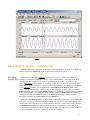
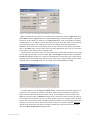
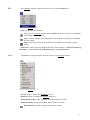
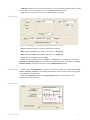
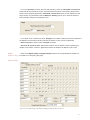
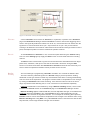
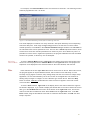
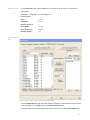
whose output is known as a Power number. In addition to specifying the range of frequencies
transformed, the frequency resolution can be selected. The higher the frequency resolution, the
more data points required to compute the FFT. Therefore, at slow sampling rates, higher
frequency resolutions may require the processing of more data points from longer recording
periods
Spirometry
The Spirometry function is a specialized version of the integral function for use with the iWorx
spirometer. This transducer, which measures respiratory volumes, is a sensitive air flow sensor.
LabScribe integrates the flow values measured by the sensor and displays volume. The settings
for this integration are specifically designed for volume calculations. By selecting the Volume
function in the Spirometry sub-menu, a couple of required settings are installed by the program.
LabScribe will take the first 50 data points, average them together and use the result to set the
zero-line of the Volume channel. This is necessary because the output of the air flow sensor is
always offset; and any offset would cause the Volume channel to display a volume change,
even though there was no air flowing through the sensor.
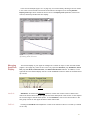
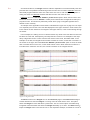
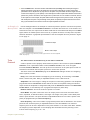
The Volume integral also resets every 30 seconds. During spirometry experiments, the volume
trace drifts upward because the volume of exhaled air is larger than the volume of inhaled air.
Cooler inhaled air at room temperature occupies less volume than warmer exhaled air. The
Volume integral will drift up and out of view, as it reports correct values, unless a periodic reset
is employed.
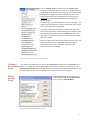
Activating
Volume Function
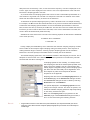
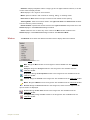
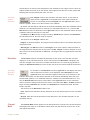
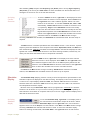
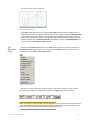
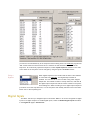
To use the Volume function, right-click on the display area of the channel
where the Volume is to be displayed. Select Spirometry from the right-click
menu and a submenu appears. Select Volume in the submenu. By default,
raw data will be collected on the channel immediately above the calculated
channel (Channel 1 for calculated Channel 2, Channel 3 for calculated Channel 4, etc.). Use the
Set Raw Channel function at the bottom of the right-click menu for the calculated channel to
select a different channel as the source of raw data.
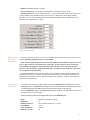
To accurately convert the flow data of the sensor to volumes (in liters), the calibration value for
the air flow sensor must be entered into the program. The default calibration value used by the
program is 0.150 Vs/liter. The actual calibration value of the flow sensor being used is written
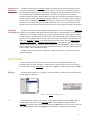
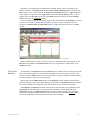
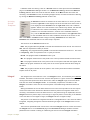
on a label on the side of the flow sensor unit. To convert the flow data to volumes, open the
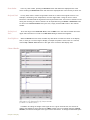
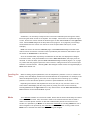
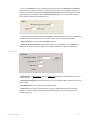
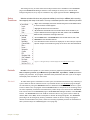
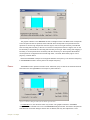
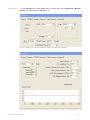
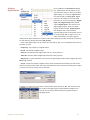
Spirometry submenu and select Calibrate. The Spirometry Calibration dialogue window
appears. Enter the calibration value printed on the side of the air flow sensor into the box on the
calibration window. Enter the value exactly as it is written. Click OK.
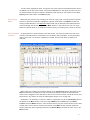
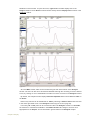
Click Start in the Main window to begin recording. AutoScale the raw data (Air Flow) channel,
then AutoScale the Volume channel. No other setup is required.
Cardiac
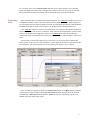
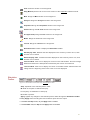
The Cardiac functions are specifically used for the analysis of electrocardiograms (ECG).
Four of the Cardiac functions calculate Leads: III, aVL, aVF and aVR from the recordings of
Lead I on Channel 1 and Lead II on Channel 2. LabScribe can be programmed to do these
calculations because all the points of view in a 6-lead ECG are in the same plane (frontal) of the
body, and each lead can be considered as a vector. So, if any two of limb leads are recorded,
the other four leads can be calculated from them.
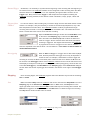
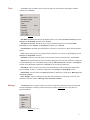
The Cardiac submenu also includes four other functions. The Cardiac Angle function is
available, which can calculate the vector of the cardiac depolarization that passes through the
interventricular septum. Three Power functions, which are special cases of the general power
function described earlier, are also available.These three power functions are useful for heart
58