1
Managing Services and Processes
190
What Are Services and Processes
Instances of any programs currently running in the system are referred to as processes. A
process can be regarded as the virtual address space and the control information necessary for
the execution of a program. A typical example of a process is the vi program (on a Linux Node)
running on your Hardware Node or inside your Container(s). Along with common processes,
there are a great number of processes that provide an interface for other processes to call. They
are called services. In many cases, services act as the brains behind many crucial system
processes; they typically spend most of their time waiting for an event to occur or for a period
when they are scheduled to perform some task. Many services provide the possibility for other
servers on the network to connect to the given one via various network protocols.For example,
the nfs service provides the NFS server functionality allowing file sharing in TCP/IP networks.
You may also come across the term "daemon" that is widely used in connection with processes
and services. This term refers to a software program used for performing a specific function on
the server system and is usually used as a synonym for "service". It can be easily identified by
"d" at the end of its name. For example, httpd (short for HTTP daemon) represents a software
program that runs in the background of your system and waits for incoming requests to a web
server. The daemon answers the requests automatically and serves the hypertext and multimedia
documents over the Internet using HTTP.
When working with services, you should keep in mind the following. During the lifetime of a
service, it uses many system resources. It uses the CPUs in the system to run its instructions and
the system's physical memory to hold itself and its data. It opens and uses files within the
filesystems and may directly or indirectly use certain physical devices in the system. Therefore,
in order not to damage your system performance you should run only those services on the
Hardware Node that are really needed at the moment.
Besides, you should always remember that running services in the Host OS is much more
dangerous than running them in Containers. In case violators get access to one of the Containers
through any running service, they will be able to damage only the Container where this service
is running, but not the other Containers on your Hardware Node. The Hardware Node itself will
also remain unhurt. And if the service were running on the Hardware Node it would damage
both the Hardware Node and all the Containers residing on it. Thus, you should make sure that
you run only those services on the Hardware Node that are really necessary for its proper
functioning. Please launch all additional services you need at the moment inside separate
Containers. It will significantly improve your system safety.
Notes:
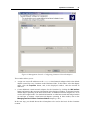
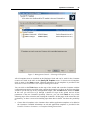
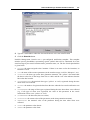
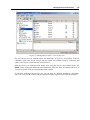
1. In Parallels Management Console, you can view all available services by clicking on the
Services folder item in the tree below the Hardware Node name or the Container name or
clicking on the Manage Unix Services link on the corresponding summary page.
2. When working with the command line, you can use the vzps or vztop utilities to display all
the processes that are currently running in your system.