1
Advanced Tasks
263
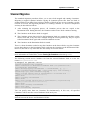
migrating the data you do not need. To gain more understanding on
this option, please consult the man pages for the rsync utility.
Note: We strongly recommend that you exclude the files and
directories you were informed of while running the vzhwcalc
utility on the physical server.
-S, --srvstop
Optional. The services to be stopped for the time of the physical
server migration. We recommend that you stop all the services on the
physical server except for the critical ones (e.g. the sshd service that
is needed to provide communication between the physical server and
the Node) before the migration. This will prevent the running services
from modifying any files being moved.
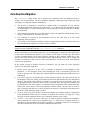
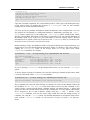
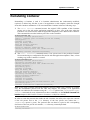
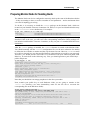
In the example above, the following operations are performed during the physical server
migration:
1
The vzp2v utility connects to the physical server with the IP address of
199.199.109.109 by using the root user name. While establishing a network
connection, you will be asked for the password of root to log in to the server and have to
enter 3e5rrt4 (which is, in our case, the password of the root user).
2 The /etc/ve.conf file is read and the 101.conf file is created on its basis in the
/etc/vz/conf directory on the Node.
3 Container 101 is created on the basis of the 101.conf file and the redhat-el-x86 OS
template.
4 All the data except for the /usr/games directory and the contents of the /proc directory
is copied from the physical server to Container 101.
5 The iptables and crond services are stopped on the physical server.
6 The files copied to Container 101 are compared with those on the physical server and, if any
changes to the files were made during the 4th migration step, these changes are copied to
Container 101.
7 The quota limits that were imposed on the /private_data partition on the physical
server are copied to the Container. These quota limits are applied to the entire Container.
8 The post-migration script specific for the RHEL 5 OS is executed. The name of the script to
be run is read from the rhel-5.conf distribution configuration file located in the
/etc/vz/conf/dists directory on the Node and is needed to tune the Container before
its starting.