1
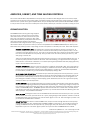
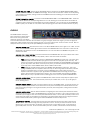
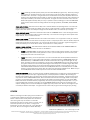
CHORUS DELAY KNOB: This knob is used to set the overall delay of the choral voices with respect to the input
signal, and ranges from about 0.1 to 30 milliseconds. The reason for this control is that the CHORUS effect will
create a comb-filtering effect, much like a flanger, if used without any delay time. Adding some additional delay
allows the CHORUS to sound less like a flanger, and more like a, well, CHORUS. Too much delay, however, will
make the CHORUS feel like it has too much latency, so Studio Devil gives you the option to choose the sweet-spot
that works best for you. A good starting place is halfway, with the knob at the 12-o’clock position.
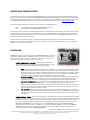
FLANGER A FLANGER effect comes from
delaying your guitar signal slightly,
and then recombining it with the
original signal to produce metallic
and jet-like swooshing sounds. When a signal is delayed and then recombined with the original in this way, a comb-filtering
effect results, putting many filter-notches into the guitar’s spectrum. The delay time in a FLANGER effect is fluctuated
between two extremes to give the effect a sense of motion while the notch frequencies of the comb-filtering effect move up
and down the audible spectrum. Many guitarists have made this effect famous, and now you can too with Studio Devil.
Here’s how to set your FLANGER up to work with your tone:
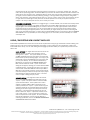
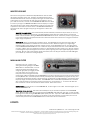
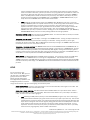
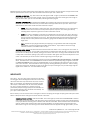
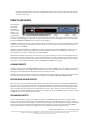
FLANGER ON BUTTON: Click this button once to turn ON the FLANGER effect, click it again to turn it OFF. You
will notice that the FLANGER indicator light located to the left of the FLANGER label turns on and off in unison with
the ON BUTTON. This allows you to see if the FLANGER effect is on or off even when the FLANGER setup panel is
not selected and visible.
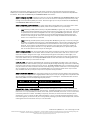
FLANGER PRE / POST SWITCH: This switch selects where the FLANGER effect sits in your effects
chain...either in front of your amp (PRE), or after your amp (POST). Here’s more about these two choices:
•
PRE: Selecting the PRE position places your FLANGER effect BEFORE your guitar amp. This is like using
a FLANGER pedal connected between your guitar cord and the front input jack of your tube amp. The
sound in this position is special because the FLANGER effect will affect your guitar BEFORE it gets
distorted by your amp model. Note: Since a tube amp is only mono, you will lose the stereo effect of the
FLANGER (see MONO BUTTON below). If you really need a stereo FLANGER effect, switch to POST mode
instead.
•
POST: Selecting the POST position places your FLANGER effect AFTER your guitar amp. This is like
putting a FLANGER pedal in an amplifier send-return loop, or like having a rack-mount effects processor
applied to a recorded track in the studio. Using the FLANGER in this mode makes sure that your
amplifier's distortion is applied to your signal before the FLANGER effect, fluctuating the tone of your
guitar’s distortion without changing how it distorts. Also, since the POST mode applies the FLANGER
effect after your amp, it operates in stereo, allowing you to hear a spacious FLANGER effect (see MONO
BUTTON below).
FLANGER SPEED KNOB: Sets the speed of the FLANGER effect, which controls how quickly the delay time and
comb-filtering variations fluctuate with time. Turn this knob down (to the left) for a slower rate, or turn it up (to the
right) for faster, warbling sound.
FLANGER SWEEP KNOB: Sets how much delay variation occurs in the FLANGER effect. Turning this knob up
(to the right) causes the variation of the comb-filtering effect caused by the delay time to vary more noticeably.
Turning the knob down (to the left) does the opposite, making the FLANGER effect less prominent.
FLANGER DEPTH KNOB: Sets the balance between the original guitar tone and the delayed guitar signal,
allowing you to hear more or less of the FLANGER comb-filtering effect. Turn this knob up (to the right) to hear
more of the variable-delayed signal, or turn it down (to the left) to hear more of the input guitar signal. A good
balance is somewhere in the middle, which allows the input signal and delayed signal to mix well and interact,
producing the traditional FLANGER sound we usually look for.
FLANGER DELAY KNOB: This knob is used to set the average delay of the FLANGER effect with respect to the
input signal. As the delay time of the FLANGER fluctuates between two extremes, the DELAY KNOB controls the
overall, or center delay value. This lets you set the main tone of the comb-filtering effect, about which the
Studio Devil Amp Modeler Pro – User’s Guide, Page 23 of 35
©2009-2010 Gallo Engineering, PLLC. All rights reserved. “Amp Modeler Pro”, “Studio Devil AMP”, Studio Devil and the Studio Devil logo are trademarks of Gallo Engineering, PLLC.
Marshall is a trademark of Marshall Amplification. VST and the VST logo are trademarks of Steinberg Media Technologies, GmbH.
All other trademarks are property of their respective owners.