1
Installing Spectrum Server on Windows
Before installing
Before you install your Spectrum Server program, there are several things that you should
be aware of and that you should do.
Consulting additional resources
You should consult, as necessary, the following sources of information:
• Your network technician. If you are not adequately knowledgeable about
networks, Sagebrush recommends that you get help from your network
administrator or other personnel trained in networking. Before you install
Spectrum Server, you should make sure your computers and network are
correctly set up for client/server use.
• Your computer manual. Sagebrush recommends that you read your
computer’s manual and tutorial, if you haven’t already. You should at least
familiarize yourself with the maintenance, tips, and troubleshooting sections.
Verifying and configuring your network protocol
You need to verify that each computer is set up to work on a network. Make sure that all
client or server computers have the necessary network software installed. You should
keep your network operating system installation disks or CD available in case you must
install the network software.
Then you must make sure that you have the proper network protocol installed and
properly configured. Spectrum Server for Windows uses the TCP/IP protocol.
You should check that your TCP/IP protocol is properly configured even if it was
previously installed on your computer. If you’re using TCP/IP and it isn’t configured
properly, your computers are not able to communicate and your client/server program
does not work.
To verify and configure your network protocol
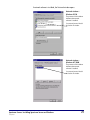
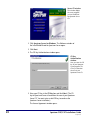
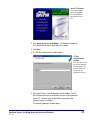
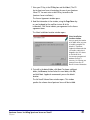
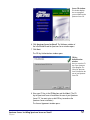
1 Click the Start button and choose Settings > Control Panel.
The Control Panel window opens.
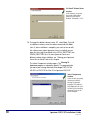
2 Double-click the Network icon.
20
Spectrum CIRC/CAT Installations Guide
SCC5ig1200kn