1
Installing multiple Spectrum Servers on Windows
If you use Windows 95/98/NT/2000, you can install more than one Spectrum Server
on a server computer. For example, you can install a Spectrum CIRC/CAT Server as
well as a Spectrum Union Server.
When installing more than one Spectrum Server on your server computer, you must
be sure to give a unique server name to your server programs. Also, you must be
sure to install each Spectrum Server in a different folder. Spectrum Server is named
SERVER (in all capital letters) by default. You can change the server name during
the installation process in the Set Server Name window. The server name can
contain up to 13 characters, cannot contain spaces, and is case-sensitive.
Not only must you make sure each server has a unique server name, but the sum of the
ASCII values of the names cannot equal the same number. For example, although the
server names WEB and ELM appear to be unique, the corresponding ASCII values of
both server names (87 69 66 and 69 76 77, respectively) add up to 222. Spectrum
Server uses the ASCII value to calculate the port number that the client program connects
to, so if the port numbers are the same, the client programs may point to the wrong
server. In the example, even though you think your Spectrum client program is pointing
to the WEB server, it may actually be pointing to the ELM server.
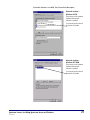
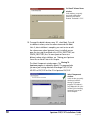
The best way to check if the server names and their ASCII values are unique is to view
the assigned port number in Spectrum Server’s FairCom Server Message Monitor
window. If the numbers are not unique, you must change the server name of one of the
servers.
To check if server names are unique
1 Start all Spectrum Server programs located on the same
computer.
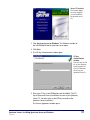
2 For each Spectrum Server program, open the FairCom(R) Server
Message Monitor window (if the window is not already open
under the main server window, it may be minimized on your
desktop).
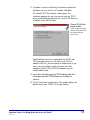
3 Locate the Server using TCP/IP Socket Port Number line and
make sure the number is unique for each Spectrum Server. If
the numbers are not unique, you must change the server name
of one of the servers.
Spectrum Server: Installing Spectrum Server on Windows
SCC5ig1200kn
39