1
Klinkmann Automation OMRONETH Communication Server
38
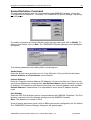
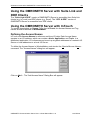
Using OMRONETH with OPCLink Server
The Wonderware OPCLink I/O Server (hereafter referred to as “OPCLink”) is a Microsoft
Windows application program that acts as a communication protocol converter and allows
other Windows application programs access to data from local or remote OPC servers.
OPCLink connects to OPC servers, converts client commands to OPC protocol and
transfers data back to clients using DDE, FastDDE, or Suite Link protocols.
Please refer to Wonderware OPCLink Server and OPC Browser User’s Guide for
details how to install, start and use the OPCLink Server. The following information in this
section covers only the most important points about using “OPC & DDE” version of
OMRONETH Server with OPCLink Server.
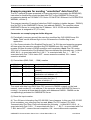
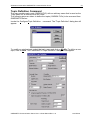
OPCLink Topic Definition
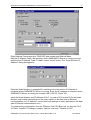
The Topic Definition option from OPC Link Configure menu is used to create, modify, or
delete OPCLink topic definitions. If OPC Link will communicate with OMRONETH Server
then there must exist one or more topics defined for OMRONETH Server. There are
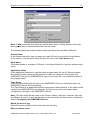
following important fields on the “OPCLink Topic Definition” dialog box:
Topic Name
Enter a unique name (e.g. PLC2) for the PLC in this field. If using InTouch then same
Topic Name is to be entered in the "Add Access Name" dialog box when defining the
Access Names for OPCLink Server in InTouch WindowMaker.
OPC Server Name
Select the name of the OPC server (OMRONETH.OPC_Server) that will be used by this
topic. The list box shows the registered OPC servers in the system.
OPC Path
Enter the name of the OPC path (e.g. node2.) used by this topic. This OPC path is the
first part of a full OPC item name string common to all items that will be used in this topic.
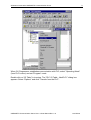
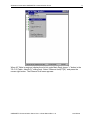
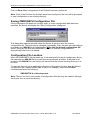
The available OPC paths for OMRONETH Server can be obtained by clicking on “Browse”
button (this allows to view the OMRONETH Server’s exposed address space).
Update Interval
Enter the frequency (in milliseconds) that the server will acquire data for the items/points
associated with this topic. If 0 (zero) is entered here, OPCLink will not gather data from
OMRONETH Server.
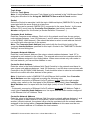
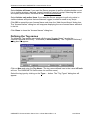
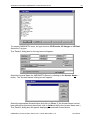
Browse
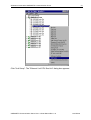
Clicking on this button initiates the browsing through exposed address space of
OMRONETH Server. All currently available item/point names (including data area names
and range of addresses) and names of pre-defined (additional) items will appear on
“Browse OPC items:” window in alphabetical order.
OMRONETH Communication Server Ver 2.x User Manual Rev 1.12
1701XM112