1
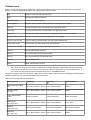
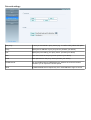
Example-1: Simple renaming
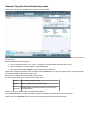
Format string %track% - %artist% - %title%
New name
01 - ABBA - Ring Ring
Remarks
We used a literal string in the format string (“ - “).
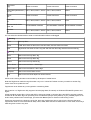
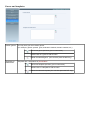
Example-2: Rename files using tags, and then move albums to new location
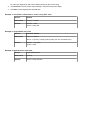
Format string %albumartist% - %year% - %album%\[CD%disc%\]%track% - %title%
Restructure
files on...
Selected
New root
folder
D:\MP3\
New names
D:\MP3\ABBA - 1973 - Ring Ring\01 - Ring Ring
D:\MP3\ABBA - 1973 - Ring Ring\04 - People Need Love
D:\MP3\ABBA - 1974 - Waterloo\CD1\01 - Waterloo
D:\MP3\ABBA - 1974 - Waterloo\CD2\01 - Honey, Honey
Remarks
The part enclosed in [ ] is optional. The first two files didn't have a disk tag. Therefore
their new path does not have a disk-based subfolder.