1
Contents
MPX Series Video Encoders Introduction .............................................................................................................. 1
General .............................................................................................................................................................. 1
Firmware version ................................................................................................................................................ 1
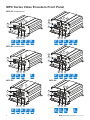
MPC Series Video Encoders Front Panel ............................................................................................................... 2
MPC series video encoders mechanical connections ....................................................................................... 3
MPX Series Video Encoders Front Panel ............................................................................................................4-6
MPX series video encoders mechanical connections ....................................................................................... 5
Installation ................................................................................................................................................................. 6
Quick instructions ............................................................................................................................................... 6
Connections ......................................................................................................................................................... 7-13
General .............................................................................................................................................................. 7
Video connections.............................................................................................................................................. 7
Data connections ............................................................................................................................................... 7
Data termination and biasing ............................................................................................................................. 9
Audio connection (MPC/MPX two/four audio channel models) ....................................................................... 10
Audio connection (MPX-E8 eight audio channel models) ................................................................................ 10
Mgmt connection .............................................................................................................................................. 11
Contact closure loop (CCL) connection ........................................................................................................... 11
Ethernet connections ....................................................................................................................................... 12
Fibre connection............................................................................................................................................... 12
How to unplug or plug-in the SFP transceiver module .................................................................................... 13
To unplug and plug-in the SFP module, follow these steps ............................................................................. 13
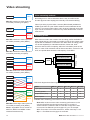
Video streaming ................................................................................................................................................. 14-15
Video streaming methods ................................................................................................................................ 14
Encoding profile ............................................................................................................................................... 14
Video stream multiplication ............................................................................................................................ 15
JPEG image capture ........................................................................................................................................ 15
How to change the settings ................................................................................................................................... 16
General ............................................................................................................................................................ 16
Web user interface (WebUI)............................................................................................................................. 16
Command line interface (CLI) .......................................................................................................................... 16
User groups ...................................................................................................................................................... 16
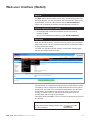
Web user interface (WebUI) ................................................................................................................................... 17
General ............................................................................................................................................................ 17
System requirements for WebUI ...................................................................................................................... 17
Operation ......................................................................................................................................................... 17
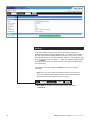
Starting ............................................................................................................................................................. 18
Main Page ........................................................................................................................................................ 19
Video input settings .....................................................................................................................................20-21
Video input settings - modify ............................................................................................................................ 22
Video encoding settings ..............................................................................................................................23-29
Audio settings..............................................................................................................................................30-31
Picture upload settings ................................................................................................................................32-35
Motion detection settings ............................................................................................................................36-39
Terminal server settings ..............................................................................................................................40-41
Contact closure settings..............................................................................................................................42-43
Session announcement protocol settings .................................................................................................. 44-45
Real time streaming protocol (rtsp) settings................................................................................................46-47
Common settings ....................................................................................................................................... 48-49
Network .......................................................................................................................................................50-52
Maintenance ..................................................................................................................................................... 53
Services ..................................................................................................................................................... 54-55
User management ............................................................................................................................................ 56
Command Line Interface - CLI ..........................................................................................................................57-64
General ............................................................................................................................................................ 57
System requirements for CLI ........................................................................................................................... 57
Connection methods - Serial connection ......................................................................................................... 58
Connection methods - TCP/IP ......................................................................................................................... 59
Detailed descriptions of CLI commands .................................................................................................... 60-64
Event Management System ............................................................................................................................. 65-68
Copyright acknowledgements............................................................................................................................... 69
MPX series video encoders user manual