1
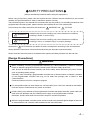
SAFETY PRECAUTIONS
(Always read these precautions before using this equipment.)
Before using this product, please read this manual and the relevant manuals introduced in this manual
carefully and pay full attention to safety to handle the product correctly.
The precautions given in this manual are concerned with only this product. For the safety precautions of the
programmable controller system, please read the User's Manual for the CPU module used.
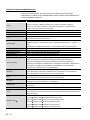
In this manual, the safety instructions are ranked as "
Note that the
WARNING" and "
CAUTION".
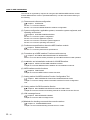
WARNING
Indicates that incorrect handling may cause hazardous conditions,
resulting in death or severe injury.
CAUTION
Indicates that incorrect handling may cause hazardous conditions,
resulting in minor or moderate injury or property damage.
CAUTION level may lead to a serious consequence according to the circumstances.
Always follow the instructions of both levels because they are important to personal safety.
Please save this manual to make it accessible when required and always forward it to the end user.
[Design Precautions]
WARNING
When controlling a running programmable controller (e.g. data modification), create an interlock
circuit on sequence programs so that the whole system functions safely all the time.
Also, be sure to read the manual carefully and ensure safety before performing any other controls
such as operating status change.
Especially, when controlling a programmable controller from a remote location via network, problems
on the programmable controller side may not be dealt with promptly due to failure of data
communications.
Create an interlock circuit on a sequence program.
For the operation status of each station at a communication error, refer to the manual for that station.
Incorrect output or malfunctions may cause an accident.
Install a safety circuit external to the programmable controller that keeps the entire system safe even
when there are problems with the external power supply or the programmable controller.
Otherwise, trouble could result from erroneous output or erroneous operation.
When the programmable controller system security needs to be protected against illegal access from
an external device via a network, take measures at the user's discretion.
A-1