1
PA-4000 User Manual Ch5: rev.1-1/05
5.3.3
Reviewing the Last Protocol Log and Log History
The Last Protocol Log is now ready for viewing and saving. It provides a record of the
protocol that was last delivered to the test sample. A description of Last Protocol Log for this
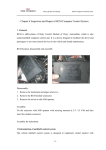
basic example is given in Figure 5-3. A representation of the actual pulse-train is shown below
in Figure 5-4. The parameters for every pulse delivered are recorded. Note that the SetV and
MonV parameters are referring to the voltage of the HVPS and reservoir capacitor, not the pulse
amplitude. Each time the protocol is run, the Last Protocol Log is refreshed, and the previous
results are added to the Log History. The Log History is the record of the entire electroporation
Protocol Information:
Filename (if applicable)
Date: MM-DD-YY-DoW
Time: 24-Hour Clock
System Mode
Protocol File: BASICTEST.PRO
12-17-2004-6 18:51:35
Mode: Electroporation
Delivered Pulse Parameters
subdivided by Group number
where:
GRP = Pulse Group #
NUM = Pulse # in Group
WIDTH = Pulse Duration
INTVL = Time between
pulses
SetV = Set HVPS Voltage
MonV = Measured HVPS
Voltage
>GRP
>1
>1
NUM
1
2
WIDTH
0.020
0.020
INTVL
0.20
0.20
SetV
500
500
MonV
500
500
>GRP
>2
>2
>2
NUM
1
2
3
WIDTH
0.100
0.100
0.100
INTVL
0.30
0.30
0.30
SetV
200
200
200
MonV
205
205
205
Load Estimator Result
>Estimated load > 19 ohms
Calculated Conductance
>Estimated conductance < 0.053 siemens
System Message
>Normal Completion
$
Figure 5-3: The Last Protocol Log for the Basic Test Run
session that has occurred since the software was started. It can be viewed by clicking the
Show Log History button. The Log History may then be saved as a .txt file by clicking File>Log
Save As or the Notebook button. The Log may be printed to file or by a printer by selecting the
Printer button.
Figure 5-4: The Pulse-Train Delivered by the Basic Protocol
Cyto Pulse Sciences, Inc. P. O. Box 609, Columbia, MD 21045, Voice: 410-787-1890
5-9