1
GOT-F900 SERIES (CONNECTION)
18.1
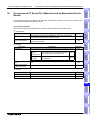
Connection of FP Series PLC (Manufactured by Matsushita Electric Works) 18
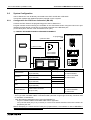
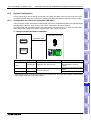
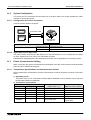
System Condition
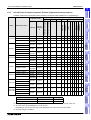
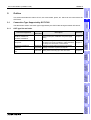
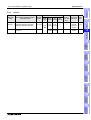
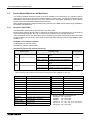
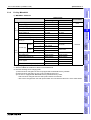
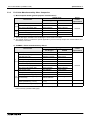
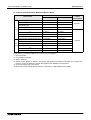
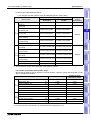
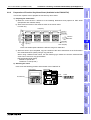
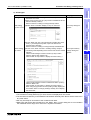
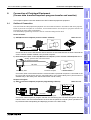
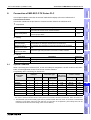
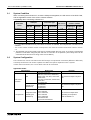
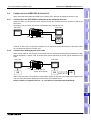
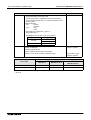
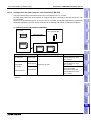
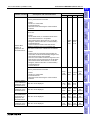
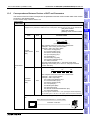
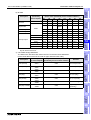
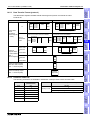
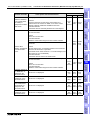
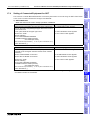
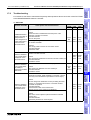
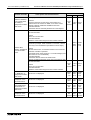
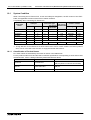
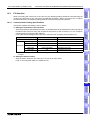
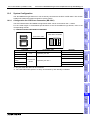
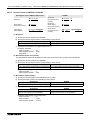
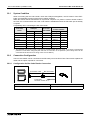
When connecting the FP Series PLC, check the COM port designation, the OS version of the GOTF900, and applicable versions of the screen creation software.
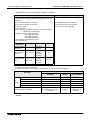
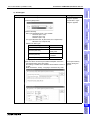
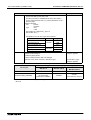
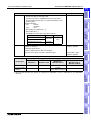
Compatibility when connecting FP Series PLC
GOT-F900
Series
COM port
Version of screen
creation software
Connection type
OS version
Two or more of GOT-F900
GT Designer
GOT units
RS-422
RS-232C
1:1
DU/WIN
F920GOT-K
−
−
−
−
−
−
−
F930GOT
−
✓
✓
−
4.10
SW5-K
2.60
F930GOT-K
−
✓
✓
−
4.60
SW5-26C
2.70
F940GOT
−
✓
✓
−
6.10
SW5-K
2.60
F940WGOT
−
✓
✓
−
1.10
SW5-K
2.60
F940 Handy GOT
−
−
F943 Handy GOT
−
✓
It cannot be connected. (Select the F943 Handy GOT.)
✓
−
6.10
SW5-K
2.60
- The screen creation softw are version corresponds to the m odel of the G O T -F900 Series. R efer to section 3.2.
*1 Though RS-422 can be selected in the GOT-F900 and the screen creation software, FP Series products
which can be connected to the GOT are not equipped with RS-422 interface.
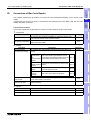
18.1.1
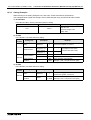
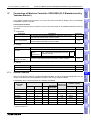
Classification of Product Names
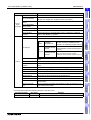
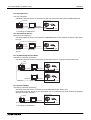
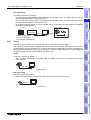
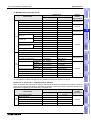
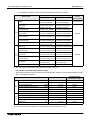
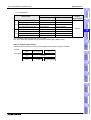
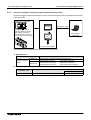
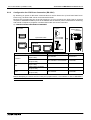
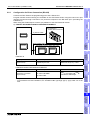
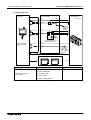
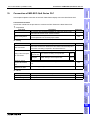
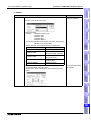
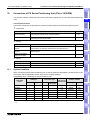
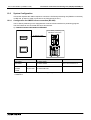
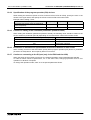
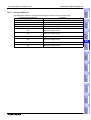
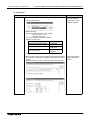
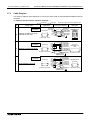
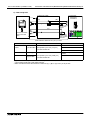
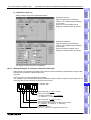
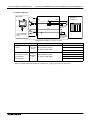
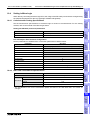
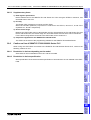
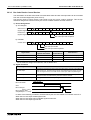
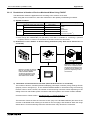
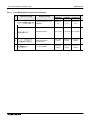
PLC CPU names are classified by the series as shown in the table below.
For the product model name and the built-in interface specifications corresponding to each series name
mentioned here, refer to catalogs offered by Matsushita Electric Works.
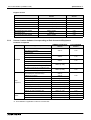
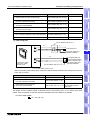
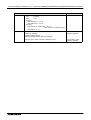
Name
Series name
Built-in interface
Control unit
FP0 Series PLC
Tool port
COM port (which is not built in some models)
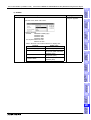
CPU unit
FP2SH Series PLC
Tool port
COM port
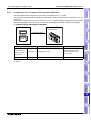
Computer communication unit
FP2SH Series CCU
COM port × 2 channels
18-2