1
GOT-F900 SERIES (CONNECTION)
7.2.2
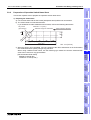
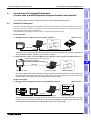
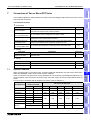
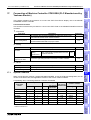
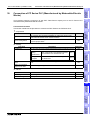
Connection of Two or More GOT Units 7
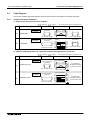
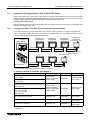
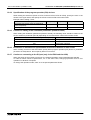
When First GOT Unit is Connected through RS-232C
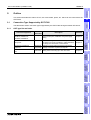
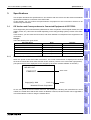
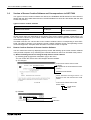
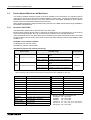
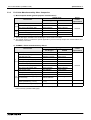
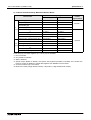
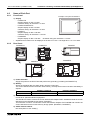
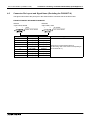
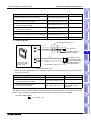
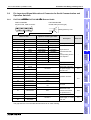
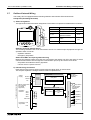
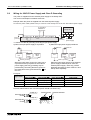
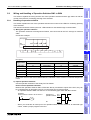
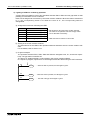
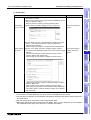
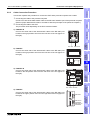
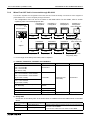
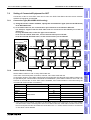
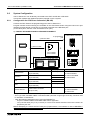
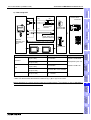
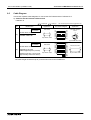
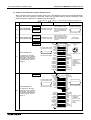
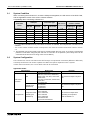
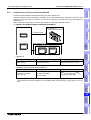
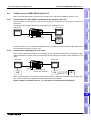
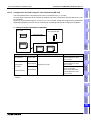
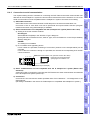
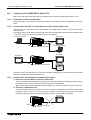
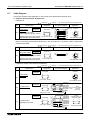
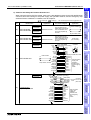
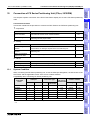
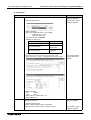
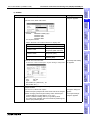
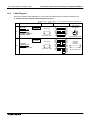
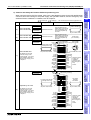
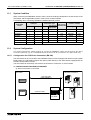
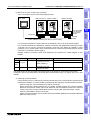
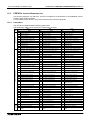
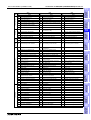
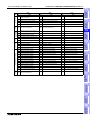
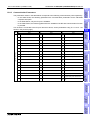
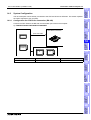
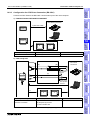
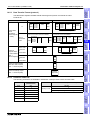
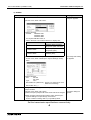
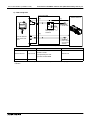
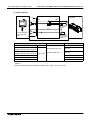
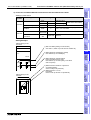
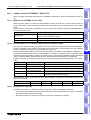
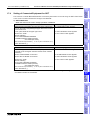
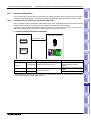
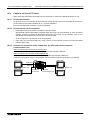
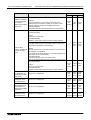
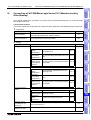
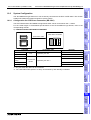
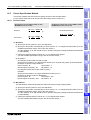
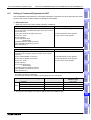
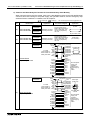
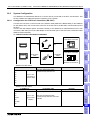
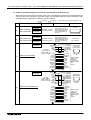
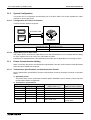
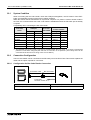
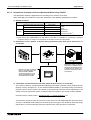
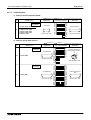
This section explains the configuration w hen the first G O T-F900 is already connected to som e equipm ent
(FX/Q Series P LC or m icrocom puter) through RS -232C .
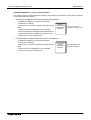
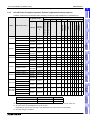
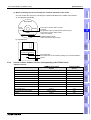
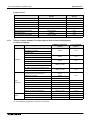
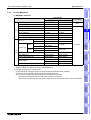
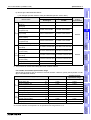
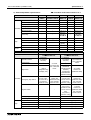
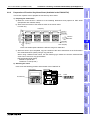
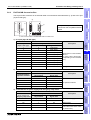
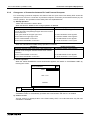
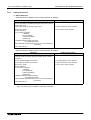
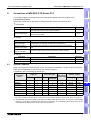
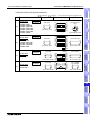
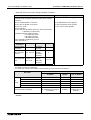
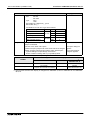
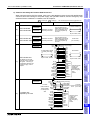
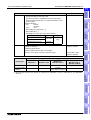
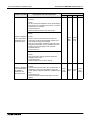
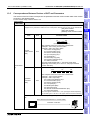
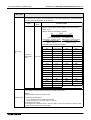
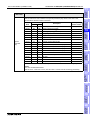
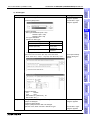
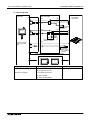
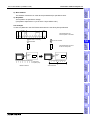
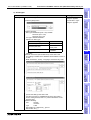
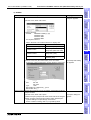
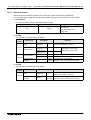
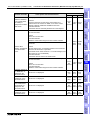
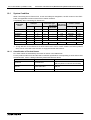
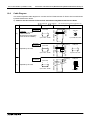
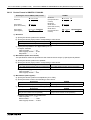
- The configuration of the 1st unit is as shown in the table below. For the details, refer to section
explaining each connected equipment also.
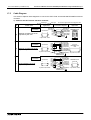
F930GOT(-K)
F940(W)GOT
a) FX/Q Series PLC
Q computer link
PLC
Microcomputer
F930GOT(-K)
F940(W)GOT
F930GOT(-K)
F940(W)GOT
2
3
1
F930GOT(-K)
F940(W)GOT
F943 Handy GOT
4
b) RS-232C
c) RS-422
d) RS-232C
c) RS-422
15m
(49' 3")
30m
(98' 5")
15m
(49' 3")
30m(98' 5")*1
+
F940WGOT
F940WGOT
Option
1
2
(11.5m(37' 9") or less
when using Handy GOT)
F940WGOT
F943 Handy GOT
3
b) RS-232C
d) RS-232C
d) RS-232C
15m
(49' 3")
15m
(49' 3")
15m
(49' 3")
4
d) RS-232C
15m(49' 3")*1
(6m(19' 8") or less when
using Handy GOT)
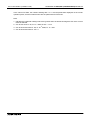
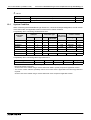
*1 For the length of the Handy GOT cable, refer to chapter 5.
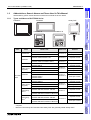
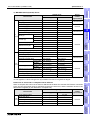
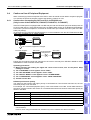
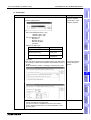
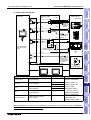
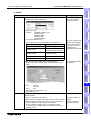
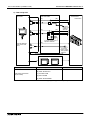
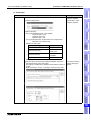
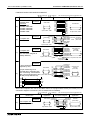
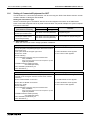
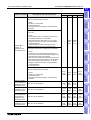
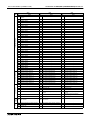
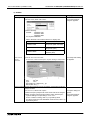
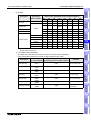
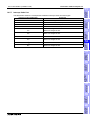
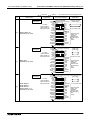
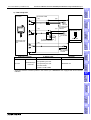
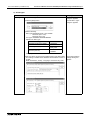
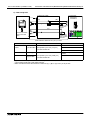
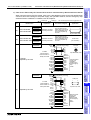
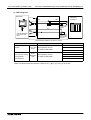
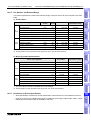
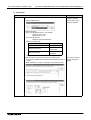
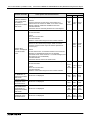
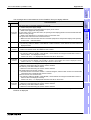
1) F930GOT, F930GOT-K, F940GOT and F940WGOT
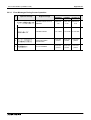
a) FX/Q Series PLC
FX1S + FX1N-232-BD
FX1N + FX1N-232-BD
FX2N + FX2N-232-BD
(9-pin D-Sub, male)
b) RS-232C cable
c) RS-422 cable
d) RS-232C cable
FX-232CAB-1
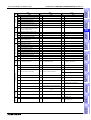
FX1S + FX1N-CNV-BD + FX0N-232ADP
FX1N + FX1N-CNV-BD + FX0N-232ADP
FX2N + FX2N-CNV-BD + FX0N-232ADP
(25-pin D-Sub, female)
F2-232CAB-1
FX2NC + FX0N-232ADP
FX1NC + FX0N-232ADP
(25-pin D-Sub, female)
QCPU(CPU direct connection)
(6-pin MINI DIN)
QC30R2
QnA computer link connection
Prepared by user
Q computer link connection
Prepared by user
Microcomputer connection
Prepared by user
Prepared by user
(cross cable)
FX-232CAB-1
Prepared by user
Prepared by user
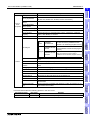
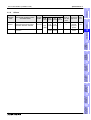
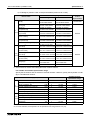
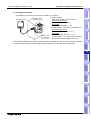
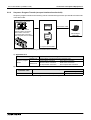
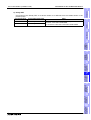
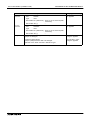
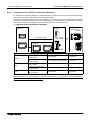
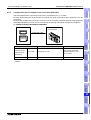
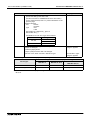
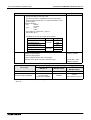
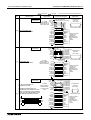
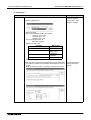
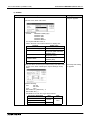
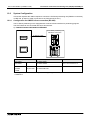
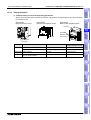
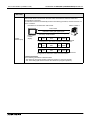
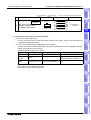
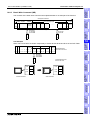
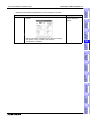
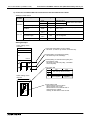
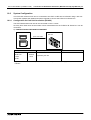
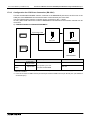
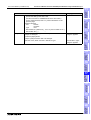
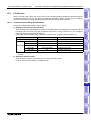
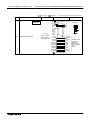
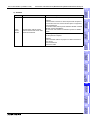
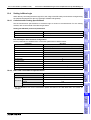
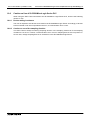
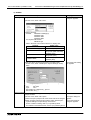
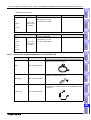
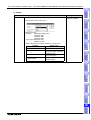
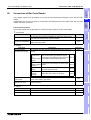
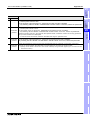
2) Handy GOT
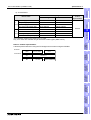
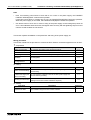
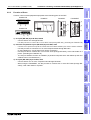
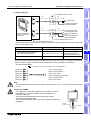
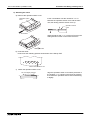
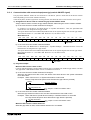
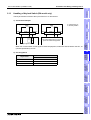
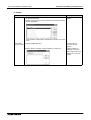
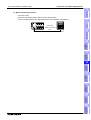
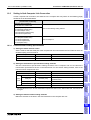
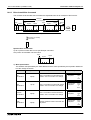
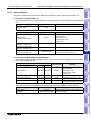
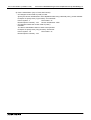
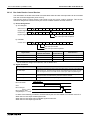
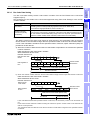
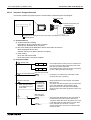
Connection of the Handy GOT is as shown below: It is different from the cables shown in the table
above.
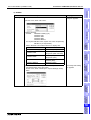
Connected signal
Connectable Handy GOT
c) RS-422
F940 Handy GOT
d) RS-232C
F943 Handy GOT
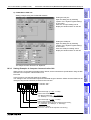
Cable
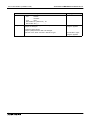
P repare another cable connecting the 25-pin D -S ub connector
of the F9G T-H C A B -""M .
O r connect the untied side of the F9G T-H C A B 1-""M .
7-4