1
VD0C06S308
August 1996
VW3A66301U PCMCIA Communication Card Kit
Section 1: Installation and Configuration
SECTION 1: INSTALLATION AND CONFIGURATION
RECEIVING
Remove the Communication Card Kit from its packaging and visually inspect
the exterior for shipping damage. If any damage is found, notify the carrier and
your local representative. Do not install a damaged card. If the communication
card is to be stored after receipt, replace it in its original packing material and
store at -40 to +185 °F (-40 to +85 °C).
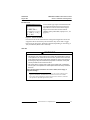
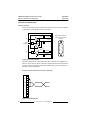
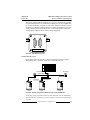
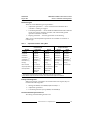
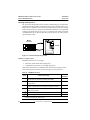
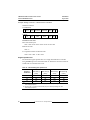
The following specifications apply to the communication interface of the
Communication Card Kit:
• Isolation (network to drive controller): Galvanically isolated for 30 V RMS,
50 V peak
• Isolation (cable jacket to ground): 300 V RMS
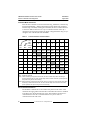
• Captive cable termination: 15-pin, male D-shell
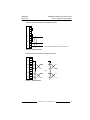
• Electrical interface: RS-232, RS-422, RS-485 (selectable by connection)
INSTALLATION
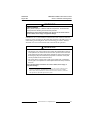
WARNING
UNINTENDED EQUIPMENT ACTION
Read and understand this document, VD0C06S304_, VD0C06S305_, and the
applicable option card manual before operating the drive controller.
Failure to follow these instructions can result in death, serious injury, or
equipment damage.
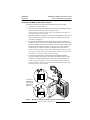
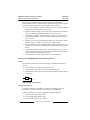
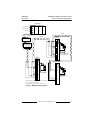
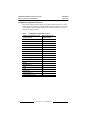
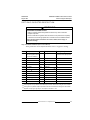
Before installing, removing, or replacing the PCMCIA Communication Card
Kit, remove all power from the drive controller, including external control
power which may be present on the option module, and perform the bus
voltage measurement procedure on page 4.
© 1996 Schneider S.A. All Rights Reserved
3