1
SMART System
LOCKOUTS
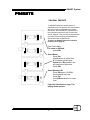
OVERVIEW
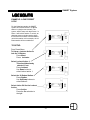
The SMART System has 20 lockout
actions to lock and unlock stations. All
lockout actions can effect the one or
multiple stations. One lockout function can
lock one station and unlock another . The
lockout actions are activated by a preset.
The Master Station can override all station
lockouts if needed.
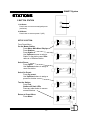
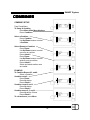
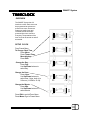
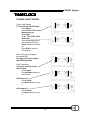
Clear Sys
Stations
Dim Patch
Combines
Lockouts
Timers
Password
Config
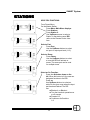
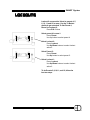
SETUP LOCKOUT ACTIONS
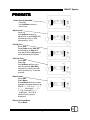
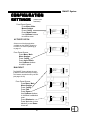
From Preset Menu,
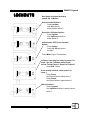
To Setup a Lockout Action,
Press Menu.
Press Lockouts.
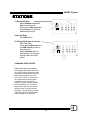
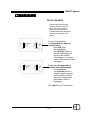
Lockout 1
Station 0
Action: none
(overrride)
On
Off
None
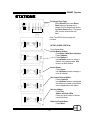
Lockout 1
Station 0
Action: none
(overrride)
On
Off
None
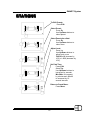
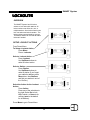
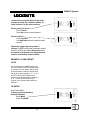
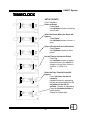
Select a Lockout Action:
Press Lockout.
Use Up/Down buttons to
select a lockout action.
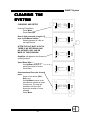
Select a Station:
Press Station.
Use Up/Down buttons to
select a station (If you forgot
your station’s address press
Menu twice, then Stations,
and find your station in one of
the 16 slots.)
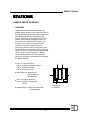
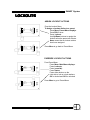
Lockout 1
Station 1
Action: none
Zone 1
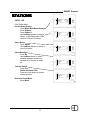
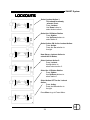
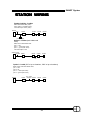
Select the Action for the Lockout
Action:
Press Action.
Press one of the selections to
the right: Select On to lock,
Off to unlock, or None to do
nothing (none is the default
for all stations).
Press Menu to go to Preset Menu.
29
On
Off
None