1
The ‘maximum’ mode is for displaying every tiny or single pixels, which can be a
faint star so as a hot pixel, use this mode carefully. Moving slightly the telescope will
show which pixel is due to a star (it moves with the scope) and which is a hot pixel
(stays in place).
The new ‘havg’ mode can be used if single hot pixels are disturbing but don’t forget it
suppresses very faint star’s highest pixel value as well and they may become almost
invisible.
•
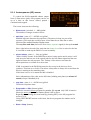
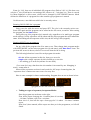
Select: (button)
Activating it a little window appears on the LiveView image
(inverted) that can be moved along the CCD area with the
direction buttons. (“Select guiding window!” text is shown.)
This window selects the guiding window’s position when SET is
pressed again. The following of the star in it (if any) is started and the Guiding screen
is activated.
By pressing ESC You can exit this selection mode.
The LiveView function is especially useful to roughly focus the guiding optics. If a star’s
big spot is made to be small enough, selecting it will allow the focusing to be finalized on the
Guiding screen’s window in normal resolution.
The LiveView can be used for “manual star search”, in some cases it may be more
comfortable to do it in here than with the automatic StarSearch function.
If You change to the Guiding screen by selecting an area, the gain and exposure time
values are copied to the guiding parameters, as well as the threshold value but this is set at a
minimum value of 10 (avoiding background noise surely).
Note: there is some higher dark current present in the ‘vertical register’ of the CCD that
affects the read image. (The rows have growing offset.) This is compensated by software and
that’s why some horizontal ‘pattern’ (steps) may be seen on the LiveView image at low
threshold values. Don’t bother with it, it won’t affect guiding performance.
42