1
1.4 Turning on and off the device
After the device is first supplied with power source it goes to sleep (power-down) mode,
nothing can be seen and there are no output signals. The cables can be safely plugged in or
out.
Turning ON the device:
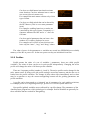
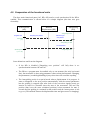
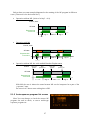
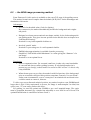
Press ESC button! The program will start in application mode if the HC contains valid
Firmware. The version of it is displayed for 2 seconds, then the first screen appears (see
later). You can skip 2 sec. waiting with pressing ESC one more.
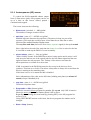
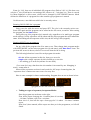
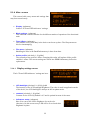
If the device does not contain valid Firmware (or it was faulty) it starts in update
mode, which is shown on the LCD. In the center of the display there is a “NO FIRMWARE”
text indicating the case.
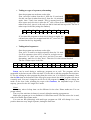
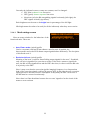
If ESC is pressed continuously for more than 1 second the device starts in update
mode (Error: Reference source not found). Using this starting procedure is not required
because the updater (PC application) will force to restart the device in this mode. If You
happen to enter this mode, hold down SET for 1 second and the Firmware will try to start.
This works until the device communicates through USB, after this only an USB command
can start the firmware (using PC application).
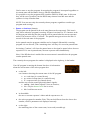
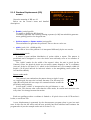
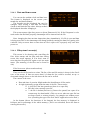
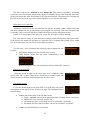
From Firmware ver. 1.21 (or later) the device starts on the date and time settings
screen and the filesystem’s screen after that. This is needed to make You remember to set
or check the correct date and time at every startup and select a file to open if You want to
store data about the night (guiding, events etc.). If You don’t need these functions, two
more ESC keypresses after startup leads directly to the main menu.
Turning OFF the device:
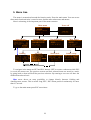
In application mode: Navigate back to the main menu (with pressing ESC some times)
and select the power off item. It is essential to power off this way because it stops every
functional part properly (Camera), closes the open file and stores the parameter settings.
WARNING: simply plugging out the power cable is not recommended, mainly if the
Camera is actively working! Data loss or corruption in the open file or in the stored
parameters may occur.
If the device is in update mode and there is no operation in progress (mainly
Firmware update), You can power-off the device with detaching the power cable(s). (Be
sure there is no operation in progress shown by the PC application.)
WARNING: never plug out the power/USB cable during Firmware update! Doing so
can damage the boot program and it may be required to reconfigure the device at factory
(it’s not the part of warranty).
1.5 UPDATE mode
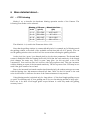
Also known as BOOT mode. The device always starts in BOOT mode by pressing ESC,
but doesn’t start the firmware if You hold ESC button for more than 1 second. If there is no
7