1
> Hot plug is supported. You can plug and unplug an HID controller
anytime.
> Apple Magic Pad is not supported due to a bug in the HID driver (not
reporting the X/Y coordinates). Use a Magic or Mighty Mouse instead.
Built in Track pad works perfectly though.
> To switch between keyboard, mouse or joystick, go to the main menu,
Options, Input and choose between joystick, mouse or keyboard. You can
flip the Y axis as well. When using keyboard use the default
directional keys.
1.2.1 - Input Configuration
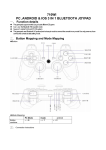
> You can remap any key with the Assign menu in the Options menu or in
the Pause Menu. To Configure, select a command, press a key (keyboard,
mouse or joystick) to assign. You can mix keyboard and joystick or
keyboard and mouse.
a) Choose the control setup
b) Select keyboard, mouse or joystick. Here the mouse is selected with