1
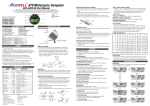
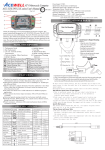
19. **It displays Ir, EF1, EF2 or EF3, Ir means you elect IR receiver as the sensor of
LAP timer, and the selection of EF1, 2 or 3 is a magnetic field sensor for LAP
timer, the number of 1, 2 or 3 is means the number of magnetic sensor in track,
for example EF2 means the track has 2 magnetic sensor and it will combine 2
sensing signals in one. Follow the item 2 to set sensor type of LAP timer and
jump to odometer setting.
20. It displays “ODO & 00000X km”, the “X” is from odometer testing in factory,
follow item 2 to setting a desired odometer and jump to clock setting or return
to Normal Mode. This setting screen will disappear when the odometer is over
30km (18.6Miles) or your setting is over 30km.
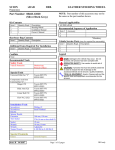
MODE 2 sec.
Adjustable when ODO < 30KM
RESET + MODE 2 sec.
MODE
MODE
Clock: 12/24 (press RESET to convert)
MODE
MODE
RPM: 10000 / 20000 (press RESETto convert)
MODE
on / off / rES (press RESET to convert)
MODE
Units: C / F / OFF (press Reset to convert)
MODE
MODE
(press RESET to setup)
option:1r1P, r1P, 3r1P, 1r2P, 1r3P, 1r4P
MODE
MODE
(press RESET to setup)
MODE
MODE
RT / TRIP / oFF (press RESET to convert)
MODE
MODE
MODE
Unit: KM/H / MPH (press RESET to convert)
on / off (press RESET to convert)