1
1 DATECS DPP-350
User’s Manual
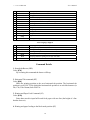
dyL and dyH Low and high byte of the height of the page.
The command defines the relative position and size of the page. In page mode the new
values are active immediately, in standard mode they are memorized and used after
entering page mode. The print position has coordinates (0, 0) depending on the currently
selected print direction (command GS T). If the relative position is invalid, the command
is not accepted. If only a part of the selected page is in the printable area (current paper
width and maximal height of 2432 dots), this area is used as page area.
Default page size is 576 x 2432 dots in wide paper mode or 408x 2432 dots in narrow
paper mode.
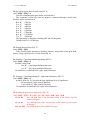
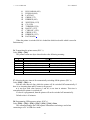
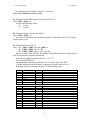
39. Specifying max printing speed (ESC X).
Code: [1Bh] + [58h] + n
n is between 0 and 3 or between ‘0’ and ‘3’:
0 or ‘0’
60 mm/s (2.4 inch/s)
1 or ‘1’
50 mm/s (2.0 inch/s)
2 or ‘2’
37 mm/s (1.5 inch/s)
3 or ‘3’
25 mm/s (1.0 inch/s)
The defined speed is recommended and can be achieved with not very cold printing
head and comparatively little data to print in the line (less black).
Default value is 0 (60 mm/s).
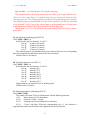
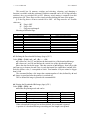
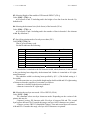
40. Specifying intensity level (ESC Y).
Code: [1Bh] + [59h] + n
n is between 0 and 6 or between ‘0’ and ‘6’:
0 or ‘0’
Intensity 60 %
1 or ‘1’
Intensity 75 %
2 or ‘2’
Intensity 90 %
3 or ‘3’
Intensity 100 %
4 or ‘4’
Intensity 120 %
5 or ‘5’
Intensity 140 %
6 or ‘6’
Intensity 160 %
Higher intensity can cause decrease in printing speed.
Default value is 3 (100%).
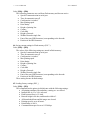
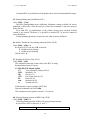
41. Returning diagnostic information (ESC Z)
Code:[1Bh] + [5Ah]
The printer will return 32 bytes of information with the following structure:
1-22:
Printer name up to 22 charachters.
23-25:
Firmware version – 3 digits.
26-27:
Language version, described by two characters.
28-32:
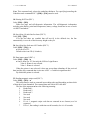
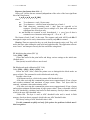
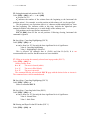
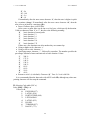
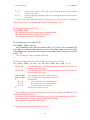
5 bytes with flags. When the corresponding bit is 1, the function is
supported and when 0, the function is not supported. Bits are listed below:
21