1
Xtreme User Manual
April 17, 2014
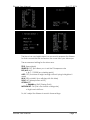
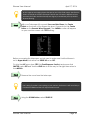
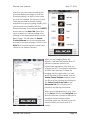
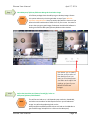
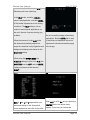
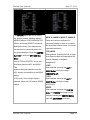
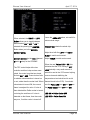
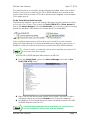
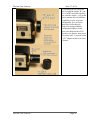
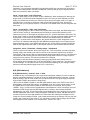
This feature allows you to select an area
PRESET to ON which activates
from one of 48 Zones that you would like
augmentation of the Centre Zone of the
to increase or reduce the gain. This
CCD chip, while leaving the outside area
feature can be used to help reduce the
of the chip with reduced sensitivity. The
amp glow that can occur during long
amount of gain sensitivity is set with the
exposures.
PEAK feature
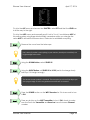
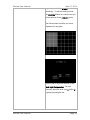
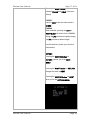
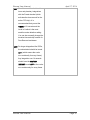
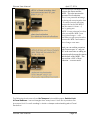
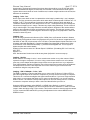
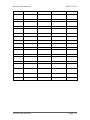
When shaded grey, that Zone is
If PRESET is set to OFF, then the Xtreme
augmented to increase the sensitivity of
uses what you have set with the AREA
the CCD in that Zone.
SET function.
When black, the sensitivity is reduced in
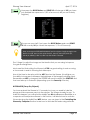
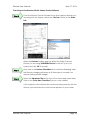
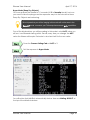
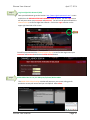
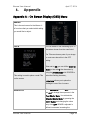
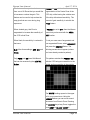
To set your own area of augmented and
that zone.
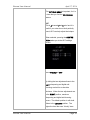
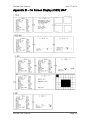
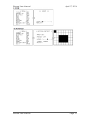
non-augmented Zones, select AREA SET
and press the CENTRE Button. The
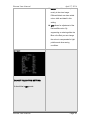
BLC offers three settings, OFF, ON, and
following screen should appear (unless
PEAK.
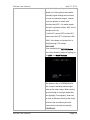
you have already created a pattern).
Only PEAK and ON have Sub Menu’s
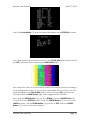
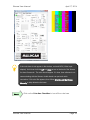
This pattern matches the PRESET ON
that can be accessed by the CENTRE
with the CCD being more sensitive in the
Button.
middle and less sensitive in the outside.
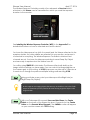
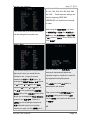
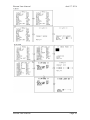
The WHITE flashing square in the upper
left is your current zone. Using the
ARROW Buttons you can move around
the screen from Zone to Zone. Pressing
the CENTRE key at any Zone, toggles the
zone GREY or BLACK. (GREY is
Xtreme User Manual
Page 55