1
Using USB Memory
Saving Image Files to a Personal Computer, and Deleting Image Files
This is an operation example of storing the image file that has been stored in USB memory on the hard disk of the personal
computer, or deleting the folder when the USB memory capacity has become full. (There are various methods that can be
used for saving and deleting including the use of Explorer.) See the instruction manual of your personal computer or the software that you are using for information about using a personal computer.
The folder name of the Captureboard inside USB memory is C-11. Image files are stored in this folder. Image file names are
stored as PV-xxxxxx.png (a PNG file) and PV-xxxxxx.htm (an HTML file). “xxxxxx” stands for the date and number (e.g., PV06110801.png, PV-06110801.htm).
Notice
To obtain a display and printing that matches the screen size, open the HTML file in a browser and use the browser.
Note
The HTML file and PNG file are associated; therefore, use them as a pair when moving or copying to a separate folder.
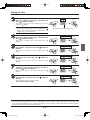
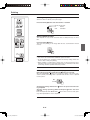
Plug the USB memory device into a USB port of the
personal computer
When connecting to the personal computer for the first time, the
installation of a USB driver is required. Follow the instructions
manual of the USB memory device that you are using.
• Usually, with Windows 2000/XP/Vista the standard driver is
installed automatically and is identified as “Removable disk” in “My
Computer.”
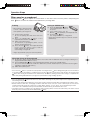
Saving the image files of a USB memory
device to a personal computer
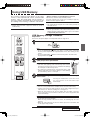
1. Open “My Computer” and from within,
open the drive of the connected USB
memory device.
The folder named “C-11” is the saved data of the
Captureboard.
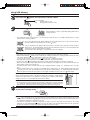
2. S t o r e t h e “ C - 1 1 ” f o l d e r i n “ M y
Documents” or another location.
All of the data contained in “C-11” will be stored.
Notice
Depending on the computer’s usage environment,
these operations may not work properly. This could
be the case for example:
• when several USB devices are connected simultaneously to the computer.
• when the USB device is connected to a USB hub or
when it is connected using an extension cable.
Drag to My Documents
E-25
C-11_man_E.indd E-25
07.7.30 6:05:03 PM