1
Important Safety Information
Handling the AC power adapter’s cord and plug
Projector
• Damaging the power cord could lead to fire or electric
shock.
• When installing, do not squeeze the power cord
between the product and a wall, rack, etc.
• Do not modify or damage the power cord.
• Do not place heavy objects on the power cord or pull
strongly on it.
• Do not place the power cord near heating appliances or
otherwise heat it.
• When unplugging the power cord, always do so by pulling on the plug, not the cord.
If the power cord should be damaged, ask your store of
purchase to replace it.
• If there is dust or metal objects on or near the power
plug’s blades, unplug the power cord then wipe the blade
area clean using a dry cloth. Continued use without cleaning the plug could lead to fire or electric shock.
• Do not plug in or unplug the power cord with wet hands.
Doing so could lead to electric shock.
• When moving the unit, turn off the power and be sure to
unplug the power cord from the AC outlet first. Moving
the unit with the power cord plugged in could damage the
cord, leading to fire or electric shock.
• Connect the power plug securely to the AC outlet, pressing the blades in to the hilt. Incomplete plugging could
cause heating or attract dust, leading to fire. In addition,
touching the plug’s blades could cause electric shock.
• Do not connect a device to the accessory outlets of the AC
power cord that will exceed the rating of the power cord.
• Dust or other matter that collects on the accessory outlet
portion could be the cause of fire.
• Do not use a power cord that is in an excessively bent
condition.
• When using the projector to project an image, and when
making a presentation or the like, light from the projector
may enter the eye.
Direct viewing of the projector light will be a cause of injury
to the eye; therefore, due caution should be taken.
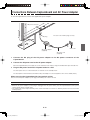
Preventing Tipping (for stand type units)
To prevent tipping, heed the instructions below. Tipping
could lead to personal injury or damage the unit.
• Use the unit on a flat floor.
• Be sure to attach the supplied stabilizers to the stand, and
lock the stoppers of the casters. Failing to do so could
result in the unit tipping and could lead to personal injury.
• Do not lean against the unit or apply excess force to the
top of the unit.
Cautions on Usage
• Take care that the unit does not get wet and that water
does not get inside. Do not place objects containing chemicals, water or other liquids (vases, potted plants, glasses,
cosmetics, etc.) on top of the unit. The liquid could spill
and get inside the unit, leading to fire or electric shock.
• When lifting the unit to adjust the height, etc., the unit
should be lifted by at least two persons to prevent it from
tipping and causing personal injury.
• Do not move the sheet with paper or other objects
attached to it. Doing so could cause damage.
• Do not wipe the unit or sheet with thinner, benzene, alcohol or other such products. Doing so could cause discoloration or damage the sheet.
• Please be sure to use the dedicated markers and erasers. Use of other types of markers or erasers, or rubbing
directly with the hand may scratch the sheet, or may soil
the sheet and the ink may not come off.
The markers must be stored in a horizontal orientation.
The ink may be difficult to remove if they are not.
• When moving the (stand type) unit, remove the stabilizers
and release the caster locks. Hold the sides of the main
unit and move it gently. Avoid shocks.
• When not using for long periods of time, for safety be sure
to unplug the AC power adapter from the power outlet.
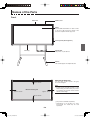
• Make entries within the effective reading size. (See page
E-9) Portions that are drawn outside of this range might
not be printed or copied when saving to USB memory or
personal computer.
• Just as with the copyboards up until now, please do
not move the sheet manually (by hand) with the current
model. Doing so may result in improper storage or printing
of the information drawn on the sheet surface.
Do not use the included CD-ROM in a player
designed for audio CDs.
• Never use the included CD-ROM in a player designed for
audio CDs. Doing so could produce loud noises that could
impair your hearing. These noises can also damage your
speakers.
Installation
• When mounting on a wall, be sure to check first that the
wall surface is strong enough to support the total weight of
the main unit, mount fittings and printer for a long period
of time (including during earthquakes). If the wall is not
strong enough, reinforce it before mounting the unit.
• Getting water on or inside the unit etc., could lead to fire
or electric shock. Be particularly careful when using the
unit near a window when it is raining or snowing and when
using it near the shore of the ocean and lakes.
• Do not set the unit in hot places exposed to direct sunlight
or in places exposed to an air conditioner or heating duct.
Do not set the unit in places exposed to soot or humidity
(near humidifiers, etc.).
• When the power plug will be unplugged from the power
outlet, please place the Captureboard near the power outlet so that it may be reached easily.
E-5
C-11_man_E.indd E-5
07.7.30 6:04:49 PM