1
Table of Contents
Important Safety Information ......................................................................................................... E-4
Package Contents ........................................................................................................................... E-7
Main Functions ................................................................................................................................ E-8
Names of the Parts .......................................................................................................................... E-9
Front ............................................................................................................................................ E-9
Rear............................................................................................................................................ E-10
Changing the Height of the Unit ................................................................................................. E-11
Control Panel .............................................................................................................................. E-12
Connections Between Captureboard and AC Power Adapter .................................................. E-13
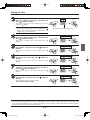
Setting the Time............................................................................................................................. E-14
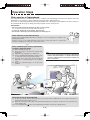
Operation Steps ............................................................................................................................. E-16
When used as a Captureboard .................................................................................................. E-16
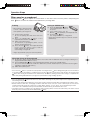
When used as a copyboard ........................................................................................................ E-17
Printing (When a printer has been purchased as an optional item) ........................................................ E-18
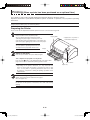
Preparing the Printer .................................................................................................................. E-18
Basic Printing Operation ............................................................................................................ E-19
Selecting the printing density ................................................................................................ E-21
Making additional copies ...................................................................................................... E-21
Cancellation of the print operation in progress ..................................................................... E-21
Printing in the same ratio as the sheet surface (Model C-11W) ............................................ E-22
Using USB Memory ....................................................................................................................... E-23
USB Memory Storage Procedure ............................................................................................... E-23
Saving Image Files to a Personal Computer, and Deleting Image Files .................................... E-25
Accompanying Software .............................................................................................................. E-27
Software Contents and Overview ............................................................................................... E-27
Operating Environment .............................................................................................................. E-27
Meaning of Error Messages.......................................................................................................... E-28
Troubleshooting ............................................................................................................................ E-29
Specifications ................................................................................................................................ E-30
Appendix (When a printer has been purchased as an optional item) ..................................................... E-31
Connections Between the Captureboard and Printer ................................................................ E-31
When there is a Problem with Printing ...................................................................................... E-32
Meaning of the Terms Used in this Manual
• USB memory: refers to USB flash memory.
• USB memory storage: means the saving of sheet surface data using MEMORY (i.e., the USB port) of the operation panel.
(The Captureboard has 3 USB ports.)
• Internal memory: indicates a temporary saving location of the image that has been read.
• “copy”: Both “print” and “USB memory saving” mean to “copy.”
• “Sheet surface”: refer to the drawing portion.
• “Scroll” or “move”: indicates feeding of the sheet.
E-3
C-11_man_E.indd E-3
07.7.30 6:04:48 PM