1
My Sage Pay User Manual
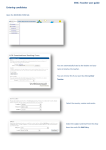
*Valid IP Addresses for this Account
You can use this section to add or remove IP Addresses on your account. This should be the
external IP Address of your server.
Important Note: You only need to add IP Addresses to your account if you are integrating
with Direct or Server. If you change your web server you will need to change the IP Address
on your account. It is not necessary to add IP Addresses to your account if you are
integrating with Form or using the Terminal.
*Payment Page Templates for Server and Form
You can use this section to change the payment pages which are displayed to your
customers during the payment process. The payment pages are the pages where your
customers enter their credit card details. You will only be able to change these if you are
using Server or Form to process your transactions.
Important Note: If you change these settings you will change the look of your payment
pages, and may stop them from working altogether if you have not created your own
customised pages correctly. For information about customizing the payment pages, please
visit the website:
http://www.sagepay.com/developers/integration_manual/custom_template_guide.html
Page 23 of 32