1
Utilities
247
25.20.2 Bulk Changes - Assign Observation Codes
Observation codes are used to link observations taken at a like stage in the growth of an animal e.
g. birth, weaning, 400 days etc. In this way, for example, it is easy to extract all the weaning
weights out for a group of animals .
There will be occasions when it is more convenient to assign observation codes in bulk. This
option allows you to do just that.
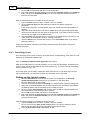
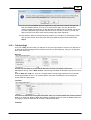
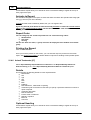
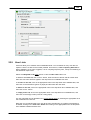
Choose the Utility/Bulk Changes/Assign Observation Codes menu option. Then:
Choose the type of data to which you want to assign the observation codes.
Enter the year of birth of the required animals.
Enter the date range of the observations to be updated.
Enter the observation code to be assigned to observations of the required type in the
specified date range, for the required animals.
Tick the box 'overwrite existing observation codes' if you wish to replace any existing code
found in the records retrieved.
Click on the OK button. This will then prompt you to confirm that you want to proceed
with the bulk change.
25.20.3 Bulk Changes - Delete Observation/Change Date, Obs. Code, Herd or Flock
There may be occasions where you have done bulk events and either assigned the wrong date, or
bulk-entered the wrong information, for example with Stockbook's generalised import routine, you
may have linked an incoming item to the wrong Stockbook item.
This option allows you to either delete observations of a particular type recorded on a specific day,
or change the date, observation code, herd or flock .
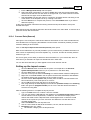
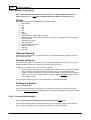
Choose the Utility/Bulk Changes/Delete Observation/Change Date, Obs. Code, Herd or
Flock menu option. Then:
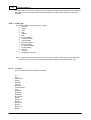
Select whether you want to delete data, change dates or change observation code, herd
or flock.
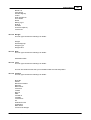
Choose the type of data you want deleted or changed.
Enter the current date of the observations.
If you are changing the date of these observations, enter the new date.
Click on the OK button. This will then prompt you to confirm that you want to proceed
with the bulk change.
25.20.4 Bulk Changes - Assign Practitioner
There may be occasions where you have done bulk events and either assigned the wrong
practitioner, or not entered the practitioner at all. For example Stockbook's generalised import
routine does not allow import of a practitioner.
This option allows you to assign a practitioner to observations of a particular type (joinings,
muscle scans, preg. tests and traits) recorded on a specific day.
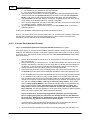
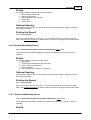
Choose the Utility/Bulk Changes/Assign Practitioner menu option. Then:
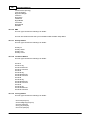
Choose the type of data to change.
Enter the date of the observations that you want to change.
If you are changing traits, you can restrict the change to a specified trait type.
Click on the OK button. This will then prompt you to confirm that you want to proceed
with the bulk change.
© <2011> ... Practical Systems