1
G E T T I N G
S T A R T E D
1
Chapter
Introducing the M7140
This chapter describes how to get started using your M7140 desktop
terminal and get you up and running fast.
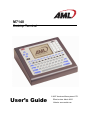
M7140 desktop terminal is an ultra-versatile, high-performance, compact desktop
T heterminal.
It is rugged, requires a limited amount of desktop space, and is easy-to-use. The
high resolution graphical display is capable of presenting a multitude of fonts and images.
The M7140 utilizes a true, fully functional, Linux operating system. The Linux operating
system is well known for its stability, speed and conservative memory usage. The Linux
operating system coupled with the M7140’s high speed processor makes the M7140 one of
the fastest desktop terminals on the market today. In test after test the Linux operating system
has out-performed DOS based and Windows based operating systems when compared on
similar hardware platforms.
The M7140 is easy to use and program. Our specifically designed CommandLink™ software
makes it easy to create custom applications for any requirement. Our terminal emulation
software makes it easy to integrate the M7140 into legacy applications as well. You can even
utilize standard BASIC software on the M7140 desktop terminal.
What to Expect
This user’s guide provides you with an overall physical description, keypad values, technical
specifications and performance capabilities of the M7140 desktop terminal. In addition you
will learn how to:
•
Connect to your host computer
•
Customize your M7140 Terminal
•
Create and execute programs
•
Collect and upload data
•
Send and receive data
1