1
pot. By counting your outs, you can do a very rough, quick calculation to estimate your chance of
improving your hand after the flop, and hopefully having a winning hand. Knowing how likely (or unlikely)
you are to improve will help you make a better decision about how much (or little) to invest in the hand.
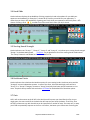
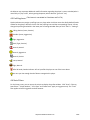
Omaha Indicator shows you the total outs and what the outs are. Omaha Indicator displays the OUTs
from the strongest to the weakest. So you can easily ignore the weak ones if you wish.
3.8 Position
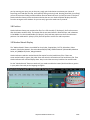
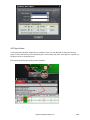
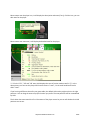
Omaha Indicator shows your position after flop. For a full size table (7-10 players), the first three seats
after the button would be Early. The button and the two seats before it would be Late, and in between
is the Middle. For short-handed tables (5-6 players), Early and Late position are the first and last two
positions. For tables with 2-4 players, Early and Late position are the first and last position.
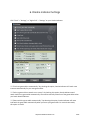
3.9 Mucked Hands Display
The "Mucked Hands" feature is available for Party Poker, EmpirePoker, Full Tilt, PokerStars, iPoker
network, Cake Poker Network, Entraction Network(24h, B2B), CEREUS Network (UltimateBet, Absolute
Poker, etc), 888(Pacific) Poker, Merge Network.
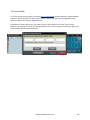
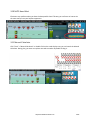
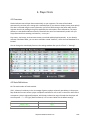
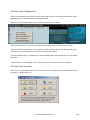
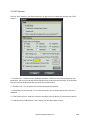
Omaha Indicator reads the mucked hands information from the hand history files. If there are
some mucked cards in a game, the poker client will write this information to the hand history file. Then
Omaha Indicator will read and display them. Keep in mind that not every hand has the mucked cards.
For the "Mucked Hands" feature to work well, you need to enable the instant/local hand history option
in your poker client and put the language to English.
http://www.OmahaIndicator.com
15/34