1
1. Getting Started with Omaha Indicator
1.1 Installation
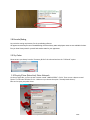
You can download and install Omaha Indicator from http://www.omahaindicator.com/download.php.
You need to have "Administrator" privileges with your computer account. The installation is free.
Omaha Indicator supports Windows OS only. We'll develop a Mac version in future.
1.2 Free Trial
You can try Omaha Indicator with play money games. No license code is needed for the free trial. The
free trial time is unlimited. To use it with real money games, you need to Get a License Code for Omaha
Indicator.
Omaha Indicator supports Limit, NL/PL Omaha games, including ring games and tournaments.
1.3 Run Omaha Indicator
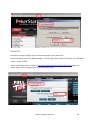
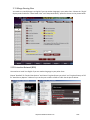
Omaha Indicator is very easy to use. You can launch Omaha Indicator before or after you sit in at a table.
Then Omaha Indicator will automatically find and attach itself to the game table that you're playing at.
To make sure Omaha Indicator catch your first hand, please launch it before your game starts.
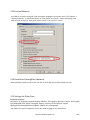
Omaha Indicator supports multiple game tables at the same time. You can multiple instances of Omaha
Indicator by double clicking the icon of Omaha Indicator multiple times. Each of the Omaha Indicators
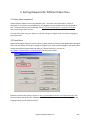
will work with each of the game tables independently. Also, you can click "Tools" > "Settings" on your
Omaha Indicator. Select the option "Find new game tables automatically". After that, your Omaha
Indicator will open a new instance automatically if there's a new game table available. You can make
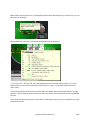
your Omaha Indicator start/stop finding new game tables by "Right Clicking" on the Omaha Indicator
icon in your system tray.
1.4 Software Upgrade
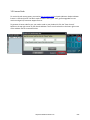
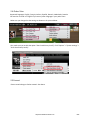
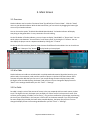
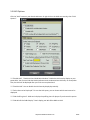
You'll get free upgrades for new versions of Omaha Indicator. Omaha Indicator will automatically detect
the availability of a newer version and popup a notification message. Also, you can re-download and
install Omaha Indicator to get the latest version. You don't need to re-enter the license code after
reinstallation if you already unlocked it.
http://www.OmahaIndicator.com
4/34