1
XPOCAST User Manual
5-2-13
INXPO, Inc.
slides and/or the microphone to the appropriate user before they reach the two second warning mark.
The last two seconds should not be counted out loud by the engineer so as to ensure that their voice is
not heard by the audience.
Once the session is live and the speakers are talking, it is the engineer’s job to monitor the presentation
on a variety of fronts. First, listen to the presentation to hear if the speakers seem to be expressing
problems with the platform or ability to change slides. Speakers often can get flustered at the moment
they go live and not remember how to advance slides and will look to the engineer, aloud, for
assistance. The engineer should offer guidance through the messaging system if possible. However if
this does not work, pause the session, verbally instruct the speaker and then restart the stream. Next,
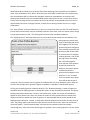
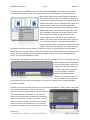
watch the Presenters tab and the Presenter chat to confirm that speakers do not drop their connection
or reach out for assistance. If there are multiple webcam speakers, monitor the switchboard to confirm
that the speakers are ready to have microphone control passed to them prior to sending the stream
over. Finally, the engineer should watch the question queue for any attendee technical support
questions that come in. The engineer should answer these questions with private, text-based responses.
When the presentation ends, the engineer should click the “End” button and then go through the saving
and finalization steps. Be sure to let the speakers know when they are clear via the phone line. The
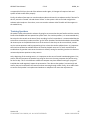
engineer should then either use the editor to make required changes to the session or use the Setup
panel to place the session on demand for continued access.
Running a Simulive Event
The first step in running a simulive event is to record the presentation with the speaker. It is
recommended that all presentations be recorded and approved at least five days prior to the live day. In
advance of the recording day, the engineer must make sure all slide content has been received and
uploaded. This content should have also been reviewed by the speaker to confirm it is in the correct
order, contains the correct content and is displaying properly. A full test of the setup should also be run
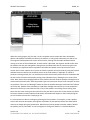
by utilizing the Overview section of VX Webcasts as well as the “Webcast Test” section of the setup
panel in XPOCAST.
After the session has been properly approved and tested, the engineer is ready to train the speaker and
facilitate the recording. The engineer and the speakers should dial into a phone bridge (regardless of
how the webcast is being run) to discuss how the recording will work. When planning the recording
session, make sure to leave enough time for training and recording on the speaker’s calendar. For a 60
minute presentation, it is recommended that the recording be scheduled for at least 90 minutes. Once
the speakers are on the line, go through the complete training process. Next, confirm the process flow
of the presentation including the “start” time, which speaker will have slide/microphone control at
which points, through the Q&A and close of the presentation.. It is recommended to remind the
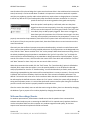
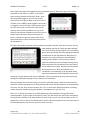
speakers of how the Presenter Chat and Message features work and look in case they need to be
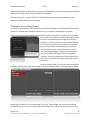
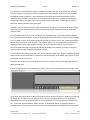
implemented. Also, review with the speaker what the process is if they want to re-do a slide during the
recording. The speaker should stop, say “Restarting slide,” do a countdown from three, pause and then
Version 2.0
© COPYRIGHT 2013 INXPO, INC. ALL RIGHTS RESERVED.
60
INXPO CONFIDENTIAL