1
ProtectDrive Administration Guide
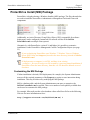
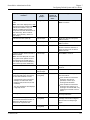
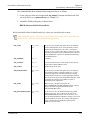
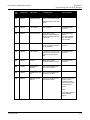
ERA_LICENSE_PATH_OR_CODE
Chapter 5
Deploying ProtectDrive
This property does not exist in the SafeNet
ProtectDrive.msi file by default.
This property defines the license path (relative, full
or network path) that contains the ProtectDrive
license file, or the full license code (copied/pasted
from the license.txt file). The default license file
path is the source directory (from which the
SafeNet ProtectDrive.msi file is run).
If this property is not defined, then the installation
searches for a license.txt file. If authorization.txt
also exists, then it will take precedence over
license.txt. If neither file exists, then the trial
license is installed.
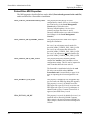
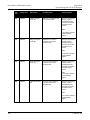
ERA_NO_NETBSD
This property applies to upgrades only (32-bit preboot installation is the default). If a legacy 16-bit
installation is desired, set this property to (1). If set
to (1), the ERA_VROM_READERS_SET
property must also be set.
If a 32-bit environment is already installed
and there is a need to revert to legacy 16bit, press the [Shift] key while the PC is
booting. The PC will start in 16-bit preboot one time only (until the next reboot
occurs). To make this adjustment
permanent, please contact Technical
Support.
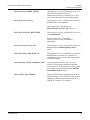
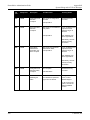
ERA_SETUP_TYPE
This property is set to Client by default for client
installation. Set to Server to install Administrative
Management Tools (ProtectDrive Management
Console, PDDirPrep, Remote Recovery Console,
etc).
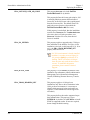
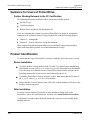
ERA_VROM_READERS_SET
This property applies to 16-bit pre-boot
installations only. Due to driver limitations in the
16-bit pre-boot environment, it is necessary to
identify which groups of smart card readers are
required. (32-bit installations include support for
all readers.)
This property defines the readers supported at preboot authentication. This property is set to
INTERNAL by default. Set to PCMCIA to install
PCMCIA supported readers. If none are required,
do not change the default setting.
44
© SafeNet, Inc.