1
MAIN
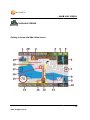
AIN MAP SCREEN
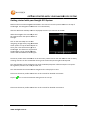
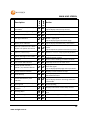
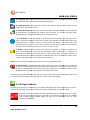
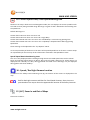
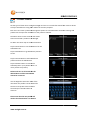
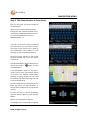
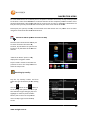
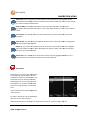
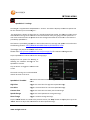
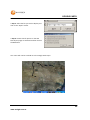
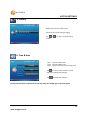
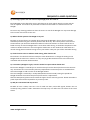
1: Next Turn by Name / Turn By Turn Menu
This screen will be blank when in cruise mode. This screen sh
shows
ows the next street or road you need to
turn into and the current distance from the turn.
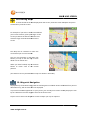
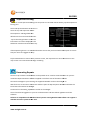
Tap on this to display the Turn By turn List for the calculated route
route.
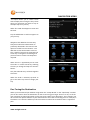
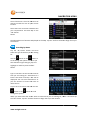
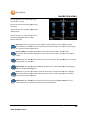
Top bar show the destination address. Use the
up and down arrows on the side to scroll
through
rough the list to display all the turns in the
route. Distance shown is the distance between
each turn you must make to follow the route
Tap the Back and Map buttons to return to the
Main Map screen or the End Trip to stop the
calculated route and return to Cruise mode
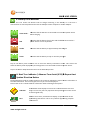
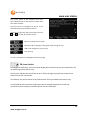
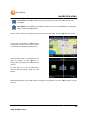
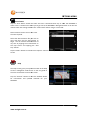
2: Low GPS Satellite Signal Warning Message
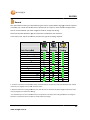
A low satellite warning message will be displayed when less than 5 satellites are being detected.
See Number 4 (GPS Signal Indicator) for more details.
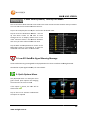
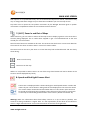
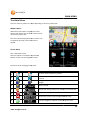
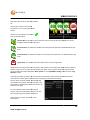
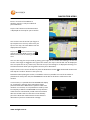
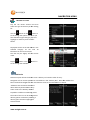
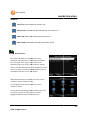
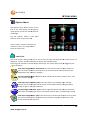
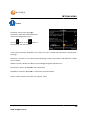
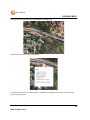
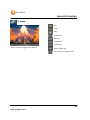
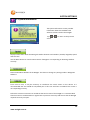
3: Quick Options Menu
Only displayed
yed when in a route, this menu
gives several quick options for changing
the criteria for the current route.
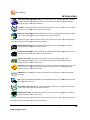
If the option is active, the icon will be
shown with a .
Tap on the icon to activate or deactivate
the option as required
15
www.navig8r.com.au