1
RUGGEDCOM ROX
Chapter 3
User Guide
Device Management
Section 3.7.9.2
Enabling Secure Remote Syslog
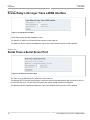
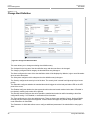
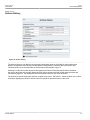
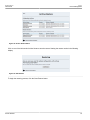
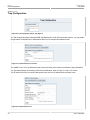
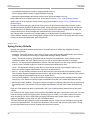
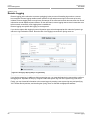
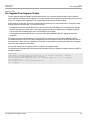
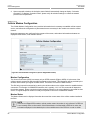
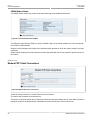
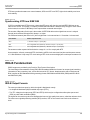
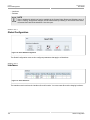
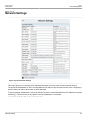
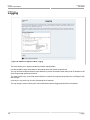
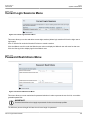
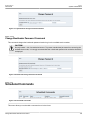
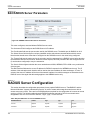
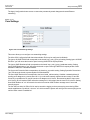
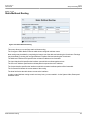
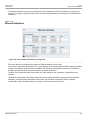
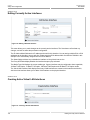
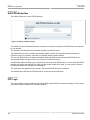
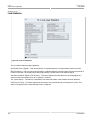
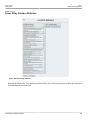
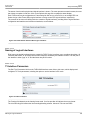
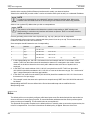
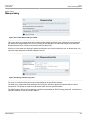
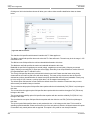
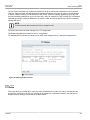
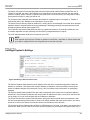
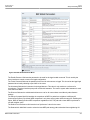
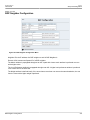
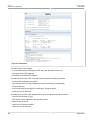
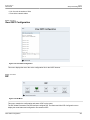
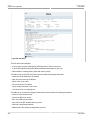
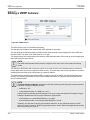
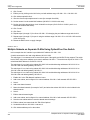
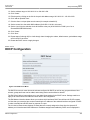
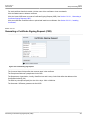
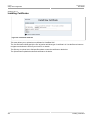
Figure 60: Secure Remote Syslog Settings
ROX supports the encryption of system logs with rsyslog.
NOTE
All certificates must be conform to the following specifications:
• X.509 v3 digital certificate format
• PEM format
• RSA key pair, 512 to 2048 bits in length
NOTE
Once secure remote system logging is enabled and a remote syslog server is configured, TCP port
6514 is automatically opened.
Enable enables or disables secure remote syslog.
CA certificate specifies the path and filename of a CA (Certified Authority) certificate. The client and server
certificates must by signed by the same Certified Authority (CA).
Certificate specifies the path and filename of a certificate.
Key specifies the path and filename of a key.
Permitted Peer Common Name allows you to match the common name in the certificate with one or more
match patterns. Each match pattern must be separated by a space. The default value is "pattern", which
can be replaced by one or more patterns, which can include wildcards (*). For example, the match pattern
"*.example.com" will match "abc.example.com". Alternatively, the match pattern "a* *.example.com" will also
match "abc.example.com", but it will not match "abc.example".
CAUTION!
Security hazard - risk of unauthorized access or exploitation. Selecting the Do not check radio
button configures ROX to accept a certificate with any common name from the server. This mode is
vulnerable to man-in-the-middle attacks and is not recommended.
If you do not want to match the common name, select the Do not check radio button.
Enabling Secure Remote Syslog
59