1
JPEG2000 Stand alone DVR User Guide
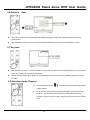
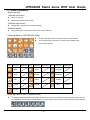
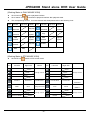
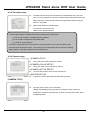
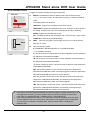
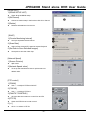
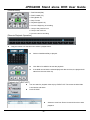
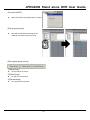
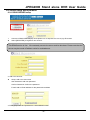
4-6-6 Audio volume setup
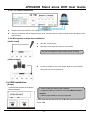
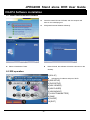
1.[INPUT VOLUME]
Adjust VOLUME of Recorded AUDIO
2.[LIVE VOLUME1~4]
Adjust VOLUME of LIVE per channel.
3.[PLAY VOLUME1~4]
Adjust VOLUME of PLAY per channel.
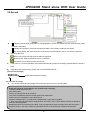
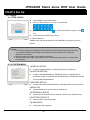
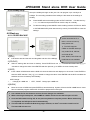
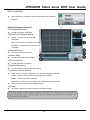
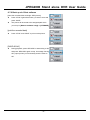
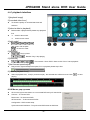
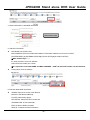
4-6-7 Remote controller setup
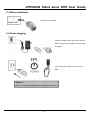
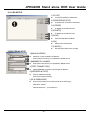
1.[REMOTE CONTROLLER SETUP]
User use it to operate many DVRs installed at the same site and select each
different TYPE.N TYPE, S TYPE, U TYPE 1 ~ U TYPE 6: Total 8 TYPE
Selectable.
Remocontroller type please uses N TYPE.
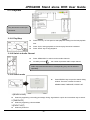
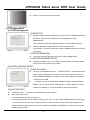
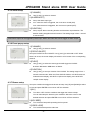
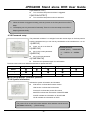
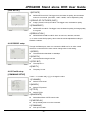
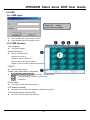
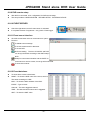
4-7 Factory default
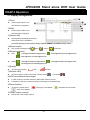
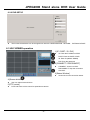
Press to select and ENTER to turn ON and OFF the selection. Move the cursor
to RUN and press ENTER to execute the Factory Default.
1.[ALL]
Set all the settings back to factory default.
2.[SCREEN DISPLAY]
Set ”SCREEN DISPLAY” back to factory default.
3.[CAMERA COOLR SETUP]
Set ”CAMERA COLOR SETUP” back to factory default.
1. The DVR cannot reset the
password to default by
running Factory Default.
2. It is strongly suggested to
run Factory Default and HDD
CLEAR when you install a
new hard drive(s).
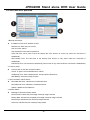
4.[MOTION SETUP]
Set ”MOTION SETUP” back to factory default.
5.[PANTILT SETUP]
Set ”PANTILT SETUP” back to factory default.
6.[SCHEDULE SETUP]
Set ”SCHEDULE SETUP” back to factory default.
7.[CONFIGUATION]
Set ”CONFIGURATION” back to factory default.
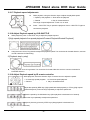
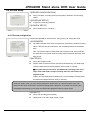
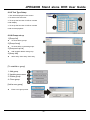
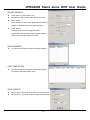
4-8 Language
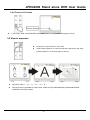
Press [+] / [-] button to select a language.
- 42 -