1
JPEG2000 Stand alone DVR User Guide
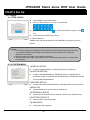
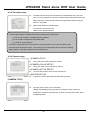
[Backup Procedure]
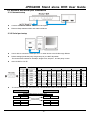
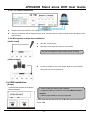
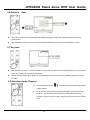
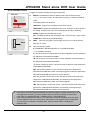
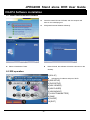
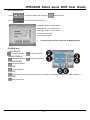
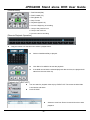
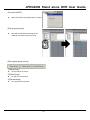
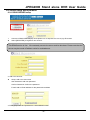
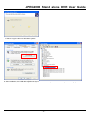
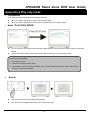
1. Select [Connect Test] to test the status to DVR connection
2. Select [Unlock] to get the record start/End time of DVR
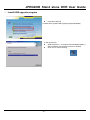
3. Select [Set Backup Time] to setup the backup function
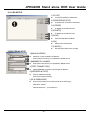
Indicate the recorded start/end time
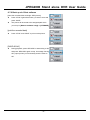
Click [Find] to set the path for saving the backup file
Set the file size of backup file (30~700MB)
Set the start/end time of file backup
4. Click [Apply] to apply all setup
5. Select [Start Backup] to active the backup function (User can stop anytime during backup)
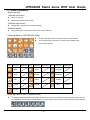
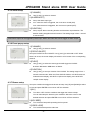
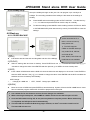
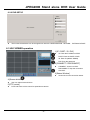
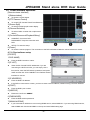
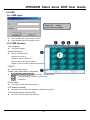
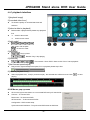
6-5 J2K PLAYER operation
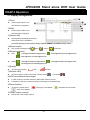
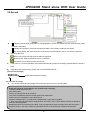
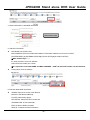
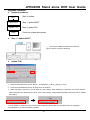
1.[Current time display]
2.[Status Window]
Display backup starting /ending
time and status.
3.[Screen division]
User can select screen division.
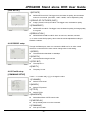
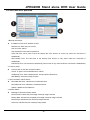
4.[AUDIO]
ON: To start the audio function.
Ch1~4: to select the channel with audio.
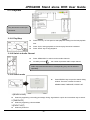
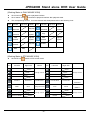
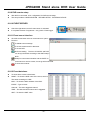
5.[Function keys]
OPEN: Open the backup file.
EDIT: Edit the backup image.
AVI SAVE: To save the AVI file.
EXIT: Log out the program.
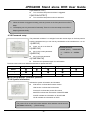
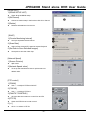
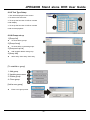
6.[SPEED / DELAY]
SPEED: Adjust the speed of fast forward
DELAY: Adjust the speed of reward
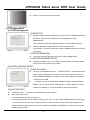
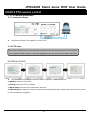
7.[Play bar]
Enables to search recorded data by using this bar.
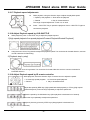
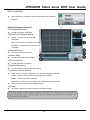
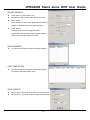
8.[Function bar on playback]
To the beginning
Pause
Forward
Fast Rewind
Rewind
Fast Forward
To the end
- 49 -