1
JPEG2000 Stand alone DVR User Guide
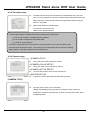
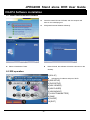
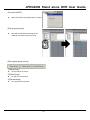
6-6 H.264 TRANSMITTER
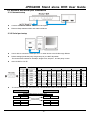
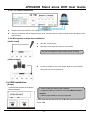
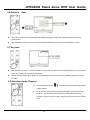
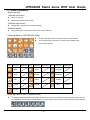
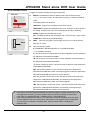
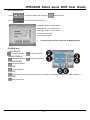
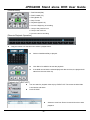
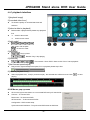
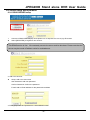
1.[IP / PORT / ID / PW]
IP: Enter the IP address of DVR
PORT: Enter the PORT of DVR
ID: Enter ID (default: ADMIN)
PW: Enter the password
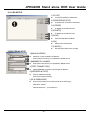
2.[CONNECT / DISCONNECT /
SETUP]
CONNECT- Connect to DVR
DISCONNECT- Stop the connection
with DVR.
SETUP- To enter the setup.
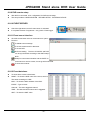
3.[Status Window]
Shows the current connection status.
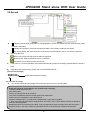
4.[PTZ CONTROL]
User can control PTZ camera connected to DVR remotely. ( To control PTZ remotely, user must set PTZ setting
in DVR in advance.)
5.[Bit Rate / AUDIO]
Bit rate –shows received data from network. Please refer to “set up” in Network Connection.
Audio –it currently does not support. It will be supported soon.
6.[DVR Virtual Key ]
Same effects as press the keys in DVR panel.
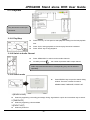
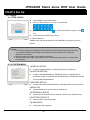
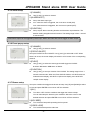
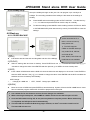
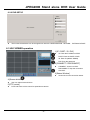
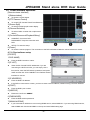
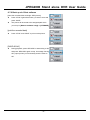
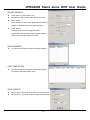
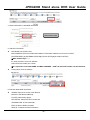
[NVS SETUP]
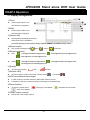
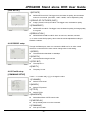
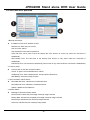
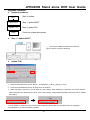
1.[Bitrate]
DATA SIZE from NVS. The bigger it set, the better its
quality. But sometimes image is not smooth.
(Set Value : 100Kb ~ 2500Kb, can be adjusted by 50K)
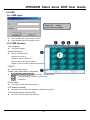
2.[GOP]
Image (I frame, P frame) from NVS. The bigger it set,
the better its quality.
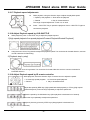
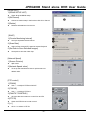
3.[Frame Rate]
DATA RATE from NVS. The bigger it set, the better its
movement.But sometimes image is not smooth.
4.[Resolution]
DATA RESOLUTION from NVS. Such as 160*120, 320*240, 640*480.
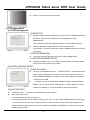
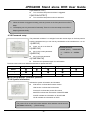
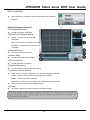
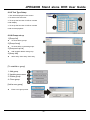
In order to work NVS properly, above value should be adjusted according to Network Condition.* Please refer to
‘bitrate’ displayed in TRANSMITTER when user set.
- 51 -