1
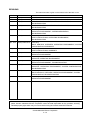
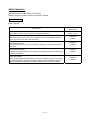
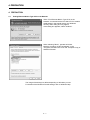
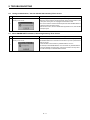
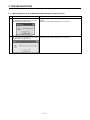
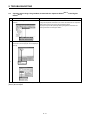
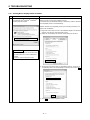
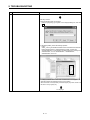
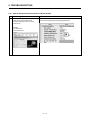
5. TROUBLESHOOTING 5. TROUBLESHOOTING 5.1 During USB Communication, Communication Error Occurred and Communication Is Not Recovered from Error No. Phenomenon Cause and remedy A communication error occurred during USB Any of operations 1) to 3) was performed during USB communication with the communication with the Motion CPU, and Motion CPU. communication is not recovered from the error. 1) The USB cable was disconnected and connected during communication with the Motion CPU or connected after communication started. 2) The Motion CPU was reset. 3) The Motion CPU was cycled on/off. Do not perform any of operations 1) to 3) during USB communication. Doing so may cause a communication error, from which communication cannot be recovered. If any of operations of 1) to 3) is to be performed, it is recommended to put MELSOFT MT Works2 in an offline status(Note-1). 1 If communication is not recovered from the error, disconnect the USB cable once, and after 5 or more seconds have elapsed, reconnect it. (The communication error may occur at the first time after the above operation is performed, but communication will return to normal at the second time and later.) Depending on the personal computer model, however, communication may not be recovered from the error if the above operation is performed. In that case, reset the personal computer. (Note-1): Offline status: Status in which communication is not made with the Motion CPU (In an online status, program/parameter read/write, monitoring, test or like is in execution.) 5.2 Project Cannot Be Saved or Read No. Phenomenon Cause and remedy A project cannot be saved or read. <Cause 1)> (Example) The item "Execute this program in compatibility mode" is selected in the The following message may appear. application properties. <Remedy 1)> Remove the check mark from "Execute this program in compatibility mode". 1 To next page 51