1
6.4.1.4 Access-List Editing Support
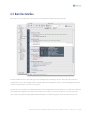
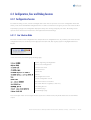
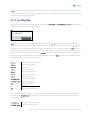
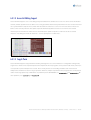
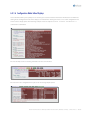
Telconi Terminal supports access-List editing and synchronization for standard access lists. Lines of lists can be marked for
deletion, shifted up/down and so on. Once a list is changed it will be marked “unsynchronized”. The user can then view and
run a synchronization script for the list, which will retransmit the entire list as seen on screen to the device. We’ve also
built in some lock-out protection. The update script will automatically disable an active access-list for all associated
interfaces prior to transmission. After the list is transmitted, the update script will re-enable the list for associated
interfaces. List editing also works for other lists – such as “priority-lists” or “dialer-lists”.
6.4.1.5 Copy & Paste
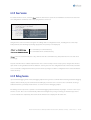
Telconi Terminal supports Copy & Paste functionality, although there are some limitations. In configuration editing mode,
single lines or words can be copied and pasted. Also input from external programs can be pasted in edit mode, however, it
is not possible to paste multiple lines at a time. This is mostly because error handling would become inconsistent if
multiple lines would be inserted in a single operation. However, multiple copied from other programs lines can be pasted
it Exec mode. Copy & paste key combinations are platform specific. On MacOS X, use C omman d -C and C ommand -V . On
other platforms, use C on t r ol -C and C on t r ol -V .
Telconi Terminal Users’s Manual, ©2005 Telconi GmbH, Munich, Germany (DOCV1.0.2)
25/37