1
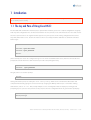
As we did a “show running” before, we figured out what the interface number of our target interface is, maybe we have
to scroll a bit back with our terminal emulation. Okay, the interface of choice was “Ethernet 1” because we’ve seen this
configuration fragment in our (possibly quite longish) output:
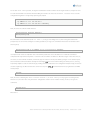
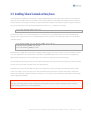
interface Ethernet 1
ip address 10.1.2.1 255.255.255.0
ip address 10.1.2.3 255.255.255.0 secondary
Now, we enter the context of that interface:
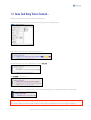
Router(config)# interface Ethernet 1
Router(config-if)#
The commands can be abbreviated, like “int ether 1”, as long as not ambiguous. So, after having arrived at the 4th
prompt now, we can now the configure secondary ip-address (as long as we remember what it was we wanted to do in
the first place):
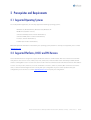
Router(config-if)# no ip address 10.1.2.3 255.255.255.0 secondary
It is important to note that completion does not work for parameters such as IP addresses or netmasks. Command
completion will only work for keywords – not values such as numbers or addresses. We have to type in the entire line (or,
of course, use our terminal emulation, scroll back, copy the entire line in our paste buffer, just type in “no” and then paste
the line with the terminal emulation. Usually we would type TAB and ? several times during the whole process, causing
help facility output to scroll the context way up, making it hard to scroll back to our configuration output. Finally, we want to
check if everything is ok. We now have the convenience to press CTR L -Z and break back to levels, right back to our EXEC
mode prompt:
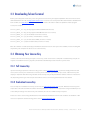
Router#
Now, we enter something like “show interface Ethernet 1”, or “show running-config” again. Assuming we like
what we see, the router does not yet have the configuration saved in its non-volatile memory. To do so, we type the
command:
Router# write
We’re done.
Telconi Terminal Users’s Manual, ©2005 Telconi GmbH, Munich, Germany (DOCV1.0.2)
8/37