1
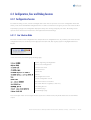
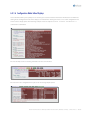
N o te : We’ve defined some keyboard alternatives to Cursor keys – especially for those who are used to the Unix vi editor.
The line selection mode (i.e., selecting a line before entering line edit mode) in Telconi Terminal is quite similar to vi. Some
default Emacs key-bindings will also work.
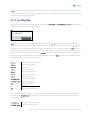
6.4.1.2 Line Editing Mode
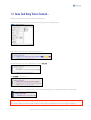
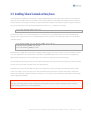
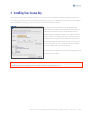
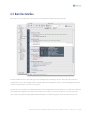
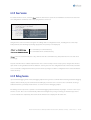
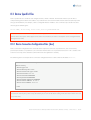
After you’ve selected a line (by left-clicking the mouse or typing +, R ETU R N or BAC K S PACE , A , C o r E ), a little terminal
input window opens within the line selection area:
N o te: if you intend to insert a new global configuration line, just enter + or a after any other global configuration line or
the last line of an indented section such as an interface definition. To add a new line within an interface, use + or a while
selecting the first or any other but the last one of a given configuration section. To leave this mode, press ESC left-click
outside the highlighted area. The line selection mode will also be entered once the mouse leaves the viewing area. No
changes are sent to the router unless you press the R ETU R N key in this mode. In line editing mode, you may simply use
the same command line editing keys as you normally would. With exception of ESC, the command line editing keystrokes
are transparently passed to the CLI interface, such as:
CTRL -A
move to the beginning of line
CTRL -E
move to the end of line
CTRL -W
delete word
CTRL -K
delete to end of line
CTRL -B
one character backward
CTRL -F
one character forward
CTRL -L
redisplay current line
C U R SO R -left
one character backward
C U R SO R - r i g h t
one character forward
TAB
complete command
?
get help
ESC
return to line selection mode
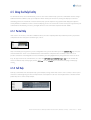
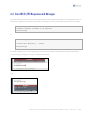
As shown above, it is also possible to access the built-in router help facility. The help overlays appear after a left mouse
click, the?-key or C U R SO R - U p . Once an overlay is visible, items on the help overlay can be selected and copied to the
command line as follows:
C U R SO R - u p
previous item of help overlay
C U R SO R - d ow n
next item of help overlay
Telconi Terminal Users’s Manual, ©2005 Telconi GmbH, Munich, Germany (DOCV1.0.2)
23/37