1
Basic operation Initial setup
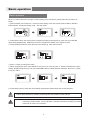
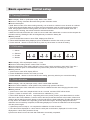
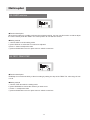
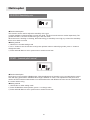
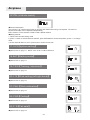
C- choosing model
Under SYS16 Press Up
button switch to Model
selection.
Press +/- to select Heli
ACRO means airplane
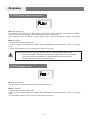
●Menu display: SYS 16 (helicopter mode) - HELI/ACRO
●Function: Model parameter model selection
●Function description: This transmitter support helicopters and airplane, you can select according to your
model.
●Setting method:
1 press and hold Menu to enter parameter setting mode, press Menu button 15 times, till SYS 16 being
displayed.
2 When MD H or MD A shown, press UP to choose model, Helicopter or Airplane, Press +/- to switch to your
model wanted.
3 Press down button to confirm operation, SURE will be shown during saving, press and hold +button to
save the change, press any other button to cancel edit.
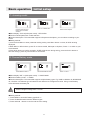
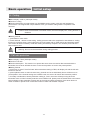
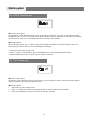
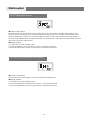
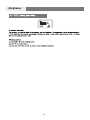
D Choose Battery mode
Press MENU to NO.17
Press UP/DOWN to select
Press + to save
●Menu display: BAT 17 (Helicopter mode) - LI /NOR /NIMH
●Function: Battery mode - LI /NIMH
●Function description: This transmitter support multiple battery types. E.g. NOR for Alkaline 4S, NIHM/NICD
4S, LIPO/Lith 1S. Different type of batteries have different low voltage alarm value. Using correct battery
mode will extent the battery life.
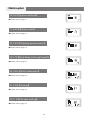
Caution! Support voltage from 3.7~6.0V
Warning
●Setting method:
1, Press MENU to enter BAT battery type BAT 17
2, Press UP/DOWN switch between different types
3, Press and hold + button to confirm and save the setting.
11