1
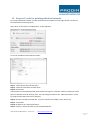
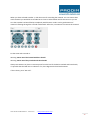
The next step is to set the temperature for the Extruder and the Printbed. First fill in the requested
temperature and after that click on the button for heating the printbed, extruder 1 and extruder 2.
The temperature values are shown in the thermometer and also on the bottom of your screen.
Always wait untill the right temperature is reached before continuing!
For temperature settings, please go to www.orcabot.com.
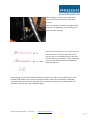
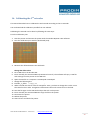
If the temperature is reached, the printer is almost ready for printing, but first manually feed the
extruder with some material.
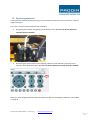
First of all, select extruder one by clicking “extruder 1” in the drop down box.
User manual: Prodim XXL Pro - version 2.0
- www.prodim-systems.com -
25