1
Klinkmann Automation ABB T200 Communication Server
i
Table Of Contents
Overview.........................................................................................................................1
Communication Protocols...............................................................................................1
Accessing Remote Items via the Server.........................................................................2
Installing the ABBT200 Server .......................................................................................3
Installing the Server ....................................................................................................3
Installing the I/O Server Infrastructure ........................................................................4
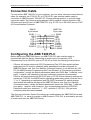
Connection Cable ...........................................................................................................5
Configuring the ABB T200 PLC......................................................................................5
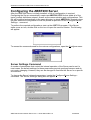
Configuring the ABBT200 Server ...................................................................................6
Server Settings Command..........................................................................................6
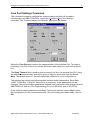
Com Port Settings Command .....................................................................................8
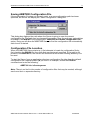
Saving ABBT200 Configuration File ...........................................................................9
Configuration File Location .........................................................................................9
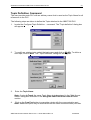
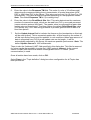
Topic Definition Command .........................................................................................10
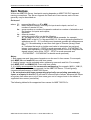
Item Names ....................................................................................................................12
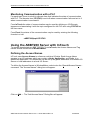
Monitoring Communication with a PLC.......................................................................17
Using the ABBT200 Server with InTouch .......................................................................17
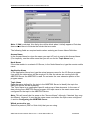
Defining the Access Names........................................................................................17
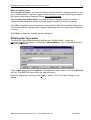
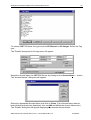
Defining the Tag names..............................................................................................19
Monitoring the Status of Communication with InTouch...............................................21
Notes on Using Microsoft Excel......................................................................................22
Reading Values into Excel Spreadsheets...................................................................22
Writing Values to ABBT200 Points .............................................................................22
Troubleshooting..............................................................................................................24
WIN.INI entries ...........................................................................................................24
Troubleshooting menu ................................................................................................25
ABB T200 Communication Server Ver 1.x User Manual Rev 1.2
37010M12